
鸿蒙6.1 image坑:createImageSource工厂非new+PixelMapFormat enum非字符串
本文是「鸿蒙 6.1 API 23 开发坑系列」第 13 篇(非 UI 系第 7 篇)。本篇讲
@ohos.multimedia.imagenamespace(API 6+,鸿蒙 6.1 API 23 基座)—— 图片处理image.createImageSource/image.createIncrementalSource工厂函数 +ImageSourceinterface(不能 new)+PixelMapclass +PixelMapFormatenum +InitializationOptions/DecodingOptions类型。鸿蒙坑根因:①image.createImageSource(fd)/image.createImageSource(uri)是工厂函数造ImageSource实例——ImageSource是 interface 不能new ImageSource()(跟篇 7HttpRequestinterface 不能 new 同理);②PixelMapFormatenum 常量RGB_565=2/RGBA_8888=3/RGB_888=5不是字符串'RGBA_8888'(传字符串编译错);③image.createPixelMap(options: InitializationOptions)创建空PixelMap——InitializationOptions必填size: { width, height }+pixelFormat: PixelMapFormat+editable: boolean;④ImageSource.createPixelMap(options?: DecodingOptions, callback?)异步解码图片返回Promise<PixelMap>——DecodingOptions可选desiredSize/desiredPixelFormat/desiredRegion/rotate;⑤PixelMap.readPixelsToBuffer(buffer: ArrayBuffer)异步读像素到ArrayBuffer(buffer 大小 = width × height × 每像素字节),不是 Reactcanvas.getImageData返回ImageData;⑥image.createIncrementalSource(buf?: ArrayBuffer)创建增量解码源(流式解码大图),ImageSource.updateData(data, isFinal, callback?)喂数据增量解码。
一、开篇:鸿蒙 image 不是浏览器 canvas getImageData,是「namespace 工厂 createImageSource + ImageSource interface」
你写 Web 前端时,图片处理用 canvas.getContext('2d').drawImage() + getImageData()(返回 ImageData 对象,含 data: Uint8ClampedArray RGBA 数组 + width/height):
// Web:canvas drawImage + getImageData 返回 ImageData
const canvas = document.createElement('canvas')
const ctx = canvas.getContext('2d')!
const img = new Image()
img.src = 'pic.jpg'
img.onload = () => {
  ctx.drawImage(img, 0, 0)  // ✅ 画图到 canvas
  const imageData: ImageData = ctx.getImageData(0, 0, img.width, img.height)  // ✅ 返回 ImageData
  console.info('width: ' + imageData.width)  // ✅ ImageData.width
  const rgba: Uint8ClampedArray = imageData.data  // ✅ ImageData.data RGBA 数组
}
你写鸿蒙 ArkTS 时,图片处理用 image.createImageSource(uri) 工厂函数造 ImageSource 实例 + ImageSource.createPixelMap() 异步解码返回 Promise<PixelMap> + PixelMap.readPixelsToBuffer(buffer) 读像素到 ArrayBuffer:
// ArkTS image.createImageSource:namespace 工厂函数造 ImageSource 实例(不是 new ImageSource)
import image from '@ohos.multimedia.image'  // ✅ default import(image 是 namespace)

// ✅ createImageSource 带 uri 字符串造 ImageSource 实例(interface 不能 new)
const source: image.ImageSource = image.createImageSource('file:///data/pic.jpg')  // ✅ 工厂造实例
// ✅ ImageSource.createPixelMap 异步解码返回 Promise<PixelMap>
source.createPixelMap().then((pixelMap: image.PixelMap) => {
  const info = pixelMap.getImageInfo()
  console.info('width: ' + info.size.width + ' height: ' + info.size.height)
})
// 鸿蒙坑根因:createImageSource 工厂造 ImageSource(interface 不能 new),PixelMapFormat enum 非字符串
Web vs 鸿蒙 image 的区别:Web 把图片处理当 canvas.drawImage + getImageData 方法(返回 ImageData 对象,含 data: Uint8ClampedArray RGBA 数组),ArkTS 把图片处理当 image.createImageSource 工厂函数造 ImageSource 实例 + ImageSource.createPixelMap() 异步解码返回 Promise<PixelMap> + PixelMap.readPixelsToBuffer(buffer) 读像素到 ArrayBuffer。根因不是方法是工厂——鸿蒙 ImageSource 是 interface 不能 new ImageSource()(用 image.createImageSource(uri) / image.createImageSource(fd) 工厂造实例,跟篇 7 HttpRequest interface 不能 new 用 http.createHttp() 工厂造实例同理),PixelMapFormat enum 常量 RGB_565=2/RGBA_8888=3/RGB_888=5 不是字符串 'RGBA_8888'(传字符串触发 Type 'string' is not assignable to type 'PixelMapFormat' 编译错,enum 值是数字 2/3/5 不是字符串)。
二、根因:鸿蒙 @ohos.multimedia.image 的六个绑定机制
鸿蒙 @ohos.multimedia.image namespace(API 6+)核心导出 image.createImageSource/image.createIncrementalSource/image.createPixelMap 工厂函数(造 ImageSource/PixelMap 实例)+ ImageSource interface(不能 new)+ PixelMap class(含 readPixelsToBuffer/writePixelsToBuffer/getImageInfo/release 方法)+ PixelMapFormat enum + InitializationOptions/DecodingOptions/ImageInfo/Size 类型。绑定机制来自六重根因。
机制 1:image.createImageSource(uri/fd) 工厂造 ImageSource——ImageSource interface 不能 new
鸿蒙坑根因:image.createImageSource(uri: string): ImageSource / image.createImageSource(fd: number): ImageSource 是工厂函数造 ImageSource 实例——ImageSource 是 interface 不能 new ImageSource():
// ❌ 鸿蒙坑:ImageSource 是 interface 不能 new ImageSource()
import image from '@ohos.multimedia.image'

// ❌ new ImageSource() 编译错(ImageSource 是 interface 不是 class,没有 constructor)
const source1 = new image.ImageSource()  // ❌ 'ImageSource' only refers to a type

// ❌ new image.ImageSource('file:///pic.jpg') 编译错(interface 没有 constructor 带参)
const source2 = new image.ImageSource('file:///pic.jpg')  // ❌ interface 不能 new

// ✅ 正确用法:image.createImageSource 工厂函数造 ImageSource 实例
const source3: image.ImageSource = image.createImageSource('file:///data/pic.jpg')  // ✅ uri 字符串
const source4: image.ImageSource = image.createImageSource(123)  // ✅ fd 文件描述符 number
const source5: image.ImageSource = image.createImageSource($rawfile('pic.jpg'))  // ✅ Resource
// 鸿蒙坑根因:createImageSource 工厂造 ImageSource(interface 不能 new,跟篇 7 HttpRequest 同理)
createImageSource 工厂 ImageSource interface 不能 new 坑根因:鸿蒙 image.createImageSource(uri: string | Resource | fd: number): ImageSource 是工厂函数造 ImageSource 实例(ImageSource 是 interface 不是 class,没有 constructor——new image.ImageSource() 触发 'ImageSource' only refers to a type, but is being used as a value here 编译错)。鸿蒙坑:前端开发者习惯 React new Image() 造图片实例(class + constructor),鸿蒙 ImageSource 是 interface 不能 new,必须用 image.createImageSource(uri) / image.createImageSource(fd) / image.createImageSource(resource) 三个重载工厂函数造实例(工厂模式,隐藏实现细节)。createImageSource 入参支持 uri: string('file:///data/pic.jpg' 文件路径,'https://example.com/pic.jpg' 网络图片,'data:image/png;base64,...' base64)/fd: number(文件描述符,篇 8 @ohos.file.fs 打开文件后 file.fd)/Resource($rawfile('pic.jpg') 引用 rawfile 资源,$r('app.media.pic') 引用 media 资源)。React new Image() 造图片实例后 img.src = uri 设置路径,鸿蒙 createImageSource(uri) 工厂造实例时直接传 uri(一步到位)。
机制 2:PixelMapFormat enum 常量 RGB_565=2/RGBA_8888=3/RGB_888=5 不是字符串’RGBA_8888’
鸿蒙坑根因:PixelMapFormat enum 常量 RGB_565=2/RGBA_8888=3/RGB_888=5/ALPHA_8=1/ARGB_8888=4 不是字符串 'RGBA_8888'(传字符串编译错):
// ❌ 鸿蒙坑:PixelMapFormat enum 常量不是字符串'RGBA_8888'
import image from '@ohos.multimedia.image'

// ❌ 传字符串'RGBA_8888'编译错(PixelMapFormat 类型是 enum 不是 string)
const options1: image.InitializationOptions = {
  size: { width: 100, height: 100 },
  pixelFormat: 'RGBA_8888',  // ❌ Type 'string' is not assignable to type 'PixelMapFormat'
  editable: true
}

// ❌ 传数字 3 编译错(enum 值是数字但类型必须 enum 常量不是 number)
const options2: image.InitializationOptions = {
  size: { width: 100, height: 100 },
  pixelFormat: 3,  // ❌ Type 'number' is not assignable to type 'PixelMapFormat'
  editable: true
}

// ✅ 正确用法:image.PixelMapFormat.RGBA_8888 enum 常量(不是字符串'RGBA_8888',不是数字 3)
const options3: image.InitializationOptions = {
  size: { width: 100, height: 100 },
  pixelFormat: image.PixelMapFormat.RGBA_8888,  // ✅ enum 常量 RGBA_8888=3
  editable: true
}
// ✅ PixelMapFormat enum 常量语义:
// ALPHA_8=1:每像素 1 字节,仅 alpha 通道
// RGB_565=2:每像素 2 字节,RGB 565 格式(无 alpha)
// RGBA_8888=3:每像素 4 字节,RGBA 8888 格式(最常用,有 alpha)
// ARGB_8888=4:每像素 4 字节,ARGB 8888 格式(alpha 在前)
// RGB_888=5:每像素 3 字节,RGB 888 格式(无 alpha)
// 鸿蒙坑根因:PixelMapFormat enum 常量 ALPHA_8/RGB_565/RGBA_8888/ARGB_8888/RGB_888 不是字符串
PixelMapFormat enum 常量不是字符串坑根因:鸿蒙 PixelMapFormat enum 的五个常量是 ALPHA_8=1(每像素 1 字节,仅 alpha 通道)/RGB_565=2(每像素 2 字节,RGB 565 格式无 alpha)/RGBA_8888=3(每像素 4 字节,RGBA 8888 格式最常用有 alpha)/ARGB_8888=4(每像素 4 字节,ARGB 8888 格式 alpha 在前)/RGB_888=5(每像素 3 字节,RGB 888 格式无 alpha)。鸿蒙坑:传字符串 'RGBA_8888' 触发 Type 'string' is not assignable to type 'PixelMapFormat' 编译错——必须传 image.PixelMapFormat.RGBA_8888 enum 常量(enum 值是数字 3 不是字符串)。传数字 3 也编译错(Type 'number' is not assignable to type 'PixelMapFormat',ArkTS 严格模式 enum 类型不接受裸数字)。React canvas.getImageData 返回 ImageData.data 始终是 RGBA_8888 格式(4 字节/像素,固定不可选),鸿蒙 PixelMapFormat enum 提供 5 种像素格式可选(RGBA_8888 最常用,RGB_565 省内存,ALPHA_8 仅 alpha 蒙版)。
机制 3:image.createPixelMap(options) 创建空 PixelMap——InitializationOptions 必填 size+pixelFormat+editable
鸿蒙坑根因:image.createPixelMap(options: InitializationOptions, callback?): Promise<PixelMap> 创建空 PixelMap——InitializationOptions 必填 size: { width, height } + pixelFormat: PixelMapFormat + editable: boolean:
// ❌ 鸿蒙坑:InitializationOptions 必填 size + pixelFormat + editable(缺一编译错)
import image from '@ohos.multimedia.image'

// ❌ 缺 size 编译错(InitializationOptions.size 必填)
const opts1: image.InitializationOptions = {
  pixelFormat: image.PixelMapFormat.RGBA_8888,  // ❌ 缺 size(width + height 必填)
  editable: true
}

// ❌ 缺 pixelFormat 编译错(InitializationOptions.pixelFormat 必填)
const opts2: image.InitializationOptions = {
  size: { width: 100, height: 100 },  // ❌ 缺 pixelFormat(PixelMapFormat enum 常量必填)
  editable: true
}

// ❌ 缺 editable 编译错(InitializationOptions.editable 必填)
const opts3: image.InitializationOptions = {
  size: { width: 100, height: 100 },
  pixelFormat: image.PixelMapFormat.RGBA_8888  // ❌ 缺 editable(boolean 必填)
}

// ✅ 正确用法:InitializationOptions 三必填 size + pixelFormat + editable
const opts4: image.InitializationOptions = {
  size: { width: 100, height: 100 },  // ✅ size 必填(width + height number px)
  pixelFormat: image.PixelMapFormat.RGBA_8888,  // ✅ pixelFormat 必填(enum 常量不是字符串)
  editable: true  // ✅ editable 必填(boolean 是否可编辑)
}
// ✅ createPixelMap 异步创建空 PixelMap(全 0 像素),返回 Promise<PixelMap>
image.createPixelMap(opts4).then((pixelMap: image.PixelMap) => {
  console.info('空 PixelMap 创建成功')
})
// 鸿蒙坑根因:InitializationOptions 三必填 size+pixelFormat+editable,createPixelMap 返回 Promise
createPixelMap + InitializationOptions 三必填坑根因:鸿蒙 image.createPixelMap(options: InitializationOptions, callback?: AsyncCallback<PixelMap>): Promise<PixelMap> 异步创建空 PixelMap(全 0 像素,需用 writePixelsToBuffer 写入像素数据),返回 Promise<PixelMap>。鸿蒙坑:InitializationOptions interface 有三个必填字段 size: { width: number, height: number }(PixelMap 尺寸 px)/pixelFormat: PixelMapFormat(像素格式 enum 常量不是字符串)/editable: boolean(是否可编辑),缺任何一个触发 Property 'xxx' is missing in type 编译错。InitializationOptions 还可选 alphaType: AlphaType(alpha 通道类型,API 9+)/scaleMode: ScaleMode(缩放模式,API 10+)/premultiplyAlpha: boolean(是否预乘 alpha,API 11+)。React canvas.createImageData(width, height) 创建空 ImageData(全 0 像素,固定 RGBA_8888 格式),鸿蒙 createPixelMap 创建空 PixelMap(可选 5 种 PixelMapFormat 像素格式)。
机制 4:ImageSource.createPixelMap(options?: DecodingOptions) 异步解码返回 Promise
鸿蒙坑根因:ImageSource.createPixelMap(options?: DecodingOptions, callback?): Promise<PixelMap> 异步解码图片返回 Promise<PixelMap>——DecodingOptions 可选 desiredSize/desiredPixelFormat/desiredRegion/rotate:
// ✅ 鸿蒙坑:ImageSource.createPixelMap 异步解码返回 Promise<PixelMap>
import image from '@ohos.multimedia.image'

const source: image.ImageSource = image.createImageSource('file:///data/pic.jpg')

// ✅ createPixelMap 无参解码原图返回 Promise<PixelMap>
source.createPixelMap().then((pixelMap: image.PixelMap) => {
  console.info('解码成功')
})

// ✅ createPixelMap 带 DecodingOptions 解码指定尺寸/格式/区域/旋转
const decodeOpts: image.DecodingOptions = {
  desiredSize: { width: 200, height: 200 },  // ✅ desiredSize 解码到指定尺寸(缩放)
  desiredPixelFormat: image.PixelMapFormat.RGBA_8888,  // ✅ desiredPixelFormat 解码到指定格式
  desiredRegion: { x: 0, y: 0, size: { width: 100, height: 100 } },  // ✅ desiredRegion 解码指定区域(裁剪)
  rotate: 90  // ✅ rotate 解码时旋转 90 度(0/90/180/270)
}
source.createPixelMap(decodeOpts).then((pixelMap: image.PixelMap) => {
  const info: image.ImageInfo = pixelMap.getImageInfo()
  console.info('解码尺寸:' + info.size.width + 'x' + info.size.height)
})
// 鸿蒙坑根因:ImageSource.createPixelMap 异步解码返回 Promise<PixelMap>,DecodingOptions 可选
ImageSource.createPixelMap + DecodingOptions 坑根因:鸿蒙 ImageSource.createPixelMap(options?: DecodingOptions, callback?: AsyncCallback<PixelMap>): Promise<PixelMap> 异步解码图片返回 Promise<PixelMap>——不传 options 解码原图全尺寸,传 DecodingOptions 解码到指定尺寸/格式/区域/旋转。鸿蒙坑:DecodingOptions interface 可选字段 desiredSize?: Size(解码到指定尺寸,{ width, height } 缩放)/desiredPixelFormat?: PixelMapFormat(解码到指定像素格式 enum 常量)/desiredRegion?: Region(解码指定区域裁剪,{ x, y, size: { width, height } })/rotate?: number(解码时旋转度数 0/90/180/270)/fitDensity?: boolean(是否适配屏幕密度,API 11+)/desiredColorSpace?: ColorSpace(目标色彩空间,API 12+)/desiredDynamicRange?: DynamicRange(动态范围,API 12+)。React canvas.drawImage(img, sx, sy, sw, sh, dx, dy, dw, dh) 裁剪缩放一步到位(8 个参数),鸿蒙 DecodingOptions 用对象字段 desiredSize+desiredRegion+rotate 分开配置(声明式,更清晰)。
机制 5:PixelMap.readPixelsToBuffer(buffer: ArrayBuffer) 异步读像素到 ArrayBuffer
鸿蒙坑根因:PixelMap.readPixelsToBuffer(buffer: ArrayBuffer): Promise<void> 异步读像素到 ArrayBuffer——buffer 大小 = width × height × 每像素字节,不是 React canvas.getImageData 返回 ImageData:
// ❌ 鸿蒙坑:PixelMap.readPixelsToBuffer 读像素到 ArrayBuffer(不是 getImageData 返回 ImageData)
import image from '@ohos.multimedia.image'

const source: image.ImageSource = image.createImageSource('file:///data/pic.jpg')
source.createPixelMap().then((pixelMap: image.PixelMap) => {
  const info: image.ImageInfo = pixelMap.getImageInfo()
  const width: number = info.size.width
  const height: number = info.size.height
  // ✅ RGBA_8888 每像素 4 字节,buffer 大小 = width × height × 4
  const buffer: ArrayBuffer = new ArrayBuffer(width * height * 4)
  // ✅ readPixelsToBuffer 异步读像素到 buffer,返回 Promise<void>
  pixelMap.readPixelsToBuffer(buffer).then(() => {
    const bytes: Uint8Array = new Uint8Array(buffer)
    console.info('第一个像素 RGBA: ' + bytes[0] + ',' + bytes[1] + ',' + bytes[2] + ',' + bytes[3])
  })
})

// ❌ 用 getImageData 编译错(PixelMap 没有 getImageData 方法,React canvas 才有)
// pixelMap.getImageData()  // ❌ Property 'getImageData' does not exist on type 'PixelMap'

// ❌ 用 data 字段编译错(PixelMap 没有 data 字段,React ImageData 才有)
// const data = pixelMap.data  // ❌ Property 'data' does not exist on type 'PixelMap'
// 鸿蒙坑根因:readPixelsToBuffer 读像素到 ArrayBuffer(不是 getImageData 返回 ImageData)
PixelMap.readPixelsToBuffer + ArrayBuffer 坑根因:鸿蒙 PixelMap.readPixelsToBuffer(buffer: ArrayBuffer): Promise<void> 异步读像素数据到 ArrayBuffer(RGBA_8888 每像素 4 字节,buffer 大小 = width × height × 4;RGB_565 每像素 2 字节,buffer 大小 = width × height × 2),返回 Promise<void>(读完后 buffer 填充像素数据)。鸿蒙坑:前端开发者习惯 React canvas.getImageData(x, y, w, h) 返回 ImageData 对象(含 data: Uint8ClampedArray + width + height),鸿蒙 PixelMap.readPixelsToBuffer(buffer) 不返回 ImageData——需要预先创建 ArrayBuffer(大小根据 PixelMapFormat 算),读完后用 new Uint8Array(buffer) 转 Uint8Array 访问像素。React ImageData.data 是 Uint8ClampedArray(值钳制到 [0, 255]),鸿蒙 ArrayBuffer 转 Uint8Array(不钳制,直接写)。鸿蒙还有 PixelMap.readPixels(area: PixelArea) 读取指定区域像素(API 9+),PixelMap.writePixelsToBuffer(buffer: ArrayBuffer) 写入像素到 PixelMap(与 readPixelsToBuffer 反向操作)。
机制 6:image.createIncrementalSource(buf?) 创建增量解码源——ImageSource.updateData 喂数据
鸿蒙坑根因:image.createIncrementalSource(buf?: ArrayBuffer): ImageSource 创建增量解码源(流式解码大图),ImageSource.updateData(data, isFinal, callback?) 喂数据增量解码:
// ✅ 鸿蒙坑:image.createIncrementalSource 创建增量解码源(流式解码大图)
import image from '@ohos.multimedia.image'
import fs from '@ohos.file.fs'

// ✅ 场景:大图流式解码(边读文件边解码,避免一次性加载大图 OOM)
const incrementalSource: image.ImageSource = image.createIncrementalSource()

// ✅ updateData 喂数据增量解码(data 分块数据,isFinal 是否最后一块)
function feedData(data: ArrayBuffer, isFinal: boolean) {
  incrementalSource.updateData(data, isFinal, (err, pixelMap) => {
    if (err) {
      console.error('解码失败: ' + err.message)
      return
    }
    if (pixelMap) {
      console.info('增量解码完成,PixelMap 就绪')
      // ✅ pixelMap 是解码完成的 PixelMap(isFinal=true 时返回)
    }
  })
}

// ✅ 实际用法:分块读文件喂给增量解码源
const fd: number = fs.openSync('pic.jpg', fs.OpenMode.READ).fd
const chunkSize: number = 4096  // ✅ 每块 4KB
const buf: ArrayBuffer = new ArrayBuffer(chunkSize)
let totalRead: number = 0
function readChunk() {
  const bytesRead: number = fs.readSync(fd, buf)  // ✅ readSync 读文件到 buf
  if (bytesRead <= 0) {
    // 文件读完,喂最后一块空数据 isFinal=true
    feedData(new ArrayBuffer(0), true)
    fs.closeSync(fd)
    return
  }
  // 喂一块数据 isFinal=false(继续解码)
  feedData(buf.slice(0, bytesRead), false)
  totalRead += bytesRead
  readChunk()  // 递归读下一块
}
readChunk()
// 鸿蒙坑根因:createIncrementalSource + updateData 流式解码大图,避免 OOM
createIncrementalSource + updateData 增量解码坑根因:鸿蒙 image.createIncrementalSource(buf?: ArrayBuffer): ImageSource 创建增量解码源(buf 可选初始数据块),返回 ImageSource 实例(跟 createImageSource 返回类型一致,但内部是增量解码器);ImageSource.updateData(data: ArrayBuffer, isFinal: boolean, callback?: AsyncCallback<PixelMap>): Promise<void> 喂一块数据增量解码——data 是分块数据(ArrayBuffer),isFinal 标识是否最后一块(true 时触发最终解码,回调返回完整 PixelMap)。鸿蒙坑:前端开发者习惯 React 一次性 new Image() + img.src = uri 加载图片(小图可行,大图 OOM),鸿蒙 createIncrementalSource + updateData 流式解码大图(边读边解码,避免一次性加载大图 OOM)。React <img> 加载大图浏览器内部也是流式解码(但 API 不暴露增量解码),鸿蒙 createIncrementalSource 暴露增量解码 API 给开发者控制(适合大图缩略图、网络图片流式显示场景)。updateData 的 isFinal 必须在数据末尾传 true(否则解码不完成,PixelMap 永远不返回),跟篇 8 fs.readSync 读文件到末尾返回 0 的 EOF 判断逻辑配合使用。
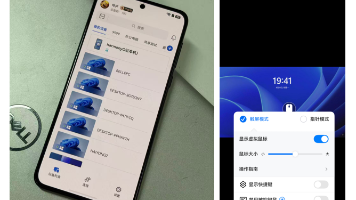
三、真机配图:鸿蒙 @ohos.multimedia.image 图片处理坑——createImageSource 工厂非 new + PixelMapFormat enum 非字符串





真机配图展示鸿蒙 @ohos.multimedia.image 图片处理坑:
- image 初始态:鸿蒙 6.1 @ohos.multimedia.image 图片处理坑标题,5 个验证按钮(① createImageSource 工厂非 new / ② PixelMapFormat enum 非字符串 / ③ createPixelMap 空图 / ④ readPixelsToBuffer 读像素 / ⑤ createIncrementalSource 增量解码),要点说明 7 条
- createImageSource 工厂态:点击「① 验证 createImageSource 工厂非 new」按钮,显示「✅ image.createImageSource(uri) 工厂造 ImageSource 实例(interface 不能 new ImageSource)」+ source 值——createImageSource 工厂造 ImageSource(interface 不能 new)验证
- PixelMapFormat enum 态:点击「② 验证 PixelMapFormat enum 非字符串」按钮,显示「✅ PixelMapFormat enum 常量 RGBA_8888=3 / RGB_565=2 / ALPHA_8=1 不是字符串」+ format 值——PixelMapFormat enum 常量非字符串验证
- createPixelMap 空图态:点击「③ 验证 createPixelMap 空图」按钮,显示「✅ image.createPixelMap(options) 创建空 PixelMap,InitializationOptions 三必填 size+pixelFormat+editable」+ pixelMap 值——createPixelMap 空图 + InitializationOptions 三必填验证
- readPixelsToBuffer 态:点击「④ 验证 readPixelsToBuffer 读像素」按钮,显示「✅ PixelMap.readPixelsToBuffer(buffer) 异步读像素到 ArrayBuffer(不是 getImageData 返回 ImageData)」+ buffer 字节数——readPixelsToBuffer 读像素到 ArrayBuffer(不是 getImageData 返回 ImageData)验证
四、真解法:鸿蒙 @ohos.multimedia.image 的四个场景
场景 1:image.createImageSource(uri) 工厂造 ImageSource + createPixelMap 解码——90% 场景首选
基础图片解码用 image.createImageSource(uri) 工厂造 ImageSource 实例 + ImageSource.createPixelMap() 异步解码返回 Promise<PixelMap>:
// ✅ 场景 1:image.createImageSource(uri) 工厂造 ImageSource + createPixelMap 解码(API 6,90% 场景首选)
import image from '@ohos.multimedia.image'  // ✅ default import(image 是 namespace)

@Entry
@Component
struct Index {
  @State pixelMapReady: boolean = false
  private myPixelMap: image.PixelMap | null = null

  decodeImage() {
    // ✅ createImageSource 工厂造 ImageSource 实例(interface 不能 new ImageSource)
    const source: image.ImageSource = image.createImageSource('file:///data/pic.jpg')
    // ✅ createPixelMap 异步解码返回 Promise<PixelMap>(不传 options 解码原图全尺寸)
    source.createPixelMap().then((pixelMap: image.PixelMap) => {
      this.myPixelMap = pixelMap
      this.pixelMapReady = true
      console.info('图片解码成功')
    }).catch((err: Error) => {
      console.error('解码失败: ' + err.message)
    })
  }

  build() {
    Column({ space: 8 }) {
      Button('解码图片').onClick(() => this.decodeImage())
      if (this.pixelMapReady && this.myPixelMap) {
        Image(this.myPixelMap).width(200).height(200)
      }
    }
  }
}
// createImageSource 工厂造 ImageSource(interface 不能 new)+ createPixelMap 异步解码返回 Promise<PixelMap>
鸿蒙 @ohos.multimedia.image API 真名坑:import image from '@ohos.multimedia.image'(default import,image 是 namespace);image.createImageSource(uri: string | Resource, fd?: number): ImageSource(工厂函数造 ImageSource 实例,入参 uri: string 文件路径/网络 URL/base64,fd: number 文件描述符,Resource 用 $rawfile('pic.jpg') / $r('app.media.pic'));ImageSource.createPixelMap(options?: DecodingOptions, callback?: AsyncCallback<PixelMap>): Promise<PixelMap>(异步解码图片返回 Promise<PixelMap>,不传 options 解码原图全尺寸);PixelMap.getImageInfo(): ImageInfo(同步获取图片信息,含 size: { width, height } + pixelFormat + alphaType);PixelMap.release(): Promise<void>(释放 PixelMap 资源,必须调避免内存泄漏);SysCap SystemCapability.Multimedia.Image.ImageSource / SystemCapability.Multimedia.Image.PixelMap;@atomicservice 原子化服务(API 11+)。
场景 2:image.createPixelMap(options) 创建空 PixelMap + writePixelsToBuffer 写像素
创建空 PixelMap 用 image.createPixelMap(options) + InitializationOptions 三必填 + writePixelsToBuffer(buffer) 写入像素:
// ✅ 场景 2:image.createPixelMap(options) 创建空 PixelMap + writePixelsToBuffer 写像素(API 6)
import image from '@ohos.multimedia.image'

@Entry
@Component
struct Index {
  @State emptyPixelMap: image.PixelMap | null = null

  createEmptyPixelMap() {
    // ✅ InitializationOptions 三必填 size + pixelFormat + editable
    const opts: image.InitializationOptions = {
      size: { width: 100, height: 100 },  // ✅ size 必填(width + height number px)
      pixelFormat: image.PixelMapFormat.RGBA_8888,  // ✅ pixelFormat 必填 enum 常量不是字符串
      editable: true  // ✅ editable 必填 boolean
    }
    // ✅ createPixelMap 异步创建空 PixelMap(全 0 像素),返回 Promise<PixelMap>
    image.createPixelMap(opts).then((pixelMap: image.PixelMap) => {
      this.emptyPixelMap = pixelMap
      // ✅ writePixelsToBuffer 写入像素数据(buffer 大小 = 100 × 100 × 4 = 40000 字节)
      const buffer: ArrayBuffer = new ArrayBuffer(100 * 100 * 4)
      const bytes: Uint8Array = new Uint8Array(buffer)
      // 填充红色像素(R=255, G=0, B=0, A=255)
      for (let i: number = 0; i < 100 * 100; i++) {
        bytes[i * 4] = 255      // R
        bytes[i * 4 + 1] = 0    // G
        bytes[i * 4 + 2] = 0    // B
        bytes[i * 4 + 3] = 255  // A
      }
      pixelMap.writePixelsToBuffer(buffer).then(() => {
        console.info('像素写入成功')
      })
    })
  }

  build() {
    Column({ space: 8 }) {
      Button('创建空 PixelMap').onClick(() => this.createEmptyPixelMap())
      if (this.emptyPixelMap) {
        Image(this.emptyPixelMap).width(100).height(100)
      }
    }
  }
}
// createPixelMap + InitializationOptions 三必填 + writePixelsToBuffer 写像素
鸿蒙 createPixelMap + writePixelsToBuffer API 真名坑:image.createPixelMap(options: InitializationOptions, callback?: AsyncCallback<PixelMap>): Promise<PixelMap> 异步创建空 PixelMap(全 0 像素);InitializationOptions interface 三必填 size: { width: number, height: number } + pixelFormat: PixelMapFormat(enum 常量不是字符串)+ editable: boolean;PixelMap.writePixelsToBuffer(buffer: ArrayBuffer): Promise<void> 写入像素数据到 PixelMap(与 readPixelsToBuffer 反向操作);RGBA_8888 每像素 4 字节(R/G/B/A 各 1 字节),buffer 大小 = width × height × 4;React canvas.createImageData(width, height) 创建空 ImageData(固定 RGBA_8888 格式),鸿蒙 createPixelMap 创建空 PixelMap(可选 5 种 PixelMapFormat 像素格式),鸿蒙更灵活。
场景 3:ImageSource.createPixelMap 带 DecodingOptions 解码指定尺寸/区域/旋转
解码到指定尺寸/区域/旋转用 ImageSource.createPixelMap(options) + DecodingOptions 可选 desiredSize/desiredRegion/rotate:
// ✅ 场景 3:ImageSource.createPixelMap 带 DecodingOptions 解码指定尺寸/区域/旋转(API 6)
import image from '@ohos.multimedia.image'

@Entry
@Component
struct Index {
  @State decodedPixelMap: image.PixelMap | null = null

  decodeWithOptions() {
    const source: image.ImageSource = image.createImageSource('file:///data/pic.jpg')
    // ✅ DecodingOptions 可选 desiredSize / desiredPixelFormat / desiredRegion / rotate
    const decodeOpts: image.DecodingOptions = {
      desiredSize: { width: 200, height: 200 },  // ✅ desiredSize 解码到 200x200(缩放)
      desiredPixelFormat: image.PixelMapFormat.RGBA_8888,  // ✅ desiredPixelFormat 解码到 RGBA_8888
      desiredRegion: {  // ✅ desiredRegion 解码指定区域(裁剪)
        x: 0, y: 0,
        size: { width: 100, height: 100 }
      },
      rotate: 90  // ✅ rotate 解码时旋转 90 度(0/90/180/270)
    }
    // ✅ createPixelMap 带 DecodingOptions 解码到指定尺寸/区域/旋转
    source.createPixelMap(decodeOpts).then((pixelMap: image.PixelMap) => {
      this.decodedPixelMap = pixelMap
      const info: image.ImageInfo = pixelMap.getImageInfo()
      console.info('解码尺寸:' + info.size.width + 'x' + info.size.height)
    })
  }

  build() {
    Column({ space: 8 }) {
      Button('解码指定尺寸').onClick(() => this.decodeWithOptions())
      if (this.decodedPixelMap) {
        Image(this.decodedPixelMap).width(200).height(200)
      }
    }
  }
}
// createPixelMap + DecodingOptions desiredSize/desiredRegion/rotate 解码指定尺寸/区域/旋转
鸿蒙 DecodingOptions 解码选项 API 真名坑:DecodingOptions interface 可选字段 desiredSize?: Size(解码到指定尺寸缩放,{ width: number, height: number })/desiredPixelFormat?: PixelMapFormat(解码到指定像素格式 enum 常量)/desiredRegion?: Region(解码指定区域裁剪,{ x: number, y: number, size: { width: number, height: number } })/rotate?: number(解码时旋转度数 0/90/180/270)/fitDensity?: boolean(是否适配屏幕密度,API 11+)/desiredColorSpace?: ColorSpace(目标色彩空间,API 12+)/desiredDynamicRange?: DynamicRange(动态范围 SDR/HDR,API 12+);React canvas.drawImage(img, sx, sy, sw, sh, dx, dy, dw, dh) 裁剪缩放一步到位(8 个位置参数),鸿蒙 DecodingOptions 用对象字段 desiredSize+desiredRegion+rotate 分开配置(声明式,更清晰,编译期检查字段名)。
场景 4:image.createIncrementalSource + updateData 流式解码大图
流式解码大图用 image.createIncrementalSource() 造增量解码源 + ImageSource.updateData(data, isFinal, callback) 喂数据增量解码:
// ✅ 场景 4:image.createIncrementalSource + updateData 流式解码大图(API 6)
import image from '@ohos.multimedia.image'
import fs from '@ohos.file.fs'

@Entry
@Component
struct Index {
  @State incrementalPixelMap: image.PixelMap | null = null

  incrementalDecode() {
    // ✅ createIncrementalSource 创建增量解码源(流式解码大图,避免一次性加载 OOM)
    const incrementalSource: image.ImageSource = image.createIncrementalSource()

    // ✅ 用 @ohos.file.fs 打开大图文件
    const file: fs.File = fs.openSync('bigpic.jpg', fs.OpenMode.READ)
    const fd: number = file.fd
    const chunkSize: number = 4096  // ✅ 每块 4KB
    const buf: ArrayBuffer = new ArrayBuffer(chunkSize)
    let totalRead: number = 0

    // ✅ 分块读文件喂给增量解码源
    const readChunk = () => {
      const bytesRead: number = fs.readSync(fd, buf)  // ✅ readSync 读文件到 buf(篇 8 @ohos.file.fs)
      if (bytesRead <= 0) {
        // ✅ 文件读完,喂最后一块空数据 isFinal=true(触发最终解码返回 PixelMap)
        incrementalSource.updateData(new ArrayBuffer(0), true, (err, pixelMap) => {
          if (err) {
            console.error('增量解码失败: ' + err.message)
            return
          }
          if (pixelMap) {
            this.incrementalPixelMap = pixelMap
            console.info('增量解码完成,总读取 ' + totalRead + ' 字节')
          }
        })
        fs.closeSync(file)  // ✅ closeSync 释放文件描述符
        return
      }
      // ✅ 喂一块数据 isFinal=false(继续解码,回调不返回 PixelMap)
      incrementalSource.updateData(buf.slice(0, bytesRead), false, (err) => {
        if (err) {
          console.error('增量解码失败: ' + err.message)
          return
        }
        totalRead += bytesRead
        readChunk()  // ✅ 递归读下一块
      })
    }
    readChunk()
  }

  build() {
    Column({ space: 8 }) {
      Button('增量解码大图').onClick(() => this.incrementalDecode())
      if (this.incrementalPixelMap) {
        Image(this.incrementalPixelMap).width(300).height(300)
      }
    }
  }
}
// createIncrementalSource + updateData 流式解码大图,配合 @ohos.file.fs readSync 分块读文件
鸿蒙 createIncrementalSource + updateData 增量解码 API 真名坑:image.createIncrementalSource(buf?: ArrayBuffer): ImageSource 创建增量解码源(buf 可选初始数据块),返回 ImageSource 实例(内部是增量解码器,跟 createImageSource 返回类型一致);ImageSource.updateData(data: ArrayBuffer, isFinal: boolean, callback?: AsyncCallback<PixelMap>): Promise<void> 喂一块数据增量解码——data 是分块数据 ArrayBuffer,isFinal 标识是否最后一块(true 时触发最终解码,回调返回完整 PixelMap);配合篇 8 @ohos.file.fs 的 fs.openSync 打开文件 + fs.readSync(fd, buf) 分块读文件 + fs.closeSync(file) 释放文件描述符;updateData 的 isFinal 必须在数据末尾传 true(否则解码不完成,PixelMap 永远不返回);React <img> 加载大图浏览器内部流式解码(但 API 不暴露增量解码),鸿蒙 createIncrementalSource 暴露增量解码 API 给开发者控制(适合大图缩略图、网络图片流式显示场景)。
五、一句话哲学
写鸿蒙 ArkTS 记住:image 不是浏览器 canvas getImageData 是「namespace 工厂 createImageSource + ImageSource interface」——鸿蒙 6.1 API 23
@ohos.multimedia.imagenamespace(API 6+,鸿蒙 6.1 API 23 基座,image.createImageSource/image.createIncrementalSource/image.createPixelMap工厂函数造ImageSource/PixelMap实例 +ImageSourceinterface(不能 new)+PixelMapclass(含readPixelsToBuffer/writePixelsToBuffer/getImageInfo/release方法)+PixelMapFormatenum +InitializationOptions/DecodingOptions/ImageInfo/Size/Region类型,SysCap SystemCapability.Multimedia.Image.ImageSource / SystemCapability.Multimedia.Image.PixelMap,@atomicservice)。根因不是方法是工厂——image.createImageSource(uri: string | Resource, fd?: number): ImageSource工厂函数造ImageSource实例(✅const source: image.ImageSource = image.createImageSource('file:///pic.jpg')工厂造实例,❌new image.ImageSource()触发'ImageSource' only refers to a type, but is being used as a value here编译错,ImageSource是 interface 不是 class 没有 constructor,跟篇 7HttpRequestinterface 不能 new 用http.createHttp()工厂造实例同理,Reactnew Image()造图片实例 class + constructor 差异),PixelMapFormatenum 常量ALPHA_8=1/RGB_565=2/RGBA_8888=3/ARGB_8888=4/RGB_888=5不是字符串'RGBA_8888'(❌pixelFormat: 'RGBA_8888'触发Type 'string' is not assignable to type 'PixelMapFormat'编译错,❌pixelFormat: 3触发Type 'number' is not assignable to type 'PixelMapFormat'编译错,ArkTS 严格模式 enum 类型不接受裸数字,✅pixelFormat: image.PixelMapFormat.RGBA_8888enum 常量,enum 值是数字 1/2/3/4/5 不是字符串,Reactcanvas.getImageData返回ImageData.data始终RGBA_8888格式固定不可选差异,鸿蒙PixelMapFormatenum 提供 5 种像素格式可选RGBA_8888最常用RGB_565省内存ALPHA_8仅 alpha 蒙版),image.createPixelMap(options: InitializationOptions, callback?: AsyncCallback<PixelMap>): Promise<PixelMap>创建空PixelMap(全 0 像素,需用writePixelsToBuffer写入像素数据),返回Promise<PixelMap>——InitializationOptionsinterface 三必填size: { width: number, height: number }+pixelFormat: PixelMapFormat(enum 常量不是字符串)+editable: boolean(缺任何一个触发Property 'xxx' is missing in type编译错),ImageSource.createPixelMap(options?: DecodingOptions, callback?: AsyncCallback<PixelMap>): Promise<PixelMap>异步解码图片返回Promise<PixelMap>——不传options解码原图全尺寸,传DecodingOptions解码到指定尺寸/格式/区域/旋转——DecodingOptionsinterface 可选字段desiredSize?: Size(解码到指定尺寸缩放)/desiredPixelFormat?: PixelMapFormat(解码到指定像素格式 enum 常量)/desiredRegion?: Region(解码指定区域裁剪)/rotate?: number(解码时旋转度数 0/90/180/270)/fitDensity?: boolean/desiredColorSpace?: ColorSpace/desiredDynamicRange?: DynamicRange(Reactcanvas.drawImage(img, sx, sy, sw, sh, dx, dy, dw, dh)裁剪缩放一步到位 8 个位置参数差异,鸿蒙DecodingOptions用对象字段desiredSize+desiredRegion+rotate分开配置声明式更清晰),PixelMap.readPixelsToBuffer(buffer: ArrayBuffer): Promise<void>异步读像素数据到ArrayBuffer(RGBA_8888每像素 4 字节 buffer 大小 = width × height × 4,RGB_565每像素 2 字节 buffer 大小 = width × height × 2,返回Promise<void>读完后 buffer 填充像素数据,用new Uint8Array(buffer)转Uint8Array访问像素)——不是 Reactcanvas.getImageData(x, y, w, h)返回ImageData对象(含data: Uint8ClampedArray+width+height),❌pixelMap.getImageData()触发Property 'getImageData' does not exist on type 'PixelMap'编译错(React canvas 才有getImageData),❌pixelMap.data触发Property 'data' does not exist on type 'PixelMap'编译错(ReactImageData才有data字段),image.createIncrementalSource(buf?: ArrayBuffer): ImageSource创建增量解码源(流式解码大图,避免一次性加载大图 OOM),ImageSource.updateData(data: ArrayBuffer, isFinal: boolean, callback?: AsyncCallback<PixelMap>): Promise<void>喂一块数据增量解码——data是分块数据ArrayBuffer,isFinal标识是否最后一块(true时触发最终解码,回调返回完整PixelMap),isFinal必须在数据末尾传true(否则解码不完成PixelMap永远不返回),配合篇 8@ohos.file.fs的fs.openSync打开文件 +fs.readSync(fd, buf)分块读文件 +fs.closeSync(file)释放文件描述符(React<img>加载大图浏览器内部流式解码但 API 不暴露增量解码差异,鸿蒙createIncrementalSource暴露增量解码 API 给开发者控制适合大图缩略图网络图片流式显示场景),PixelMap.release(): Promise<void>释放 PixelMap 资源(必须调避免内存泄漏,aboutToDisappear生命周期调release())。createImageSource 工厂造 ImageSource(interface 不能 new)+ PixelMapFormat enum 常量 ALPHA_8/RGB_565/RGBA_8888/ARGB_8888/RGB_888 不是字符串 + createPixelMap 创建空 PixelMap InitializationOptions 三必填 size+pixelFormat+editable + ImageSource.createPixelMap 带 DecodingOptions 解码指定尺寸/区域/旋转 + PixelMap.readPixelsToBuffer 读像素到 ArrayBuffer(不是 getImageData 返回 ImageData)+ createIncrementalSource + updateData 流式解码大图避免 OOM 是鸿蒙 6.1 @ohos.multimedia.image 图片处理坑核心!
能力系列回链
- 鸿蒙 7.0 新特性篇 1~17(沉浸式毛玻璃/Component3D/智能体框架/方舟引擎/星盾安全/星河互联/空间音频/可变字体/游戏快启/分布式数据盾/LTPO 可变帧率/AI 文档识别/多形态服务窗口/AI 反诈/机密计算/空间计算/小艺全面进化)
- 鸿蒙 6.1 API 23 开发坑系列篇 1「ArkUI.modifier 装饰器坑」——attributeModifier + AttributeModifier 状态化节点修改器
- 鸿蒙 6.1 API 23 开发坑系列篇 2「arkui.componentSnapshot 组件截图坑」——get/getSync/createFromBuilder 返回 image.PixelMap 像素图
- 鸿蒙 6.1 API 23 开发坑系列篇 3「arkui.node 节点坑」——NodeController abstract class makeNode override + BuilderNode WrappedBuilder
- 鸿蒙 6.1 API 23 开发坑系列篇 4「arkui.UIContext UI 上下文坑」——runScopedTask 不是 runScopedOnUiThread + 11 个子管理器
- 鸿蒙 6.1 API 23 开发坑系列篇 5「arkui.observer UI 观察器坑」——uiObserver namespace 真名不是 observer + on type string literal
- 鸿蒙 6.1 API 23 开发坑系列篇 6「@ohos.animator 动画器坑」——import @kit.ArkUI 不是 @ohos.animator + onFrame 驼峰不是废弃 onframe + getUIContext().createAnimator 不是废弃 animator.create + 持引用 + aboutToDisappear cancel
- 鸿蒙 6.1 API 23 开发坑系列篇 7「@ohos.net.http HTTP 请求坑」——HttpDataType 常量是 STRING 不是 STRING_TYPE + HttpRequest 是 interface 不能 new + http.createHttp() 工厂造实例 + on/off 监听不是 addEventListener + header Record 不是 Headers + RequestMethod enum 不是字符串
- 鸿蒙 6.1 API 23 开发坑系列篇 8「@ohos.file.fs 文件管理坑」——writeSync/readSync 是 namespace 顶层函数不是 File 实例方法 + 第一参传 file.fd 文件描述符 + ReadOptions 无 encoding 读 ArrayBuffer 原字节 + WriteOptions 带 encoding 写字符串指定编码 + closeSync(file) 传 File 不是 fd + OpenMode enum 不是 flags 数字
- 鸿蒙 6.1 API 23 开发坑系列篇 9「@ohos.router 页面路由坑」——router.push/replace 废弃迁移 pushUrl/replaceUrl + RouterMode enum 常量 Standard/Single 不是字符串 + RouterOptions.url 绝对路径不是相对路径 + getParams 返回 Object 要 as Record 转型 + RouterState 真属性 index/name 不是 stackLength + getLength 返回 string 不是 number
- 鸿蒙 6.1 API 23 开发坑系列篇 10「@ohos.promptAction 弹窗坑」——showToast/showDialog/showActionMenu 废弃迁移 getPromptAction + ToastType enum 常量 Default/Bottom/Center/Top 不是字符串 + ShowToastOptions.duration 单位 10ms 不是 1ms + showDialog 回调 onAccept/onCancel 不是 onConfirm/onAbort + DialogButton.action 不是 onClick 无 bgColor + showActionMenu buttons 上限 6 不是无限
- 鸿蒙 6.1 API 23 开发坑系列篇 11「@ohos.measure 文本测量坑」——measureText 返回 number 不是 TextMetrics + measureTextSize 返回 SizeOptions 多行测量 + MeasureOptions 必填 textContent 不是 text + fontSize string 须带 fp/px 单位 + MeasureText static 废弃迁移 getMeasureUtils 实例方法
- 鸿蒙 6.1 API 23 开发坑系列篇 12「@ohos.curves 动画曲线坑」——init/cubicBezier/spring/steps 废弃返回 string 迁移 initCurve 等返回 ICurve + ICurve interface 不能 new 用工厂函数造实例 + Curve enum 常量 Linear/Ease 等不是字符串 enum 值数字 + cubicBezierCurve 四 number 不是 cubic-bezier 字符串 + springCurve 四 number damping 越大震动越小 + customCurve 回调 fraction [0,1] 返回必须 [0,1]
- 鸿蒙 6.1 API 23 开发坑系列篇 13「@ohos.multimedia.image 图片处理坑」——createImageSource 工厂造 ImageSource(interface 不能 new)+ PixelMapFormat enum 常量 ALPHA_8/RGB_565/RGBA_8888/ARGB_8888/RGB_888 不是字符串 + createPixelMap 创建空 PixelMap InitializationOptions 三必填 size+pixelFormat+editable + ImageSource.createPixelMap 带 DecodingOptions 解码指定尺寸/区域/旋转 + PixelMap.readPixelsToBuffer 读像素到 ArrayBuffer(不是 getImageData 返回 ImageData)+ createIncrementalSource + updateData 流式解码大图避免 OOM(本文)

作为“人工智能6S店”的官方数字引擎,为AI开发者与企业提供一个覆盖软硬件全栈、一站式门户。
更多推荐


 6
6 0
0- 0


 已为社区贡献87条内容

所有评论(0)