
Day1_开源鸿蒙_Flutter_for_OpenHarmony_离线笔记CRUD
开源鸿蒙 Flutter 离线笔记开发实战 本文介绍了在 OpenHarmony 系统上使用 Flutter 开发离线笔记应用的关键技术方案。主要解决三大核心问题: 数据持久化:通过 sqflite 插件实现 SQLite 数据库存储,避免内存数据丢失问题。详细讲解了数据库建表、索引优化和路径处理方法。 版本适配:强调使用专为 OpenHarmony 适配的插件版本(如 fluttertoast
开源鸿蒙 Flutter for OpenHarmony:sqflite离线笔记实战
欢迎加入开源鸿蒙跨平台社区:https://openharmonycrossplatform.csdn.net
1. 痛点引入:为什么离线笔记第一天就要上 sqflite
离线笔记这种需求,最怕“你以为做完了,其实一重启全没了”。如果第一天只用 List<Note> 存内存,页面看起来能用,但只要你:
- 强制退出 App 或系统回收进程
- 切到后台再回来
数据就直接消失。后面你再加搜索、自动保存、附件、提醒,每个功能都依赖“数据稳定落盘”,所以 Day1 就把数据库链路打通,反而是最省事的。
⚠️ 另外一个现实问题:OpenHarmony 上“原生插件”最容易翻车。比如数据库、Toast 这种插件,如果版本没适配 OHOS,可能出现 启动闪退(SIGSEGV) 或者 初始化卡住。这篇会把“怎么选对插件版本”讲清楚。
2. 环境与前置条件
2.1 本文验证口径
- OpenHarmony:HarmonyOS 6.0.2(API 22)
- 设备:Mate 80 Pro Max(emulator),ABI x86
- 工程包名:com.example.first_oh
2.2 开始前请先确认 3 件事
✅ 需要满足:
- 工程已经支持 ohos 平台,并且能在模拟器/真机启动(哪怕是 HelloWorld)
- DevEco 调试签名可用(否则会出现 HAP 安装失败)
- 如果遇到
install sign info inconsistent:先卸载旧包再装(同包名不同签名会被拒绝)
🧯 报错:install sign info inconsistent
- 现象:HAP 安装失败
- 原因:同包名已安装,但签名不一致
- 解决:卸载旧包
com.example.first_oh→ 重新安装
3. 三方库清单与依赖配置
3.1 本篇用到的库分别干什么
- 🧩 sqflite:SQLite 访问层(真正的“离线存储”)
- 🧩 fluttertoast:轻提示(保存/删除成功提示)
- 🧩 path:拼接
notes.db路径(跨平台路径更稳)
3.2 依赖写法(推荐:本地路径依赖)
⚠️ 提醒:OpenHarmony 上建议优先使用“带 ohos 平台实现”的适配版插件,否则可能闪退(比如 SIGSEGV)。
📌 文件:pubspec.yaml
dependencies:
  flutter:
    sdk: flutter
  cupertino_icons: ^1.0.8

  fluttertoast:
    path: ../flutter_fluttertoast_ohos

  path: 1.9.0

  sqflite:
    path: ../flutter_sqflite_ohos/sqflite
✅ 验收:执行 flutter pub get 没有红色报错,并且 Dart 代码里 import 'package:sqflite/sqflite.dart'; 不飘红。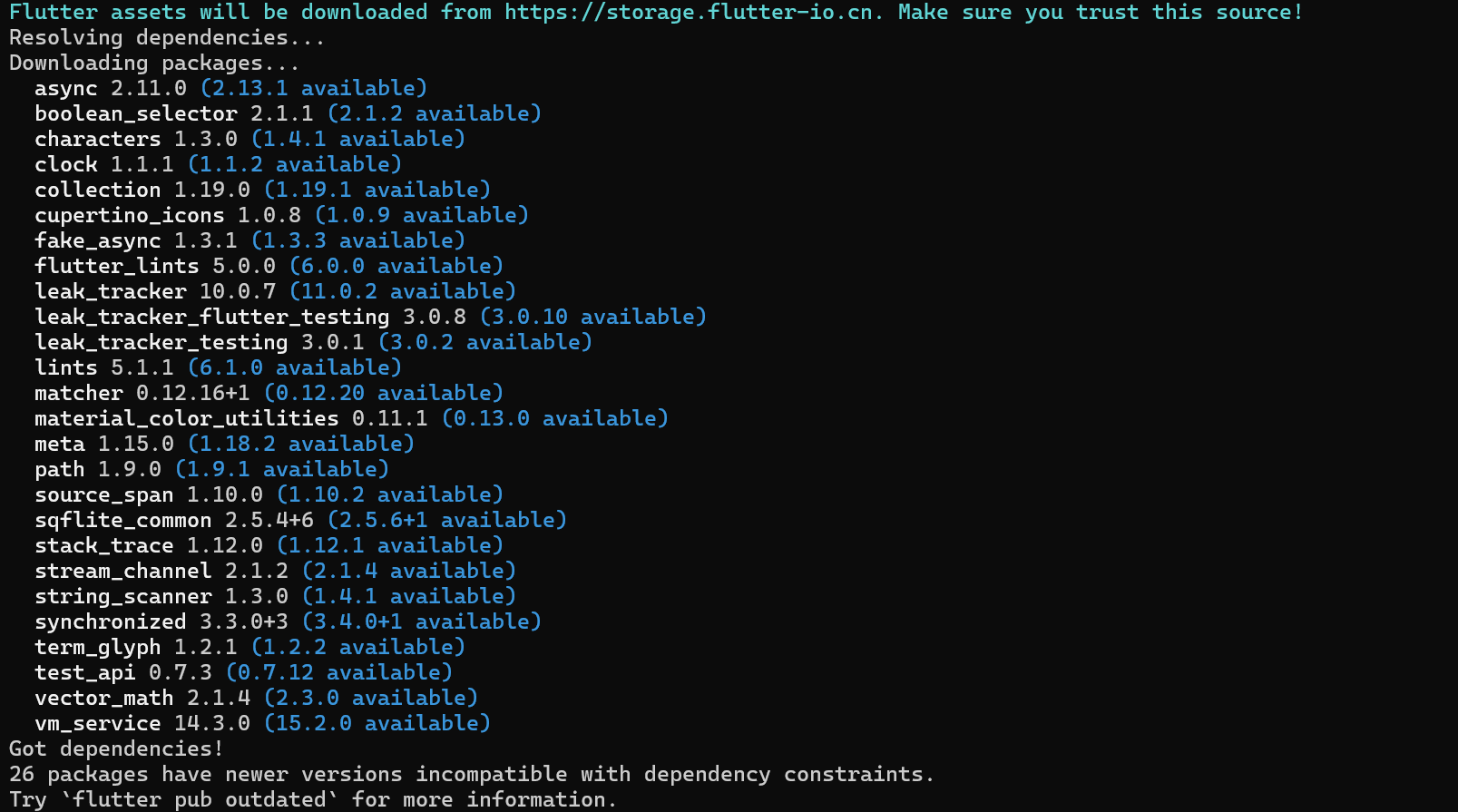
flutter pub get 成功:Got dependencies(无红色报错)
4. 目录结构建议
🧩 目录结构(最小可维护版):
lib/
  main.dart
  app/
    app.dart
  shared/
    toast.dart
  features/
    note/
      data/
        app_database.dart
        note.dart
        note_dao.dart
        note_repository.dart
      ui/
        notes_list_page.dart
        note_editor_page.dart
📌 小建议:UI 和 data 分开不是为了“高级”,而是为了后续做搜索/自动保存时避免把 setState 与 SQL 混在一起导致维护困难。
5. 核心实战:用 sqflite 完成离线存储
5.1 fluttertoast:统一封装一个 showToast
📌 文件:lib/shared/toast.dart
import 'package:fluttertoast/fluttertoast.dart';

Future<void> showToast(String message) {
  return Fluttertoast.showToast(msg: message);
}
这段代码的作用:
- ✅ 后面页面里只管
await showToast('已保存'),不需要记 fluttertoast 的参数细节 - ✅ 统一入口,未来你想换成 SnackBar/自定义 Toast 也只改一处
5.2 sqflite:开库 + 建表(AppDatabase)
📌 文件:lib/features/note/data/app_database.dart
import 'package:path/path.dart' as p;
import 'package:sqflite/sqflite.dart';

class AppDatabase {
  AppDatabase._();

  static final AppDatabase instance = AppDatabase._();

  Database? _db;

  Future<Database> get database async {
    final existing = _db;
    if (existing != null) return existing;
    final db = await _open();
    _db = db;
    return db;
  }

  Future<Database> _open() async {
    final base = await getDatabasesPath();
    final path = p.join(base, 'notes.db');
    return openDatabase(
      path,
      version: 1,
      onCreate: (db, version) async {
        await db.execute('''
CREATE TABLE notes(
  id INTEGER PRIMARY KEY AUTOINCREMENT,
  title TEXT NOT NULL DEFAULT '',
  content TEXT NOT NULL DEFAULT '',
  is_deleted INTEGER NOT NULL DEFAULT 0,
  created_at INTEGER NOT NULL,
  updated_at INTEGER NOT NULL
)
''');
        await db.execute('CREATE INDEX idx_notes_updated_at ON notes(updated_at)');
        await db.execute('CREATE INDEX idx_notes_is_deleted ON notes(is_deleted)');
      },
    );
  }
}
这段代码的作用:
getDatabasesPath():拿到系统给你的数据库目录(不用你自己找路径)p.join(base, 'notes.db'):拼出最终 db 文件路径openDatabase(... onCreate ...):第一次打开时建表和索引_db单例缓存:避免重复 open(后面更稳,也更容易排查)
📌 表结构为什么这么定:
is_deleted:软删除,后续要做回收站/撤销删除不用重构created_at/updated_at:后续排序/搜索/同步都会用到
5.3 Note 模型:让 UI/DAO 之间有统一的数据结构
📌 文件:lib/features/note/data/note.dart
class Note {
  final int? id;
  final String title;
  final String content;
  final bool isDeleted;
  final DateTime createdAt;
  final DateTime updatedAt;

  const Note({
    required this.id,
    required this.title,
    required this.content,
    required this.isDeleted,
    required this.createdAt,
    required this.updatedAt,
  });

  Note copyWith({
    int? id,
    String? title,
    String? content,
    bool? isDeleted,
    DateTime? createdAt,
    DateTime? updatedAt,
  }) {
    return Note(
      id: id ?? this.id,
      title: title ?? this.title,
      content: content ?? this.content,
      isDeleted: isDeleted ?? this.isDeleted,
      createdAt: createdAt ?? this.createdAt,
      updatedAt: updatedAt ?? this.updatedAt,
    );
  }
}
这段代码的作用:
- UI 层不直接处理 Map;DAO/Repo 返回
Note,可读性更好 copyWith:比如插入后拿到 id,可以note.copyWith(id: id)返回新对象
5.4 NoteDao:所有 SQL 都集中在这里(sqflite 的核心用法)
📌 文件:lib/features/note/data/note_dao.dart
import 'app_database.dart';
import 'note.dart';

class NoteDao {
  final AppDatabase _db;

  const NoteDao(this._db);

  Future<List<Note>> listNotes({int limit = 100, int offset = 0}) async {
    final db = await _db.database;
    final rows = await db.query(
      'notes',
      where: 'is_deleted = ?',
      whereArgs: const [0],
      orderBy: 'updated_at DESC',
      limit: limit,
      offset: offset,
    );
    return rows.map(_fromRow).toList(growable: false);
  }

  Future<int> insert(Note note) async {
    final db = await _db.database;
    return db.insert('notes', _toInsertRow(note));
  }

  Future<int> update(Note note) async {
    final id = note.id;
    if (id == null) throw StateError('Cannot update note without id');
    final db = await _db.database;
    return db.update(
      'notes',
      _toUpdateRow(note),
      where: 'id = ?',
      whereArgs: [id],
    );
  }

  Future<int> softDelete(int id) async {
    final db = await _db.database;
    return db.update(
      'notes',
      {'is_deleted': 1, 'updated_at': DateTime.now().millisecondsSinceEpoch},
      where: 'id = ?',
      whereArgs: [id],
    );
  }

  Map<String, Object?> _toInsertRow(Note note) => {
        'title': note.title.trim(),
        'content': note.content,
        'is_deleted': note.isDeleted ? 1 : 0,
        'created_at': note.createdAt.millisecondsSinceEpoch,
        'updated_at': note.updatedAt.millisecondsSinceEpoch,
      };

  Map<String, Object?> _toUpdateRow(Note note) => {
        'title': note.title.trim(),
        'content': note.content,
        'is_deleted': note.isDeleted ? 1 : 0,
        'created_at': note.createdAt.millisecondsSinceEpoch,
        'updated_at': note.updatedAt.millisecondsSinceEpoch,
      };

  Note _fromRow(Map<String, Object?> row) => Note(
        id: row['id'] as int?,
        title: (row['title'] as String?) ?? '',
        content: (row['content'] as String?) ?? '',
        isDeleted: (row['is_deleted'] as int? ?? 0) != 0,
        createdAt: DateTime.fromMillisecondsSinceEpoch(row['created_at'] as int),
        updatedAt: DateTime.fromMillisecondsSinceEpoch(row['updated_at'] as int),
      );
}
这段代码重点看这 4 个方法:
listNotes():db.query+whereArgs+orderBy,这是 sqflite 最常用的查询写法insert():返回插入行的 id(后续即可用 id 做更新/删除)update():必须带 where 条件(这里用id),否则会把整表更新softDelete():把is_deleted改成 1,相当于“从列表隐藏”
⚠️ 常见坑:
- 不要把参数拼进 where 字符串:用
whereArgs做参数绑定 - 时间存库用
millisecondsSinceEpoch,别存字符串(排序会变麻烦)
5.5 NoteRepository:给 UI 一套更好用的接口
📌 文件:lib/features/note/data/note_repository.dart
import 'note.dart';
import 'note_dao.dart';

class NoteRepository {
  final NoteDao _dao;

  const NoteRepository(this._dao);

  Future<List<Note>> listNotes({int limit = 100, int offset = 0}) {
    return _dao.listNotes(limit: limit, offset: offset);
  }

  Future<Note> create({required String title, required String content}) async {
    final now = DateTime.now();
    final note = Note(
      id: null,
      title: title.trim(),
      content: content,
      isDeleted: false,
      createdAt: now,
      updatedAt: now,
    );
    final id = await _dao.insert(note);
    return note.copyWith(id: id);
  }

  Future<void> update({
    required int id,
    required String title,
    required String content,
    required DateTime createdAt,
  }) async {
    final now = DateTime.now();
    await _dao.update(
      Note(
        id: id,
        title: title.trim(),
        content: content,
        isDeleted: false,
        createdAt: createdAt,
        updatedAt: now,
      ),
    );
  }

  Future<void> delete(int id) => _dao.softDelete(id);
}
这段代码的作用:
create()统一生成 createdAt/updatedAtupdate()保留 createdAt,只刷新 updatedAt- UI 层只管调用 repo,不需要了解 sqflite 的细节
5.6 UI 怎么把 sqflite 串起来(列表页 + 编辑页)
📌 列表页的关键点:
initState:构建 repo,并触发第一次查询FutureBuilder:展示查询结果- 删除后
_reload():重新拉取列表
文件:lib/features/note/ui/notes_list_page.dart(关键片段)
void initState() {
super.initState();
_repo = NoteRepository(NoteDao(AppDatabase.instance));
_future = _repo.listNotes();
}
void _reload() {
setState(() {
_future = _repo.listNotes();
});
}
📌 编辑页保存逻辑(新建/编辑两条分支):
文件:lib/features/note/ui/note_editor_page.dart(关键片段)
if (existing == null) {
  await widget.repo.create(title: title, content: content);
} else {
  await widget.repo.update(
    id: existing.id!,
    title: title,
    content: content,
    createdAt: existing.createdAt,
  );
}
这两段代码的作用:
- 你点“保存”,最终就是调用 repo 的
create/update - repo 再调用 dao 的
insert/update - dao 最终用 sqflite 的
db.insert/db.update写入 SQLite
6. 运行验证
🧪 验收步骤:
- 打开 App → 空态(图2)
- 点 “+” → 新建页(图3)
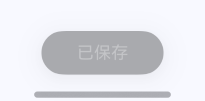
- 输入标题/正文 → 保存 → “已保存”(图4)
- 回列表 → 出现新笔记 + 更新时间(图5)
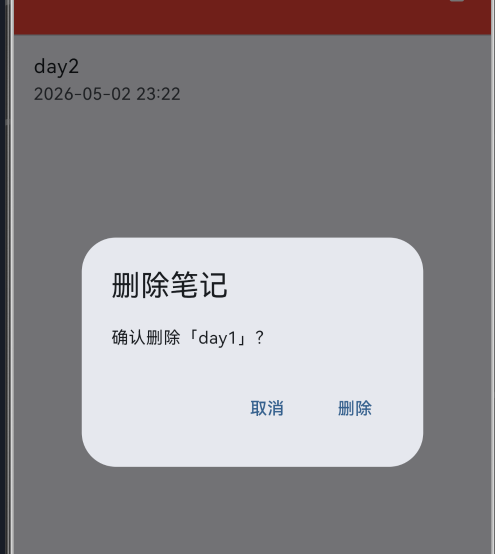
- 左滑删除 → 弹确认框(图6)→ 删除
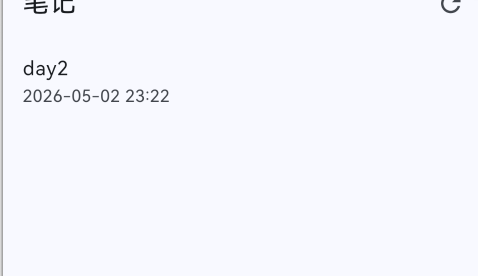
- 回列表 → 笔记减少(图7)
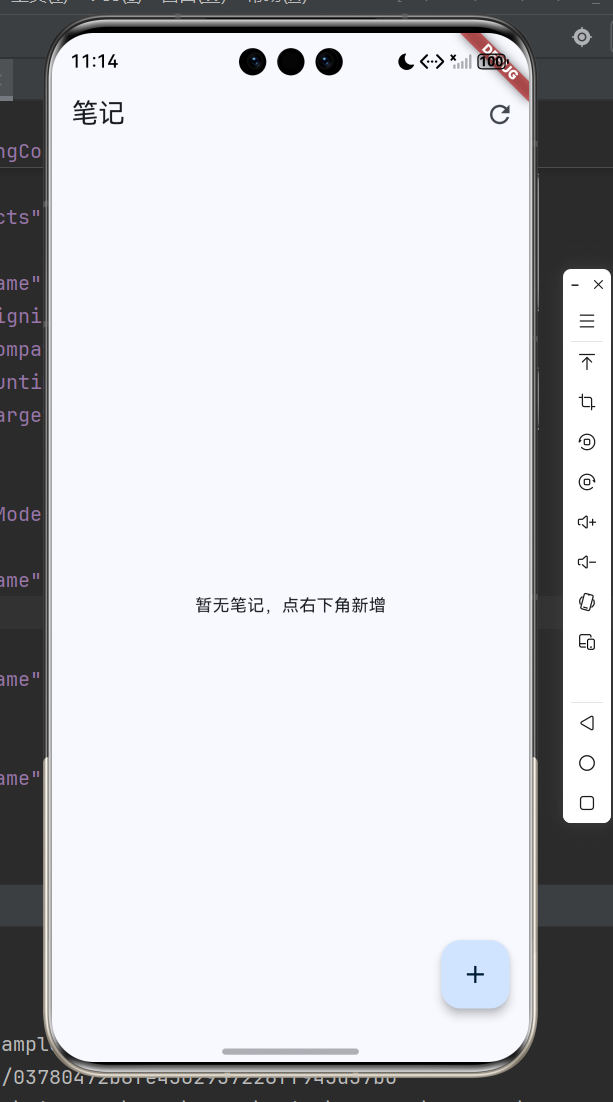
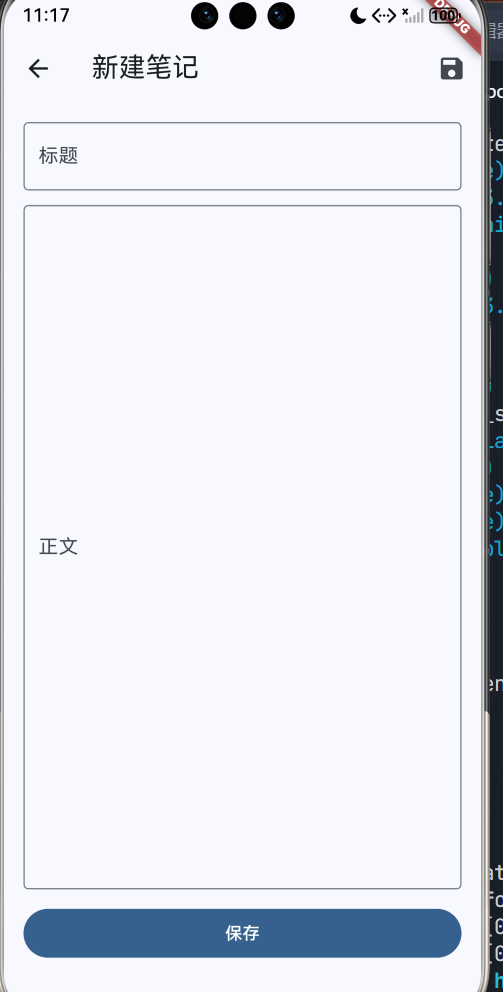
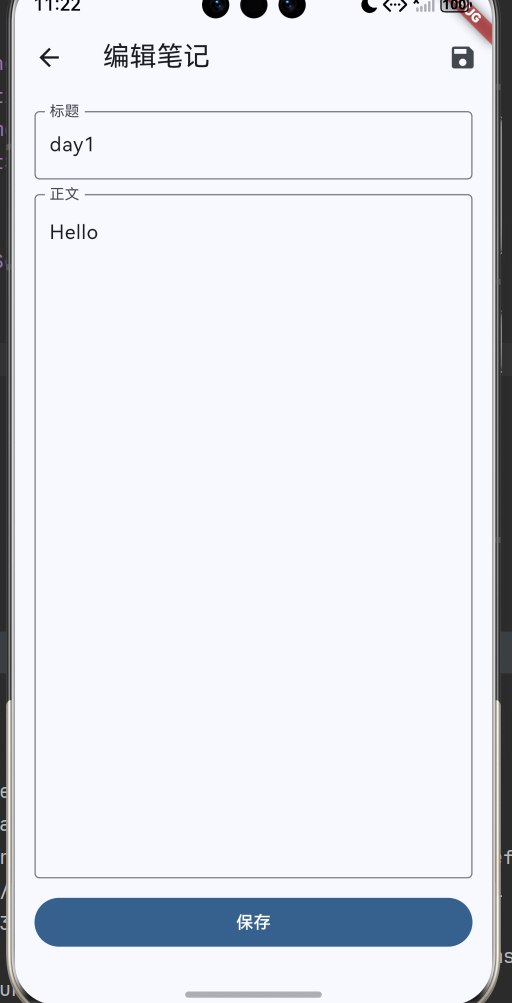
7. 常见报错与排查(别跳过,这段最值钱)
7.1 启动闪退 / SIGSEGV
🧯 报错:SIGSEGV(启动期闪退)
- 现象:应用刚启动就退出,日志里有 SIGSEGV
- 原因:常见是“原生插件没适配 OHOS / 引入了不带 ohos 实现的版本”
- 解决:把原生插件换成带 ohos 平台实现的适配版(sqflite、toast 这类优先检查)
- 验证:重新运行,能进入列表页并完成“新建→保存→重启不丢”整套验收
7.2 安装失败:install sign info inconsistent
🧯 报错:install sign info inconsistent
- 现象:HAP 安装失败
- 原因:设备里已安装同包名,但签名不同
- 解决:卸载旧包
com.example.first_oh→ 重新安装 - 验证:安装成功并能启动
8. 总结(今天你真正学到什么)+ Day2 预告
📌 Day1 这篇的核心就 3 件事:
- ✅ sqflite 的正确打开方式:
openDatabase + onCreate 建表 + DAO 封装 CRUD - ✅ UI 不直接写 SQL:UI 调 Repository,Repository 调 DAO
- ✅ OpenHarmony 上优先用适配版插件:原生插件版本不对,可能直接闪退
Day2 我会继续在这个基础上做“更像笔记 App”的体验:
- 自动保存(防抖 + 返回兜底)
- 搜索(标题/正文关键字)
参考链接
- Flutter for OpenHarmony(SDK 获取):https://atomgit.com/openharmony-tpc/flutter_flutter
- OpenHarmony Flutter 插件适配项目(查适配清单):https://atomgit.com/openharmony-tpc/flutter_packages
- SQLite 官网:https://www.sqlite.org/index.html

作为“人工智能6S店”的官方数字引擎,为AI开发者与企业提供一个覆盖软硬件全栈、一站式门户。
更多推荐

 3
3 0
0- 0


 已为社区贡献2条内容

所有评论(0)