
鸿蒙PC密码管理器实战:本地加密存储与自动填充完整实现
欢迎加入开源鸿蒙PC社区:https://harmonypc.csdn.net/项目 Git 仓库:https://atomgit.com/liboqian/harmonyOs_note随着互联网应用数量的激增,现代用户平均需要管理超过 100 个在线账户。面对如此庞大的密码数量,用户通常采用以下几种不安全的密码管理方式:根据 2023 年数据泄露报告,超过 60% 的数据泄露事件与弱密码或密码重
密码管理器实战:本地加密存储与自动填充完整实现
欢迎加入开源鸿蒙PC社区:
https://harmonypc.csdn.net/
项目 Git 仓库:
https://atomgit.com/liboqian/harmonyOs_note
目录
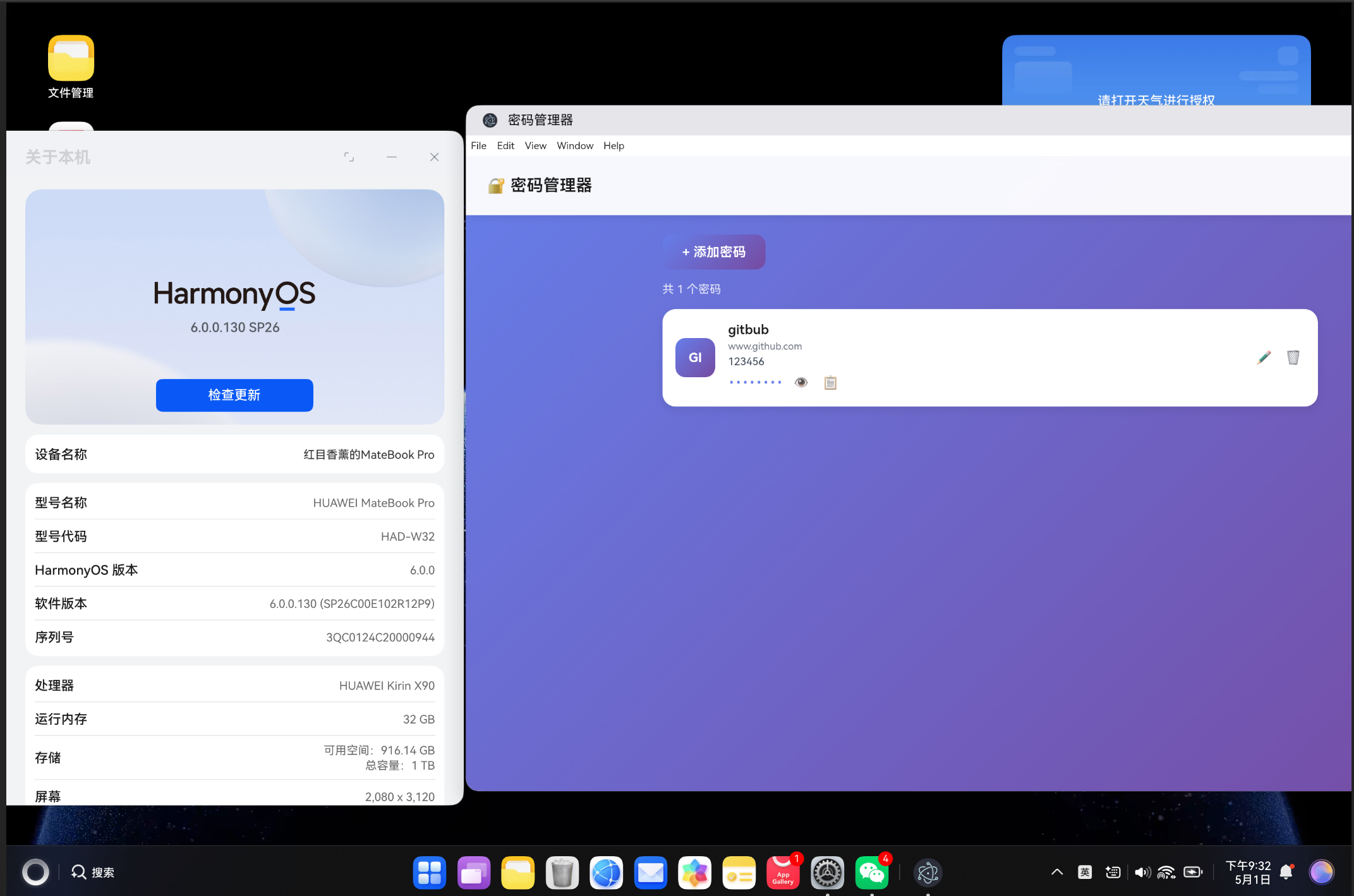
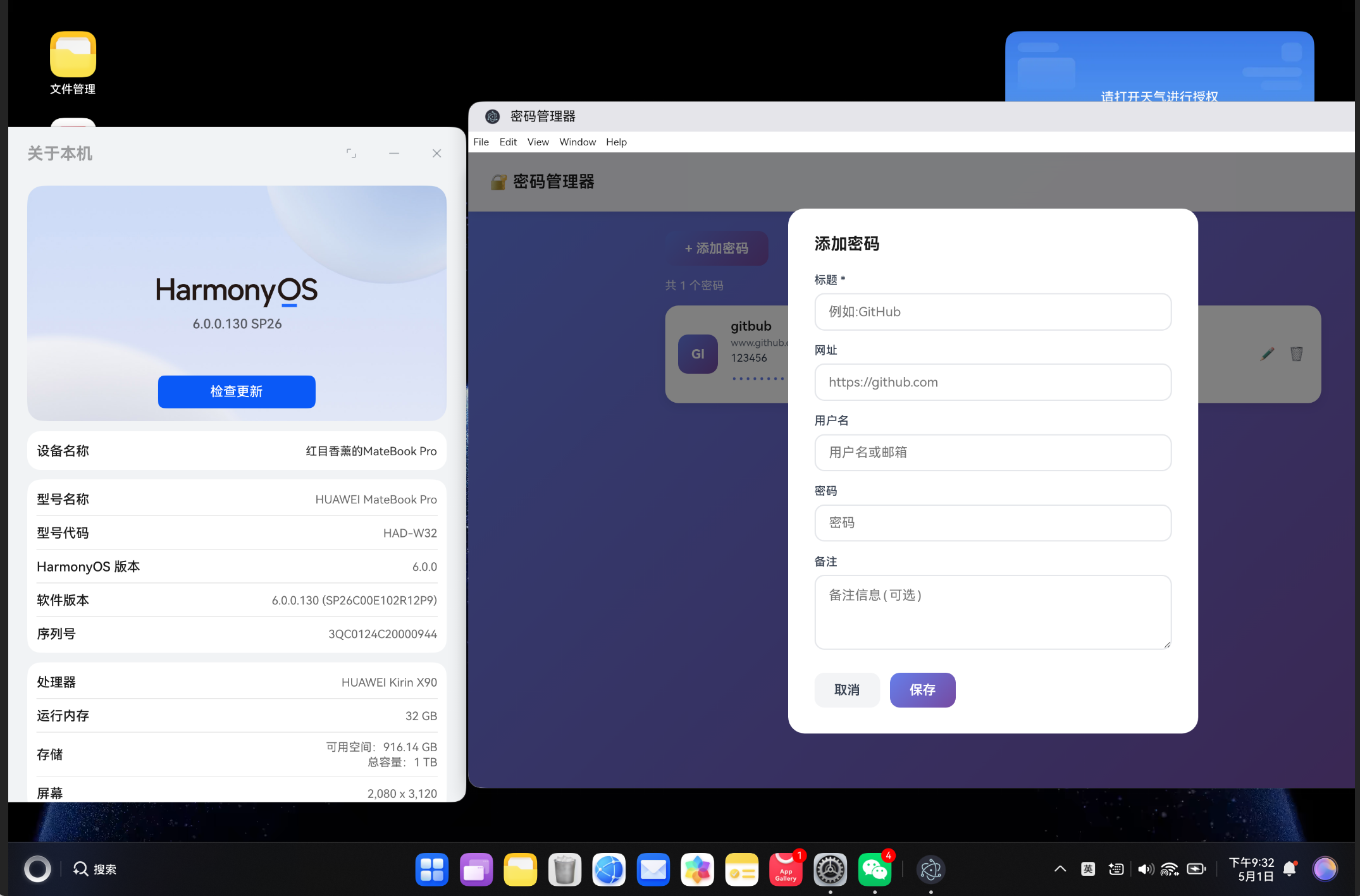
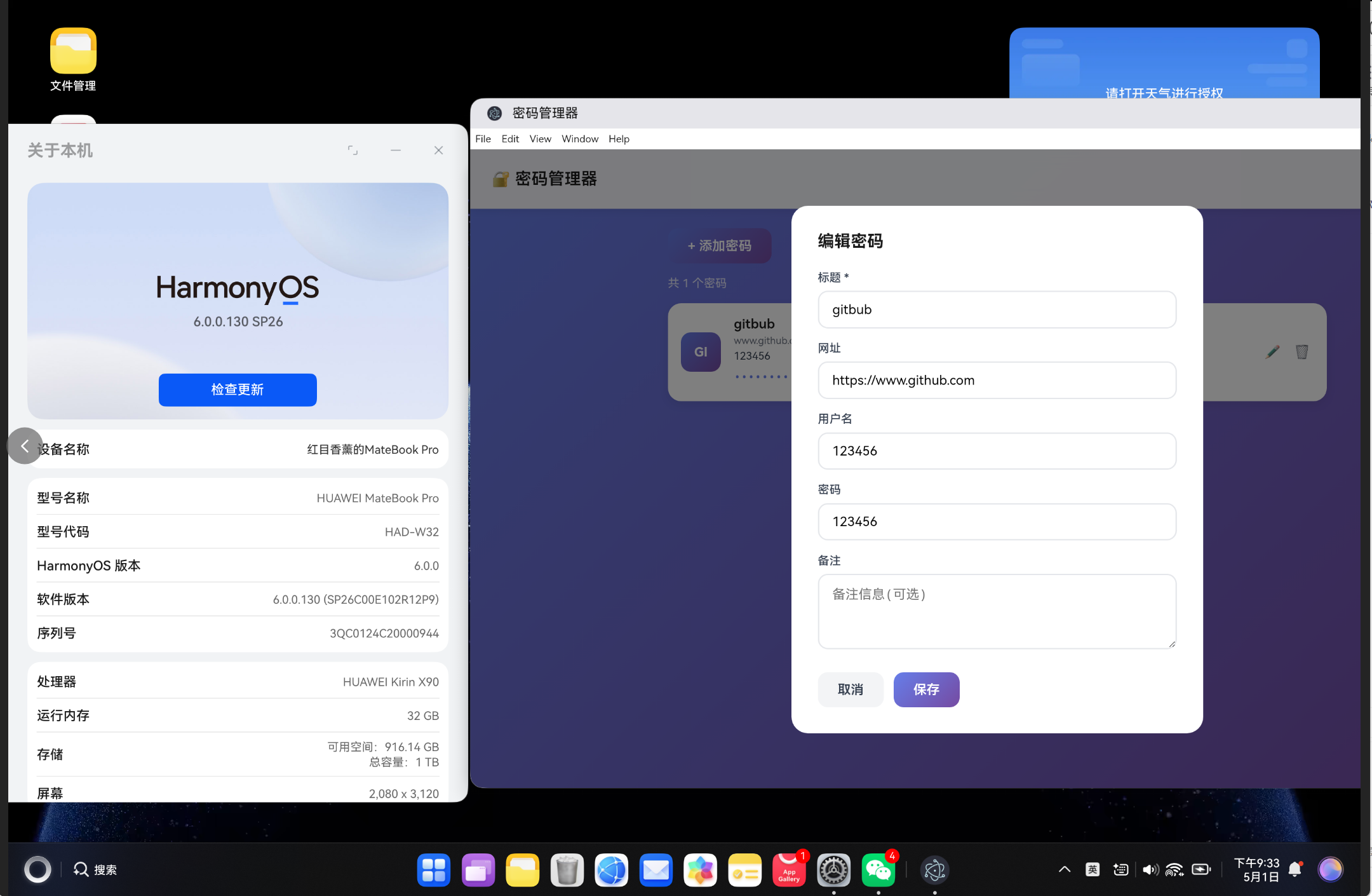
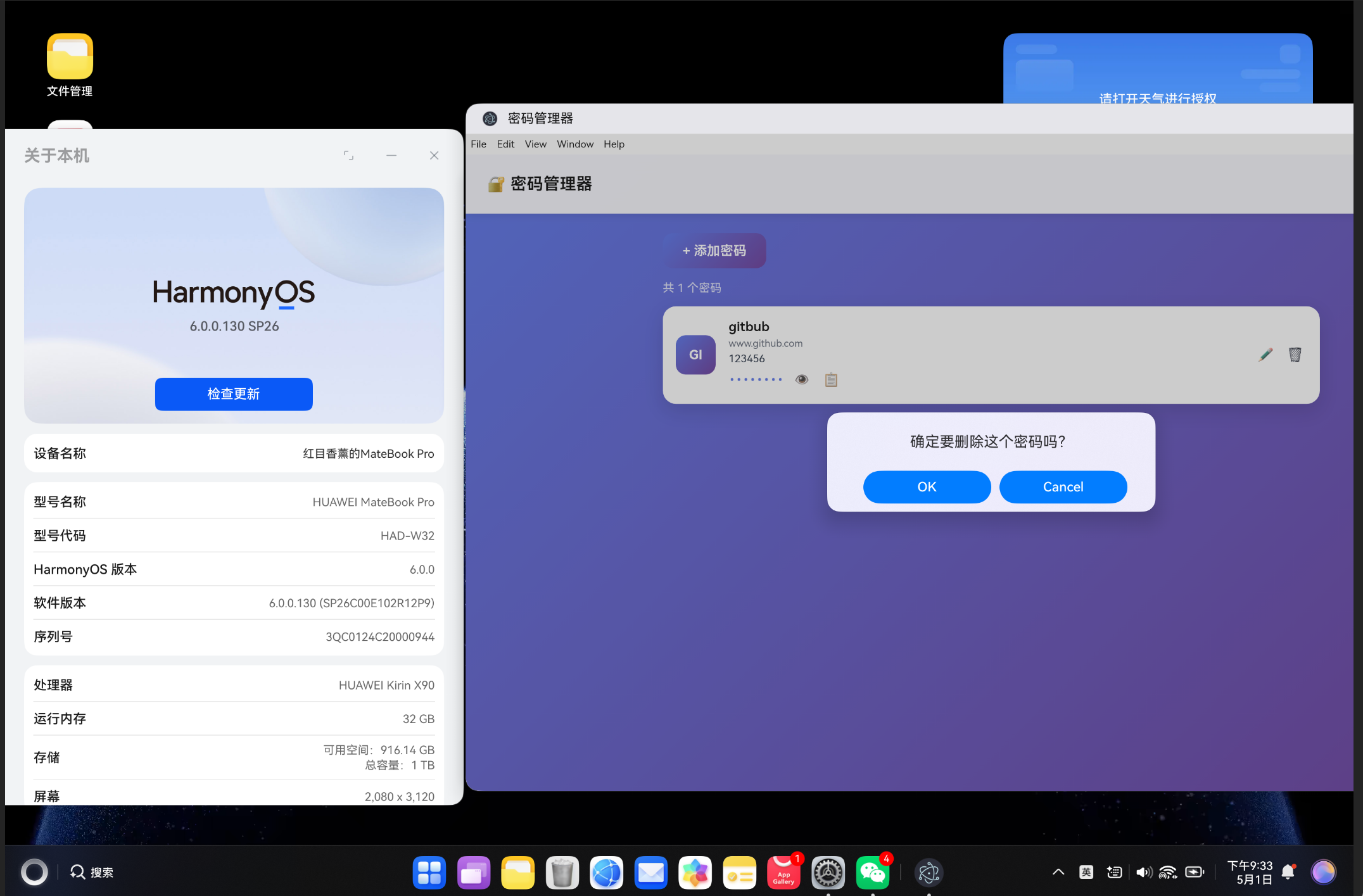
- 一、前言与安全背景
- 二、技术方案选型与对比
- 三、系统架构设计
- 四、核心加密模块实现
- 五、本地安全存储实现
- 六、自动填充功能实现
- 七、Electron 桌面端集成
- 八、性能优化与安全加固
- 九、测试与质量保障
- 十、常见问题与解决方案
- 十一、总结与未来展望
- 十二、参考资料
一、前言与安全背景
1.1 密码管理现状分析
随着互联网应用数量的激增,现代用户平均需要管理超过 100 个在线账户。面对如此庞大的密码数量,用户通常采用以下几种不安全的密码管理方式:
- 重复使用密码:多个网站使用相同密码,一旦某个站点数据泄露,所有账户都将面临风险
- 简单密码:使用生日、手机号、姓名拼音等容易被猜到的密码组合
- 明文记录:将密码保存在记事本、Excel 表格或手机备忘录中,缺乏加密保护
- 浏览器自带密码管理:安全性依赖于浏览器自身,且数据可能被同步到云端
根据 2023 年数据泄露报告,超过 60% 的数据泄露事件与弱密码或密码重复使用有关。因此,构建一个安全、易用的本地密码管理器具有重要的现实意义。
1.2 本地密码管理器的核心价值
与云端密码管理器(如 LastPass、1Password)相比,本地密码管理器具有以下独特优势:
| 对比维度 | 本地密码管理器 | 云端密码管理器 |
|---|---|---|
| 数据控制权 | 完全由用户掌控 | 依赖第三方服务商 |
| 泄露风险 | 仅受本地设备安全影响 | 存在服务器端泄露风险 |
| 隐私保护 | 数据不出本地设备 | 数据存储在云端 |
| 离线可用性 | 完全可用 | 需要网络连接 |
| 自定义程度 | 高度可定制 | 受限于服务商功能 |
| 成本 | 免费 | 通常需订阅付费 |
本文将带你从零开始构建一个功能完整的本地密码管理器,涵盖加密存储、自动填充、数据导入导出等核心功能。
二、技术方案选型与对比
2.1 加密算法选型
密码管理器的安全性核心在于加密算法的选择。以下是主流加密算法的对比分析:
| 加密算法 | 密钥长度 | 安全性 | 性能 | 适用场景 |
|---|---|---|---|---|
| AES-256-GCM | 256 位 | 极高 | 优秀 | 敏感数据存储(推荐) |
| AES-128-CBC | 128 位 | 高 | 优秀 | 一般数据加密 |
| ChaCha20-Poly1305 | 256 位 | 极高 | 优秀 | 移动端、物联网设备 |
| 3DES | 168 位 | 中 | 较差 | 遗留系统兼容 |
| RSA-2048 | 2048 位 | 高 | 较慢 | 密钥交换、数字签名 |
AES-256-GCM 被选为核心加密算法的原因:
- 认证加密(AEAD):同时提供机密性和完整性保护
- 硬件加速支持:现代 CPU 提供 AES-NI 指令集加速
- 标准化程度高:NIST 标准,广泛认可
- 性能优异:加密速度可达 1GB/s 以上
2.2 存储方案对比
本地存储方案的选择需要综合考虑性能、容量和安全性:
| 存储方案 | 容量限制 | 读写速度 | 安全性 | 适用场景 |
|---|---|---|---|---|
| IndexedDB | ~50MB+ | 快 | 需自行加密 | 大量结构化数据(推荐) |
| LocalStorage | ~5-10MB | 中等 | 需自行加密 | 小型配置数据 |
| Web SQL | ~50MB | 快 | 需自行加密 | 已废弃,不推荐 |
| File System API | 无限制 | 快 | 需自行加密 | Electron 桌面应用 |
| SQLite (via WASM) | 无限制 | 优秀 | 需自行加密 | 复杂查询需求 |
在浏览器环境中,IndexedDB 是最佳选择。在 Electron 桌面环境中,可以直接使用 文件系统 + 加密文件 的方式。
2.3 自动填充技术路线
自动填充功能的实现有三种主要技术路线:
方案一:浏览器扩展注入
- 通过 Content Script 注入到页面
- 监听 DOM 变化检测登录表单
- 安全上下文隔离,无法获取页面敏感数据
- 推荐度:高,安全性好
方案二:系统级辅助功能
- 使用操作系统辅助功能 API
- 全局监控所有应用的输入框
- 功能强大但实现复杂
- 推荐度:中,适合桌面端
方案三:虚拟键盘输入法
- 开发自定义输入法
- 在输入时提供密码候选
- 兼容性好但用户体验一般
- 推荐度:低,实现成本高
本文将采用 方案一(浏览器扩展注入) 结合 Electron 桌面端 的实现方式。
三、系统架构设计
3.1 整体架构模型
密码管理器采用分层架构设计,确保各模块职责清晰、易于维护:
┌───────────────────────────────────────────────────────────────────┐
│                        用户界面层 (UI Layer)                        │
│  ┌──────────────┐  ┌──────────────┐  ┌──────────────┐            │
│  │  密码列表视图 │  │  密码详情视图 │  │  设置页面     │            │
│  │  PasswordList │  │ PasswordDetail│  │  SettingsPage │            │
│  └──────────────┘  └──────────────┘  └──────────────┘            │
├───────────────────────────────────────────────────────────────────┤
│                        业务逻辑层 (Service Layer)                   │
│  ┌──────────────┐  ┌──────────────┐  ┌──────────────┐            │
│  │  密码管理服务 │  │  加密服务     │  │  自动填充服务  │            │
│  │ PasswordMgr  │  │ CryptoService│  │ AutofillService│            │
│  └──────────────┘  └──────────────┘  └──────────────┘            │
├───────────────────────────────────────────────────────────────────┤
│                        数据访问层 (Data Layer)                      │
│  ┌──────────────┐  ┌──────────────┐  ┌──────────────┐            │
│  │ IndexedDB    │  │ File System  │  │  导入导出模块  │            │
│  │ StorageMgr   │  │ Storage      │  │ ImportExport  │            │
│  └──────────────┘  └──────────────┘  └──────────────┘            │
├───────────────────────────────────────────────────────────────────┤
│                        安全基础层 (Security Layer)                  │
│  ┌──────────────┐  ┌──────────────┐  ┌──────────────┐            │
│  │ AES-256-GCM  │  │  PBKDF2      │  │  CSP 策略     │            │
│  │ Encryption   │  │ Key Derivation│ │ Content Policy│            │
│  └──────────────┘  └──────────────┘  └──────────────┘            │
└───────────────────────────────────────────────────────────────────┘
3.2 数据流设计
密码管理器的核心数据流遵循 单向数据流 原则,确保数据安全可控:
用户操作 → UI 事件 → Service 处理 → 加密/解密 → 存储读写 → 结果返回 → UI 更新
   │          │          │            │           │          │         │
   ▼          ▼          ▼            ▼           ▼          ▼         ▼
  输入主   触发验证   调用加密    AES-256    写入本地   验证结果   渲染视图
  密码     请求       服务        加密        数据库     解密数据   刷新列表
3.3 安全架构设计
安全是密码管理器的核心设计原则,以下是多层次安全架构:
第一层:加密保护
- 所有敏感数据使用 AES-256-GCM 加密存储
- 主密码通过 PBKDF2 派生加密密钥
- 每次加密使用随机 IV(初始化向量)
第二层:内存安全
- 敏感数据使用完毕后立即从内存中清除
- 禁用 DevTools 防止调试泄露
- 禁用页面缓存防止数据残留
第三层:访问控制
- 主密码验证失败锁定机制
- 自动锁定超时设置
- 操作日志审计
3.4 目录结构规范
遵循模块化设计原则,项目目录结构如下:
password-manager/
├── src/
│   ├── core/                          # 核心加密模块
│   │   ├── crypto/                    # 加密算法实现
│   │   │   ├── aes.ts                 # AES-256-GCM 加密
│   │   │   ├── pbkdf2.ts              # 密钥派生
│   │   │   ├── random.ts              # 安全随机数
│   │   │   └── types.ts               # 加密相关类型
│   │   ├── storage/                   # 存储模块
│   │   │   ├── indexeddb.ts           # IndexedDB 存储
│   │   │   ├── file.ts                # 文件系统存储(Electron)
│   │   │   └── types.ts               # 存储相关类型
│   │   └── security/                  # 安全模块
│   │       ├── csp.ts                 # 内容安全策略
│   │       ├── locker.ts              # 自动锁定
│   │       └── audit.ts               # 审计日志
│   ├── services/                      # 业务服务层
│   │   ├── password-manager.ts        # 密码管理服务
│   │   ├── autofill.ts                # 自动填充服务
│   │   ├── import-export.ts           # 导入导出服务
│   │   ├── generator.ts               # 密码生成器
│   │   └── strength.ts                # 密码强度检测
│   ├── components/                    # UI 组件
│   │   ├── PasswordList.vue           # 密码列表组件
│   │   ├── PasswordForm.vue           # 密码表单组件
│   │   ├── PasswordStrength.vue       # 密码强度指示器
│   │   ├── MasterPasswordDialog.vue   # 主密码输入对话框
│   │   └── AutofillBadge.vue          # 自动填充标识
│   ├── views/                         # 页面视图
│   │   ├── Home.vue                   # 主页
│   │   ├── Settings.vue               # 设置页
│   │   └── ImportExport.vue           # 导入导出页
│   ├── extension/                     # 浏览器扩展
│   │   ├── background.ts              # 后台脚本
│   │   ├── content-script.ts          # 内容脚本
│   │   ├── popup.vue                  # 扩展弹窗
│   │   └── manifest.json              # 扩展配置
│   ├── electron/                      # Electron 桌面端
│   │   ├── main.ts                    # 主进程
│   │   ├── preload.ts                 # 预加载脚本
│   │   └── tray.ts                    # 系统托盘
│   ├── types/                         # TypeScript 类型定义
│   │   ├── password.ts                # 密码数据类型
│   │   ├── crypto.ts                  # 加密相关类型
│   │   └── global.d.ts                # 全局类型
│   ├── utils/                         # 工具函数
│   │   ├── debounce.ts                # 防抖节流
│   │   ├── format.ts                  # 格式化工具
│   │   └── validation.ts              # 验证工具
│   ├── App.vue                        # 根组件
│   └── main.ts                        # 应用入口
├── tests/                             # 测试文件
│   ├── unit/                          # 单元测试
│   ├── integration/                   # 集成测试
│   └── security/                      # 安全测试
├── package.json                       # 依赖配置
├── vite.config.ts                     # 构建配置
└── tsconfig.json                      # TypeScript 配置
四、核心加密模块实现
4.1 AES-256-GCM 加密算法封装
AES-256-GCM 提供了认证加密(AEAD),同时保证数据的机密性和完整性。以下是完整的加密模块实现:
// core/crypto/aes.ts
import { CryptoConfig, EncryptedData } from './types'

export class AES256GCM {
  private static readonly ALGORITHM = 'AES-GCM'
  private static readonly KEY_LENGTH = 256
  private static readonly IV_LENGTH = 12  // 96 bits for GCM
  private static readonly TAG_LENGTH = 128  // authentication tag length

  /**
   * 加密数据
   * @param plaintext - 待加密的字符串数据
   * @param key - 256 位加密密钥(CryptoKey 对象)
   * @returns 包含密文、IV 和认证标签的加密数据包
   */
  static async encrypt(plaintext: string, key: CryptoKey): Promise<EncryptedData> {
    const encoder = new TextEncoder()
    const data = encoder.encode(plaintext)

    // 生成随机 IV(每次加密必须使用不同的 IV)
    const iv = crypto.getRandomValues(new Uint8Array(this.IV_LENGTH))

    // 执行 AES-256-GCM 加密
    const encryptedBuffer = await crypto.subtle.encrypt(
      {
        name: this.ALGORITHM,
        iv: iv,
        tagLength: this.TAG_LENGTH
      },
      key,
      data
    )

    return {
      ciphertext: this.arrayBufferToBase64(encryptedBuffer),
      iv: this.arrayBufferToBase64(iv),
      algorithm: this.ALGORITHM
    }
  }

  /**
   * 解密数据
   * @param encryptedData - 加密数据包(包含密文和 IV)
   * @param key - 解密密钥
   * @returns 解密后的原始字符串
   */
  static async decrypt(encryptedData: EncryptedData, key: CryptoKey): Promise<string> {
    const ciphertext = this.base64ToArrayBuffer(encryptedData.ciphertext)
    const iv = this.base64ToArrayBuffer(encryptedData.iv)

    try {
      const decryptedBuffer = await crypto.subtle.decrypt(
        {
          name: this.ALGORITHM,
          iv: iv,
          tagLength: this.TAG_LENGTH
        },
        key,
        ciphertext
      )

      const decoder = new TextDecoder()
      return decoder.decode(decryptedBuffer)
    } catch (error) {
      // 解密失败可能是密钥错误或数据被篡改
      throw new Error('Decryption failed: invalid key or corrupted data')
    }
  }

  /**
   * ArrayBuffer 转 Base64 编码
   */
  private static arrayBufferToBase64(buffer: ArrayBuffer): string {
    const bytes = new Uint8Array(buffer)
    let binary = ''
    for (let i = 0; i < bytes.byteLength; i++) {
      binary += String.fromCharCode(bytes[i])
    }
    return btoa(binary)
  }

  /**
   * Base64 转 ArrayBuffer
   */
  private static base64ToArrayBuffer(base64: string): ArrayBuffer {
    const binary = atob(base64)
    const bytes = new Uint8Array(binary.length)
    for (let i = 0; i < binary.length; i++) {
      bytes[i] = binary.charCodeAt(i)
    }
    return bytes.buffer
  }
}
关键设计要点:
- IV 随机性:每次加密都生成新的随机 IV,防止重放攻击
- Base64 编码:便于存储和传输二进制加密数据
- 错误处理:解密失败时返回明确错误,不暴露具体原因(防止侧信道攻击)
4.2 PBKDF2 密钥派生函数
主密码需要通过密钥派生函数转换为加密密钥,PBKDF2 是广泛使用的标准算法:
// core/crypto/pbkdf2.ts
import { KeyDerivationConfig } from './types'

export class KeyDerivation {
  private static readonly ALGORITHM = 'PBKDF2'
  private static readonly HASH_FUNCTION = 'SHA-256'
  private static readonly DEFAULT_ITERATIONS = 100000  // OWASP 推荐值
  private static readonly KEY_LENGTH = 256  // bits

  /**
   * 从主密码派生加密密钥
   * @param masterPassword - 用户主密码
   * @param salt - 随机盐值(16 字节)
   * @param iterations - 迭代次数(越高越安全,但性能开销越大)
   * @returns 派生的 CryptoKey 对象
   */
  static async deriveKey(
    masterPassword: string,
    salt: Uint8Array,
    iterations: number = this.DEFAULT_ITERATIONS
  ): Promise<CryptoKey> {
    // 将密码转换为密钥材料
    const encoder = new TextEncoder()
    const passwordKeyMaterial = await crypto.subtle.importKey(
      'raw',
      encoder.encode(masterPassword),
      this.ALGORITHM,
      false,  // 密钥不可导出
      ['deriveKey']
    )

    // 派生 AES-256 密钥
    const derivedKey = await crypto.subtle.deriveKey(
      {
        name: this.ALGORITHM,
        salt: salt,
        iterations: iterations,
        hash: this.HASH_FUNCTION
      },
      passwordKeyMaterial,
      {
        name: 'AES-GCM',
        length: this.KEY_LENGTH
      },
      false,  // 密钥不可导出
      ['encrypt', 'decrypt']
    )

    return derivedKey
  }

  /**
   * 生成安全的随机盐值
   * @param length - 盐值长度(字节),默认 16 字节
   * @returns 随机盐值
   */
  static generateSalt(length: number = 16): Uint8Array {
    return crypto.getRandomValues(new Uint8Array(length))
  }

  /**
   * 验证主密码是否正确
   * 通过尝试解密一个已知的测试数据来验证
   */
  static async verifyPassword(
    masterPassword: string,
    salt: Uint8Array,
    testEncryptedData: any,
    iterations: number = this.DEFAULT_ITERATIONS
  ): Promise<boolean> {
    try {
      const key = await this.deriveKey(masterPassword, salt, iterations)
      const { AES256GCM } = await import('./aes')
      await AES256GCM.decrypt(testEncryptedData, key)
      return true
    } catch {
      return false
    }
  }
}
安全设计考虑:
- 迭代次数:100,000 次是 OWASP 2023 年推荐值,可以有效抵抗暴力破解
- 盐值:16 字节随机盐值,防止彩虹表攻击
- 密钥不可导出:设置
extractable: false,防止密钥被提取
4.3 安全随机数生成器
密码生成需要使用密码学安全的随机数生成器:
// core/crypto/random.ts
export class SecureRandom {
  private static readonly CHARSET_UPPER = 'ABCDEFGHIJKLMNOPQRSTUVWXYZ'
  private static readonly CHARSET_LOWER = 'abcdefghijklmnopqrstuvwxyz'
  private static readonly CHARSET_DIGITS = '0123456789'
  private static readonly CHARSET_SYMBOLS = '!@#$%^&*()_+-=[]{}|;:,.<>?'

  /**
   * 生成安全的随机密码
   * @param length - 密码长度(默认 16)
   * @param options - 密码组成选项
   * @returns 随机生成的密码字符串
   */
  static generatePassword(
    length: number = 16,
    options: {
      includeUppercase?: boolean
      includeLowercase?: boolean
      includeDigits?: boolean
      includeSymbols?: boolean
      excludeAmbiguous?: boolean  // 排除易混淆字符(如 0 和 O)
    } = {}
  ): string {
    const {
      includeUppercase = true,
      includeLowercase = true,
      includeDigits = true,
      includeSymbols = true,
      excludeAmbiguous = false
    } = options

    let charset = ''
    let requiredChars: string[] = []

    if (includeUppercase) {
      let chars = this.CHARSET_UPPER
      if (excludeAmbiguous) chars = chars.replace(/[IO]/g, '')
      charset += chars
      requiredChars.push(this.getSecureRandomChar(chars))
    }

    if (includeLowercase) {
      let chars = this.CHARSET_LOWER
      if (excludeAmbiguous) chars = chars.replace(/[l]/g, '')
      charset += chars
      requiredChars.push(this.getSecureRandomChar(chars))
    }

    if (includeDigits) {
      let chars = this.CHARSET_DIGITS
      if (excludeAmbiguous) chars = chars.replace(/[01]/g, '')
      charset += chars
      requiredChars.push(this.getSecureRandomChar(chars))
    }

    if (includeSymbols) {
      charset += this.CHARSET_SYMBOLS
      requiredChars.push(this.getSecureRandomChar(this.CHARSET_SYMBOLS))
    }

    if (charset.length === 0) {
      throw new Error('至少需要启用一种字符类型')
    }

    // 生成剩余字符
    const remainingLength = length - requiredChars.length
    const remainingChars: string[] = []
    for (let i = 0; i < remainingLength; i++) {
      remainingChars.push(this.getSecureRandomChar(charset))
    }

    // 合并并打乱字符顺序
    const allChars = [...requiredChars, ...remainingChars]
    return this.shuffleArray(allChars).join('')
  }

  /**
   * 使用安全随机数从字符集中选择一个字符
   */
  private static getSecureRandomChar(charset: string): string {
    const randomValues = new Uint32Array(1)
    crypto.getRandomValues(randomValues)
    const index = randomValues[0] % charset.length
    return charset[index]
  }

  /**
   * 使用 Fisher-Yates 算法安全地打乱数组
   */
  private static shuffleArray<T>(array: T[]): T[] {
    const shuffled = [...array]
    for (let i = shuffled.length - 1; i > 0; i--) {
      const randomValues = new Uint32Array(1)
      crypto.getRandomValues(randomValues)
      const j = randomValues[0] % (i + 1)
      ;[shuffled[i], shuffled[j]] = [shuffled[j], shuffled[i]]
    }
    return shuffled
  }
}
4.4 数据加密与解密流程
完整的加密解密流程封装在加密服务中:
// services/crypto-service.ts
import { AES256GCM } from '../core/crypto/aes'
import { KeyDerivation } from '../core/crypto/pbkdf2'
import { EncryptedVault, PasswordEntry } from '../types/password'

export class CryptoService {
  private static masterKey: CryptoKey | null = null
  private static salt: Uint8Array | null = null
  private static isUnlocked = false

  /**
   * 初始化密码库(首次使用或打开已有库)
   */
  static async initialize(masterPassword: string, salt?: Uint8Array): Promise<{
    isNew: boolean
    salt: Uint8Array
  }> {
    const isNew = !salt
    const currentSalt = salt || KeyDerivation.generateSalt()

    this.masterKey = await KeyDerivation.deriveKey(
      masterPassword,
      currentSalt
    )
    this.salt = currentSalt
    this.isUnlocked = true

    return { isNew, salt: currentSalt }
  }

  /**
   * 加密整个密码库
   */
  static async encryptVault(entries: PasswordEntry[]): Promise<EncryptedVault> {
    if (!this.masterKey || !this.salt) {
      throw new Error('Vault not initialized')
    }

    const vaultData = JSON.stringify({
      version: '1.0',
      entries: entries,
      createdAt: new Date().toISOString()
    })

    const encrypted = await AES256GCM.encrypt(vaultData, this.masterKey)

    return {
      ...encrypted,
      salt: Array.from(this.salt),
      iterations: 100000,
      createdAt: new Date().toISOString()
    }
  }

  /**
   * 解密密码库
   */
  static async decryptVault(encryptedVault: EncryptedVault): Promise<PasswordEntry[]> {
    if (!this.masterKey) {
      throw new Error('Master key not available')
    }

    const decryptedJson = await AES256GCM.decrypt(encryptedVault, this.masterKey)
    const vaultData = JSON.parse(decryptedJson)

    return vaultData.entries as PasswordEntry[]
  }

  /**
   * 安全锁定(清除内存中的密钥)
   */
  static lock(): void {
    this.masterKey = null
    this.salt = null
    this.isUnlocked = false

    // 强制垃圾回收(如果可用)
    if (globalThis.gc) {
      globalThis.gc()
    }
  }

  static get unlocked(): boolean {
    return this.isUnlocked
  }
}
五、本地安全存储实现
5.1 IndexedDB 加密存储引擎
使用 IndexedDB 作为浏览器的本地持久化存储方案:
// core/storage/indexeddb.ts
import { EncryptedVault } from '../../types/password'

export class IndexedDBStorage {
  private static readonly DB_NAME = 'PasswordManagerDB'
  private static readonly DB_VERSION = 1
  private static readonly STORE_NAME = 'vaults'
  private db: IDBDatabase | null = null

  /**
   * 初始化数据库连接
   */
  async init(): Promise<void> {
    return new Promise((resolve, reject) => {
      const request = indexedDB.open(this.DB_NAME, this.DB_VERSION)

      request.onerror = () => reject(request.error)

      request.onupgradeneeded = (event) => {
        const db = (event.target as IDBOpenDBRequest).result
        if (!db.objectStoreNames.contains(this.STORE_NAME)) {
          db.createObjectStore(this.STORE_NAME, { keyPath: 'id' })
        }
      }

      request.onsuccess = (event) => {
        this.db = (event.target as IDBOpenDBRequest).result
        resolve()
      }
    })
  }

  /**
   * 保存加密的密码库
   */
  async saveVault(vault: EncryptedVault): Promise<void> {
    if (!this.db) throw new Error('Database not initialized')

    return new Promise((resolve, reject) => {
      const transaction = this.db.transaction(this.STORE_NAME, 'readwrite')
      const store = transaction.objectStore(this.STORE_NAME)

      const request = store.put({
        id: 'default',
        ...vault,
        updatedAt: new Date().toISOString()
      })

      request.onsuccess = () => resolve()
      request.onerror = () => reject(request.error)
    })
  }

  /**
   * 读取加密的密码库
   */
  async loadVault(): Promise<EncryptedVault | null> {
    if (!this.db) throw new Error('Database not initialized')

    return new Promise((resolve, reject) => {
      const transaction = this.db.transaction(this.STORE_NAME, 'readonly')
      const store = transaction.objectStore(this.STORE_NAME)

      const request = store.get('default')

      request.onsuccess = () => {
        resolve(request.result || null)
      }
      request.onerror = () => reject(request.error)
    })
  }

  /**
   * 删除密码库
   */
  async deleteVault(): Promise<void> {
    if (!this.db) throw new Error('Database not initialized')

    return new Promise((resolve, reject) => {
      const transaction = this.db.transaction(this.STORE_NAME, 'readwrite')
      const store = transaction.objectStore(this.STORE_NAME)

      const request = store.delete('default')

      request.onsuccess = () => resolve()
      request.onerror = () => reject(request.error)
    })
  }
}
5.2 主密码验证机制
主密码是保护整个密码库的关键,需要完善的验证和错误处理机制:
// services/auth-service.ts
import { CryptoService } from './crypto-service'
import { IndexedDBStorage } from '../core/storage/indexeddb'
import { SecureRandom } from '../core/crypto/random'

export class AuthService {
  private static readonly MAX_ATTEMPTS = 5
  private static readonly LOCKOUT_DURATION = 300000  // 5 分钟
  private static attemptCount = 0
  private static lockoutUntil: number | null = null

  /**
   * 验证主密码
   */
  static async verifyMasterPassword(
    password: string,
    storage: IndexedDBStorage
  ): Promise<{ success: boolean; error?: string }> {
    // 检查是否被锁定
    if (this.lockoutUntil && Date.now() < this.lockoutUntil) {
      const remaining = Math.ceil((this.lockoutUntil - Date.now()) / 1000)
      return {
        success: false,
        error: `尝试次数过多,请 ${remaining} 秒后再试`
      }
    }

    try {
      const vault = await storage.loadVault()

      if (!vault) {
        // 首次使用,创建新密码库
        const result = await CryptoService.initialize(password)
        await storage.saveVault(await CryptoService.encryptVault([]))
        this.attemptCount = 0
        return { success: true }
      }

      // 验证密码
      const salt = new Uint8Array(vault.salt)
      const isValid = await CryptoService.verifyPassword(
        password,
        salt,
        vault,
        vault.iterations
      )

      if (isValid) {
        await CryptoService.initialize(password, salt)
        this.attemptCount = 0
        this.lockoutUntil = null
        return { success: true }
      } else {
        this.attemptCount++
        this.handleFailedAttempt()
        return {
          success: false,
          error: `主密码错误,剩余 ${this.MAX_ATTEMPTS - this.attemptCount} 次尝试机会`
        }
      }
    } catch (error) {
      return {
        success: false,
        error: '验证过程中发生错误,请重试'
      }
    }
  }

  /**
   * 处理失败的登录尝试
   */
  private static handleFailedAttempt(): void {
    if (this.attemptCount >= this.MAX_ATTEMPTS) {
      this.lockoutUntil = Date.now() + this.LOCKOUT_DURATION
      this.attemptCount = 0
    }
  }

  /**
   * 修改主密码
   */
  static async changeMasterPassword(
    oldPassword: string,
    newPassword: string,
    storage: IndexedDBStorage
  ): Promise<{ success: boolean; error?: string }> {
    // 验证旧密码
    const verifyResult = await this.verifyMasterPassword(oldPassword, storage)
    if (!verifyResult.success) {
      return { success: false, error: '原密码错误' }
    }

    // 解密当前库
    const entries = await CryptoService.decryptVault()

    // 使用新密码重新加密
    await CryptoService.initialize(newPassword)
    const newVault = await CryptoService.encryptVault(entries)
    await storage.saveVault(newVault)

    return { success: true }
  }
}
5.3 密码强度检测算法
密码强度检测是密码管理器的重要功能,帮助用户创建更安全的密码:
// services/strength.ts
export interface PasswordStrengthResult {
  score: number        // 0-100
  level: 'very-weak' | 'weak' | 'medium' | 'strong' | 'very-strong'
  entropy: number      // 信息熵(bits)
  crackTime: string    // 预估破解时间
  suggestions: string[]  // 改进建议
}

export class PasswordStrength {
  private static readonly CHARSETS = {
    lowercase: /[a-z]/,
    uppercase: /[A-Z]/,
    digits: /[0-9]/,
    symbols: /[^a-zA-Z0-9]/
  }

  /**
   * 计算密码强度
   */
  static analyze(password: string): PasswordStrengthResult {
    const suggestions: string[] = []
    let score = 0

    // 1. 长度评分(40% 权重)
    const lengthScore = Math.min(password.length / 20, 1) * 40
    score += lengthScore

    if (password.length < 8) {
      suggestions.push('密码长度至少 8 个字符')
    } else if (password.length < 12) {
      suggestions.push('建议使用 12 个以上字符')
    }

    // 2. 字符多样性评分(30% 权重)
    let charsetCount = 0
    if (this.CHARSETS.lowercase.test(password)) charsetCount++
    if (this.CHARSETS.uppercase.test(password)) charsetCount++
    if (this.CHARSETS.digits.test(password)) charsetCount++
    if (this.CHARSETS.symbols.test(password)) charsetCount++

    const charsetScore = (charsetCount / 4) * 30
    score += charsetScore

    if (charsetCount < 3) {
      suggestions.push('建议混合使用大小写字母、数字和特殊符号')
    }

    // 3. 模式检测扣分(20% 权重)
    let patternPenalty = 0

    // 检查重复字符
    if (/(.)\1{2,}/.test(password)) {
      patternPenalty += 10
      suggestions.push('避免连续重复字符')
    }

    // 检查连续字符序列
    if (/abc|bcd|cde|def|123|234|345|qwe|asd|zxc/i.test(password)) {
      patternPenalty += 10
      suggestions.push('避免使用键盘连续字符')
    }

    // 检查常见密码模式
    const commonPatterns = ['password', '123456', 'qwerty', 'admin', 'letmein']
    if (commonPatterns.some(p => password.toLowerCase().includes(p))) {
      patternPenalty += 20
      suggestions.push('避免使用常见密码组合')
    }

    score -= patternPenalty

    // 4. 信息熵计算(10% 权重)
    const entropy = this.calculateEntropy(password)
    const entropyScore = Math.min(entropy / 80, 1) * 10
    score += entropyScore

    // 确保分数在 0-100 之间
    score = Math.max(0, Math.min(100, score))

    return {
      score: Math.round(score),
      level: this.getLevel(score),
      entropy: Math.round(entropy * 100) / 100,
      crackTime: this.estimateCrackTime(entropy),
      suggestions
    }
  }

  /**
   * 计算密码信息熵
   */
  private static calculateEntropy(password: string): number {
    let charsetSize = 0
    if (/[a-z]/.test(password)) charsetSize += 26
    if (/[A-Z]/.test(password)) charsetSize += 26
    if (/[0-9]/.test(password)) charsetSize += 10
    if (/[^a-zA-Z0-9]/.test(password)) charsetSize += 32

    return password.length * Math.log2(charsetSize || 1)
  }

  /**
   * 获取强度等级
   */
  private static getLevel(score: number): PasswordStrengthResult['level'] {
    if (score < 20) return 'very-weak'
    if (score < 40) return 'weak'
    if (score < 60) return 'medium'
    if (score < 80) return 'strong'
    return 'very-strong'
  }

  /**
   * 预估破解时间
   */
  private static estimateCrackTime(entropy: number): string {
    const guessesPerSecond = 1e10  // 假设每秒 100 亿次猜测
    const totalGuesses = Math.pow(2, entropy)
    const seconds = totalGuesses / guessesPerSecond

    if (seconds < 1) return '瞬间'
    if (seconds < 60) return `${Math.round(seconds)} 秒`
    if (seconds < 3600) return `${Math.round(seconds / 60)} 分钟`
    if (seconds < 86400) return `${Math.round(seconds / 3600)} 小时`
    if (seconds < 31536000) return `${Math.round(seconds / 86400)} 天`
    if (seconds < 31536000 * 1000) return `${Math.round(seconds / 31536000)} 年`
    return '数千年以上'
  }
}
5.4 数据导入导出功能
支持多种格式的密码数据导入导出,方便用户迁移数据:
// services/import-export.ts
import { PasswordEntry } from '../types/password'
import { CryptoService } from './crypto-service'
import { IndexedDBStorage } from '../core/storage/indexeddb'

export interface ImportResult {
  success: boolean
  imported: number
  failed: number
  errors: string[]
}

export class ImportExportService {
  /**
   * 导出密码库为 JSON 文件(解密后)
   * 警告:导出的文件未加密,需妥善保管
   */
  static async exportAsJSON(storage: IndexedDBStorage): Promise<void> {
    if (!CryptoService.unlocked) {
      throw new Error('请先解锁密码库')
    }

    const entries = await CryptoService.decryptVault()
    const exportData = {
      version: '1.0',
      exportDate: new Date().toISOString(),
      totalEntries: entries.length,
      entries: entries.map(entry => ({
        url: entry.url,
        username: entry.username,
        password: entry.password,
        title: entry.title,
        notes: entry.notes,
        createdAt: entry.createdAt,
        updatedAt: entry.updatedAt
      }))
    }

    const blob = new Blob([JSON.stringify(exportData, null, 2)], {
      type: 'application/json'
    })

    this.downloadBlob(blob, `password-export-${new Date().toISOString().split('T')[0]}.json`)
  }

  /**
   * 导出为 CSV 格式
   */
  static async exportAsCSV(storage: IndexedDBStorage): Promise<void> {
    if (!CryptoService.unlocked) {
      throw new Error('请先解锁密码库')
    }

    const entries = await CryptoService.decryptVault()
    const headers = ['标题', '网址', '用户名', '密码', '备注', '创建时间']
    const rows = entries.map(entry => [
      entry.title || '',
      entry.url || '',
      entry.username || '',
      entry.password || '',
      entry.notes || '',
      entry.createdAt || ''
    ])

    const csvContent = [
      headers.join(','),
      ...rows.map(row =>
        row.map(cell =>
          `"${String(cell).replace(/"/g, '""')}"`
        ).join(',')
      )
    ].join('\n')

    const blob = new Blob(['\ufeff' + csvContent], {  // BOM for Excel UTF-8
      type: 'text/csv;charset=utf-8'
    })

    this.downloadBlob(blob, `password-export-${new Date().toISOString().split('T')[0]}.csv`)
  }

  /**
   * 从 JSON 文件导入密码
   */
  static async importFromJSON(
    file: File,
    storage: IndexedDBStorage
  ): Promise<ImportResult> {
    if (!CryptoService.unlocked) {
      throw new Error('请先解锁密码库')
    }

    const result: ImportResult = {
      success: false,
      imported: 0,
      failed: 0,
      errors: []
    }

    try {
      const text = await file.text()
      const data = JSON.parse(text)

      if (!data.entries || !Array.isArray(data.entries)) {
        result.errors.push('无效的导入文件格式')
        return result
      }

      // 获取现有条目
      const existingEntries = await CryptoService.decryptVault()

      // 合并并去重
      const urlSet = new Set(existingEntries.map(e => e.url))
      let imported = 0

      for (const entry of data.entries) {
        try {
          if (!urlSet.has(entry.url)) {
            existingEntries.push({
              id: crypto.randomUUID(),
              url: entry.url,
              username: entry.username || '',
              password: entry.password || '',
              title: entry.title || entry.url,
              notes: entry.notes || '',
              createdAt: entry.createdAt || new Date().toISOString(),
              updatedAt: new Date().toISOString()
            })
            urlSet.add(entry.url)
            imported++
          } else {
            result.failed++
          }
        } catch (error) {
          result.failed++
          result.errors.push(`导入失败: ${entry.url}`)
        }
      }

      // 保存更新后的库
      const encryptedVault = await CryptoService.encryptVault(existingEntries)
      await storage.saveVault(encryptedVault)

      result.success = true
      result.imported = imported

    } catch (error) {
      result.errors.push(`解析文件失败: ${(error as Error).message}`)
    }

    return result
  }

  /**
   * 下载 Blob 数据为文件
   */
  private static downloadBlob(blob: Blob, filename: string): void {
    const url = URL.createObjectURL(blob)
    const a = document.createElement('a')
    a.href = url
    a.download = filename
    document.body.appendChild(a)
    a.click()
    document.body.removeChild(a)
    URL.revokeObjectURL(url)
  }
}
六、自动填充功能实现
6.1 浏览器扩展架构
自动填充功能通过浏览器扩展实现,包含以下核心组件:
┌─────────────────────────────────────────────────────┐
│              浏览器扩展架构                            │
│                                                      │
│  ┌─────────────┐      ┌─────────────┐               │
│  │  Popup UI   │◄────►│  Background │               │
│  │  (Vue3)     │ 通信  │  Service    │               │
│  └─────────────┘      └──────┬──────┘               │
│                              │                       │
│                       消息通信│                       │
│                              ▼                       │
│                     ┌──────────────┐                │
│                     │ Content Script│                │
│                     │ (页面注入)    │                │
│                     └──────┬───────┘                │
│                            │                        │
│                     DOM操作│                        │
│                            ▼                        │
│                     ┌──────────────┐                │
│                     │  Web 页面表单 │                │
│                     └──────────────┘                │
└─────────────────────────────────────────────────────┘
扩展配置文件 manifest.json:
{
  "manifest_version": 3,
  "name": "SecurePass - 密码管理器",
  "version": "1.0.0",
  "description": "本地加密密码管理器,支持自动填充",
  "permissions": [
    "storage",
    "activeTab",
    "contextMenus"
  ],
  "host_permissions": [
    "<all_urls>"
  ],
  "background": {
    "service_worker": "background.js"
  },
  "content_scripts": [
    {
      "matches": ["<all_urls>"],
      "js": ["content-script.js"],
      "css": ["autofill-badge.css"],
      "run_at": "document_idle"
    }
  ],
  "action": {
    "default_popup": "popup.html",
    "default_icon": {
      "16": "icons/icon16.png",
      "32": "icons/icon32.png",
      "48": "icons/icon48.png",
      "128": "icons/icon128.png"
    }
  },
  "icons": {
    "16": "icons/icon16.png",
    "32": "icons/icon32.png",
    "48": "icons/icon48.png",
    "128": "icons/icon128.png"
  }
}
6.2 表单检测与识别
自动填充的第一步是准确识别页面中的登录表单:
// extension/content-script.ts

interface FormFieldInfo {
  element: HTMLInputElement
  type: 'username' | 'password' | 'email' | 'unknown'
  confidence: number  // 识别置信度 0-1
}

class FormDetector {
  private static readonly USERNAME_INDICATORS = [
    'username', 'user', 'login', 'email', 'account',
    '用户名', '账号', '邮箱', '手机号'
  ]

  private static readonly PASSWORD_INDICATORS = [
    'password', 'passwd', 'pwd', 'secret', 'pin',
    '密码', '口令'
  ]

  /**
   * 检测页面中的登录表单
   */
  static detectLoginForm(): {
    form: HTMLFormElement | null
    usernameField: HTMLInputElement | null
    passwordField: HTMLInputElement | null
  } {
    // 策略 1: 通过 input type 检测
    const passwordInputs = Array.from(
      document.querySelectorAll('input[type="password"]')
    )

    if (passwordInputs.length === 0) {
      return { form: null, usernameField: null, passwordField: null }
    }

    // 找到第一个密码输入框
    const passwordField = passwordInputs[0] as HTMLInputElement
    const form = passwordField.closest('form')

    // 策略 2: 在同一表单中查找用户名字段
    const searchScope = form || document.body
    const allInputs = Array.from(
      searchScope.querySelectorAll('input[type="text"], input[type="email"], input:not([type])')
    )

    let usernameField: HTMLInputElement | null = null
    let maxConfidence = 0

    for (const input of allInputs) {
      const fieldInfo = this.analyzeField(input as HTMLInputElement)
      if (fieldInfo.type === 'username' && fieldInfo.confidence > maxConfidence) {
        maxConfidence = fieldInfo.confidence
        usernameField = fieldInfo.element
      }
    }

    // 策略 3: 如果没找到用户名,使用密码框前面的输入框
    if (!usernameField && form) {
      const formInputs = Array.from(form.querySelectorAll('input[type="text"], input[type="email"]'))
      const passwordIndex = formInputs.indexOf(passwordField)
      if (passwordIndex > 0) {
        usernameField = formInputs[passwordIndex - 1] as HTMLInputElement
      }
    }

    return {
      form: form || passwordField.parentElement as HTMLFormElement,
      usernameField,
      passwordField
    }
  }

  /**
   * 分析输入框字段类型
   */
  private static analyzeField(input: HTMLInputElement): FormFieldInfo {
    let confidence = 0
    let type: FormFieldInfo['type'] = 'unknown'

    const name = (input.name || '').toLowerCase()
    const id = (input.id || '').toLowerCase()
    const placeholder = (input.placeholder || '').toLowerCase()
    const label = this.getFieldLabel(input).toLowerCase()
    const autocomplete = (input.autocomplete || '').toLowerCase()

    // 检查 autocomplete 属性
    if (autocomplete.includes('username') || autocomplete.includes('email')) {
      return { element: input, type: 'username', confidence: 1.0 }
    }

    // 综合评分
    const allText = `${name} ${id} ${placeholder} ${label}`

    for (const indicator of this.USERNAME_INDICATORS) {
      if (allText.includes(indicator)) {
        confidence += 0.3
        type = 'username'
      }
    }

    // input type 判断
    if (input.type === 'email') {
      confidence += 0.5
      type = 'username'
    }

    return { element: input, type, confidence: Math.min(confidence, 1) }
  }

  /**
   * 获取输入框关联的 label 文本
   */
  private static getFieldLabel(input: HTMLInputElement): string {
    // 优先使用 label 元素
    if (input.id) {
      const label = document.querySelector(`label[for="${input.id}"]`)
      if (label) return label.textContent || ''
    }

    // 查找父级容器中的文本
    const parent = input.parentElement
    if (parent) {
      const textNodes = Array.from(parent.childNodes)
        .filter(node => node.nodeType === Node.TEXT_NODE)
        .map(node => node.textContent?.trim())
        .filter(Boolean)
      if (textNodes.length > 0) return textNodes[0] || ''
    }

    return ''
  }
}
6.3 智能匹配算法
自动填充需要从密码库中匹配当前网站的登录凭据:
// extension/matching-engine.ts
import { PasswordEntry } from '../types/password'

interface MatchResult {
  entry: PasswordEntry
  score: number  // 匹配得分 0-1
}

export class MatchingEngine {
  /**
   * 根据当前页面网址匹配密码条目
   */
  static matchCredentials(
    entries: PasswordEntry[],
    currentUrl: string
  ): MatchResult[] {
    const currentHostname = this.extractHostname(currentUrl)
    const results: MatchResult[] = []

    for (const entry of entries) {
      const entryHostname = this.extractHostname(entry.url)
      if (!entryHostname) continue

      const score = this.calculateMatchScore(currentHostname, entryHostname)
      if (score > 0) {
        results.push({ entry, score })
      }
    }

    // 按得分降序排序
    return results.sort((a, b) => b.score - a.score)
  }

  /**
   * 计算匹配得分
   */
  private static calculateMatchScore(currentHost: string, entryHost: string): number {
    // 完全匹配
    if (currentHost === entryHost) {
      return 1.0
    }

    // 子域名匹配
    if (currentHost.endsWith('.' + entryHost)) {
      return 0.9
    }

    // 去除 www. 后匹配
    const currentWithoutWww = currentHost.replace(/^www\./, '')
    const entryWithoutWww = entryHost.replace(/^www\./, '')

    if (currentWithoutWww === entryWithoutWww) {
      return 0.95
    }

    // 域名部分匹配
    const currentDomain = this.extractDomain(currentHost)
    const entryDomain = this.extractDomain(entryHost)

    if (currentDomain && entryDomain && currentDomain === entryDomain) {
      return 0.8
    }

    // 模糊匹配(用于处理拼写变化)
    const similarity = this.calculateSimilarity(currentWithoutWww, entryWithoutWww)
    if (similarity > 0.8) {
      return similarity * 0.7
    }

    return 0
  }

  /**
   * 提取主机名
   */
  private static extractHostname(url: string): string {
    try {
      const urlObj = new URL(url)
      return urlObj.hostname.toLowerCase()
    } catch {
      // 如果不是完整 URL,可能是域名
      return url.toLowerCase()
    }
  }

  /**
   * 提取主域名(去除子域名)
   */
  private static extractDomain(hostname: string): string | null {
    const parts = hostname.split('.')
    if (parts.length >= 2) {
      return parts.slice(-2).join('.')
    }
    return null
  }

  /**
   * 计算字符串相似度(Levenshtein 距离)
   */
  private static calculateSimilarity(str1: string, str2: string): number {
    const len1 = str1.length
    const len2 = str2.length
    const matrix: number[][] = []

    for (let i = 0; i <= len1; i++) {
      matrix[i] = [i]
    }
    for (let j = 0; j <= len2; j++) {
      matrix[0][j] = j
    }

    for (let i = 1; i <= len1; i++) {
      for (let j = 1; j <= len2; j++) {
        const cost = str1[i - 1] === str2[j - 1] ? 0 : 1
        matrix[i][j] = Math.min(
          matrix[i - 1][j] + 1,
          matrix[i][j - 1] + 1,
          matrix[i - 1][j - 1] + cost
        )
      }
    }

    const distance = matrix[len1][len2]
    const maxLen = Math.max(len1, len2)
    return maxLen === 0 ? 1 : 1 - distance / maxLen
  }
}
6.4 自动填充注入逻辑
检测到表单并匹配到凭据后,注入填充逻辑:
// extension/autofill-injector.ts

class AutofillInjector {
  private static readonly BADGE_CLASS = 'securepass-badge'
  private static isBadgeShown = false

  /**
   * 在检测到的表单处显示自动填充徽章
   */
  static showAutofillBadge(matchCount: number): void {
    if (this.isBadgeShown) return

    const badge = document.createElement('div')
    badge.className = this.BADGE_CLASS
    badge.innerHTML = `
      <svg width="16" height="16" viewBox="0 0 16 16" fill="none">
        <path d="M8 1L2 4V8C2 11.5 4.5 14.5 8 15C11.5 14.5 14 11.5 14 8V4L8 1Z"
              fill="#4CAF50" stroke="#388E3C" stroke-width="1"/>
        <path d="M6 8L7.5 9.5L10 7" stroke="white" stroke-width="1.5" stroke-linecap="round"/>
      </svg>
      <span>密码管理器</span>
      <span class="count">${matchCount} 个匹配</span>
    `

    // 样式设置
    badge.style.cssText = `
      position: fixed;
      top: 10px;
      right: 10px;
      background: white;
      border: 1px solid #e0e0e0;
      border-radius: 8px;
      padding: 8px 12px;
      display: flex;
      align-items: center;
      gap: 8px;
      font-size: 14px;
      color: #333;
      box-shadow: 0 2px 8px rgba(0,0,0,0.1);
      z-index: 999999;
      cursor: pointer;
      font-family: -apple-system, BlinkMacSystemFont, 'Segoe UI', sans-serif;
    `

    badge.addEventListener('click', () => {
      this.handleBadgeClick(badge)
    })

    document.body.appendChild(badge)
    this.isBadgeShown = true
  }

  /**
   * 处理徽章点击事件
   */
  private static handleBadgeClick(badge: HTMLElement): void {
    // 通知 background script 显示匹配列表
    chrome.runtime.sendMessage({
      action: 'showMatchList'
    })

    // 隐藏徽章
    badge.style.display = 'none'
    this.isBadgeShown = false
  }

  /**
   * 执行自动填充
   */
  static async fillCredentials(
    usernameField: HTMLInputElement | null,
    passwordField: HTMLInputElement | null,
    credentials: { username: string; password: string }
  ): Promise<void> {
    if (usernameField) {
      await this.fillField(usernameField, credentials.username)
    }
    if (passwordField) {
      await this.fillField(passwordField, credentials.password)
    }

    // 触发表单事件(部分框架需要)
    if (usernameField) {
      usernameField.dispatchEvent(new Event('input', { bubbles: true }))
      usernameField.dispatchEvent(new Event('change', { bubbles: true }))
    }
    if (passwordField) {
      passwordField.dispatchEvent(new Event('input', { bubbles: true }))
      passwordField.dispatchEvent(new Event('change', { bubbles: true }))
    }
  }

  /**
   * 填充单个字段(绕过框架的响应式绑定)
   */
  private static async fillField(
    input: HTMLInputElement,
    value: string
  ): Promise<void> {
    // 聚焦元素
    input.focus()

    // 使用 Object.getOwnPropertyDescriptor 绕过 Vue/React 响应式
    const nativeInputValueSetter = Object.getOwnPropertyDescriptor(
      window.HTMLInputElement.prototype,
      'value'
    )?.set

    if (nativeInputValueSetter) {
      nativeInputValueSetter.call(input, value)
    } else {
      input.value = value
    }

    // 短暂延迟确保渲染完成
    await new Promise(resolve => setTimeout(resolve, 50))
  }

  /**
   * 隐藏自动填充徽章
   */
  static hideAutofillBadge(): void {
    const badge = document.querySelector(`.${this.BADGE_CLASS}`)
    if (badge) {
      badge.remove()
      this.isBadgeShown = false
    }
  }
}
6.5 快捷键触发填充
通过快捷键快速填充当前页面的登录表单:
// extension/background.ts

interface TabCredentials {
  tabId: number
  url: string
  credentials: PasswordEntry[]
}

class BackgroundService {
  private static unlockedEntries: PasswordEntry[] = []
  private static tabCache = new Map<number, TabCredentials>()

  static init(): void {
    // 监听标签页更新
    chrome.tabs.onUpdated.addListener(async (tabId, changeInfo, tab) => {
      if (changeInfo.status === 'complete' && tab.url) {
        await this.checkAndInject(tabId, tab.url)
      }
    })

    // 监听快捷键命令
    chrome.commands.onCommand.addListener(async (command) => {
      if (command === 'autofill') {
        await this.handleAutofillCommand()
      }
    })

    // 监听来自 content script 的消息
    chrome.runtime.onMessage.addListener(
      (message, sender, sendResponse) => {
        this.handleMessage(message, sender, sendResponse)
        return true  // 保持消息通道开放
      }
    )
  }

  /**
   * 检查并注入自动填充徽章
   */
  private static async checkAndInject(
    tabId: number,
    url: string
  ): Promise<void> {
    if (!this.unlockedEntries.length) return

    // 跳过特殊页面
    if (url.startsWith('chrome://') || url.startsWith('about:')) return

    const matches = MatchingEngine.matchCredentials(this.unlockedEntries, url)

    if (matches.length > 0) {
      this.tabCache.set(tabId, {
        tabId,
        url,
        credentials: matches.map(m => m.entry)
      })

      // 通知 content script 显示徽章
      chrome.tabs.sendMessage(tabId, {
        action: 'showBadge',
        matchCount: matches.length
      })
    }
  }

  /**
   * 处理快捷键填充命令
   */
  private static async handleAutofillCommand(): Promise<void> {
    const [activeTab] = await chrome.tabs.query({
      active: true,
      currentWindow: true
    })

    if (!activeTab || !activeTab.url) return

    const cached = this.tabCache.get(activeTab.id!)
    if (!cached || cached.credentials.length === 0) return

    // 自动填充第一个匹配项(最佳匹配)
    const bestMatch = cached.credentials[0]

    chrome.tabs.sendMessage(activeTab.id!, {
      action: 'fillCredentials',
      username: bestMatch.username,
      password: bestMatch.password
    })
  }

  /**
   * 处理消息通信
   */
  private static handleMessage(
    message: any,
    sender: chrome.runtime.MessageSender,
    sendResponse: (response?: any) => void
  ): void {
    switch (message.action) {
      case 'getCredentials':
        sendResponse({
          entries: this.unlockedEntries,
          unlocked: this.unlockedEntries.length > 0
        })
        break

      case 'showMatchList':
        // 通知 popup 显示匹配列表
        chrome.runtime.sendMessage({
          action: 'popupShowMatches',
          tabId: sender.tab?.id,
          credentials: this.tabCache.get(sender.tab?.id || 0)?.credentials || []
        })
        break

      case 'fillSelectedCredential':
        chrome.tabs.sendMessage(message.tabId, {
          action: 'fillCredentials',
          username: message.username,
          password: message.password
        })
        sendResponse({ success: true })
        break

      case 'vaultUnlocked':
        this.unlockedEntries = message.entries || []
        this.tabCache.clear()
        sendResponse({ success: true })
        break

      case 'vaultLocked':
        this.unlockedEntries = []
        this.tabCache.clear()
        sendResponse({ success: true })
        break
    }
  }
}

// 初始化后台服务
BackgroundService.init()
七、Electron 桌面端集成
7.1 主进程安全配置
Electron 应用需要严格的安全配置以防止数据泄露:
// electron/main.ts
import { app, BrowserWindow, session } from 'electron'
import * as path from 'path'

// 禁用不安全的功能
app.disableHardwareAcceleration()  // 防止 GPU 内存中的敏感数据

function createMainWindow(): BrowserWindow {
  const mainWindow = new BrowserWindow({
    width: 1024,
    height: 768,
    webPreferences: {
      // 禁用 nodeIntegration 防止渲染进程直接访问 Node.js
      nodeIntegration: false,
      // 启用 contextIsolation 隔离上下文
      contextIsolation: true,
      // 使用 preload 脚本桥接通信
      preload: path.join(__dirname, 'preload.js'),
      // 禁用 webview 标签
      webviewTag: false,
      // 禁用 sandbox(如需更高安全性可启用)
      sandbox: false
    },
    // 禁用开发工具(生产环境)
    show: false
  })

  // 安全配置
  mainWindow.webContents.on('did-finish-load', () => {
    // 禁用右键菜单
    mainWindow.webContents.on('context-menu', (e) => e.preventDefault())

    // 禁用快捷键
    mainWindow.webContents.on('before-input-event', (event, input) => {
      // 禁用 F12、Ctrl+Shift+I 等开发者工具快捷键
      if (
        input.key === 'F12' ||
        (input.control && input.shift && input.key.toLowerCase() === 'i') ||
        (input.control && input.shift && input.key.toLowerCase() === 'j')
      ) {
        event.preventDefault()
      }
    })
  })

  mainWindow.once('ready-to-show', () => {
    mainWindow.show()
  })

  // 加载应用
  if (process.env.NODE_ENV === 'development') {
    mainWindow.loadURL('http://localhost:5173')
    mainWindow.webContents.openDevTools()
  } else {
    mainWindow.loadFile(path.join(__dirname, '../dist/index.html'))
  }

  return mainWindow
}

// 配置安全 HTTP 头
function setupSecurityHeaders(): void {
  session.defaultSession.webRequest.onHeadersReceived((details, callback) => {
    callback({
      responseHeaders: {
        ...details.responseHeaders,
        'Content-Security-Policy': [
          "default-src 'self'; " +
          "script-src 'self'; " +
          "style-src 'self' 'unsafe-inline'; " +
          "img-src 'self' data: https:; " +
          "connect-src 'self'; " +
          "font-src 'self'; " +
          "object-src 'none'; " +
          "frame-src 'none';"
        ].join(' '),
        'X-Frame-Options': ['DENY'],
        'X-Content-Type-Options': ['nosniff'],
        'X-XSS-Protection': ['1; mode=block'],
        'Strict-Transport-Security': ['max-age=31536000; includeSubDomains']
      }
    })
  })
}

app.whenReady().then(() => {
  setupSecurityHeaders()
  createMainWindow()

  app.on('activate', () => {
    if (BrowserWindow.getAllWindows().length === 0) {
      createMainWindow()
    }
  })
})

app.on('window-all-closed', () => {
  if (process.platform !== 'darwin') {
    app.quit()
  }
})
7.2 IPC 通信安全机制
Electron 的 IPC 通信需要严格的参数验证和权限控制:
// electron/main.ts (续)
import { ipcMain, dialog } from 'electron'
import { CryptoService } from '../services/crypto-service'
import { IndexedDBStorage } from '../core/storage/indexeddb'

// IPC 通道白名单
const ALLOWED_CHANNELS = new Set([
  'vault:unlock',
  'vault:lock',
  'vault:save',
  'vault:getEntries',
  'password:generate',
  'password:checkStrength',
  'storage:export',
  'storage:import'
])

// 请求频率限制
const rateLimitMap = new Map<string, { count: number; resetTime: number }>()

function checkRateLimit(channel: string): boolean {
  const now = Date.now()
  const limit = rateLimitMap.get(channel)

  if (!limit || now > limit.resetTime) {
    rateLimitMap.set(channel, { count: 1, resetTime: now + 1000 })
    return true
  }

  limit.count++
  return limit.count <= 10  // 每秒最多 10 次请求
}

// IPC 处理器
ipcMain.handle('vault:unlock', async (event, masterPassword: string) => {
  if (!checkRateLimit('vault:unlock')) {
    throw new Error('请求过于频繁,请稍后再试')
  }

  const storage = new IndexedDBStorage()
  await storage.init()

  const result = await AuthService.verifyMasterPassword(
    masterPassword,
    storage
  )

  if (result.success) {
    const entries = await CryptoService.decryptVault()
    return { success: true, entries }
  }

  return result
})

ipcMain.handle('vault:lock', async () => {
  CryptoService.lock()
  return { success: true }
})

ipcMain.handle('vault:save', async (event, entries: PasswordEntry[]) => {
  if (!CryptoService.unlocked) {
    throw new Error('Vault is locked')
  }

  const storage = new IndexedDBStorage()
  await storage.init()

  const encryptedVault = await CryptoService.encryptVault(entries)
  await storage.saveVault(encryptedVault)

  return { success: true }
})

ipcMain.handle('password:generate', async (event, options) => {
  return SecureRandom.generatePassword(options.length || 16, options)
})

ipcMain.handle('password:checkStrength', async (event, password: string) => {
  return PasswordStrength.analyze(password)
})
7.3 系统托盘与全局快捷键
提供便捷的桌面集成体验:
// electron/tray.ts
import { Tray, Menu, globalShortcut, BrowserWindow } from 'electron'
import * as path from 'path'

export class PasswordManagerTray {
  private tray: Tray | null = null

  constructor(private mainWindow: BrowserWindow) {
    this.setupTray()
    this.setupGlobalShortcuts()
  }

  private setupTray(): void {
    const iconPath = path.join(__dirname, '../icons/tray-icon.png')
    this.tray = new Tray(iconPath)

    const contextMenu = Menu.buildFromTemplate([
      {
        label: '打开密码管理器',
        click: () => {
          this.mainWindow.show()
          this.mainWindow.focus()
        }
      },
      {
        label: '自动填充',
        click: () => {
          this.mainWindow.webContents.send('autofill:trigger')
        },
        accelerator: 'CmdOrCtrl+Shift+L'
      },
      {
        label: '生成密码',
        click: () => {
          this.mainWindow.webContents.send('generator:open')
        }
      },
      { type: 'separator' },
      {
        label: '锁定',
        click: () => {
          this.mainWindow.webContents.send('vault:lock')
        }
      },
      { type: 'separator' },
      {
        label: '退出',
        click: () => {
          this.mainWindow.destroy()
        }
      }
    ])

    this.tray.setToolTip('密码管理器')
    this.tray.setContextMenu(contextMenu)

    // 点击托盘图标显示/隐藏窗口
    this.tray.on('click', () => {
      if (this.mainWindow.isVisible()) {
        this.mainWindow.hide()
      } else {
        this.mainWindow.show()
        this.mainWindow.focus()
      }
    })
  }

  private setupGlobalShortcuts(): void {
    // Ctrl/Cmd + Shift + L: 自动填充
    globalShortcut.register('CommandOrControl+Shift+L', () => {
      this.mainWindow.webContents.send('autofill:trigger')
    })

    // Ctrl/Cmd + Shift + G: 打开密码生成器
    globalShortcut.register('CommandOrControl+Shift+G', () => {
      if (!this.mainWindow.isVisible()) {
        this.mainWindow.show()
      }
      this.mainWindow.webContents.send('generator:open')
    })

    // Ctrl/Cmd + Shift + K: 快速锁定
    globalShortcut.register('CommandOrControl+Shift+K', () => {
      this.mainWindow.webContents.send('vault:lock')
    })
  }

  destroy(): void {
    globalShortcut.unregisterAll()
    this.tray?.destroy()
    this.tray = null
  }
}
7.4 本地数据存储路径管理
Electron 应用中需要妥善管理数据存储路径:
// electron/storage-path.ts
import { app } from 'electron'
import * as path from 'path'
import * as fs from 'fs'

export class StoragePathManager {
  private static readonly APP_DIR = 'SecurePass'
  private static readonly VAULT_FILE = 'vault.encrypted'

  /**
   * 获取应用数据目录
   */
  static getDataDir(): string {
    const appData = app.getPath('userData')
    const secureDir = path.join(appData, this.APP_DIR)

    if (!fs.existsSync(secureDir)) {
      fs.mkdirSync(secureDir, { recursive: true })
      // 设置目录权限(Unix 系统)
      if (process.platform !== 'win32') {
        fs.chmodSync(secureDir, 0o700)  // 仅所有者可读写
      }
    }

    return secureDir
  }

  /**
   * 获取加密密码库文件路径
   */
  static getVaultFilePath(): string {
    return path.join(this.getDataDir(), this.VAULT_FILE)
  }

  /**
   * 备份密码库
   */
  static backupVault(): string {
    const sourcePath = this.getVaultFilePath()
    const backupDir = path.join(this.getDataDir(), 'backups')

    if (!fs.existsSync(backupDir)) {
      fs.mkdirSync(backupDir, { recursive: true })
    }

    const timestamp = new Date().toISOString().replace(/[:.]/g, '-')
    const backupPath = path.join(backupDir, `vault-${timestamp}.encrypted`)

    fs.copyFileSync(sourcePath, backupPath)
    return backupPath
  }

  /**
   * 清理旧备份(保留最近 10 个)
   */
  static cleanupOldBackups(keepCount: number = 10): void {
    const backupDir = path.join(this.getDataDir(), 'backups')
    if (!fs.existsSync(backupDir)) return

    const files = fs.readdirSync(backupDir)
      .filter(f => f.endsWith('.encrypted'))
      .sort()
      .reverse()

    if (files.length > keepCount) {
      files.slice(keepCount).forEach(file => {
        fs.unlinkSync(path.join(backupDir, file))
      })
    }
  }
}
八、性能优化与安全加固
8.1 内存安全管理
敏感数据在内存中的安全处理至关重要:
// core/security/memory.ts

export class MemorySecurity {
  /**
   * 安全清除对象中的敏感数据
   */
  static secureClear(obj: Record<string, any>): void {
    for (const key in obj) {
      if (obj[key] !== null && typeof obj[key] === 'object') {
        this.secureClear(obj[key])
      } else if (typeof obj[key] === 'string') {
        // 用随机字符覆盖原字符串
        const randomChars = Array.from(
          { length: obj[key].length },
          () => String.fromCharCode(Math.floor(Math.random() * 256))
        ).join('')
        obj[key] = randomChars
      } else if (typeof obj[key] === 'number') {
        obj[key] = 0
      }
    }
  }

  /**
   * 清除 TypedArray 中的敏感数据
   */
  static secureClearBuffer(buffer: Uint8Array): void {
    crypto.getRandomValues(buffer)  // 用随机数据填充
    buffer.fill(0)  // 然后清零
  }

  /**
   * 使用完毕后立即清除剪贴板内容
   */
  static async clearClipboardAfterDelay(delay: number = 30000): Promise<void> {
    setTimeout(async () => {
      if (navigator.clipboard) {
        const currentContent = await navigator.clipboard.readText()
        // 检查是否是密码格式(可选)
        await navigator.clipboard.writeText('')
      }
    }, delay)
  }
}
8.2 防内存泄漏设计
确保组件销毁时正确清理资源:
// composables/useSecureCleanup.ts
import { onUnmounted } from 'vue'

interface SecureCleanupOptions {
  sensitiveData: any[]
  timers: (number | ReturnType<typeof setTimeout>)[]
  eventListeners: {
    element: EventTarget
    event: string
    handler: EventListener
  }[]
}

export function useSecureCleanup(options: SecureCleanupOptions) {
  onUnmounted(() => {
    // 清除敏感数据
    for (const data of options.sensitiveData) {
      if (data && typeof data === 'object') {
        MemorySecurity.secureClear(data)
      }
    }

    // 清除定时器
    for (const timer of options.timers) {
      clearTimeout(timer as number)
      clearInterval(timer as number)
    }

    // 移除事件监听器
    for (const listener of options.eventListeners) {
      listener.element.removeEventListener(listener.event, listener.handler)
    }
  })
}
8.3 CSP 内容安全策略
配置严格的内容安全策略防止 XSS 攻击:
// core/security/csp.ts

export class CSPConfig {
  /**
   * 生成 CSP 策略配置
   */
  static generatePolicy(): string {
    return [
      "default-src 'self'",                    // 默认只允许同源资源
      "script-src 'self'",                     // 只允许同源脚本
      "style-src 'self' 'unsafe-inline'",      // 允许内联样式(组件库需要)
      "img-src 'self' data:",                  // 允许同源图片和 data URI
      "font-src 'self'",                       // 只允许同源字体
      "connect-src 'self'",                    // 只允许同源 AJAX/WebSocket
      "media-src 'none'",                      // 禁止媒体资源
      "object-src 'none'",                     // 禁止插件
      "frame-src 'none'",                      // 禁止 iframe
      "base-uri 'self'",                       // 限制 base 标签
      "form-action 'self'"                     // 限制表单提交目标
    ].join('; ')
  }

  /**
   * 添加 CSP meta 标签
   */
  static injectMetaTag(): void {
    const meta = document.createElement('meta')
    meta.httpEquiv = 'Content-Security-Policy'
    meta.content = this.generatePolicy()
    document.head.appendChild(meta)
  }
}
8.4 防暴力破解机制
多层防护防止暴力破解攻击:
// core/security/locker.ts

export class AutoLocker {
  private static idleTimer: number | null = null
  private static readonly DEFAULT_IDLE_TIMEOUT = 300000  // 5 分钟
  private static lockCallback: (() => void) | null = null

  /**
   * 初始化自动锁定
   */
  static init(onLock: () => void, timeout: number = DEFAULT_IDLE_TIMEOUT): void {
    this.lockCallback = onLock

    // 监听用户活动
    const events = ['mousedown', 'mousemove', 'keypress', 'touchstart', 'scroll']
    events.forEach(event => {
      document.addEventListener(event, () => this.resetTimer(), true)
    })

    this.resetTimer()
  }

  /**
   * 重置空闲计时器
   */
  private static resetTimer(): void {
    if (this.idleTimer) {
      clearTimeout(this.idleTimer)
    }

    this.idleTimer = window.setTimeout(() => {
      this.lock()
    }, this.DEFAULT_IDLE_TIMEOUT)
  }

  /**
   * 执行锁定
   */
  private static lock(): void {
    if (this.lockCallback) {
      this.lockCallback()
    }

    // 清除页面敏感信息
    this.clearSensitiveDisplays()
  }

  /**
   * 清除页面上的敏感信息显示
   */
  private static clearSensitiveDisplays(): void {
    // 隐藏所有密码字段
    document.querySelectorAll('.password-display').forEach(el => {
      (el as HTMLElement).textContent = '••••••••'
    })

    // 清空剪贴板(如果支持)
    if (navigator.clipboard) {
      navigator.clipboard.writeText('')
    }
  }

  /**
   * 暂停自动锁定(用户正在操作时)
   */
  static pause(): void {
    if (this.idleTimer) {
      clearTimeout(this.idleTimer)
      this.idleTimer = null
    }
  }

  /**
   * 恢复自动锁定
   */
  static resume(): void {
    this.resetTimer()
  }

  /**
   * 销毁
   */
  static destroy(): void {
    if (this.idleTimer) {
      clearTimeout(this.idleTimer)
      this.idleTimer = null
    }
    this.lockCallback = null
  }
}
九、测试与质量保障
9.1 单元测试编写
加密模块的单元测试确保算法实现正确:
// tests/unit/crypto.test.ts
import { describe, it, expect, beforeAll } from 'vitest'
import { AES256GCM } from '../../src/core/crypto/aes'
import { KeyDerivation } from '../../src/core/crypto/pbkdf2'
import { SecureRandom } from '../../src/core/crypto/random'

describe('AES256GCM', () => {
  let key: CryptoKey

  beforeAll(async () => {
    const salt = KeyDerivation.generateSalt()
    key = await KeyDerivation.deriveKey('test-password', salt)
  })

  it('should encrypt and decrypt data correctly', async () => {
    const plaintext = 'Hello, World! 测试中文'

    const encrypted = await AES256GCM.encrypt(plaintext, key)
    expect(encrypted.ciphertext).toBeDefined()
    expect(encrypted.iv).toBeDefined()
    expect(encrypted.algorithm).toBe('AES-GCM')

    const decrypted = await AES256GCM.decrypt(encrypted, key)
    expect(decrypted).toBe(plaintext)
  })

  it('should produce different ciphertext for same plaintext', async () => {
    const plaintext = 'same content'

    const encrypted1 = await AES256GCM.encrypt(plaintext, key)
    const encrypted2 = await AES256GCM.encrypt(plaintext, key)

    expect(encrypted1.ciphertext).not.toBe(encrypted2.ciphertext)
    expect(encrypted1.iv).not.toBe(encrypted2.iv)
  })

  it('should fail decryption with wrong key', async () => {
    const plaintext = 'secret data'
    const encrypted = await AES256GCM.encrypt(plaintext, key)

    const wrongSalt = KeyDerivation.generateSalt()
    const wrongKey = await KeyDerivation.deriveKey('wrong-password', wrongSalt)

    await expect(AES256GCM.decrypt(encrypted, wrongKey))
      .rejects
      .toThrow('Decryption failed')
  })
})

describe('SecureRandom', () => {
  it('should generate password with specified length', () => {
    const password = SecureRandom.generatePassword(20)
    expect(password.length).toBe(20)
  })

  it('should include all enabled character types', () => {
    const password = SecureRandom.generatePassword(16, {
      includeUppercase: true,
      includeLowercase: true,
      includeDigits: true,
      includeSymbols: true
    })

    expect(/[A-Z]/.test(password)).toBe(true)
    expect(/[a-z]/.test(password)).toBe(true)
    expect(/[0-9]/.test(password)).toBe(true)
    expect(/[^a-zA-Z0-9]/.test(password)).toBe(true)
  })

  it('should generate unique passwords', () => {
    const passwords = new Set()
    for (let i = 0; i < 100; i++) {
      passwords.add(SecureRandom.generatePassword(16))
    }
    expect(passwords.size).toBe(100)
  })
})
9.2 集成测试方案
测试完整的加密存储流程:
// tests/integration/vault.test.ts
import { describe, it, expect, beforeEach } from 'vitest'
import { CryptoService } from '../../src/services/crypto-service'
import { IndexedDBStorage } from '../../src/core/storage/indexeddb'
import { PasswordEntry } from '../../src/types/password'

describe('Vault Integration', () => {
  let storage: IndexedDBStorage

  beforeEach(async () => {
    storage = new IndexedDBStorage()
    await storage.init()
    await storage.deleteVault()
  })

  it('should create and unlock a new vault', async () => {
    const masterPassword = 'MySecurePassword123!'

    // 创建新库
    const initResult = await CryptoService.initialize(masterPassword)
    expect(initResult.isNew).toBe(true)

    const testEntries: PasswordEntry[] = [
      {
        id: '1',
        url: 'https://github.com',
        username: 'testuser',
        password: 'testpass123',
        title: 'GitHub',
        notes: '',
        createdAt: new Date().toISOString(),
        updatedAt: new Date().toISOString()
      }
    ]

    // 保存
    const encryptedVault = await CryptoService.encryptVault(testEntries)
    await storage.saveVault(encryptedVault)

    // 锁定
    CryptoService.lock()
    expect(CryptoService.unlocked).toBe(false)

    // 重新解锁
    const loadedVault = await storage.loadVault()
    expect(loadedVault).not.toBeNull()

    const salt = new Uint8Array(loadedVault!.salt)
    await CryptoService.initialize(masterPassword, salt)
    const decryptedEntries = await CryptoService.decryptVault()

    expect(decryptedEntries).toHaveLength(1)
    expect(decryptedEntries[0].url).toBe('https://github.com')
    expect(decryptedEntries[0].username).toBe('testuser')
  })

  it('should handle password change correctly', async () => {
    const oldPassword = 'OldPassword123!'
    const newPassword = 'NewPassword456!'

    // 创建并添加数据
    await CryptoService.initialize(oldPassword)
    const entries: PasswordEntry[] = [
      {
        id: '1',
        url: 'https://example.com',
        username: 'user',
        password: 'pass',
        title: 'Example',
        notes: '',
        createdAt: new Date().toISOString(),
        updatedAt: new Date().toISOString()
      }
    ]
    await storage.saveVault(await CryptoService.encryptVault(entries))

    // 修改密码
    const result = await AuthService.changeMasterPassword(
      oldPassword,
      newPassword,
      storage
    )
    expect(result.success).toBe(true)

    // 使用新密码解锁
    const loadedVault = await storage.loadVault()
    const newSalt = new Uint8Array(loadedVault!.salt)
    await CryptoService.initialize(newPassword, newSalt)
    const decryptedEntries = await CryptoService.decryptVault()

    expect(decryptedEntries).toHaveLength(1)
    expect(decryptedEntries[0].url).toBe('https://example.com')
  })
})
9.3 安全渗透测试
验证系统抵御常见攻击的能力:
// tests/security/penetration.test.ts
import { describe, it, expect } from 'vitest'
import { AES256GCM } from '../../src/core/crypto/aes'
import { KeyDerivation } from '../../src/core/crypto/pbkdf2'

describe('Security Tests', () => {
  describe('Brute Force Protection', () => {
    it('should use sufficient key derivation iterations', async () => {
      const salt = KeyDerivation.generateSalt()
      const startTime = Date.now()

      await KeyDerivation.deriveKey('test', salt)

      const duration = Date.now() - startTime
      // PBKDF2 应该花费至少 100ms(100,000 次迭代)
      expect(duration).toBeGreaterThan(100)
    })
  })

  describe('Encryption Security', () => {
    it('should not use ECB mode (pattern preservation)', async () => {
      const salt = KeyDerivation.generateSalt()
      const key = await KeyDerivation.deriveKey('test', salt)

      // 加密相同内容多次
      const plaintext = 'A'.repeat(100)
      const encrypted1 = await AES256GCM.encrypt(plaintext, key)
      const encrypted2 = await AES256GCM.encrypt(plaintext, key)

      // 每次加密结果应该不同(由于随机 IV)
      expect(encrypted1.ciphertext).not.toBe(encrypted2.ciphertext)
    })

    it('should detect tampered ciphertext', async () => {
      const salt = KeyDerivation.generateSalt()
      const key = await KeyDerivation.deriveKey('test', salt)

      const plaintext = 'sensitive data'
      const encrypted = await AES256GCM.encrypt(plaintext, key)

      // 篡改密文
      const tamperedCiphertext = encrypted.ciphertext.slice(0, -1) + 'X'

      await expect(
        AES256GCM.decrypt({
          ...encrypted,
          ciphertext: tamperedCiphertext
        }, key)
      ).rejects.toThrow()
    })
  })

  describe('Side Channel Resistance', () => {
    it('should not leak information on decryption failure', async () => {
      const salt = KeyDerivation.generateSalt()
      const key = await KeyDerivation.deriveKey('test', salt)

      const encrypted = await AES256GCM.encrypt('data', key)

      // 使用错误密钥解密
      const wrongSalt = KeyDerivation.generateSalt()
      const wrongKey = await KeyDerivation.deriveKey('wrong', wrongSalt)

      // 错误消息不应该透露是密钥错误还是数据损坏
      try {
        await AES256GCM.decrypt(encrypted, wrongKey)
      } catch (error) {
        expect((error as Error).message).toBe(
          'Decryption failed: invalid key or corrupted data'
        )
      }
    })
  })
})
十、常见问题与解决方案
10.1 开发环境配置
问题 1:Web Crypto API 不可用
// 检查 Web Crypto API 支持
if (!window.crypto || !window.crypto.subtle) {
  if (window.location.protocol === 'http:') {
    console.error('Web Crypto API requires HTTPS or localhost')
    // 开发环境可使用 http://localhost 自动支持
  } else {
    console.error('Web Crypto API not available')
  }
}
解决方案:
- 确保使用 HTTPS 或
localhost访问 - Web Crypto API 仅支持安全上下文(Secure Context)
- 开发时 Vite 默认支持
localhost
问题 2:Electron 中 IndexedDB 不可用
// 检测运行环境
function isElectron(): boolean {
  return navigator.userAgent.toLowerCase().indexOf(' electron/') > -1
}

// 根据环境选择存储
const storage = isElectron()
  ? new FileStorage()      // Electron 使用文件系统
  : new IndexedDBStorage() // 浏览器使用 IndexedDB
10.2 加密相关问题
问题 3:解密失败 “Decryption failed”
可能原因:
| 原因 | 排查方法 | 解决方案 |
|---|---|---|
| 主密码错误 | 尝试使用旧密码 | 确认输入正确的主密码 |
| 数据文件损坏 | 检查文件完整性 | 从备份恢复 |
| 加密算法变更 | 检查 vault 版本 | 使用兼容版本升级工具 |
| Salt 不匹配 | 比较 Salt 值 | 确认使用正确的 Salt |
问题 4:加密速度过慢
// 优化建议:降低 PBKDF2 迭代次数(不推荐低于 50000)
const ITERATIONS = 100000  // 默认值,约 200ms

// 如果设备性能较差,可适当降低(安全性会降低)
const LOW_PERFORMANCE_ITERATIONS = 50000  // 约 100ms

// 验证设备性能并自动调整
function getOptimalIterations(): number {
  const start = performance.now()
  // 测试加密速度
  crypto.subtle.encrypt(
    { name: 'AES-GCM', iv: new Uint8Array(12) },
    // 使用临时 key 测试
  )
  const duration = performance.now() - start

  return duration > 300 ? 50000 : 100000
}
10.3 自动填充兼容性问题
问题 5:某些网站自动填充不生效
原因分析:
| 问题类型 | 典型场景 | 解决方案 |
|---|---|---|
| Shadow DOM | 使用 Web Components 的网站 | 穿透 Shadow DOM 检测 |
| 动态表单 | SPA 应用(Vue/React) | 使用 MutationObserver 监听 |
| iframe 表单 | 嵌入式登录框 | 注入 iframe content script |
| 自定义输入组件 | 非标准 input 元素 | 支持 contenteditable 元素 |
针对动态表单的解决方案:
// 使用 MutationObserver 监听 DOM 变化
const observer = new MutationObserver((mutations) => {
  for (const mutation of mutations) {
    if (mutation.type === 'childList') {
      mutation.addedNodes.forEach(node => {
        if (node instanceof HTMLElement) {
          const passwordInputs = node.querySelectorAll('input[type="password"]')
          if (passwordInputs.length > 0) {
            FormDetector.detectLoginForm()
          }
        }
      })
    }
  }
})

observer.observe(document.body, {
  childList: true,
  subtree: true
})
十一、总结与未来展望
11.1 项目总结
通过本文的系统讲解和完整代码实现,我们构建了一个功能完善的本地密码管理器,涵盖以下核心模块:
| 知识模块 | 核心技术 | 实现要点 |
|---|---|---|
| 加密算法 | AES-256-GCM、PBKDF2 | 认证加密、密钥派生、随机 IV |
| 安全存储 | IndexedDB、文件系统 | 加密数据持久化、版本管理 |
| 自动填充 | 浏览器扩展、Content Script | 表单检测、智能匹配、DOM 注入 |
| 密码安全 | 强度检测、密码生成 | 信息熵计算、模式检测 |
| 内存安全 | 安全清理、防泄漏 | 敏感数据清除、资源释放 |
| 桌面集成 | Electron、全局快捷键 | 安全 IPC、系统托盘 |
11.2 技术演进方向
- 生物识别集成:结合 WebAuthn API,支持指纹、面部识别解锁
- 零知识证明:实现不传输主密码的远程同步方案
- 硬件安全密钥:支持 YubiKey 等硬件 FIDO2 密钥
- 智能分类:利用 AI 自动分类和组织密码条目
- 泄露检测:集成 Have I Been Pwned API,检测密码是否已泄露
- 命令行工具:提供 CLI 接口方便开发者和自动化脚本使用
密码管理是一个持续演进的安全领域,掌握加密原理和安全设计原则,将帮助我们在不断变化的安全挑战中构建更可靠的应用。
十二、参考资料
- Web Cryptography API 官方文档
- OWASP 密码存储指南
- Electron 安全指南
- Chrome 扩展开发文档
- AES-GCM 算法规范
- PBKDF2 密钥派生
- IndexedDB API 参考
- 浏览器扩展自动填充最佳实践

作为“人工智能6S店”的官方数字引擎,为AI开发者与企业提供一个覆盖软硬件全栈、一站式门户。
更多推荐

 0
0 0
0- 0


 已为社区贡献36条内容

所有评论(0)