
【Harmonyos】开源鸿蒙跨平台训练营DAY10: 框架+鸿蒙特惠推荐数据获取方案
前言
在电商应用中,特惠推荐模块是吸引用户点击、提升转化率的重要功能。本文将详细介绍如何在 Flutter/HarmonyOS 项目中实现特惠推荐数据的获取与渲染功能,完整展示从数据模型构建到 UI 展示的开发流程,并记录开发过程中遇到的问题及解决方案。
一、实现流程
遵循标准六步开发流程:
(1)定义接口常量 - 添加特惠推荐接口地址
(2)构建数据模型 - 根据JSON生成数据模型类
(3)封装API调用 - 实现数据获取接口
(4)首页数据初始化 - 在组件中获取数据
(5)传递数据到子组件 - 更新UI组件接收参数
(6)完善UI展示 - 实现商品列表渲染
1.1 特惠推荐接口说明
接口地址:https://meikou-api.itheima.net/hot/preference
返回数据结构:
{
  "code": "1",
  "msg": "操作成功",
  "result": {
    "id": "897682543",
    "title": "特惠推荐",
    "subTypes": [
      {
        "id": "912000341",
        "title": "抢先尝鲜",
        "goodsItems": {
          "counts": 459,
          "pageSize": 10,
          "pages": 46,
          "page": 1,
          "items": [
            {
              "id": "1750713979950333956",
              "name": "Balva 日本制高级时尚太阳镜 方框",
              "desc": "抵挡99%紫外线太阳镜",
              "price": "1213.00",
              "picture": "https://...",
              "orderNum": 17
            }
          ]
        }
      }
    ]
  }
}
二、代码实现
2.1 接口常量定义
文件路径:lib/constants/index.dart
// 存放请求地址接口的常量
class HttpConstants {
  // 轮播图接口
  static const String BANNER_LIST = "/home/banner";

  // 分类列表接口
  static const String CATEGORY_LIST = "/home/category/head";

  // 特惠推荐地址
  static const String PRODUCT_LIST = "/hot/preference";
}
2.2 数据模型构建
文件:lib/viewmodels/home.dart
基于JSON数据结构,我们需创建以下四个数据模型类:
// 商品项
class GoodsItem {
  String id;
  String name;
  String? desc;
  String price;
  String picture;
  int orderNum;

  GoodsItem({
    required this.id,
    required this.name,
    this.desc,
    required this.price,
    required this.picture,
    required this.orderNum,
  });

  factory GoodsItem.fromJSON(Map<String, dynamic> json) {
    return GoodsItem(
      id: json["id"] ?? "",
      name: json["name"] ?? "",
      desc: json["desc"],
      price: json["price"] ?? "",
      picture: json["picture"] ?? "",
      orderNum: json["orderNum"] ?? 0,
    );
  }
}

// 商品列表
class GoodsItems {
  int counts;
  int pageSize;
  int pages;
  int page;
  List<GoodsItem> items;

  GoodsItems({
    required this.counts,
    required this.pageSize,
    required this.pages,
    required this.page,
    required this.items,
  });

  factory GoodsItems.fromJSON(Map<String, dynamic> json) {
    return GoodsItems(
      counts: json["counts"] ?? 0,
      pageSize: json["pageSize"] ?? 0,
      pages: json["pages"] ?? 0,
      page: json["page"] ?? 0,
      items: (json["items"] as List?)
          ?.map((item) => GoodsItem.fromJSON(item as Map<String, dynamic>))
          .toList() ?? [],
    );
  }
}

// 子类型
class SubType {
  String id;
  String title;
  GoodsItems goodsItems;

  SubType({
    required this.id,
    required this.title,
    required this.goodsItems,
  });

  factory SubType.fromJSON(Map<String, dynamic> json) {
    return SubType(
      id: json["id"] ?? "",
      title: json["title"] ?? "",
      goodsItems: GoodsItems.fromJSON(json["goodsItems"] ?? {}),
    );
  }
}

// 特惠推荐结果
class SpecialOfferResult {
  String id;
  String title;
  List<SubType> subTypes;

  SpecialOfferResult({
    required this.id,
    required this.title,
    required this.subTypes,
  });

  factory SpecialOfferResult.fromJSON(Map<String, dynamic> json) {
    return SpecialOfferResult(
      id: json["id"] ?? "",
      title: json["title"] ?? "",
      subTypes: (json["subTypes"] as List?)
          ?.map((item) => SubType.fromJSON(item as Map<String, dynamic>))
          .toList() ?? [],
    );
  }
}
核心要点:
通过 factory 关键字声明工厂构造函数
采用空安全操作符 ?? 设置默认值
将 desc 字段声明为可空类型 String?(应对API可能返回null的情况)
使用可空列表 as List? 处理 items 字段
2.3 API 调用封装
文件路径:lib/api/home.dart
/// 获取特惠推荐数据
Future<SpecialOfferResult> getProductListAPI() async {
  // 返回请求
  return SpecialOfferResult.fromJSON(
      await dioRequest.get(HttpConstants.PRODUCT_LIST));
}
2.4 首页数据初始化
实现文件:lib/pages/home/index.dart
class _HomeViewState extends State<HomeView> {
// 分类列表
List<CategoryItem> _categoryList = [];
// 轮播图列表
List<BannerItem> _bannerList = [];
// 特惠推荐
SpecialOfferResult _specialOfferResult = SpecialOfferResult(
id: "",
title: "",
subTypes: [],
);
void initState() {
super.initState();
_getBannederList();
_getCategoryList();
_getProductList(); // 获取特惠推荐数据
}
// 获取特惠推荐
void _getProductList() async {
try {
_specialOfferResult = await getProductListAPI();
setState(() {});
} catch (e) {
print('获取特惠推荐数据失败: $e');
}
}
// 在滚动视图中使用
List<Widget> _getScrollChildren() {
return [
SliverToBoxAdapter(child: HmSlider(bannerList: _bannerList)),
const SliverToBoxAdapter(child: SizedBox(height: 10)),
SliverToBoxAdapter(child: HmCategory(categoryList: _categoryList)),
const SliverToBoxAdapter(child: SizedBox(height: 10)),
SliverToBoxAdapter(
child: HmSuggestion(specialOfferResult: _specialOfferResult)), // 推荐组件
// ...
];
}
}
2.5 版本更新 - 首页特惠推荐组件
文件路径:lib/components/Home/HmSuggestion.dart
import 'package:flutter/material.dart';
import 'package:harmonyos_day_four/viewmodels/home.dart';
class HmSuggestion extends StatefulWidget {
// 父传子
final SpecialOfferResult specialOfferResult;
const HmSuggestion({super.key, required this.specialOfferResult});
State<HmSuggestion> createState() => _HmSuggestionState();
}
class _HmSuggestionState extends State<HmSuggestion> {
// 取前三条数据
List<GoodsItem> _getDisplayItems() {
// 在初始化还没获取到数据直接返回空列表
if (widget.specialOfferResult.subTypes.isEmpty) {
return [];
}
return widget.specialOfferResult.subTypes.first.goodsItems.items
.take(3)
.toList();
}
Widget _buildHeader() {
return Row(
children: [
const Text(
"特惠推荐",
style: TextStyle(
color: Color.fromARGB(255, 86, 24, 20),
fontSize: 18,
fontWeight: FontWeight.w700),
),
const SizedBox(width: 10),
Text(
widget.specialOfferResult.title.isNotEmpty
? widget.specialOfferResult.title
: "精选省攻略",
style: const TextStyle(
fontSize: 12,
color: Color.fromARGB(255, 124, 63, 58),
),
),
],
);
}
// 左侧结构 - 渐变背景
Widget _buildLeft() {
return Container(
width: 75,
height: 140,
decoration: BoxDecoration(
borderRadius: BorderRadius.circular(10),
gradient: const LinearGradient(
begin: Alignment.topLeft,
end: Alignment.bottomRight,
colors: [
Color.fromARGB(255, 255, 120, 50), // 橙红
Color.fromARGB(255, 255, 180, 60), // 橙黄
],
),
boxShadow: [
BoxShadow(
color: const Color.fromARGB(255, 255, 140, 50).withOpacity(0.3),
blurRadius: 8,
offset: const Offset(2, 4),
),
],
),
child: const Center(
child: Column(
mainAxisAlignment: MainAxisAlignment.center,
children: [
Icon(Icons.card_giftcard, color: Colors.white, size: 36),
SizedBox(height: 8),
Text(
"特惠",
style: TextStyle(
color: Colors.white,
fontSize: 16,
fontWeight: FontWeight.bold,
),
),
SizedBox(height: 4),
Text(
"限时",
style: TextStyle(
color: Colors.white,
fontSize: 11,
),
),
],
),
),
);
}
// 构建商品图片
Widget _buildProductImage(String imageUrl) {
// 检查URL是否为空
if (imageUrl.isEmpty) {
return _buildErrorImage();
}
// 将 http:// 转换为 https:// 以解决明文流量问题
String secureUrl = imageUrl;
if (secureUrl.startsWith('http://')) {
secureUrl = secureUrl.replaceFirst('http://', 'https://');
}
return SizedBox(
width: double.infinity,
height: 140,
child: Image.network(
secureUrl,
fit: BoxFit.cover,
loadingBuilder: (context, child, loadingProgress) {
if (loadingProgress == null) return child;
return _buildLoadingImage(loadingProgress);
},
errorBuilder: (context, error, stackTrace) {
// 如果 https 失败,尝试用原 url (http)
if (secureUrl != imageUrl) {
return SizedBox(
width: double.infinity,
height: 140,
child: Image.network(
imageUrl,
fit: BoxFit.cover,
errorBuilder: (context, error, stackTrace) {
return _buildErrorImage();
},
),
);
}
return _buildErrorImage();
},
),
);
}
// 加载中图片
Widget _buildLoadingImage(ImageChunkEvent loadingProgress) {
return Container(
width: double.infinity,
height: 140,
decoration: BoxDecoration(
borderRadius: BorderRadius.circular(8),
color: Colors.grey[200],
),
child: Center(
child: CircularProgressIndicator(
value: loadingProgress.expectedTotalBytes != null
? loadingProgress.cumulativeBytesLoaded / loadingProgress.expectedTotalBytes!
: null,
strokeWidth: 2,
),
),
);
}
// 错误图片占位符
Widget _buildErrorImage() {
return Container(
width: double.infinity,
height: 140,
decoration: BoxDecoration(
borderRadius: BorderRadius.circular(8),
color: Colors.grey[300],
),
child: const Center(
child: Column(
mainAxisAlignment: MainAxisAlignment.center,
children: [
Icon(Icons.image_not_supported, size: 32, color: Colors.grey),
SizedBox(height: 4),
Text(
"图片加载失败",
style: TextStyle(fontSize: 10, color: Colors.grey),
),
],
),
),
);
}
List<Widget> _getChildrenList() {
List<GoodsItem> list = _getDisplayItems();
return List.generate(list.length, (int index) {
return Expanded(
child: Padding(
padding: const EdgeInsets.symmetric(horizontal: 4.0),
child: Column(
children: [
ClipRRect(
borderRadius: BorderRadius.circular(8),
child: _buildProductImage(list[index].picture),
),
const SizedBox(height: 10),
Container(
padding: const EdgeInsets.symmetric(horizontal: 4, vertical: 4),
decoration: BoxDecoration(
borderRadius: BorderRadius.circular(12),
color: const Color.fromARGB(255, 240, 96, 12),
),
child: Text(
"¥${list[index].price}",
style: const TextStyle(color: Colors.white, fontSize: 11),
maxLines: 1,
overflow: TextOverflow.ellipsis,
),
)
],
),
),
);
});
}
Widget build(BuildContext context) {
return Padding(
padding: const EdgeInsets.symmetric(horizontal: 10),
child: Container(
alignment: Alignment.center,
padding: const EdgeInsets.all(12),
decoration: BoxDecoration(
color: const Color.fromARGB(255, 255, 246, 238),
borderRadius: BorderRadius.circular(12),
),
child: Column(
children: [
_buildHeader(),
const SizedBox(height: 10),
Row(
children: [
_buildLeft(),
const SizedBox(width: 4),
Expanded(
child: Row(
mainAxisAlignment: MainAxisAlignment.spaceEvenly,
children: _getChildrenList()))
],
)
],
)));
}
}
三、问题及解决方案
问题1:空数据访问异常 错误现象:RangeError (index): Invalid value: Valid value range is empty: 0
原因:数据加载完成前,subTypes为空列表,直接访问first导致崩溃。
解决方案:在_getDisplayItems()中添加空数据检查
List<GoodsItem> _getDisplayItems() {
  // 数据未加载时返回空列表
  if (widget.specialOfferResult.subTypes.isEmpty) {
    return [];
  }

  return widget.specialOfferResult.subTypes.first.goodsItems.items
      .take(3)
      .toList();
}
问题2:HTTP图片加载失败 错误现象:部分商品图片无法显示
原因:API返回的图片URL使用http协议,而HarmonyOS默认禁用明文HTTP
解决方案:自动转换协议
Widget _buildProductImage(String imageUrl) {
  if (imageUrl.isEmpty) return _buildErrorImage();

  // 协议转换
  String secureUrl = imageUrl.startsWith('http://')
      ? imageUrl.replaceFirst('http://', 'https://')
      : imageUrl;

  return Image.network(
    secureUrl,
    errorBuilder: (context, error, stackTrace) {
      // HTTPS失败时回退到原URL
      return secureUrl != imageUrl
          ? Image.network(imageUrl, ...)
          : _buildErrorImage();
    },
  );
}
问题3:配置文件结构错误 错误现象:hvigor ERROR: 00303038 Configuration Error
原因:在module.json5根级别添加了无效的network配置
解决方案:改用代码自动处理HTTP问题
问题4:图片加载无反馈 错误现象:网络慢时图片区域长时间空白
解决方案:添加加载指示器
Image.network(
  secureUrl,
  loadingBuilder: (context, child, loadingProgress) {
    return loadingProgress == null
        ? child
        : _buildLoadingImage(loadingProgress);
  },
)

Widget _buildLoadingImage(ImageChunkEvent loadingProgress) {
  return Center(
    child: CircularProgressIndicator(
      value: loadingProgress.expectedTotalBytes != null
          ? loadingProgress.cumulativeBytesLoaded /
             loadingProgress.expectedTotalBytes!
          : null,
    ),
  );
}
问题5:desc字段为空异常 错误现象:type ‘Null’ is not a subtype of type ‘String’
原因:API返回的商品desc字段可能为null
解决方案:使用可空类型
class GoodsItem {
  String? desc;  // 声明为可空类型
  // ...
}
四、效果展示
特惠推荐模块展示效果:
┌─────────────────────────────────────────────────────────────┐
│ 特惠推荐 精选省攻略 │
│ ┌──────────┐ ┌─────┐ ┌─────┐ ┌─────┐ │
│ │ │ │图 │ │图 │ │图 │ │
│ │ 🎁 │ │片 │ │片 │ │片 │ │
│ │ 特惠 │ │ ¥xx │ ¥xx │ ¥xx │ │
│ │ 限时 │ │ │ │ │ │ │ │
│ │ │ └─────┘ └─────┘ └─────┘ │
│ └──────────┘ │
└─────────────────────────────────────────────────────────────┘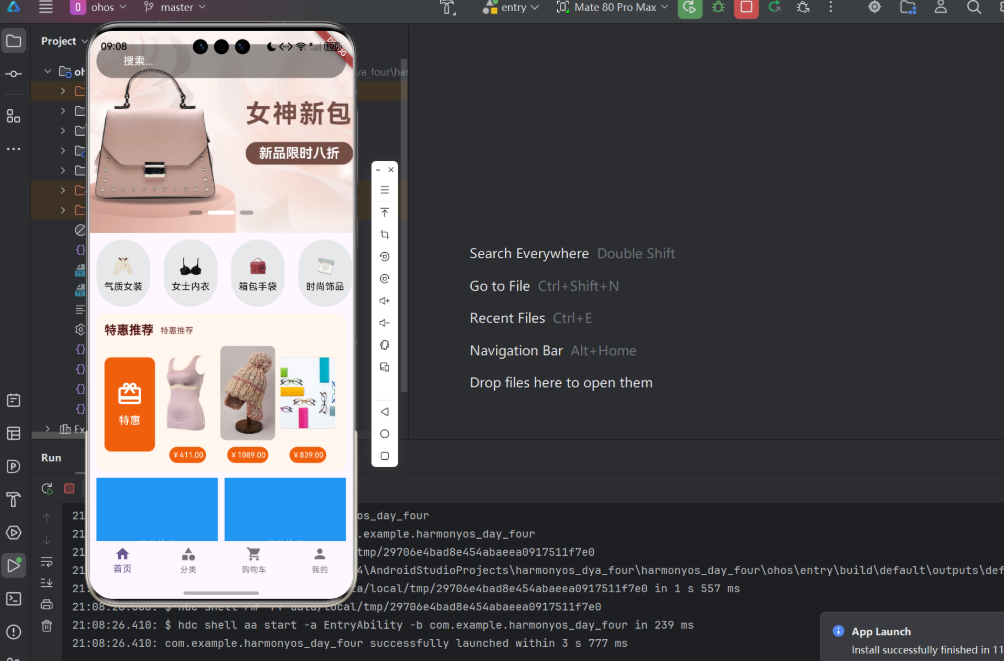
UI 设计特点:
左侧区域:
渐变背景:从橙红色过渡到橙黄色
醒目的礼品图标
双层文字排版设计
右侧区域:
前三件商品以卡片形式展示
每张卡片包含商品图片和价格信息
整体设计:
浅米白色容器
圆角边框设计
添加柔和的橙色光晕阴影效果
五、总结
本文系统阐述了 Flutter/HarmonyOS 电商平台特惠推荐功能的完整实现方案,主要包括:
数据架构
采用四层嵌套数据模型(GoodsItem → GoodsItems → SubType → SpecialOfferResult)
实现严格的空值安全检查机制
网络层优化
封装统一API请求模块
规范化业务状态码处理流程
界面呈现
视觉优化:渐变背景设计
性能优化:智能图片加载策略
异常处理:完善的错误提示机制
关键技术问题
HTTP/HTTPS协议自适应
加载状态可视化反馈
数据容错处理方案
本方案严格遵循六步标准化开发流程,为类似数据展示功能的快速实现提供了可复用的技术范式。
欢迎加入开源鸿蒙跨平台社区: 添加链接描述

作为“人工智能6S店”的官方数字引擎,为AI开发者与企业提供一个覆盖软硬件全栈、一站式门户。
更多推荐
 4
4 0
0- 0


 已为社区贡献6条内容

所有评论(0)