
FlutterHarmony Blog:基于 Flutter × Harmony6.0 构建文章列表区域的技术实践
本文介绍了基于Flutter和HarmonyOS 6.0构建文章列表区域的技术实践。通过Flutter跨平台特性,实现了在Android、iOS及鸿蒙设备上运行统一的文章列表功能,支持分类筛选、关键词搜索、排序等核心功能。文章详细阐述了Flutter与HarmonyOS的适配方案,包括UI统一、业务逻辑复用和平台交互机制,并提供了核心代码实现,展示了如何构建高效的文章列表组件,包括筛选逻辑、卡片式
FlutterHarmony Blog:基于 Flutter × Harmony6.0 构建文章列表区域的技术实践
前言
在移动应用开发中,构建一个高效、灵活、可扩展的文章列表区域,是内容类应用必不可少的功能。随着跨端开发需求的提升,Flutter 与 HarmonyOS 6.0 的结合为开发者提供了新的选择——可以通过一套代码同时支持 Android、iOS 以及鸿蒙设备。本文将分享我在实践 FlutterHarmony Blog 项目中,如何利用 Flutter 在 Harmony6.0 上实现文章列表功能的完整过程,并对核心代码进行深入解析。
背景
传统的移动端应用开发通常需要针对不同平台编写不同的代码,维护成本高、迭代周期长。Flutter 提供了“一次编写、多端运行”的优势,而 HarmonyOS 6.0 提供了面向 IoT 及智能设备的生态支持,使得开发者能够在手机、平板、智慧屏等多设备间轻松迁移应用。
在 FlutterHarmony Blog 项目中,我的目标是实现一个 文章列表模块,支持以下功能:
- 按分类和标签筛选文章
- 支持关键词搜索
- 提供文章排序功能
- 展示文章封面、标题、摘要、作者信息及统计数据
- 支持点击进入详情和长按操作
Flutter × Harmony6.0 跨端开发介绍
Flutter 与 Harmony6.0 的结合可以通过以下方式实现跨端开发:
- UI 层统一:Flutter 使用声明式 UI,布局和样式在各平台保持一致
- 业务逻辑复用:Dart 语言实现的数据处理、网络请求、状态管理在 HarmonyOS 上可直接复用
- 平台适配:利用 HarmonyOS 提供的 Platform Channels 与特定功能(如文件系统、相机)交互
- 插件生态:可调用现有 Flutter 插件,同时支持 HarmonyOS 组件扩展
通过这种方式,我们能用 Flutter 构建一个功能完整的博客应用,并在 Harmony6.0 设备上顺畅运行。
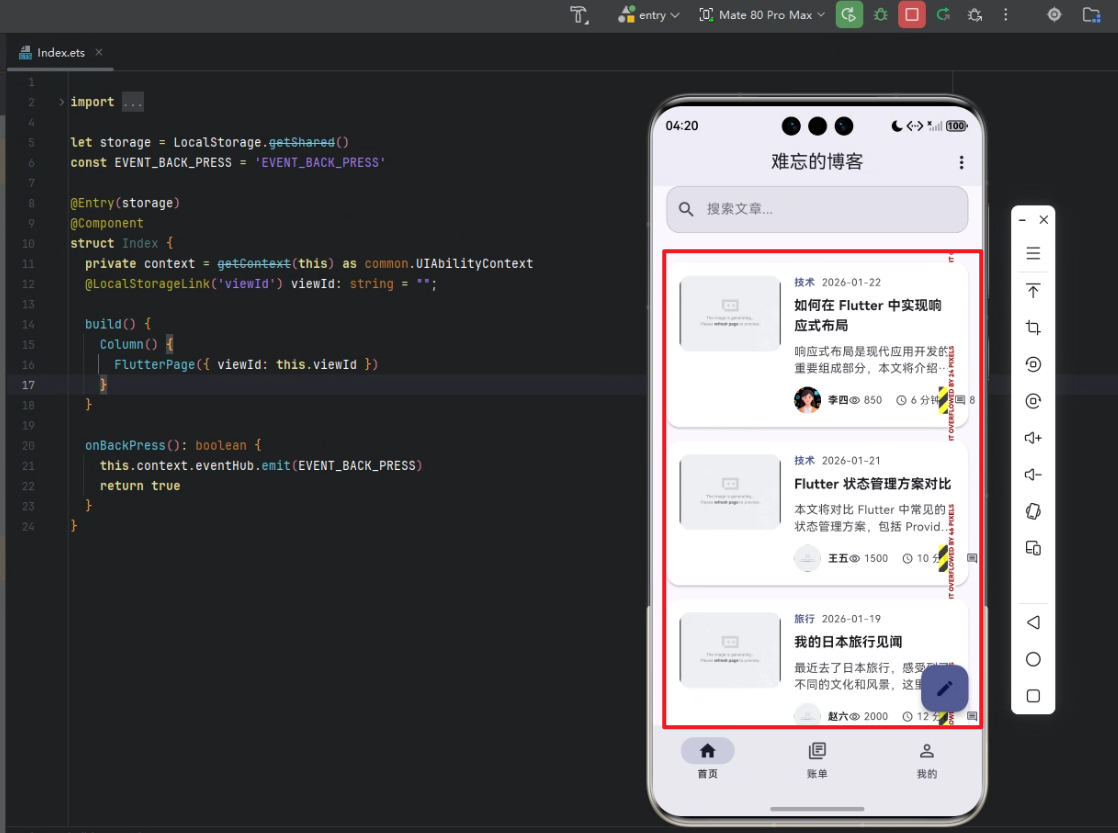
开发核心代码
下面是 文章列表区域 的核心实现,包括文章过滤、展示及交互逻辑。
/// 构建文章列表区域
Widget _buildPostsSection(ThemeData theme) {
  final filteredPosts = _posts.where((post) {
    if (_selectedCategory != null && !post.categories.contains(_selectedCategory)) {
      return false;
    }
    if (_selectedTag != null && !post.tags.contains(_selectedTag)) {
      return false;
    }
    if (_searchKeyword.isNotEmpty && !post.title.toLowerCase().contains(_searchKeyword.toLowerCase())) {
      return false;
    }
    return true;
  }).toList();

  return Column(
    crossAxisAlignment: CrossAxisAlignment.start,
    children: [
      // 区域标题
      Row(
        mainAxisAlignment: MainAxisAlignment.spaceBetween,
        children: [
          Text(
            _getSectionTitle(),
            style: theme.textTheme.titleLarge?.copyWith(fontWeight: FontWeight.bold),
          ),
          TextButton.icon(
            onPressed: () => _showSortOptions(context),
            icon: const Icon(Icons.sort_outlined),
            label: const Text('排序'),
          ),
        ],
      ),
      const SizedBox(height: 16),

      // 文章列表
      if (filteredPosts.isNotEmpty)
        Column(
          children: filteredPosts.map((post) {
            return _buildPostItem(post, theme);
          }).toList(),
        ),

      // 空状态
      if (filteredPosts.isEmpty)
        _buildEmptyState(theme),
    ],
  );
}

/// 构建单个文章项
Widget _buildPostItem(BlogPost post, ThemeData theme) {
  return GestureDetector(
    onTap: () => _openPost(post),
    onLongPress: () => _showPostOptions(context, post),
    child: Card(
      elevation: 2,
      shape: RoundedRectangleBorder(
        borderRadius: BorderRadius.circular(16),
      ),
      margin: const EdgeInsets.only(bottom: 16),
      child: Padding(
        padding: const EdgeInsets.all(16),
        child: Row(
          crossAxisAlignment: CrossAxisAlignment.start,
          children: [
            // 文章图片
            ClipRRect(
              borderRadius: BorderRadius.circular(12),
              child: Image.network(
                post.featuredImage,
                width: 120,
                height: 90,
                fit: BoxFit.cover,
              ),
            ),
            const SizedBox(width: 16),
            // 文章内容
            Expanded(
              child: Column(
                crossAxisAlignment: CrossAxisAlignment.start,
                children: [
                  // 分类与发布时间
                  if (post.categories.isNotEmpty)
                    Row(
                      children: [
                        Text(
                          post.categories[0].name,
                          style: theme.textTheme.bodySmall?.copyWith(
                            color: theme.colorScheme.primary,
                            fontWeight: FontWeight.bold,
                          ),
                        ),
                        const SizedBox(width: 8),
                        Text(
                          _formatDate(post.publishDate),
                          style: theme.textTheme.bodySmall?.copyWith(
                            color: theme.colorScheme.onSurfaceVariant,
                          ),
                        ),
                      ],
                    ),
                  const SizedBox(height: 8),
                  // 标题
                  Text(
                    post.title,
                    style: theme.textTheme.titleMedium?.copyWith(
                      fontWeight: FontWeight.bold,
                    ),
                    maxLines: 2,
                    overflow: TextOverflow.ellipsis,
                  ),
                  const SizedBox(height: 8),
                  // 摘要
                  Text(
                    post.excerpt,
                    style: theme.textTheme.bodyMedium?.copyWith(
                      color: theme.colorScheme.onSurfaceVariant,
                    ),
                    maxLines: 2,
                    overflow: TextOverflow.ellipsis,
                  ),
                  const SizedBox(height: 12),
                  // 作者和统计信息
                  Row(
                    mainAxisAlignment: MainAxisAlignment.spaceBetween,
                    children: [
                      // 作者信息
                      Row(
                        children: [
                          CircleAvatar(
                            radius: 16,
                            backgroundImage: NetworkImage(post.authorAvatar),
                          ),
                          const SizedBox(width: 8),
                          Text(
                            post.author,
                            style: theme.textTheme.bodySmall?.copyWith(
                              fontWeight: FontWeight.bold,
                            ),
                          ),
                        ],
                      ),
                      // 统计信息
                      Row(
                        children: [
                          _buildStatItem(Icons.remove_red_eye_outlined, post.views.toString(), theme),
                          const SizedBox(width: 16),
                          _buildStatItem(Icons.access_time_outlined, '${post.readTime} 分钟', theme),
                          const SizedBox(width: 16),
                          _buildStatItem(Icons.comment_outlined, post.commentCount.toString(), theme),
                        ],
                      ),
                    ],
                  ),
                ],
              ),
            ),
          ],
        ),
      ),
    ),
  );
}
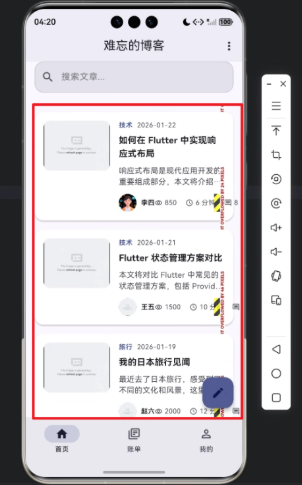
代码解析
-
文章过滤逻辑
- 使用
_posts.where(...)筛选符合条件的文章,包括分类、标签和搜索关键词。 - 保证列表区域只显示用户关心的内容,提高交互体验。
- 使用
-
列表区域布局
- 使用
Column与Row组合布局,实现标题、文章列表和空状态显示。 TextButton.icon提供排序操作,增强可用性。
- 使用
-
文章项设计
Card+Padding结合,增强视觉层次感。- 左侧展示封面图片,右侧展示文章信息。
- 文章信息包含分类、发布时间、标题、摘要、作者及统计信息,布局清晰。
-
交互功能
- 点击触发
_openPost(post)打开文章详情。 - 长按触发
_showPostOptions(context, post)显示更多操作(如收藏、分享)。
- 点击触发
-
可复用性
_buildPostItem和_buildStatItem可复用于不同列表模块,便于维护。- 使用
ThemeData提供统一的主题适配,支持多端样式一致性。
心得
在实际开发过程中,我深刻体会到 Flutter × Harmony6.0 的优势:
- 跨端一致性:同一套 UI 在 HarmonyOS 设备上显示效果与 Android、iOS 一致。
- 组件化开发:文章列表模块高度解耦,可独立维护和升级。
- 可扩展性强:可以轻松添加新的筛选条件或交互功能,例如按阅读量排序、按作者筛选等。
- 开发效率高:Flutter 的声明式布局和热重载大幅提升开发效率。
总结
通过 FlutterHarmony Blog 的开发实践,我验证了 Flutter 与 Harmony6.0 跨端开发的可行性和高效性。文章列表模块不仅实现了丰富的功能,还保证了 UI 美观、交互顺畅。未来,我计划将更多智能设备适配到应用中,如智慧屏和手表,使内容随时随地触达用户。

作为“人工智能6S店”的官方数字引擎,为AI开发者与企业提供一个覆盖软硬件全栈、一站式门户。
更多推荐
 10
10 0
0- 0



 已为社区贡献46条内容

所有评论(0)