
Flutter 框架跨平台鸿蒙开发——可选择文本
SelectableText允许用户选择、复制和粘贴文本,是Text组件的交互增强版。'这段文本使用自定义工具栏',cut: true,),
·
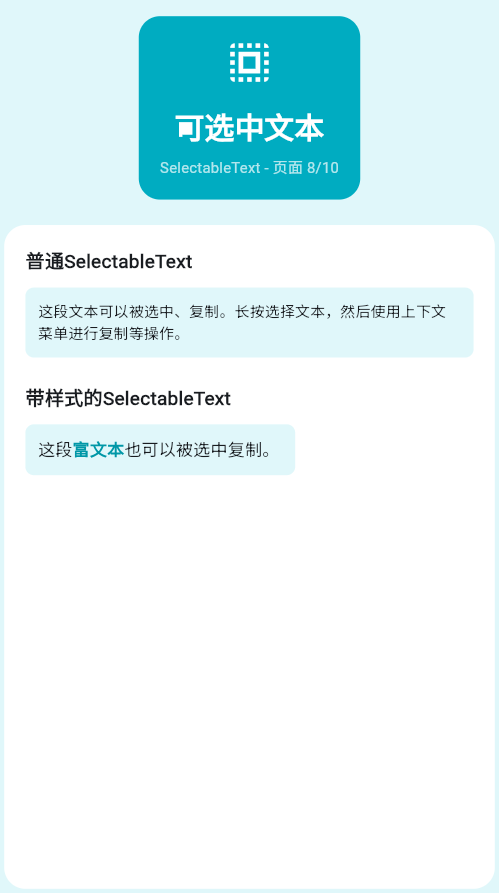
一、SelectableText简介
SelectableText允许用户选择、复制和粘贴文本,是Text组件的交互增强版。
SelectableText vs Text
| 特性 | Text | SelectableText |
|---|---|---|
| 文本选择 | 不支持 | 支持 |
| 复制功能 | 不支持 | 支持 |
| 工具栏 | 不显示 | 可配置 |
| 使用场景 | 标题、标签 | 代码、地址等 |
二、基础SelectableText
简单可选择文本
SelectableText(
  '这段文本可以被选择和复制。',
  style: TextStyle(fontSize: 16),
)
带样式的可选择文本
SelectableText(
  '这是一段带样式的可选择文本。',
  style: TextStyle(
    fontSize: 18,
    color: Colors.blue.shade800,
    fontWeight: FontWeight.w500,
  ),
)
长文本
SelectableText(
  '这是一段很长的文本,用户可以选择其中的部分内容进行复制。'
  'SelectableText组件提供了完整的文本选择功能。',
  style: TextStyle(fontSize: 14, height: 1.5),
)
三、工具栏配置
显示光标
SelectableText(
  '这段文本会显示光标',
  showCursor: true,
  cursorColor: Colors.blue,
  cursorWidth: 2.0,
  cursorHeight: 24,
  style: TextStyle(fontSize: 16),
)
自定义工具栏
SelectableText(
  '这段文本使用自定义工具栏',
  style: TextStyle(fontSize: 16),
  toolbarOptions: ToolbarOptions(
    copy: true,
    selectAll: true,
    paste: true,
    cut: true,
  ),
)
隐藏工具栏
SelectableText(
  '这段文本可以复制但不显示工具栏',
  style: TextStyle(fontSize: 16),
  enableInteractiveSelection: true,
  contextMenuBuilder: (context, editableTextState) {
    return Container(); // 自定义或隐藏
  },
)
四、富文本选择
使用TextSpan
SelectableText.rich(
  TextSpan(
    style: TextStyle(fontSize: 16),
    children: [
      TextSpan(text: '欢迎使用'),
      TextSpan(
        text: ' Flutter ',
        style: TextStyle(
          color: Colors.blue,
          fontWeight: FontWeight.bold,
        ),
      ),
      TextSpan(text: '框架!\n'),
      TextSpan(
        text: '这段文本可以被选择。',
      ),
    ],
  ),
)
带交互的富文本
SelectableText.rich(
  TextSpan(
    style: TextStyle(fontSize: 16),
    children: [
      TextSpan(text: '点击'),
      TextSpan(
        text: ' 这里',
        style: TextStyle(
          color: Colors.blue,
          decoration: TextDecoration.underline,
        ),
        recognizer: TapGestureRecognizer()
          ..onTap = () {
            print('被点击');
          },
      ),
      TextSpan(text: '会触发点击事件,'),
      TextSpan(text: '但这段文本'),
      TextSpan(
        text: ' 可以被选择。',
      ),
    ],
  ),
)
五、实际应用场景
代码展示
Container(
  padding: EdgeInsets.all(16),
  color: Colors.grey.shade900,
  child: SelectableText(
    '''void main() {
  runApp(MyApp());
}''',
    style: TextStyle(
      fontFamily: 'monospace',
      color: Colors.green,
      fontSize: 14,
    ),
  ),
)
地址信息
Card(
  child: Padding(
    padding: EdgeInsets.all(16),
    child: Column(
      crossAxisAlignment: CrossAxisAlignment.start,
      children: [
        Text(
          '收货地址',
          style: TextStyle(
            fontWeight: FontWeight.bold,
            fontSize: 18,
          ),
        ),
        SizedBox(height: 8),
        SelectableText(
          '张三 138****8888\n'
          '北京市朝阳区xxx街道xxx号\n'
          '邮编:100000',
          style: TextStyle(
            fontSize: 14,
            color: Colors.grey.shade700,
            height: 1.5,
          ),
        ),
      ],
    ),
  ),
)
产品编号
ListTile(
  title: Text('产品编号'),
  subtitle: SelectableText(
    'SKU-2024-00123456',
    style: TextStyle(
      color: Colors.blue,
      fontFamily: 'monospace',
    ),
  ),
  trailing: Icon(Icons.copy, color: Colors.grey),
)
六、完整示例
class SelectableTextExample extends StatelessWidget {
const SelectableTextExample({super.key});
Widget build(BuildContext context) {
return Scaffold(
appBar: AppBar(title: Text('可选择文本')),
body: SingleChildScrollView(
padding: EdgeInsets.all(16),
child: Column(
crossAxisAlignment: CrossAxisAlignment.start,
children: [
_buildSection('基础用法'),
_buildBasicExamples(),
SizedBox(height: 24),
_buildSection('富文本'),
_buildRichText(),
SizedBox(height: 24),
_buildSection('实际应用'),
_buildRealWorldExamples(),
],
),
),
);
}
Widget _buildSection(String title) {
return Text(
title,
style: TextStyle(fontSize: 20, fontWeight: FontWeight.bold),
);
}
Widget _buildBasicExamples() {
return Column(
children: [
Container(
padding: EdgeInsets.all(16),
decoration: BoxDecoration(
color: Colors.blue.shade50,
borderRadius: BorderRadius.circular(8),
),
child: Column(
crossAxisAlignment: CrossAxisAlignment.start,
children: [
Text('简单文本', style: TextStyle(fontWeight: FontWeight.bold)),
SizedBox(height: 8),
SelectableText(
'这段文本可以被选择和复制。',
style: TextStyle(fontSize: 14),
),
],
),
),
SizedBox(height: 16),
Container(
padding: EdgeInsets.all(16),
decoration: BoxDecoration(
color: Colors.green.shade50,
borderRadius: BorderRadius.circular(8),
),
child: Column(
crossAxisAlignment: CrossAxisAlignment.start,
children: [
Text('带光标文本', style: TextStyle(fontWeight: FontWeight.bold)),
SizedBox(height: 8),
SelectableText(
'这段文本显示光标',
showCursor: true,
cursorColor: Colors.green,
style: TextStyle(fontSize: 14),
),
],
),
),
],
);
}
Widget _buildRichText() {
return Container(
padding: EdgeInsets.all(16),
decoration: BoxDecoration(
color: Colors.orange.shade50,
borderRadius: BorderRadius.circular(8),
),
child: Column(
crossAxisAlignment: CrossAxisAlignment.start,
children: [
Text('富文本', style: TextStyle(fontWeight: FontWeight.bold)),
SizedBox(height: 8),
SelectableText.rich(
TextSpan(
style: TextStyle(fontSize: 14, color: Colors.black87),
children: [
TextSpan(text: '欢迎使用'),
TextSpan(
text: ' Flutter ',
style: TextStyle(
color: Colors.blue,
fontWeight: FontWeight.bold,
),
),
TextSpan(text: '框架!'),
],
),
),
],
),
);
}
Widget _buildRealWorldExamples() {
return Column(
children: [
// 代码展示
Card(
child: Padding(
padding: EdgeInsets.all(16),
child: Column(
crossAxisAlignment: CrossAxisAlignment.start,
children: [
Row(
children: [
Icon(Icons.code, color: Colors.grey.shade700),
SizedBox(width: 8),
Text('代码', style: TextStyle(fontWeight: FontWeight.bold)),
],
),
SizedBox(height: 8),
Container(
width: double.infinity,
padding: EdgeInsets.all(12),
color: Colors.grey.shade900,
child: SelectableText(
'''void main() {
runApp(MyApp());
}''',
style: TextStyle(
fontFamily: 'monospace',
color: Colors.green,
fontSize: 12,
),
),
),
],
),
),
),
SizedBox(height: 16),
// 地址信息
Card(
child: Padding(
padding: EdgeInsets.all(16),
child: Column(
crossAxisAlignment: CrossAxisAlignment.start,
children: [
Row(
children: [
Icon(Icons.location_on, color: Colors.red),
SizedBox(width: 8),
Text('地址', style: TextStyle(fontWeight: FontWeight.bold)),
],
),
SizedBox(height: 8),
SelectableText(
'张三 138****8888\n北京市朝阳区xxx街道xxx号',
style: TextStyle(
fontSize: 14,
color: Colors.grey.shade700,
),
),
],
),
),
),
],
);
}
}
七、最佳实践
| 实践 | 说明 | 效果 |
|---|---|---|
| 合理使用 | 只在需要时使用 | 避免误操作 |
| 设置样式 | 与普通Text区分 | 视觉提示 |
| 配合工具栏 | 提供快捷操作 | 提升体验 |
| 考虑性能 | 避免大段文本 | 保持流畅 |
欢迎加入开源鸿蒙跨平台社区:https://openharmonycrossplatform.csdn.net

作为“人工智能6S店”的官方数字引擎,为AI开发者与企业提供一个覆盖软硬件全栈、一站式门户。
更多推荐

 12
12 0
0- 0



 已为社区贡献12条内容

所有评论(0)