
数据缓存策略 - Flutter在鸿蒙平台实现智能数据缓存
·
概述
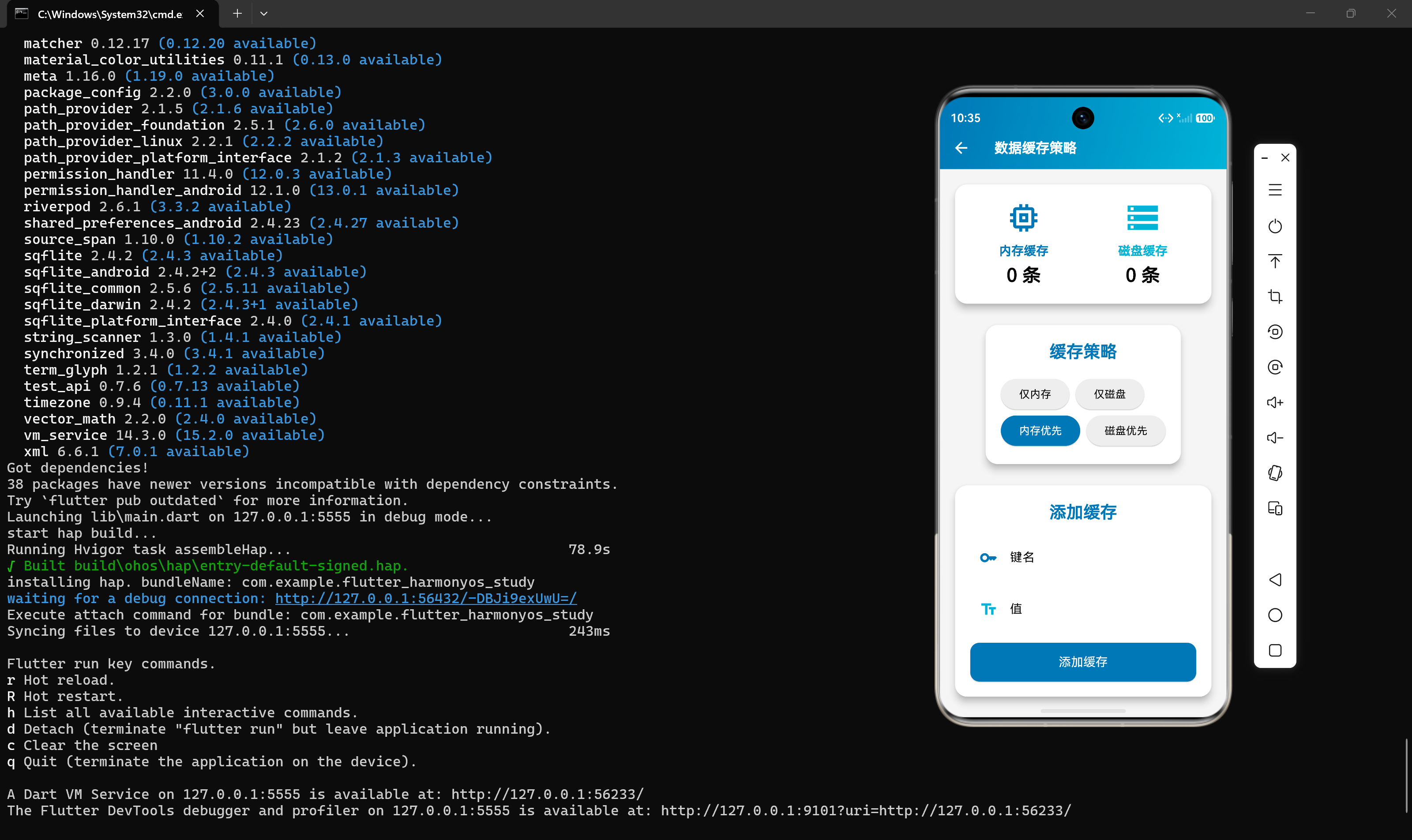
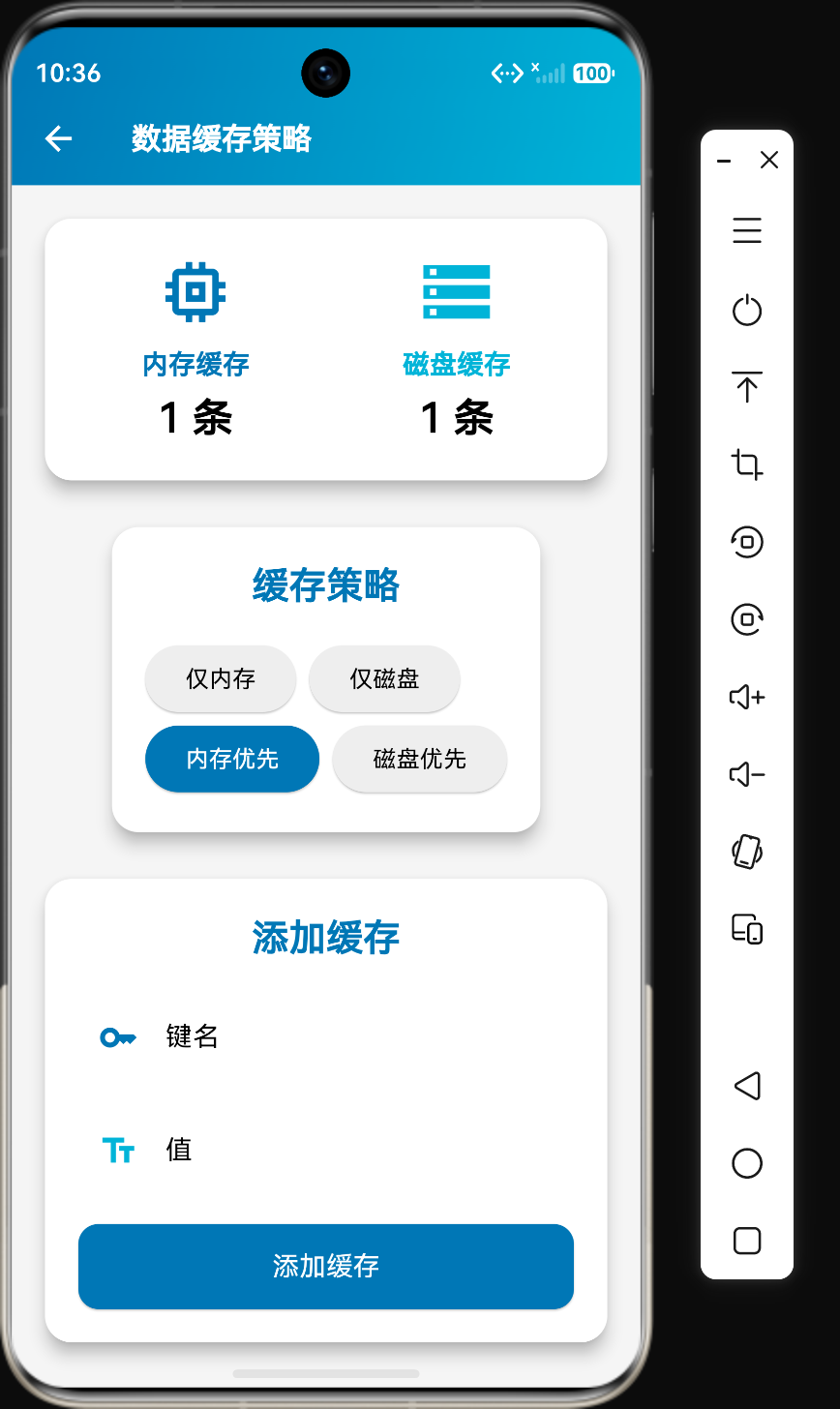
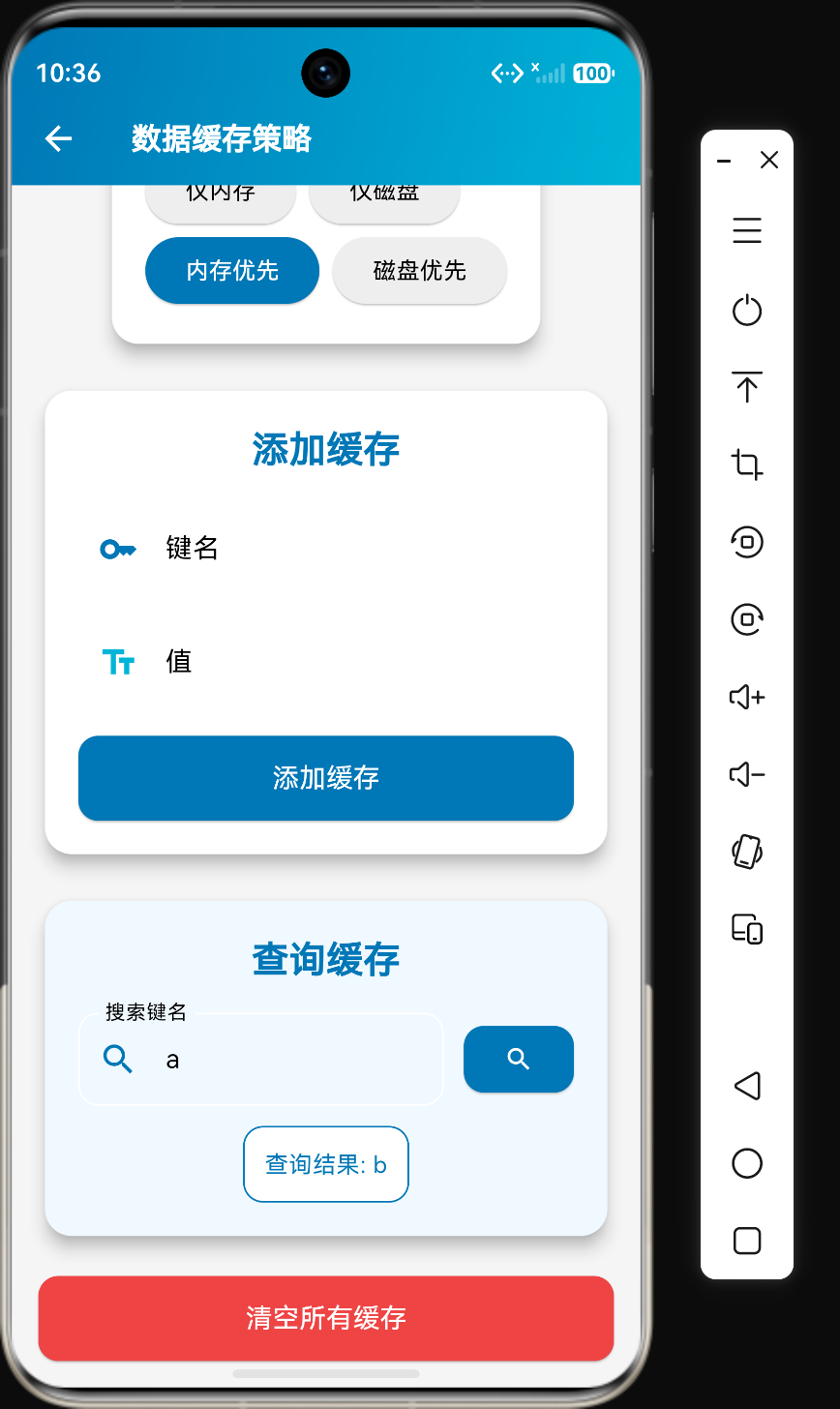
在移动应用开发中,数据缓存是一项关键技术。通过合理的缓存策略,可以减少网络请求、提高响应速度、降低服务器负载,并在离线状态下提供更好的用户体验。Flutter提供了多种缓存方案,包括内存缓存、磁盘缓存和网络缓存。
本文将深入探讨数据缓存策略的核心概念、使用方法、最佳实践以及在鸿蒙平台上的实际应用。通过学习本文,你将掌握如何在Flutter鸿蒙应用中实现智能数据缓存。
核心概念
缓存的作用
数据缓存的主要作用包括:
- 减少网络请求:缓存已请求的数据,避免重复请求
- 提高响应速度:从本地缓存读取数据比从网络获取更快
- 降低服务器负载:减少对服务器的请求次数
- 离线支持:在没有网络连接时仍能提供数据
- 优化用户体验:更快的响应速度和流畅的交互体验
缓存类型
根据存储位置,缓存可以分为以下类型:
| 类型 | 存储位置 | 特点 | 适用场景 |
|---|---|---|---|
| 内存缓存 | RAM | 速度最快,应用退出后数据丢失 | 临时数据、高频访问数据 |
| 磁盘缓存 | 硬盘/文件系统 | 速度较慢,数据持久化 | 持久数据、离线数据 |
| 网络缓存 | CDN/服务器 | 速度取决于网络 | 静态资源、共享数据 |
缓存策略
常见的缓存策略包括:
- Cache-Aside:先检查缓存,缓存命中则返回,否则从数据源获取并写入缓存
- Write-Through:写入数据时同时更新缓存和数据源
- Write-Behind:写入数据时先更新缓存,然后异步更新数据源
- Refresh-Ahead:在数据过期前主动刷新缓存
内存缓存
使用Map实现简单缓存
class MemoryCache {
  final Map<String, dynamic> _cache = {};
  final Map<String, DateTime> _timestamps = {};
  final Duration _expiration;

  MemoryCache({Duration? expiration})
      : _expiration = expiration ?? const Duration(minutes: 5);

  void put(String key, dynamic value) {
    _cache[key] = value;
    _timestamps[key] = DateTime.now();
  }

  dynamic get(String key) {
    if (!_cache.containsKey(key)) return null;

    final timestamp = _timestamps[key];
    if (timestamp != null && DateTime.now().difference(timestamp) > _expiration) {
      _cache.remove(key);
      _timestamps.remove(key);
      return null;
    }

    return _cache[key];
  }

  void remove(String key) {
    _cache.remove(key);
    _timestamps.remove(key);
  }

  void clear() {
    _cache.clear();
    _timestamps.clear();
  }

  int get size => _cache.length;
}
使用LRU缓存
LRU(Least Recently Used)缓存是一种常用的缓存策略,当缓存容量达到上限时,会移除最近最少使用的条目。
class LruCache<T> {
  final int _maxSize;
  final Map<String, T> _cache = {};
  final List<String> _order = [];

  LruCache(this._maxSize);

  void put(String key, T value) {
    if (_cache.containsKey(key)) {
      _order.remove(key);
    } else if (_cache.length >= _maxSize) {
      final oldestKey = _order.removeAt(0);
      _cache.remove(oldestKey);
    }

    _cache[key] = value;
    _order.add(key);
  }

  T? get(String key) {
    if (!_cache.containsKey(key)) return null;

    _order.remove(key);
    _order.add(key);

    return _cache[key];
  }

  void remove(String key) {
    _cache.remove(key);
    _order.remove(key);
  }

  void clear() {
    _cache.clear();
    _order.clear();
  }

  int get size => _cache.length;
}
磁盘缓存
使用文件系统实现磁盘缓存
import 'package:path_provider/path_provider.dart';
import 'dart:io';

class DiskCache {
  final Duration _expiration;

  DiskCache({Duration? expiration})
      : _expiration = expiration ?? const Duration(days: 7);

  Future<String> get _cacheDir async {
    final dir = await getTemporaryDirectory();
    return dir.path;
  }

  Future<void> put(String key, String value) async {
    final path = await _cacheDir;
    final file = File('$path/$key');
    await file.writeAsString(value);

    final timestampFile = File('$path/.${key}_timestamp');
    await timestampFile.writeAsString(DateTime.now().toIso8601String());
  }

  Future<String?> get(String key) async {
    final path = await _cacheDir;
    final file = File('$path/$key');

    if (!await file.exists()) return null;

    final timestampFile = File('$path/.${key}_timestamp');
    if (await timestampFile.exists()) {
      final timestampStr = await timestampFile.readAsString();
      final timestamp = DateTime.parse(timestampStr);

      if (DateTime.now().difference(timestamp) > _expiration) {
        await file.delete();
        await timestampFile.delete();
        return null;
      }
    }

    return await file.readAsString();
  }

  Future<void> remove(String key) async {
    final path = await _cacheDir;
    final file = File('$path/$key');
    final timestampFile = File('$path/.${key}_timestamp');

    if (await file.exists()) await file.delete();
    if (await timestampFile.exists()) await timestampFile.delete();
  }

  Future<void> clear() async {
    final path = await _cacheDir;
    final dir = Directory(path);

    if (await dir.exists()) {
      await dir.delete(recursive: true);
      await dir.create();
    }
  }

  Future<int> get size async {
    final path = await _cacheDir;
    final dir = Directory(path);

    if (!await dir.exists()) return 0;

    int count = 0;
    await for (final entity in dir.list()) {
      if (entity is File && !entity.path.contains('_timestamp')) {
        count++;
      }
    }

    return count;
  }
}
使用Hive实现磁盘缓存
import 'package:hive/hive.dart';

class HiveCache {
  final String _boxName;
  late Box _box;

  HiveCache(this._boxName);

  Future<void> init() async {
    _box = await Hive.openBox(_boxName);
  }

  void put(String key, dynamic value) {
    _box.put(key, {
      'data': value,
      'timestamp': DateTime.now().toIso8601String(),
    });
  }

  dynamic get(String key, {Duration? expiration}) {
    final cached = _box.get(key);
    if (cached == null) return null;

    final timestamp = DateTime.parse(cached['timestamp']);
    final effectiveExpiration = expiration ?? const Duration(hours: 1);

    if (DateTime.now().difference(timestamp) > effectiveExpiration) {
      _box.delete(key);
      return null;
    }

    return cached['data'];
  }

  void remove(String key) {
    _box.delete(key);
  }

  void clear() {
    _box.clear();
  }

  int get size => _box.length;

  Future<void> close() async {
    await _box.close();
  }
}
多级缓存
实现内存+磁盘多级缓存
class MultiLevelCache {
  final MemoryCache _memoryCache;
  final DiskCache _diskCache;

  MultiLevelCache({
    Duration? memoryExpiration,
    Duration? diskExpiration,
  })  : _memoryCache = MemoryCache(expiration: memoryExpiration),
        _diskCache = DiskCache(expiration: diskExpiration);

  Future<void> put(String key, String value) async {
    _memoryCache.put(key, value);
    await _diskCache.put(key, value);
  }

  Future<String?> get(String key) async {
    // 先检查内存缓存
    final memoryValue = _memoryCache.get(key);
    if (memoryValue != null) {
      return memoryValue as String;
    }

    // 再检查磁盘缓存
    final diskValue = await _diskCache.get(key);
    if (diskValue != null) {
      // 将磁盘缓存的数据加载到内存
      _memoryCache.put(key, diskValue);
      return diskValue;
    }

    return null;
  }

  Future<void> remove(String key) async {
    _memoryCache.remove(key);
    await _diskCache.remove(key);
  }

  Future<void> clear() async {
    _memoryCache.clear();
    await _diskCache.clear();
  }

  int get memorySize => _memoryCache.size;
}
缓存策略配置
enum CacheStrategy {
  memoryOnly,
  diskOnly,
  memoryFirst,
  diskFirst,
  memoryAndDisk,
}

class CacheConfig {
  final Duration memoryExpiration;
  final Duration diskExpiration;
  final CacheStrategy defaultStrategy;
  final int maxMemorySize;
  final int maxDiskSize;

  const CacheConfig({
    this.memoryExpiration = const Duration(minutes: 5),
    this.diskExpiration = const Duration(days: 7),
    this.defaultStrategy = CacheStrategy.memoryFirst,
    this.maxMemorySize = 100,
    this.maxDiskSize = 1000,
  });
}

class CacheService {
  final MemoryCache _memoryCache;
  final DiskCache _diskCache;
  final CacheConfig _config;

  CacheService({CacheConfig? config})
      : _config = config ?? const CacheConfig(),
        _memoryCache = MemoryCache(),
        _diskCache = DiskCache();

  Future<dynamic> get(String key, {CacheStrategy? strategy}) async {
    final effectiveStrategy = strategy ?? _config.defaultStrategy;

    switch (effectiveStrategy) {
      case CacheStrategy.memoryOnly:
        return _memoryCache.get(key);

      case CacheStrategy.diskOnly:
        return await _diskCache.get(key);

      case CacheStrategy.memoryFirst:
        final memoryValue = _memoryCache.get(key);
        if (memoryValue != null) return memoryValue;
        final diskValue = await _diskCache.get(key);
        if (diskValue != null) {
          _memoryCache.put(key, diskValue);
        }
        return diskValue;

      case CacheStrategy.diskFirst:
        final diskValue = await _diskCache.get(key);
        if (diskValue != null) {
          _memoryCache.put(key, diskValue);
          return diskValue;
        }
        return _memoryCache.get(key);

      case CacheStrategy.memoryAndDisk:
        final memoryValue = _memoryCache.get(key);
        final diskValue = await _diskCache.get(key);
        return memoryValue ?? diskValue;

      default:
        return null;
    }
  }

  Future<void> put(String key, dynamic value, {CacheStrategy? strategy}) async {
    final effectiveStrategy = strategy ?? _config.defaultStrategy;

    switch (effectiveStrategy) {
      case CacheStrategy.memoryOnly:
        _memoryCache.put(key, value);
        break;

      case CacheStrategy.diskOnly:
        await _diskCache.put(key, value);
        break;

      case CacheStrategy.memoryFirst:
      case CacheStrategy.diskFirst:
      case CacheStrategy.memoryAndDisk:
        _memoryCache.put(key, value);
        await _diskCache.put(key, value);
        break;
    }
  }

  Future<void> remove(String key) async {
    _memoryCache.remove(key);
    await _diskCache.remove(key);
  }

  Future<void> clear() async {
    _memoryCache.clear();
    await _diskCache.clear();
  }
}
在鸿蒙平台的实现
平台适配
在鸿蒙平台上使用缓存时,需要注意平台的特殊配置:
import 'package:path_provider_ohos/path_provider_ohos.dart';
class HarmonyOSDiskCache extends DiskCache {
HarmonyOSDiskCache({Duration? expiration}) : super(expiration: expiration);
Future<String> get _cacheDir async {
final dir = await getApplicationDocumentsDirectory();
return '${dir.path}/cache';
}
}
权限配置
在鸿蒙平台上使用磁盘缓存,需要配置相应的权限:
{
  "module": {
    "permissions": [
      {
        "name": "ohos.permission.WRITE_USER_STORAGE"
      },
      {
        "name": "ohos.permission.READ_USER_STORAGE"
      }
    ]
  }
}
最佳实践
缓存网络请求
class NetworkCache {
  final CacheService _cache;

  NetworkCache(this._cache);

  Future<T> fetch<T>(
    String key,
    Future<T> Function() fetchFunction, {
    Duration? expiration,
  }) async {
    // 检查缓存
    final cached = _cache.get(key);
    if (cached != null) {
      return cached as T;
    }

    // 从网络获取
    final result = await fetchFunction();

    // 写入缓存
    await _cache.put(key, result);

    return result;
  }
}
使用示例:
Future<User> getUser(String userId) async {
  final cache = NetworkCache(CacheService());

  return await cache.fetch(
    'user_$userId',
    () => api.getUser(userId),
    expiration: const Duration(hours: 1),
  );
}
缓存图片
class ImageCacheService {
  final CacheService _cache;

  ImageCacheService(this._cache);

  Future<Uint8List?> getImage(String url) async {
    final cached = await _cache.get(url);
    if (cached != null) {
      return cached as Uint8List;
    }

    // 从网络下载图片
    final response = await http.get(Uri.parse(url));
    if (response.statusCode == 200) {
      await _cache.put(url, response.bodyBytes);
      return response.bodyBytes;
    }

    return null;
  }
}
缓存失效策略
enum CacheInvalidationPolicy {
  timeBased,
  versionBased,
  manual,
  never,
}

class CacheInvalidationService {
  final CacheService _cache;
  final Map<String, int> _versions = {};

  CacheInvalidationService(this._cache);

  void invalidateByVersion(String key) {
    _versions[key] = (_versions[key] ?? 0) + 1;
    _cache.remove(key);
  }

  void invalidateByPrefix(String prefix) {
    // 移除所有以prefix开头的缓存
    // 具体实现取决于缓存系统
  }

  void invalidateAll() {
    _cache.clear();
    _versions.clear();
  }
}
缓存监控
class CacheMetrics {
int hits = 0;
int misses = 0;
int puts = 0;
int removes = 0;
double get hitRate => (hits / (hits + misses)).isNaN ? 0 : hits / (hits + misses);
void recordHit() => hits++;
void recordMiss() => misses++;
void recordPut() => puts++;
void recordRemove() => removes++;
void reset() {
hits = 0;
misses = 0;
puts = 0;
removes = 0;
}
String toString() {
return 'CacheMetrics{hits: $hits, misses: $misses, hitRate: ${hitRate.toStringAsPercent()}}';
}
}
class MonitoredCacheService {
final CacheService _cache;
final CacheMetrics _metrics = CacheMetrics();
MonitoredCacheService(this._cache);
Future<dynamic> get(String key) async {
final result = await _cache.get(key);
if (result != null) {
_metrics.recordHit();
} else {
_metrics.recordMiss();
}
return result;
}
Future<void> put(String key, dynamic value) async {
await _cache.put(key, value);
_metrics.recordPut();
}
Future<void> remove(String key) async {
await _cache.remove(key);
_metrics.recordRemove();
}
CacheMetrics get metrics => _metrics;
}
错误处理
为缓存操作添加错误处理:
class SafeCacheService {
  final CacheService _cache;

  SafeCacheService(this._cache);

  Future<dynamic> get(String key) async {
    try {
      return await _cache.get(key);
    } catch (e) {
      print('获取缓存失败: key=$key, error=$e');
      return null;
    }
  }

  Future<bool> put(String key, dynamic value) async {
    try {
      await _cache.put(key, value);
      return true;
    } catch (e) {
      print('设置缓存失败: key=$key, error=$e');
      return false;
    }
  }

  Future<bool> remove(String key) async {
    try {
      await _cache.remove(key);
      return true;
    } catch (e) {
      print('删除缓存失败: key=$key, error=$e');
      return false;
    }
  }
}
常见问题与解决方案
问题1: 缓存数据过期
现象:获取到的数据已经过期。
可能原因:
- 过期时间设置不合理
- 缓存没有正确更新
解决方案:
Future<T> fetchWithRefresh<T>(
  String key,
  Future<T> Function() fetchFunction, {
  Duration expiration = const Duration(hours: 1),
}) async {
  final cached = await _cache.get(key);

  if (cached != null) {
    // 检查缓存是否即将过期
    // 如果即将过期,异步刷新缓存
    // ...
    return cached as T;
  }

  return await fetchFunction();
}
问题2: 缓存占用过多内存
现象:内存缓存占用过多内存导致应用崩溃。
可能原因:
- 缓存没有限制大小
- 没有清理过期数据
解决方案:
class LimitedMemoryCache {
  final int _maxSize;
  final Map<String, dynamic> _cache = {};

  LimitedMemoryCache(this._maxSize);

  void put(String key, dynamic value) {
    if (_cache.length >= _maxSize) {
      _cache.remove(_cache.keys.first);
    }
    _cache[key] = value;
  }

  dynamic get(String key) => _cache[key];
}
问题3: 缓存数据不一致
现象:缓存数据与服务器数据不一致。
可能原因:
- 缓存没有及时更新
- 数据更新时没有通知缓存
解决方案:
class CacheSyncService {
  final CacheService _cache;

  CacheSyncService(this._cache);

  Future<void> syncCache(String key) async {
    // 从服务器获取最新数据
    final freshData = await fetchFromServer(key);

    // 更新缓存
    await _cache.put(key, freshData);
  }

  Future<void> syncAll() async {
    // 同步所有缓存数据
    // ...
  }
}
与其他存储方案的对比
| 特性 | 内存缓存 | 磁盘缓存 | SharedPreferences | Hive | SQLite |
|---|---|---|---|---|---|
| 存储位置 | RAM | 硬盘 | 硬盘 | 硬盘 | 硬盘 |
| 速度 | 最快 | 中等 | 快 | 快 | 中等 |
| 持久化 | 否 | 是 | 是 | 是 | 是 |
| 容量 | 有限 | 较大 | 有限 | 较大 | 较大 |
| 数据类型 | 任意 | 任意 | 基本类型 | 任意 | 任意 |
| 查询能力 | 按键 | 按键 | 按键 | 按键 | SQL |
| 适用场景 | 临时数据 | 离线数据 | 配置 | 对象缓存 | 结构化数据 |
选择建议:
- 内存缓存:适合存储临时数据和高频访问数据
- 磁盘缓存:适合存储需要持久化的离线数据
- SharedPreferences:适合存储用户配置和应用设置
- Hive:适合存储复杂对象和中等规模的数据缓存
- SQLite:适合存储结构化数据和需要复杂查询的场景
总结
数据缓存是Flutter应用开发中不可或缺的技术。通过合理的缓存策略,可以提高应用性能、减少网络请求、降低服务器负载,并提供更好的用户体验。
在使用数据缓存时,需要注意以下几点:
- 选择合适的缓存类型(内存缓存、磁盘缓存或多级缓存)
- 设置合理的过期时间
- 实现缓存失效和刷新机制
- 监控缓存命中率和性能
- 在鸿蒙平台上,需要配置相应的存储权限
通过合理的设计和优化,可以在Flutter鸿蒙应用中实现智能数据缓存。

作为“人工智能6S店”的官方数字引擎,为AI开发者与企业提供一个覆盖软硬件全栈、一站式门户。
更多推荐

 0
0 0
0- 0


 已为社区贡献24条内容

所有评论(0)