
动画性能优化:Flutter在鸿蒙平台提升动画流畅度
·
作者:付文龙(红目香薰)
仓库地址:https://gitcode.com/feng8403000/FlutterfromBeginnertoAdvancedForHarmonyOS.git
联系邮箱:372699828@qq.com
概述
动画性能是Flutter应用开发中的重要考量因素。流畅的动画能够提升用户体验,而卡顿的动画会严重影响应用的可用性。本文将介绍Flutter动画性能优化的核心原则和实践方法。
动画性能基础概念
Flutter渲染管线
Flutter的渲染过程分为三个阶段:
- 布局阶段(Layout):计算Widget的位置和大小
- 绘制阶段(Paint):将Widget绘制到画布上
- 合成阶段(Compositing):将多个图层合成为最终图像
动画性能问题通常出现在布局和绘制阶段。
帧率与卡顿
- 帧率(FPS):每秒绘制的帧数,理想值为60 FPS
- 卡顿(Jank):帧率低于60 FPS时出现的视觉不连贯现象
- 帧时间:每一帧的处理时间,理想值不超过16.67ms(1000/60)
性能优化原则
原则1:避免不必要的重建
使用const构造函数和AnimatedBuilder的child参数:
// 不推荐
AnimatedBuilder(
  animation: _controller,
  builder: (context, child) {
    return Transform.scale(
      scale: _controller.value,
      child: FlutterLogo(size: 100),
    );
  },
)

// 推荐
AnimatedBuilder(
  animation: _controller,
  builder: (context, child) {
    return Transform.scale(
      scale: _controller.value,
      child: child,
    );
  },
  child: const FlutterLogo(size: 100),
)
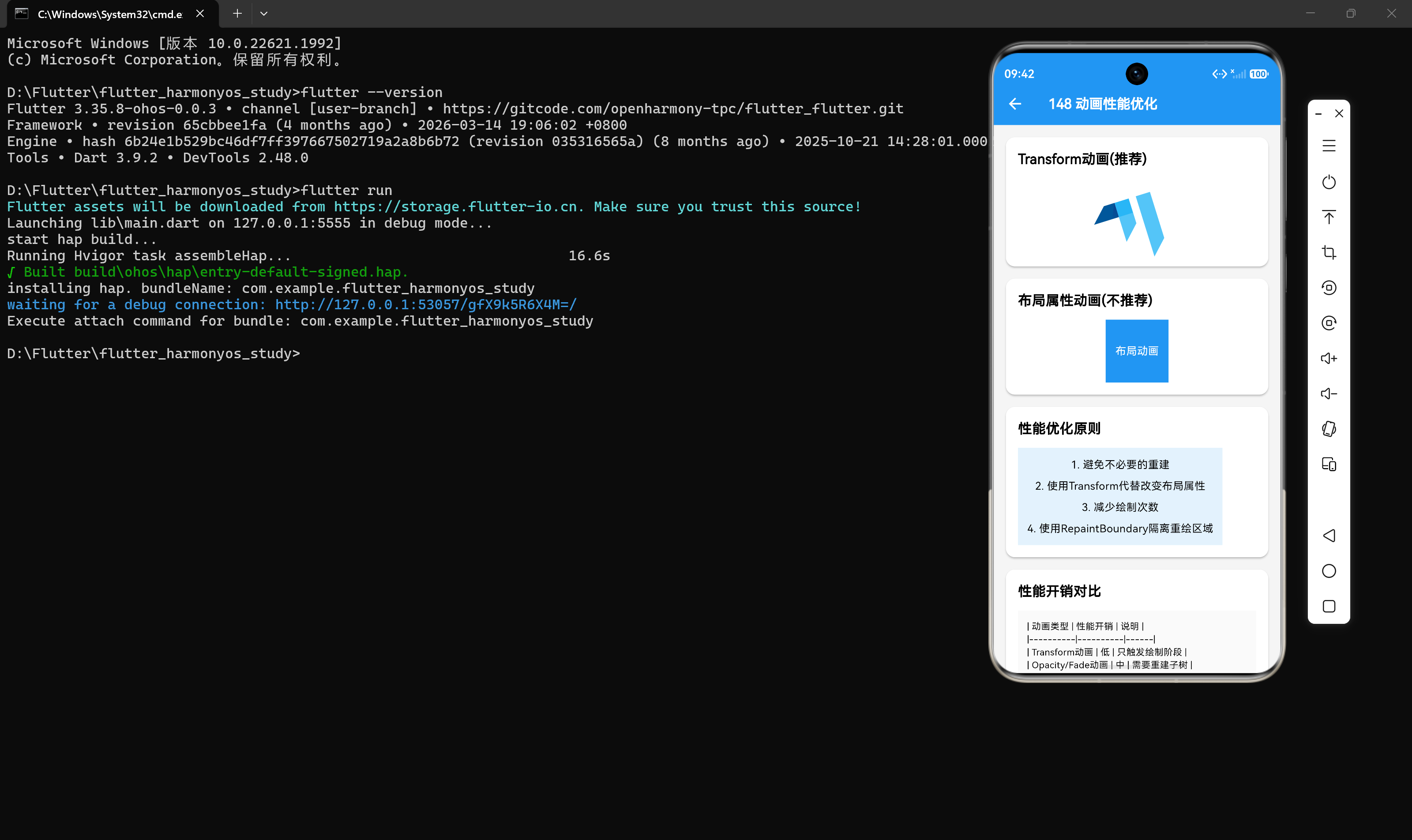
原则2:使用Transform代替改变布局属性
Transform只触发绘制阶段,而改变width、height等布局属性会触发布局阶段:
// 不推荐:触发布局+绘制
AnimatedBuilder(
  animation: _controller,
  builder: (context, child) {
    return Container(
      width: 50 + _controller.value * 100,
      height: 50 + _controller.value * 100,
      child: child,
    );
  },
)

// 推荐:只触发绘制
AnimatedBuilder(
  animation: _controller,
  builder: (context, child) {
    return Transform.scale(
      scale: 0.5 + _controller.value * 0.5,
      child: child,
    );
  },
)
原则3:减少绘制次数
使用RepaintBoundary隔离重绘区域:
RepaintBoundary(
  child: AnimatedBuilder(
    animation: _controller,
    builder: (context, child) {
      return Transform.rotate(
        angle: _controller.value * 2 * pi,
        child: child,
      );
    },
    child: const FlutterLogo(size: 100),
  ),
)
原则4:避免过度绘制
使用Flutter DevTools的Performance面板检测过度绘制:
// 不推荐:多层半透明叠加
Stack(
  children: [
    Container(color: Colors.red),
    Container(color: Colors.blue.withOpacity(0.5)),
    Container(color: Colors.green.withOpacity(0.3)),
  ],
)

// 推荐:减少半透明层
性能优化实践
使用AnimatedWidget封装动画
class FadeWidget extends AnimatedWidget {
const FadeWidget({
super.key,
required Animation<double> animation,
required this.child,
}) : super(listenable: animation);
final Widget child;
Animation<double> get _animation => listenable as Animation<double>;
Widget build(BuildContext context) {
return Opacity(
opacity: _animation.value,
child: child,
);
}
}
优化列表动画
class AnimatedListItem extends StatefulWidget {
final int index;
final Widget child;
const AnimatedListItem({
super.key,
required this.index,
required this.child,
});
State<AnimatedListItem> createState() => _AnimatedListItemState();
}
class _AnimatedListItemState extends State<AnimatedListItem>
with SingleTickerProviderStateMixin {
late AnimationController _controller;
late Animation<double> _animation;
void initState() {
super.initState();
_controller = AnimationController(
duration: const Duration(milliseconds: 300),
vsync: this,
);
_animation = Tween<double>(begin: 100, end: 0).animate(
CurvedAnimation(parent: _controller, curve: Curves.easeOut),
);
Future.delayed(Duration(milliseconds: widget.index * 50), () {
_controller.forward();
});
}
void dispose() {
_controller.dispose();
super.dispose();
}
Widget build(BuildContext context) {
return AnimatedBuilder(
animation: _animation,
builder: (context, child) {
return Transform.translate(
offset: Offset(_animation.value, 0),
child: child,
);
},
child: widget.child,
);
}
}
使用ValueNotifier优化简单动画
对于简单的动画场景,可以使用ValueNotifier代替AnimationController:
class SimpleAnimation extends StatefulWidget {
const SimpleAnimation({super.key});
State<SimpleAnimation> createState() => _SimpleAnimationState();
}
class _SimpleAnimationState extends State<SimpleAnimation> {
final ValueNotifier<double> _opacity = ValueNotifier(0);
void initState() {
super.initState();
_opacity.value = 1;
}
void dispose() {
_opacity.dispose();
super.dispose();
}
Widget build(BuildContext context) {
return ValueListenableBuilder<double>(
valueListenable: _opacity,
builder: (context, value, child) {
return Opacity(
opacity: value,
child: child,
);
},
child: const FlutterLogo(size: 100),
);
}
}
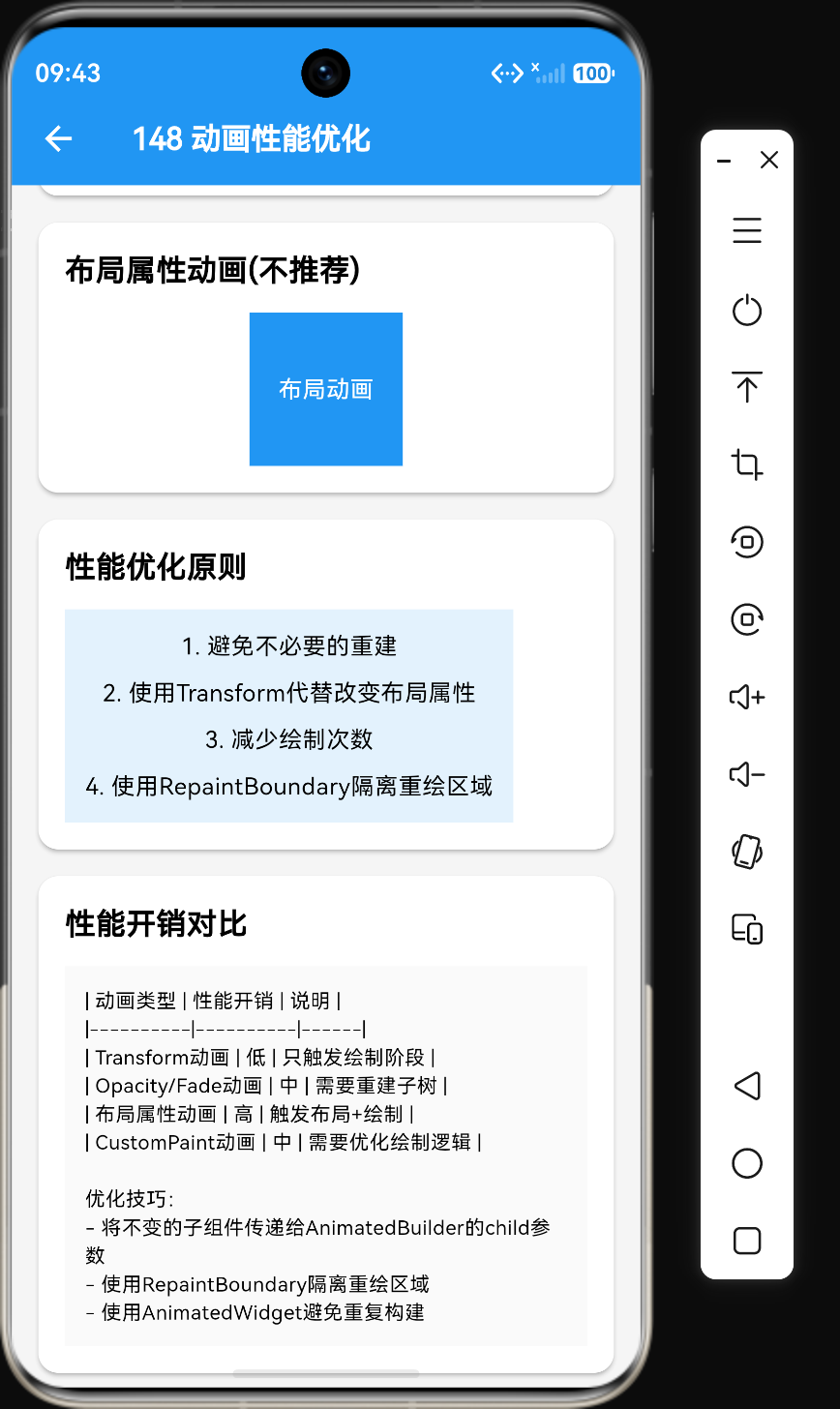
性能开销对比
| 动画类型 | 性能开销 | 说明 |
|---|---|---|
| Transform动画 | 低 | 只触发绘制阶段 |
| Opacity/Fade动画 | 中 | 需要重建子树 |
| 布局属性动画 | 高 | 触发布局+绘制 |
| CustomPaint动画 | 中 | 需要优化绘制逻辑 |
性能监控工具
Flutter DevTools
使用Flutter DevTools的Performance面板监控动画性能:
- 打开DevTools:
flutter pub global run devtools - 连接到正在运行的应用
- 录制性能分析数据
- 分析帧时间和绘制开销
Timeline工具
import 'dart:developer';

void _playAnimation() {
  Timeline.startSync('Play Animation');
  _controller.forward();
  Timeline.finishSync();
}
鸿蒙平台性能优化要点
在鸿蒙平台优化动画性能时,需要注意以下几点:
- 硬件加速:确保动画使用硬件加速
- 渲染线程:避免在UI线程进行大量计算
- 内存管理:及时释放
AnimationController等资源 - 设备适配:针对不同性能设备进行优化
性能优化检查表
- 使用
AnimatedBuilder的child参数避免重建 - 使用
Transform代替改变布局属性 - 使用
RepaintBoundary隔离重绘区域 - 使用
const构造函数优化Widget创建 - 避免在动画回调中进行复杂计算
- 及时释放
AnimationController资源 - 使用Flutter DevTools监控性能
总结
动画性能优化是Flutter应用开发中的重要环节。通过遵循性能优化原则,使用Transform、AnimatedBuilder、RepaintBoundary等工具,可以显著提升动画的流畅度。在鸿蒙平台上,需要特别关注硬件加速和设备适配,确保动画在各种设备上都能流畅运行。

作为“人工智能6S店”的官方数字引擎,为AI开发者与企业提供一个覆盖软硬件全栈、一站式门户。
更多推荐


 0
0 0
0- 0


 已为社区贡献158条内容

所有评论(0)