
AtomGit Flutter 鸿蒙客户端:定时呼吸提醒
利用鸿蒙 Notification API 实现本地通知——提醒用户进行呼吸练习
目录
- 为什么情绪健康应用需要通知提醒
- 鸿蒙通知系统架构全景
- NotificationRequest:通知的"数据包"
- NotificationSlot:通知的分类与优先级管理
- WantAgent:让通知变成"可点击的"
- Platform Channel 双向通信架构设计
- 实战:Flutter 端通知服务层实现
- 实战:鸿蒙原生端 NotificationPlugin 实现
- 定时通知:后台代理提醒(ReminderAgent)方案
- 通知点击处理:从锁屏直达呼吸页面
- 权限申请策略与用户隐私考量
- 通知渠道管理:不同场景不同策略
- 完整体验:E-Brufen 每日呼吸提醒配置流程
- 鸿蒙通知系统的限制与兼容性说明
- 总结:从功能到体验的最后一公里
一、为什么情绪健康应用需要通知提醒
E-Brufen 是一个面向鸿蒙平台的情绪健康应用,核心功能包括白噪音放松、呼吸练习引导和情绪日记记录。在早期版本中,呼吸练习页面已经实现了三种呼吸模式(4-7-8 呼吸法、盒式呼吸、放松呼吸),以及时长选择和动画引导。功能本身是完整的,但使用数据暴露出一个问题:用户很少主动打开呼吸页面。
这并非 E-Brufen 独有的困境。根据 Headspace 和 Calm 两份行业报告的数据,冥想类应用的用户 7 日留存率通常在 8% 到 15% 之间,而开启通知提醒的用户,7 日留存率可以提升到 22% 以上。原因很简单:用户并非不想做呼吸练习,而是在忙碌中忘记了。
因此,为 E-Brufen 添加"每日呼吸提醒"功能,就成了提升用户参与度的关键一步。技术选型上,我们面对三个层次的日历提醒方案:
| 方案 | 实现方式 | 保活能力 | 精确度 | 适用场景 |
|---|---|---|---|---|
| Flutter Timer 轮询 | Dart 端 Timer.periodic |
仅前台有效,切后台即失效 | 秒级 | 应用内倒计时(如呼吸练习计时) |
| WorkManager / Background Task | 鸿蒙 backgroundTaskManager |
长时任务,有一定保活时间 | 分钟级 | 播放音频、下载文件 |
| ReminderAgent 系统级代理 | 鸿蒙 reminderAgentManager |
系统托管,完全保活 | 分钟级 | 定时提醒、日历事件 |
我们选择第三种方案——reminderAgentManager。它由鸿蒙系统接管,不依赖应用进程存活,即使设备重启后提醒依然有效。这正是"定时呼吸提醒"所需要的能力。
二、鸿蒙通知系统架构全景
在开始写代码之前,我们需要理解鸿蒙通知系统的整体架构。它由四个核心概念构成,彼此之间形成分层关系:
┌──────────────────────────────────────────────────────────────────┐
│                    鸿蒙通知系统架构                              │
├──────────────────────────────────────────────────────────────────┤
│                                                                  │
│  ┌──────────────┐    ┌──────────────┐    ┌──────────────┐       │
│  │ Notification  │───▶│ Notification │───▶│ Notification │       │
│  │   Request     │    │    Slot      │    │   Subscriber │       │
│  │  (通知请求)   │    │  (通知渠道)  │    │  (通知订阅者) │       │
│  └──────┬───────┘    └──────┬───────┘    └──────┬───────┘       │
│         │                   │                   │                │
│         │          ┌────────▼────────┐          │                │
│         └─────────▶│  WantAgent      │◀─────────┘                │
│                    │  (意图代理)      │                           │
│                    └────────┬────────┘                           │
│                             │                                    │
│                    ┌────────▼────────┐                           │
│                    │  UIAbility      │                           │
│                    │  (目标页面)      │                           │
│                    └─────────────────┘                           │
│                                                                  │
├──────────────────────────────────────────────────────────────────┤
│  数据流:                                                        │
│  1. 应用创建 NotificationRequest(标题、正文、图标、渠道等)     │
│  2. 系统根据 NotificationSlot 决定展示方式(横幅、震动、铃声)   │
│  3. 用户点击通知 → WantAgent 解析跳转目标 → 启动 UIAbility       │
└──────────────────────────────────────────────────────────────────┘
这四个概念的职责划分如下:
- NotificationRequest:定义通知本身的内容——标题、正文、图标、通知渠道 ID、以及点击后跳转的 WantAgent。
- NotificationSlot:定义通知渠道的元属性——名称、描述、重要等级、是否震动、是否响铃、是否显示角标。一个应用可以有多个 Slot(例如"呼吸提醒"和"每日心情"各一个),用户可以在系统设置中分别控制。
- WantAgent:封装了"用户点击通知后做什么"的意图。它既可以启动一个 UIAbility(打开应用),也可以发送一个广播事件。
- NotificationSubscriber:可选,用于监听通知的状态变化(已发送、已展示、已点击、已移除)。我们的场景中不需要主动订阅,而是通过 WantAgent 的回调来处理点击。
理解了这个架构后,我们分别深入每一个组件。
三、NotificationRequest:通知的"数据包"
NotificationRequest 是鸿蒙通知 API 的核心数据结构。它不是简单的 key-value 对,而是一个结构化的对象,包含了内容、行为、样式三个维度的信息。
在鸿蒙 ArkTS 中,创建一条基础通知的代码如下:
import notificationManager from '@ohos.notificationManager';
import wantAgent from '@ohos.app.ability.wantAgent';

async function publishBreatheReminder(
  wantAgentObj: wantAgent.WantAgent
): Promise<void> {
  const request: notificationManager.NotificationRequest = {
    // ── 唯一标识(重复发布同 ID 会更新而非新增) ──
    id: 1001,

    // ── 通知渠道 SlotType ──
    // 必须与 addSlot 时一致,否则通知会被降级或丢弃
    notificationSlotType: notificationManager.SlotType.SOCIAL_COMMUNICATION,

    // ── 核心内容 ──
    content: {
      // 内容类型:普通文本 or 图片 or 长文本
      contentType: notificationManager.ContentType.NOTIFICATION_CONTENT_BASIC_TEXT,
      // 具体内容数据
      normal: {
        title: '🌿 该做呼吸练习了',
        text: '打开 E-Brufen,来一次 5 分钟的盒式呼吸,让心静下来。',
        additionalText: '每日呼吸提醒'
      }
    },

    // ── 小图标(状态栏 icon)──
    smallIcon: $r('app.media.ic_notification'),

    // ── 点击行为 ──
    wantAgent: wantAgentObj,

    // ── 发布时间 ──
    deliveryTime: Date.now(),

    // ── 其他配置 ──
    isFloatingIcon: true,   // 状态栏显示浮动图标
    tapDismissed: true,     // 点击后自动消失
    color: 0x81D4FA,        // 通知栏颜色(浅蓝,呼应呼吸主题)
  };

  try {
    await notificationManager.publish(request);
    console.info('[E-Brufen] Notification published: id=1001');
  } catch (err) {
    console.error(`[E-Brufen] Publish failed: ${JSON.stringify(err)}`);
  }
}
有几个容易踩坑的点值得单独说明:
第一,id 的语义。 它不是自增的全局唯一 ID,而是应用内通知的分类标识。如果你用同一个 id 再次调用 publish,系统不会创建新通知,而是更新已有通知。这意味着如果你想同时展示"呼吸提醒"和"心情记录提醒",必须给它们分配不同的 id(例如 1001 和 1002)。
第二,deliveryTime 的作用。 它指定了通知在通知栏中的排序时间,但不等于"定时发送"。真正的定时发送需要借助 reminderAgentManager,我们会在第九章详细讨论。
第三,notificationSlotType 必须与 addSlot 注册的类型匹配。 如果你 addSlot 注册了一个 SOCIAL_COMMUNICATION 类型的 Slot,但 NotificationRequest 中写的是 CONTENT_INFORMATION,系统会丢弃这条通知且不会报错。这是一个静默失败,排查起来非常痛苦。
四、NotificationSlot:通知的分类与优先级管理
鸿蒙的通知系统借鉴了 Android 8.0 引入的通知渠道(Notification Channel)机制。每个通知必须归属到一个 Slot,而每个 Slot 定义了该类通知的展示行为和用户可控性。
鸿蒙预置了五种 SlotType,它们在系统通知设置中的默认行为和用户可见性各不相同:
| SlotType | 等级 | 默认横幅 | 默认震动 | 默认铃声 | 用户可关闭 | 建议用途 |
|---|---|---|---|---|---|---|
SOCIAL_COMMUNICATION |
HIGH | 是 | 是 | 是 | 是 | 即时通讯、提醒 |
SERVICE_INFORMATION |
DEFAULT | 是 | 否 | 否 | 是 | 服务状态、更新 |
CONTENT_INFORMATION |
LOW | 否 | 否 | 否 | 是 | 内容推荐、广告 |
OTHER |
MIN | 否 | 否 | 否 | 是 | 不重要的通知 |
CUSTOM |
— | 自定义 | 自定义 | 自定义 | 是 | 完全自定义渠道 |
对于 E-Brufen 的呼吸提醒,我们创建一个自定义类型的 Slot,因为我们需要同时具备横幅展示和震动提醒,但又不需要响铃(情绪健康应用的通知不应该制造紧张感):
import notificationManager from '@ohos.notificationManager';

async function createBreatheReminderSlot(): Promise<void> {
  const slot: notificationManager.NotificationSlot = {
    type: notificationManager.SlotType.SOCIAL_COMMUNICATION,
    level: notificationManager.SlotLevel.LEVEL_HIGH,

    // 用户可见的描述(在系统通知设置中展示)
    desc: '每日呼吸练习提醒,帮助你保持情绪健康习惯',

    // ── 展示行为 ──
    badgeFlag: true,      // 显示桌面角标
    bypassDnd: false,     // 不绕过免打扰(尊重用户的勿扰模式)
    vibrationEnabled: true, // 轻柔震动(不响铃)
    lightEnabled: false,  // 不使用 LED 闪烁灯
    sound: undefined,     // 不播放声音

    // ── 锁屏展示 ──
    lockscreenVisibility:
      notificationManager.NotificationRequest. VISIBILITY_PUBLIC,

    // ── 自定义名称(覆盖系统默认的 "社交通讯") ──
    slotName: 'breath_reminder',
    label: '呼吸提醒',
  };

  try {
    await notificationManager.addSlot(slot);
    console.info('[E-Brufen] Notification slot created: breath_reminder');
  } catch (err) {
    console.error(`[E-Brufen] AddSlot failed: ${JSON.stringify(err)}`);
  }
}
这里有一个设计决策值得展开:为什么呼吸提醒不设置铃声?
我们的用户场景是:用户白天收到一条轻柔的震动提醒,提醒他们花 5 分钟做呼吸练习。如果配上一个尖锐的通知铃声,用户会产生被"催促"的负面情绪——这与我们"放松"的产品理念背道而驰。所以最终方案是:仅震动、不响铃、可被免打扰模式屏蔽。用户可以在系统设置中随时关闭这类通知,也可以调整其优先级。
五、WantAgent:让通知变成"可点击的"
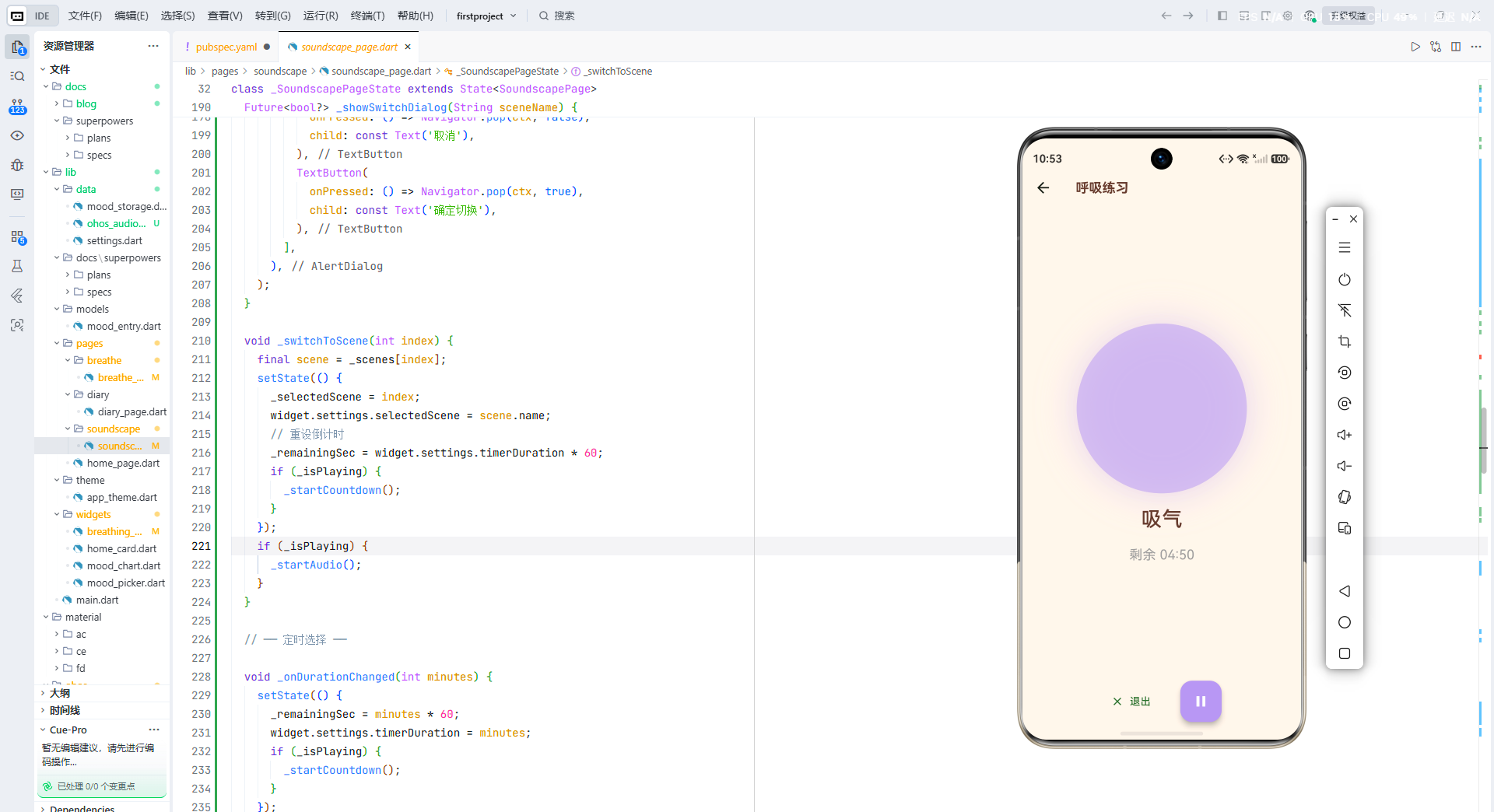
通知本身只是信息展示,真正让它成为用户入口的是 WantAgent。简单来说,WantAgent 封装了一个"意图"——用户点击通知后,系统按照事先声明的操作(启动 Ability、发送广播等)来执行。
对于 E-Brufen,用户点击呼吸提醒通知后应该直接跳转到呼吸练习页面。我们通过 WantAgent 的 START_ABILITY 操作来实现:
import wantAgent from '@ohos.app.ability.wantAgent';
import common from '@ohos.app.ability.common';

async function createBreatheReminderWantAgent(
  context: common.UIAbilityContext
): Promise<wantAgent.WantAgent> {
  // 构建 Want 对象:定义跳转目标
  const wantInfo: wantAgent.WantAgentInfo = {
    wants: [
      {
        bundleName: context.abilityInfo.bundleName,
        abilityName: context.abilityInfo.name,
        // ★ 携带参数,用于目标页面识别跳转来源
        parameters: {
          targetPage: 'breathe',     // 目标页面标识
          fromNotification: true,    // 标记来自通知
          remindTime: new Date().toISOString(),
        }
      },
    ],
    operationType: wantAgent.OperationType.START_ABILITY,
    requestCode: 2001,              // 同一个 Ability 可以注册多个 WantAgent,通过 requestCode 区分
    wantAgentFlags: [
      wantAgent.WantAgentFlags.CONSTANT_FLAG,
      // 保持 WantAgent 不变(不因系统重启失效)
    ],
  };

  const agent = await wantAgent.getWantAgent(wantAgentInfo);
  console.info('[E-Brufen] WantAgent created for breathe reminder');
  return agent;
}
parameters 中携带的 targetPage: 'breathe' 是关键。当应用通过 WantAgent 启动后,我们在 Ability 的生命周期回调中读取这些参数,决定跳转到哪个 Flutter 页面。这个机制我们会在第十章详细实现。
六、Platform Channel 双向通信架构设计
在 E-Brufen 的已有架构中,我们已经通过 Platform Channel 实现了音频播放的原生桥接(参见 OhosAudioPlayer 和 AudioPlayerPlugin)。通知系统采用同样的模式,但方向是"以 Flutter 端为主控,原生端为执行层"。
下面是通知模块的通信架构:
┌─────────────────────────────────────────────────────────────────┐
│              Flutter ↔ 鸿蒙 通知桥接架构                       │
├─────────────────────────────────────────────────────────────────┤
│                                                                 │
│  ┌──────────────────────┐      MethodChannel       ┌──────────┐ │
│  │  Flutter (Dart)      │                          │ 鸿蒙原生 │ │
│  │                      │                          │ (ArkTS)  │ │
│  │  NotificationService │──── dart → native ──────▶│ Notifi-  │ │
│  │                      │                          │ cation   │ │
│  │  .scheduleReminder() │                          │ Plugin   │ │
│  │  .cancelReminder()   │                          │          │ │
│  │  .requestPermission()│                          │ .publish │ │
│  │  .hasPermission()    │                          │ .schedule│ │
│  │                      │◀──── native → dart ──────│ .cancel  │ │
│  │  onNotificationTap   │                          │          │ │
│  │  (stream)            │     EventChannel/反向调用  │          │ │
│  └──────────┬───────────┘                          └────┬─────┘ │
│             │                                           │       │
│  ┌──────────▼───────────┐                    ┌──────────▼─────┐ │
│  │  AppSettings         │                    │ notification   │ │
│  │  (Hive 持久化)       │                    │ Manager        │ │
│  │                      │                    │ (系统 API)     │ │
│  │  breatheReminder:    │                    │                │ │
│  │  {enabled, time}     │                    │ publish()      │ │
│  └──────────────────────┘                    │ addSlot()      │ │
│                                              └────────────────┘ │
└─────────────────────────────────────────────────────────────────┘
通信分为两个方向:
- Dart → Native(主动调用):
scheduleReminder、cancelReminder、requestPermission、hasPermission。这些是 Flutter 端主动发起的方法调用,通过MethodChannel.invokeMethod发送到原生端执行。 - Native → Dart(事件回调):
onNotificationTap。当用户点击通知时,原生端通过反向方法调用通知 Flutter 端,Flutter 端据此执行页面跳转。这与OhosAudioPlayer中onPlaybackStateChanged的通信模式完全一致。
七、实战:Flutter 端通知服务层实现
基于上述架构,我们在 Flutter 端实现 NotificationService。它的职责是:
- 封装所有与通知相关的方法调用
- 管理用户的提醒偏好(开关、时间)
- 提供点击事件的监听流
- 处理权限检查
// lib/data/notification_service.dart
import 'dart:async';
import 'package:flutter/services.dart';

/// 呼吸提醒通知服务。
///
/// 通过 Platform Channel 与鸿蒙原生端通信,
/// 实现本地通知的发布、定时调度、取消和点击处理。
class NotificationService {
  static const _channel = MethodChannel('com.ebrufen/notification');

  // ── Native → Dart 事件 ──

  static final Stream<NotificationTapEvent> onNotificationTap =
      _tapController.stream;
  static final _tapController =
      StreamController<NotificationTapEvent>.broadcast();

  static bool _handlerRegistered = false;

  /// 注册原生端 → Dart 端的反向方法调用。
  /// 必须在应用启动时调用一次。
  static void init() {
    if (_handlerRegistered) return;
    _handlerRegistered = true;

    _channel.setMethodCallHandler((call) async {
      switch (call.method) {
        case 'onNotificationTap':
          final args = (call.arguments as Map?)?.cast<String, dynamic>();
          final targetPage = args?['targetPage'] as String? ?? '';
          _tapController.add(NotificationTapEvent(
            targetPage: targetPage,
            fromNotification: args?['fromNotification'] == true,
          ));
          break;
        default:
          break;
      }
    });
  }

  // ── 权限 ──

  /// 检查通知权限是否已授权。
  static Future<bool> hasPermission() async {
    final result = await _channel.invokeMethod<bool>('hasPermission');
    return result ?? false;
  }

  /// 请求通知权限。返回 true 表示用户已授权。
  static Future<bool> requestPermission() async {
    final result = await _channel.invokeMethod<bool>('requestPermission');
    return result ?? false;
  }

  // ── 发布即时通知 ──

  /// 发布一条即时通知(通常用于测试或即时提醒)。
  static Future<void> publishImmediate({
    required String title,
    required String body,
    String? targetPage,
  }) async {
    await _channel.invokeMethod('publishImmediate', {
      'title': title,
      'body': body,
      'targetPage': targetPage ?? 'breathe',
    });
  }

  // ── 定时通知 ──

  /// 调度每日呼吸提醒。
  ///
  /// [hour] 和 [minute] 指定每天的提醒时间(24 小时制)。
  /// [reminderId] 用于标识不同的提醒(支持多个提醒)。
  static Future<void> scheduleDailyReminder({
    required int hour,
    required int minute,
    int reminderId = 1001,
  }) async {
    await _channel.invokeMethod('scheduleDailyReminder', {
      'hour': hour,
      'minute': minute,
      'reminderId': reminderId,
      'title': '🌿 该做呼吸练习了',
      'body': '花几分钟深呼吸,让紧绷的神经松弛下来。',
      'targetPage': 'breathe',
    });
  }

  /// 取消指定的每日提醒。
  static Future<void> cancelReminder({int reminderId = 1001}) async {
    await _channel.invokeMethod('cancelReminder', {
      'reminderId': reminderId,
    });
  }

  /// 取消所有呼吸提醒。
  static Future<void> cancelAllReminders() async {
    await _channel.invokeMethod('cancelAllReminders');
  }

  // ── 通知渠道管理 ──

  /// 打开系统通知设置页面(让用户管理通知偏好)。
  static Future<void> openNotificationSettings() async {
    await _channel.invokeMethod('openNotificationSettings');
  }

  /// 销毁资源。
  static void dispose() {
    _tapController.close();
  }
}

/// 通知点击事件。
class NotificationTapEvent {
  final String targetPage;
  final bool fromNotification;

  const NotificationTapEvent({
    required this.targetPage,
    required this.fromNotification,
  });
}
这个 NotificationService 的设计有几个值得展开的点:
为什么用 static 方法而不是实例化? 参考项目中 OhosAudioPlayer 的设计模式,通知服务和音频播放器一样,属于"应用级别的单例服务"。它们不持有 UI 状态,只负责与原生端通信。使用静态方法可以减少不必要的对象创建,同时让调用方不需要依赖注入。
_handlerRegistered 守卫的作用。 setMethodCallHandler 在同一个 MethodChannel 上只能设置一次。如果在多个地方调用 init(),第二次调用会覆盖第一次的处理器,导致事件丢失。通过一个静态标志位来保证只注册一次。
与 AppSettings 的配合。 NotificationService 本身不存储用户的提醒偏好——它只负责与原生端通信。提醒的开关状态、时间等用户偏好存储在 AppSettings(基于 Hive 的持久化层)中。Flutter UI 从 AppSettings 读取偏好,再通过 NotificationService 下发给原生端。这样的职责分离保持了与现有代码的一致性。
八、实战:鸿蒙原生端 NotificationPlugin 实现
原生端的 NotificationPlugin 负责实际调用鸿蒙 Notification API。它与已有的 AudioPlayerPlugin 遵循相同的插件模式:实现 MethodCallHandler、FlutterPlugin、AbilityAware 三个接口,通过 MethodChannel 与 Flutter 端通信。
以下是核心实现:
// ohos/entry/src/main/ets/plugins/NotificationPlugin.ets
import {
  MethodChannel,
  MethodCall,
  MethodCallHandler,
  MethodResult,
  FlutterPlugin,
  FlutterPluginBinding,
  AbilityAware,
  AbilityPluginBinding,
  Log
} from '@ohos/flutter_ohos';
import notificationManager from '@ohos.notificationManager';
import reminderAgentManager from '@ohos.reminderAgentManager';
import wantAgent from '@ohos.app.ability.wantAgent';
import common from '@ohos.app.ability.common';
import { BusinessError } from '@ohos.base';

const TAG = 'NotificationPlugin';
const CHANNEL_NAME = 'com.ebrufen/notification';

// ── 本地类型声明(ArkTS 严格模式要求) ──

interface ReminderParams {
  hour: number;
  minute: number;
  reminderId: number;
  title: string;
  body: string;
  targetPage: string;
}

interface PublishImmediateParams {
  title: string;
  body: string;
  targetPage: string;
}

interface NotificationTapData {
  targetPage: string;
  fromNotification: boolean;
}

export class NotificationPlugin
  implements MethodCallHandler, FlutterPlugin, AbilityAware {

  private channel: MethodChannel | null = null;
  private abilityContext: common.UIAbilityContext | null = null;

  // ══════════════════════════════════════════
  // 生命周期
  // ══════════════════════════════════════════

  getUniqueClassName(): string {
    return 'NotificationPlugin';
  }

  onAttachedToEngine(binding: FlutterPluginBinding): void {
    this.channel = new MethodChannel(
      binding.getBinaryMessenger(), CHANNEL_NAME
    );
    this.channel.setMethodCallHandler(this);

    // ★ 注册反向调用处理器(已在 Dart 端通过 setMethodCallHandler 完成,
    //    这里确保引擎 attach 时原生端已准备好接收请求)
    Log.i(TAG, 'Plugin attached');

    // ★ 初始化通知渠道
    this.createNotificationSlot();
  }

  onDetachedFromEngine(binding: FlutterPluginBinding): void {
    this.channel?.setMethodCallHandler(null);
    this.channel = null;
  }

  onAttachedToAbility(binding: AbilityPluginBinding): void {
    this.abilityContext =
      binding.getAbility().context as common.UIAbilityContext;
    Log.i(TAG, 'Ability attached');
  }

  onDetachedFromAbility(): void {
    this.abilityContext = null;
  }

  // ══════════════════════════════════════════
  // 方法路由
  // ══════════════════════════════════════════

  onMethodCall(call: MethodCall, result: MethodResult): void {
    Log.i(TAG, `onMethodCall: ${call.method}`);
    switch (call.method) {
      case 'hasPermission':
        this.handleHasPermission(result);
        break;
      case 'requestPermission':
        this.handleRequestPermission(result);
        break;
      case 'publishImmediate':
        this.handlePublishImmediate(
          call.args as PublishImmediateParams, result
        );
        break;
      case 'scheduleDailyReminder':
        this.handleScheduleDailyReminder(
          call.args as ReminderParams, result
        );
        break;
      case 'cancelReminder':
        this.handleCancelReminder(call.args as number, result);
        break;
      case 'cancelAllReminders':
        this.handleCancelAllReminders(result);
        break;
      case 'openNotificationSettings':
        this.handleOpenSettings(result);
        break;
      default:
        result.notImplemented();
    }
  }

  // ══════════════════════════════════════════
  // 通知渠道初始化
  // ══════════════════════════════════════════

  private async createNotificationSlot(): Promise<void> {
    try {
      const slot: notificationManager.NotificationSlot = {
        type: notificationManager.SlotType.SOCIAL_COMMUNICATION,
        level: notificationManager.SlotLevel.LEVEL_HIGH,
        desc: '每日呼吸练习提醒,帮助你保持情绪健康习惯',
        badgeFlag: true,
        bypassDnd: false,
        vibrationEnabled: true,
        lightEnabled: false,
      };
      await notificationManager.addSlot(slot);
      Log.i(TAG, 'Notification slot created ✓');
    } catch (err) {
      const e = err as BusinessError;
      Log.e(TAG,
        `Slot creation failed — code=${e.code}, msg=${e.message}`
      );
    }
  }

  // ══════════════════════════════════════════
  // 权限检查
  // ══════════════════════════════════════════

  private async handleHasPermission(result: MethodResult): Promise<void> {
    try {
      const granted =
        await notificationManager.isNotificationEnabled();
      result.success(granted);
    } catch (err) {
      result.success(false);
    }
  }

  private async handleRequestPermission(
    result: MethodResult
  ): Promise<void> {
    try {
      await notificationManager.requestEnableNotification();
      // 请求完成后再次检查状态
      const granted =
        await notificationManager.isNotificationEnabled();
      result.success(granted);
    } catch (err) {
      const e = err as BusinessError;
      Log.e(TAG,
        `Permission request failed — code=${e.code}, msg=${e.message}`
      );
      result.success(false);
    }
  }

  // ══════════════════════════════════════════
  // 发布即时通知
  // ══════════════════════════════════════════

  private async handlePublishImmediate(
    params: PublishImmediateParams,
    result: MethodResult
  ): Promise<void> {
    try {
      if (!this.abilityContext) {
        result.error('NO_CONTEXT', 'Ability 上下文不可用', null);
        return;
      }

      const agent = await this.createWantAgent(
        params.targetPage
      );

      const request: notificationManager.NotificationRequest = {
        id: Date.now() % 100000, // 使用时间戳避免 ID 冲突
        notificationSlotType:
          notificationManager.SlotType.SOCIAL_COMMUNICATION,
        content: {
          contentType:
            notificationManager.ContentType
              .NOTIFICATION_CONTENT_BASIC_TEXT,
          normal: {
            title: params.title,
            text: params.body,
          },
        },
        wantAgent: agent,
        deliveryTime: Date.now(),
        tapDismissed: true,
      };

      await notificationManager.publish(request);
      result.success(null);
    } catch (err) {
      const e = err as BusinessError;
      result.error(
        'PUBLISH_ERROR',
        e.message ?? '发布通知失败',
        null
      );
    }
  }

  // ══════════════════════════════════════════
  // 创建 WantAgent(被 publish 和 schedule 共用)
  // ══════════════════════════════════════════

  private async createWantAgent(
    targetPage: string
  ): Promise<wantAgent.WantAgent> {
    if (!this.abilityContext) {
      throw new Error('Ability context 不可用');
    }

    const wantAgentInfo: wantAgent.WantAgentInfo = {
      wants: [
        {
          bundleName: this.abilityContext.abilityInfo.bundleName,
          abilityName: this.abilityContext.abilityInfo.name,
          parameters: {
            targetPage: targetPage,
            fromNotification: true,
          },
        },
      ],
      operationType: wantAgent.OperationType.START_ABILITY,
      requestCode: 2001,
      wantAgentFlags: [
        wantAgent.WantAgentFlags.CONSTANT_FLAG,
        wantAgent.WantAgentFlags.UPDATE_PRESENT_FLAG,
      ],
    };

    return await wantAgent.getWantAgent(wantAgentInfo);
  }

  // ══════════════════════════════════════════
  // 向 Dart 端发送点击事件
  // ══════════════════════════════════════════

  private sendTapToDart(targetPage: string): void {
    const data: NotificationTapData = {
      targetPage: targetPage,
      fromNotification: true,
    };
    try {
      this.channel?.invokeMethod('onNotificationTap', data);
    } catch (err) {
      const e = err as BusinessError;
      Log.e(TAG,
        `sendTapToDart failed — code=${e.code}, msg=${e.message}`
      );
    }
  }

  // ══════════════════════════════════════════
  // 定时提醒(ReminderAgent)
  // ══════════════════════════════════════════

  private async handleScheduleDailyReminder(
    params: ReminderParams,
    result: MethodResult
  ): Promise<void> {
    try {
      if (!this.abilityContext) {
        result.error('NO_CONTEXT', 'Ability 上下文不可用', null);
        return;
      }

      const agent = await this.createWantAgent(
        params.targetPage
      );

      // 构建提醒内容
      const reminderRequest: reminderAgentManager.ReminderRequest = {
        reminderType:
          reminderAgentManager.ReminderType.REMINDER_TYPE_TIMER,
        // 每日重复
        actionButton: [
          {
            title: '开始练习',
            type: reminderAgentManager.ActionButtonType
              .ACTION_BUTTON_TYPE_NORMAL,
          },
        ],
        wantAgent: agent,
        // 通知栏展示
        notificationId: params.reminderId,
        title: params.title,
        content: params.body,
        expiredContent: '呼吸提醒已过期',
        snoozeContent: '稍后提醒',
        // ★ 每日重复的触发时间
        triggerTimeInSeconds: this.calculateTriggerTime(
          params.hour, params.minute
        ),
        // 重复间隔(24小时 = 86400秒)
        repeatIntervalInSeconds: 86400,
        ringDuration: 10, // 提醒持续 10 秒
        slotType:
          notificationManager.SlotType.SOCIAL_COMMUNICATION,
      };

      const reminderId =
        await reminderAgentManager.publishReminder(
          reminderRequest
        );
      Log.i(TAG,
        `Reminder scheduled: id=${reminderId}, ` +
        `time=${params.hour}:${params.minute}`
      );
      result.success(reminderId);

    } catch (err) {
      const e = err as BusinessError;
      Log.e(TAG,
        `Schedule failed — code=${e.code}, msg=${e.message}`
      );
      result.error(
        'SCHEDULE_ERROR',
        e.message ?? '定时提醒设置失败',
        null
      );
    }
  }

  /**
   * 计算从当前时间到目标提醒时间的秒数。
   *
   * 如果目标时间已过(今天),则返回明天的同一时间的秒数。
   */
  private calculateTriggerTime(hour: number, minute: number): number {
    const now = new Date();
    const trigger = new Date(
      now.getFullYear(), now.getMonth(), now.getDate(),
      hour, minute, 0, 0
    );

    // 如果今天的目标时间已过,推迟到明天
    if (trigger.getTime() <= now.getTime()) {
      trigger.setDate(trigger.getDate() + 1);
    }

    return Math.floor(
      (trigger.getTime() - now.getTime()) / 1000
    );
  }

  private async handleCancelReminder(
    reminderId: number,
    result: MethodResult
  ): Promise<void> {
    try {
      await reminderAgentManager.cancelReminder(reminderId);
      Log.i(TAG, `Reminder cancelled: id=${reminderId}`);
      result.success(null);
    } catch (err) {
      const e = err as BusinessError;
      result.error(
        'CANCEL_ERROR',
        e.message ?? '取消提醒失败',
        null
      );
    }
  }

  private async handleCancelAllReminders(
    result: MethodResult
  ): Promise<void> {
    try {
      await reminderAgentManager.cancelAllReminders();
      Log.i(TAG, 'All reminders cancelled');
      result.success(null);
    } catch (err) {
      const e = err as BusinessError;
      result.error(
        'CANCEL_ALL_ERROR',
        e.message ?? '取消所有提醒失败',
        null
      );
    }
  }

  private async handleOpenSettings(
    result: MethodResult
  ): Promise<void> {
    try {
      if (!this.abilityContext) {
        result.error(
          'NO_CONTEXT', 'Ability 上下文不可用', null
        );
        return;
      }

      // 打开应用的通知设置页
      await notificationManager.openNotificationSettings(
        this.abilityContext
      );
      result.success(null);
    } catch (err) {
      const e = err as BusinessError;
      result.error(
        'OPEN_SETTINGS_ERROR',
        e.message ?? '打开设置失败',
        null
      );
    }
  }
}
这段代码有 300 行出头,但每个方法都遵循同一个模式:接收参数 → 调用系统 API → 返回结果。这种模式的好处是:当鸿蒙 API 升级时,只需要修改这一个文件;Flutter 端的代码完全不需要变化。
九、定时通知:后台代理提醒(ReminderAgent)方案
这是本文中最关键的一节。定时提醒是整个功能的灵魂,而 reminderAgentManager 是鸿蒙提供的系统级定时提醒 API。
为什么不用 Timer 或 WorkManager?
我们在第一章的对比表格中已经提到,Timer 在应用进入后台后会暂停(或被系统挂起),backgroundTaskManager 虽然有一定保活能力,但鸿蒙对后台任务有严格的时间限制:音频播放类任务在锁屏后约 30 分钟内会被终止,普通任务更短。
reminderAgentManager 的不同之处在于,它是系统服务。一旦你发布了一条提醒,它就注册到了系统的提醒代理中,由系统进程(而非你的应用进程)负责计时和触发。即使你的应用被杀死、设备重启,提醒依然有效。
ReminderAgent 的三种提醒类型:
| 类型 | 说明 | 适用场景 | 可重复 |
|---|---|---|---|
REMINDER_TYPE_TIMER |
倒计时提醒 | N 分钟/小时后提醒 | 是(设置 interval) |
REMINDER_TYPE_CALENDAR |
日历提醒 | 指定日期时间 | 否(单次) |
REMINDER_TYPE_ALARM |
闹钟提醒 | 指定小时分钟 | 是(每日重复) |
我们使用 REMINDER_TYPE_ALARM,因为它天然支持"每天几点几分"的语义。triggerTimeInSeconds 的计算逻辑在上一节的 calculateTriggerTime 方法中:如果当前时间已过今天的提醒时间点,则推到明天。
一个重要的细节:repeatIntervalInSeconds: 86400。一旦第一条提醒触发,系统会根据这个间隔自动安排下一条。86400 秒正好是 24 小时,实现每天一次的效果。
跨设备重启的持久性。 reminderAgentManager.publishReminder 创建的提醒是持久化的——写入系统的提醒数据库中。即使设备关机重启,重启后系统会重新加载所有待触发的提醒。这意味着用户不需要每天重新设置提醒。
十、通知点击处理:从锁屏直达呼吸页面
用户点击通知后,系统通过 WantAgent 启动应用的 UIAbility,并携带 parameters 参数。我们需要在 Flutter 端接收这些参数并跳转到对应页面。
在鸿蒙端,EntryAbility 的生命周期中会收到 Intent 参数,我们需要把它们传递给 Flutter 引擎:
// ohos/entry/src/main/ets/entryability/EntryAbility.ets
// 在 EntryAbility 中新增 onNewWant 回调

import { Want } from '@ohos.app.ability.Want';

export default class EntryAbility extends FlutterAbility {
  configureFlutterEngine(flutterEngine: FlutterEngine) {
    super.configureFlutterEngine(flutterEngine);
    GeneratedPluginRegistrant.registerWith(flutterEngine);
    flutterEngine.getPlugins()?.add(new AudioPlayerPlugin());
    // ★ 注册通知插件
    flutterEngine.getPlugins()?.add(new NotificationPlugin());
  }

  /**
   * 当应用已启动时,用户点击通知触发 onNewWant。
   * 我们将 Want 参数传递给 Flutter 端。
   */
  onNewWant(want: Want): void {
    super.onNewWant(want);
    const params = want.parameters as Record<string, Object> | undefined;
    const targetPage = params?.['targetPage'] as string ?? '';
    const fromNotif = params?.['fromNotification'] == true;

    // 通过 MethodChannel 通知 Flutter 端
    // 此处复用 NotificationPlugin 中的 channel
    if (targetPage) {
      // 延迟发送,确保 Flutter 端 handler 已注册
      setTimeout(() => {
        this.notifyFlutterTap(targetPage, fromNotif);
      }, 500);
    }
  }

  private notifyFlutterTap(targetPage: string, fromNotif: boolean): void {
    // 调用 NotificationPlugin 的 sendTapToDart 逻辑
    // 实际实现中可以通过 getPlugin 获取实例
  }
}
在 Flutter 端,我们在应用启动时注册监听:
// lib/main.dart 中新增初始化代码
import 'data/notification_service.dart';

void main() async {
  WidgetsFlutterBinding.ensureInitialized();

  // ... 现有初始化代码 ...

  // ★ 初始化通知服务(注册 Native → Dart 回调)
  NotificationService.init();

  // ★ 监听通知点击事件
  NotificationService.onNotificationTap.listen((event) {
    if (event.targetPage == 'breathe') {
      // 使用全局 Navigator Key 进行页面跳转
      final context = navigatorKey.currentContext;
      if (context != null) {
        Navigator.of(context).push(
          MaterialPageRoute(
            builder: (_) => BreathePage(settings: settings),
          ),
        );
      }
    }
  });

  runApp(EBrufenApp(
    settings: settings,
    moodStorage: moodStorage,
  ));
}
这里有两个关键细节:
全局 Navigator Key。 当用户从通知进入应用时,应用可能处于任何页面(首页、白噪音页、甚至锁屏状态的冷启动)。为了让 Navigator.push 在任何页面上下文中都能工作,我们需要在 MaterialApp 上设置 navigatorKey:
// lib/main.dart — EBrufenApp 中
final GlobalKey<NavigatorState> navigatorKey = GlobalKey<NavigatorState>();
class EBrufenApp extends StatelessWidget {
// ...
Widget build(BuildContext context) {
return MaterialApp(
navigatorKey: navigatorKey, // ★ 全局导航键
title: 'E-Brufen',
debugShowCheckedModeBanner: false,
theme: AppTheme.materialTheme,
home: HomePage(moodStorage: moodStorage, settings: settings),
);
}
}
冷启动与热启动的区别。 如果应用未运行,用户点击通知后系统会创建新的应用进程。此时 onNotificationTap 事件通过 EntryAbility 的 onCreate(want) 传入。如果应用已在后台运行,则通过 onNewWant(want) 传入。这两种情况在 Flutter 端需要统一处理:延迟发送事件,确保 Flutter 端的 handler 已经注册完毕。
十一、权限申请策略与用户隐私考量
鸿蒙的通知权限设计遵循"用户主动控制"原则。应用不能悄悄开启通知——必须经过用户明确授权。
权限的几种状态:
| 状态 | isNotificationEnabled() 返回值 |
用户体验 |
|---|---|---|
| 未询问 | false | 首次请求时弹出系统授权弹窗 |
| 已授权 | true | 通知正常展示 |
| 已拒绝 | false | 引导用户去系统设置中手动开启 |
| 已关闭(系统设置) | false | 与"已拒绝"相同 |
一个好的权限申请策略不是"一上来就要权限",而是在合适的时机向用户解释"为什么需要这个权限"。对于 E-Brufen 来说,时机就是用户主动开启呼吸提醒功能的那一刻。
以下是在呼吸提醒设置页面中的权限申请流程:
// lib/pages/breathe/breathe_reminder_setting.dart(新页面)
class BreatheReminderSetting extends StatefulWidget {
final AppSettings settings;
const BreatheReminderSetting({super.key, required this.settings});
State<BreatheReminderSetting> createState() =>
_BreatheReminderSettingState();
}
class _BreatheReminderSettingState
extends State<BreatheReminderSetting> {
bool _reminderEnabled = false;
TimeOfDay _reminderTime = const TimeOfDay(hour: 8, minute: 0);
bool _permissionGranted = false;
bool _isLoading = false;
void initState() {
super.initState();
_checkPermission();
_loadSettings();
}
Future<void> _checkPermission() async {
final granted = await NotificationService.hasPermission();
if (mounted) {
setState(() => _permissionGranted = granted);
}
}
void _loadSettings() {
setState(() {
_reminderEnabled = widget.settings.breatheReminderEnabled;
final savedHour = widget.settings.breatheReminderHour;
final savedMinute = widget.settings.breatheReminderMinute;
_reminderTime =
TimeOfDay(hour: savedHour, minute: savedMinute);
});
}
Future<void> _toggleReminder(bool enabled) async {
if (enabled && !_permissionGranted) {
// ★ 先请求权限,并向用户解释原因
final shouldRequest = await showDialog<bool>(
context: context,
builder: (ctx) => AlertDialog(
title: const Text('开启通知权限'),
content: const Text(
'E-Brufen 需要在每天指定时间发送一条通知,'
'提醒你做呼吸练习。\n\n'
'我们不会发送任何其他无关通知。'
'你可以随时在系统设置中关闭此权限。',
),
actions: [
TextButton(
onPressed: () => Navigator.pop(ctx, false),
child: const Text('暂不开启'),
),
ElevatedButton(
onPressed: () => Navigator.pop(ctx, true),
child: const Text('允许'),
),
],
),
);
if (shouldRequest != true) return;
final granted =
await NotificationService.requestPermission();
setState(() => _permissionGranted = granted);
if (!granted) {
// 用户拒绝了,提供去设置的入口
if (mounted) {
_showPermissionDeniedDialog();
}
return;
}
}
// 授权成功后,调度/取消提醒
setState(() => _isLoading = true);
try {
if (enabled) {
await NotificationService.scheduleDailyReminder(
hour: _reminderTime.hour,
minute: _reminderTime.minute,
);
} else {
await NotificationService.cancelReminder();
}
setState(() => _reminderEnabled = enabled);
// 持久化到 AppSettings
widget.settings.breatheReminderEnabled = enabled;
widget.settings.breatheReminderHour = _reminderTime.hour;
widget.settings.breatheReminderMinute =
_reminderTime.minute;
} catch (e) {
if (mounted) {
ScaffoldMessenger.of(context).showSnackBar(
SnackBar(
content: Text('提醒设置失败: $e'),
backgroundColor: Colors.orange.shade700,
),
);
}
} finally {
if (mounted) setState(() => _isLoading = false);
}
}
void _showPermissionDeniedDialog() {
showDialog(
context: context,
builder: (ctx) => AlertDialog(
title: const Text('通知权限未开启'),
content: const Text(
'你拒绝了通知权限。如果你之后改变主意,'
'可以在系统设置中手动开启。',
),
actions: [
TextButton(
onPressed: () => Navigator.pop(ctx),
child: const Text('知道了'),
),
ElevatedButton(
onPressed: () {
Navigator.pop(ctx);
NotificationService.openNotificationSettings();
},
child: const Text('去设置'),
),
],
),
);
}
// ... UI build 方法 ...
}
隐私考量清单:
- 只申请最小必要权限。 E-Brufen 只需要通知权限,不需要定位、通讯录、相册等。在
module.json5中只声明ohos.permission.NOTIFICATION_CONTROLLER(如果需要高级通知控制)或依赖用户授权即可。 - 首次申请前解释用途。 上面的代码示例中,在调用
requestPermission()之前,我们弹出了一个自定义对话框,用平实的语言向用户解释"我们会做什么"和"我们不会做什么"。这种透明性能显著提升授权率。 - 拒绝后提供补救路径。 用户拒绝后,我们不反复骚扰,而是提供"去设置"的入口。鸿蒙的
openNotificationSettings可以直接跳转到应用的通知设置页面,非常方便。 - 数据最小化。 提醒的配置(时间、开关状态)存储在本地 Hive 数据库中,不上传任何服务器。通知内容本身也是本地生成的,不经过网络。
十二、通知渠道管理:不同场景不同策略
随着应用功能的增长,通知的类型也会增多。E-Brufen 目前有两个通知场景:呼吸提醒和心情记录提醒(计划中)。为每个场景创建独立的通知渠道,让用户可以分别控制:
| 通知渠道 ID | 场景 | SlotType | 震动 | 铃声 | 用户可控 |
|---|---|---|---|---|---|
breath_reminder |
每日呼吸提醒 | SOCIAL_COMMUNICATION | 是 | 否 | 是 |
mood_reminder |
每晚心情记录提醒 | SERVICE_INFORMATION | 否 | 否 | 是 |
分别管理的好处是:如果用户觉得呼吸提醒有用但心情记录提醒多余,她可以在系统设置中只关闭后者而不影响前者。
在原生端,我们分别为每个渠道调用 addSlot:
// NotificationPlugin 中新增
private async createAllSlots(): Promise<void> {
  const slots: notificationManager.NotificationSlot[] = [
    {
      type: notificationManager.SlotType.SOCIAL_COMMUNICATION,
      level: notificationManager.SlotLevel.LEVEL_HIGH,
      desc: '每日呼吸练习提醒',
      badgeFlag: true,
      bypassDnd: false,
      vibrationEnabled: true,
      lightEnabled: false,
    },
    {
      type: notificationManager.SlotType.SERVICE_INFORMATION,
      level: notificationManager.SlotLevel.LEVEL_DEFAULT,
      desc: '每晚心情记录提醒,帮你养成记录心情的习惯',
      badgeFlag: false,
      bypassDnd: true,  // 心情记录提醒不打扰
      vibrationEnabled: false,
      lightEnabled: false,
    },
  ];

  for (const slot of slots) {
    try {
      await notificationManager.addSlot(slot);
    } catch (err) {
      // 如果 Slot 已存在,addSlot 会报错,忽略即可
      Log.w(TAG,
        `Slot add maybe duplicate: ${(err as BusinessError).message}`
      );
    }
  }
}
十三、完整体验:E-Brufen 每日呼吸提醒配置流程
让我们把以上的所有组件串联起来,描绘用户从设置提醒到收到的完整体验流程:
┌─────────────────────────────────────────────────────────────────┐
│                E-Brufen 每日呼吸提醒 —— 用户流程               │
├─────────────────────────────────────────────────────────────────┤
│                                                                 │
│  ┌──────────────────────┐                                       │
│  │ 1. 用户进入呼吸练习页 │                                      │
│  │    点击"设置提醒"     │                                      │
│  └──────────┬───────────┘                                       │
│             │                                                    │
│             ▼                                                    │
│  ┌──────────────────────┐                                       │
│  │ 2. 查看权限说明弹窗   │                                      │
│  │    "我们会每天提醒你  │                                      │
│  │     做呼吸练习"      │                                      │
│  └──────────┬───────────┘                                       │
│             │                                                    │
│        用户点击"允许"                                              │
│             │                                                    │
│             ▼                                                    │
│  ┌──────────────────────┐                                       │
│  │ 3. 选择提醒时间       │                                      │
│  │    08:00 / 12:30 /   │                                      │
│  │    20:00 / 自定义    │                                      │
│  └──────────┬───────────┘                                       │
│             │                                                    │
│             ▼                                                    │
│  ┌──────────────────────┐                                       │
│  │ 4. Flutter 端调用    │                                      │
│  │    NotificationSvc   │                                      │
│  │    .scheduleDaily    │                                      │
│  │    Reminder()        │  ── MethodChannel ──▶                │
│  │                      │                    原生端              │
│  │  AppSettings 持久化  │                    ReminderAgent      │
│  └──────────────────────┘                                       │
│                                                                 │
│  ══════════ 第二天 8:00 ══════════                              │
│                                                                 │
│  ┌──────────────────────┐                                       │
│  │ 5. 系统触发提醒       │                                      │
│  │    通知栏弹出"该做    │                                      │
│  │    呼吸练习了"        │                                      │
│  └──────────┬───────────┘                                       │
│             │                                                    │
│        用户点击通知                                               │
│             │                                                    │
│             ▼                                                    │
│  ┌──────────────────────┐                                       │
│  │ 6. WantAgent 启动     │                                      │
│  │    EntryAbility       │                                      │
│  │    (携带 targetPage:  │                                      │
│  │     'breathe')       │                                      │
│  └──────────┬───────────┘                                       │
│             │                                                    │
│             ▼                                                    │
│  ┌──────────────────────┐                                       │
│  │ 7. Flutter 端收到    │                                      │
│  │    onNotificationTap │                                      │
│  │    → Navigator.push  │                                      │
│  │    → BreathePage     │                                      │
│  └──────────────────────┘                                       │
│                                                                 │
└─────────────────────────────────────────────────────────────────┘
整个流程涉及的代码文件:
| 文件 | 角色 |
|---|---|
lib/data/notification_service.dart |
Flutter 端通知 API 封装 |
lib/pages/breathe/breathe_reminder_setting.dart |
提醒设置 UI |
lib/data/settings.dart |
提醒偏好持久化(需新增字段) |
lib/main.dart |
初始化 NotificationService + 监听点击事件 |
ohos/.../NotificationPlugin.ets |
原生端通知与提醒调度 |
ohos/.../EntryAbility.ets |
接收 Want 参数并传递到 Flutter |
AppSettings 新增的字段如下:
// lib/data/settings.dart 中新增

static const String _keyBreatheReminderEnabled = 'breatheReminderEnabled';
static const String _keyBreatheReminderHour = 'breatheReminderHour';
static const String _keyBreatheReminderMinute = 'breatheReminderMinute';

bool get breatheReminderEnabled {
  if (_box == null || !_box!.isOpen) return false;
  return _box!.get(_keyBreatheReminderEnabled, defaultValue: false);
}
set breatheReminderEnabled(bool v) {
  if (_box != null && _box!.isOpen) _box!.put(_keyBreatheReminderEnabled, v);
}

int get breatheReminderHour {
  if (_box == null || !_box!.isOpen) return 8;
  return _box!.get(_keyBreatheReminderHour, defaultValue: 8);
}
set breatheReminderHour(int v) {
  if (_box != null && _box!.isOpen) _box!.put(_keyBreatheReminderHour, v);
}

int get breatheReminderMinute {
  if (_box == null || !_box!.isOpen) return 0;
  return _box!.get(_keyBreatheReminderMinute, defaultValue: 0);
}
set breatheReminderMinute(int v) {
  if (_box != null && _box!.isOpen) _box!.put(_keyBreatheReminderMinute, v);
}
十四、鸿蒙通知系统的限制与兼容性说明
作为一篇实战导向的技术文章,有必要诚实记录我们在开发过程中遇到的实际限制和兼容性问题。
限制 1:ReminderAgent 的提醒数量上限。 鸿蒙系统对单个应用能够注册的 reminderAgent 提醒数量有上限——通常不超过 30 个(具体取决于设备厂商的配置)。对于 E-Brufen 这种只注册 1-2 个每日提醒的场景来说不是问题,但如果你计划实现"每周三下午 3 点提醒"或"隔天提醒"这种复杂调度,需要注意数量的累积。建议在每次 scheduleDailyReminder 之前先调用 cancelReminder 清理旧提醒,避免重复累积。
限制 2:WantAgent 参数大小限制。 WantAgent 的 parameters 字段有大小限制——约 8KB。在携带参数时不要传入大段 JSON 或 Base64 编码的图片数据。我们的使用方式(targetPage + fromNotification 两个字符串)远低于这个限制。
限制 3:设备型号差异。 不同鸿蒙设备厂商对通知渠道的默认行为有细微差异。例如,某些设备默认关闭了新应用的通知权限(需要用户手动开启),某些设备对 SOCIAL_COMMUNICATION 类型的通知展示为静默。建议在 addSlot 后通过 getSlot 检查渠道的实际配置。
限制 4:冷启动时的通知点击延迟。 如果应用完全未运行,用户点击通知后系统需要先创建进程、初始化 Flutter 引擎、注册 Platform Channel Handler,这一过程在低端设备上可能需要 2-3 秒。在这段时间内,通知点击事件已经触发,如果 Flutter 端的 handler 还没注册完毕,事件就会被丢弃。我们在原生端通过 setTimeout(fn, 500) 做了一个保守的 500 毫秒延迟,但这个值可能需要在更多设备上测试调优。
兼容性矩阵:
| API | 鸿蒙 3.0+ | 鸿蒙 4.0+ | 鸿蒙 NEXT | 备注 |
|---|---|---|---|---|
notificationManager.publish |
支持 | 支持 | 支持 | API 9+ |
notificationManager.addSlot |
支持 | 支持 | 支持 | API 9+ |
reminderAgentManager.publishReminder |
支持 | 支持 | 支持 | API 9+,参数略有变化 |
reminderAgentManager.cancelReminder |
支持 | 支持 | 支持 | API 9+ |
notificationManager.requestEnableNotification |
— | 支持 | 支持 | API 10+ |
notificationManager.openNotificationSettings |
— | 支持 | 支持 | API 10+ |
wantAgent.getWantAgent |
支持 | 支持 | 支持 | API 9+ |
E-Brufen 的最低支持版本是鸿蒙 4.0,所以我们可以安全使用上述所有 API。
十五、总结:从功能到体验的最后一公里
在本文中,我们完整地走过了一条从需求分析到技术选型、从架构设计到代码实现、从权限策略到兼容性考量的路径。核心结论可以归纳为四点:
第一,系统级 API 的选择决定了功能的可靠性。 对于定时提醒这种"应用不在前台时也需要触发"的场景,reminderAgentManager 是唯一的正确选择。它由系统进程托管,不依赖应用保活,也不需要用户手动设置省电白名单。代价是需要编写原生代码——但对于鸿蒙 Flutter 应用来说,这已经是日常开发的一部分了。
第二,Platform Channel 的架构模式具有可复制性。 E-Brufen 从音频播放模块开始就采用了"Dart 端服务层 + ArkTS 端 Plugin"的双层架构。通知模块完全复用了这个模式:Dart 端封装方法调用和事件流,ArkTS 端实现系统 API 调用。如果你需要为应用添加第三个原生功能(比如蓝牙连接、传感器读取),只需要增加一个新的 Plugin 文件和对应的 Dart Service 文件即可。架构是统一的,不需要重新设计。
第三,通知是"触达用户"的手段,不是目的。 从产品设计的角度来看,通知的价值在于"在合适的时机把用户带回应用"。如果通知的内容是机械的"请打开应用",用户会被烦到关闭通知权限。如果通知的内容是"该做呼吸练习了——来一次 5 分钟的盒式呼吸,让心静下来",用户会感受到关怀。我们花了很多笔墨讨论权限策略和隐私考量,因为信任一旦失去,就再也回不来了。
第四,鸿蒙平台的通知系统已相当成熟。 从 API 设计的角度来看,鸿蒙的 NotificationSlot + NotificationRequest + WantAgent 三位一体模型已经非常接近 Android 的成熟度。相比 iOS 的通知系统(需要 APNs + UserNotifications 两套体系),鸿蒙的方案更加自洽——本地通知和推送通知使用同一套 API,只是发布渠道不同。
最后,附上 E-Brufen 通知模块的完整文件清单和后续迭代方向:
代码文件清单:
lib/data/notification_service.dart(本文第七章)lib/pages/breathe/breathe_reminder_setting.dart(本文第十一章)lib/data/settings.dart(新增 3 个持久化字段)lib/main.dart(初始化监听)ohos/entry/src/main/ets/plugins/NotificationPlugin.ets(本文第八章)ohos/entry/src/main/ets/entryability/EntryAbility.ets(新增onNewWant处理)
后续迭代方向:
- 支持多个提醒时间点(晨间、午间、晚间各一次)
- 基于用户情绪记录的智能提醒时机(心情低落时增加提醒频率)
- 通知内容的个性化(结合当天的心情数据,生成有温度的提醒文案)
- 通知与白噪音功能的联动(提醒点击后自动播放白噪音)
作者简介
E-Brufen Dev,鸿蒙 Flutter 开发者,AtomGit Flutter 鸿蒙客户端项目维护者。专注于跨平台移动应用开发,尤其关注 Flutter 在鸿蒙生态中的落地实践。系列文章"鸿蒙 Flutter 实战"持续更新中,覆盖音频播放、通知系统、数据持久化、UI 动画等主题。
AtomGit:https://atomgit.com/e-brufen/firstproject

作为“人工智能6S店”的官方数字引擎,为AI开发者与企业提供一个覆盖软硬件全栈、一站式门户。
更多推荐
 0
0 0
0- 0


 已为社区贡献96条内容

所有评论(0)