
个人月事记录表应用 - 鸿蒙PC Electron框架完整实现指南
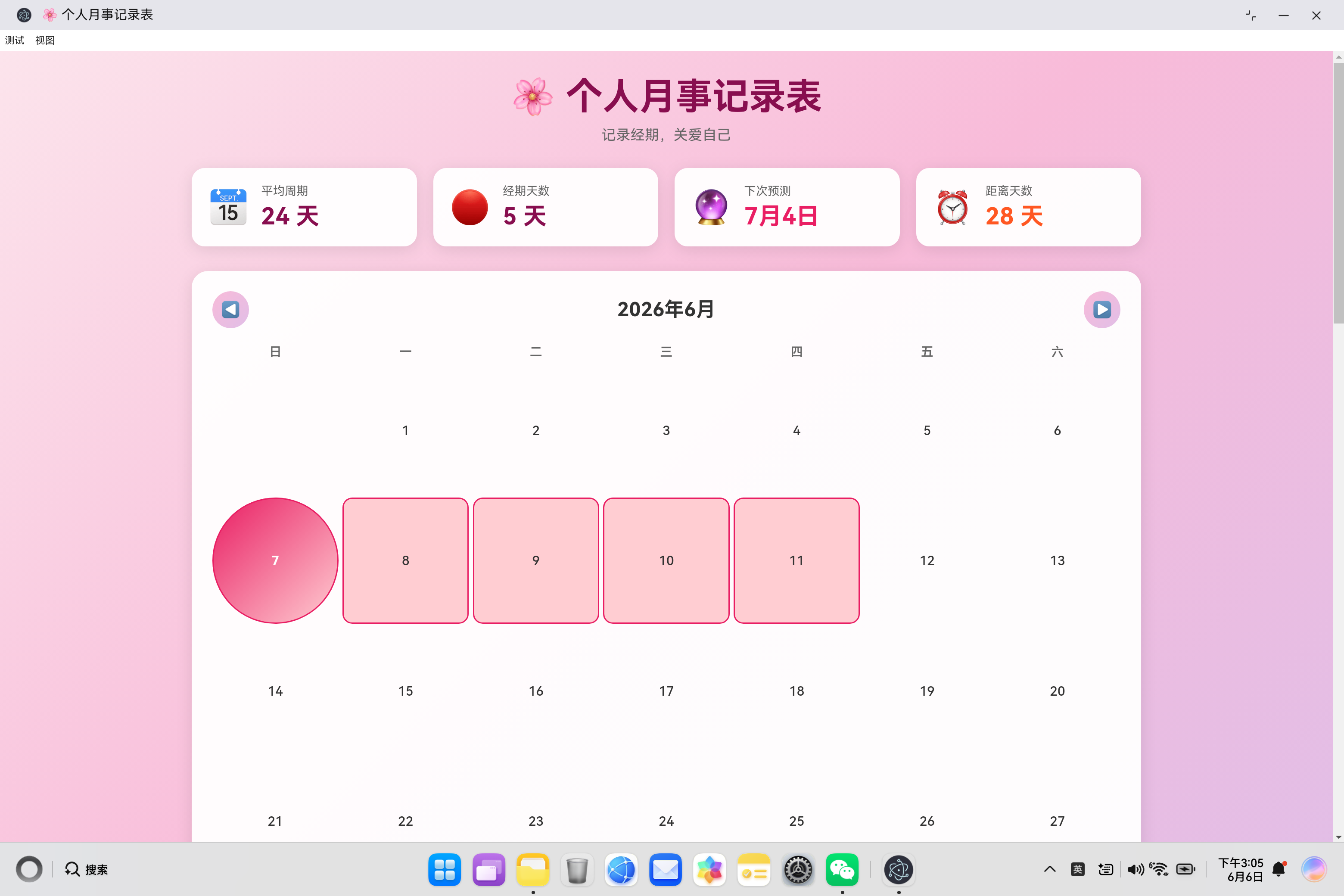
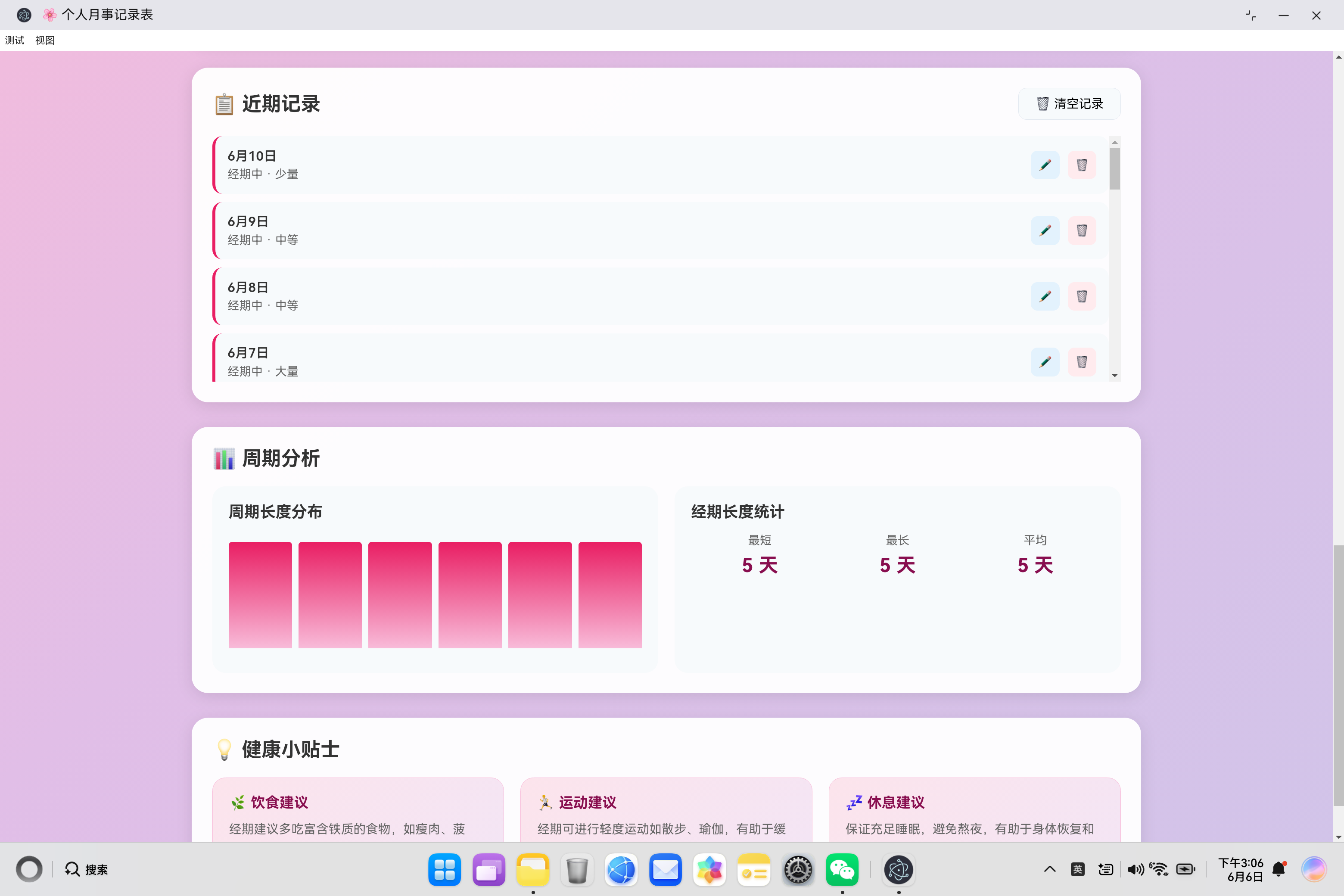
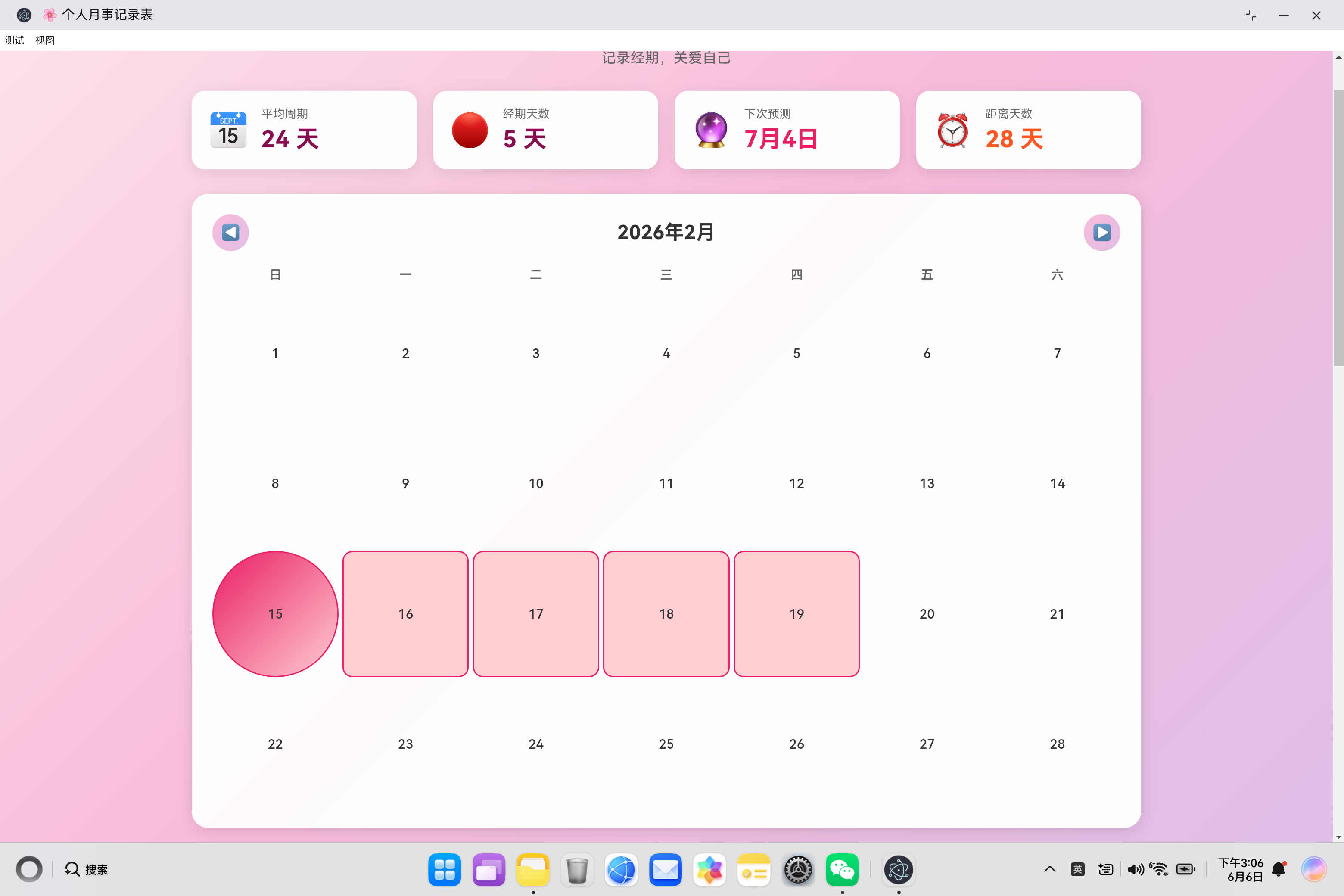
个人月事记录表项目摘要 该项目是一款女性健康管理应用,基于开源鸿蒙PC平台开发,提供经期记录、周期预测和数据分析功能。系统采用三层架构:UI层提供日历视图和统计面板,业务逻辑层处理数据计算,本地存储层管理记录。核心功能包括: 日历视图:标记经期、排卵期等不同状态 记录管理:支持添加/编辑经期数据(流量、症状等) 智能预测:基于历史数据推算下次经期 统计分析:可视化展示周期规律 技术特点: 纯前端实
·
欢迎加入开源鸿蒙PC社区:
https://harmonypc.csdn.net/
atomgit仓库地址: https://atomgit.com/tizibanfan/gerenyueshi
一、项目概述
个人月事记录表是一款帮助女性记录经期、追踪周期的健康管理应用。该应用提供日历视图、记录管理、周期预测、统计分析等功能,帮助用户更好地了解和管理自己的生理周期。
1.1 系统架构设计
┌─────────────────────────────────────────────────────────────┐
│                   个人月事记录表系统                        │
├─────────────────────────────────────────────────────────────┤
│                    UI层 (index.html)                        │
│  ┌───────────┬───────────┬───────────┬───────────┐        │
│  │  统计卡片  │  日历视图  │  记录表单  │  数据分析  │        │
│  └───────────┴───────────┴───────────┴───────────┘        │
├─────────────────────────────────────────────────────────────┤
│                  业务逻辑层 (app.js)                         │
│  ┌────────────┬────────────┬────────────┬────────────┐     │
│  │  数据管理   │  日历渲染   │  周期计算   │  统计分析   │     │
│  └────────────┴────────────┴────────────┴────────────┘     │
├─────────────────────────────────────────────────────────────┤
│                    数据持久层 (LocalStorage)                │
│  ┌──────────────────────────────────────────────────────┐  │
│  │              periodRecords (经期记录数据)             │  │
│  └──────────────────────────────────────────────────────┘  │
└─────────────────────────────────────────────────────────────┘
1.2 核心功能模块
| 模块 | 功能描述 | 技术要点 |
|---|---|---|
| 日历视图 | 月份切换、日期标记、状态显示 | 日期计算、DOM渲染 |
| 记录管理 | 添加/编辑/删除经期记录 | 表单处理、数据存储 |
| 周期预测 | 基于历史数据预测下次经期 | 统计分析、日期计算 |
| 统计分析 | 周期长度、经期天数统计 | 数据聚合、图表渲染 |
二、数据模型设计
2.1 记录数据结构
{
    id: 1672531200000,       // 唯一标识(时间戳)
    date: '2024-01-01',      // 日期(ISO格式)
    status: 'period',         // 状态:period/pms/fertile/normal
    flow: 'medium',           // 流量:light/medium/heavy(可选)
    note: '轻微腹痛'          // 备注(可选)
}
2.2 状态类型说明
| 状态 | 值 | 颜色标识 | 含义 |
|---|---|---|---|
| 经期中 | period | 🔴 红色 | 月经来潮期间 |
| 经前综合征 | pms | 🟠 橙色 | 经期前的不适症状 |
| 排卵期 | fertile | 🔵 蓝色 | 最佳受孕时期 |
| 正常 | normal | 🟢 绿色 | 无特殊状态 |
2.3 流量类型说明
| 流量 | 值 | 含义 |
|---|---|---|
| 少量 | light | 月经量较少 |
| 中等 | medium | 月经量适中 |
| 大量 | heavy | 月经量较大 |
三、核心代码实现详解
3.1 应用类设计
class PeriodTracker {
    constructor() {
        this.records = this.loadRecords();
        this.currentDate = new Date();
        this.currentMonth = this.currentDate.getMonth();
        this.currentYear = this.currentDate.getFullYear();
        this.init();
    }

    init() {
        this.initDOMReferences();
        this.bindEventListeners();
        this.renderCalendar();
        this.updateStats();
        this.renderRecordsList();
        this.renderCycleChart();
        this.setDefaultDate();
    }
}
初始化流程:
- 加载记录数据
- 设置当前日期
- 初始化DOM引用
- 绑定事件监听器
- 渲染日历、统计、记录列表和图表
3.2 数据持久化
loadRecords() {
    const saved = localStorage.getItem('periodRecords');
    if (saved) {
        return JSON.parse(saved);
    }
    return this.getMockData();
}

saveRecords() {
    localStorage.setItem('periodRecords', JSON.stringify(this.records));
}
Mock数据生成:
getMockData() {
    const now = new Date();
    const records = [];

    for (let i = 6; i >= 0; i--) {
        const cycleStart = new Date(now);
        cycleStart.setDate(cycleStart.getDate() - (i * 28));

        for (let j = 0; j < 5; j++) {
            const date = new Date(cycleStart);
            date.setDate(date.getDate() + j);
            records.push({
                id: Date.now() + j + i,
                date: date.toISOString().split('T')[0],
                status: 'period',
                flow: j === 0 ? 'medium' : j === 1 ? 'heavy' : j === 4 ? 'light' : 'medium',
                note: ''
            });
        }
    }

    return records.sort((a, b) => new Date(b.date) - new Date(a.date));
}
Mock数据特点:
- 生成7个周期的模拟数据
- 每个周期28天间隔
- 经期持续5天
- 流量分布:第一天中等,第二天大量,最后一天少量
3.3 日历渲染
renderCalendar() {
    const firstDay = new Date(this.currentYear, this.currentMonth, 1);
    const lastDay = new Date(this.currentYear, this.currentMonth + 1, 0);
    const startDay = firstDay.getDay();
    const daysInMonth = lastDay.getDate();
    const today = new Date();
    const todayStr = today.toISOString().split('T')[0];
    const nextPeriodDate = this.predictNextPeriod();

    this.currentMonthEl.textContent = `${this.currentYear}年${this.currentMonth + 1}月`;

    let html = '';

    for (let i = 0; i < startDay; i++) {
        html += '<div class="calendar-day empty"></div>';
    }

    for (let day = 1; day <= daysInMonth; day++) {
        const date = new Date(this.currentYear, this.currentMonth, day);
        const dateStr = date.toISOString().split('T')[0];
        const record = this.records.find(r => r.date === dateStr);
        const isToday = dateStr === todayStr;
        const isNextPeriod = nextPeriodDate && dateStr === nextPeriodDate;

        let classes = 'calendar-day';

        if (isToday) classes += ' today';
        if (record) {
            classes += ` ${record.status}`;
            if (this.isPeriodStart(dateStr)) {
                classes += ' period-start';
            }
        }
        if (isNextPeriod && !record) classes += ' next-period';

        html += `<div class="${classes}">${day}</div>`;
    }

    this.calendarGrid.innerHTML = html;
}
日历渲染流程:
- 计算当月第一天和最后一天
- 计算第一天是星期几
- 生成空白格子填充第一周
- 遍历每一天,判断状态并添加样式类
- 渲染到DOM
3.4 经期开始判断
isPeriodStart(dateStr) {
    const date = new Date(dateStr);
    const prevDate = new Date(date);
    prevDate.setDate(prevDate.getDate() - 1);
    const prevDateStr = prevDate.toISOString().split('T')[0];
    const prevRecord = this.records.find(r => r.date === prevDateStr);
    const currRecord = this.records.find(r => r.date === dateStr);
    return currRecord?.status === 'period' && (!prevRecord || prevRecord.status !== 'period');
}
判断逻辑:
- 当前记录状态为经期
- 前一天没有记录或前一天状态不是经期
- 使用可选链操作符处理undefined情况
3.5 周期计算算法
getCycles() {
    const periodStarts = this.records
        .filter(r => r.status === 'period')
        .map(r => new Date(r.date))
        .sort((a, b) => a - b);

    const cycles = [];
    for (let i = 1; i < periodStarts.length; i++) {
        const diff = Math.round((periodStarts[i] - periodStarts[i-1]) / (1000 * 60 * 60 * 24));
        if (diff > 10 && diff < 60) {
            cycles.push(diff);
        }
    }
    return cycles;
}
算法说明:
- 筛选所有经期记录
- 转换为日期对象并排序
- 计算相邻经期开始日期间隔
- 过滤异常值(10-60天范围)
3.6 周期预测算法
predictNextPeriod() {
    const cycles = this.getCycles();
    if (cycles.length === 0) return null;

    const avgCycle = cycles.reduce((a, b) => a + b, 0) / cycles.length;
    const lastPeriodStart = this.records
        .filter(r => r.status === 'period')
        .map(r => new Date(r.date))
        .sort((a, b) => b - a)[0];

    if (!lastPeriodStart) return null;

    const nextDate = new Date(lastPeriodStart);
    nextDate.setDate(nextDate.getDate() + Math.round(avgCycle));
    return nextDate.toISOString().split('T')[0];
}
预测逻辑:
- 获取所有周期长度
- 计算平均周期长度
- 获取最后一次经期开始日期
- 加上平均周期长度得到预测日期
3.7 经期长度统计
getPeriodLengths() {
    const periods = [];
    let currentLength = 0;
    const sortedRecords = [...this.records]
        .filter(r => r.status === 'period')
        .map(r => new Date(r.date))
        .sort((a, b) => a - b);

    for (let i = 0; i < sortedRecords.length; i++) {
        if (i === 0 || this.daysBetweenDates(sortedRecords[i-1], sortedRecords[i]) === 1) {
            currentLength++;
        } else {
            if (currentLength > 0) periods.push(currentLength);
            currentLength = 1;
        }
    }
    if (currentLength > 0) periods.push(currentLength);

    return periods;
}
统计逻辑:
- 筛选并排序经期记录
- 遍历记录,连续日期计数+1
- 遇到不连续日期时保存当前长度并重置
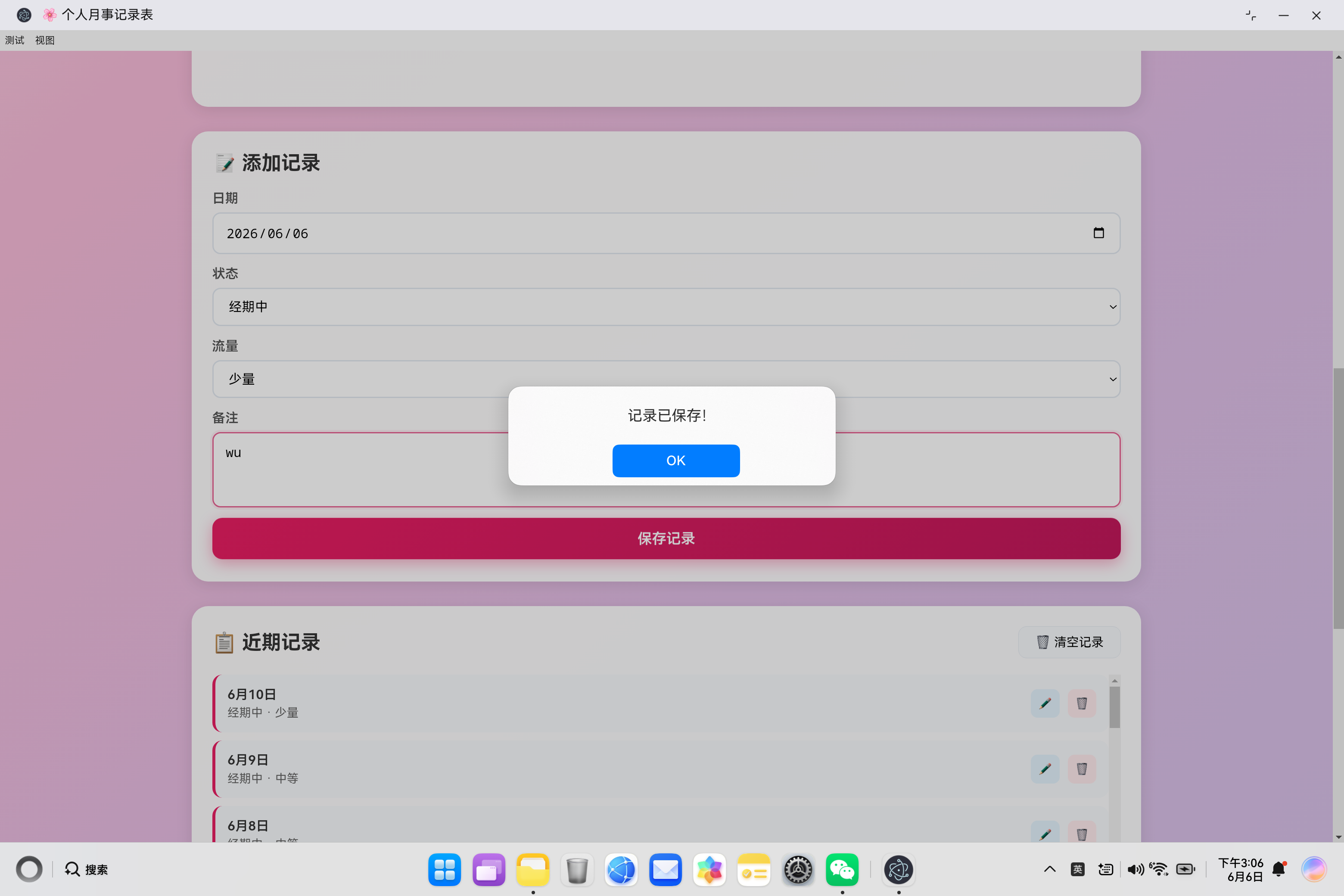
3.8 记录管理
handleFormSubmit(e) {
    e.preventDefault();

    const record = {
        id: Date.now(),
        date: this.recordDate.value,
        status: this.recordStatus.value,
        flow: this.flowLevel.value,
        note: this.recordNote.value.trim()
    };

    const existingIndex = this.records.findIndex(r => r.date === record.date);
    if (existingIndex >= 0) {
        this.records[existingIndex] = record;
    } else {
        this.records.unshift(record);
    }

    this.saveRecords();
    this.renderCalendar();
    this.updateStats();
    this.renderRecordsList();
    this.renderCycleChart();

    this.recordForm.reset();
    this.setDefaultDate();
}
表单处理流程:
- 阻止默认提交行为
- 构建记录对象
- 判断是否已存在同一天记录
- 更新或添加记录
- 保存并刷新UI
3.9 周期图表渲染
renderCycleChart() {
    const cycles = this.getCycles();

    if (cycles.length === 0) {
        this.cycleChart.innerHTML = '<p style="text-align: center; color: #999; padding: 20px;">暂无足够数据</p>';
        return;
    }

    const maxCycle = Math.max(...cycles);

    this.cycleChart.innerHTML = cycles.map((cycle, index) => {
        const height = (cycle / maxCycle) * 100;
        return `<div class="cycle-bar" style="height: ${Math.max(height, 5)}%" data-value="${cycle}" title="第${cycles.length - index}个周期: ${cycle}天"></div>`;
    }).join('');
}
图表渲染逻辑:
- 获取周期数据
- 计算最大周期作为基准
- 按比例计算每个周期的高度
- 生成柱状图HTML
四、UI交互设计
4.1 渐变背景设计
body {
    background: linear-gradient(135deg, #fce4ec 0%, #f8bbd9 30%, #e1bee7 60%, #d1c4e9 100%);
}
配色方案:
- 粉色渐变主题,符合女性健康应用定位
- 从浅粉到紫色的过渡
- 温暖柔和的视觉效果
4.2 状态颜色编码
.calendar-day.period {
    background: #ffcdd2;
    border: 2px solid #e91e63;
}

.calendar-day.period-start {
    background: linear-gradient(135deg, #e91e63 0%, #ffcdd2 100%);
    border-radius: 50%;
}

.calendar-day.pms {
    background: #fff3e0;
    border: 2px solid #ff9800;
}

.calendar-day.fertile {
    background: #e3f2fd;
    border: 2px solid #2196f3;
}

.calendar-day.next-period {
    background: #f3e5f5;
    border: 2px dashed #9c27b0;
}
视觉设计:
- 经期:红色背景+红色边框
- 经期开始:渐变圆形标记
- 经前综合征:橙色边框
- 排卵期:蓝色边框
- 下次预测:紫色虚线边框
4.3 响应式布局
@media (max-width: 768px) {
    .stats-section {
        grid-template-columns: repeat(2, 1fr);
    }
}

@media (max-width: 480px) {
    .stats-section {
        grid-template-columns: 1fr;
    }

    .record-item {
        flex-direction: column;
        gap: 10px;
        align-items: flex-start;
    }
}
布局适配:
- 桌面端:4列统计卡片
- 平板端:2列统计卡片
- 移动端:1列布局,记录项垂直排列
4.4 交互动画
.nav-btn:hover {
    transform: scale(1.1);
    box-shadow: 0 4px 15px rgba(248, 187, 217, 0.4);
}

.submit-btn:hover {
    transform: translateY(-2px);
    box-shadow: 0 6px 20px rgba(233, 30, 99, 0.4);
}

.action-btn:hover {
    transform: scale(1.1);
}
交互效果:
- 导航按钮:悬停放大+阴影
- 提交按钮:悬停上移+阴影
- 操作按钮:悬停放大
五、功能扩展建议
5.1 提醒功能
setReminder(date, message) {
    const reminderDate = new Date(date);
    const now = new Date();
    const delay = reminderDate - now;

    if (delay > 0) {
        setTimeout(() => {
            if (Notification.permission === 'granted') {
                new Notification('经期提醒', {
                    body: message,
                    icon: '🌸'
                });
            }
        }, delay);
    }
}
5.2 数据导出
exportData() {
    const data = JSON.stringify(this.records, null, 2);
    const blob = new Blob([data], { type: 'application/json' });
    const url = URL.createObjectURL(blob);
    const a = document.createElement('a');
    a.href = url;
    a.download = `period_records_${new Date().toISOString().split('T')[0]}.json`;
    a.click();
    URL.revokeObjectURL(url);
}
5.3 症状追踪
// 扩展记录数据结构
{
    id: 1672531200000,
    date: '2024-01-01',
    status: 'period',
    flow: 'medium',
    note: '轻微腹痛',
    symptoms: ['腹痛', '疲劳'],  // 新增症状字段
    mood: '一般'                // 新增心情字段
}
六、总结
个人月事记录表应用通过完整的功能实现,帮助用户记录和管理经期信息。核心功能包括:
- 日历视图:可视化展示经期记录
- 记录管理:完整的CRUD操作
- 周期预测:基于历史数据的智能预测
- 统计分析:周期长度、经期天数统计
- 健康建议:饮食、运动、休息建议
技术亮点
- 数据持久化:LocalStorage保存记录
- 智能预测:基于历史数据的周期预测算法
- 响应式设计:适配各种设备尺寸
- 视觉友好:粉色主题、颜色编码状态
未来扩展方向
- 通知提醒:经期前提醒、排卵期提醒
- 数据导出:支持Excel/CSV格式
- 症状追踪:记录更多健康信息
- 云端同步:数据备份和多设备同步
- 健康报告:生成周期分析报告

作为“人工智能6S店”的官方数字引擎,为AI开发者与企业提供一个覆盖软硬件全栈、一站式门户。
更多推荐

 1
1 0
0- 0


 已为社区贡献10条内容

所有评论(0)