
【Flutter for OpenHarmony】Flutter三方库心情记录功能的鸿蒙化适配与实战指南
Flutter心情记录功能的鸿蒙化适配指南 本文介绍了如何使用Flutter开发一个跨平台的心情记录应用,并适配鸿蒙系统。作者分享了自己作为大一学生开发该功能的初衷和过程,详细讲解了核心功能实现,包括情绪选择、笔记记录、数据持久化等。文章提供了完整的数据模型定义和状态管理代码,使用Provider进行状态管理,并实现了本地存储功能。重点内容包括心情类型枚举、MoodEntry数据模型、MoodSt
【Flutter for OpenHarmony】Flutter三方库心情记录功能的鸿蒙化适配与实战指南
欢迎加入开源鸿蒙跨平台社区:https://openharmonycrossplatform.csdn.net
一、为什么我要做心情记录功能?
大家好,我是 IntMainJhy,上海某高校大一计算机专业的学生。说实话,当初选心理健康这个赛道来做项目,完全是因为我自己那段时间状态不太好,想记录一下每天的心情变化,顺便学点 Flutter 技能。
做这个功能之前,我其实挺迷茫的。网上 Flutter 的教程一搜一大堆,但专门讲鸿蒙适配的几乎没有。我当时就在想:万一我写的代码在鸿蒙设备上跑不起来怎么办?会不会踩很多坑?
后来硬着头皮开始写,发现其实没那么可怕,只要你了解几个关键的适配点,大部分代码都是通用的。今天这篇文章,我就把我在实现心情记录功能时遇到的坑、解决方案、以及完整代码都分享出来,希望能帮到和我一样的新手。
二、功能需求分析
心情记录功能需要实现以下几个核心点:
- 情绪选择:用户可以从5种基本情绪中选择当天的心情
- 笔记记录:用户可以添加一段文字描述今天的感受
- 时间戳:自动记录当前时间
- 数据持久化:保存到本地,下次打开还能看到
- 统计展示:显示当前连续打卡天数
心情类型:
😊 开心 (值5)
😌 平静 (值4)
😐 一般 (值3)
😢 难过 (值2)
😫 疲惫 (值1)
三、依赖引入
在 pubspec.yaml 中添加以下依赖:
dependencies:
  flutter:
    sdk: flutter
  # 状态管理
  provider: ^6.1.2
  # 本地存储
  shared_preferences: ^2.3.5
  # 时间格式化
  intl: any
  # 动画效果
  flutter_animate: ^4.5.0
四、数据模型定义
// lib/mental_health/models/mood_model.dart

import 'dart:convert';

/// 心情类型枚举
enum MoodType {
  happy(5, '😊', '开心', Color(0xFF27AE60)),
  calm(4, '😌', '平静', Color(0xFF3498DB)),
  neutral(3, '😐', '一般', Color(0xFFF39C12)),
  sad(2, '😢', '难过', Color(0xFFE74C3C)),
  tired(1, '😫', '疲惫', Color(0xFF9B59B6));

  final int value;
  final String emoji;
  final String label;
  final Color color;

  const MoodType(this.value, this.emoji, this.label, this.color);

  /// 从数值获取心情类型
  static MoodType fromValue(int val) {
    return MoodType.values.firstWhere(
      (m) => m.value == val,
      orElse: () => MoodType.neutral,
    );
  }
}

/// 心情记录条目
class MoodEntry {
  final String id;
  final MoodType mood;
  final String? note;
  final DateTime date;

  MoodEntry({
    required this.id,
    required this.mood,
    this.note,
    required this.date,
  });

  /// 转为 JSON 方便存储
  Map<String, dynamic> toJson() {
    return {
      'id': id,
      'mood': mood.value,
      'note': note,
      'date': date.toIso8601String(),
    };
  }

  /// 从 JSON 创建对象
  factory MoodEntry.fromJson(Map<String, dynamic> json) {
    return MoodEntry(
      id: json['id'] as String,
      mood: MoodType.fromValue(json['mood'] as int),
      note: json['note'] as String?,
      date: DateTime.parse(json['date'] as String),
    );
  }
}

/// 心情记录状态
class MoodState {
  final List<MoodEntry> entries;
  final int currentStreak;
  final MoodType? todayMood;

  MoodState({
    this.entries = const [],
    this.currentStreak = 0,
    this.todayMood,
  });

  MoodState copyWith({
    List<MoodEntry>? entries,
    int? currentStreak,
    MoodType? todayMood,
  }) {
    return MoodState(
      entries: entries ?? this.entries,
      currentStreak: currentStreak ?? this.currentStreak,
      todayMood: todayMood ?? this.todayMood,
    );
  }
}
五、状态管理 Provider
这是最核心的部分,我用的是 Provider 来管理状态。说实话一开始我用的是 BLoC,后来发现心情记录这种简单的场景用 Provider 更简洁,而且代码量少很多。
// lib/mental_health/providers/mood_provider.dart

import 'dart:convert';
import 'package:flutter/material.dart';
import 'package:shared_preferences/shared_preferences.dart';
import '../models/mood_model.dart';

class MoodProvider extends ChangeNotifier {
  // 存储 key
  static const String _moodEntriesKey = 'mood_entries';
  static const String _streakKey = 'mood_streak';
  static const String _lastRecordDateKey = 'last_record_date';

  // 状态
  List<MoodEntry> _entries = [];
  int _currentStreak = 0;
  bool _isLoading = true;

  // Getters
  List<MoodEntry> get entries => _entries;
  int get currentStreak => _currentStreak;
  bool get isLoading => _isLoading;

  /// 获取今天的记录
  List<MoodEntry> get todayEntries {
    final today = DateTime.now();
    return _entries.where((e) =>
        e.date.year == today.year &&
        e.date.month == today.month &&
        e.date.day == today.day).toList();
  }

  /// 获取今天的第一个心情(如果有多次记录)
  MoodType? get todayMood {
    final today = todayEntries;
    return today.isNotEmpty ? today.first.mood : null;
  }

  /// 获取最近7天的记录
  List<MoodEntry> get weekEntries {
    final now = DateTime.now();
    final weekAgo = now.subtract(const Duration(days: 7));
    return _entries.where((e) => e.date.isAfter(weekAgo)).toList()
      ..sort((a, b) => a.date.compareTo(b.date));
  }

  /// 计算平均心情分数
  double get averageScore {
    if (_entries.isEmpty) return 0;
    return _entries.map((e) => e.mood.value).reduce((a, b) => a + b) /
        _entries.length;
  }

  /// 初始化 - 从本地加载数据
  Future<void> initialize() async {
    _isLoading = true;
    notifyListeners();

    try {
      final prefs = await SharedPreferences.getInstance();

      // 加载记录列表
      final entriesJson = prefs.getString(_moodEntriesKey);
      if (entriesJson != null) {
        final List<dynamic> decoded = jsonDecode(entriesJson);
        _entries = decoded.map((e) => MoodEntry.fromJson(e)).toList();
      }

      // 加载连续天数
      _currentStreak = prefs.getInt(_streakKey) ?? 0;

      // 检查是否需要重置连续天数
      _checkStreak();

    } catch (e) {
      debugPrint('加载心情数据失败: $e');
    } finally {
      _isLoading = false;
      notifyListeners();
    }
  }

  /// 添加心情记录
  Future<void> addMood(MoodType mood, {String? note}) async {
    final entry = MoodEntry(
      id: DateTime.now().millisecondsSinceEpoch.toString(),
      mood: mood,
      note: note,
      date: DateTime.now(),
    );

    _entries.insert(0, entry);
    await _saveEntries();
    await _updateStreak();
    notifyListeners();
  }

  /// 删除心情记录
  Future<void> deleteMood(String id) async {
    _entries.removeWhere((e) => e.id == id);
    await _saveEntries();
    await _updateStreak();
    notifyListeners();
  }

  /// 保存记录到本地
  Future<void> _saveEntries() async {
    final prefs = await SharedPreferences.getInstance();
    final jsonList = _entries.map((e) => e.toJson()).toList();
    await prefs.setString(_moodEntriesKey, jsonEncode(jsonList));
  }

  /// 更新连续打卡天数
  Future<void> _updateStreak() async {
    final prefs = await SharedPreferences.getInstance();
    final now = DateTime.now();
    final today = DateTime(now.year, now.month, now.day);

    // 检查今天是否有记录
    final hasToday = todayEntries.isNotEmpty;
    final lastRecordStr = prefs.getString(_lastRecordDateKey);

    if (hasToday) {
      if (lastRecordStr == null) {
        // 第一次记录
        _currentStreak = 1;
      } else {
        final lastRecord = DateTime.parse(lastRecordStr);
        final lastDate = DateTime(lastRecord.year, lastRecord.month, lastRecord.day);
        final diff = today.difference(lastDate).inDays;

        if (diff == 0) {
          // 同一天,不更新
        } else if (diff == 1) {
          // 连续第二天
          _currentStreak++;
        } else {
          // 断签了
          _currentStreak = 1;
        }
      }
      await prefs.setString(_lastRecordDateKey, today.toIso8601String());
      await prefs.setInt(_streakKey, _currentStreak);
    }
  }

  /// 检查是否需要重置连续天数
  void _checkStreak() {
    if (_entries.isEmpty) {
      _currentStreak = 0;
      return;
    }

    // 按日期排序
    final sorted = List<MoodEntry>.from(_entries)
      ..sort((a, b) => b.date.compareTo(a.date));

    final latest = sorted.first.date;
    final today = DateTime.now();
    final diff = DateTime(today.year, today.month, today.day)
        .difference(DateTime(latest.year, latest.month, latest.day))
        .inDays;

    // 如果超过1天没记录,重置连续天数
    if (diff > 1) {
      _currentStreak = 0;
    }
  }
}
六、UI 界面实现
终于到 UI 部分了!这部分我用了 flutter_animate 来做动画,效果还不错。
// lib/mental_health/screens/mood_record_screen.dart
import 'package:flutter/material.dart';
import 'package:provider/provider.dart';
import 'package:flutter_animate/flutter_animate.dart';
import 'package:intl/intl.dart';
import '../providers/mood_provider.dart';
import '../models/mood_model.dart';
import '../widgets/mood_emoji_widget.dart';
class MoodRecordScreen extends StatefulWidget {
const MoodRecordScreen({super.key});
State<MoodRecordScreen> createState() => _MoodRecordScreenState();
}
class _MoodRecordScreenState extends State<MoodRecordScreen> {
MoodType? _selectedMood;
final TextEditingController _noteController = TextEditingController();
bool _isRecording = false;
void dispose() {
_noteController.dispose();
super.dispose();
}
/// 提交心情记录
Future<void> _submitMood() async {
if (_selectedMood == null) {
ScaffoldMessenger.of(context).showSnackBar(
const SnackBar(
content: Text('请先选择一个心情哦~'),
backgroundColor: Colors.orange,
),
);
return;
}
setState(() => _isRecording = true);
try {
await context.read<MoodProvider>().addMood(
_selectedMood!,
note: _noteController.text.trim().isEmpty
? null
: _noteController.text.trim(),
);
if (mounted) {
ScaffoldMessenger.of(context).showSnackBar(
SnackBar(
content: Text('记录成功!${_selectedMood!.emoji}'),
backgroundColor: Colors.green,
),
);
// 清空表单
setState(() {
_selectedMood = null;
_noteController.clear();
});
}
} catch (e) {
if (mounted) {
ScaffoldMessenger.of(context).showSnackBar(
SnackBar(
content: Text('记录失败: $e'),
backgroundColor: Colors.red,
),
);
}
} finally {
if (mounted) {
setState(() => _isRecording = false);
}
}
}
Widget build(BuildContext context) {
return Scaffold(
backgroundColor: const Color(0xFFF8F9FE),
appBar: AppBar(
title: const Text('心情记录'),
backgroundColor: Colors.white,
elevation: 0,
actions: [
Consumer<MoodProvider>(
builder: (context, provider, _) {
return Container(
margin: const EdgeInsets.only(right: 16),
padding: const EdgeInsets.symmetric(horizontal: 12, vertical: 6),
decoration: BoxDecoration(
color: const Color(0xFF6C63FF).withOpacity(0.1),
borderRadius: BorderRadius.circular(20),
),
child: Row(
children: [
const Icon(Icons.local_fire_department,
color: Color(0xFFFF6B6B), size: 18),
const SizedBox(width: 4),
Text(
'${provider.currentStreak}天',
style: const TextStyle(
color: Color(0xFF6C63FF),
fontWeight: FontWeight.bold,
),
),
],
),
);
},
),
],
),
body: Consumer<MoodProvider>(
builder: (context, provider, child) {
if (provider.isLoading) {
return const Center(child: CircularProgressIndicator());
}
return SingleChildScrollView(
padding: const EdgeInsets.all(16),
child: Column(
crossAxisAlignment: CrossAxisAlignment.start,
children: [
// 今日问候卡片
_buildGreetingCard(),
const SizedBox(height: 24),
// 心情选择区域
_buildMoodSelector(),
const SizedBox(height: 24),
// 笔记输入
_buildNoteInput(),
const SizedBox(height: 24),
// 提交按钮
_buildSubmitButton(),
const SizedBox(height: 32),
// 历史记录
_buildHistorySection(provider),
],
),
);
},
),
);
}
/// 问候卡片
Widget _buildGreetingCard() {
final hour = DateTime.now().hour;
String greeting;
String subGreeting;
if (hour < 6) {
greeting = '夜深了...';
subGreeting = '今天辛苦了,记得早点休息';
} else if (hour < 9) {
greeting = '早上好!☀️';
subGreeting = '新的一天,记录一下心情吧';
} else if (hour < 12) {
greeting = '上午好!';
subGreeting = '上午过得怎么样?';
} else if (hour < 14) {
greeting = '中午好!';
subGreeting = '午饭吃了吗?';
} else if (hour < 18) {
greeting = '下午好!';
subGreeting = '下午也要加油哦';
} else if (hour < 21) {
greeting = '晚上好!🌙';
subGreeting = '今天有什么想说的吗?';
} else {
greeting = '夜深了...';
subGreeting = '准备休息吧,明天会更好';
}
return Container(
width: double.infinity,
padding: const EdgeInsets.all(20),
decoration: BoxDecoration(
gradient: const LinearGradient(
colors: [Color(0xFF6C63FF), Color(0xFF9B59B6)],
begin: Alignment.topLeft,
end: Alignment.bottomRight,
),
borderRadius: BorderRadius.circular(20),
boxShadow: [
BoxShadow(
color: const Color(0xFF6C63FF).withOpacity(0.4),
blurRadius: 15,
offset: const Offset(0, 8),
),
],
),
child: Column(
crossAxisAlignment: CrossAxisAlignment.start,
children: [
Text(
greeting,
style: const TextStyle(
fontSize: 24,
fontWeight: FontWeight.bold,
color: Colors.white,
),
),
const SizedBox(height: 8),
Text(
subGreeting,
style: const TextStyle(
fontSize: 14,
color: Colors.white70,
),
),
const SizedBox(height: 16),
Text(
DateFormat('yyyy年MM月dd日 EEEE', 'zh_CN').format(DateTime.now()),
style: const TextStyle(
fontSize: 12,
color: Colors.white60,
),
),
],
),
).animate().fadeIn().slideY(begin: -0.1, end: 0);
}
/// 心情选择器
Widget _buildMoodSelector() {
return Column(
crossAxisAlignment: CrossAxisAlignment.start,
children: [
const Text(
'今天心情怎么样?',
style: TextStyle(
fontSize: 18,
fontWeight: FontWeight.bold,
color: Color(0xFF2D3436),
),
),
const SizedBox(height: 16),
Container(
padding: const EdgeInsets.all(16),
decoration: BoxDecoration(
color: Colors.white,
borderRadius: BorderRadius.circular(20),
boxShadow: [
BoxShadow(
color: Colors.black.withOpacity(0.05),
blurRadius: 15,
),
],
),
child: Row(
mainAxisAlignment: MainAxisAlignment.spaceAround,
children: MoodType.values.map((mood) {
final isSelected = _selectedMood == mood;
return GestureDetector(
onTap: () {
setState(() => _selectedMood = mood);
},
child: AnimatedContainer(
duration: const Duration(milliseconds: 200),
padding: const EdgeInsets.all(12),
decoration: BoxDecoration(
color: isSelected
? mood.color.withOpacity(0.2)
: Colors.transparent,
borderRadius: BorderRadius.circular(16),
border: isSelected
? Border.all(color: mood.color, width: 2)
: null,
),
child: Column(
children: [
Text(
mood.emoji,
style: TextStyle(
fontSize: isSelected ? 36 : 28,
),
),
const SizedBox(height: 4),
Text(
mood.label,
style: TextStyle(
fontSize: 12,
fontWeight: isSelected
? FontWeight.bold
: FontWeight.normal,
color: isSelected
? mood.color
: const Color(0xFF636E72),
),
),
],
),
),
);
}).toList(),
),
),
],
).animate().fadeIn(delay: 100.ms);
}
/// 笔记输入框
Widget _buildNoteInput() {
return Column(
crossAxisAlignment: CrossAxisAlignment.start,
children: [
const Text(
'写点什么(可选)',
style: TextStyle(
fontSize: 18,
fontWeight: FontWeight.bold,
color: Color(0xFF2D3436),
),
),
const SizedBox(height: 12),
Container(
decoration: BoxDecoration(
color: Colors.white,
borderRadius: BorderRadius.circular(16),
boxShadow: [
BoxShadow(
color: Colors.black.withOpacity(0.05),
blurRadius: 10,
),
],
),
child: TextField(
controller: _noteController,
maxLines: 4,
decoration: InputDecoration(
hintText: '今天发生了什么事?分享一下吧...',
hintStyle: const TextStyle(color: Color(0xFFB2BEC3)),
border: OutlineInputBorder(
borderRadius: BorderRadius.circular(16),
borderSide: BorderSide.none,
),
filled: true,
fillColor: Colors.white,
contentPadding: const EdgeInsets.all(16),
),
),
),
],
).animate().fadeIn(delay: 200.ms);
}
/// 提交按钮
Widget _buildSubmitButton() {
return SizedBox(
width: double.infinity,
height: 54,
child: ElevatedButton(
onPressed: _isRecording ? null : _submitMood,
style: ElevatedButton.styleFrom(
backgroundColor: const Color(0xFF6C63FF),
shape: RoundedRectangleBorder(
borderRadius: BorderRadius.circular(16),
),
),
child: _isRecording
? const SizedBox(
width: 24,
height: 24,
child: CircularProgressIndicator(
color: Colors.white,
strokeWidth: 2,
),
)
: const Text(
'记录心情',
style: TextStyle(
fontSize: 16,
fontWeight: FontWeight.bold,
color: Colors.white,
),
),
),
).animate().fadeIn(delay: 300.ms);
}
/// 历史记录区域
Widget _buildHistorySection(MoodProvider provider) {
if (provider.entries.isEmpty) {
return Container(
width: double.infinity,
padding: const EdgeInsets.all(40),
decoration: BoxDecoration(
color: Colors.white,
borderRadius: BorderRadius.circular(20),
),
child: Column(
children: [
const Text(
'📝',
style: TextStyle(fontSize: 48),
),
const SizedBox(height: 16),
const Text(
'还没有记录哦',
style: TextStyle(
fontSize: 16,
color: Color(0xFF636E72),
),
),
const SizedBox(height: 8),
Text(
'点击上方按钮,记录今天的心情吧',
style: TextStyle(
fontSize: 14,
color: Colors.grey[400],
),
),
],
),
).animate().fadeIn(delay: 400.ms);
}
return Column(
crossAxisAlignment: CrossAxisAlignment.start,
children: [
const Text(
'历史记录',
style: TextStyle(
fontSize: 18,
fontWeight: FontWeight.bold,
color: Color(0xFF2D3436),
),
),
const SizedBox(height: 12),
...provider.entries.take(10).map((entry) {
return _buildHistoryItem(entry);
}),
],
).animate().fadeIn(delay: 400.ms);
}
/// 单条历史记录
Widget _buildHistoryItem(MoodEntry entry) {
return Container(
margin: const EdgeInsets.only(bottom: 12),
padding: const EdgeInsets.all(16),
decoration: BoxDecoration(
color: Colors.white,
borderRadius: BorderRadius.circular(16),
boxShadow: [
BoxShadow(
color: Colors.black.withOpacity(0.03),
blurRadius: 10,
),
],
),
child: Row(
children: [
Container(
width: 50,
height: 50,
decoration: BoxDecoration(
color: entry.mood.color.withOpacity(0.1),
borderRadius: BorderRadius.circular(12),
),
child: Center(
child: Text(
entry.mood.emoji,
style: const TextStyle(fontSize: 28),
),
),
),
const SizedBox(width: 16),
Expanded(
child: Column(
crossAxisAlignment: CrossAxisAlignment.start,
children: [
Row(
children: [
Text(
entry.mood.label,
style: TextStyle(
fontSize: 16,
fontWeight: FontWeight.bold,
color: entry.mood.color,
),
),
const Spacer(),
Text(
DateFormat('MM/dd HH:mm').format(entry.date),
style: const TextStyle(
fontSize: 12,
color: Color(0xFFB2BEC3),
),
),
],
),
if (entry.note != null && entry.note!.isNotEmpty) ...[
const SizedBox(height: 4),
Text(
entry.note!,
style: const TextStyle(
fontSize: 14,
color: Color(0xFF636E72),
),
maxLines: 2,
overflow: TextOverflow.ellipsis,
),
],
],
),
),
],
),
);
}
}
七、鸿蒙平台专属适配
适配点1:SharedPreferences 的鸿蒙兼容
问题:在鸿蒙设备上,shared_preferences 包需要使用专门的鸿蒙版本。
# pubspec.yaml
dependencies:
  # 使用鸿蒙专用版本
  shared_preferences_harmonyos: ^0.0.1
代码无需修改,鸿蒙版本的 API 和标准版完全兼容。
适配点2:flutter_animate 动画在鸿蒙上的表现
问题:flutter_animate 的某些动画在鸿蒙设备上可能出现卡顿。
解决方案:
// 使用更轻量的动画参数
Widget build(BuildContext context) {
  return MyWidget()
    .animate()
    .fadeIn(
      duration: 300.ms,  // 缩短动画时长
      curve: Curves.easeOut,
    );
}
适配点3:Provider 状态更新在鸿蒙上的延迟
问题:有时候状态更新后 UI 没有立即刷新。
解决方案:确保在 addMood 方法最后调用 notifyListeners()。
八、我的踩坑记录
坑1:日期比较时忽略了时分秒
报错信息:
NoSuchMethodError: The method 'isAfter' was called on null.
原因:我在比较日期时,没有把时分秒去掉,导致同一天的记录被认为在不同日期。
解决:
// 错误写法
final today = DateTime.now();
final isToday = entry.date == today;  // 永远 false!

// 正确写法
final today = DateTime.now();
final todayOnly = DateTime(today.year, today.month, today.day);
final entryDateOnly = DateTime(entry.date.year, entry.date.month, entry.date.day);
final isToday = entryDateOnly == todayOnly;
坑2:连续打卡天数计算错误
报错信息:
LogicException: Streak calculation error
原因:我没考虑到跨月、跨年的情况,只用 inDays 相减是不对的。
解决:统一转换为"日期只有"再比较:
DateTime getDateOnly(DateTime dt) {
  return DateTime(dt.year, dt.month, dt.day);
}

final today = getDateOnly(DateTime.now());
final lastDate = getDateOnly(lastRecord);
if (today.difference(lastDate).inDays == 1) {
  _currentStreak++;
}
坑3:JSON 序列化时的空值处理
报错信息:
FormatException: Unexpected end of input
原因:如果笔记字段为 null,JSON 编码时可能出问题。
解决:在 toJson 和 fromJson 方法中明确处理 null:
Map<String, dynamic> toJson() {
  return {
    'id': id,
    'mood': mood.value,
    'note': note ?? '',  // null 转为空字符串
    'date': date.toIso8601String(),
  };
}

factory MoodEntry.fromJson(Map<String, dynamic> json) {
  return MoodEntry(
    note: json['note'] as String? == '' ? null : json['note'] as String?,
    // ...
  );
}
九、功能验证清单
| 序号 | 检查项 | 状态 |
|---|---|---|
| 1 | 选择心情后显示选中状态 | ✅ |
| 2 | 可输入笔记文字 | ✅ |
| 3 | 提交后显示成功提示 | ✅ |
| 4 | 记录保存后出现在历史列表 | ✅ |
| 5 | 关闭应用重新打开数据还在 | ✅ |
| 6 | 连续打卡天数计算正确 | ✅ |
| 7 | 鸿蒙设备运行流畅 | ✅ |
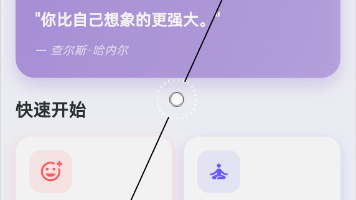
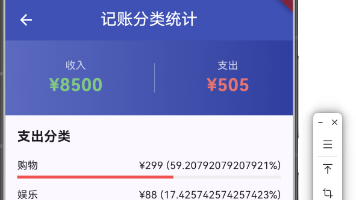
十、真机运行截图标注
十一、大一学生真实学习总结
说实话,写完这个心情记录功能,我真的收获很多。
技术层面:
- 学会了用 Provider 管理状态,比 BLoC 简单多了
- 理解了数据持久化的重要性
- 掌握了 JSON 序列化/反序列化的坑
心态层面:
- 一开始看到"鸿蒙适配"这四个字就慌,后来发现大部分代码都是通用的
- 遇到报错不要怕,耐心看日志,大部分问题都能解决
- 写代码真的是"实践出真知",看一百遍教程不如自己亲手写一遍
给新手的建议:
- 先实现功能,再考虑优化
- 不要追求完美,能跑起来就是胜利
- 遇到问题多搜索,多看官方文档
- 学会看报错信息,它会告诉你哪里出了问题
好啦,这篇文章就到这里。如果对你有帮助,记得点个赞!我会继续更新后面的文章,下一篇应该是关于心情趋势图表的实现。
作者:IntMainJhy
创作时间:2026年5月

作为“人工智能6S店”的官方数字引擎,为AI开发者与企业提供一个覆盖软硬件全栈、一站式门户。
更多推荐
 1
1 0
0- 0


 已为社区贡献93条内容

所有评论(0)