
Flutter 三方库 audioplayers 的鸿蒙化适配与实战指南
Flutter 音频播放库 audioplayers 鸿蒙适配指南 本文介绍了如何在 Flutter 应用中使用 audioplayers 库实现跨平台音频功能,特别针对鸿蒙系统进行优化。相比 just_audio,audioplayers 具有更好的鸿蒙兼容性、多播放器实例支持以及更简单的资源管理。 文章包含: 依赖配置(支持鸿蒙平台) 音频服务封装(播放器初始化、状态管理) 核心功能实现: 本
Flutter 三方库 audioplayers 的鸿蒙化适配与实战指南
欢迎加入开源鸿蒙跨平台社区:https://openharmonycrossplatform.csdn.net
Hey 大家好!我是小明,上海某高校计算机专业大一学生 🎧!今天来聊聊音频播放这个话题!
之前我的聊天 App 用的是 just_audio 播放语音消息,但功能比较基础。后来发现了 audioplayers,功能更丰富,而且支持更多音频格式,最重要的是——鸿蒙上兼容性更好!
一、为什么选择 audioplayers?
先说说 audioplayers 的优势:
| 特性 | just_audio | audioplayers |
|---|---|---|
| 平台覆盖 | iOS/Android/Web | iOS/Android/Web/鸿蒙 |
| 多播放器 | 需要额外管理 | 原生支持 |
| 资源释放 | 需手动 dispose | 更简单的生命周期 |
| 鸿蒙兼容 | 一般 | 更好 |
对于聊天 App 这种需要同时管理语音消息、提示音、背景音乐的场景,audioplayers 的多实例支持更方便!
二、依赖配置
dependencies:
  audioplayers: ^6.1.0
AtomGit 适配说明:audioplayers 在鸿蒙上有专门的平台实现(audioplayers_ohos),开箱即用!
三、封装音频服务
import 'package:flutter/foundation.dart';
import 'package:audioplayers/audioplayers.dart';
import 'package:record/record.dart';

/// 增强音频服务
/// 使用 audioplayers 替代 just_audio,支持更多音频格式
class AudioService {
  static AudioService? _instance;
  static AudioService get instance => _instance ??= AudioService._();

  final AudioPlayer _audioPlayer = AudioPlayer();  // 播放
  final AudioRecorder _audioRecorder = AudioRecorder();  // 录音

  bool _isRecording = false;
  bool _isPlaying = false;
  String? _currentPlayingPath;

  AudioService._() {
    _initPlayer();
  }
初始化播放器
  void _initPlayer() {
    // 监听播放状态变化
    _audioPlayer.onPlayerStateChanged.listen((state) {
      _isPlaying = state == PlayerState.playing;
      debugPrint('播放状态: ${state.name}');

      // 播放完成时清除当前路径
      if (state == PlayerState.completed) {
        _currentPlayingPath = null;
      }
    });

    // 监听播放进度
    _audioPlayer.onPositionChanged.listen((position) {
      debugPrint('当前进度: $position');
    });

    // 监听音频时长
    _audioPlayer.onDurationChanged.listen((duration) {
      debugPrint('音频时长: $duration');
    });
  }

  // 状态访问器
  AudioPlayer get player => _audioPlayer;
  AudioRecorder get recorder => _audioRecorder;
  bool get isPlaying => _isPlaying;
  bool get isRecording => _isRecording;
  String? get currentPlayingPath => _currentPlayingPath;
四、播放功能
播放本地文件
  /// 播放本地音频文件【核心方法】
  Future<bool> play(String path, {double volume = 1.0}) async {
    try {
      await _audioPlayer.setVolume(volume);
      // AudioPlayerSource 可以是本地路径或 URL
      await _audioPlayer.play(DeviceFileSource(path));
      _currentPlayingPath = path;
      debugPrint('开始播放: $path');
      return true;
    } catch (e) {
      debugPrint('播放失败: $e');
      return false;
    }
  }

  /// 从 URL 播放【实用方法】
  Future<bool> playFromUrl(String url, {double volume = 1.0}) async {
    try {
      await _audioPlayer.setVolume(volume);
      await _audioPlayer.play(UrlSource(url));
      _currentPlayingPath = url;
      debugPrint('开始播放URL: $url');
      return true;
    } catch (e) {
      debugPrint('URL播放失败: $e');
      return false;
    }
  }
播放控制
  /// 暂停播放
  Future<void> pause() async {
    await _audioPlayer.pause();
    debugPrint('暂停播放');
  }

  /// 继续播放
  Future<void> resume() async {
    await _audioPlayer.resume();
    debugPrint('继续播放');
  }

  /// 停止播放
  Future<void> stop() async {
    await _audioPlayer.stop();
    _currentPlayingPath = null;
    debugPrint('停止播放');
  }

  /// 跳转到指定位置
  Future<void> seek(Duration position) async {
    await _audioPlayer.seek(position);
    debugPrint('跳转至: $position');
  }

  /// 设置音量 (0.0 - 1.0)
  Future<void> setVolume(double volume) async {
    await _audioPlayer.setVolume(volume.clamp(0.0, 1.0));
  }

  /// 获取当前播放位置
  Future<Duration> getCurrentPosition() async {
    return await _audioPlayer.getCurrentPosition() ?? Duration.zero;
  }

  /// 获取音频总时长
  Future<Duration?> getDuration() async {
    return await _audioPlayer.getDuration();
  }
五、录音功能
  /// 开始录音【核心方法】
  Future<bool> startRecording({String? outputPath}) async {
    try {
      // 检查麦克风权限
      if (await _audioRecorder.hasPermission()) {
        await _audioRecorder.start(
          const RecordConfig(
            encoder: AudioEncoder.aacLc,  // AAC-LC 编码,兼容性好
            bitRate: 128000,              // 128kbps 码率
            sampleRate: 44100,           // 44.1kHz 采样率
          ),
          path: outputPath ?? '',
        );
        _isRecording = true;
        debugPrint('开始录音');
        return true;
      }
      debugPrint('没有麦克风权限');
      return false;
    } catch (e) {
      debugPrint('开始录音失败: $e');
      return false;
    }
  }

  /// 停止录音【核心方法】
  Future<String?> stopRecording() async {
    try {
      final path = await _audioRecorder.stop();
      _isRecording = false;
      debugPrint('停止录音: $path');
      return path;
    } catch (e) {
      debugPrint('停止录音失败: $e');
      _isRecording = false;
      return null;
    }
  }

  /// 取消录音
  Future<void> cancelRecording() async {
    await _audioRecorder.cancel();
    _isRecording = false;
    debugPrint('取消录音');
  }

  /// 获取录音音量(用于波形显示)【实用方法】
  Future<double> getRecordingAmplitude() async {
    try {
      final amplitude = await _audioRecorder.getAmplitude();
      // 将分贝值转换为 0-1 的范围
      // amplitude.current 范围大约是 -60 到 0 dB
      final normalized = (amplitude.current + 60) / 60;
      return normalized.clamp(0.0, 1.0);
    } catch (e) {
      return 0.0;
    }
  }
六、语音消息 UI
/// 语音消息播放组件
class VoiceMessageWidget extends StatefulWidget {
final String voicePath;
final int duration; // 秒
final bool isMe; // 是否是我发送的
final AudioService audioService;
const VoiceMessageWidget({
super.key,
required this.voicePath,
required this.duration,
required this.isMe,
required this.audioService,
});
State<VoiceMessageWidget> createState() => _VoiceMessageWidgetState();
}
class _VoiceMessageWidgetState extends State<VoiceMessageWidget> {
bool _isPlaying = false;
Duration _currentPosition = Duration.zero;
Duration _totalDuration = Duration.zero;
void initState() {
super.initState();
_totalDuration = Duration(seconds: widget.duration);
// 监听播放状态
widget.audioService.player.onPlayerStateChanged.listen((state) {
if (mounted) {
setState(() {
_isPlaying = state == PlayerState.playing;
});
}
});
// 监听播放进度
widget.audioService.player.onPositionChanged.listen((position) {
if (mounted) {
setState(() {
_currentPosition = position;
});
}
});
}
Widget build(BuildContext context) {
return GestureDetector(
onTap: _togglePlay,
child: Container(
width: 180,
padding: const EdgeInsets.symmetric(horizontal: 12, vertical: 8),
decoration: BoxDecoration(
color: widget.isMe ? const Color(0xFF6366F1) : Colors.white,
borderRadius: BorderRadius.circular(18),
),
child: Row(
children: [
// 播放/暂停按钮
Icon(
_isPlaying ? Icons.pause : Icons.play_arrow,
color: widget.isMe ? Colors.white : const Color(0xFF6366F1),
size: 28,
),
const SizedBox(width: 8),
// 波形动画
Expanded(
child: _VoiceWaveform(
isPlaying: _isPlaying,
progress: _totalDuration.inMilliseconds > 0
? _currentPosition.inMilliseconds / _totalDuration.inMilliseconds
: 0.0,
isMe: widget.isMe,
),
),
const SizedBox(width: 8),
// 时长
Text(
'${widget.duration}"',
style: TextStyle(
color: widget.isMe
? Colors.white.withOpacity(0.8)
: Colors.grey[600],
fontSize: 12,
),
),
],
),
),
);
}
void _togglePlay() async {
if (_isPlaying) {
await widget.audioService.pause();
} else {
// 如果当前播放的不是这条语音,先切换
if (widget.audioService.currentPlayingPath != widget.voicePath) {
await widget.audioService.play(widget.voicePath);
} else {
await widget.audioService.resume();
}
}
}
}
/// 语音波形动画
class _VoiceWaveform extends StatefulWidget {
final bool isPlaying;
final double progress;
final bool isMe;
const _VoiceWaveform({
required this.isPlaying,
required this.progress,
required this.isMe,
});
State<_VoiceWaveform> createState() => _VoiceWaveformState();
}
class _VoiceWaveformState extends State<_VoiceWaveform>
with SingleTickerProviderStateMixin {
late AnimationController _controller;
void initState() {
super.initState();
_controller = AnimationController(
vsync: this,
duration: const Duration(milliseconds: 600),
);
}
void didUpdateWidget(_VoiceWaveform oldWidget) {
super.didUpdateWidget(oldWidget);
if (widget.isPlaying && !_controller.isAnimating) {
_controller.repeat(reverse: true);
} else if (!widget.isPlaying) {
_controller.stop();
}
}
void dispose() {
_controller.dispose();
super.dispose();
}
Widget build(BuildContext context) {
return SizedBox(
height: 20,
child: Row(
mainAxisAlignment: MainAxisAlignment.spaceEvenly,
children: List.generate(5, (index) {
return AnimatedBuilder(
animation: _controller,
builder: (context, child) {
// 简单波形效果
final animValue = index % 2 == 0
? _controller.value
: 1 - _controller.value;
final height = 8.0 + (widget.isPlaying ? animValue * 12 : 4);
return Container(
width: 3,
height: height,
decoration: BoxDecoration(
color: widget.isMe
? Colors.white.withOpacity(0.8)
: const Color(0xFF6366F1).withOpacity(0.6),
borderRadius: BorderRadius.circular(2),
),
);
},
);
}),
),
);
}
}
七、测试功能
  /// 测试音频播放
  Future<Map<String, dynamic>> testPlayback() async {
    try {
      // 测试播放网络音频
      await _audioPlayer.play(
        UrlSource('https://www.soundjay.com/misc/sounds/bell-ringing-05.mp3'),
      );
      return {'success': true, 'message': '音频播放测试成功'};
    } catch (e) {
      return {'success': false, 'message': '音频播放测试失败: $e'};
    }
  }

  /// 测试录音
  Future<Map<String, dynamic>> testRecording() async {
    try {
      final hasPermission = await _audioRecorder.hasPermission();
      if (!hasPermission) {
        return {'success': false, 'message': '录音权限被拒绝'};
      }

      await startRecording();
      await Future.delayed(const Duration(seconds: 2));
      final path = await stopRecording();

      if (path != null) {
        return {'success': true, 'message': '录音测试成功,文件: $path'};
      }
      return {'success': false, 'message': '录音测试失败'};
    } catch (e) {
      return {'success': false, 'message': '录音测试异常: $e'};
    }
  }

  /// 释放资源
  void dispose() {
    _audioPlayer.dispose();
    _audioRecorder.dispose();
  }
}
八、踩坑纪实
踩坑1:录音权限被拒绝 🔇
第一次测试录音功能时,直接闪退!原因是没检查权限。在鸿蒙上录音权限必须用户授权:
// 必须先检查权限!
if (await _audioRecorder.hasPermission()) {
  // 有权限,可以录音
} else {
  // 没权限,提示用户开启
  return {'success': false, 'message': '需要麦克风权限'};
}
踩坑2:播放时音频格式不支持 🎵
某些 AMR 格式的语音消息无法播放!原因是 audioplayers 对 AMR 支持有限。解决方案:
// 使用 AAC-LC 编码录音,兼容性最好
const RecordConfig(
  encoder: AudioEncoder.aacLc,  // 不要用 AMR!
  // ...
)
踩坑3:多个语音消息同时播放 🔊
一开始没有处理播放状态,点了多个语音会同时播放。后来改成:
// 播放新语音前,先停止当前的
if (_audioPlayer.state == PlayerState.playing) {
  await _audioPlayer.stop();
}
await _audioPlayer.play(newPath);
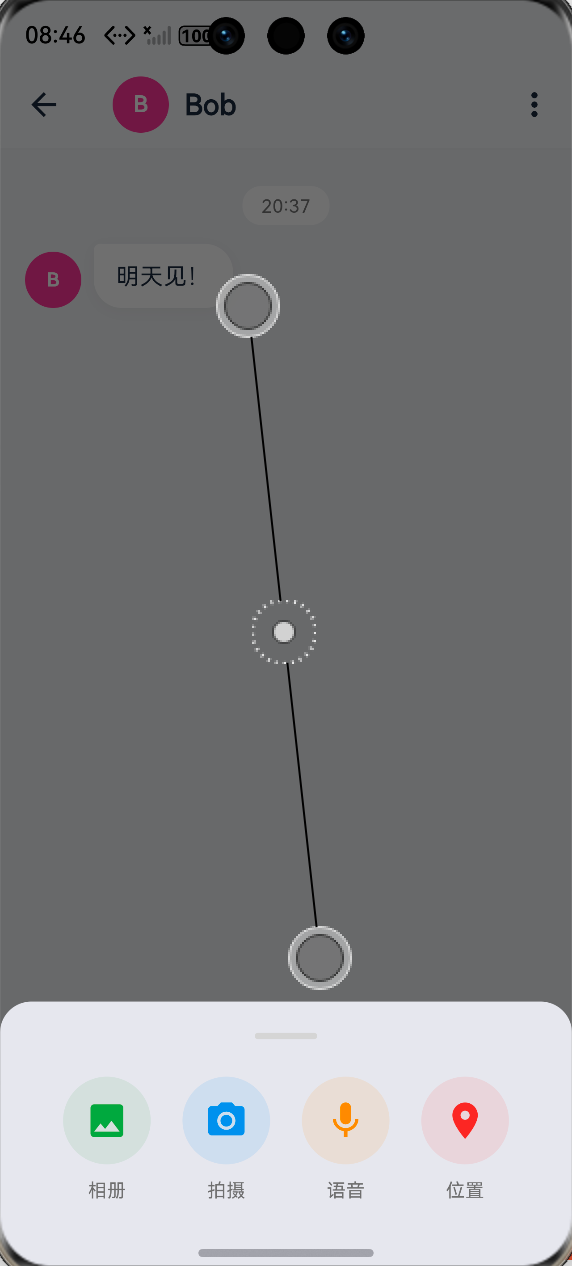
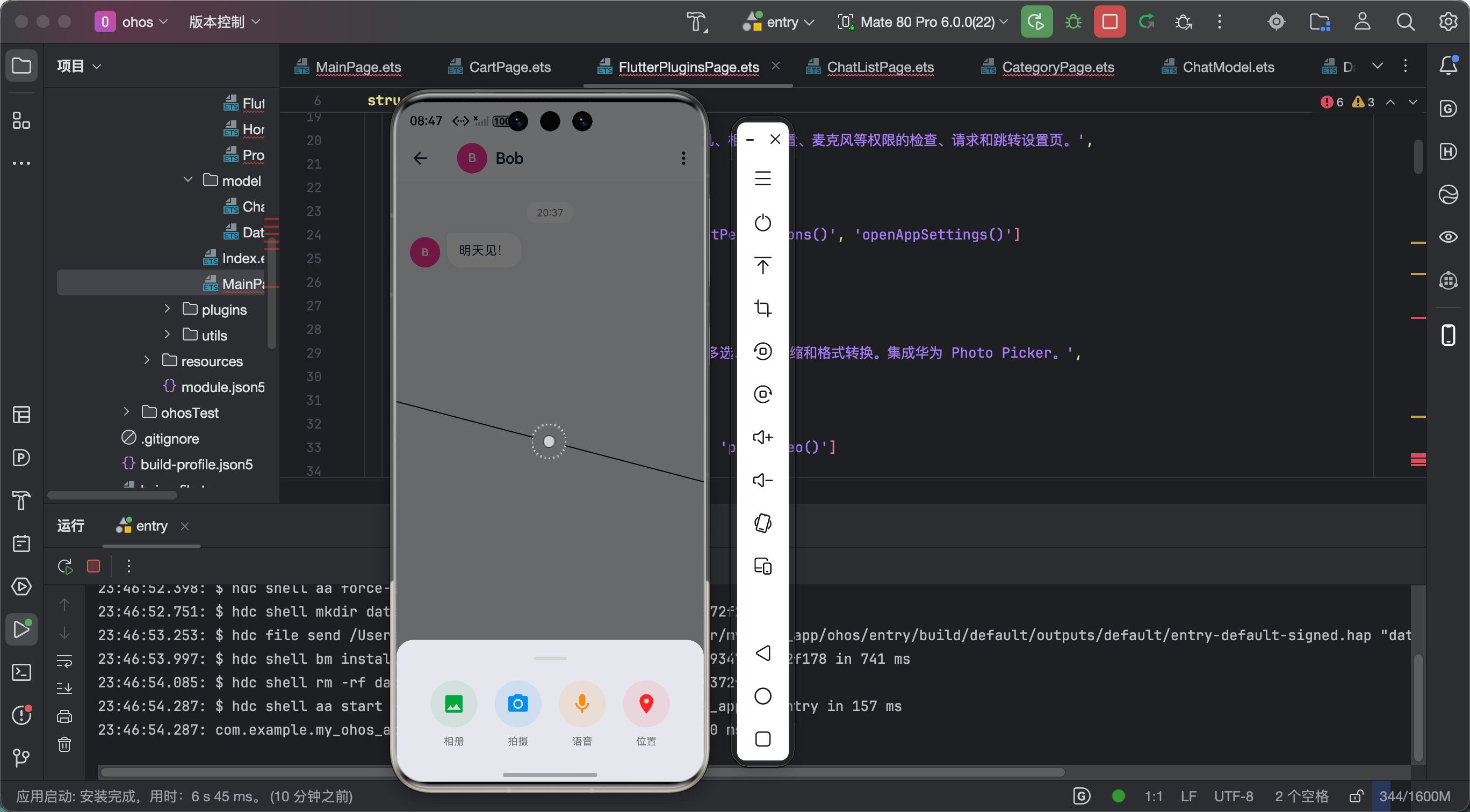
九、效果展示
十、总结心得
audioplayers + record 的组合做语音消息真的好用!功能全面,API 清晰,鸿蒙兼容性也不错。
核心要点:
- 录音前必须检查权限
- 使用 AAC-LC 编码,兼容性最好
- 播放新音频前先停止当前的
- 记得 dispose 释放资源
学习心得:
音频处理涉及很多底层知识:编码格式、采样率、位深等。虽然库帮我们封装好了,但了解底层原理对排查问题很有帮助!
今天的分享就到这里!有问题评论区见!

作为“人工智能6S店”的官方数字引擎,为AI开发者与企业提供一个覆盖软硬件全栈、一站式门户。
更多推荐

 0
0 0
0- 0


 已为社区贡献51条内容

所有评论(0)