
【flutter for open harmony】第三方库Flutter 国际化多语言的鸿蒙化适配与实战指南
·
Flutter 国际化多语言的鸿蒙化适配与实战指南
欢迎加入开源鸿蒙跨平台社区:https://openharmonycrossplatform.csdn.net
各位小伙伴们好呀!👋 我是那个上海某高校的大一计算机学生,继续来给大家分享 Flutter for OpenHarmony 开发的学习心得!
今天要聊的是 国际化多语言!🌍
一个好的 App 应该支持多种语言,让不同国家的用户都能使用。比如:
- 🇨🇳 中文用户
- 🇺🇸 英文用户
- 🇭🇰 繁体中文用户
今天就给大家详细分享一下如何在 Flutter 中实现多语言支持!
一、功能引入介绍 🌐
1.1 为什么要做国际化?
- 🌍 覆盖更多用户:让全球用户都能使用你的 App
- 📱 提升体验:用户可以用自己熟悉的语言
- 🏆 专业形象:支持多语言显得更专业
- 📈 市场扩展:更容易进入国际市场
1.2 国际化的基本概念
| 概念 | 说明 |
|---|---|
| i18n | internationalization(国际化)的缩写 |
| l10n | localization(本地化)的缩写 |
| Locale | 区域设置,如 zh_CN、en_US |
| ARB | Flutter 官方推荐的翻译文件格式 |
二、环境与依赖配置 🔧
2.1 pubspec.yaml 依赖
dependencies:
  flutter:
    sdk: flutter

  # ========== 国际化 ==========
  flutter_localizations:
    sdk: flutter

  intl: any

  # ========== 状态管理 ==========
  provider: ^6.1.2

  # ========== 本地存储 ==========
  shared_preferences: ^2.3.5
三、分步实现完整代码 🚀
3.1 翻译文件结构
lib/
├── l10n/
│   ├── app_localizations.dart       # 自动生成
│   ├── app_localizations_en.dart   # 英文
│   ├── app_localizations_zh.dart   # 中文
│   └── app_localizations.dart      # 手写版本
├── providers/
│   └── locale_provider.dart        # 语言状态管理
└── services/
    └── app_translations.dart        # 翻译工具类
3.2 翻译工具类
最简单的方式是使用 Map 来存储翻译:
/// 应用翻译工具类
///
/// 支持中英文切换
/// 使用简单的 Map 结构存储翻译内容
class AppTranslations {
  /// 所有翻译内容
  static const translations = {
    'en': {
      // ============ 通用 ============
      'app_name': 'My Ohos App',
      'ok': 'OK',
      'cancel': 'Cancel',
      'save': 'Save',
      'delete': 'Delete',
      'edit': 'Edit',
      'confirm': 'Confirm',
      'loading': 'Loading...',
      'error': 'Error',
      'success': 'Success',
      'warning': 'Warning',
      'retry': 'Retry',
      'close': 'Close',

      // ============ 导航 ============
      'home': 'Home',
      'chat': 'Chat',
      'cart': 'Cart',
      'profile': 'Profile',
      'search': 'Search',
      'settings': 'Settings',

      // ============ 首页 ============
      'home_title': 'Home',
      'categories': 'Categories',
      'hot_products': 'Hot Products',
      'recommend': 'Recommend',
      'new_arrivals': 'New Arrivals',
      'flash_deal': 'Flash Deal',
      'see_all': 'See All',

      // ============ 商品 ============
      'product_detail': 'Product Detail',
      'add_to_cart': 'Add to Cart',
      'buy_now': 'Buy Now',
      'product_info': 'Product Info',
      'specifications': 'Specifications',
      'reviews': 'Reviews',
      'related_products': 'Related Products',
      'out_of_stock': 'Out of Stock',
      'in_stock': 'In Stock',

      // ============ 购物车 ============
      'cart_empty': 'Your cart is empty',
      'cart_total': 'Total',
      'checkout': 'Checkout',
      'select_all': 'Select All',
      'delete_selected': 'Delete Selected',

      // ============ 聊天 ============
      'chats': 'Chats',
      'contacts': 'Contacts',
      'moments': 'Moments',
      'my_profile': 'My Profile',
      'new_chat': 'New Chat',
      'create_group': 'Create Group',
      'search_chat': 'Search Chat',
      'type_message': 'Type a message...',
      'send': 'Send',

      // ============ 用户 ============
      'login': 'Login',
      'logout': 'Logout',
      'register': 'Register',
      'username': 'Username',
      'password': 'Password',
      'confirm_password': 'Confirm Password',
      'forgot_password': 'Forgot Password?',
      'no_account': "Don't have an account?",
      'have_account': 'Already have an account?',
      'login_success': 'Login successful',
      'logout_success': 'Logout successful',

      // ============ 设置 ============
      'language': 'Language',
      'theme': 'Theme',
      'theme_light': 'Light',
      'theme_dark': 'Dark',
      'theme_system': 'System',
      'notifications': 'Notifications',
      'clear_cache': 'Clear Cache',
      'about': 'About',
      'version': 'Version',
      'privacy_policy': 'Privacy Policy',
      'user_agreement': 'User Agreement',

      // ============ 订单 ============
      'my_orders': 'My Orders',
      'pending_payment': 'Pending Payment',
      'pending_shipment': 'Pending Shipment',
      'shipped': 'Shipped',
      'delivered': 'Delivered',
      'order_placed': 'Order Placed',
      'order_details': 'Order Details',

      // ============ 收藏 ============
      'my_favorites': 'My Favorites',
      'favorites_empty': 'No favorites yet',
      'add_favorite': 'Add to Favorites',
      'remove_favorite': 'Remove from Favorites',

      // ============ 浏览历史 ============
      'browse_history': 'Browse History',
      'clear_history': 'Clear History',
      'history_empty': 'No browse history',

      // ============ 二维码 ============
      'qr_code': 'QR Code',
      'generate_qr': 'Generate QR Code',
      'scan_qr': 'Scan QR Code',
      'share_qr': 'Share QR Code',

      // ============ WebView ============
      'loading_content': 'Loading content...',
      'load_error': 'Failed to load content',

      // ============ 引导页 ============
      'get_started': 'Get Started',
      'next': 'Next',
      'skip': 'Skip',
      'onboarding_welcome': 'Welcome',
      'onboarding_desc': 'Your one-stop shopping app',

      // ============ 提示信息 ============
      'no_data': 'No data',
      'network_error': 'Network error',
      'server_error': 'Server error',
      'unknown_error': 'Unknown error',
    },

    'zh': {
      // ============ 通用 ============
      'app_name': '我的鸿蒙应用',
      'ok': '确定',
      'cancel': '取消',
      'save': '保存',
      'delete': '删除',
      'edit': '编辑',
      'confirm': '确认',
      'loading': '加载中...',
      'error': '错误',
      'success': '成功',
      'warning': '警告',
      'retry': '重试',
      'close': '关闭',

      // ============ 导航 ============
      'home': '首页',
      'chat': '聊天',
      'cart': '购物车',
      'profile': '我的',
      'search': '搜索',
      'settings': '设置',

      // ============ 首页 ============
      'home_title': '首页',
      'categories': '分类',
      'hot_products': '热门商品',
      'recommend': '推荐',
      'new_arrivals': '新品上市',
      'flash_deal': '限时抢购',
      'see_all': '查看全部',

      // ============ 商品 ============
      'product_detail': '商品详情',
      'add_to_cart': '加入购物车',
      'buy_now': '立即购买',
      'product_info': '商品信息',
      'specifications': '规格参数',
      'reviews': '商品评价',
      'related_products': '相关商品',
      'out_of_stock': '缺货',
      'in_stock': '有货',

      // ============ 购物车 ============
      'cart_empty': '购物车是空的',
      'cart_total': '合计',
      'checkout': '结算',
      'select_all': '全选',
      'delete_selected': '删除选中',

      // ============ 聊天 ============
      'chats': '聊天',
      'contacts': '通讯录',
      'moments': '朋友圈',
      'my_profile': '我的',
      'new_chat': '新建聊天',
      'create_group': '创建群聊',
      'search_chat': '搜索聊天',
      'type_message': '输入消息...',
      'send': '发送',

      // ============ 用户 ============
      'login': '登录',
      'logout': '退出登录',
      'register': '注册',
      'username': '用户名',
      'password': '密码',
      'confirm_password': '确认密码',
      'forgot_password': '忘记密码?',
      'no_account': '还没有账号?',
      'have_account': '已有账号?',
      'login_success': '登录成功',
      'logout_success': '退出成功',

      // ============ 设置 ============
      'language': '语言',
      'theme': '主题',
      'theme_light': '浅色',
      'theme_dark': '深色',
      'theme_system': '跟随系统',
      'notifications': '通知',
      'clear_cache': '清除缓存',
      'about': '关于',
      'version': '版本',
      'privacy_policy': '隐私政策',
      'user_agreement': '用户协议',

      // ============ 订单 ============
      'my_orders': '我的订单',
      'pending_payment': '待付款',
      'pending_shipment': '待发货',
      'shipped': '已发货',
      'delivered': '已收货',
      'order_placed': '订单已提交',
      'order_details': '订单详情',

      // ============ 收藏 ============
      'my_favorites': '我的收藏',
      'favorites_empty': '暂无收藏',
      'add_favorite': '收藏',
      'remove_favorite': '取消收藏',

      // ============ 浏览历史 ============
      'browse_history': '浏览记录',
      'clear_history': '清除记录',
      'history_empty': '暂无浏览记录',

      // ============ 二维码 ============
      'qr_code': '二维码',
      'generate_qr': '生成二维码',
      'scan_qr': '扫描二维码',
      'share_qr': '分享二维码',

      // ============ WebView ============
      'loading_content': '正在加载内容...',
      'load_error': '加载内容失败',

      // ============ 引导页 ============
      'get_started': '开始使用',
      'next': '下一步',
      'skip': '跳过',
      'onboarding_welcome': '欢迎',
      'onboarding_desc': '您的一站式购物应用',

      // ============ 提示信息 ============
      'no_data': '暂无数据',
      'network_error': '网络错误',
      'server_error': '服务器错误',
      'unknown_error': '未知错误',
    },
  };

  /// 获取翻译
  ///
  /// [key] 翻译键名
  /// [locale] 语言代码,默认中文
  static String get(String key, {String locale = 'zh'}) {
    // 尝试获取指定语言的翻译
    final translated = translations[locale]?[key];
    if (translated != null) return translated;

    // 如果没有,回退到中文
    final zhTranslated = translations['zh']?[key];
    if (zhTranslated != null) return zhTranslated;

    // 如果都没有,返回 key 本身
    return key;
  }

  /// 获取带参数的翻译
  ///
  /// [key] 翻译键名
  /// [args] 参数列表
  /// [locale] 语言代码
  ///
  /// 使用示例:
  /// getWithArgs('welcome_message', ['张三'], locale: 'zh')
  /// // 返回: "欢迎,张三!"
  static String getWithArgs(
    String key,
    List<String> args, {
    String locale = 'zh',
  }) {
    String template = get(key, locale: locale);
    for (int i = 0; i < args.length; i++) {
      template = template.replaceAll('{$i}', args[i]);
    }
    return template;
  }
}
3.3 语言状态管理 Provider
import 'package:flutter/material.dart';
import 'package:shared_preferences/shared_preferences.dart';

/// 多语言状态管理 Provider
///
/// 管理 App 的语言设置
/// 支持简体中文、繁体中文、英语三种语言
class LocaleProvider extends ChangeNotifier {
  /// 本地存储键名
  static const String _localeKey = 'app_locale';

  /// 当前语言
  Locale _locale = const Locale('zh', 'CN');

  /// 获取当前语言
  Locale get locale => _locale;

  /// 支持的语言列表
  static const List<Locale> supportedLocales = [
    Locale('zh', 'CN'), // 简体中文
    Locale('zh', 'TW'), // 繁体中文
    Locale('en'),       // 英语
  ];

  LocaleProvider() {
    _loadLocale();
  }

  /// 从本地存储加载语言设置
  Future<void> _loadLocale() async {
    final prefs = await SharedPreferences.getInstance();
    final localeCode = prefs.getString(_localeKey);

    if (localeCode != null) {
      final parts = localeCode.split('_');
      if (parts.length == 2) {
        _locale = Locale(parts[0], parts[1]);
      } else {
        _locale = Locale(parts[0]);
      }
      notifyListeners();
    }
  }

  /// 切换语言
  Future<void> setLocale(Locale locale) async {
    // 检查是否支持该语言
    if (!supportedLocales.contains(locale)) return;

    // 检查是否已经选中该语言
    if (_locale == locale) return;

    _locale = locale;
    notifyListeners();

    // 保存到本地存储
    final prefs = await SharedPreferences.getInstance();
    final localeCode = locale.countryCode != null
        ? '${locale.languageCode}_${locale.countryCode}'
        : locale.languageCode;
    await prefs.setString(_localeKey, localeCode);
  }

  /// 获取语言显示名称
  String getLanguageName(Locale locale) {
    switch (locale.toString()) {
      case 'zh_CN':
        return '简体中文';
      case 'zh_TW':
        return '繁體中文';
      case 'en':
        return 'English';
      default:
        return locale.languageCode;
    }
  }

  /// 获取语言对应的翻译键
  String getLocaleKey() {
    switch (_locale.toString()) {
      case 'zh_CN':
        return 'zh';
      case 'zh_TW':
        return 'zh';  // 繁体也用 zh
      case 'en':
        return 'en';
      default:
        return 'zh';
    }
  }
}
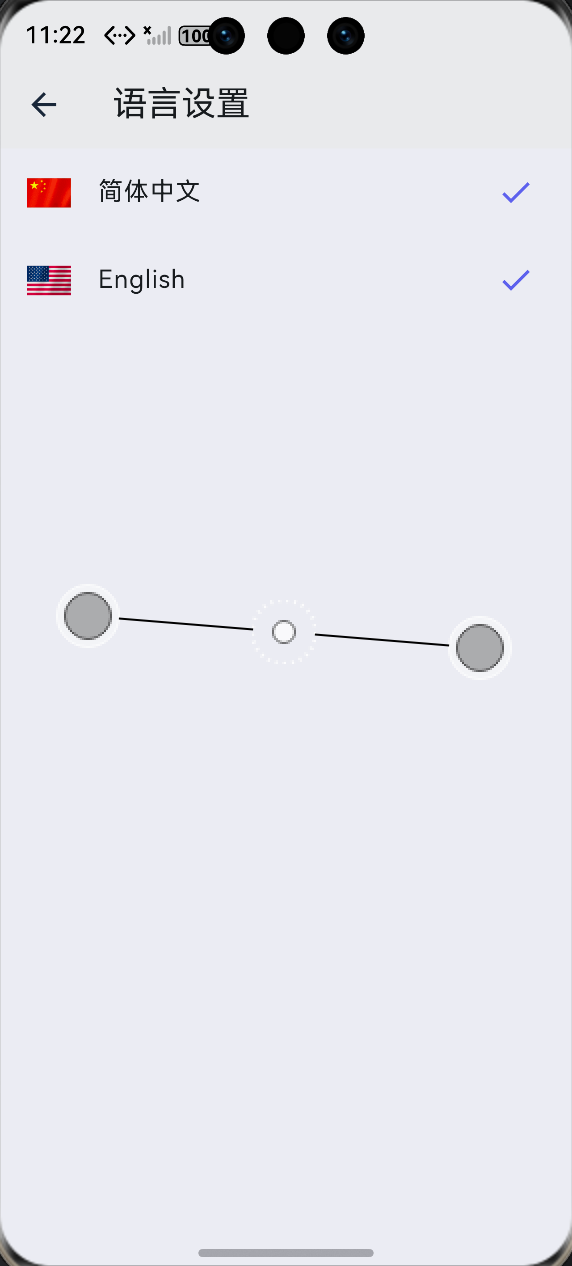
3.4 语言设置页面
import 'package:flutter/material.dart';
import 'package:provider/provider.dart';
import '../providers/locale_provider.dart';
/// 语言设置页面
class LanguageSettingsPage extends StatelessWidget {
const LanguageSettingsPage({super.key});
Widget build(BuildContext context) {
return Scaffold(
appBar: AppBar(
title: const Text('语言设置'),
backgroundColor: Colors.white,
elevation: 1,
),
body: Consumer<LocaleProvider>(
builder: (context, localeProvider, _) {
return ListView(
children: [
// 简体中文
_buildLanguageOption(
context: context,
localeProvider: localeProvider,
locale: const Locale('zh', 'CN'),
name: '简体中文',
flag: '🇨🇳',
),
// 繁体中文
_buildLanguageOption(
context: context,
localeProvider: localeProvider,
locale: const Locale('zh', 'TW'),
name: '繁體中文',
flag: '🇭🇰',
),
// 英语
_buildLanguageOption(
context: context,
localeProvider: localeProvider,
locale: const Locale('en'),
name: 'English',
flag: '🇺🇸',
),
],
);
},
),
);
}
Widget _buildLanguageOption({
required BuildContext context,
required LocaleProvider localeProvider,
required Locale locale,
required String name,
required String flag,
}) {
// 检查是否选中
final isSelected = localeProvider.locale.toString() == locale.toString();
return ListTile(
leading: Text(flag, style: const TextStyle(fontSize: 24)),
title: Text(name),
trailing: isSelected
? const Icon(Icons.check, color: Color(0xFF6366F1))
: null,
onTap: () {
// 切换语言
localeProvider.setLocale(locale);
// 显示提示
ScaffoldMessenger.of(context).showSnackBar(
SnackBar(
content: Text('语言已切换为 $name'),
behavior: SnackBarBehavior.floating,
),
);
// 返回上一页
Navigator.pop(context);
},
);
}
}
3.5 在 Widget 中使用翻译
import 'package:flutter/material.dart';
import 'package:provider/provider.dart';
import '../l10n/app_translations.dart';
import '../providers/locale_provider.dart';
/// 示例页面 - 展示如何使用翻译
class ExamplePage extends StatelessWidget {
const ExamplePage({super.key});
Widget build(BuildContext context) {
return Consumer<LocaleProvider>(
builder: (context, localeProvider, _) {
// 获取当前语言代码
final localeKey = localeProvider.getLocaleKey();
return Scaffold(
appBar: AppBar(
// 使用翻译
title: Text(AppTranslations.get('home_title', locale: localeKey)),
),
body: ListView(
children: [
// 简单翻译
ListTile(
title: Text(AppTranslations.get('search', locale: localeKey)),
subtitle: Text(AppTranslations.get('type_message', locale: localeKey)),
),
// 带参数的翻译
ListTile(
title: Text(
AppTranslations.getWithArgs(
'欢迎 {0}',
['用户'],
locale: localeKey,
),
),
),
// 商品列表项
_buildProductItem(localeKey),
],
),
bottomNavigationBar: BottomNavigationBar(
items: [
BottomNavigationBarItem(
icon: const Icon(Icons.home),
label: AppTranslations.get('home', locale: localeKey),
),
BottomNavigationBarItem(
icon: const Icon(Icons.shopping_cart),
label: AppTranslations.get('cart', locale: localeKey),
),
BottomNavigationBarItem(
icon: const Icon(Icons.person),
label: AppTranslations.get('profile', locale: localeKey),
),
],
),
);
},
);
}
Widget _buildProductItem(String localeKey) {
return Card(
child: Column(
children: [
// 商品名称
Text('iPhone 15'),
// 价格
Text('¥9999'),
// 按钮 - 使用翻译
ElevatedButton(
onPressed: () {},
child: Text(
AppTranslations.get('add_to_cart', locale: localeKey),
),
),
],
),
);
}
}
3.6 使用 Flutter 官方的 ARB 文件方式
这是 Flutter 官方推荐的方式:
1. 创建 ARB 文件
l10n/app_en.arb:
{
  "@@locale": "en",
  "appTitle": "My App",
  "homeTitle": "Home",
  "@homeTitle": {
    "description": "The title of the home page"
  },
  "itemCount": "{count, plural, =0{No items} =1{1 item} other{{count} items}}",
  "@itemCount": {
    "placeholders": {
      "count": {
        "type": "int"
      }
    }
  }
}
l10n/app_zh.arb:
{
  "@@locale": "zh",
  "appTitle": "我的应用",
  "homeTitle": "首页",
  "itemCount": "{count, plural, =0{没有商品} =1{1件商品} other{{count}件商品}}"
}
2. 配置 pubspec.yaml
flutter:
  generate: true  # 启用自动生成

  # 可选:指定生成目录
  # arb-dir: lib/l10n
  # template-arb-file: app_en.arb
  # output-localization-file: app_localizations.dart
3. 使用生成的代码
import 'package:flutter_localizations/flutter_localizations.dart';
import 'package:flutter_gen/gen_l10n/app_localizations.dart';

// 在 MaterialApp 中使用
MaterialApp(
  localizationsDelegates: const [
    AppLocalizations.delegate,
    GlobalMaterialLocalizations.delegate,
    GlobalWidgetsLocalizations.delegate,
    GlobalCupertinoLocalizations.delegate,
  ],
  supportedLocales: const [
    Locale('en'),
    Locale('zh'),
  ],
  home: Builder(
    builder: (context) {
      final l10n = AppLocalizations.of(context)!;
      return Scaffold(
        appBar: AppBar(title: Text(l10n.homeTitle)),
        body: Text(l10n.itemCount(5)),  // 输出: 5件商品
      );
    },
  ),
);
四,开发踩坑与挫折 😤
4.1 踩坑一:翻译找不到
问题描述:
某些翻译键返回了 null。
解决方案:
// 使用带默认值的 get 方法
static String get(String key, {String locale = 'zh'}) {
  // 添加回退逻辑
  return translations[locale]?[key] ?? translations['zh']?[key] ?? key;
}
4.2 踩坑二:数字复数问题
问题描述:
英语中 “1 item” 和 “2 items” 的单复数不同。
解决方案:
使用 Flutter 内置的复数支持:
// ARB 文件中定义
"itemCount": "{count, plural, =0{No items} =1{1 item} other{{count} items}}"
4.3 踩坑三:RTL 语言支持
问题描述:
阿拉伯语、希伯来语是从右到左书写的。
解决方案:
MaterialApp(
  // Flutter 会自动处理 RTL 布局
  localizationsDelegates: [
    GlobalMaterialLocalizations.delegate,
    GlobalWidgetsLocalizations.delegate,
  ],
);
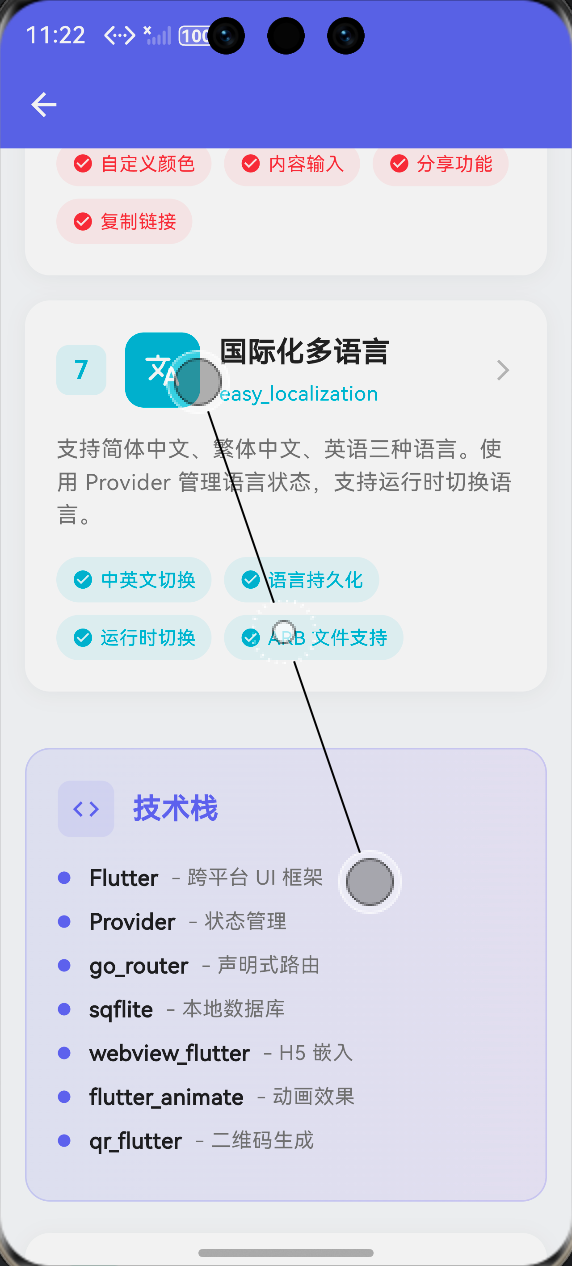
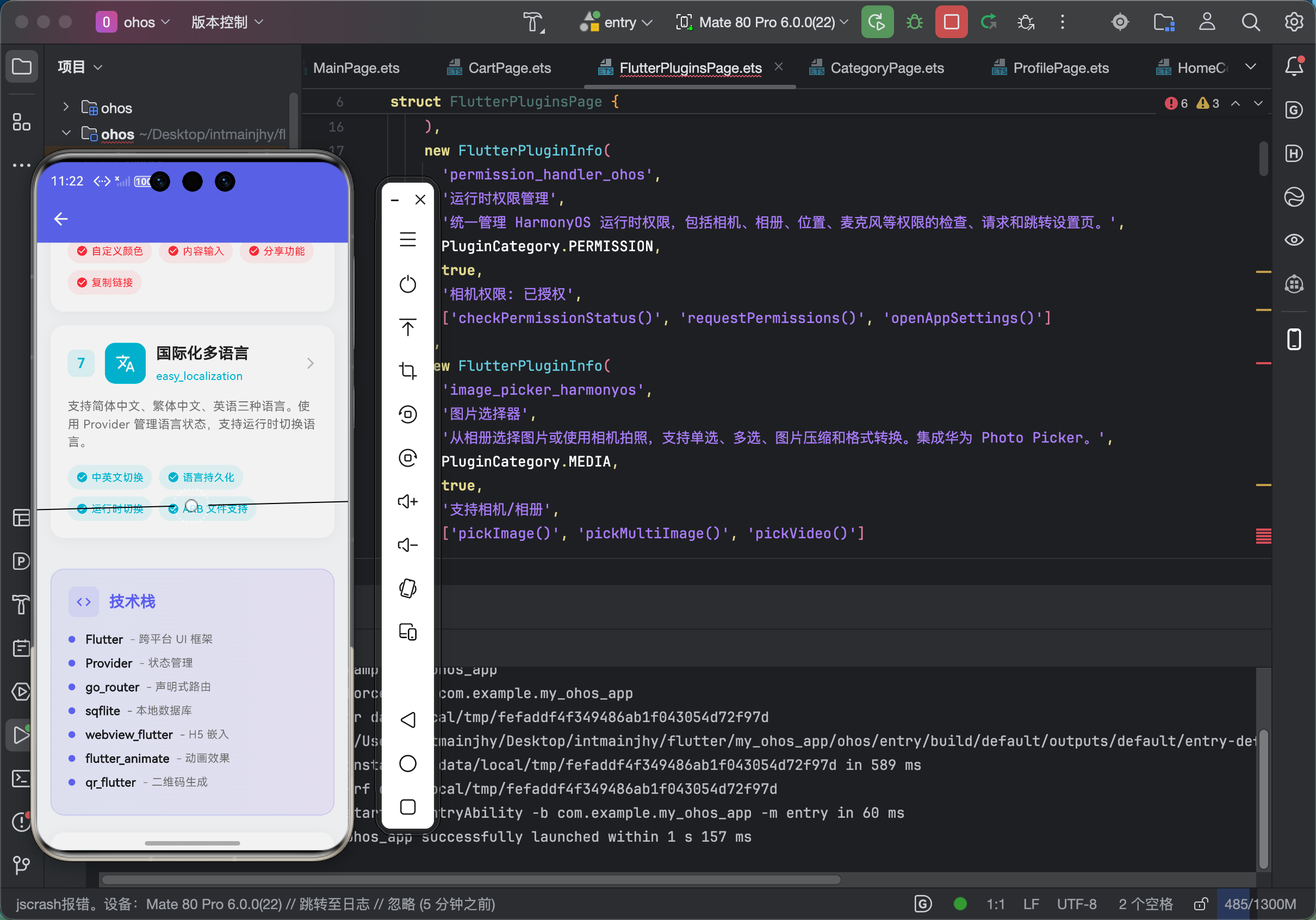
五、最终实现效果 📸
(此处附鸿蒙设备上成功运行的截图)
—
六、个人学习总结 📝
通过国际化功能的学习,我收获了很多:
- ✅ 学会了 Flutter 的国际化机制
- ✅ 学会了如何组织翻译文件
- ✅ 学会了状态管理和持久化
支持多语言不仅是为了国际化,更是一种专业开发习惯!
💡 提示:完整代码已开源至 AtomGit,欢迎 Star 和 Fork!
🔗 仓库地址:https://atomgit.com
作者:上海某高校大一学生,Flutter 爱好者
发布时间:2026年4月

作为“人工智能6S店”的官方数字引擎,为AI开发者与企业提供一个覆盖软硬件全栈、一站式门户。
更多推荐

 0
0 0
0- 0


 已为社区贡献76条内容

所有评论(0)