
使用Chopper三方库实现Flutter网络请求
欢迎加入开源鸿蒙跨平台社区:https://openharmonycrossplatform.csdn.net在Flutter应用开发中,网络请求是必不可少的功能。Chopper是一个强大的HTTP客户端生成器,它受到Retrofit的启发,通过代码生成的方式简化网络请求的编写。本文将详细介绍如何使用Chopper三方库进行Flutter网络开发。提示:Chopper使用注解和代码生成技术,让你用
前言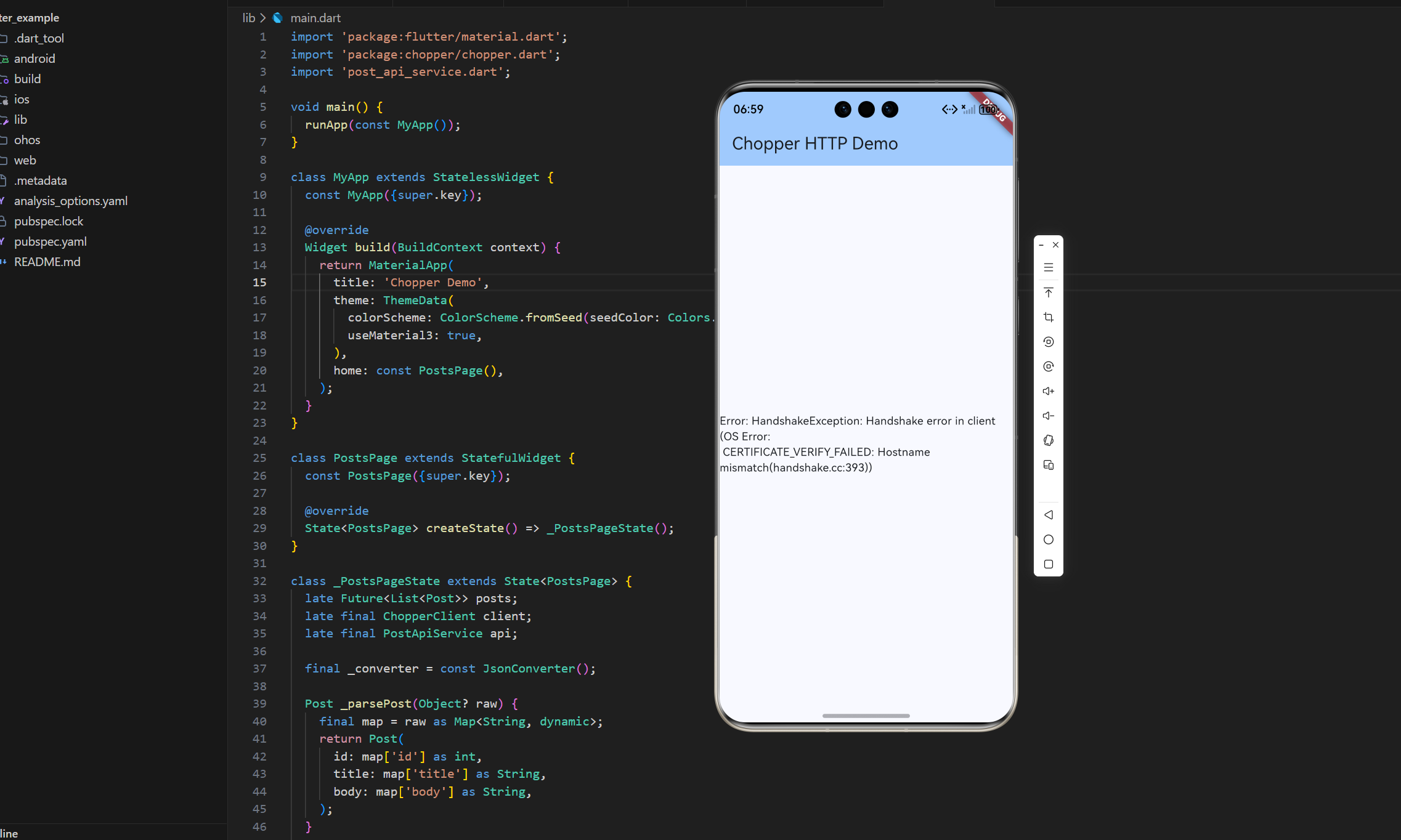
欢迎加入开源鸿蒙跨平台社区:https://openharmonycrossplatform.csdn.net
在Flutter应用开发中,网络请求是必不可少的功能。Chopper是一个强大的HTTP客户端生成器,它受到Retrofit的启发,通过代码生成的方式简化网络请求的编写。本文将详细介绍如何使用Chopper三方库进行Flutter网络开发。
提示:Chopper使用注解和代码生成技术,让你用声明式的方式定义API接口,大大减少样板代码。
一、Chopper三方库简介
1.1 什么是Chopper
Chopper是一个基于source_gen的HTTP客户端生成器,专为Dart和Flutter设计。它通过注解定义API接口,自动生成网络请求代码,让开发者专注于业务逻辑而非底层实现。
| 特性 | 说明 | 优势 |
|---|---|---|
| 代码生成 | 自动生成HTTP请求代码 | 减少样板代码 |
| 类型安全 | 强类型API定义 | 编译时错误检测 |
| 拦截器支持 | 请求/响应拦截 | 统一处理认证、日志 |
| 转换器 | 自动序列化/反序列化 | 简化JSON处理 |
| Flutter Favorite | 官方推荐包 | 质量有保证 |
官方文档:https://hadrien-lejard.gitbook.io/chopper
GitHub仓库:https://github.com/lejard-h/chopper
1.2 Chopper核心概念
Chopper包含以下核心组件:
- ChopperClient:HTTP客户端实例
- ChopperService:API服务定义基类
- Converter:数据转换器(JSON序列化)
- Interceptor:请求/响应拦截器
- Annotations:注解(@GET、@POST等)
提示:Chopper的设计理念是"约定优于配置",通过注解声明API接口,框架自动处理细节。
1.3 Chopper vs 其他HTTP库
| 库名 | 代码生成 | 类型安全 | 学习曲线 | 适用场景 |
|---|---|---|---|---|
| Chopper | ✅ | ✅ | 中等 | 大中型项目 |
| Dio | ❌ | ⚠️ | 简单 | 所有项目 |
| Http | ❌ | ❌ | 简单 | 小型项目 |
| Retrofit | ✅ | ✅ | 复杂 | 大型项目 |
二、环境配置与依赖安装
2.1 添加依赖
在pubspec.yaml文件中添加Chopper相关依赖:
dependencies:
  chopper: ^8.4.0
  json_annotation: ^4.9.0
  http: ^1.5.0

dev_dependencies:
  build_runner: ^2.4.9
  chopper_generator: ^8.4.0
  json_serializable: ^6.8.0
依赖说明:
- chopper:核心HTTP客户端库
- chopper_generator:代码生成器
- json_annotation:JSON序列化注解
- json_serializable:JSON序列化代码生成器
- build_runner:代码生成工具
2.2 安装依赖
执行以下命令安装依赖:
flutter pub get
相关资源链接:
- Chopper Package:https://pub.dev/packages/chopper
- Chopper Generator:https://pub.dev/packages/chopper_generator
- 官方文档:https://hadrien-lejard.gitbook.io/chopper
2.3 配置build.yaml(可选)
创建build.yaml文件配置代码生成选项:
targets:
  $default:
    builders:
      chopper_generator|chopper:
        enabled: true
三、创建第一个Chopper服务
3.1 定义数据模型
创建resource.dart文件,定义数据模型:
import 'package:json_annotation/json_annotation.dart';
part 'resource.g.dart';
()
class Resource {
final String id;
final String name;
Resource(this.id, this.name);
factory Resource.fromJson(Map<String, dynamic> json) =>
_$ResourceFromJson(json);
Map<String, dynamic> toJson() => _$ResourceToJson(this);
String toString() => 'Resource{id: $id, name: $name}';
}
代码解析:
@JsonSerializable():标记类需要生成JSON序列化代码part 'resource.g.dart':引入生成的代码文件fromJson和toJson:序列化和反序列化方法
3.2 定义API服务
创建api_service.dart文件,定义API接口:
import 'dart:async';
import 'package:chopper/chopper.dart';
import 'resource.dart';
part 'api_service.chopper.dart';
(baseUrl: '/resources')
abstract class ApiService extends ChopperService {
// 创建服务实例
static ApiService create([ChopperClient? client]) =>
_$ApiService(client);
// GET请求 - 获取单个资源
(path: '/{id}/')
Future<Response<Resource>> getResource(() String id);
// GET请求 - 获取资源列表
(path: '/all')
Future<Response<List<Resource>>> getResources();
// POST请求 - 创建资源
()
Future<Response<Resource>> createResource(
() Resource resource,
);
// PUT请求 - 更新资源
(path: '/{id}')
Future<Response<Resource>> updateResource(
() String id,
() Resource resource,
);
// DELETE请求 - 删除资源
(path: '/{id}')
Future<Response<void>> deleteResource(() String id);
}
注解说明:
| 注解 | 用途 | 示例 |
|---|---|---|
| @ChopperApi | 定义API服务 | @ChopperApi(baseUrl: ‘/api’) |
| @GET | GET请求 | @GET(path: ‘/users’) |
| @POST | POST请求 | @POST(path: ‘/users’) |
| @PUT | PUT请求 | @PUT(path: ‘/users/{id}’) |
| @DELETE | DELETE请求 | @DELETE(path: ‘/users/{id}’) |
| @Path | 路径参数 | @Path() String id |
| @Query | 查询参数 | @Query() String name |
| @Body | 请求体 | @Body() User user |
| @Header | 请求头 | @Header() String token |
3.3 生成代码
运行以下命令生成代码:
flutter pub run build_runner build
或者使用watch模式自动生成:
flutter pub run build_runner watch
生成的文件:
resource.g.dart:JSON序列化代码api_service.chopper.dart:API服务实现代码
提示:每次修改API定义后都需要重新运行代码生成命令。
四、创建ChopperClient
4.1 基础配置
创建ChopperClient实例:
import 'package:chopper/chopper.dart';
import 'api_service.dart';

final chopperClient = ChopperClient(
  baseUrl: Uri.parse('https://api.example.com'),
  services: [
    ApiService.create(),
  ],
  converter: const JsonConverter(),
);
4.2 完整配置示例
包含转换器和拦截器的完整配置:
final chopperClient = ChopperClient(
  baseUrl: Uri.parse('https://api.example.com'),
  services: [
    ApiService.create(),
  ],
  converter: const JsonSerializableConverter({
    Resource: Resource.fromJson,
  }),
  errorConverter: const JsonSerializableConverter({
    ApiError: ApiError.fromJson,
  }),
  interceptors: [
    HttpLoggingInterceptor(),
    AuthInterceptor(),
    HeadersInterceptor({'Content-Type': 'application/json'}),
  ],
);
配置项说明:
| 配置项 | 说明 | 必需 |
|---|---|---|
| baseUrl | API基础URL | ✅ |
| services | API服务列表 | ✅ |
| converter | 响应转换器 | ⚠️ |
| errorConverter | 错误转换器 | ❌ |
| interceptors | 拦截器列表 | ❌ |
| client | 自定义HTTP客户端 | ❌ |
五、使用API服务
5.1 基本请求
获取服务实例并发起请求:
final apiService = chopperClient.getService<ApiService>();

// GET请求
final response = await apiService.getResource('123');
if (response.isSuccessful) {
  final resource = response.body;
  print('Resource: ${resource?.name}');
}

// POST请求
final newResource = Resource('456', 'New Item');
final createResponse = await apiService.createResource(newResource);
5.2 处理响应
Response对象包含以下属性:
final response = await apiService.getResource('123');

// 检查请求是否成功
if (response.isSuccessful) {
  // 获取响应体
  final data = response.body;

  // 获取状态码
  final statusCode = response.statusCode;

  // 获取响应头
  final headers = response.headers;
} else {
  // 处理错误
  print('Error: ${response.statusCode}');
  print('Error body: ${response.error}');
}
5.3 错误处理
使用try-catch处理异常:
try {
  final response = await apiService.getResource('123');
  if (response.isSuccessful) {
    // 处理成功响应
    print(response.body);
  } else {
    // 处理HTTP错误
    print('HTTP Error: ${response.statusCode}');
  }
} on Response catch (error) {
  // 捕获Response异常
  print('Response Error: ${error.statusCode}');
} catch (e) {
  // 捕获其他异常
  print('Unknown Error: $e');
}
六、自定义转换器
6.1 创建JsonSerializableConverter
实现自定义转换器处理JSON序列化:
typedef JsonFactory<T> = T Function(Map<String, dynamic> json);
class JsonSerializableConverter extends JsonConverter {
final Map<Type, JsonFactory> factories;
const JsonSerializableConverter(this.factories);
T? _decodeMap<T>(Map<String, dynamic> values) {
final jsonFactory = factories[T];
if (jsonFactory == null || jsonFactory is! JsonFactory<T>) {
return null;
}
return jsonFactory(values);
}
List<T> _decodeList<T>(Iterable values) =>
values.where((v) => v != null)
.map<T>((v) => _decode<T>(v))
.toList();
dynamic _decode<T>(dynamic entity) {
if (entity is Iterable) {
return _decodeList<T>(entity as List);
}
if (entity is Map) {
return _decodeMap<T>(entity as Map<String, dynamic>);
}
return entity;
}
FutureOr<Response<ResultType>> convertResponse<ResultType, Item>(
Response response,
) async {
final jsonRes = await super.convertResponse(response);
return jsonRes.copyWith<ResultType>(
body: _decode<Item>(jsonRes.body),
);
}
}
6.2 注册转换器
在ChopperClient中注册转换器:
final converter = const JsonSerializableConverter({
  Resource: Resource.fromJson,
  User: User.fromJson,
  Product: Product.fromJson,
});

final chopperClient = ChopperClient(
  baseUrl: Uri.parse('https://api.example.com'),
  converter: converter,
  errorConverter: converter,
  services: [ApiService.create()],
);
6.3 转换器工作流程
![转换器工作流程占位图 - 展示请求和响应的转换过程]
转换流程:
- 发送请求:Dart对象 → JSON字符串
- 接收响应:JSON字符串 → Dart对象
- 错误处理:错误JSON → 错误对象
七、拦截器详解
7.1 认证拦截器
实现自动添加认证令牌:
class AuthInterceptor implements Interceptor {
final String token;
AuthInterceptor(this.token);
FutureOr<Response<BodyType>> intercept<BodyType>(
Chain<BodyType> chain,
) async {
final request = applyHeader(
chain.request,
'Authorization',
'Bearer $token',
);
return chain.proceed(request);
}
}
7.2 日志拦截器
使用内置的HttpLoggingInterceptor:
final chopperClient = ChopperClient(
  baseUrl: Uri.parse('https://api.example.com'),
  interceptors: [
    HttpLoggingInterceptor(),
  ],
  services: [ApiService.create()],
);
日志输出示例:
--> GET https://api.example.com/resources/123
--> END GET
<-- 200 OK https://api.example.com/resources/123 (125ms)
{"id":"123","name":"Sample Resource"}
<-- END HTTP
7.3 自定义拦截器
创建自定义拦截器处理特殊逻辑:
class CustomInterceptor implements Interceptor {
FutureOr<Response<BodyType>> intercept<BodyType>(
Chain<BodyType> chain,
) async {
// 请求前处理
print('Request: ${chain.request.url}');
// 执行请求
final response = await chain.proceed(chain.request);
// 响应后处理
print('Response: ${response.statusCode}');
return response;
}
}
拦截器应用场景:
- 添加认证令牌
- 记录请求日志
- 统一错误处理
- 请求重试
- 缓存管理
八、高级功能
8.1 查询参数
使用@Query注解添加查询参数:
(path: '/search')
Future<Response<List<Resource>>> searchResources(
() String keyword,
('page') int pageNumber,
() int? limit,
);
调用示例:
final response = await apiService.searchResources(
  'flutter',
  1,
  20,
);
// 生成URL: /search?keyword=flutter&page=1&limit=20
8.2 请求头
使用@Header注解添加请求头:
(path: '/data')
Future<Response<Resource>> getData(
('X-Custom-Header') String customValue,
('Accept-Language') String language,
);
或在注解中直接指定:
(path: '/data', headers: {
'Content-Type': 'application/json',
'Accept': 'application/json',
})
Future<Response<Resource>> getData();
8.3 表单数据
使用@Field注解发送表单数据:
(path: '/login')
()
Future<Response<LoginResponse>> login(
() String username,
() String password,
);
8.4 文件上传
使用@Part和@PartFile上传文件:
(path: '/upload')
()
Future<Response<UploadResponse>> uploadFile(
() String description,
() List<int> file,
);
九、测试与Mock
9.1 使用MockClient
创建Mock客户端进行测试:
import 'package:http/testing.dart';
import 'package:http/http.dart' as http;

final mockClient = MockClient((req) async {
  if (req.url.path.contains('/resources/1')) {
    return http.Response(
      '{"id":"1","name":"Test Resource"}',
      200,
    );
  }
  return http.Response('Not Found', 404);
});

final chopperClient = ChopperClient(
  client: mockClient,
  baseUrl: Uri.parse('http://localhost:8000'),
  services: [ApiService.create()],
);
9.2 单元测试示例
编写单元测试验证API调用:
import 'package:test/test.dart';

void main() {
  late ChopperClient chopperClient;
  late ApiService apiService;

  setUp(() {
    chopperClient = ChopperClient(
      client: mockClient,
      baseUrl: Uri.parse('http://localhost:8000'),
      services: [ApiService.create()],
    );
    apiService = chopperClient.getService<ApiService>();
  });

  test('getResource returns resource', () async {
    final response = await apiService.getResource('1');

    expect(response.isSuccessful, true);
    expect(response.body?.id, '1');
    expect(response.body?.name, 'Test Resource');
  });

  tearDown(() {
    chopperClient.dispose();
  });
}
9.3 集成测试
测试完整的网络请求流程:
testWidgets('API integration test', (tester) async {
  final apiService = chopperClient.getService<ApiService>();

  // 测试GET请求
  final getResponse = await apiService.getResource('1');
  expect(getResponse.isSuccessful, true);

  // 测试POST请求
  final newResource = Resource('2', 'New Item');
  final postResponse = await apiService.createResource(newResource);
  expect(postResponse.statusCode, 201);
});
十、最佳实践
10.1 项目结构
推荐的项目结构:
lib/
├── data/
│   ├── models/
│   │   ├── resource.dart
│   │   └── resource.g.dart
│   ├── services/
│   │   ├── api_service.dart
│   │   └── api_service.chopper.dart
│   └── converters/
│       └── json_converter.dart
├── core/
│   ├── network/
│   │   ├── chopper_client.dart
│   │   └── interceptors/
│   │       ├── auth_interceptor.dart
│   │       └── logging_interceptor.dart
│   └── constants/
│       └── api_constants.dart
└── main.dart
10.2 错误处理策略
统一的错误处理方案:
class ApiErrorHandler {
  static void handleError(Response response) {
    switch (response.statusCode) {
      case 400:
        throw BadRequestException(response.error);
      case 401:
        throw UnauthorizedException();
      case 404:
        throw NotFoundException();
      case 500:
        throw ServerException();
      default:
        throw UnknownException();
    }
  }
}
10.3 性能优化建议
优化要点:
- 使用连接池复用连接
- 启用GZIP压缩
- 合理设置超时时间
- 实现请求缓存
- 批量请求合并
提示:使用Chopper的内置缓存拦截器可以轻松实现响应缓存。
十一、常见问题与解决方案
11.1 代码生成失败
问题原因:
- part指令路径错误
- 注解使用不正确
- 依赖版本冲突
解决方案:
# 清理构建缓存
flutter pub run build_runner clean

# 重新生成代码
flutter pub run build_runner build --delete-conflicting-outputs
11.2 JSON解析错误
问题表现:
type 'Null' is not a subtype of type 'String'
解决方案:
- 检查JSON字段是否可空
- 使用可空类型定义
- 添加默认值处理
()
class Resource {
final String? id; // 使用可空类型
final String name;
Resource(this.id, this.name);
}
11.3 拦截器不生效
检查项:
- 拦截器是否正确注册
- 拦截器顺序是否正确
- 是否调用了chain.proceed()
// 正确的拦截器实现
FutureOr<Response<BodyType>> intercept<BodyType>(
Chain<BodyType> chain,
) async {
final request = chain.request;
// 必须调用proceed继续请求链
return chain.proceed(request);
}
十二、Chopper生态系统
12.1 相关包
| 包名 | 功能 | 链接 |
|---|---|---|
| chopper | 核心库 | https://pub.dev/packages/chopper |
| chopper_generator | 代码生成器 | https://pub.dev/packages/chopper_generator |
| chopper_built_value | Built Value集成 | https://pub.dev/packages/chopper_built_value |
12.2 转换器选择
不同的JSON序列化方案:
- json_serializable:官方推荐,性能好
- built_value:不可变数据结构
- freezed:联合类型支持
12.3 学习资源
官方资源:
- 官方文档:https://hadrien-lejard.gitbook.io/chopper
- GitHub仓库:https://github.com/lejard-h/chopper
- 示例代码:https://github.com/lejard-h/chopper/tree/master/example
- Pub.dev主页:https://pub.dev/packages/chopper
总结
本文详细介绍了Chopper三方库的基础使用方法,包括环境配置、API定义、转换器、拦截器等核心功能。通过代码生成的方式,Chopper大大简化了网络请求的编写,提高了代码的可维护性和类型安全性。
Chopper的主要优势:
- 声明式API定义
- 强类型支持
- 灵活的拦截器机制
- 丰富的注解系统
下一篇文章将深入探讨Chopper的性能优化、缓存策略和问题定位技巧,敬请期待!
如果这篇文章对你有帮助,欢迎点赞👍、收藏⭐、关注🔔,你的支持是我持续创作的动力!
相关资源:
- Chopper官方文档:https://hadrien-lejard.gitbook.io/chopper
- GitHub仓库:https://github.com/lejard-h/chopper
- Pub.dev主页:https://pub.dev/packages/chopper
- Chopper Generator:https://pub.dev/packages/chopper_generator
- 开源鸿蒙跨平台社区:https://openharmonycrossplatform.csdn.net
- 示例代码:https://github.com/lejard-h/chopper/tree/master/example
- JSON Serializable:https://pub.dev/packages/json_serializable
- Build Runner:https://pub.dev/packages/build_runner

作为“人工智能6S店”的官方数字引擎,为AI开发者与企业提供一个覆盖软硬件全栈、一站式门户。
更多推荐



 6
6 0
0- 0


 已为社区贡献2条内容

所有评论(0)