
Flutter for OpenHarmony:phone_numbers_parser 国际电话号码的解析、验证与格式化(全球化号码处理) 深度解析与鸿蒙适配指南
phone_numbers_parser是一个纯Dart实现的电话号码处理库,基于Google的libphonenumber移植而来,特别适合OpenHarmony平台使用。它支持电话号码的解析、验证和格式化,能将不同格式的号码转换为标准的E.164格式或本地显示格式。该库无需原生依赖,体积小巧,可应用于注册登录页号码验证、通讯录数据清洗、客服拨号等场景。通过示例代码展示了如何构建带国家选择器的电
欢迎加入开源鸿蒙跨平台社区:https://openharmonycrossplatform.csdn.net
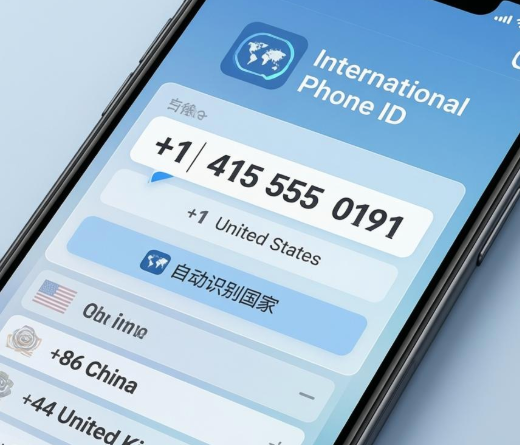
前言
随着应用出海,处理全球各地的手机号码成为刚需。不同国家的号码格式千奇百怪:有的带国家码(+86),有的带括号,有的带空格。如何验证用户输入的号码是否合法?如何将其格式化为标准的 E.164 用于后端存储?
phone_numbers_parser 是 Dart 生态中优秀的电话号码处理库,它是 Google libphonenumber 的轻量级 Dart 移植版,不依赖任何原生代码,因此在 OpenHarmony 上运行时无需任何额外配置,且包体积极小。
一、概念介绍/原理解析
1.1 基础概念
- E.164: 国际电信联盟定义的标准号码格式(如
+8613800138000),后端存储通常使用此格式。 - National: 本地显示格式(如
0138-0013-8000或(555) 123-4567)。 - ISO Code: 国家的两字母代码(如
CN,US),解析时用于确定默认区号。
1.2 进阶概念
虽然库本身不含 UI,但通过 iso_code 和 dial_code,我们可以轻松构建国家选择器(Country Code Picker)。
二、核心 API/组件详解
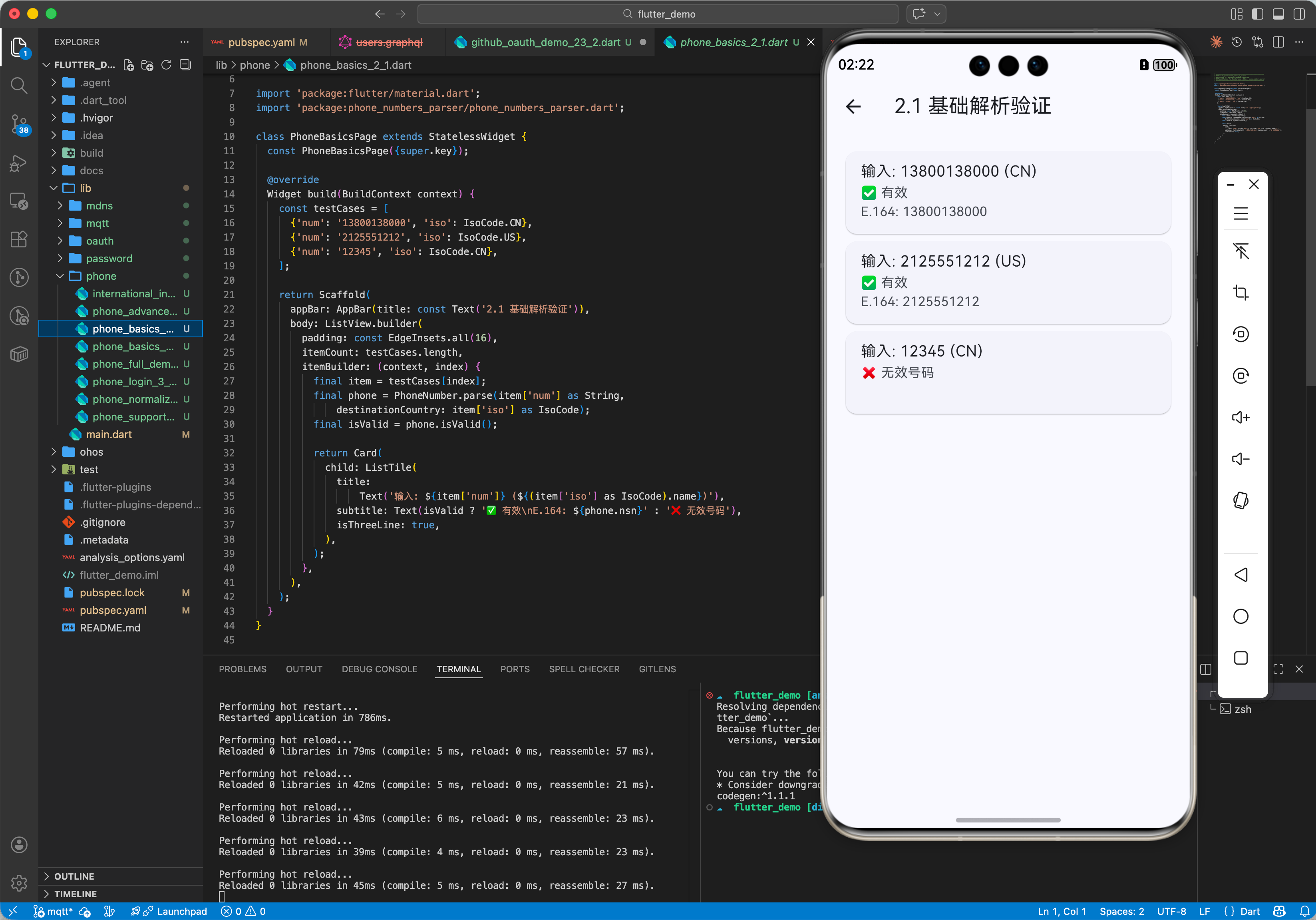
2.1 基础用法
解析并验证号码。
import 'package:phone_numbers_parser/phone_numbers_parser.dart';

void main() {
  // 1. 解析(假设用户在一个中国应用内输入)
  final cnPhone = PhoneNumber.parse('13800138000', destinationCountry: IsoCode.CN);

  // 2. 验证
  if (cnPhone.isValid()) {
    print('有效号码');
    print('E.164: ${cnPhone.nsn}'); // +8613800138000
    print('国际格式: ${cnPhone.international}'); // +86 138 0013 8000
  } else {
    print('无效号码');
  }
}
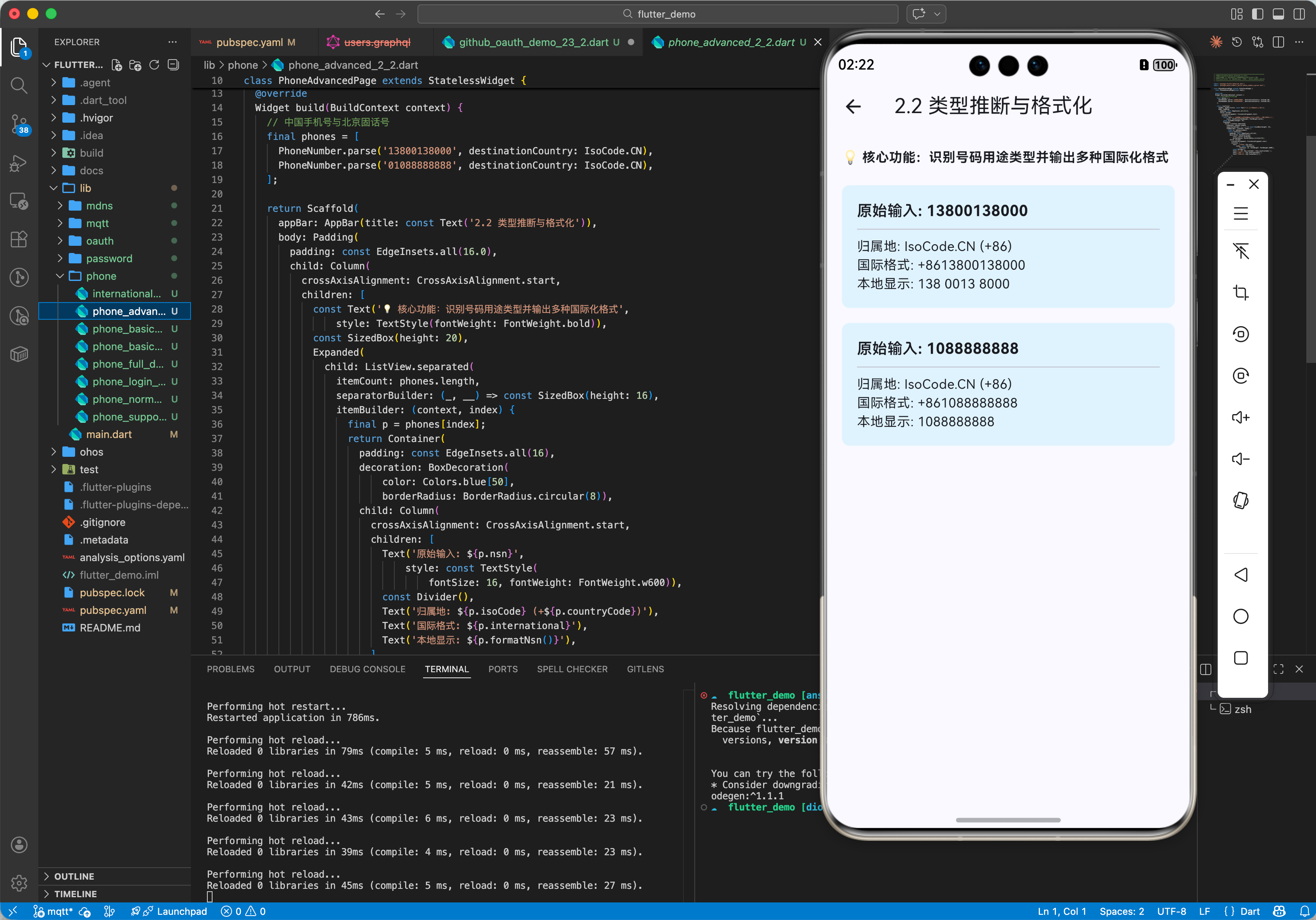
2.2 高级定制
格式化输出与类型推断(手机/固话)。
// 判断类型
final type = cnPhone.getPhoneNumberType();
if (type == PhoneNumberType.mobile) {
  print('这是一个手机号');
}

// 格式化为本地习惯并保留原输入中的非数字字符(如果可能)
// 注意:该库主要关注解析后的标准化输出
三、常见应用场景
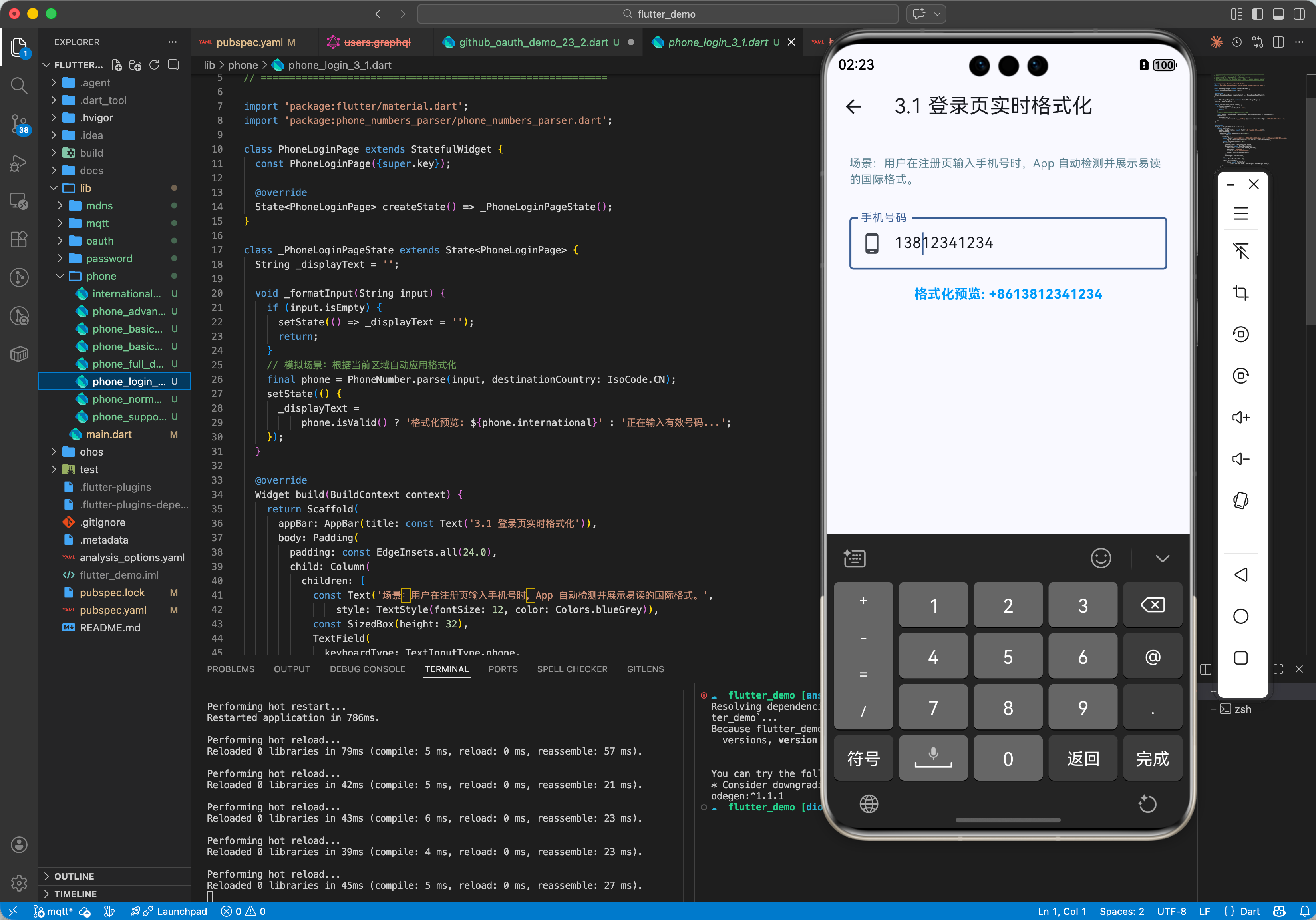
3.1 场景 1:注册登录页
用户输入手机号自动检测归属地并格式化。
String formatAsYouType(String input) {
  // 假设根据 IP 判定默认为 CN
  final phone = PhoneNumber.parse(input, destinationCountry: IsoCode.CN);
  return phone.isValid() ? phone.international : input;
}
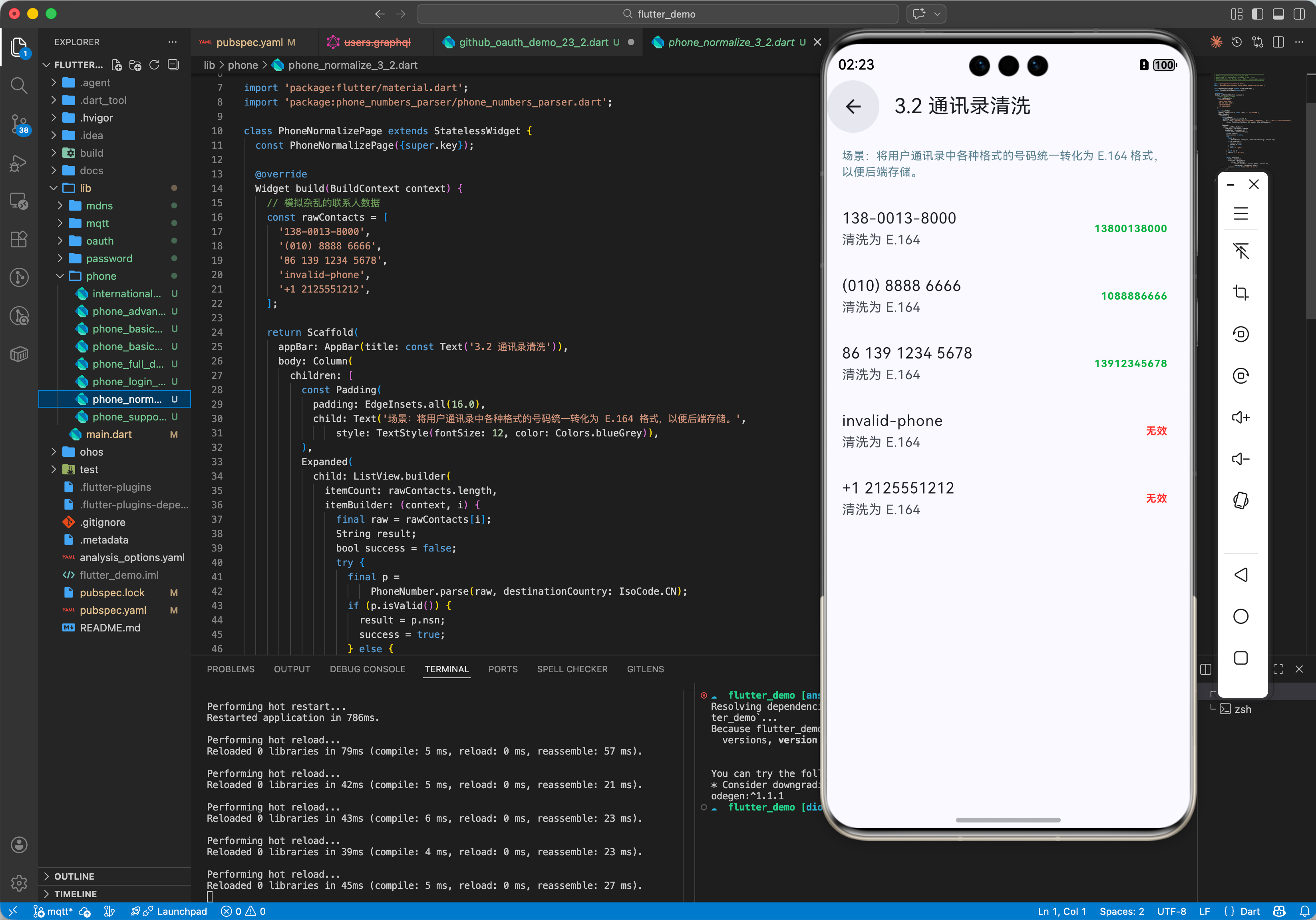
3.2 场景 2:通讯录导入
清洗用户通讯录中的杂乱号码,统一转为 E.164 格式上传服务器。
List<String> normalizeContacts(List<String> rawNumbers) {
  return rawNumbers.map((raw) {
    try {
      final p = PhoneNumber.parse(raw, destinationCountry: IsoCode.CN);
      return p.isValid() ? p.nsn : null;
    } catch (_) {
      return null;
    }
  }).whereType<String>().toList();
}
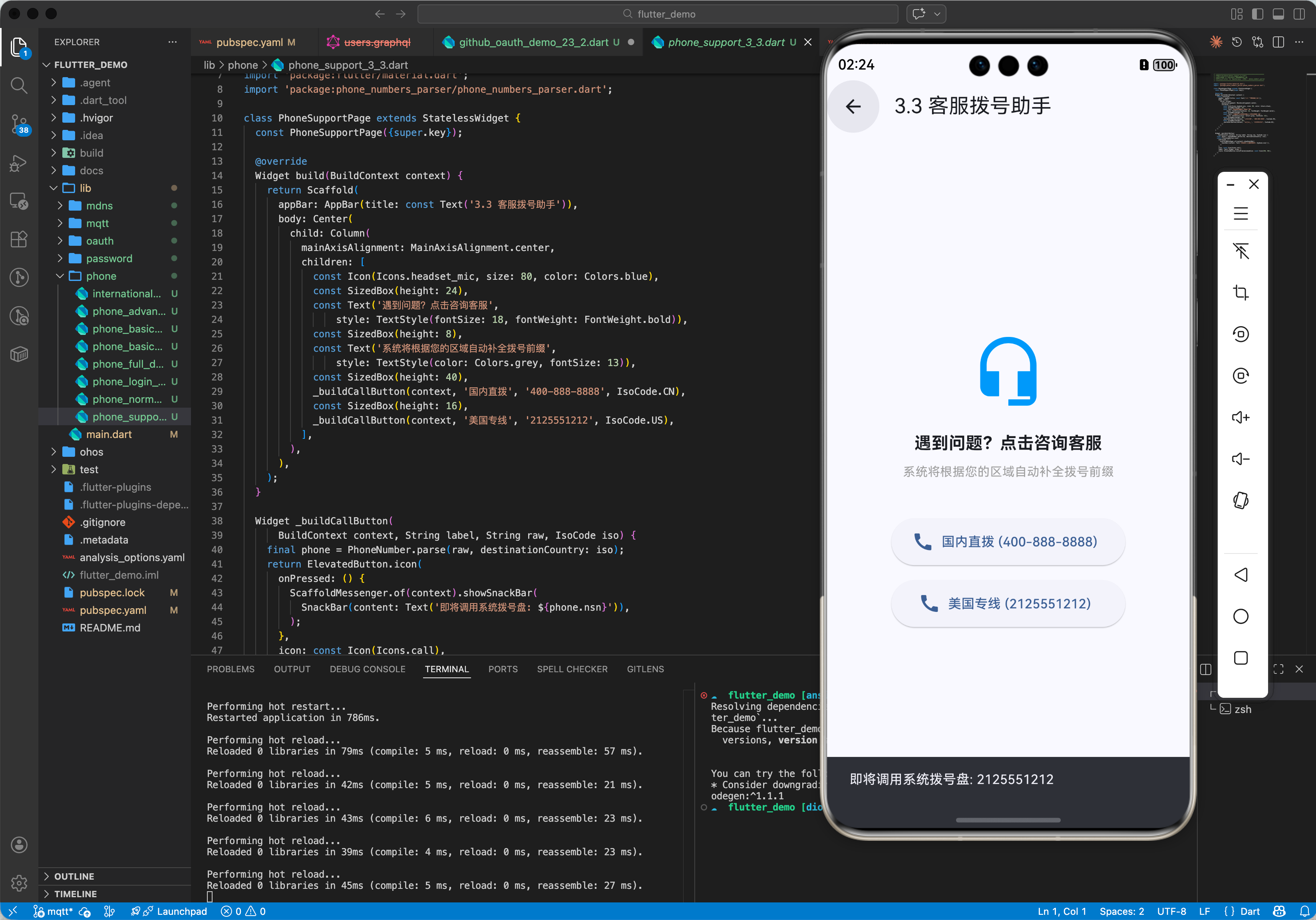
3.3 场景 3:客服拨号
点击 App 内的客服电话,根据当前系统区域自动补全前缀并调用拨号盘。
void callSupport() {
  final supportNum = PhoneNumber.parse('400-888-8888', destinationCountry: IsoCode.CN);
  launchUrl(Uri.parse('tel:${supportNum.nsn}'));
}
四、OpenHarmony 平台适配
4.1 纯 Dart 优势
由于不需要 JNI 或 FFI,该库在鸿蒙系统上运行速度极快且稳定。
4.2 结合系统区域
建议初始化时获取系统的默认 ISO Code。
// 伪代码,需结合 device_info 或 system_info
// String sysLoc = 'CN';
// IsoCode defaultIso = IsoCode.values.byName(sysLoc);
五、完整示例代码
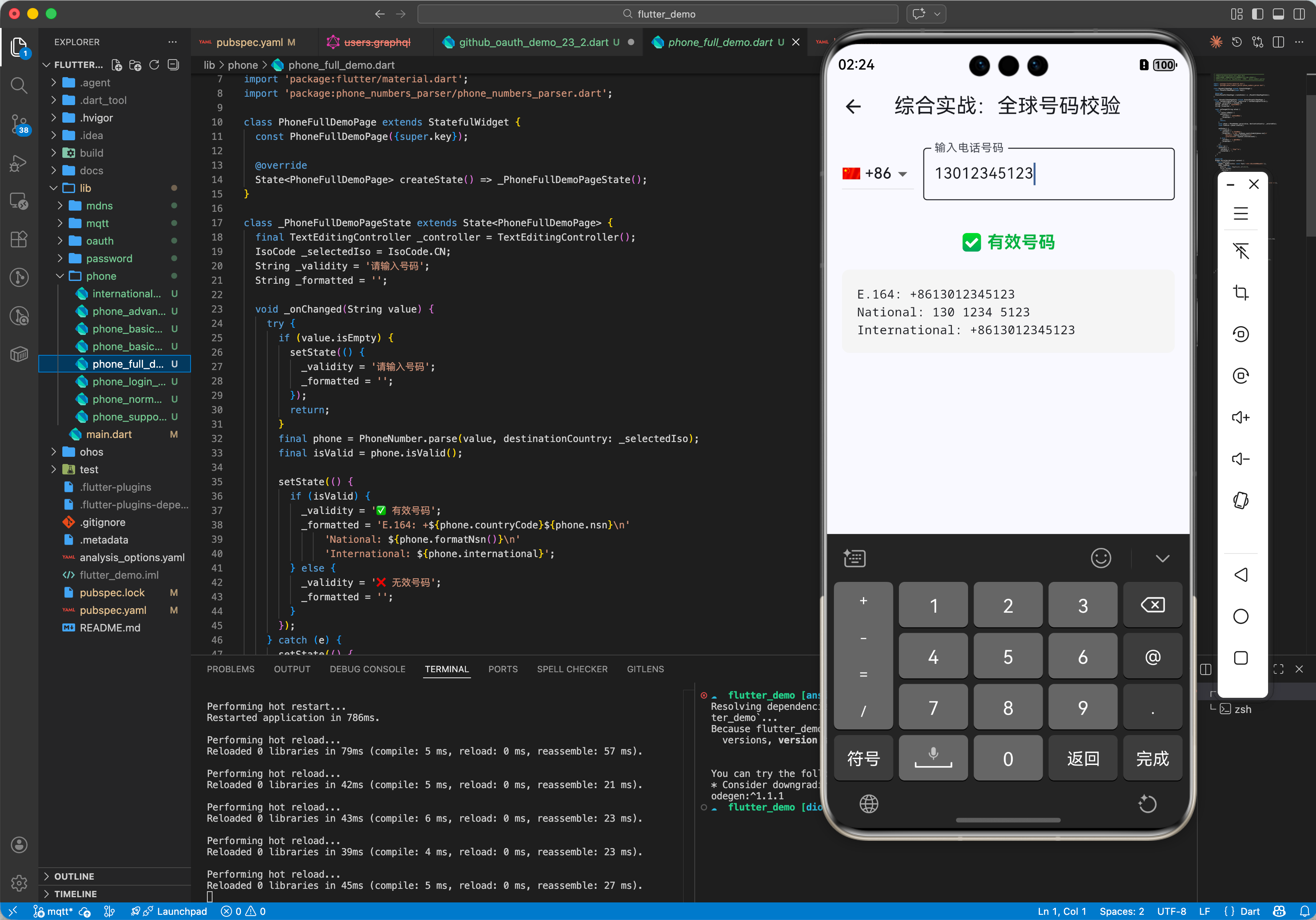
本示例展示一个带有国家代码选择器的电话输入框,实时验证输入有效性并显示格式化结果。
import 'package:flutter/material.dart';
import 'package:phone_numbers_parser/phone_numbers_parser.dart';
void main() {
runApp(const MaterialApp(home: PhoneInputPage()));
}
class PhoneInputPage extends StatefulWidget {
const PhoneInputPage({super.key});
State<PhoneInputPage> createState() => _PhoneInputPageState();
}
class _PhoneInputPageState extends State<PhoneInputPage> {
final TextEditingController _controller = TextEditingController();
IsoCode _selectedIso = IsoCode.CN;
String _validity = '请输入号码';
String _formatted = '';
void _onChanged(String value) {
try {
// 实时解析
final phone = PhoneNumber.parse(value, destinationCountry: _selectedIso);
final isValid = phone.isValid();
setState(() {
if (isValid) {
_validity = '✅ 有效 (${phone.getPhoneNumberType()})';
_formatted = 'E.164: ${phone.nsn}\n'
'National: ${phone.national}\n'
'International: ${phone.international}';
} else {
_validity = '❌ 无效号码';
_formatted = '';
}
});
} catch (e) {
// 解析异常(如输入为空或非法字符)
setState(() {
_validity = '输入中...';
_formatted = '';
});
}
}
Widget build(BuildContext context) {
return Scaffold(
appBar: AppBar(title: const Text('电话号码校验器')),
body: Padding(
padding: const EdgeInsets.all(16.0),
child: Column(
children: [
Row(
children: [
// 简单的国家选择
DropdownButton<IsoCode>(
value: _selectedIso,
items: const [
DropdownMenuItem(value: IsoCode.CN, child: Text('🇨🇳 +86')),
DropdownMenuItem(value: IsoCode.US, child: Text('🇺🇸 +1')),
DropdownMenuItem(value: IsoCode.GB, child: Text('🇬🇧 +44')),
DropdownMenuItem(value: IsoCode.JP, child: Text('🇯🇵 +81')),
],
onChanged: (IsoCode? val) {
if (val != null) {
setState(() {
_selectedIso = val;
// 重新验证当前输入
_onChanged(_controller.text);
});
}
},
),
const SizedBox(width: 10),
Expanded(
child: TextField(
controller: _controller,
keyboardType: TextInputType.phone,
decoration: const InputDecoration(
labelText: '输入电话号码',
border: OutlineInputBorder(),
),
onChanged: _onChanged,
),
),
],
),
const SizedBox(height: 20),
Text(
_validity,
style: TextStyle(
fontSize: 18,
fontWeight: FontWeight.bold,
color: _validity.startsWith('✅') ? Colors.green : Colors.red,
),
),
const SizedBox(height: 10),
Container(
width: double.infinity,
padding: const EdgeInsets.all(12),
color: Colors.grey[200],
child: Text(
_formatted.isEmpty ? '等待有效输入...' : _formatted,
style: const TextStyle(fontFamily: 'monospace'),
),
),
],
),
),
);
}
}
六、总结
phone_numbers_parser 是构建国际化应用的坚实基础。
最佳实践:
- 后端存储统一:无论用户输入格式如何,入库前统一转为 E.164 (
+86...)。 - 前端展示友好:展示给用户看时,转换为 National 格式(带空格)。
- 默认值优化:根据用户当前 IP 或系统语言预设 ISO Code,提升体验。

作为“人工智能6S店”的官方数字引擎,为AI开发者与企业提供一个覆盖软硬件全栈、一站式门户。
更多推荐



 4
4 0
0- 0


 已为社区贡献46条内容

所有评论(0)