
开源鸿蒙跨平台训练营DAY13:Flutter for OpenHarmony设置页面完整实现与代码详解
欢迎加入开源鸿蒙跨平台社区:https://openharmonycrossplatform.csdn.net在上一篇文章中,我们完成了健康页面和"我的"页面的核心功能。本文将聚焦于设置页面的完整实现。
前言
欢迎加入开源鸿蒙跨平台社区:https://openharmonycrossplatform.csdn.net
在上一篇文章中,我们完成了健康页面和"我的"页面的核心功能。本文将聚焦于设置页面的完整实现。在原有结构基础上,我们新增设置相关文件:
lib/
├── pages/
│   ├── settings_page.dart          # 设置页面主文件
│   └── settings/                   # 设置相关子页面
│       ├── about_page.dart         # 关于页面
│       ├── backup_page.dart        # 数据备份页面
│       └── notification_page.dart  # 通知设置页面
├── components/
│   └── setting_item.dart          # 设置项组件
└── utils/
    └── backup_util.dart           # 数据备份工具类
⚙️ 一、设置页面(SettingsPage)主结构
1.1 页面功能规划
设置页面包含以下核心功能模块:
通用设置:主题切换、语言设置
数据管理:数据备份、数据恢复、数据清除
通知管理:健康提醒设置
关于信息:应用版本、隐私政策
1.2 核心代码实现
1.2.1 页面入口与布局
// lib/pages/settings_page.dart
import 'package:flutter/material.dart';
import 'package:provider/provider.dart';
import '../components/setting_item.dart';
import '../core/theme_manager.dart';
import './settings/about_page.dart';
import './settings/backup_page.dart';
import './settings/notification_page.dart';
class SettingsPage extends StatelessWidget {
const SettingsPage({super.key});
Widget build(BuildContext context) {
return Scaffold(
appBar: AppBar(
title: const Text('设置'),
),
body: ListView(
padding: const EdgeInsets.all(16),
children: [
// 通用设置分组
_buildGeneralSettings(),
const SizedBox(height: 24),
// 数据管理分组
_buildDataManagement(),
const SizedBox(height: 24),
// 通知设置分组
_buildNotificationSettings(),
const SizedBox(height: 24),
// 关于分组
_buildAboutSection(),
],
),
);
}
}
代码讲解:
1.StatelessWidget:设置页面通常为静态配置,无需复杂状态
2.ListView 布局:适合垂直滚动的设置列表,提供自然的滚动体验
3.分组间距:使用 SizedBox分隔不同功能模块,提升视觉层次
1.2.2 通用设置模块
// 通用设置分组
Widget _buildGeneralSettings() {
  return Column(
    crossAxisAlignment: CrossAxisAlignment.start,
    children: [
      // 分组标题
      Text(
        '通用设置',
        style: TextStyle(
          fontSize: 16,
          fontWeight: FontWeight.w600,
          color: Colors.grey[700],
        ),
      ),
      const SizedBox(height: 8),

      // 设置项卡片
      Card(
        child: Column(
          children: [
            // 主题切换
            Consumer<ThemeManager>(
              builder: (context, themeManager, child) {
                return SettingItem(
                  icon: Icons.palette,
                  title: '深色模式',
                  trailing: Switch(
                    value: themeManager.isDarkMode,
                    onChanged: (value) => themeManager.toggleDarkMode(value),
                  ),
                  onTap: null, // 使用 Switch 时不需要 onTap
                );
              },
            ),

            // 分隔线
            const Divider(height: 1, indent: 16),

            // 语言设置
            SettingItem(
              icon: Icons.language,
              title: '语言设置',
              trailing: const Icon(Icons.chevron_right),
              onTap: () => _showLanguageDialog(context),
            ),
          ],
        ),
      ),
    ],
  );
}
代码讲解:
1…分组标题设计:使用稍大的字体和灰色调,区别于设置项
2.Card 容器:为设置项提供视觉容器,增强层次感
3.Consumer 状态管理:监听 ThemeManager 状态变化,实现主题切换
4,SettingItem 组件:封装设置项通用样式,提升代码复用性
1.2.3 数据管理模块
// 数据管理分组
Widget _buildDataManagement() {
  return Column(
    crossAxisAlignment: CrossAxisAlignment.start,
    children: [
      Text(
        '数据管理',
        style: TextStyle(
          fontSize: 16,
          fontWeight: FontWeight.w600,
          color: Colors.grey[700],
        ),
      ),
      const SizedBox(height: 8),

      Card(
        child: Column(
          children: [
            // 数据备份
            SettingItem(
              icon: Icons.backup,
              title: '数据备份',
              trailing: const Icon(Icons.chevron_right),
              onTap: () => Navigator.push(
                context,
                MaterialPageRoute(builder: (context) => const BackupPage()),
              ),
            ),

            const Divider(height: 1, indent: 16),

            // 数据恢复
            SettingItem(
              icon: Icons.restore,
              title: '数据恢复',
              trailing: const Icon(Icons.chevron_right),
              onTap: () => _showRestoreDialog(context),
            ),

            const Divider(height: 1, indent: 16),

            // 清除数据
            SettingItem(
              icon: Icons.delete_outline,
              title: '清除数据',
              trailing: const Icon(Icons.chevron_right),
              onTap: () => _showClearDataDialog(context),
            ),
          ],
        ),
      ),
    ],
  );
}
代码讲解:
1.导航跳转:使用 Navigator.push跳转到子页面(如 BackupPage)
2.对话框交互:对于高风险操作(恢复、清除),使用对话框确认
3.视觉分隔:使用 Divider 分隔不同操作项,避免误操作
1.2.4 通知设置模块
// 通知设置分组
Widget _buildNotificationSettings() {
  return Column(
    crossAxisAlignment: CrossAxisAlignment.start,
    children: [
      Text(
        '通知设置',
        style: TextStyle(
          fontSize: 16,
          fontWeight: FontWeight.w600,
          color: Colors.grey[700],
        ),
      ),
      const SizedBox(height: 8),

      Card(
        child: Column(
          children: [
            SettingItem(
              icon: Icons.notifications,
              title: '通知管理',
              trailing: const Icon(Icons.chevron_right),
              onTap: () => Navigator.push(
                context,
                MaterialPageRoute(builder: (context) => const NotificationPage()),
              ),
            ),
          ],
        ),
      ),
    ],
  );
}
1.2.5 关于信息模块
// 关于分组
Widget _buildAboutSection() {
  return Column(
    crossAxisAlignment: CrossAxisAlignment.start,
    children: [
      Text(
        '关于',
        style: TextStyle(
          fontSize: 16,
          fontWeight: FontWeight.w600,
          color: Colors.grey[700],
        ),
      ),
      const SizedBox(height: 8),

      Card(
        child: Column(
          children: [
            SettingItem(
              icon: Icons.info,
              title: '关于应用',
              trailing: const Icon(Icons.chevron_right),
              onTap: () => Navigator.push(
                context,
                MaterialPageRoute(builder: (context) => const AboutPage()),
              ),
            ),

            const Divider(height: 1, indent: 16),

            SettingItem(
              icon: Icons.privacy_tip,
              title: '隐私政策',
              trailing: const Icon(Icons.chevron_right),
              onTap: () => _openPrivacyPolicy(),
            ),

            const Divider(height: 1, indent: 16),

            SettingItem(
              icon: Icons.description,
              title: '用户协议',
              trailing: const Icon(Icons.chevron_right),
              onTap: () => _openTermsOfService(),
            ),
          ],
        ),
      ),
    ],
  );
}
1.2.6 对话框交互方法
// 语言设置对话框
void _showLanguageDialog(BuildContext context) {
  showDialog(
    context: context,
    builder: (context) => AlertDialog(
      title: const Text('选择语言'),
      content: Column(
        mainAxisSize: MainAxisSize.min,
        children: [
          ListTile(
            title: const Text('简体中文'),
            trailing: const Icon(Icons.check, color: Colors.green),
            onTap: () {
              // 设置中文
              Navigator.pop(context);
            },
          ),
          const Divider(height: 1),
          ListTile(
            title: const Text('English'),
            onTap: () {
              // 设置英文
              Navigator.pop(context);
            },
          ),
        ],
      ),
    ),
  );
}

// 数据恢复确认对话框
void _showRestoreDialog(BuildContext context) {
  showDialog(
    context: context,
    builder: (context) => AlertDialog(
      title: const Text('数据恢复'),
      content: const Text('恢复数据将覆盖当前所有数据,确定要继续吗?'),
      actions: [
        TextButton(
          onPressed: () => Navigator.pop(context),
          child: const Text('取消'),
        ),
        TextButton(
          onPressed: () {
            // 执行恢复操作
            _performDataRestore();
            Navigator.pop(context);
          },
          child: const Text('确定'),
        ),
      ],
    ),
  );
}

// 清除数据确认对话框
void _showClearDataDialog(BuildContext context) {
  showDialog(
    context: context,
    builder: (context) => AlertDialog(
      title: const Text('清除数据'),
      content: const Text('此操作将删除所有猫咪数据和健康记录,且无法恢复,确定要继续吗?'),
      actions: [
        TextButton(
          onPressed: () => Navigator.pop(context),
          child: const Text('取消'),
        ),
        TextButton(
          onPressed: () {
            // 执行清除操作
            _performClearData();
            Navigator.pop(context);
          },
          child: const Text('确定'),
        ),
      ],
    ),
  );
}
代码讲解:
1.AlertDialog 标准组件:使用 Flutter 内置对话框组件,保持界面一致性
2.确认机制:对于高风险操作,必须提供二次确认,防止误操作
3.异步操作处理:实际数据操作应封装为异步方法,避免阻塞 UI
🧩 二、SettingItem 组件封装
2.1 组件设计目标
SettingItem组件用于统一设置项的视觉样式,包含:
- 左侧图标
- 标题文本
- 右侧操作控件(Switch、Icon、文本等)
- 点击事件处理
- 统一的视觉样式
2.2 组件代码实现
// lib/components/setting_item.dart
import 'package:flutter/material.dart';
class SettingItem extends StatelessWidget {
final IconData icon;
final String title;
final Widget? trailing;
final VoidCallback? onTap;
final bool showDivider;
const SettingItem({
super.key,
required this.icon,
required this.title,
this.trailing,
this.onTap,
this.showDivider = true,
});
Widget build(BuildContext context) {
return Column(
children: [
// 设置项主体
ListTile(
leading: Icon(
icon,
color: Theme.of(context).colorScheme.primary,
),
title: Text(title),
trailing: trailing,
onTap: onTap,
contentPadding: const EdgeInsets.symmetric(horizontal: 16),
minLeadingWidth: 24,
),
// 分隔线(可选)
if (showDivider) const Divider(height: 1, indent: 16),
],
);
}
}
代码讲解:
1.参数化设计:通过构造函数参数控制组件行为,提高灵活性
2.ListTile 组件:使用 Flutter 标准列表项组件,内置合理的间距和点击效果
3.条件渲染:showDivider参数控制是否显示分隔线,适应不同场景
4.主题适配:使用 Theme.of(context)获取主题颜色,确保深色/浅色模式适配
💾 三、数据备份页面(BackupPage)实现
3.1 页面功能设计
数据备份页面提供:
- 手动备份功能
- 备份历史列表
- 备份文件管理(查看、删除)
- 备份状态显示
3.2 核心代码实现
// lib/pages/settings/backup_page.dart
import 'package:flutter/material.dart';
import 'package:provider/provider.dart';
import '../../stores/cat_store.dart';
import '../../utils/backup_util.dart';
class BackupPage extends StatefulWidget {
const BackupPage({super.key});
State<BackupPage> createState() => _BackupPageState();
}
class _BackupPageState extends State<BackupPage> {
List<BackupFile> _backupFiles = [];
bool _isLoading = false;
void initState() {
super.initState();
_loadBackupFiles();
}
// 加载备份文件列表
Future<void> _loadBackupFiles() async {
setState(() => _isLoading = true);
try {
final files = await BackupUtil.getBackupFiles();
setState(() => _backupFiles = files);
} catch (e) {
ScaffoldMessenger.of(context).showSnackBar(
SnackBar(content: Text('加载失败: $e')),
);
} finally {
setState(() => _isLoading = false);
}
}
Widget build(BuildContext context) {
return Scaffold(
appBar: AppBar(
title: const Text('数据备份'),
),
body: _isLoading
? const Center(child: CircularProgressIndicator())
: _buildContent(),
);
}
Widget _buildContent() {
return Column(
children: [
// 备份操作区域
_buildBackupAction(),
const SizedBox(height: 16),
// 备份列表
Expanded(
child: _backupFiles.isEmpty
? _buildEmptyState()
: _buildBackupList(),
),
],
);
}
// 备份操作卡片
Widget _buildBackupAction() {
return Card(
margin: const EdgeInsets.all(16),
child: Padding(
padding: const EdgeInsets.all(16),
child: Column(
children: [
const Text(
'手动备份',
style: TextStyle(fontSize: 16, fontWeight: FontWeight.w600),
),
const SizedBox(height: 8),
const Text(
'备份当前所有猫咪数据和健康记录',
style: TextStyle(color: Colors.grey),
),
const SizedBox(height: 16),
ElevatedButton(
onPressed: _performBackup,
child: const Text('立即备份'),
),
],
),
),
);
}
// 备份列表
Widget _buildBackupList() {
return ListView.builder(
padding: const EdgeInsets.symmetric(horizontal: 16),
itemCount: _backupFiles.length,
itemBuilder: (context, index) {
final file = _backupFiles[index];
return Card(
margin: const EdgeInsets.only(bottom: 8),
child: ListTile(
title: Text('备份时间: ${file.createTime}'),
subtitle: Text('文件大小: ${file.size}'),
trailing: Row(
mainAxisSize: MainAxisSize.min,
children: [
IconButton(
icon: const Icon(Icons.delete, size: 20),
onPressed: () => _deleteBackup(file),
),
],
),
),
);
},
);
}
// 空状态
Widget _buildEmptyState() {
return Center(
child: Column(
mainAxisAlignment: MainAxisAlignment.center,
children: [
Icon(Icons.backup, size: 48, color: Colors.grey[300]),
const SizedBox(height: 16),
const Text('暂无备份文件'),
],
),
);
}
// 执行备份
Future<void> _performBackup() async {
final catStore = Provider.of<CatStore>(context, listen: false);
try {
await BackupUtil.createBackup(catStore.cats);
await _loadBackupFiles(); // 刷新列表
ScaffoldMessenger.of(context).showSnackBar(
const SnackBar(content: Text('备份成功')),
);
} catch (e) {
ScaffoldMessenger.of(context).showSnackBar(
SnackBar(content: Text('备份失败: $e')),
);
}
}
// 删除备份
Future<void> _deleteBackup(BackupFile file) async {
final confirmed = await showDialog<bool>(
context: context,
builder: (context) => AlertDialog(
title: const Text('删除备份'),
content: const Text('确定要删除此备份文件吗?'),
actions: [
TextButton(
onPressed: () => Navigator.pop(context, false),
child: const Text('取消'),
),
TextButton(
onPressed: () => Navigator.pop(context, true),
child: const Text('删除'),
),
],
),
);
if (confirmed == true) {
try {
await BackupUtil.deleteBackup(file.id);
await _loadBackupFiles(); // 刷新列表
ScaffoldMessenger.of(context).showSnackBar(
const SnackBar(content: Text('删除成功')),
);
} catch (e) {
ScaffoldMessenger.of(context).showSnackBar(
SnackBar(content: Text('删除失败: $e')),
);
}
}
}
}
代码讲解:
- StatefulWidget:需要维护备份列表和加载状态
- 异步数据加载:initState中加载数据,配合 setState更新界面
- 加载状态管理:使用 _isLoading控制显示加载指示器
- 错误处理:try-catch 捕获异常,显示 SnackBar 提示
- 确认对话框:删除操作前二次确认,防止误删
- Provider 获取数据:通过 Provider.of获取 CatStore 实例
🔔 四、通知设置页面(NotificationPage)实现
4.1 页面功能设计
通知设置页面管理各类健康提醒:
- 疫苗接种提醒开关
- 驱虫提醒开关
- 体检提醒开关
- 自定义提醒时间设置
4.2 核心代码实现
// lib/pages/settings/notification_page.dart
import 'package:flutter/material.dart';
import 'package:shared_preferences/shared_preferences.dart';
import '../../components/setting_item.dart';
class NotificationPage extends StatefulWidget {
const NotificationPage({super.key});
State<NotificationPage> createState() => _NotificationPageState();
}
class _NotificationPageState extends State<NotificationPage> {
// 通知开关状态
bool _vaccineEnabled = true;
bool _dewormingEnabled = true;
bool _checkupEnabled = false;
// 提前提醒天数
int _vaccineDays = 7;
int _dewormingDays = 3;
int _checkupDays = 14;
void initState() {
super.initState();
_loadSettings();
}
// 加载设置
Future<void> _loadSettings() async {
final prefs = await SharedPreferences.getInstance();
setState(() {
_vaccineEnabled = prefs.getBool('notify_vaccine') ?? true;
_dewormingEnabled = prefs.getBool('notify_deworming') ?? true;
_checkupEnabled = prefs.getBool('notify_checkup') ?? false;
_vaccineDays = prefs.getInt('vaccine_days') ?? 7;
_dewormingDays = prefs.getInt('deworming_days') ?? 3;
_checkupDays = prefs.getInt('checkup_days') ?? 14;
});
}
// 保存设置
Future<void> _saveSetting(String key, dynamic value) async {
final prefs = await SharedPreferences.getInstance();
if (value is bool) {
await prefs.setBool(key, value);
} else if (value is int) {
await prefs.setInt(key, value);
}
}
Widget build(BuildContext context) {
return Scaffold(
appBar: AppBar(
title: const Text('通知设置'),
),
body: ListView(
padding: const EdgeInsets.all(16),
children: [
// 疫苗接种提醒
_buildNotificationItem(
title: '疫苗接种提醒',
enabled: _vaccineEnabled,
days: _vaccineDays,
onToggle: (value) {
setState(() => _vaccineEnabled = value);
_saveSetting('notify_vaccine', value);
},
onDaysChange: (value) {
setState(() => _vaccineDays = value);
_saveSetting('vaccine_days', value);
},
),
const SizedBox(height: 16),
// 驱虫提醒
_buildNotificationItem(
title: '驱虫提醒',
enabled: _dewormingEnabled,
days: _dewormingDays,
onToggle: (value) {
setState(() => _dewormingEnabled = value);
_saveSetting('notify_deworming', value);
},
onDaysChange: (value) {
setState(() => _dewormingDays = value);
_saveSetting('deworming_days', value);
},
),
const SizedBox(height: 16),
// 体检提醒
_buildNotificationItem(
title: '体检提醒',
enabled: _checkupEnabled,
days: _checkupDays,
onToggle: (value) {
setState(() => _checkupEnabled = value);
_saveSetting('notify_checkup', value);
},
onDaysChange: (value) {
setState(() => _checkupDays = value);
_saveSetting('checkup_days', value);
},
),
],
),
);
}
// 单个通知设置项
Widget _buildNotificationItem({
required String title,
required bool enabled,
required int days,
required ValueChanged<bool> onToggle,
required ValueChanged<int> onDaysChange,
}) {
return Card(
child: Padding(
padding: const EdgeInsets.all(16),
child: Column(
crossAxisAlignment: CrossAxisAlignment.start,
children: [
// 开关和标题
Row(
children: [
Expanded(
child: Text(
title,
style: const TextStyle(
fontSize: 16,
fontWeight: FontWeight.w600,
),
),
),
Switch(
value: enabled,
onChanged: onToggle,
),
],
),
if (enabled) ...[
const SizedBox(height: 12),
const Divider(height: 1),
const SizedBox(height: 12),
// 提前提醒天数设置
Row(
children: [
const Text('提前提醒天数:'),
const SizedBox(width: 8),
DropdownButton<int>(
value: days,
items: const [
DropdownMenuItem(value: 1, child: Text('1天')),
DropdownMenuItem(value: 3, child: Text('3天')),
DropdownMenuItem(value: 7, child: Text('7天')),
DropdownMenuItem(value: 14, child: Text('14天')),
],
onChanged: (value) {
if (value != null) onDaysChange(value);
},
),
],
),
],
],
),
),
);
}
}
代码讲解:
- SharedPreferences:使用本地存储保存用户设置,确保设置持久化
- 条件渲染:当开关关闭时,隐藏天数设置,简化界面
- DropdownButton:提供有限选项,避免用户输入无效值
- 状态同步:每次设置变更立即保存,避免数据丢失
ℹ️ 五、关于页面(AboutPage)实现
5.1 页面功能设计
关于页面展示应用基本信息:
- 应用名称和版本
- 开发者信息
- 版权声明
- 联系方式和反馈入口
5.2 核心代码实现
// lib/pages/settings/about_page.dart
import 'package:flutter/material.dart';
import 'package:package_info_plus/package_info_plus.dart';
import 'package:url_launcher/url_launcher.dart';
class AboutPage extends StatefulWidget {
const AboutPage({super.key});
State<AboutPage> createState() => _AboutPageState();
}
class _AboutPageState extends State<AboutPage> {
String _version = '1.0.0';
void initState() {
super.initState();
_loadVersionInfo();
}
// 加载版本信息
Future<void> _loadVersionInfo() async {
final packageInfo = await PackageInfo.fromPlatform();
setState(() {
_version = packageInfo.version;
});
}
Widget build(BuildContext context) {
return Scaffold(
appBar: AppBar(
title: const Text('关于应用'),
),
body: ListView(
padding: const EdgeInsets.all(16),
children: [
// 应用信息卡片
Card(
child: Padding(
padding: const EdgeInsets.all(24),
child: Column(
children: [
// 应用图标
Container(
width: 80,
height: 80,
decoration: BoxDecoration(
color: Theme.of(context).colorScheme.primary,
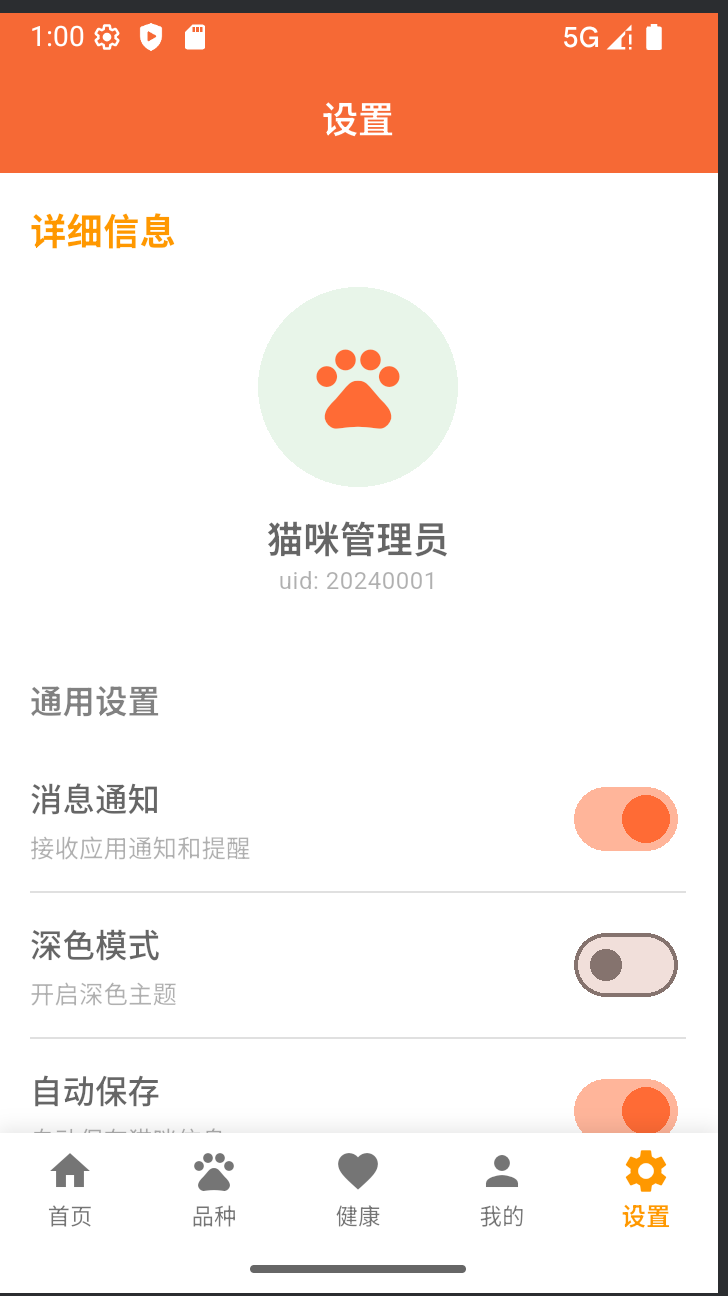
六、效果展示
- 整体画面
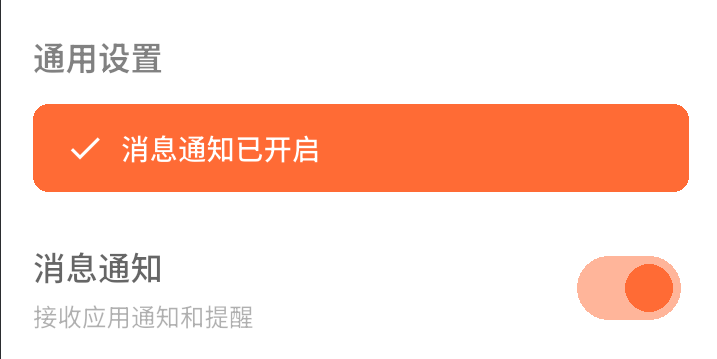
- 消息通知交互
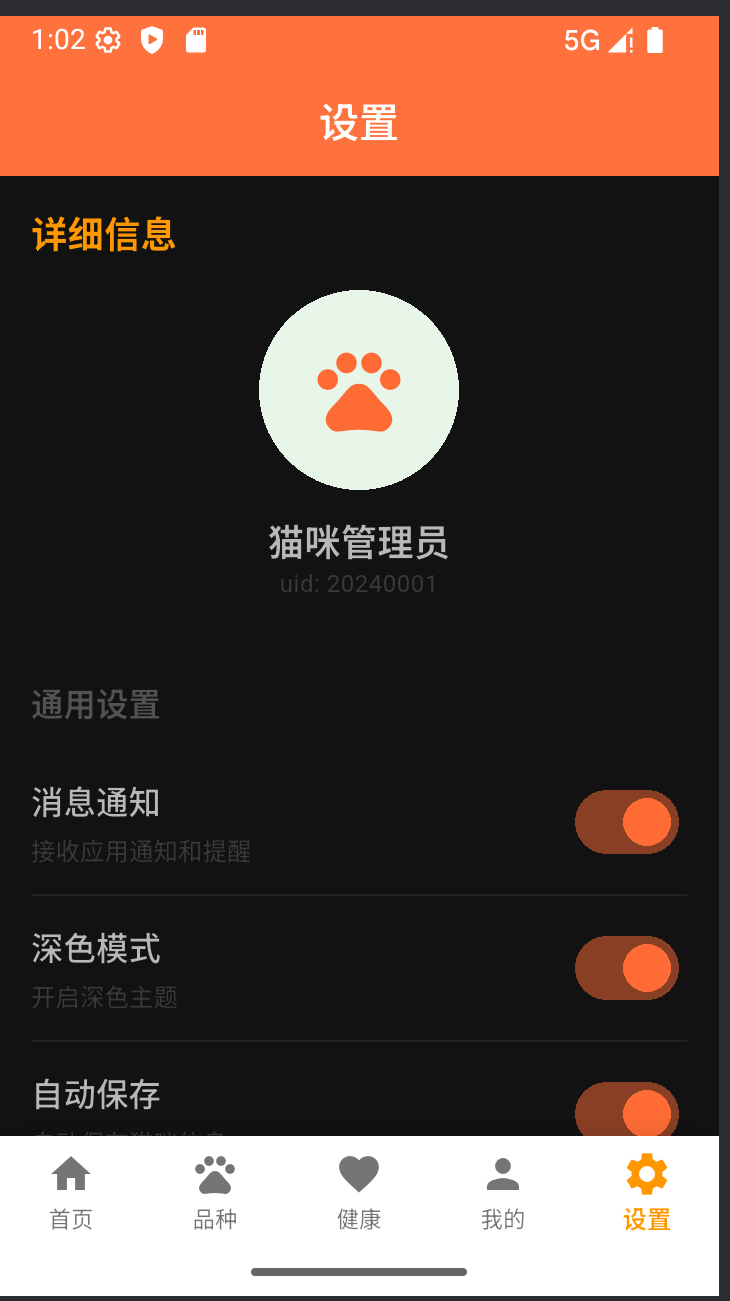
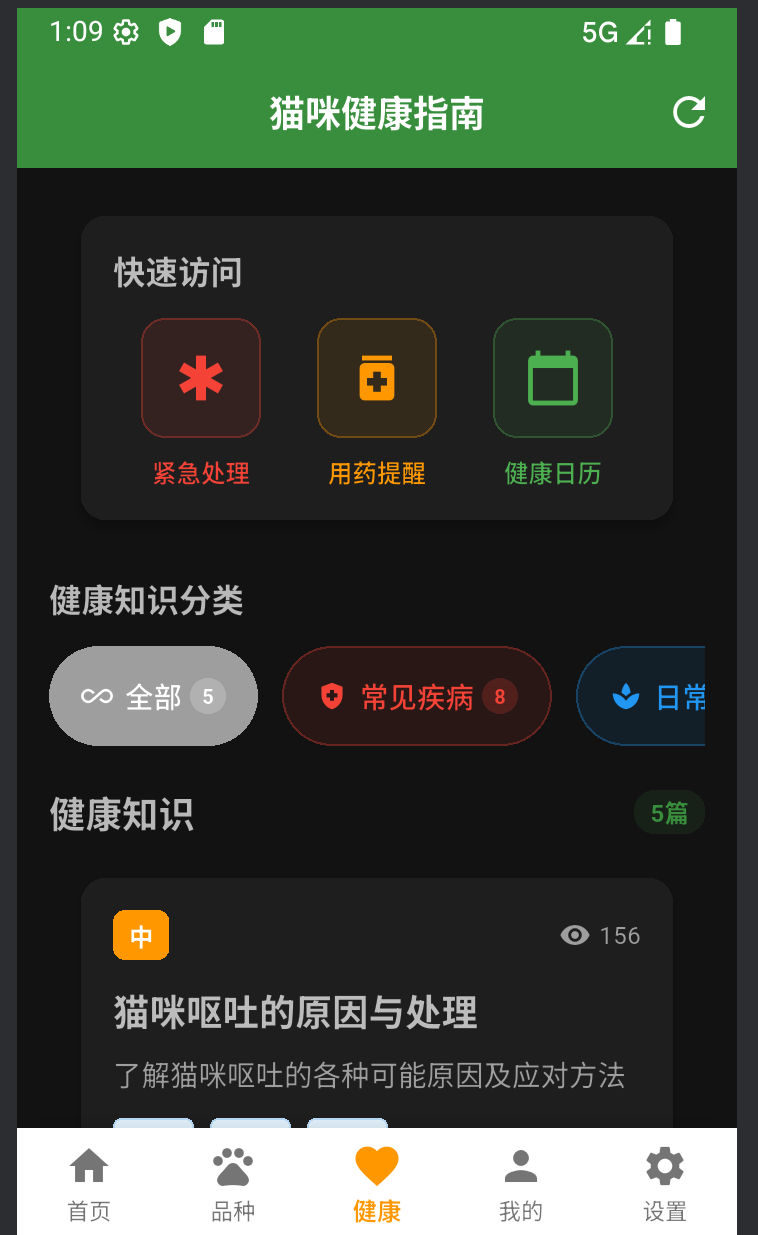
- 深色模式,点击后所有画面变为深色模式,篇幅原因不一一展示
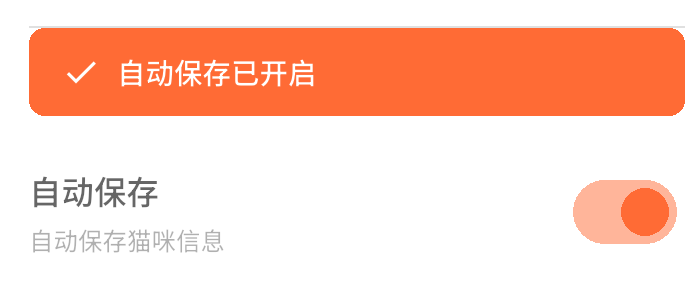
- 自动保存
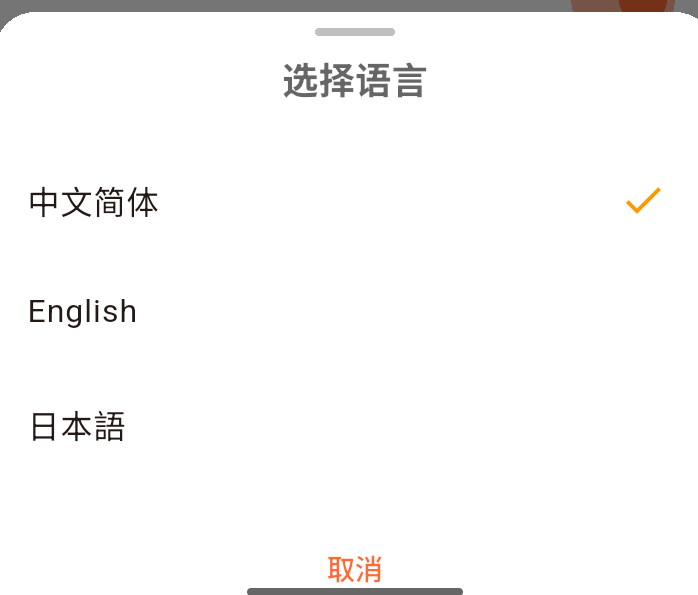
- 语言设置,这里只用了三种
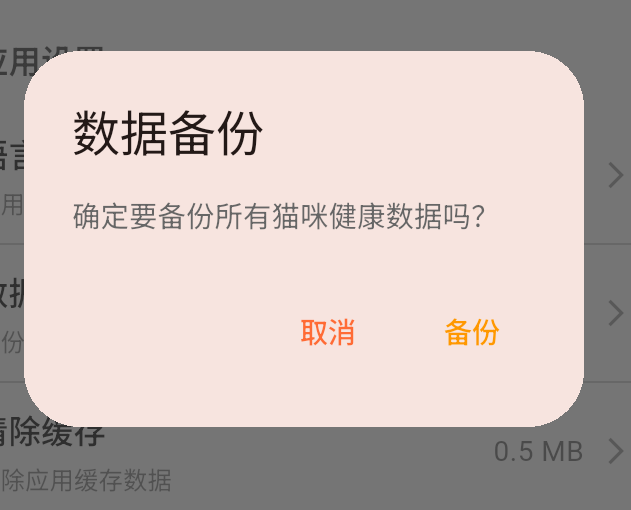
- 数据备份
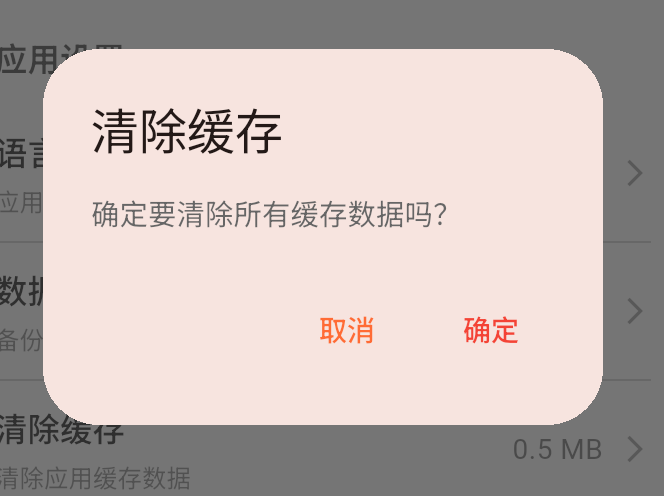
- 清除缓存
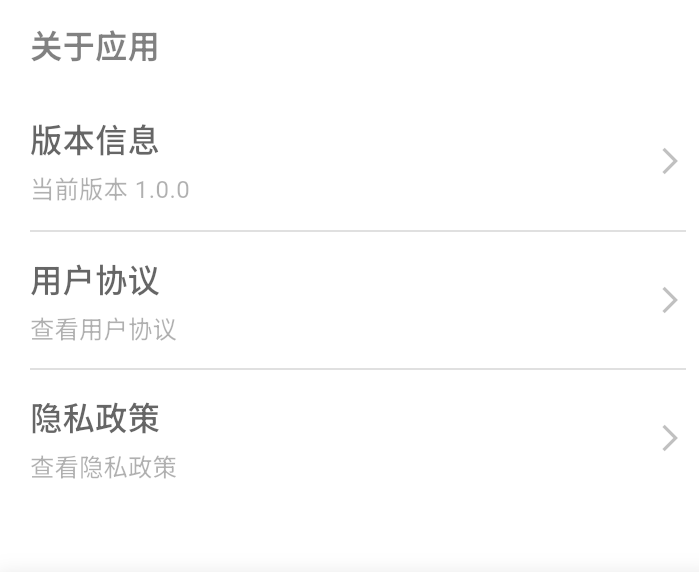
- 关于应用

作为“人工智能6S店”的官方数字引擎,为AI开发者与企业提供一个覆盖软硬件全栈、一站式门户。
更多推荐
 5
5 0
0- 0


 已为社区贡献9条内容

所有评论(0)