
Flutter for OpenHarmony实战 : mango_shop API 客户端的封装与鸿蒙网络权限适配
·
Flutter for OpenHarmony实战 : mango_shop API 客户端的封装与鸿蒙网络权限适配

作者:爱吃大芒果
个人主页 爱吃大芒果
本文所属专栏Flutter
更多专栏
Ascend C 算子开发教程(进阶)
鸿蒙集成
OpenAgents
openJiuwen
从0到1自学C++
项目现状分析
通过对 mango_shop 项目的分析,我们发现:
-
项目结构:这是一个基于 Flutter 的跨平台电商应用,支持 Android、iOS、Web、Windows、Linux 和 OpenHarmony 等多个平台。
-
网络权限配置:OpenHarmony 平台已经在
module.json5中配置了网络权限:"requestPermissions": [ {"name": "ohos.permission.INTERNET"}, ] -
API 客户端实现:项目目前还没有实现 API 客户端相关的代码,所有数据都是硬编码在前端。
-
依赖情况:
pubspec.yaml中没有添加网络请求相关的依赖,如dio、http等。
API 客户端封装方案
1. 添加网络请求依赖
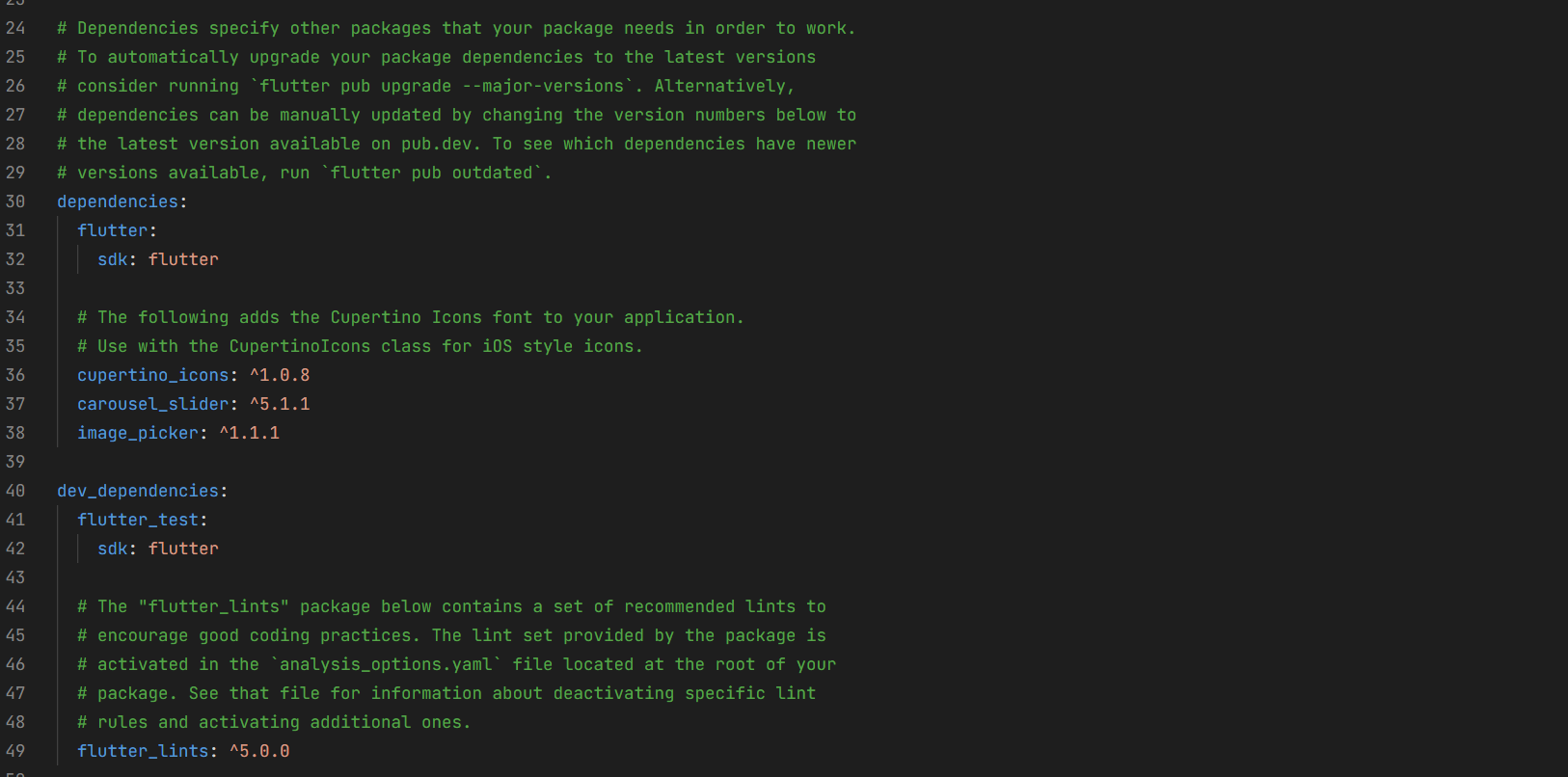
首先,我们需要在 pubspec.yaml 中添加网络请求相关的依赖:
dependencies:
flutter:
sdk: flutter
cupertino_icons: ^1.0.8
carousel_slider: ^5.1.1
image_picker: ^1.1.1
# 网络请求依赖
dio: ^5.4.3+1
# 本地存储依赖,用于存储token等
shared_preferences: ^2.2.3
# 网络状态监听
connectivity_plus: ^5.0.2
2. API 客户端架构设计
2.1 目录结构
lib/
├── api/ # API 相关代码
│ ├── client/ # API 客户端
│ │ ├── api_client.dart # 基础 API 客户端
│ │ └── mango_api_client.dart # 芒果商城 API 客户端
│ ├── models/ # 数据模型
│ │ ├── product.dart # 商品模型
│ │ ├── user.dart # 用户模型
│ │ └── order.dart # 订单模型
│ └── services/ # API 服务
│ ├── auth_service.dart # 认证服务
│ ├── product_service.dart # 商品服务
│ ├── cart_service.dart # 购物车服务
│ └── order_service.dart # 订单服务
├── utils/ # 工具类
│ ├── network/ # 网络相关工具
│ │ ├── network_manager.dart # 网络管理器
│ │ └── network_status.dart # 网络状态
│ └── storage/ # 存储相关工具
│ └── storage_manager.dart # 存储管理器
2.2 基础 API 客户端实现
// lib/api/client/api_client.dart
import 'dart:io';
import 'package:dio/dio.dart';
import 'package:shared_preferences/shared_preferences.dart';
class ApiClient {
static const String baseUrl = 'https://api.mangoshop.com'; // 基础 API 地址
static const Duration timeout = Duration(seconds: 30); // 超时时间
final Dio _dio;
final SharedPreferences _prefs;
ApiClient(this._prefs)
: _dio = Dio(BaseOptions(
baseUrl: baseUrl,
connectTimeout: timeout,
receiveTimeout: timeout,
headers: {
'Content-Type': 'application/json',
'Accept': 'application/json',
},
)) {
// 添加请求拦截器
_dio.interceptors.add(InterceptorsWrapper(
onRequest: (options, handler) async {
// 从本地存储获取 token
final token = _prefs.getString('auth_token');
if (token != null) {
options.headers['Authorization'] = 'Bearer $token';
}
return handler.next(options);
},
onResponse: (response, handler) {
return handler.next(response);
},
onError: (DioError e, handler) {
// 处理错误
return handler.next(e);
},
));
}
// GET 请求
Future<Response> get(String path, {Map<String, dynamic>? queryParameters}) async {
try {
return await _dio.get(path, queryParameters: queryParameters);
} catch (e) {
throw _handleError(e);
}
}
// POST 请求
Future<Response> post(String path, {dynamic data}) async {
try {
return await _dio.post(path, data: data);
} catch (e) {
throw _handleError(e);
}
}
// PUT 请求
Future<Response> put(String path, {dynamic data}) async {
try {
return await _dio.put(path, data: data);
} catch (e) {
throw _handleError(e);
}
}
// DELETE 请求
Future<Response> delete(String path) async {
try {
return await _dio.delete(path);
} catch (e) {
throw _handleError(e);
}
}
// 处理错误
dynamic _handleError(dynamic e) {
if (e is DioError) {
switch (e.type) {
case DioErrorType.connectTimeout:
return Exception('连接超时,请检查网络');
case DioErrorType.sendTimeout:
return Exception('发送超时,请检查网络');
case DioErrorType.receiveTimeout:
return Exception('接收超时,请检查网络');
case DioErrorType.response:
return Exception('服务器错误,状态码:${e.response?.statusCode}');
case DioErrorType.cancel:
return Exception('请求被取消');
case DioErrorType.other:
if (e.error is SocketException) {
return Exception('网络连接失败,请检查网络');
}
return Exception('未知错误');
}
}
return e;
}
}
2.3 芒果商城 API 客户端
// lib/api/client/mango_api_client.dart
import 'package:shared_preferences/shared_preferences.dart';
import 'package:mango_shop/api/client/api_client.dart';
class MangoApiClient extends ApiClient {
MangoApiClient(SharedPreferences prefs) : super(prefs);
// 认证相关 API
Future<dynamic> login(String username, String password) async {
final response = await post('/auth/login', data: {
'username': username,
'password': password,
});
return response.data;
}
Future<dynamic> register(Map<String, dynamic> userData) async {
final response = await post('/auth/register', data: userData);
return response.data;
}
// 商品相关 API
Future<dynamic> getProducts({int page = 1, int limit = 20}) async {
final response = await get('/products', queryParameters: {
'page': page,
'limit': limit,
});
return response.data;
}
Future<dynamic> getProductDetail(String productId) async {
final response = await get('/products/$productId');
return response.data;
}
Future<dynamic> getProductsByCategory(String categoryId) async {
final response = await get('/products/category/$categoryId');
return response.data;
}
// 购物车相关 API
Future<dynamic> getCart() async {
final response = await get('/cart');
return response.data;
}
Future<dynamic> addToCart(String productId, int quantity) async {
final response = await post('/cart/add', data: {
'productId': productId,
'quantity': quantity,
});
return response.data;
}
Future<dynamic> updateCartItem(String itemId, int quantity) async {
final response = await put('/cart/item/$itemId', data: {
'quantity': quantity,
});
return response.data;
}
Future<dynamic> removeFromCart(String itemId) async {
final response = await delete('/cart/item/$itemId');
return response.data;
}
// 订单相关 API
Future<dynamic> createOrder(Map<String, dynamic> orderData) async {
final response = await post('/orders', data: orderData);
return response.data;
}
Future<dynamic> getOrders({String? status}) async {
final response = await get('/orders', queryParameters: {
if (status != null) 'status': status,
});
return response.data;
}
Future<dynamic> getOrderDetail(String orderId) async {
final response = await get('/orders/$orderId');
return response.data;
}
}
3. 网络管理器实现
// lib/utils/network/network_manager.dart
import 'package:connectivity_plus/connectivity_plus.dart';
import 'package:flutter/foundation.dart';
class NetworkManager {
static final NetworkManager _instance = NetworkManager._internal();
factory NetworkManager() => _instance;
final Connectivity _connectivity = Connectivity();
bool _isConnected = true;
NetworkManager._internal();
// 初始化网络管理器
Future<void> initialize() async {
// 监听网络状态变化
_connectivity.onConnectivityChanged.listen((ConnectivityResult result) {
_isConnected = result != ConnectivityResult.none;
if (kDebugMode) {
print('网络状态变化: $_isConnected');
}
});
// 初始网络状态检查
final result = await _connectivity.checkConnectivity();
_isConnected = result != ConnectivityResult.none;
}
// 检查网络连接状态
Future<bool> isConnected() async {
if (!_isConnected) {
final result = await _connectivity.checkConnectivity();
_isConnected = result != ConnectivityResult.none;
}
return _isConnected;
}
// 获取当前网络类型
Future<ConnectivityResult> getNetworkType() async {
return await _connectivity.checkConnectivity();
}
}
4. 存储管理器实现
// lib/utils/storage/storage_manager.dart
import 'package:shared_preferences/shared_preferences.dart';
class StorageManager {
static final StorageManager _instance = StorageManager._internal();
factory StorageManager() => _instance;
late SharedPreferences _prefs;
StorageManager._internal();
// 初始化存储管理器
Future<void> initialize() async {
_prefs = await SharedPreferences.getInstance();
}
// 存储数据
Future<bool> set(String key, dynamic value) async {
if (value is String) {
return await _prefs.setString(key, value);
} else if (value is int) {
return await _prefs.setInt(key, value);
} else if (value is bool) {
return await _prefs.setBool(key, value);
} else if (value is double) {
return await _prefs.setDouble(key, value);
} else if (value is List<String>) {
return await _prefs.setStringList(key, value);
}
return false;
}
// 获取数据
dynamic get(String key) {
return _prefs.get(key);
}
// 删除数据
Future<bool> remove(String key) async {
return await _prefs.remove(key);
}
// 清除所有数据
Future<bool> clear() async {
return await _prefs.clear();
}
// 检查键是否存在
bool containsKey(String key) {
return _prefs.containsKey(key);
}
}
5. API 服务层实现
5.1 认证服务
// lib/api/services/auth_service.dart
import 'package:mango_shop/api/client/mango_api_client.dart';
import 'package:mango_shop/utils/storage/storage_manager.dart';
class AuthService {
static final AuthService _instance = AuthService._internal();
factory AuthService() => _instance;
late MangoApiClient _apiClient;
final StorageManager _storage = StorageManager();
AuthService._internal();
// 初始化
Future<void> initialize() async {
_apiClient = MangoApiClient(await SharedPreferences.getInstance());
}
// 登录
Future<dynamic> login(String username, String password) async {
final result = await _apiClient.login(username, password);
if (result['token'] != null) {
// 存储 token
await _storage.set('auth_token', result['token']);
await _storage.set('user', result['user']);
}
return result;
}
// 注册
Future<dynamic> register(Map<String, dynamic> userData) async {
return await _apiClient.register(userData);
}
// 退出登录
Future<void> logout() async {
await _storage.remove('auth_token');
await _storage.remove('user');
}
// 检查是否已登录
bool isLoggedIn() {
return _storage.containsKey('auth_token');
}
// 获取当前用户
dynamic getCurrentUser() {
return _storage.get('user');
}
}
5.2 商品服务
// lib/api/services/product_service.dart
import 'package:mango_shop/api/client/mango_api_client.dart';
import 'package:mango_shop/utils/network/network_manager.dart';
class ProductService {
static final ProductService _instance = ProductService._internal();
factory ProductService() => _instance;
late MangoApiClient _apiClient;
final NetworkManager _networkManager = NetworkManager();
ProductService._internal();
// 初始化
Future<void> initialize() async {
_apiClient = MangoApiClient(await SharedPreferences.getInstance());
}
// 获取商品列表
Future<dynamic> getProducts({int page = 1, int limit = 20}) async {
// 检查网络连接
if (!await _networkManager.isConnected()) {
throw Exception('网络连接失败,请检查网络');
}
return await _apiClient.getProducts(page: page, limit: limit);
}
// 获取商品详情
Future<dynamic> getProductDetail(String productId) async {
if (!await _networkManager.isConnected()) {
throw Exception('网络连接失败,请检查网络');
}
return await _apiClient.getProductDetail(productId);
}
// 按分类获取商品
Future<dynamic> getProductsByCategory(String categoryId) async {
if (!await _networkManager.isConnected()) {
throw Exception('网络连接失败,请检查网络');
}
return await _apiClient.getProductsByCategory(categoryId);
}
}
OpenHarmony 网络权限适配
1. 网络权限配置
OpenHarmony 平台的网络权限配置已经在 module.json5 中完成:
"requestPermissions": [
  {"name": "ohos.permission.INTERNET"},
]
2. 平台特定网络适配
2.1 网络请求适配
针对 OpenHarmony 平台的网络请求特性,我们需要在 API 客户端中进行适配:
// lib/api/client/api_client.dart 中的平台适配
import 'dart:io';

class ApiClient {
  // ... 其他代码 ...

  // 初始化方法
  void _initialize() {
    // 检查是否为 OpenHarmony 平台
    if (Platform.isOpenHarmony) {
      // OpenHarmony 平台特定配置
      _dio.options.headers['X-Platform'] = 'OpenHarmony';
      // 其他 OpenHarmony 特定配置
    }
  }

  // ... 其他代码 ...
}
2.2 网络状态监听适配
针对 OpenHarmony 平台的网络状态监听,我们需要进行适配:
// lib/utils/network/network_manager.dart 中的平台适配
import 'dart:io';

class NetworkManager {
  // ... 其他代码 ...

  // 获取网络状态
  Future<bool> isConnected() async {
    // OpenHarmony 平台特定实现
    if (Platform.isOpenHarmony) {
      try {
        // 尝试访问一个可靠的服务器来检查网络连接
        final result = await InternetAddress.lookup('api.mangoshop.com');
        return result.isNotEmpty && result[0].rawAddress.isNotEmpty;
      } catch (e) {
        return false;
      }
    }

    // 其他平台的实现
    if (!_isConnected) {
      final result = await _connectivity.checkConnectivity();
      _isConnected = result != ConnectivityResult.none;
    }
    return _isConnected;
  }

  // ... 其他代码 ...
}
3. 跨平台网络兼容性处理
3.1 SSL 证书适配
在 OpenHarmony 平台上,可能需要对 SSL 证书进行特殊处理:
// lib/api/client/api_client.dart 中的 SSL 适配
import 'dart:io';
import 'package:dio/adapter.dart';

class ApiClient {
  // ... 其他代码 ...

  // 初始化方法
  void _initialize() {
    // ... 其他代码 ...

    // SSL 证书适配
    (_dio.httpClientAdapter as DefaultHttpClientAdapter).onHttpClientCreate = (client) {
      if (Platform.isOpenHarmony) {
        // OpenHarmony 平台的 SSL 处理
        client.badCertificateCallback = (X509Certificate cert, String host, int port) => true;
      }
      return client;
    };
  }

  // ... 其他代码 ...
}
3.2 网络超时适配
针对不同平台的网络环境,设置合理的超时时间:
// lib/api/client/api_client.dart 中的超时适配
import 'dart:io';

class ApiClient {
  // ... 其他代码 ...

  ApiClient(SharedPreferences prefs)
      : _dio = Dio(BaseOptions(
          baseUrl: baseUrl,
          connectTimeout: Platform.isOpenHarmony ? Duration(seconds: 45) : Duration(seconds: 30),
          receiveTimeout: Platform.isOpenHarmony ? Duration(seconds: 45) : Duration(seconds: 30),
          // ... 其他配置 ...
        )) {
    // ... 其他代码 ...
  }

  // ... 其他代码 ...
}
实际应用示例
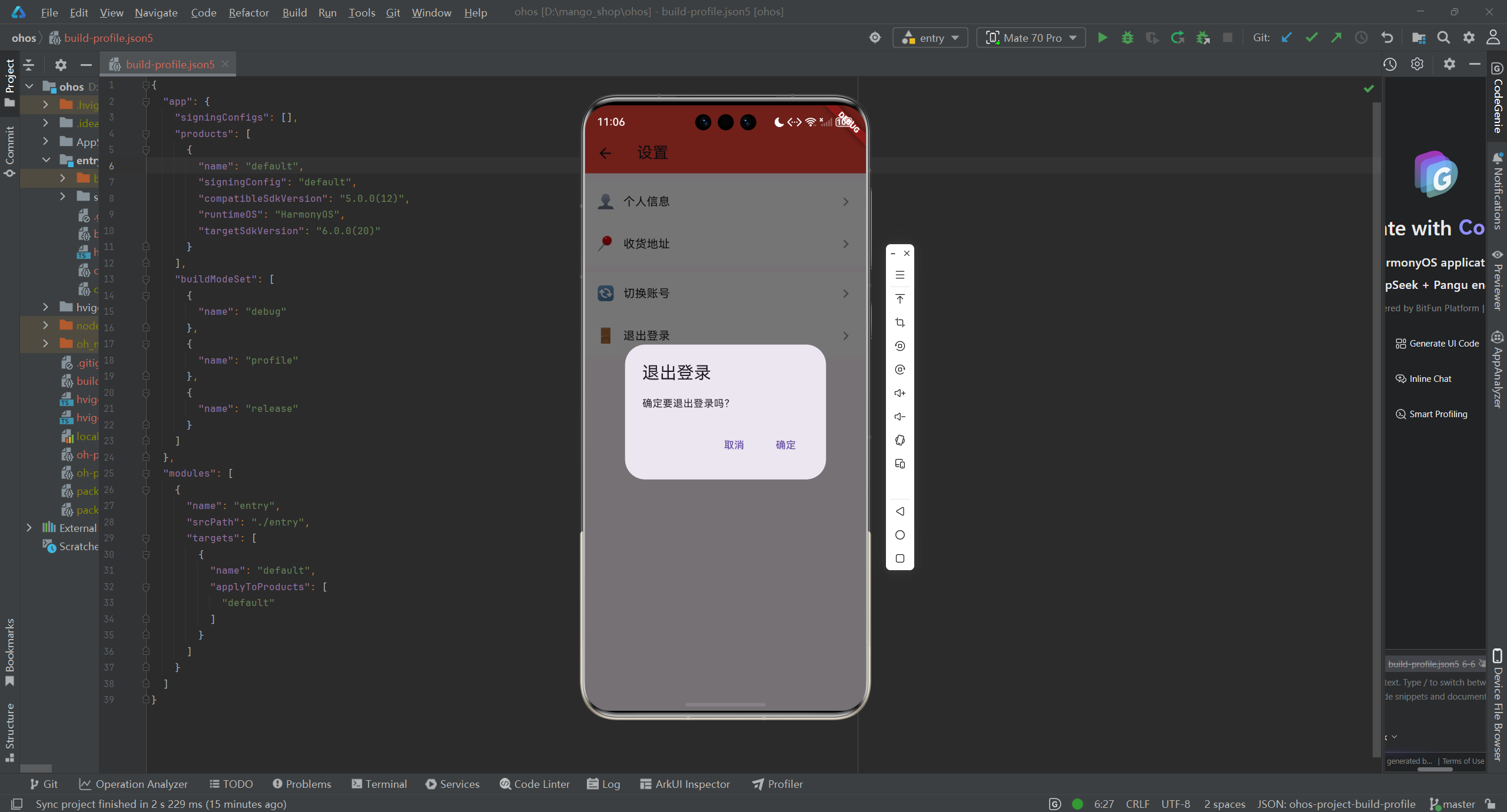
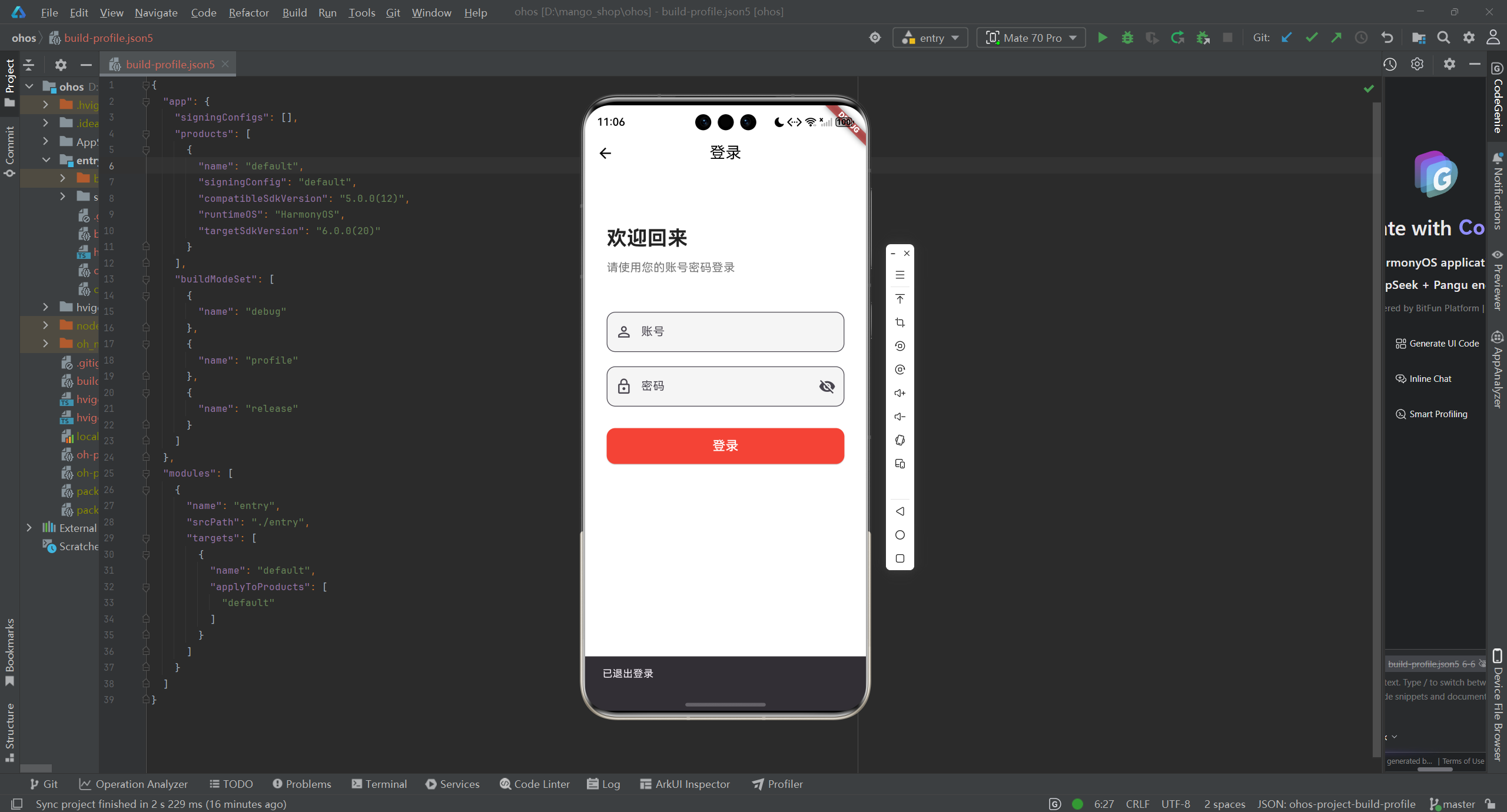
1. 登录功能实现
// lib/pages/login/index.dart
import 'package:flutter/material.dart';
import 'package:mango_shop/api/services/auth_service.dart';
import 'package:mango_shop/routes/navigation_service.dart';
import 'package:mango_shop/routes/router.dart';
class LoginPage extends StatefulWidget {
_LoginPageState createState() => _LoginPageState();
}
class _LoginPageState extends State<LoginPage> {
final TextEditingController _usernameController = TextEditingController();
final TextEditingController _passwordController = TextEditingController();
bool _isLoading = false;
final AuthService _authService = AuthService();
void initState() {
super.initState();
_authService.initialize();
}
void _login() async {
setState(() {
_isLoading = true;
});
try {
final result = await _authService.login(
_usernameController.text,
_passwordController.text,
);
// 登录成功,跳转到首页
NavigationService.replaceWith(RouteNames.home);
} catch (e) {
// 登录失败,显示错误信息
ScaffoldMessenger.of(context).showSnackBar(
SnackBar(content: Text(e.toString())),
);
} finally {
setState(() {
_isLoading = false;
});
}
}
Widget build(BuildContext context) {
// ... 登录页面 UI 代码 ...
return Scaffold(
// ... 其他代码 ...
body: Column(
// ... 其他代码 ...
children: [
TextField(
controller: _usernameController,
decoration: InputDecoration(labelText: '用户名'),
),
TextField(
controller: _passwordController,
decoration: InputDecoration(labelText: '密码'),
obscureText: true,
),
ElevatedButton(
onPressed: _isLoading ? null : _login,
child: _isLoading ? CircularProgressIndicator() : Text('登录'),
),
],
),
);
}
}
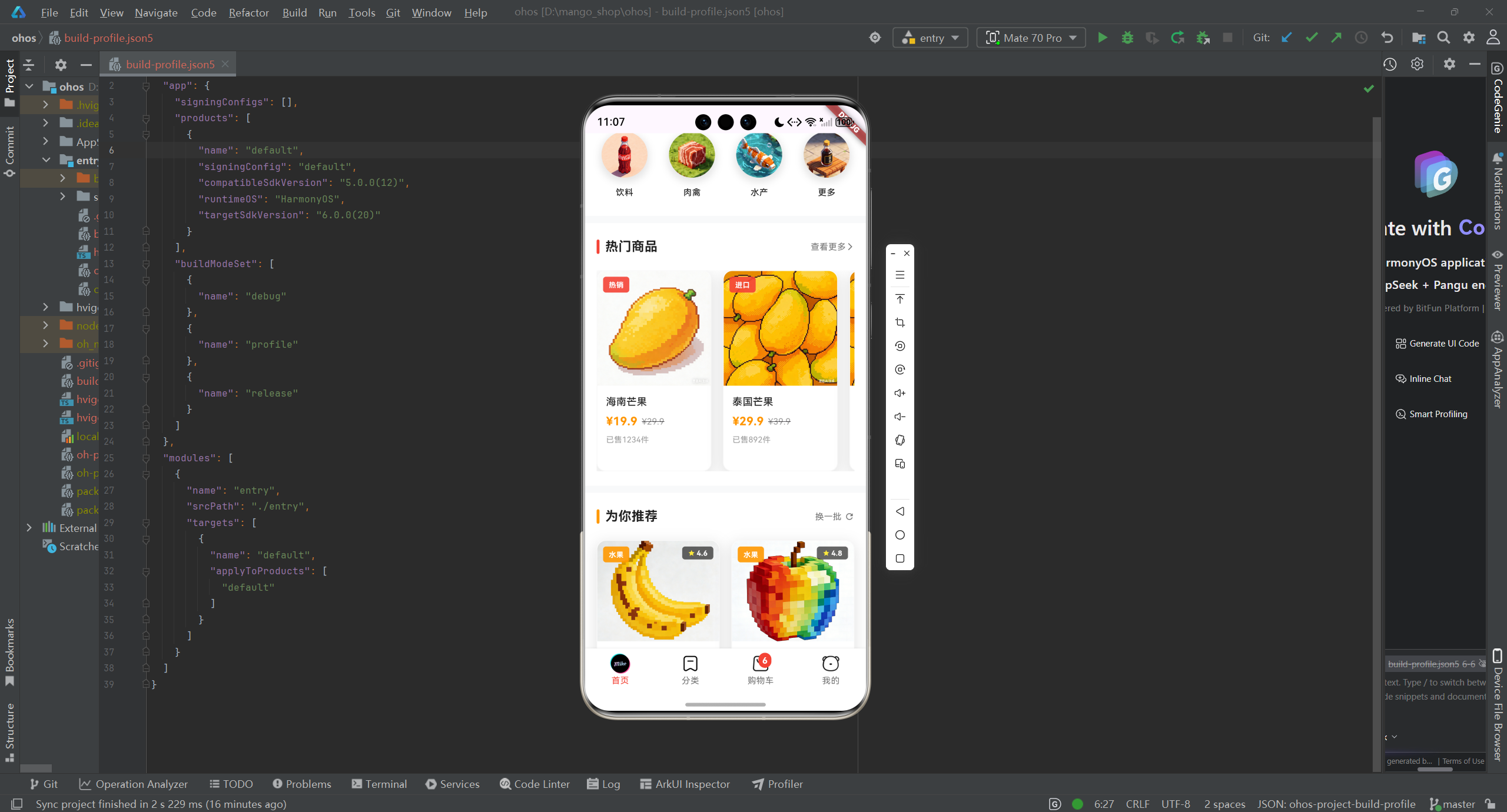
2. 商品列表实现
// lib/pages/Home/index.dart
import 'package:flutter/material.dart';
import 'package:mango_shop/api/services/product_service.dart';
import 'package:mango_shop/components/Home/MgProductList/MgProductList.dart';
class HomeView extends StatefulWidget {
_HomeViewState createState() => _HomeViewState();
}
class _HomeViewState extends State<HomeView> {
final ProductService _productService = ProductService();
List<dynamic> _products = [];
bool _isLoading = false;
void initState() {
super.initState();
_productService.initialize();
_loadProducts();
}
void _loadProducts() async {
setState(() {
_isLoading = true;
});
try {
final result = await _productService.getProducts();
setState(() {
_products = result['products'];
});
} catch (e) {
ScaffoldMessenger.of(context).showSnackBar(
SnackBar(content: Text(e.toString())),
);
} finally {
setState(() {
_isLoading = false;
});
}
}
Widget build(BuildContext context) {
return Scaffold(
// ... 其他代码 ...
body: ListView(
children: [
// ... 其他组件 ...
if (_isLoading)
Center(child: CircularProgressIndicator())
else
MgProductList(products: _products),
],
),
);
}
}
测试与调试
1. 网络请求测试
- 单元测试:测试 API 客户端的基本功能
- 集成测试:测试 API 服务层的功能
- 网络模拟测试:使用 Mock 数据测试网络请求失败的情况
- 跨平台测试:确保在所有平台上网络请求表现一致
2. 网络调试工具
- 网络日志:添加网络请求和响应的日志,便于调试
- 网络监控:监控网络请求的性能和状态
- Charles 抓包:使用 Charles 等工具抓取网络请求,分析请求和响应
3. 性能优化
- 请求缓存:对频繁请求的数据进行缓存
- 请求合并:合并短时间内的相同请求
- 延迟加载:对非关键数据采用延迟加载策略
- 错误重试:对网络错误进行自动重试
总结与展望
通过本文介绍的 API 客户端封装方案,我们可以:
- 提高代码可维护性:模块化的 API 客户端设计,便于统一管理和修改
- 增强跨平台兼容性:针对 OpenHarmony 平台进行专门的网络适配
- 提升用户体验:优化网络请求逻辑和错误处理
- 提高应用性能:实现网络请求的缓存和优化
- 简化开发流程:封装 API 服务层,减少重复代码
未来,可以考虑:
- 添加 GraphQL 支持:对于复杂的 API 查询,考虑使用 GraphQL
- 实现 WebSocket:对于实时数据,考虑使用 WebSocket
- 添加离线支持:实现离线缓存和同步机制
- 增强安全性:添加更完善的安全措施,如请求签名、加密等
Flutter for OpenHarmony 为跨平台应用开发提供了新的可能性,通过合理的 API 客户端设计和网络权限适配,可以构建出在所有平台上表现出色的应用。
欢迎加入开源鸿蒙跨平台社区:开源鸿蒙跨平台开发者社区

作为“人工智能6S店”的官方数字引擎,为AI开发者与企业提供一个覆盖软硬件全栈、一站式门户。
更多推荐

 0
0 0
0- 0


 已为社区贡献6条内容

所有评论(0)