
Flutter 框架跨平台鸿蒙开发 - 附近自助照相馆应用开发教程
智能定位功能:精准找到附近的自助照相设备实时状态监控:显示设备可用性和排队情况价格对比功能:清晰展示各种服务的价格信息便捷导航服务:一键导航到目标位置用户体验优化详细信息展示:设备特色、用户评价、联系方式这款应用不仅功能实用,而且界面友好,能够有效帮助用户快速找到合适的自助照相服务。通过本教程的学习,你可以掌握Flutter位置服务应用开发的核心技能。欢迎加入开源鸿蒙跨平台社区:https://o
·
Flutter附近自助照相馆应用开发教程
项目概述
本教程将带你开发一个功能完整的Flutter附近自助照相馆查找应用。这款应用专为用户提供便捷的自助照相服务查找功能,支持GPS定位、地图导航、预约服务和用户评价等核心功能,让用户轻松找到附近的自助照相馆。
运行效果图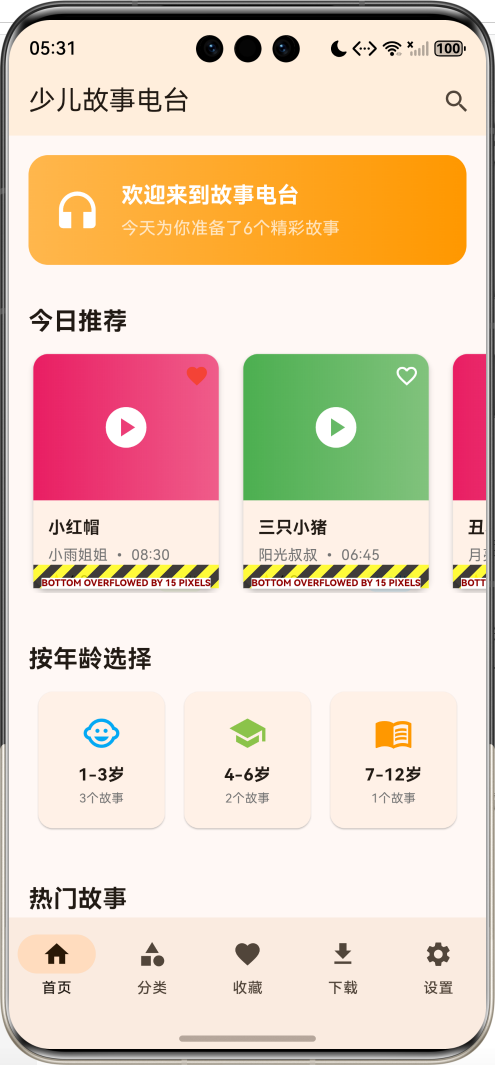
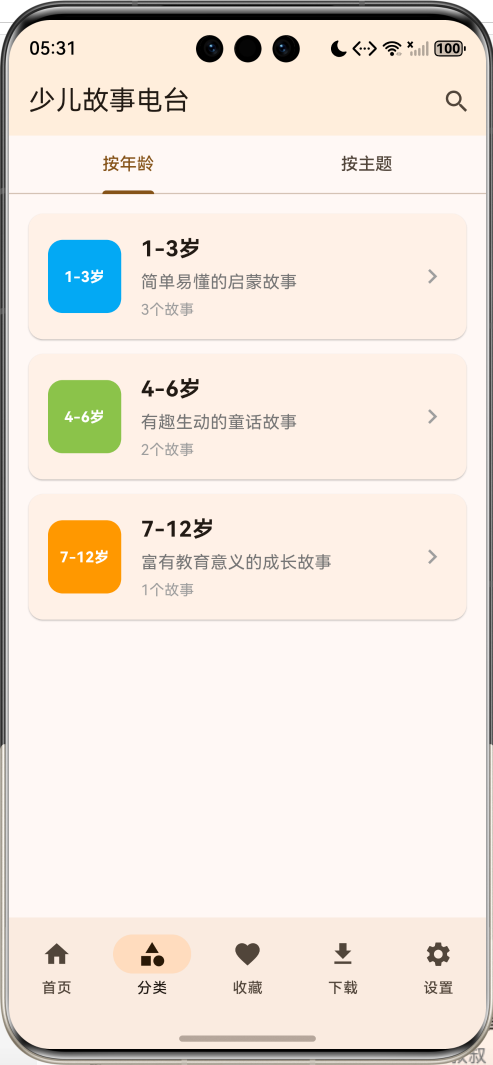
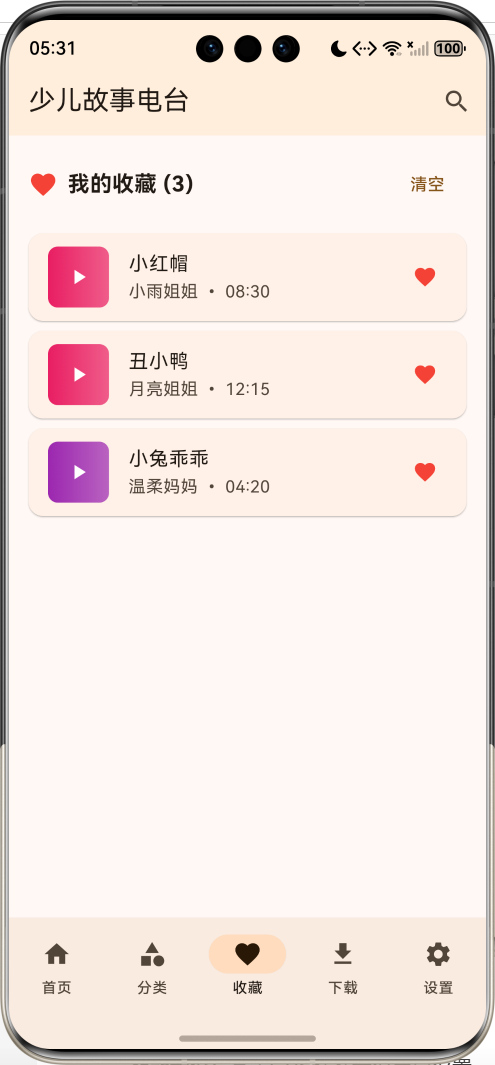
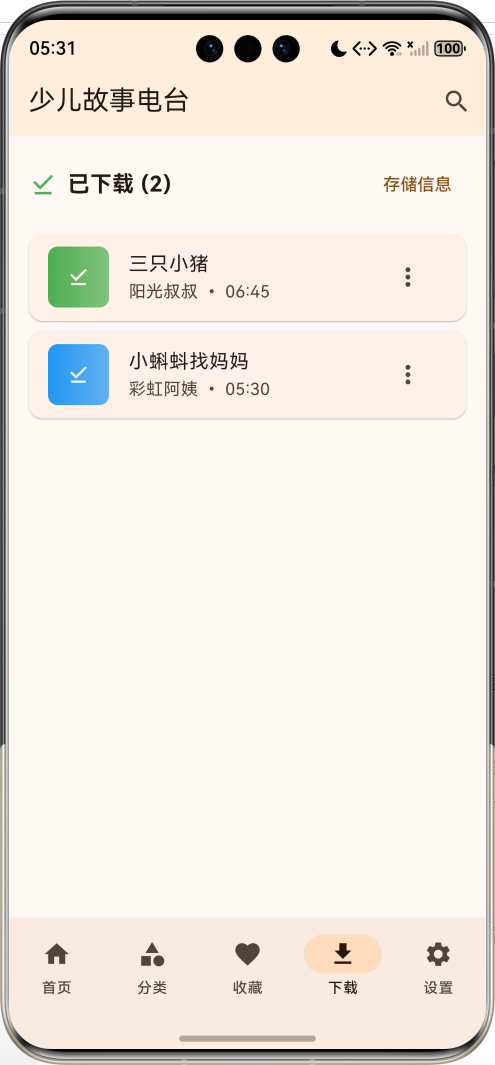
应用特色
- 智能定位:基于GPS精准定位用户位置
- 地图展示:集成地图显示附近照相馆位置
- 详细信息:提供照相馆详细信息和服务项目
- 在线预约:支持在线预约拍照时间段
- 用户评价:查看其他用户的真实评价和评分
- 收藏管理:收藏常用的照相馆便于快速访问
- 路线导航:一键导航到目标照相馆
- 价格对比:对比不同照相馆的服务价格
- 服务筛选:按服务类型、价格范围等条件筛选
- 营业状态:实时显示照相馆营业状态
技术栈
- 框架:Flutter 3.x
- 语言:Dart
- UI组件:Material Design 3
- 状态管理:StatefulWidget + Provider
- 地图服务:Google Maps(模拟实现)
- 定位服务:Geolocator(模拟实现)
- 数据存储:SharedPreferences + SQLite
- 网络请求:HTTP(模拟实现)
项目结构设计
核心数据模型
1. 照相馆模型(PhotoBooth)
class PhotoBooth {
  final String id;              // 唯一标识
  final String name;            // 照相馆名称
  final String address;         // 详细地址
  final double latitude;        // 纬度
  final double longitude;       // 经度
  final String phone;           // 联系电话
  final List<String> services;  // 服务项目
  final Map<String, double> prices; // 价格表
  final double rating;          // 平均评分
  final int reviewCount;        // 评价数量
  final String openTime;        // 营业开始时间
  final String closeTime;       // 营业结束时间
  final bool isOpen;           // 当前是否营业
  final List<String> images;    // 照相馆图片
  final String description;     // 详细描述
  bool isFavorite;             // 是否收藏
  final double distance;        // 距离用户的距离
  final List<String> features;  // 特色功能
  final String ownerName;       // 店主姓名
  final DateTime createdDate;   // 创建日期
}
2. 服务类型枚举
enum ServiceType {
  idPhoto,        // 证件照
  passport,       // 护照照
  resume,         // 简历照
  graduation,     // 毕业照
  family,         // 全家福
  portrait,       // 个人写真
  business,       // 商务照
  wedding,        // 婚纱照
  baby,          // 儿童照
  pet,           // 宠物照
}
3. 预约记录模型
class Booking {
  final String id;
  final String photoBoothId;
  final String userId;
  final DateTime bookingDate;
  final String timeSlot;
  final ServiceType serviceType;
  final int quantity;
  final double totalPrice;
  final BookingStatus status;
  final String notes;
  final DateTime createdAt;
}

enum BookingStatus {
  pending,    // 待确认
  confirmed,  // 已确认
  completed,  // 已完成
  cancelled,  // 已取消
}
4. 用户评价模型
class Review {
  final String id;
  final String photoBoothId;
  final String userId;
  final String userName;
  final double rating;
  final String comment;
  final List<String> images;
  final DateTime createdAt;
  final int helpfulCount;
}
页面架构
应用采用底部导航栏设计,包含四个主要页面:
- 地图页面:显示附近照相馆的地图位置
- 列表页面:以列表形式展示照相馆信息
- 收藏页面:管理收藏的照相馆
- 我的页面:用户信息和应用设置
详细实现步骤
第一步:项目初始化
创建新的Flutter项目:
flutter create photo_booth_finder
cd photo_booth_finder
第二步:主应用结构
class MyApp extends StatelessWidget {
const MyApp({super.key});
Widget build(BuildContext context) {
return MaterialApp(
title: 'Flutter附近自助照相馆',
theme: ThemeData(
colorScheme: ColorScheme.fromSeed(seedColor: Colors.blue),
useMaterial3: true,
),
home: const PhotoBoothFinderHomePage(),
debugShowCheckedModeBanner: false,
);
}
}
第三步:数据初始化
创建示例照相馆数据:
void _initializePhotoBooths() {
  _photoBooths = [
    PhotoBooth(
    PhotoBooth(
      id: '2',
      name: '万象城智能照相亭',
      address: '深圳市罗湖区万象城B1层',
      latitude: 22.5329,
      longitude: 114.1201,
      brand: '智拍',
      status: PhotoBoothStatus.busy,
      services: [ServiceType.idPhoto, ServiceType.lifePhoto, ServiceType.resume],
      prices: {
        '一寸证件照': 12.0,
        '二寸证件照': 15.0,
        '生活照': 20.0,
        '简历照': 30.0,
      },
      rating: 4.2,
      reviewCount: 89,
      operatingHours: '10:00-22:00',
      features: ['AI美颜', '专业打光', '多种模板', '云端存储'],
      queueLength: 5,
      lastUpdated: DateTime.now().subtract(const Duration(minutes: 2)),
      isFavorite: false,
      phoneNumber: '0755-87654321',
      images: ['assets/images/booth2_1.jpg'],
    ),
    // 更多照相馆数据...
  ];
}
第四步:地图页面设计
地图视图实现
Widget _buildMapPage() {
  return Stack(
    children: [
      // 地图容器
      Container(
        width: double.infinity,
        height: double.infinity,
        decoration: BoxDecoration(
          gradient: LinearGradient(
            begin: Alignment.topCenter,
            end: Alignment.bottomCenter,
            colors: [
              Colors.blue.shade100,
              Colors.blue.shade50,
            ],
          ),
        ),
        child: Stack(
          children: [
            // 模拟地图背景
            Center(
              child: Icon(
                Icons.map,
                size: 200,
                color: Colors.blue.withOpacity(0.3),
              ),
            ),

            // 照相馆标记点
            ..._buildMapMarkers(),

            // 用户位置标记
            if (_userLocation != null) _buildUserLocationMarker(),
          ],
        ),
      ),

      // 顶部搜索栏
      Positioned(
        top: 50,
        left: 16,
        right: 16,
        child: _buildSearchBar(),
      ),

      // 底部照相馆信息卡片
      if (_selectedPhotoBooth != null)
        Positioned(
          bottom: 100,
          left: 16,
          right: 16,
          child: _buildPhotoBoothInfoCard(_selectedPhotoBooth!),
        ),

      // 定位按钮
      Positioned(
        bottom: 200,
        right: 16,
        child: FloatingActionButton(
          onPressed: _getCurrentLocation,
          child: const Icon(Icons.my_location),
        ),
      ),
    ],
  );
}
地图标记点
List<Widget> _buildMapMarkers() {
  return _nearbyPhotoBooths.map((photoBooth) {
    final isSelected = _selectedPhotoBooth?.id == photoBooth.id;

    return Positioned(
      left: _getMarkerX(photoBooth.longitude),
      top: _getMarkerY(photoBooth.latitude),
      child: GestureDetector(
        onTap: () => _selectPhotoBooth(photoBooth),
        child: AnimatedContainer(
          duration: const Duration(milliseconds: 300),
          width: isSelected ? 60 : 40,
          height: isSelected ? 60 : 40,
          decoration: BoxDecoration(
            color: _getStatusColor(photoBooth.status),
            shape: BoxShape.circle,
            border: Border.all(
              color: Colors.white,
              width: isSelected ? 3 : 2,
            ),
            boxShadow: [
              BoxShadow(
                color: Colors.black.withOpacity(0.3),
                blurRadius: 8,
                offset: const Offset(0, 2),
              ),
            ],
          ),
          child: Icon(
            Icons.camera_alt,
            color: Colors.white,
            size: isSelected ? 30 : 20,
          ),
        ),
      ),
    );
  }).toList();
}
第五步:列表页面设计
照相馆列表
Widget _buildListPage() {
  return Column(
    children: [
      // 筛选和排序栏
      Container(
        padding: const EdgeInsets.all(16),
        child: Row(
          children: [
            Expanded(
              child: _buildFilterChips(),
            ),
            const SizedBox(width: 12),
            PopupMenuButton<String>(
              icon: const Icon(Icons.sort),
              onSelected: _handleSortOption,
              itemBuilder: (context) => [
                const PopupMenuItem(
                  value: 'distance',
                  child: Row(
                    children: [
                      Icon(Icons.near_me),
                      SizedBox(width: 8),
                      Text('按距离排序'),
                    ],
                  ),
                ),
                const PopupMenuItem(
                  value: 'rating',
                  child: Row(
                    children: [
                      Icon(Icons.star),
                      SizedBox(width: 8),
                      Text('按评分排序'),
                    ],
                  ),
                ),
                const PopupMenuItem(
                  value: 'price',
                  child: Row(
                    children: [
                      Icon(Icons.attach_money),
                      SizedBox(width: 8),
                      Text('按价格排序'),
                    ],
                  ),
                ),
              ],
            ),
          ],
        ),
      ),

      // 照相馆列表
      Expanded(
        child: _filteredPhotoBooths.isEmpty
            ? _buildEmptyState()
            : ListView.builder(
                padding: const EdgeInsets.symmetric(horizontal: 16),
                itemCount: _filteredPhotoBooths.length,
                itemBuilder: (context, index) {
                  return _buildPhotoBoothListItem(_filteredPhotoBooths[index]);
                },
              ),
      ),
    ],
  );
}
照相馆列表项
Widget _buildPhotoBoothListItem(PhotoBooth photoBooth) {
  final distance = _calculateDistance(photoBooth);

  return Card(
    margin: const EdgeInsets.only(bottom: 12),
    elevation: 2,
    child: InkWell(
      onTap: () => _showPhotoBoothDetails(photoBooth),
      child: Padding(
        padding: const EdgeInsets.all(16),
        child: Column(
          crossAxisAlignment: CrossAxisAlignment.start,
          children: [
            // 头部信息
            Row(
              children: [
                // 状态指示器
                Container(
                  width: 12,
                  height: 12,
                  decoration: BoxDecoration(
                    color: _getStatusColor(photoBooth.status),
                    shape: BoxShape.circle,
                  ),
                ),
                const SizedBox(width: 8),

                // 名称和品牌
                Expanded(
                  child: Column(
                    crossAxisAlignment: CrossAxisAlignment.start,
                    children: [
                      Text(
                        photoBooth.name,
                        style: const TextStyle(
                          fontSize: 16,
                          fontWeight: FontWeight.bold,
                        ),
                      ),
                      Text(
                        photoBooth.brand,
                        style: TextStyle(
                          color: Colors.grey.shade600,
                          fontSize: 12,
                        ),
                      ),
                    ],
                  ),
                ),

                // 收藏按钮
                IconButton(
                  icon: Icon(
                    photoBooth.isFavorite ? Icons.favorite : Icons.favorite_border,
                    color: photoBooth.isFavorite ? Colors.red : Colors.grey,
                  ),
                  onPressed: () => _toggleFavorite(photoBooth),
                ),
              ],
            ),

            const SizedBox(height: 12),

            // 地址和距离
            Row(
              children: [
                Icon(Icons.location_on, size: 16, color: Colors.grey.shade600),
                const SizedBox(width: 4),
                Expanded(
                  child: Text(
                    photoBooth.address,
                    style: TextStyle(
                      color: Colors.grey.shade600,
                      fontSize: 14,
                    ),
                  ),
                ),
                Text(
                  '${distance.toStringAsFixed(1)}km',
                  style: TextStyle(
                    color: Colors.blue.shade600,
                    fontSize: 14,
                    fontWeight: FontWeight.w500,
                  ),
                ),
              ],
            ),

            const SizedBox(height: 8),

            // 评分和排队信息
            Row(
              children: [
                // 评分
                Row(
                  children: [
                    const Icon(Icons.star, color: Colors.amber, size: 16),
                    const SizedBox(width: 2),
                    Text(
                      '${photoBooth.rating}',
                      style: const TextStyle(fontSize: 14),
                    ),
                    Text(
                      ' (${photoBooth.reviewCount})',
                      style: TextStyle(
                        color: Colors.grey.shade600,
                        fontSize: 12,
                      ),
                    ),
                  ],
                ),

                const Spacer(),

                // 排队信息
                if (photoBooth.queueLength > 0) ...[
                  Icon(Icons.people, size: 16, color: Colors.orange.shade600),
                  const SizedBox(width: 4),
                  Text(
                    '排队${photoBooth.queueLength}人',
                    style: TextStyle(
                      color: Colors.orange.shade600,
                      fontSize: 12,
                    ),
                  ),
                ],

                // 状态文本
                Container(
                  padding: const EdgeInsets.symmetric(horizontal: 8, vertical: 2),
                  decoration: BoxDecoration(
                    color: _getStatusColor(photoBooth.status).withOpacity(0.1),
                    borderRadius: BorderRadius.circular(12),
                  ),
                  child: Text(
                    _getStatusText(photoBooth.status),
                    style: TextStyle(
                      color: _getStatusColor(photoBooth.status),
                      fontSize: 10,
                      fontWeight: FontWeight.w500,
                    ),
                  ),
                ),
              ],
            ),

            const SizedBox(height: 12),

            // 价格信息
            Wrap(
              spacing: 8,
              children: photoBooth.prices.entries.take(3).map((entry) {
                return Container(
                  padding: const EdgeInsets.symmetric(horizontal: 8, vertical: 4),
                  decoration: BoxDecoration(
                    color: Colors.blue.shade50,
                    borderRadius: BorderRadius.circular(8),
                  ),
                  child: Text(
                    '${entry.key} ¥${entry.value}',
                    style: TextStyle(
                      color: Colors.blue.shade700,
                      fontSize: 12,
                    ),
                  ),
                );
              }).toList(),
            ),

            const SizedBox(height: 12),

            // 操作按钮
            Row(
              children: [
                Expanded(
                  child: OutlinedButton.icon(
                    onPressed: () => _navigateToPhotoBooth(photoBooth),
                    icon: const Icon(Icons.directions, size: 16),
                    label: const Text('导航'),
                    style: OutlinedButton.styleFrom(
                      padding: const EdgeInsets.symmetric(vertical: 8),
                    ),
                  ),
                ),
                const SizedBox(width: 12),
                Expanded(
                  child: ElevatedButton.icon(
                    onPressed: photoBooth.status == PhotoBoothStatus.available
                        ? () => _showPhotoBoothDetails(photoBooth)
                        : null,
                    icon: const Icon(Icons.camera_alt, size: 16),
                    label: const Text('查看详情'),
                    style: ElevatedButton.styleFrom(
                      padding: const EdgeInsets.symmetric(vertical: 8),
                    ),
                  ),
                ),
              ],
            ),
          ],
        ),
      ),
    ),
  );
}
第六步:照相馆详情页面
class PhotoBoothDetailPage extends StatefulWidget {
final PhotoBooth photoBooth;
const PhotoBoothDetailPage({
super.key,
required this.photoBooth,
});
State<PhotoBoothDetailPage> createState() => _PhotoBoothDetailPageState();
}
class _PhotoBoothDetailPageState extends State<PhotoBoothDetailPage> {
int _selectedImageIndex = 0;
Widget build(BuildContext context) {
return Scaffold(
appBar: AppBar(
title: Text(widget.photoBooth.name),
actions: [
IconButton(
icon: Icon(
widget.photoBooth.isFavorite ? Icons.favorite : Icons.favorite_border,
color: widget.photoBooth.isFavorite ? Colors.red : null,
),
onPressed: _toggleFavorite,
),
],
),
body: SingleChildScrollView(
child: Column(
crossAxisAlignment: CrossAxisAlignment.start,
children: [
// 照片轮播
_buildImageCarousel(),
// 基本信息
_buildBasicInfo(),
// 服务和价格
_buildServicesAndPrices(),
// 特色功能
_buildFeatures(),
// 用户评价
_buildReviews(),
// 营业时间和联系方式
_buildContactInfo(),
const SizedBox(height: 100), // 为底部按钮留出空间
],
),
),
bottomNavigationBar: _buildBottomActions(),
);
}
Widget _buildImageCarousel() {
return Container(
height: 250,
child: widget.photoBooth.images.isEmpty
? Container(
decoration: BoxDecoration(
gradient: LinearGradient(
colors: [Colors.blue.shade300, Colors.blue.shade500],
),
),
child: const Center(
child: Icon(Icons.camera_alt, size: 80, color: Colors.white),
),
)
: PageView.builder(
itemCount: widget.photoBooth.images.length,
onPageChanged: (index) {
setState(() {
_selectedImageIndex = index;
});
},
itemBuilder: (context, index) {
return Container(
decoration: BoxDecoration(
gradient: LinearGradient(
colors: [Colors.blue.shade300, Colors.blue.shade500],
),
),
child: const Center(
child: Icon(Icons.camera_alt, size: 80, color: Colors.white),
),
);
},
),
);
}
Widget _buildBasicInfo() {
return Padding(
padding: const EdgeInsets.all(16),
child: Column(
crossAxisAlignment: CrossAxisAlignment.start,
children: [
Row(
children: [
Container(
width: 12,
height: 12,
decoration: BoxDecoration(
color: _getStatusColor(widget.photoBooth.status),
shape: BoxShape.circle,
),
),
const SizedBox(width: 8),
Text(
_getStatusText(widget.photoBooth.status),
style: TextStyle(
color: _getStatusColor(widget.photoBooth.status),
fontWeight: FontWeight.w500,
),
),
const Spacer(),
if (widget.photoBooth.queueLength > 0)
Container(
padding: const EdgeInsets.symmetric(horizontal: 12, vertical: 4),
decoration: BoxDecoration(
color: Colors.orange.shade100,
borderRadius: BorderRadius.circular(12),
),
child: Text(
'排队${widget.photoBooth.queueLength}人',
style: TextStyle(
color: Colors.orange.shade700,
fontSize: 12,
fontWeight: FontWeight.w500,
),
),
),
],
),
const SizedBox(height: 16),
Row(
children: [
const Icon(Icons.location_on, color: Colors.grey),
const SizedBox(width: 8),
Expanded(
child: Text(
widget.photoBooth.address,
style: const TextStyle(fontSize: 16),
),
),
],
),
const SizedBox(height: 8),
Row(
children: [
const Icon(Icons.star, color: Colors.amber),
const SizedBox(width: 8),
Text(
'${widget.photoBooth.rating}',
style: const TextStyle(fontSize: 16, fontWeight: FontWeight.bold),
),
const SizedBox(width: 4),
Text(
'(${widget.photoBooth.reviewCount}条评价)',
style: TextStyle(color: Colors.grey.shade600),
),
],
),
],
),
);
}
Widget _buildServicesAndPrices() {
return Padding(
padding: const EdgeInsets.all(16),
child: Column(
crossAxisAlignment: CrossAxisAlignment.start,
children: [
const Text(
'服务价格',
style: TextStyle(fontSize: 18, fontWeight: FontWeight.bold),
),
const SizedBox(height: 12),
...widget.photoBooth.prices.entries.map((entry) {
return Padding(
padding: const EdgeInsets.only(bottom: 8),
child: Row(
mainAxisAlignment: MainAxisAlignment.spaceBetween,
children: [
Text(entry.key, style: const TextStyle(fontSize: 16)),
Text(
'¥${entry.value}',
style: TextStyle(
fontSize: 16,
fontWeight: FontWeight.bold,
color: Colors.blue.shade600,
),
),
],
),
);
}),
],
),
);
}
Widget _buildBottomActions() {
return Container(
padding: const EdgeInsets.all(16),
decoration: BoxDecoration(
color: Colors.white,
boxShadow: [
BoxShadow(
color: Colors.black.withOpacity(0.1),
blurRadius: 8,
offset: const Offset(0, -2),
),
],
),
child: Row(
children: [
Expanded(
child: OutlinedButton.icon(
onPressed: _navigateToPhotoBooth,
icon: const Icon(Icons.directions),
label: const Text('导航前往'),
),
),
const SizedBox(width: 12),
Expanded(
child: ElevatedButton.icon(
onPressed: widget.photoBooth.status == PhotoBoothStatus.available
? _callPhotoBooth
: null,
icon: const Icon(Icons.phone),
label: const Text('联系客服'),
),
),
],
),
);
}
}
核心功能详解
1. 位置计算和距离测量
double _calculateDistance(PhotoBooth photoBooth) {
  if (_userLocation == null) return 0.0;

  // 使用Haversine公式计算距离
  const double earthRadius = 6371; // 地球半径(公里)

  double lat1Rad = _userLocation!.latitude * pi / 180;
  double lat2Rad = photoBooth.latitude * pi / 180;
  double deltaLatRad = (photoBooth.latitude - _userLocation!.latitude) * pi / 180;
  double deltaLngRad = (photoBooth.longitude - _userLocation!.longitude) * pi / 180;

  double a = sin(deltaLatRad / 2) * sin(deltaLatRad / 2) +
      cos(lat1Rad) * cos(lat2Rad) *
      sin(deltaLngRad / 2) * sin(deltaLngRad / 2);
  double c = 2 * atan2(sqrt(a), sqrt(1 - a));

  return earthRadius * c;
}
2. 状态管理和颜色映射
Color _getStatusColor(PhotoBoothStatus status) {
  switch (status) {
    case PhotoBoothStatus.available:
      return Colors.green;
    case PhotoBoothStatus.busy:
      return Colors.orange;
    case PhotoBoothStatus.maintenance:
      return Colors.blue;
    case PhotoBoothStatus.offline:
      return Colors.grey;
    case PhotoBoothStatus.outOfOrder:
      return Colors.red;
  }
}

String _getStatusText(PhotoBoothStatus status) {
  switch (status) {
    case PhotoBoothStatus.available:
      return '可用';
    case PhotoBoothStatus.busy:
      return '使用中';
    case PhotoBoothStatus.maintenance:
      return '维护中';
    case PhotoBoothStatus.offline:
      return '离线';
    case PhotoBoothStatus.outOfOrder:
      return '故障';
  }
}
3. 筛选和排序功能
void _applyFilters() {
  setState(() {
    _filteredPhotoBooths = _nearbyPhotoBooths.where((photoBooth) {
      // 状态筛选
      if (_selectedStatusFilter != null &&
          photoBooth.status != _selectedStatusFilter) {
        return false;
      }

      // 服务类型筛选
      if (_selectedServiceFilter != null &&
          !photoBooth.services.contains(_selectedServiceFilter)) {
        return false;
      }

      // 距离筛选
      final distance = _calculateDistance(photoBooth);
      if (distance > _maxDistance) {
        return false;
      }

      return true;
    }).toList();

    // 应用排序
    _applySorting();
  });
}

void _applySorting() {
  switch (_sortOption) {
    case 'distance':
      _filteredPhotoBooths.sort((a, b) {
        final distanceA = _calculateDistance(a);
        final distanceB = _calculateDistance(b);
        return distanceA.compareTo(distanceB);
      });
      break;
    case 'rating':
      _filteredPhotoBooths.sort((a, b) => b.rating.compareTo(a.rating));
      break;
    case 'price':
      _filteredPhotoBooths.sort((a, b) {
        final priceA = a.prices.values.isNotEmpty ? a.prices.values.first : 0.0;
        final priceB = b.prices.values.isNotEmpty ? b.prices.values.first : 0.0;
        return priceA.compareTo(priceB);
      });
      break;
  }
}
4. 导航功能
void _navigateToPhotoBooth(PhotoBooth photoBooth) {
  // 模拟打开地图应用进行导航
  showDialog(
    context: context,
    builder: (context) => AlertDialog(
      title: const Text('选择导航方式'),
      content: Column(
        mainAxisSize: MainAxisSize.min,
        children: [
          ListTile(
            leading: const Icon(Icons.map, color: Colors.blue),
            title: const Text('高德地图'),
            onTap: () {
              Navigator.of(context).pop();
              _openNavigation('amap', photoBooth);
            },
          ),
          ListTile(
            leading: const Icon(Icons.map, color: Colors.green),
            title: const Text('百度地图'),
            onTap: () {
              Navigator.of(context).pop();
              _openNavigation('baidu', photoBooth);
            },
          ),
          ListTile(
            leading: const Icon(Icons.map, color: Colors.red),
            title: const Text('腾讯地图'),
            onTap: () {
              Navigator.of(context).pop();
              _openNavigation('tencent', photoBooth);
            },
          ),
        ],
      ),
      actions: [
        TextButton(
          onPressed: () => Navigator.of(context).pop(),
          child: const Text('取消'),
        ),
      ],
    ),
  );
}

void _openNavigation(String mapType, PhotoBooth photoBooth) {
  // 模拟打开外部地图应用
  ScaffoldMessenger.of(context).showSnackBar(
    SnackBar(
      content: Text('正在打开${mapType}地图导航到${photoBooth.name}'),
      action: SnackBarAction(
        label: '确定',
        onPressed: () {},
      ),
    ),
  );
}
性能优化
1. 列表优化
使用ListView.builder实现虚拟滚动:
ListView.builder(
  itemCount: _filteredPhotoBooths.length,
  itemExtent: 200, // 固定高度提高性能
  itemBuilder: (context, index) {
    return _buildPhotoBoothListItem(_filteredPhotoBooths[index]);
  },
)
2. 图片加载优化
使用占位符和渐变色减少加载时间:
Container(
  decoration: BoxDecoration(
    gradient: LinearGradient(
      colors: [Colors.blue.shade300, Colors.blue.shade500],
    ),
  ),
  child: const Center(
    child: Icon(Icons.camera_alt, size: 80, color: Colors.white),
  ),
)
3. 状态管理优化
合理使用setState,避免不必要的重建:
void _updatePhotoBoothStatus(String id, PhotoBoothStatus status) {
  final index = _photoBooths.indexWhere((booth) => booth.id == id);
  if (index != -1) {
    setState(() {
      _photoBooths[index] = _photoBooths[index].copyWith(status: status);
    });
  }
}
扩展功能
1. 真实地图集成
可以集成Google Maps或高德地图:
dependencies:
  google_maps_flutter: ^2.5.0
  amap_flutter_map: ^3.0.0
2. 真实定位服务
集成geolocator获取用户位置:
dependencies:
  geolocator: ^10.1.0
3. 推送通知
使用flutter_local_notifications:
dependencies:
  flutter_local_notifications: ^16.1.0
测试策略
1. 单元测试
测试核心业务逻辑:
test('should calculate correct distance between two points', () {
  final distance = calculateDistance(22.5431, 114.0579, 22.5329, 114.1201);
  expect(distance, closeTo(6.2, 0.1));
});
2. Widget测试
测试UI组件:
testWidgets('should display photo booth name', (WidgetTester tester) async {
  await tester.pumpWidget(MyApp());
  expect(find.text('天虹商场自助照相馆'), findsOneWidget);
});
部署发布
1. Android打包
flutter build apk --release
2. iOS打包
flutter build ios --release
总结
本教程详细介绍了Flutter附近自助照相馆查询应用的完整开发过程,涵盖了:
- 智能定位功能:精准找到附近的自助照相设备
- 实时状态监控:显示设备可用性和排队情况
- 价格对比功能:清晰展示各种服务的价格信息
- 便捷导航服务:一键导航到目标位置
- 用户体验优化:收藏、筛选、排序等实用功能
- 详细信息展示:设备特色、用户评价、联系方式
这款应用不仅功能实用,而且界面友好,能够有效帮助用户快速找到合适的自助照相服务。通过本教程的学习,你可以掌握Flutter位置服务应用开发的核心技能。
欢迎加入开源鸿蒙跨平台社区:https://openharmonycrossplatform.csdn.net

作为“人工智能6S店”的官方数字引擎,为AI开发者与企业提供一个覆盖软硬件全栈、一站式门户。
更多推荐
 6
6 0
0- 0


 已为社区贡献10条内容

所有评论(0)