
Platform Channels 鸿蒙使用指南
本文介绍了Flutter的Platform Channels跨平台通信机制,支持与HarmonyOS原生功能集成。主要包含三种通道类型:MethodChannel(方法调用)、EventChannel(事件流监听)和BasicMessageChannel(双向消息传递)。通过Git方式安装后,开发者可实现计数器功能、加速度传感器监听、平台图片获取等场景。示例代码展示了各通道的具体使用方法,包括异常
插件介绍
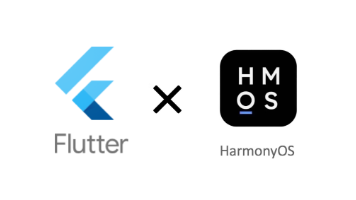
Platform Channels是Flutter提供的一套跨平台通信机制,允许Flutter应用与底层平台(如HarmonyOS)进行双向通信。该示例包演示了三种核心通道类型的使用方法:
- MethodChannel:用于Flutter与平台之间的方法调用,支持请求-响应模式
- EventChannel:用于平台向Flutter发送连续的事件流,支持订阅-发布模式
- BasicMessageChannel:用于Flutter与平台之间的双向消息传递,支持多种编解码器
通过这些通道,开发者可以轻松实现Flutter与HarmonyOS原生功能的集成,如调用原生API、监听传感器数据、传递结构化数据等。
安装与配置
添加Git依赖
由于这是自定义修改版本,需要通过Git形式引入。在Flutter项目的pubspec.yaml文件中添加以下依赖配置:
dependencies:
  platform_channels:
    git:
      url: "https://atomgit.com/"
      path: "packages/platform_channels/platform_channels"
项目配置
在HarmonyOS侧,需要确保已正确配置平台通道的实现代码。对于MethodChannel、EventChannel和BasicMessageChannel,需要在EntryAbility或相关Service中注册对应的通道处理器。
API使用指南
1. MethodChannel - 方法调用
MethodChannel用于Flutter调用平台方法并获取返回结果,适用于一次性操作。
示例:计数器功能
import 'package:flutter/material.dart';
import 'package:platform_channels/src/counter_method_channel.dart';
import 'package:flutter/services.dart';
class CounterScreen extends StatefulWidget {
_CounterScreenState createState() => _CounterScreenState();
}
class _CounterScreenState extends State<CounterScreen> {
int count = 0;
void _increment() async {
try {
final value = await Counter.increment(counterValue: count);
setState(() => count = value);
} catch (error) {
// 处理平台异常
print((error as PlatformException).message);
}
}
void _decrement() async {
try {
final value = await Counter.decrement(counterValue: count);
setState(() => count = value);
} catch (error) {
print((error as PlatformException).message);
}
}
Widget build(BuildContext context) {
return Scaffold(
appBar: AppBar(title: Text('Counter Demo')),
body: Center(
child: Text('Count: $count', style: TextStyle(fontSize: 24)),
),
floatingActionButton: Column(
mainAxisAlignment: MainAxisAlignment.end,
children: [
FloatingActionButton(onPressed: _increment, child: Icon(Icons.add)),
SizedBox(height: 10),
FloatingActionButton(onPressed: _decrement, child: Icon(Icons.remove)),
],
),
);
}
}
2. EventChannel - 事件流监听
EventChannel用于平台向Flutter发送连续的事件流,适用于传感器数据、位置更新等场景。
示例:加速度传感器
import 'package:flutter/material.dart';
import 'package:platform_channels/src/accelerometer_event_channel.dart';
class AccelerometerScreen extends StatelessWidget {
Widget build(BuildContext context) {
return Scaffold(
appBar: AppBar(title: Text('Accelerometer Demo')),
body: StreamBuilder<AccelerometerReadings>(
stream: Accelerometer.readings,
builder: (context, snapshot) {
if (snapshot.hasError) {
return Center(child: Text('Error: ${snapshot.error}'));
}
if (!snapshot.hasData) {
return Center(child: CircularProgressIndicator());
}
final readings = snapshot.data!;
return Center(
child: Column(
mainAxisAlignment: MainAxisAlignment.center,
children: [
Text('X-axis: ${readings.x.toStringAsFixed(2)}'),
Text('Y-axis: ${readings.y.toStringAsFixed(2)}'),
Text('Z-axis: ${readings.z.toStringAsFixed(2)}'),
],
),
);
},
),
);
}
}
3. BasicMessageChannel - 双向消息传递
BasicMessageChannel支持Flutter与平台之间的双向消息传递,并支持多种编解码器。
示例1:平台图片获取(StandardMessageCodec)
import 'package:flutter/material.dart';
import 'package:platform_channels/src/platform_image_fetcher.dart';
class PlatformImageScreen extends StatelessWidget {
Widget build(BuildContext context) {
return Scaffold(
appBar: AppBar(title: Text('Platform Image Demo')),
body: Center(
child: Column(
mainAxisAlignment: MainAxisAlignment.center,
children: [
ElevatedButton(
onPressed: () async {
final imageBytes = await PlatformImageFetcher.getImage();
// 使用imageBytes显示图片
},
child: Text('Get Image from Platform'),
),
],
),
),
);
}
}
示例2:宠物列表管理(多编解码器)
import 'package:flutter/material.dart';
import 'package:flutter/services.dart';
import 'package:platform_channels/src/pet_list_message_channel.dart';
class PetListScreen extends StatefulWidget {
_PetListScreenState createState() => _PetListScreenState();
}
class _PetListScreenState extends State<PetListScreen> {
PetListModel petListModel = PetListModel(petList: []);
void didChangeDependencies() {
super.didChangeDependencies();
// 监听StringCodec通道消息
const BasicMessageChannel<String?>('stringCodecDemo', StringCodec())
.setMessageHandler((message) async {
if (message != null) {
setState(() {
petListModel = PetListModel.fromJson(message);
});
}
return null;
});
}
void _addPet() {
PetListMessageChannel.addPetDetails(
PetDetails(petType: 'Dog', breed: 'Labrador'),
);
}
void _removePet(int index) async {
try {
await PetListMessageChannel.removePet(index);
// 更新UI
} catch (error) {
print((error as PlatformException).message);
}
}
Widget build(BuildContext context) {
// 构建宠物列表UI
return Scaffold(
appBar: AppBar(title: Text('Pet List')),
body: /* 宠物列表UI */,
floatingActionButton: FloatingActionButton(
onPressed: _addPet,
child: Icon(Icons.add),
),
);
}
}
支持的编解码器
BasicMessageChannel支持多种编解码器,适用于不同的数据类型:
- JSONMessageCodec:用于JSON格式数据
- BinaryCodec:用于二进制数据(ByteData)
- StringCodec:用于字符串数据
- StandardMessageCodec:默认编解码器,支持多种数据类型
错误处理
在使用平台通道时,应始终处理可能的PlatformException:
try {
  // 平台通道调用
} catch (error) {
  if (error is PlatformException) {
    print('Error Code: ${error.code}');
    print('Error Message: ${error.message}');
    print('Error Details: ${error.details}');
  }
}
总结
Platform Channels提供了Flutter与HarmonyOS原生平台之间强大的通信能力,通过三种不同类型的通道,开发者可以灵活实现各种跨平台交互场景:
- 使用MethodChannel进行单次方法调用
- 使用EventChannel监听连续的平台事件
- 使用BasicMessageChannel进行双向消息传递,支持多种编解码器
通过本示例包,开发者可以快速了解并掌握Flutter与HarmonyOS之间的通信机制,为开发功能丰富的跨平台应用奠定基础。
欢迎加入开源鸿蒙跨平台社区:https://openharmonycrossplatform.csdn.net

作为“人工智能6S店”的官方数字引擎,为AI开发者与企业提供一个覆盖软硬件全栈、一站式门户。
更多推荐
 20
20 0
0- 0


 已为社区贡献8条内容

所有评论(0)