
Flutter 三方库 social_share 的鸿蒙适配教程
Flutter 三方库 social_share 的鸿蒙适配教程
本文配套仓库:https://atomgit.com/oh-flutter/social_share(TAG:
2.3.1-ohos-1.0.0-beta.1,分支:feat/ohos_social_share_2.3.1)。插件的接口用法、参数说明与业务侧最佳实践,见配套的《给鸿蒙 App 增加社交分享能力 —— social_share 的鸿蒙使用指南》;本文解决的是另一件事:从上游 GitHub 仓库开始,把 social_share 完整适配到 OpenHarmony / HarmonyOS 平台,并在真机上验证。
social_share 是 pub.dev 上的一个把内容直接分享到指定社交应用的 Flutter 插件(作者 ShekarMudaliyar,MIT 协议,2.3.1)。它提供一组静态方法:shareOptions 调起系统分享面板、shareSms 分享短信、shareTwitter / shareWhatsapp / shareTelegram 定向分享、shareInstagramStory / shareFacebookStory 分享快拍、copyToClipboard 写剪贴板、checkInstalledAppsForShare 查询各分享目标是否可分享。上游支持 Android 与 iOS,唯独没有鸿蒙;而鸿蒙 Flutter 应用要做社交分享,需要自己对接 ArkTS 侧的 systemShare 分享面板、pasteboard 剪贴板、openLink 深链与 canOpenLink 应用探测。本文完整走一遍社区三方库适配的标准流程:把上游仓库同步到 AtomGit,拉到宿主机,建适配分支,用命令自动补全 ohos 目录,补全 Dart 与 ArkTS 两侧实现,补齐适配说明文件后提交分支与 TAG,最后用仓库自带的 example 在 HarmonyOS 真机上验证。
一、环境搭建
鸿蒙 Flutter 开发环境(ohos 版 SDK、DevEco Studio、签名配置)的完整搭建步骤,官方指南已经写得很细,直接照做即可:
适配工作比单纯使用多一项要求:终端里 flutter 命令必须指向 ohos 版 SDK,因为后文自动补全 ohos 目录靠的是它提供的 flutter create --platforms ohos 能力。环境装好后用 flutter devices 确认能识别鸿蒙设备。本文实测使用的环境:
| 项 | 版本 |
|---|---|
| Flutter(ohos 版) | 3.41.10-ohos-1.0.1(Dart 3.11.5) |
| 编译 SDK | compatibleSdkVersion 5.1.0(18),runtimeOS HarmonyOS |
| 实测设备 | HUAWEI nova 12 Ultra 星耀版真机(ADE-AL10,HarmonyOS 6.1.0.135 / API 24) |
二、适配过程
2.1 将上游仓库同步到 AtomGit
鸿蒙 Flutter 三方库社区(oh-flutter 组织)托管在 AtomGit,上游项目在 GitHub,适配的第一步是把上游代码完整迁入 AtomGit 上为它新建的目标仓库 oh-flutter/social_share。做法是把上游克隆下来,添加 AtomGit 远端后整库推送,保留全部 commit 历史与 TAG,后续上游发新版时也能用同样的方式增量同步:
# 克隆上游仓库,目录名与目标仓库保持一致
git clone https://github.com/ShekarMudaliyar/social_share.git social_share
cd social_share

# 关联 AtomGit 目标仓库
git remote add atomgit https://atomgit.com/oh-flutter/social_share.git

# 推送全部分支与 TAG
git push atomgit --all
git push atomgit --tags
推送完成后,打开 AtomGit 上目标仓库的页面,能看到与上游一致的提交历史和源码目录:
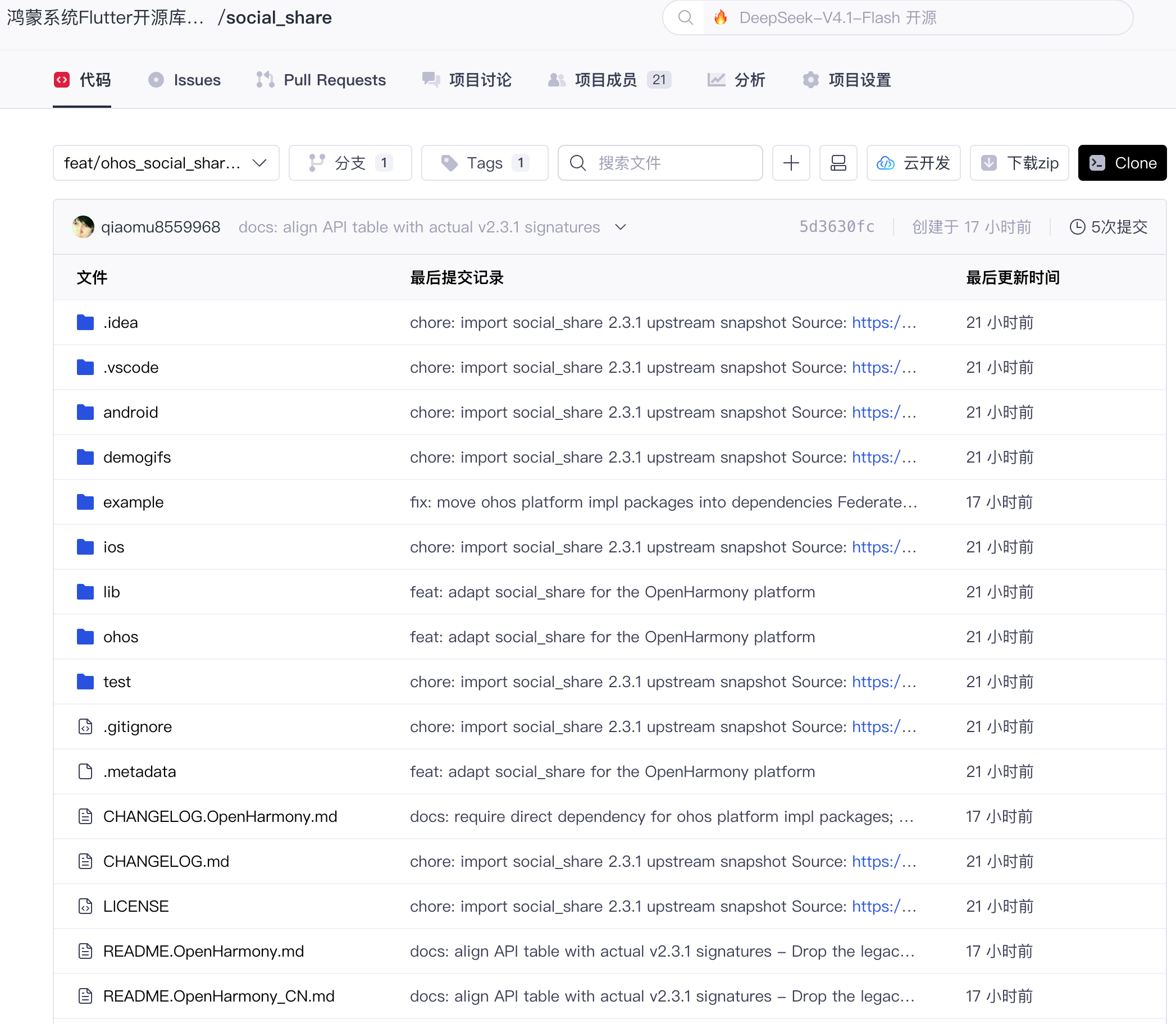
图一:同步完成后 AtomGit 目标仓库的代码页
2.2 拉取代码到宿主机
从目标仓库把代码拉到本地,后续所有操作都在这份代码上进行:
git clone https://atomgit.com/oh-flutter/social_share.git
cd social_share
此时的目录是上游的原始结构,典型的单包插件组织:
social_share/
├── lib/
│   └── social_share.dart          # 全部 Dart API(9 个静态方法)与 MethodChannel 调用
├── android/                       # Android 原生实现(SocialSharePlugin.kt)
├── ios/                           # iOS 原生实现(SwiftSocialSharePlugin)
├── example/                       # 官方示例,覆盖全部接口
├── pubspec.yaml
└── README.md
单包插件的好处是适配落点一目了然:所有平台共用 lib/social_share.dart 里同一个 MethodChannel('social_share'),Dart API 层与参数组装已经存在,鸿蒙侧只需要做两件事——在 pubspec 里注册 ohos 平台,再在 ArkTS 侧实现一个注册同名通道的原生插件。这个判断决定了后文所有改动的位置。
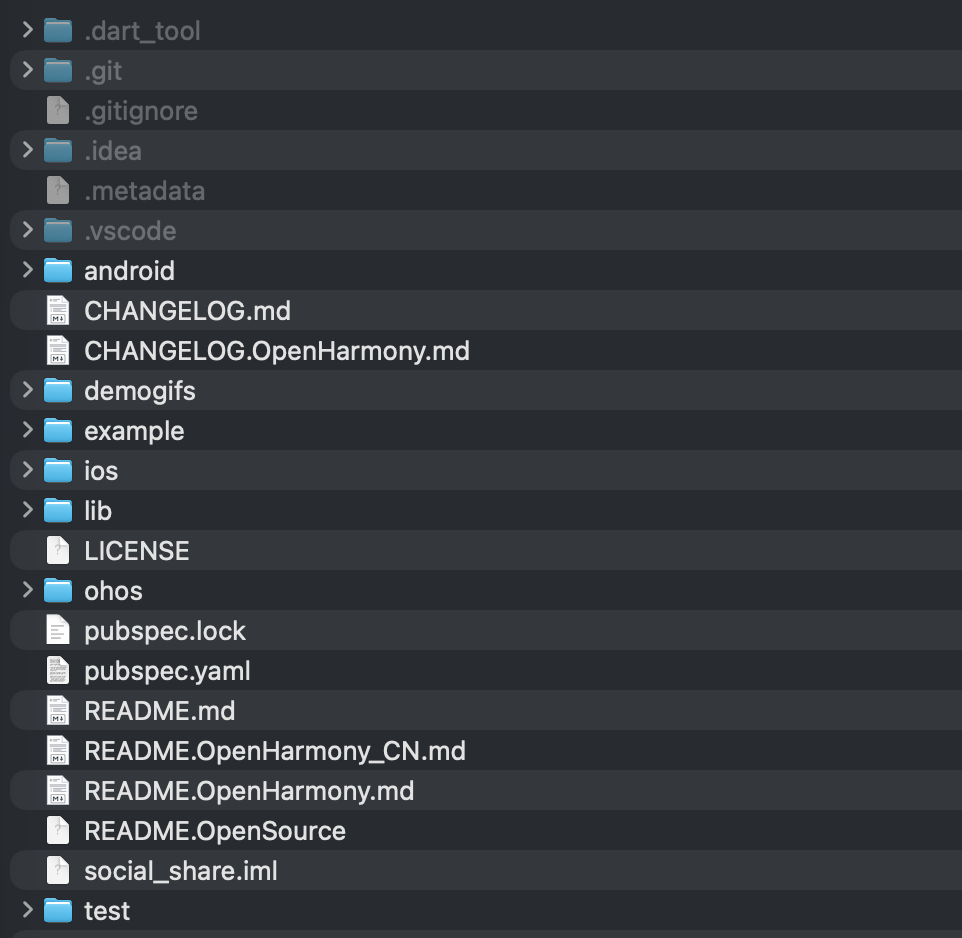
图二:clone 完成后的仓库目录
2.3 创建适配分支并补全 ohos 目录结构
社区约定适配分支统一以 feat/ohos_库名称_版本号 命名,本次适配的上游版本是 2.3.1,分支名就是 feat/ohos_social_share_2.3.1。先建分支:
git checkout -b feat/ohos_social_share_2.3.1
然后在插件根目录执行一条命令,自动完成 ohos 适配结构的补全:
flutter create --platforms ohos .
这条命令由 ohos 版 Flutter SDK 提供,它读取 pubspec.yaml 里的插件名,自动生成完整的 ohos/ 目录,并在 plugin.platforms 下追加 ohos 注册节点:
      # ... android、ios 原有节点保持不变
      ohos:
        package: com.shekarmudaliyar.social_share
        pluginClass: SocialSharePlugin
pluginClass 指向接下来要写的 ArkTS 插件类(与 Android 的 Kotlin 类同名即可),宿主工程构建时会按这些注册信息自动生成插件注册代码,不需要手写注册逻辑。生成的 ohos/ 目录结构:
ohos/
├── src/main/ets/components/plugin/   # 插件 ArkTS 实现落点
├── src/main/module.json5             # HAR 模块描述
├── index.ets                         # 导出入口(export SocialSharePlugin)
├── oh-package.json5                  # 鸿蒙包描述,依赖 @ohos/flutter_ohos
├── build-profile.json5
└── hvigorfile.ts
src/main/ets/components/plugin/ 此刻只有一个空模板,插件逻辑还没写,2.4 要补的就是它。
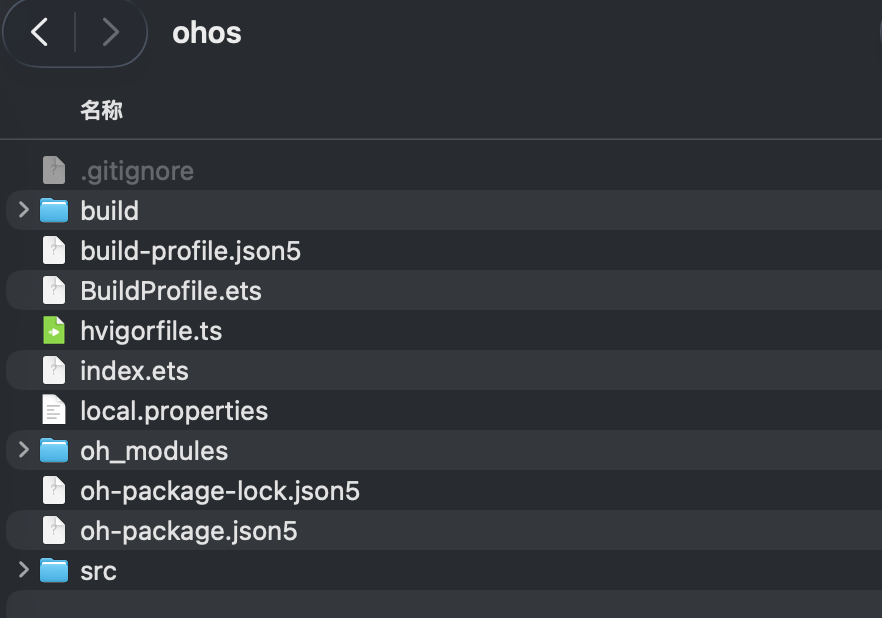
图三:flutter create 补全 ohos 目录后的工程结构
2.4 在插件文件中补全 ohos 实现
先看改动全景。整个适配对上游代码只做加法:
| 文件 | 改动 |
|---|---|
lib/social_share.dart | 仅 shareSms 新增一个 ohos 平台分支,其余接口一行未动 |
pubspec.yaml | plugin.platforms 新增 ohos 节点(2.3 的命令已自动完成) |
ohos/(新增目录) | ArkTS 插件 SocialSharePlugin.ets,承接全部鸿蒙原生逻辑 |
Dart 侧的改动只有一处。shareSms 的参数组装原本按 iOS 与 Android 分了三路,补上鸿蒙:
static Future<String?> shareSms(String message,
    {String? url, String? trailingText}) async {
  Map<String, dynamic>? args;
  if (Platform.isIOS) {
    // ... iOS 分支保持不变
  } else if (Platform.isAndroid) {
    args = <String, dynamic>{
      "message": message + (url ?? '') + (trailingText ?? ''),
    };
  } else if (!kIsWeb && Platform.operatingSystem == 'ohos') {
    args = <String, dynamic>{
      "message": message + (url ?? '') + (trailingText ?? ''),
    };
  }
  final String? version = await _channel.invokeMethod('shareSms', args);
  return version;
}
三个决策点:一是用 Platform.operatingSystem == 'ohos' 判断,这是 ohos 版 Flutter SDK 内置的平台标识,与 isAndroid / isIOS 同级,前置 !kIsWeb 避免 Web 上访问 Platform 抛异常;二是 ohos 分支与 Android 分支共用同一套参数结构,因为鸿蒙侧短信分享走 sms: URI 拉起,正文只有一个 body 参数可填,把 url 与 trailingText 拼进 message 与上游 Android 的合并行为完全一致;三是其余 8 个接口一行不动——它们的参数都是平台无关的 Map,通道名 social_share 保持不变,平台差异全部由原生侧消化。
ArkTS 侧是本次适配的主体,新建 ohos/src/main/ets/components/plugin/SocialSharePlugin.ets,实现 FlutterPlugin、MethodCallHandler、AbilityAware 三个接口。第一段是生命周期与通道注册:
export default class SocialSharePlugin implements FlutterPlugin, MethodCallHandler, AbilityAware {
  private channel: MethodChannel | null = null;
  private ability: UIAbility | undefined = undefined;

  onAttachedToEngine(binding: FlutterPluginBinding): void {
    // 通道名与 Dart 侧一致:'social_share'
    this.channel = new MethodChannel(binding.getBinaryMessenger(), 'social_share');
    this.channel.setMethodCallHandler(this);
  }

  // AbilityAware:持有 UIAbility,后续拉起面板、深链都要用它的 context
  onAttachedToAbility(binding: AbilityPluginBinding): void {
    this.ability = binding.getAbility();
  }

  onDetachedFromEngine(binding: FlutterPluginBinding): void {
    if (this.channel != null) {
      this.channel.setMethodCallHandler(null);
      this.channel = null;
    }
  }
}
onMethodCall 按方法名分发。九个业务方法里,Instagram / Facebook Story 两个在鸿蒙上没有对应入口,直接回复 'error' 保持上游"目标应用缺失"的失败语义:
onMethodCall(call: MethodCall, result: MethodResult): void {
  switch (call.method) {
    case 'shareOptions':
      this.shareOptions(call, result);
      break;
    case 'copyToClipboard':
      this.copyToClipboard(call, result);
      break;
    case 'shareSms':
      this.shareSms(call, result);
      break;
    case 'shareTwitter':
      this.shareTwitter(call, result);
      break;
    case 'shareWhatsapp':
      this.shareWhatsapp(call, result);
      break;
    case 'shareTelegram':
      this.shareTelegram(call, result);
      break;
    case 'shareInstagramStory':
    case 'shareFacebookStory':
      // Meta story sharing requires the Instagram/Facebook apps, which are
      // not available on OpenHarmony. Reply "error" like upstream does when
      // the target app is missing (Never reply twice for one call).
      result.success('error');
      break;
    case 'checkInstalledApps':
      this.checkInstalledApps(result);
      break;
    default:
      result.notImplemented();
      break;
  }
}
下面按能力逐个看实现。shareOptions 走鸿蒙系统级分享面板 @hms.collaboration.systemShare:文本与图片组装成 SharedData 的两条 SharedRecord,图片先复制到应用缓存目录再转 fileUri(分享目标运行在自己的沙箱里,读不到宿主的原始路径),utd 类型经 uniformTypeDescriptor 按扩展名解析:
const textRecord: systemShare.SharedRecord = {
  utd: uniformTypeDescriptor.getUniformDataTypeByMIMEType('text/plain'),
  content: content ?? '',
};
if (imagePath != null) {
  const cachePath = this.copyToShareCache(imagePath, 'social_share');
  const imageRecord: systemShare.SharedRecord = {
    utd: this.getUniformDataType(cachePath, 'general.image'),
    uri: fileUri.getUriFromPath(cachePath),
  };
  data = new systemShare.SharedData(imageRecord);
  data.addRecord(textRecord);
} else {
  data = new systemShare.SharedData(textRecord);
}

const controller = new systemShare.ShareController(data);
controller.show(this.ability.context, {
  previewMode: systemShare.SharePreviewMode.DETAIL,
  selectionMode: systemShare.SelectionMode.BATCH,
});
reply(true);
返回值这里有一个刻意的选择:上游 Android 回复字符串 "success",Dart 侧声明却是 Future<bool?>,iOS 回复 true——上游两个平台本来就不一致。鸿蒙对齐 iOS 的 bool 语义,面板弹出即返回 true,不等待用户后续的分享动作。
copyToClipboard 基于 @ohos.pasteboard:文本直接建 MIMETYPE_TEXT_PLAIN 记录;图片则经 image.createImageSource 解码为 PixelMap,再以 MIMETYPE_PIXELMAP 写入剪贴板,让支持图片粘贴的目标应用(邮件、备忘录等)直接取到图:
if (imagePath != null) {
  const source = image.createImageSource(imagePath);
  source.createPixelMap().then((pixelMap: image.PixelMap) => {
    const data = pasteboard.createData(pasteboard.MIMETYPE_PIXELMAP, pixelMap);
    systemPasteboard.setData(data).then(() => {
      source.release();
      reply('success');
    }).catch((err: BusinessError) => {
      source.release();
      reply('error');
    });
  }).catch((err: BusinessError) => {
    source.release();
    reply('error');
  });
} else {
  const data = pasteboard.createData(pasteboard.MIMETYPE_TEXT_PLAIN, content);
  systemPasteboard.setData(data).then(() => {
    reply('success');
  }).catch((err: BusinessError) => {
    reply('error');
  });
}
shareSms 把上游 Android 的 ACTION_SENDTO "sms:" intent 映射为鸿蒙的 ohos.want.action.viewData want,URI 形如 sms:?body=<URL 编码后的正文>,交给系统分发给信息类应用:
let smsUri = 'sms:';
if (message != null && message.length > 0) {
  smsUri += '?body=' + encodeURIComponent(message);
}
const want: Want = {
  action: 'ohos.want.action.viewData',
  uri: smsUri,
};
this.ability.context.startAbility(want).then(() => {
  reply('success');
}).catch((err: BusinessError) => {
  reply('error');
});
shareTwitter 用 Twitter web intent 拼出 http://www.twitter.com/intent/tweet?text=... 后 openLink,未装 Twitter/X 应用时由浏览器兜底。shareWhatsapp 与 shareTelegram 则是"先门禁、后深链":先经 bundleManager.canOpenLink 探测目标 scheme 是否有应用能响应,探测不过直接回 'error',对齐上游 Android ActivityNotFoundException 的失败语义:
if (!this.canOpenScheme('whatsapp')) {
  reply('error');
  return;
}
const link = 'whatsapp://send?text=' + encodeURIComponent(content ?? '');
this.ability.context.openLink(link).then(() => {
  reply('success');
}).catch((err: BusinessError) => {
  reply('error');
});

// canOpenScheme 的实现,scheme 由宿主 module.json5 的 querySchemes 声明
private canOpenScheme(scheme: string): boolean {
  try {
    return bundleManager.canOpenLink(scheme + '://');
  } catch (err) {
    return false;
  }
}
checkInstalledApps(对外 API 名 checkInstalledAppsForShare)复用同一套探测:sms 恒为 true(系统信息应用必然预装),其余五个目标逐个 canOpenLink,返回 Map<String, bool>。
最后是贯穿所有方法的 replyOnce 模式。细心的读者会注意到每个方法开头都有同一段样板:
let replied = false;
const reply = (value: string): void => {
  if (!replied) {
    replied = true;
    result.success(value);
  }
};
原因在于:系统调用的回调路径往往不止一条——比如 startAbility 的 promise 与系统层的事件回调可能先后到达,而 MethodChannel 的 MethodResult 只允许回复一次,第二次回复会直接导致崩溃。用 replied 标志位把所有回复路径包起来,第一次结果生效、其余丢弃,任何失败路径也保证有且仅有一次回复,Dart 侧永远不会拿到无响应的 Future。
2.5 补全适配说明文件并提交分支
插件实现完成后,在仓库根目录补齐四份适配说明文件:
README.OpenSource            # 开源说明(Name / License / Version Number / Owner / Upstream URL)
README.OpenHarmony_CN.md     # 中文使用说明:简介、下载安装、约束与限制、使用示例、接口说明、遗留问题等
README.OpenHarmony.md        # 英文使用说明
CHANGELOG.OpenHarmony.md     # 鸿蒙适配变更记录与验证环境
README.OpenSource 的实际内容:
[
  {
    "Name": "social_share",
    "License": "MIT",
    "License File": "LICENSE",
    "Version Number": "2.3.1",
    "Owner": "ShekarMudaliyar@users.noreply.github.com",
    "Upstream URL": "https://github.com/ShekarMudaliyar/social_share",
    "Description": "在原库基础上新增 OpenHarmony 平台支持"
  }
]
CHANGELOG.OpenHarmony.md 的实际内容:
# 变更记录

## [2.3.1-ohos-1.0.0-beta.1]
- 适配 OpenHarmony 平台:新增 `ohos/` 目录(ArkTS 插件 `SocialSharePlugin`),Dart 侧 `shareSms` 新增 ohos 平台分支,`pubspec.yaml` 新增 ohos 平台声明
- 依赖 ohos 版 Flutter SDK 3.41.10-ohos-1.0.1
- 真机验证环境:HUAWEI nova 12 Ultra 星耀版(ADE-AL10,系统版本 6.1.0.135,API 24),编译 SDK 为 compatibleSdkVersion 5.1.0(18)
README 里的"约束与限制"与"遗留问题"两节值得认真写:Instagram / Facebook Story 恒返回 'error' 的机理、querySchemes 对应用探测的影响、shareOptions 返回 bool 的语义选择,这三条是使用方一定会遇到的差异,提前写清楚能省掉大量 Issue 往返。最后提交代码并打 TAG:
# 插件侧适配改动(ohos 目录、pubspec 注册节点、Dart 平台分支与四份说明文件)
git add pubspec.yaml lib/ ohos/ \
  README.OpenSource README.OpenHarmony_CN.md README.OpenHarmony.md CHANGELOG.OpenHarmony.md

# example 的鸿蒙化改动(ohos 宿主工程与鸿蒙实现包依赖,见第三章)随同一次提交
git add example/

git commit -m "feat: adapt social_share for the OpenHarmony platform"

# TAG 命名规则:原库版本-ohos-版本号-beta.x
git tag 2.3.1-ohos-1.0.0-beta.1

# 推送分支与 TAG 到 AtomGit
git push atomgit feat/ohos_social_share_2.3.1
git push atomgit 2.3.1-ohos-1.0.0-beta.1
TAG 是后续使用方以 git 依赖引入时的版本锚点,TAG 名、README 与 CHANGELOG 三处保持一致,推完 TAG 适配的代码部分就完成了。
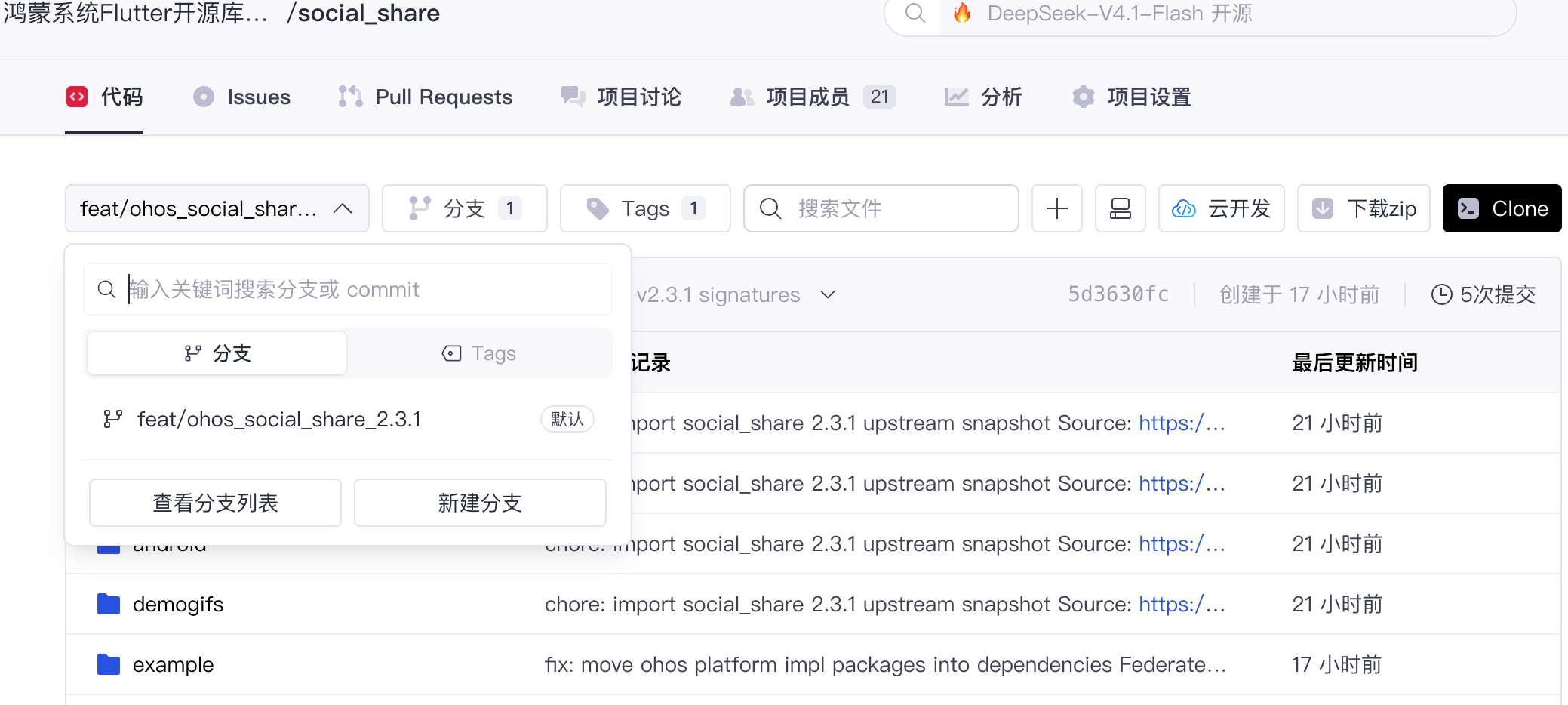
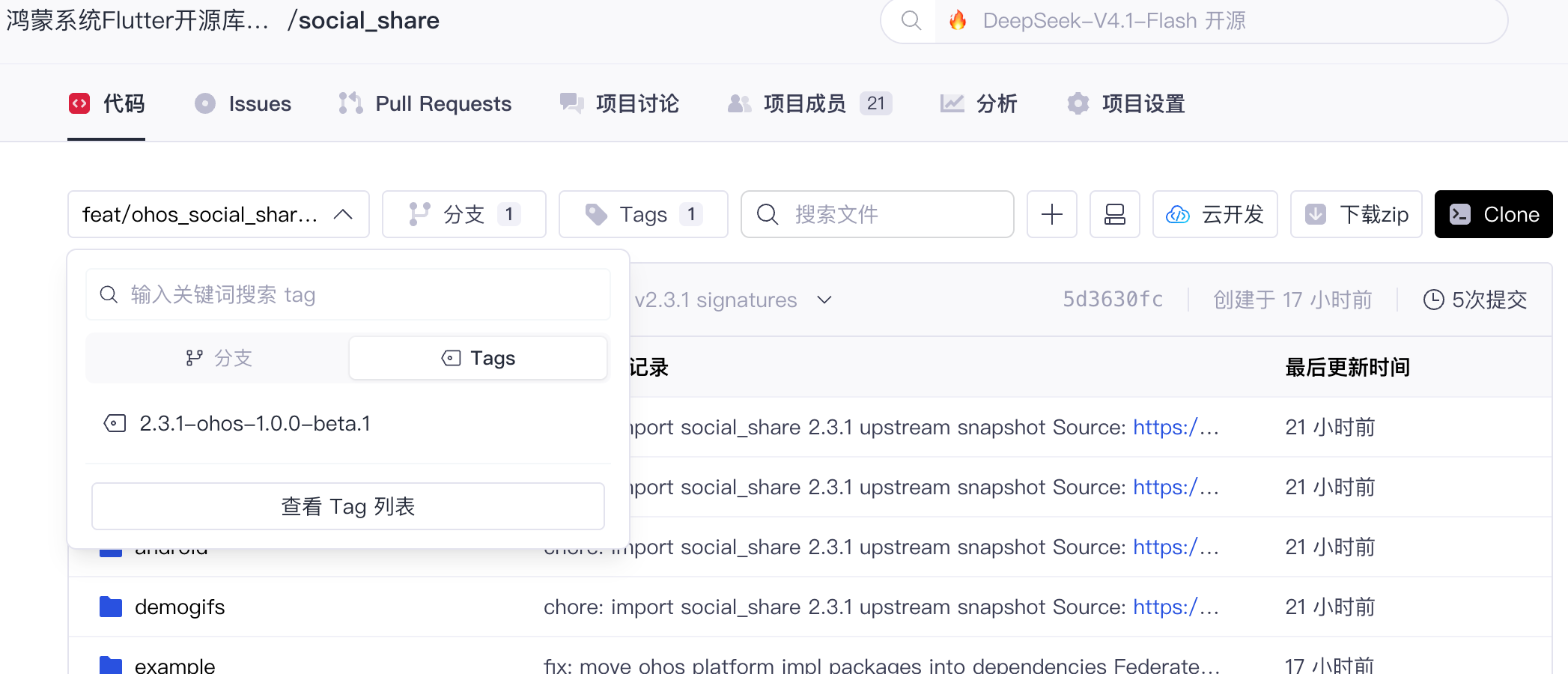
图四:适配分支与 TAG 推送到 AtomGit
三、在 Demo 中验证适配效果
3.1 使用仓库自带的 example
上游 example 位于仓库 example/,覆盖插件全部接口入口:Instagram、Facebook 各三个 Story 按钮,Twitter、SMS、Share Options、Whatsapp、Telegram 按钮,Clipboard 的文本与截图两个按钮,底部还有一个 Get all Apps 按钮做应用探测。Story 按钮点击后会先经 image_picker 选图,因此 example 在 dependencies 里直接引入了 image_picker_ohos 与 path_provider_ohos 两个 ohos 平台实现包——federated 插件只有被 app 直接依赖(dependencies 而非 dependency_overrides)才会被识别为 ohos 插件:
# example/pubspec.yaml
image_picker: ^0.8.4
# OpenHarmony 平台实现包:federated plugin 只有被 app 直接依赖
# (dependencies 而非 dependency_overrides)才会被识别为 ohos 插件
image_picker_ohos:
  git:
    url: https://gitee.com/openharmony-sig/flutter_packages.git
    path: packages/image_picker/image_picker_ohos
path_provider_ohos:
  git:
    url: https://gitee.com/openharmony-sig/flutter_packages.git
    path: packages/path_provider/path_provider_ohos
为 example 生成 ohos 宿主后即可构建(在 example 目录执行):
flutter pub get
flutter build hap --debug
安装需要签名。本文用 deveco-cli 在命令行完成:在 example/ohos 下依次执行登录、设备确认与签名生成,signature generate 会自动生成 p12/csr/cer/p7b 四份签名材料,并把 signingConfigs 写入 build-profile.json5:
# 在 example/ohos 目录执行;HOME 指向隔离目录,避免污染全局环境
HOME="$PWD/.ohos-signing-home" npx @deveco/deveco-cli@1.3.2 auth login      # 浏览器 OAuth 登录实名账号
HOME="$PWD/.ohos-signing-home" npx @deveco/deveco-cli@1.3.2 device list     # 确认真机已连接
HOME="$PWD/.ohos-signing-home" npx @deveco/deveco-cli@1.3.2 signature generate --product default
装有 DevEco Studio 的读者也可以在 File > Project Structure > Signing Configs 里完成同样的自动签名。注意调试签名 profile 与 bundleName 绑定,若借用其他工程的签名材料,需将 AppScope/app.json5 的 bundleName 改成与 profile 一致。装到设备并启动:
hdc install build/ohos/hap/entry-default-signed.hap
hdc shell aa start -b com.shekarmudaliyar.social_share_example -a EntryAbility
3.2 自建工程时以 AtomGit 链接方式引入
不用 example、在自己的工程里验证的话,按 git 依赖方式引入即可,url、ref 两项直接用本文开头的仓库地址与 TAG:
dependencies:
  social_share:
    git:
      url: https://atomgit.com/oh-flutter/social_share.git
      ref: 2.3.1-ohos-1.0.0-beta.1
TAG 与 Flutter 鸿蒙框架版本的对应关系:
| Flutter 鸿蒙框架版本 | 适配 TAG | 分支 |
|---|---|---|
| 3.41.10-ohos-1.0.1 | 2.3.1-ohos-1.0.0-beta.1 | feat/ohos_social_share_2.3.1 |
兼容性说明:social_share 是单包插件,鸿蒙实现只带一个 ohos/ 目录,不需要额外引入平台实现包——插件 Dart 侧 import 的 path_provider 只服务 Android 分支的图片暂存(reSaveImage),鸿蒙运行路径不会触达。但业务里若还用到其他 federated 插件(比如 Story 分享前选图的 image_picker),对应 ohos 实现包必须直接写进 dependencies(dependency_overrides 不生效),example 在 dependencies 里引入 image_picker_ohos 与 path_provider_ohos 正是按这个规则做的。完整的引入步骤、参数说明与业务实战,见姊妹篇《social_share 的鸿蒙使用指南》第四章,此处不展开。
3.3 调用接口并观察真机运行效果
启动 example,主界面如下,九组按钮按社交平台分行排布:
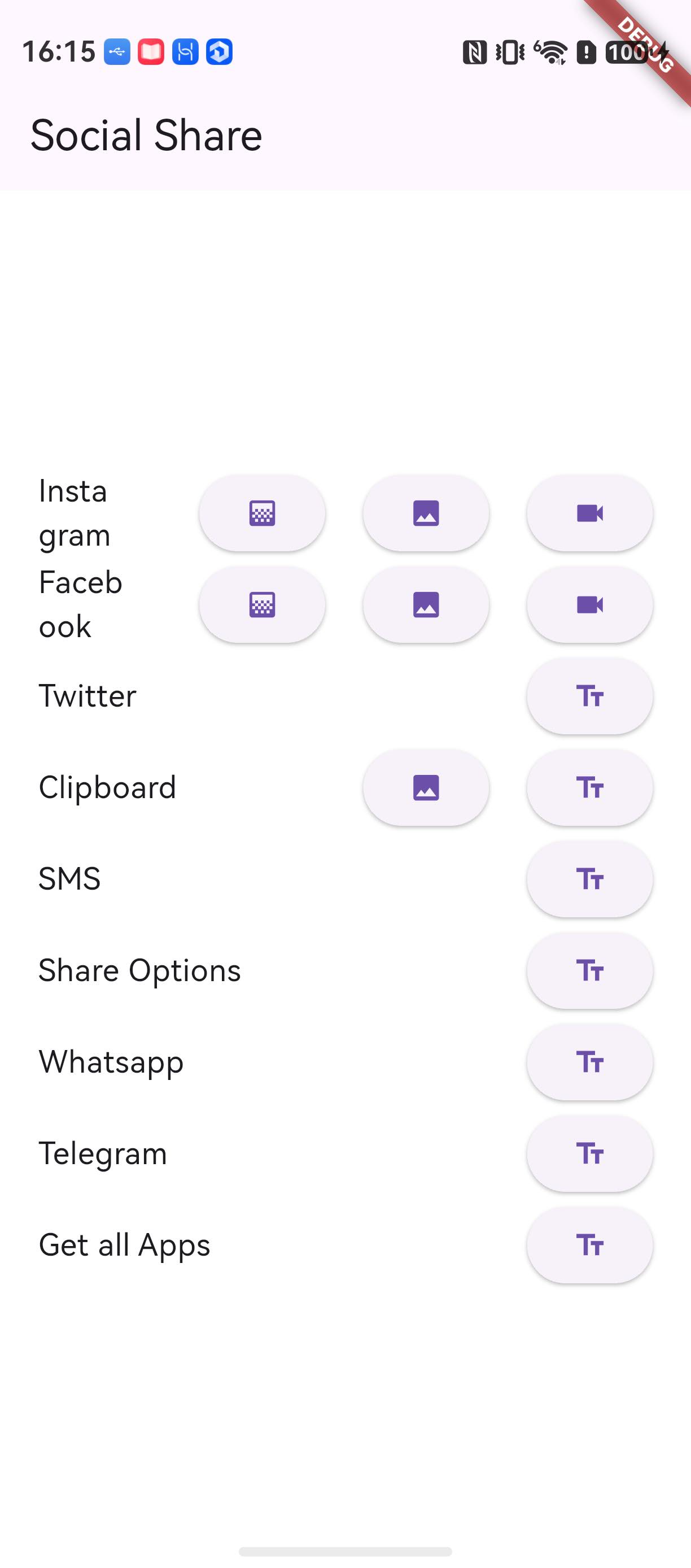
图五:example 启动后的主界面
点击 Share Options 按钮,调用 SocialShare.shareOptions("Hello world"),ArkTS 侧用 systemShare.ShareController 组装系统分享面板:
SocialShare.shareOptions("Hello world").then((data) {
  print(data);
});
真机拉起系统分享面板,蓝牙、邮件、短信等系统分享目标一应俱全。面板关闭后回调 true——上游 iOS 版 shareOptions 返回 bool,鸿蒙实现对齐了这个语义:
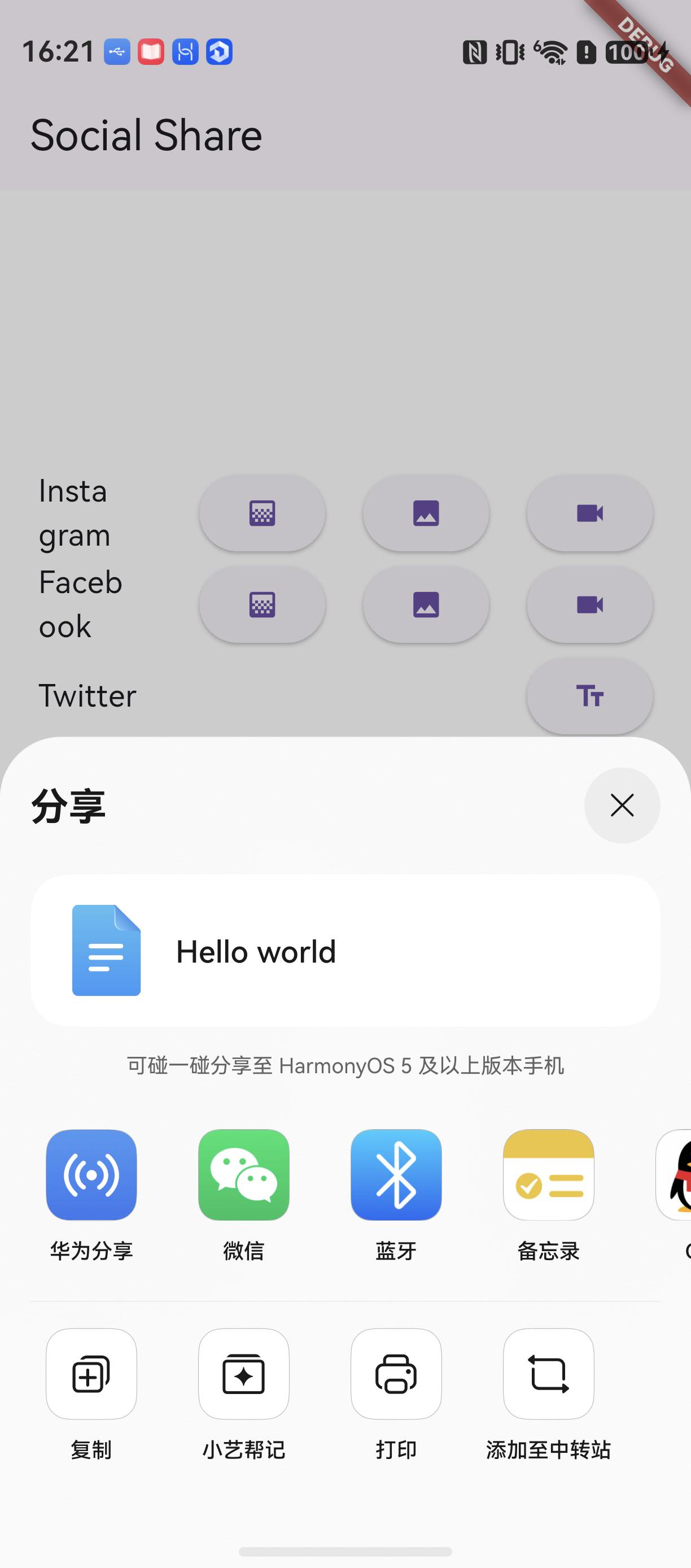
图六:shareOptions 拉起系统分享面板
点击 Copy to Clipboard 按钮,调用 SocialShare.copyToClipboard(text: ...),ArkTS 侧经 pasteboard 写入剪贴板。随便找一个输入框长按粘贴,文本原样出现:
SocialShare.copyToClipboard(text: "This is Social Share plugin").then((data) {
  print(data);
});
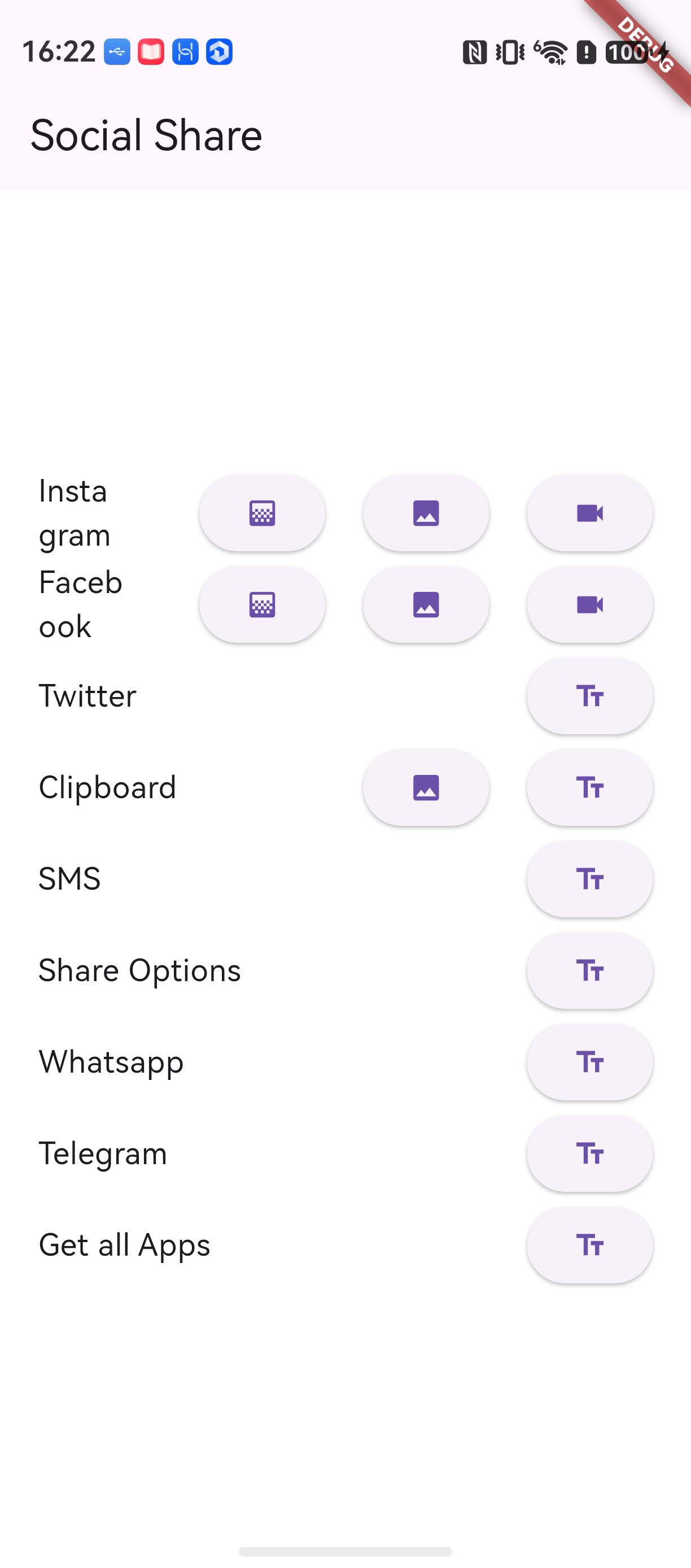
图七:copyToClipboard 后文本可粘贴
点击 SMS 按钮,调用 SocialShare.shareSms(...),ArkTS 侧拼 sms:?body= URI 后经 want 拉起信息应用:
SocialShare.shareSms(
  "This is Social Share Sms example",
  url: "https://google.com/",
  trailingText: "\nhello",
).then((data) {
  print(data);
});
信息应用打开新会话,正文「This is Social Share Sms example https://google.com/ \nhello」已就位。收件人栏为空——上游 shareSms 本就不带收件人参数,行为一致:
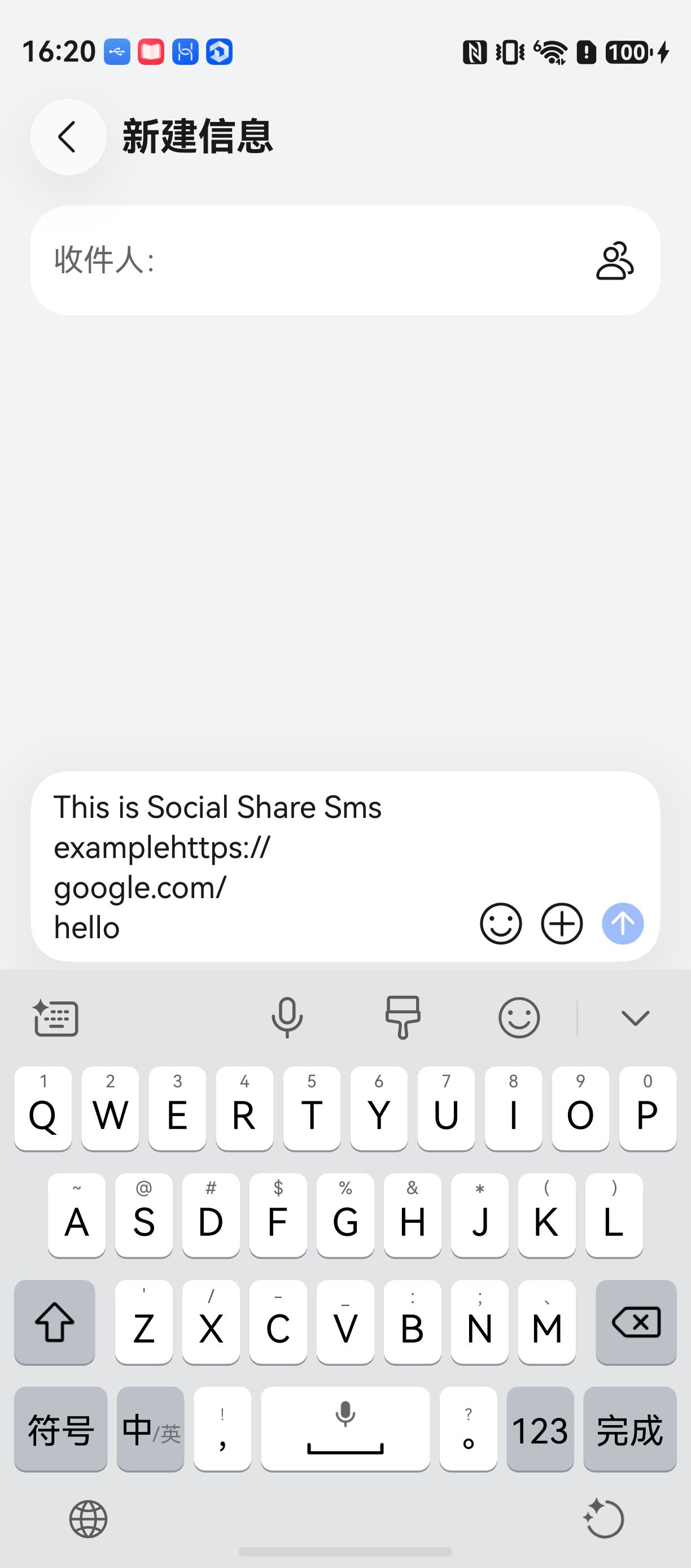
图八:shareSms 拉起信息应用,正文已填
点击 Twitter 按钮,调用带话题标签、链接与尾随文本的完整签名。真机未装 Twitter 应用,ArkTS 侧经 bundleManager.canOpenLink 探测 twitter scheme 不过,转走 web intent 兜底——openLink 打开浏览器访问 twitter.com/intent/tweet,文案、四个话题标签与链接已拼进页面:
SocialShare.shareTwitter(
  "This is Social Share twitter example with link.  ",
  hashtags: ["SocialSharePlugin", "world", "foo", "bar"],
  url: "https://google.com/hello",
  trailingText: "cool!!",
).then((data) {
  print(data);
});

图九:shareTwitter 未装应用时浏览器打开分享页
Whatsapp 与 Telegram 两个接口的鸿蒙实现带 canOpenLink 门禁——探测 whatsapp://、tg:// scheme,设备未装对应应用时直接回调 ‘error’,不执行跳转:
SocialShare.shareWhatsapp("Hello World \n https://google.com").then((data) {
  print(data);
});
SocialShare.shareTelegram("Hello World \n https://google.com").then((data) {
  print(data);
});
真机上两个应用都未安装,均回调 ‘error’,界面无跳转——与上游 Android 在应用不存在时的行为语义一致:
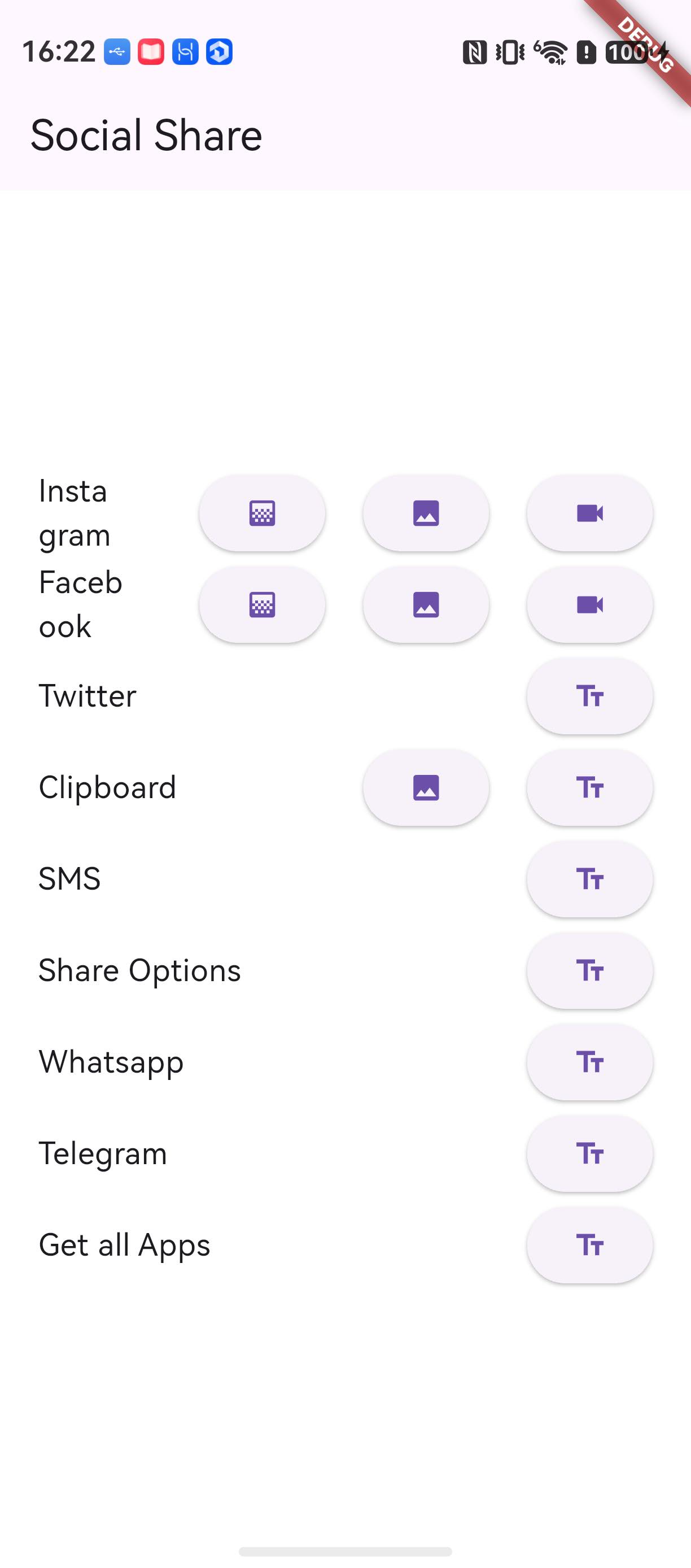
图十:shareWhatsapp 未安装返回 error
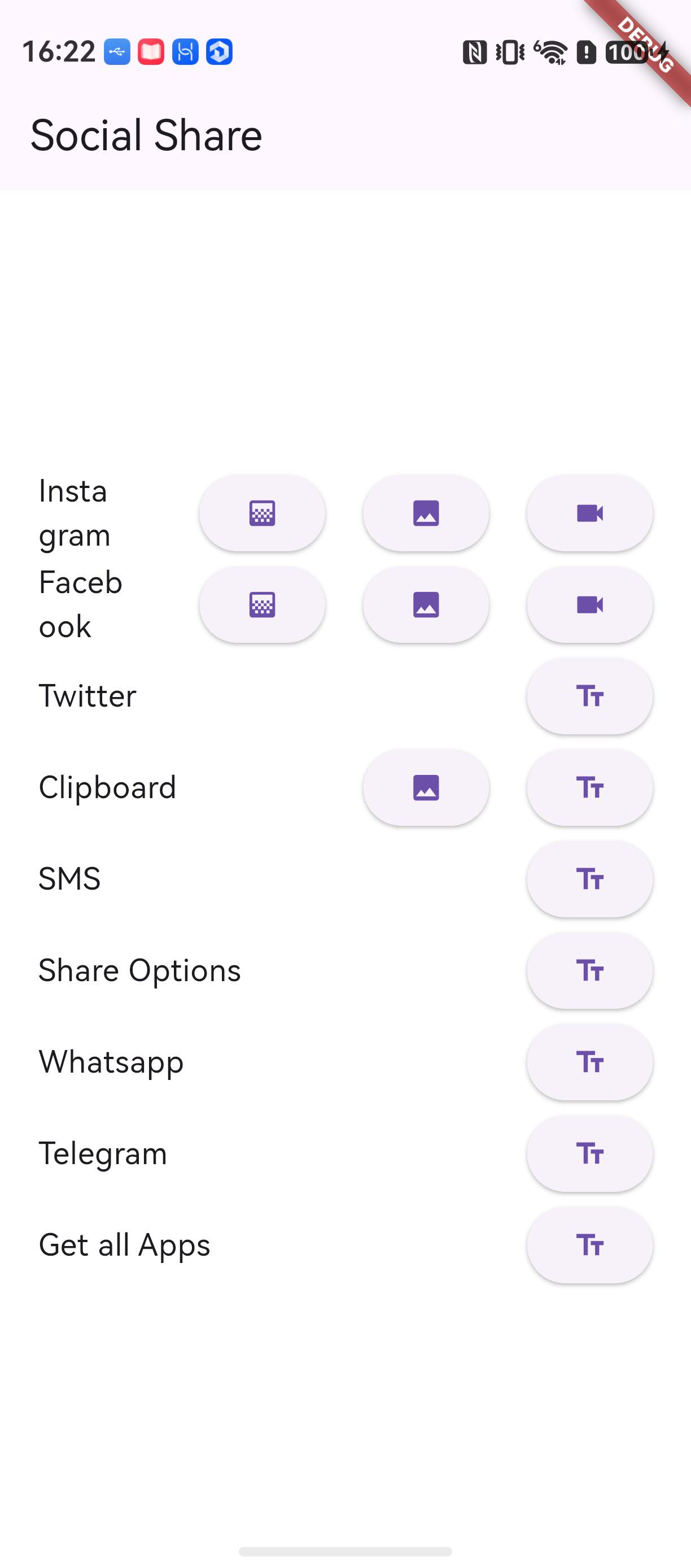
图十一:shareTelegram 未安装返回 error
Instagram 与 Facebook 的 Story 接口分两步:点击 Story 按钮后先经 image_picker 拉起图库选择器选图:

图十二:Story 分享先拉起图库选择器
选图完成后插件调用 shareInstagramStory,ArkTS 侧在 switch 分支里直接回调 ‘error’——鸿蒙生态没有 Instagram/Facebook 的 Story 分享能力(iOS 走官方 SDK 的 Story API,Android 走其私有 intent),ArkTS 无法复刻对应链路:
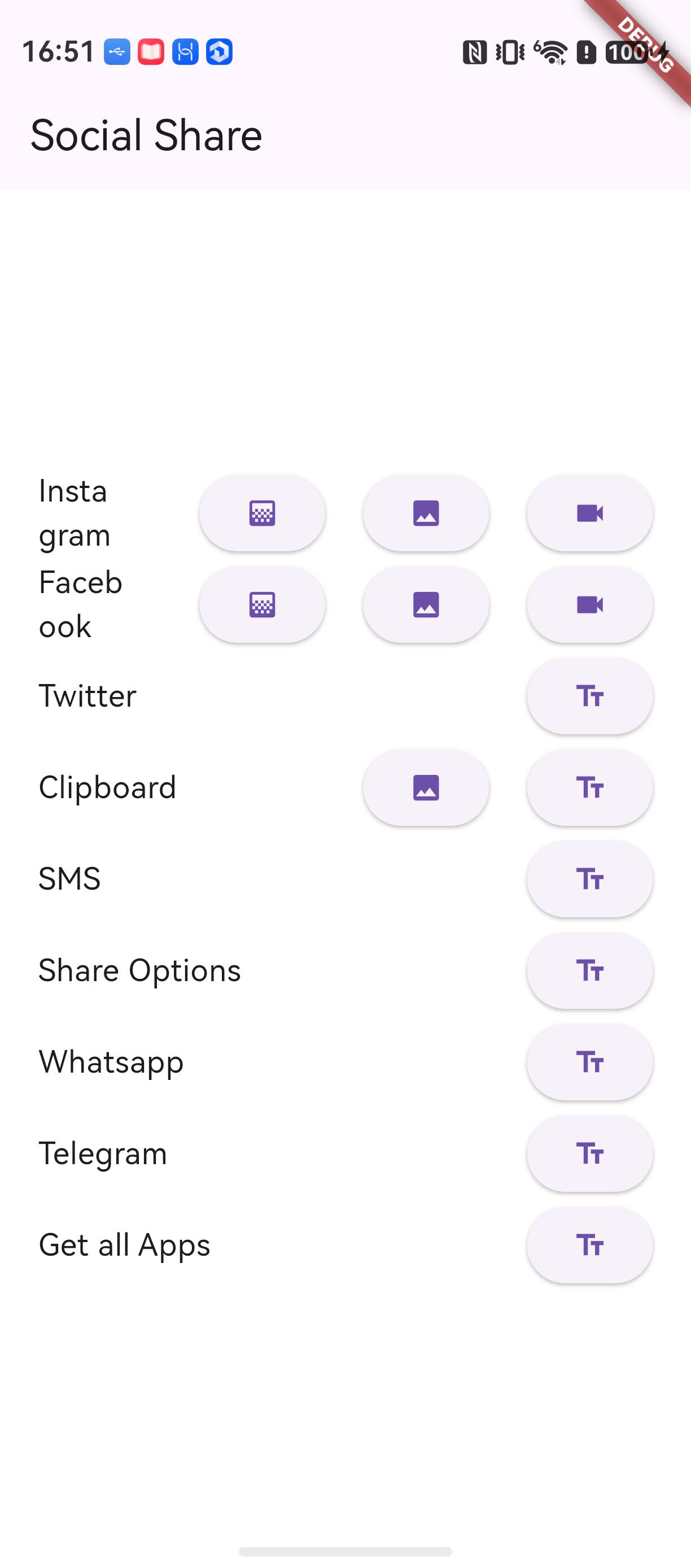
图十三:选图后 shareInstagramStory 返回 error
Facebook Story 同样两步,选图后返回 error:
图十四:Facebook Story 同样先拉起图库选择器
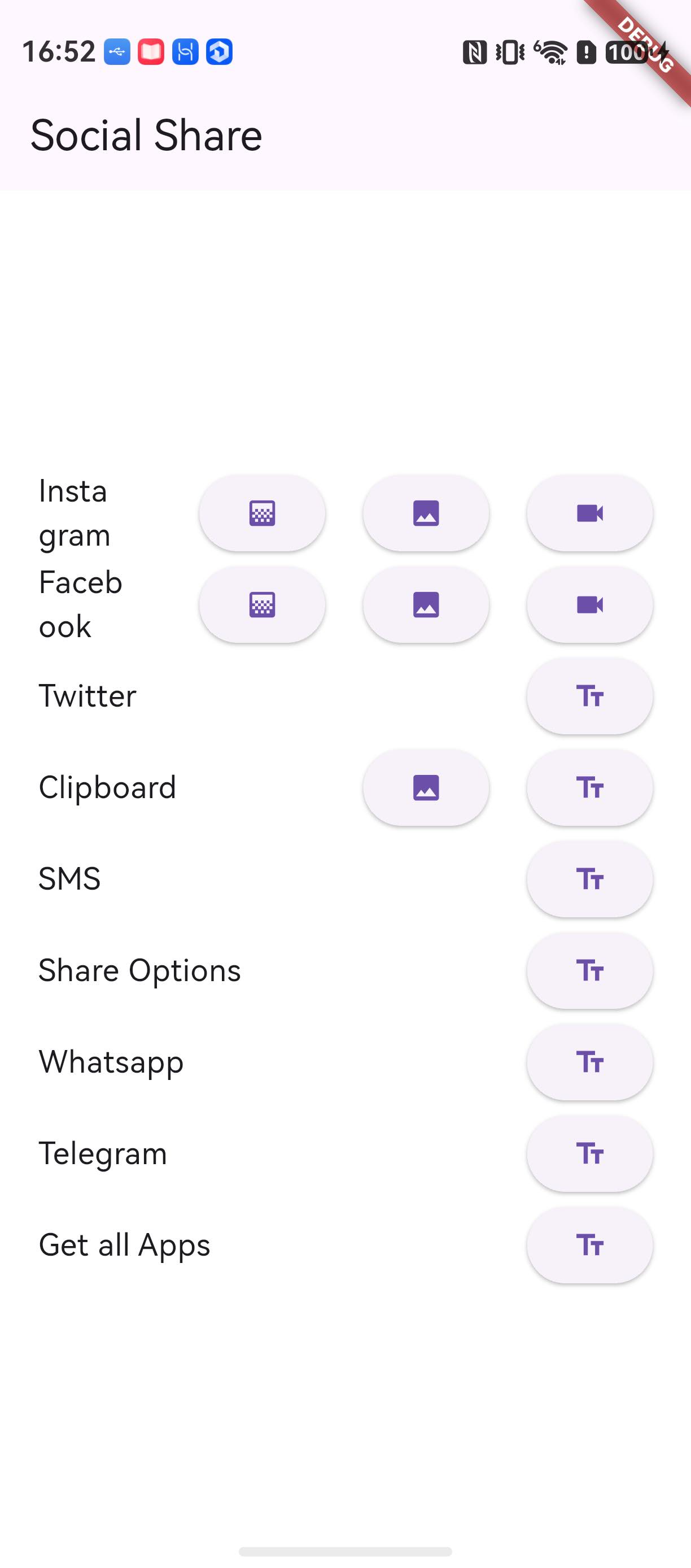
图十五:选图后 shareFacebookStory 返回 error
最后是 Get all Apps 按钮,插件并发探测六个 scheme 并汇总返回:
SocialShare.checkInstalledAppsForShare().then((data) {
  print(data.toString());
});
真机日志输出 {sms: true, whatsapp: false, telegram: false, instagram: false, facebook: false, twitter: false}——除 sms 外全部未安装。sms 恒为 true:短信是系统能力,shareSms 链路总能用。
到这里十个接口的真机表现都有了实测背书,汇总如下:
| 接口 | 鸿蒙实现 | 真机表现 |
|---|---|---|
| shareOptions | systemShare.ShareController | 全链路可用,返回 true(对齐 iOS 语义) |
| copyToClipboard | pasteboard | 全链路可用,文本与图片均可复制 |
| shareSms | sms:?body= want | 全链路可用,正文就位,无收件人参数 |
| shareTwitter | canOpenLink + openLink 浏览器兜底 | 全链路可用,未装应用走 web intent |
| shareWhatsapp / shareTelegram | canOpenLink 门禁 + openLink | 语义正确:未装返回 ‘error’,安装后拉起 |
| shareInstagramStory / shareFacebookStory | 恒回 ‘error’ | 受生态制约:鸿蒙无 Story 分享能力,返回值与上游不可用场景一致 |
| checkInstalledAppsForShare | canOpenLink 六项探测 | 语义正确:sms 恒 true,其余按实际安装情况返回 |
返回值方面:除 shareOptions 返回 bool(对齐 iOS)外,其余接口均为字符串,与上游 Android 的返回语义一致。
四、常见问题
4.1 适配过程中的问题
Q1:调用接口报 MissingPluginException?
按三处排查:(1) 确认引入的是带适配的 TAG 或分支,查看 pubspec.lock 里 social_share 的来源即可;(2) 确认插件的 pubspec.yaml 里有 ohos 平台注册节点(TAG 内代码已带,若混用了上游原始代码则没有);(3) 换分支或切 TAG 后,.dart_tool 里的 dart_plugin_registrant 不会自动重新生成,删除 .dart_tool 或 flutter clean 后重新构建。
Q2:bundleManager.canOpenLink 探测结果不符合预期?
canOpenLink 只探测宿主 module.json5 里 querySchemes 声明过的 scheme,没声明的 scheme 一律返回 false。example 声明了 sms、whatsapp、tg、instagram、facebook、twitter 六项。业务工程要探测其他 scheme(比如自建 deep link)时,需要自己在 module.json5 的 querySchemes 里补上。
Q3:hap 装不上或安装报签名不一致?
调试签名 profile 与 bundleName 绑定,本文 example 的 bundleName 为 com.shekarmudaliyar.social_share_example,借用其他工程的签名材料时需把 AppScope/app.json5 的 bundleName 改成与 profile 一致;换过签名材料后安装报 sign info inconsistent,先卸载旧包再装。另外 signingConfigs 属于构建副产物,验证完成后执行 git checkout -- build-profile.json5 还原,不要把签名配置提交进仓库。
Q4:ArkTS 侧 result.success 被调用两次导致崩溃?
系统分享的回调可能沿异步与同步两条路径先后触发,而 MethodResult 只允许回复一次。参照 2.4 的实现,用 replied 标志位包裹所有回复路径,第一次结果生效后其余丢弃。
Q5:安装报「此应用暂不支持在当前设备安装」?
编译 SDK 版本需与目标设备匹配:本文宿主工程 compatibleSdkVersion 为 5.1.0(18),实测设备 nova 12 Ultra(HarmonyOS 6.1.0.135,API 24)高于工程要求,可正常安装;反过来若工程的 compatibleSdkVersion 高于设备 API,安装就会被拒。注意版本号带括号的旧格式(5.1.0(18))要原样保留。
4.2 使用过程中的问题
Q1:shareWhatsapp / shareTelegram 返回 ‘error’ 是插件坏了吗?
不是。鸿蒙侧用 bundleManager.canOpenLink 主动探测 whatsapp://、tg:// scheme,未装对应应用时探测不过,直接回调 ‘error’ 并不跳转,对齐上游 Android 在应用不存在时的行为。安装对应应用后再调用即可正常拉起。
Q2:shareInstagramStory / shareFacebookStory 在鸿蒙上能真正分享出去吗?
不能。鸿蒙生态没有 Instagram/Facebook 的 Story 分享能力,ArkTS 侧在 switch 分支直接回调 ‘error’,这是如实记录的遗留差异(README「遗留问题」一节有写)。业务侧把这两个接口的返回值按失败分支处理即可;图库选择器会正常拉起,那是选图链路,不代表分享成功。
Q3:shareOptions 的返回值怎么判断?
鸿蒙实现返回 bool(true 为面板拉起成功),对齐上游 iOS 语义;上游 Android 无返回值。跨平台代码里用 if (result == true) 判断即可,null 也会走 false 分支。
Q4:checkInstalledAppsForShare 返回的六项全是 false?
除 sms(恒 true)外,某项为 false 有两个可能:宿主 module.json5 没在 querySchemes 里声明对应 scheme(canOpenLink 直接返回 false),或设备确实没装该应用。sms 恒为 true 是基线——短信是系统能力,shareSms 链路总能用,不受 querySchemes 与安装情况影响。
Q5:shareSms 能指定收件人号码吗?
不能。上游 Dart API 只有 message、url、trailingText 三个参数,没有收件人,鸿蒙实现拼 sms:?body= URI 时同样不带号码,与上游行为一致。拉起信息应用后由用户自己填号码。
五、结语
回顾整条适配链路:上游仓库同步进 AtomGit 保住历史;单包插件结构让适配落点收敛在插件根目录的 ohos/ 目录,flutter create --platforms ohos . 一条命令生成 ArkTS 骨架;Dart 侧只给 shareSms 加了 ohos 平台分支,ArkTS 侧用 systemShare、pasteboard、want、openLink 四类系统能力复刻十个接口,canOpenLink 门禁与 replyOnce 互斥处理平台差异;四份说明文件交代清楚适配行为与遗留差异,分支与 TAG 按社区规范提交发布。原库的 API 签名原封未动,这正是「只做加法」的适配给使用方的承诺。
使用中发现问题,欢迎到 social_share 鸿蒙仓库提 Issue(鸿蒙适配层,标题建议 [Bug] 一句话现象,附上复现步骤、期望与实际结果、设备与系统版本、Flutter 鸿蒙 SDK 版本及日志截图),插件上游行为的问题到原库 GitHub 仓库反馈,修复代码欢迎发 PR。接口的完整用法、参数表与业务侧最佳实践,见姊妹篇《social_share 的鸿蒙使用指南》。
六、相关链接
欢迎加入 CPF-Flutter 鸿蒙社区,社区入口、环境搭建指南和本文相关链接统一放在这里:

作为“人工智能6S店”的官方数字引擎,为AI开发者与企业提供一个覆盖软硬件全栈、一站式门户。
更多推荐

 0
0 0
0- 0


 已为社区贡献15条内容

所有评论(0)