
Flutter 三方库 store_redirect 的鸿蒙化适配实战
Flutter 三方库 store_redirect 的鸿蒙化适配实战
本文以一个真实的 Flutter 三方库 store_redirect(跳转应用商店详情页)为例,完整演示如何将一个纯 Android/iOS 的 Flutter 插件适配到 OpenHarmony / HarmonyOS 平台,并通过 AtomGit 发布适配版本。适配流程为:上游同步 → 拉取代码 → 建分支补结构 → ohos 实现与代码分析 → 补全文档提交推送(见第四至第八章);适配完成后在模拟器与真机上做了三轮验证(见第十章)。
本文配套仓库:https://atomgit.com/oh-flutter/store_redirect(适配分支
feat/ohos_store_redirect_2.0.4,适配 TAG2.0.4-ohos-1.0.0-beta.1),适配代码、工程配置与规范文档均已入库,可直接克隆验证。
一、最终运行效果
先看结果。以下为 HUAWEI nova 12 Ultra 真机实拍(HarmonyOS 6.1.0.135 / API 24,Flutter 3.41.10-ohos-1.0.1 引擎构建,debug 签名包):
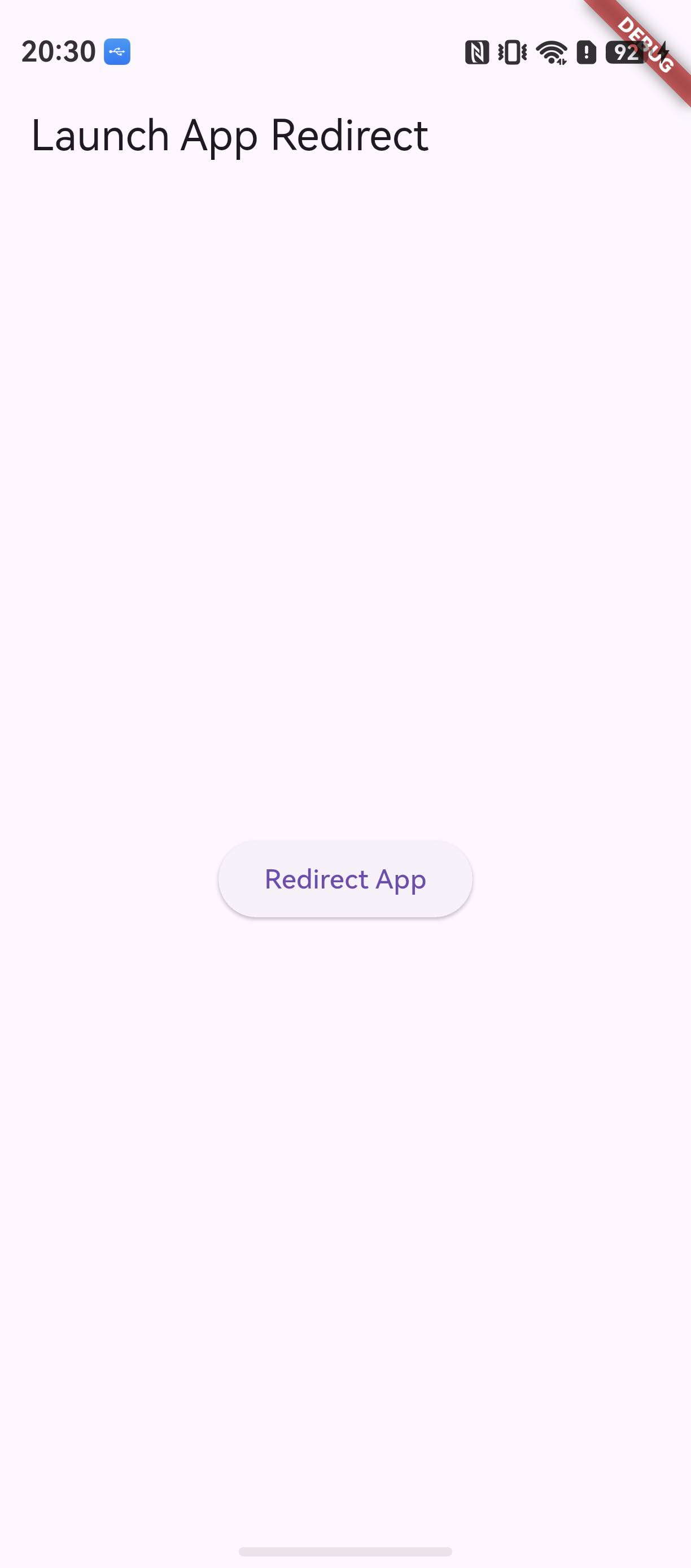
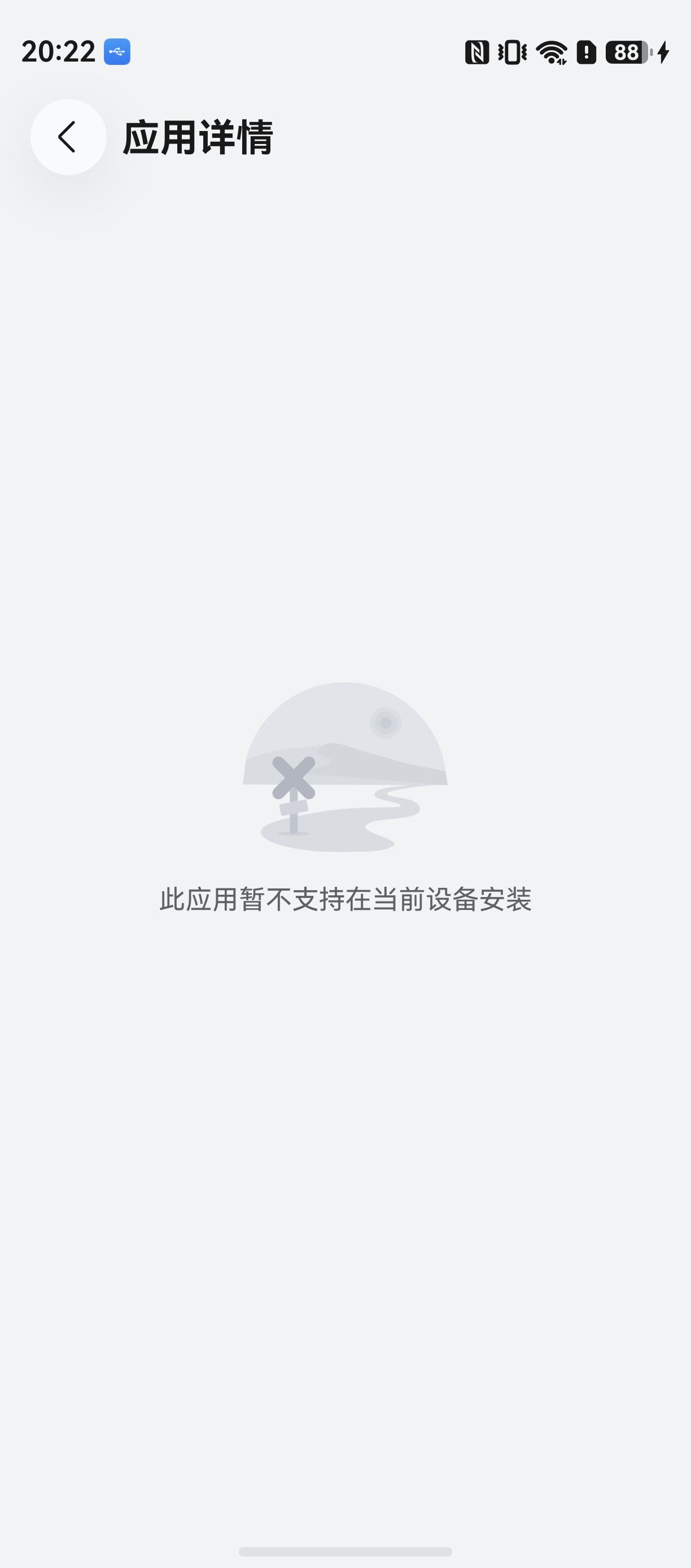
点击 Redirect App 按钮,系统隐式 Want 命中 AppGallery:
| 验证点 | 结果 |
|---|---|
| demo 在真机安装并启动,Flutter 页面正常渲染 | 通过 |
| 点击 Redirect App,隐式 Want 拉起 AppGallery | 通过 |
hdc shell aa dump -a 确认前台为 com.huawei.hmsapp.appgallery | 通过 |
检查要点:验证跳转是否成功,最可靠的取证是
hdc shell aa dump -a的前台应用输出。点击后 AppGallery 提示"此应用暂不支持在当前设备安装"属预期——demo 未上架、未传ohosAppId时按 Bundle Name 兜底(见 FAQ Q4)。三轮完整验证过程见第十章。
二、成果速览
| 项目 | 内容 |
|---|---|
| 适配仓库 | https://atomgit.com/oh-flutter/store_redirect |
| 适配分支 | feat/ohos_store_redirect_2.0.4 |
| 适配 TAG | 2.0.4-ohos-1.0.0-beta.1 |
| 适配 Commit | 7457734 — feat: adapt store_redirect for the OpenHarmony platform |
| example 配置 Commit | 6fefd57 — chore(example): lower compatibleSdkVersion to 6.1.0(23)(真机安装实测背书) |
| 上游版本 | store_redirect 2.0.4(https://github.com/Danesz/store_redirect) |
| 新增能力 | StoreRedirect.redirect(ohosAppId: ...) 跳转华为 AppGallery 应用详情页 |
适配后的库可以这样引入:
dependencies:
  store_redirect:
    git:
      url: https://atomgit.com/oh-flutter/store_redirect.git
      # ref: 根据下方表格选择不同框架适配的TAG版本
      ref: 2.0.4-ohos-1.0.0-beta.1
三、环境准备
鸿蒙 Flutter 开发环境的搭建不在本文展开,请参考官方文档:
flutter-ohos 环境搭建指南
本文使用的环境:
| 组件 | 版本 |
|---|---|
| Flutter | 3.44.9+ohos-0.0.1-canary1(Dart 3.12.2) |
| DevEco Studio | 26.0.0(26.0.0.821) |
| HarmonyOS SDK | 26.0.0(26) Release |
| ROM 要求 | 26.0.0 及以上 |
注意:flutter --version 必须显示 ohos 定制版(带 ohos 后缀),否则 flutter create 不会生成 ohos 平台目录。
四、上游同步到 AtomGit
适配的第一步是把上游仓库同步到 AtomGit 组织下,作为我们维护适配版本的"底座"。本文的适配仓库为 oh-flutter/store_redirect,上游是 GitHub 上的 Danesz/store_redirect(当前最新版本 2.0.4)。
同步时保持上游代码原封不动,只做仓库迁移——所有适配改动都放在独立分支上,后续 TAG 也从适配分支打出,这样上游升级时可以干净地 rebase。
五、拉取代码到宿主机
在宿主机上克隆仓库并确认上游基线:
# 先加一个只读的 upstream 远程,方便后续同步上游
git clone https://atomgit.com/oh-flutter/store_redirect.git
cd store_redirect

# 如果仓库是先从 GitHub 拉的,也可以这样补上游:
git remote add upstream https://github.com/Danesz/store_redirect.git
git fetch upstream --tags

# 确认基线:2.0.4 对应的上游 commit
git log --oneline -5
拉取完成后确认 pubspec.yaml 中版本号为 2.0.4,与上游 release 一致。
六、创建适配分支并补全工程结构
分支命名遵循 feat/ohos_库名称_版本号 规范:
git checkout -b feat/ohos_store_redirect_2.0.4
接着用 ohos 定制版 Flutter 为插件补全 ohos 平台目录(插件与 example 一起生成):
flutter create . --template=plugin --platforms=ohos
这一步会做两件事:
- 在插件根目录生成
ohos/模块(ArkTS 插件工程); - 在
example/下生成ohos/宿主工程(跑 demo 用的 hap 壳工程)。
适配完成后的工程结构:
store_redirect/
├── lib/
│   └── store_redirect.dart          # Dart API(新增 ohosAppId 参数)
├── ohos/                            # ★ 新增:ohos 平台实现
│   ├── index.ets                    # 模块入口,导出插件
│   ├── oh-package.json5             # 依赖 @ohos/flutter_ohos
│   └── src/main/ets/components/plugin/
│       └── StoreRedirectPlugin.ets  # ArkTS 插件本体
├── example/
│   ├── lib/main.dart                # demo(三平台参数共用)
│   └── ohos/                        # ★ 新增:ohos 宿主工程
│       ├── entry/src/main/ets/entryability/
│       │   └── EntryAbility.ets
│       └── hvigorfile.ts / build-profile.json5 ...
├── pubspec.yaml                     # ★ 修改:声明 ohos 平台
└── (第八步补全的 4 个文档文件)
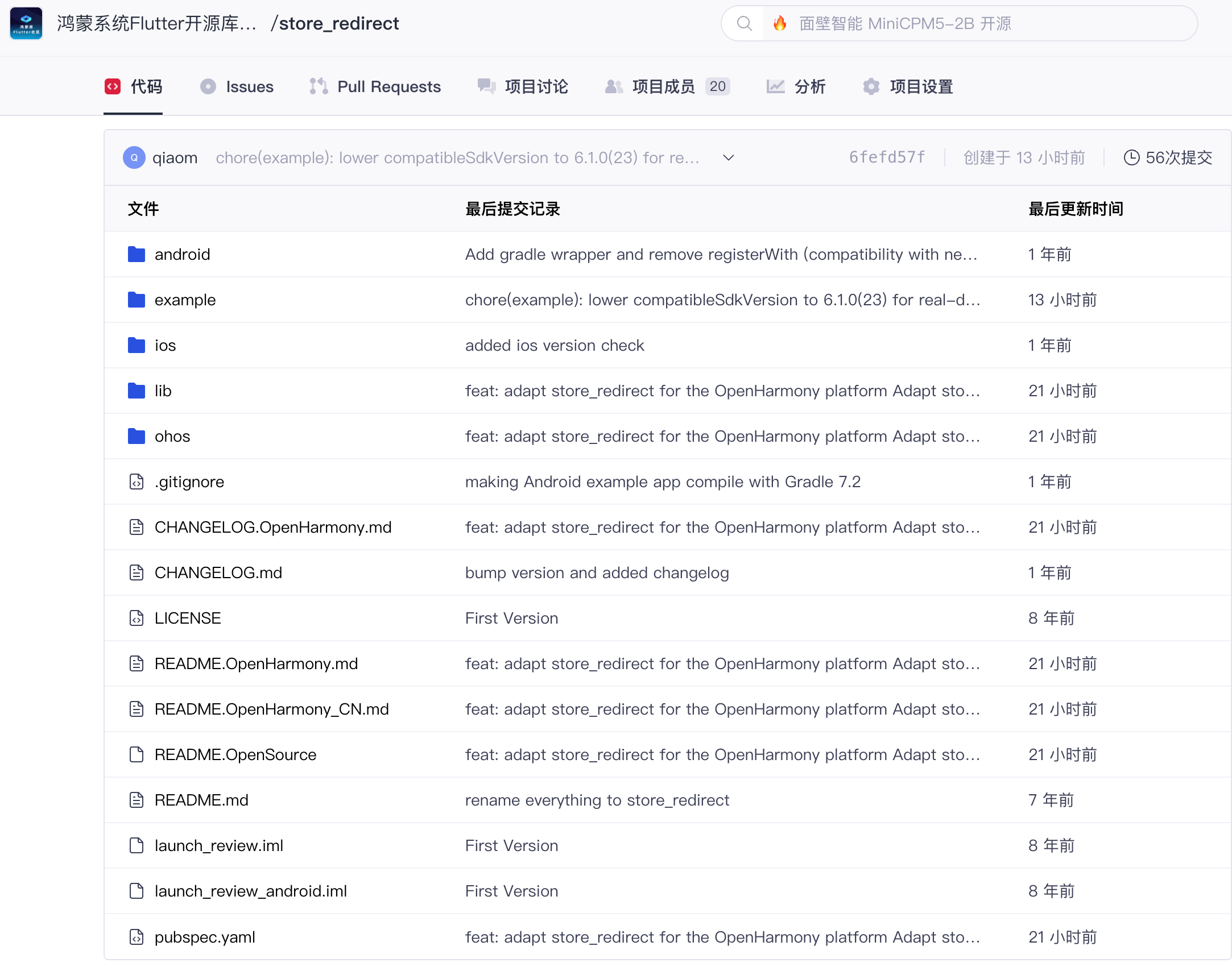
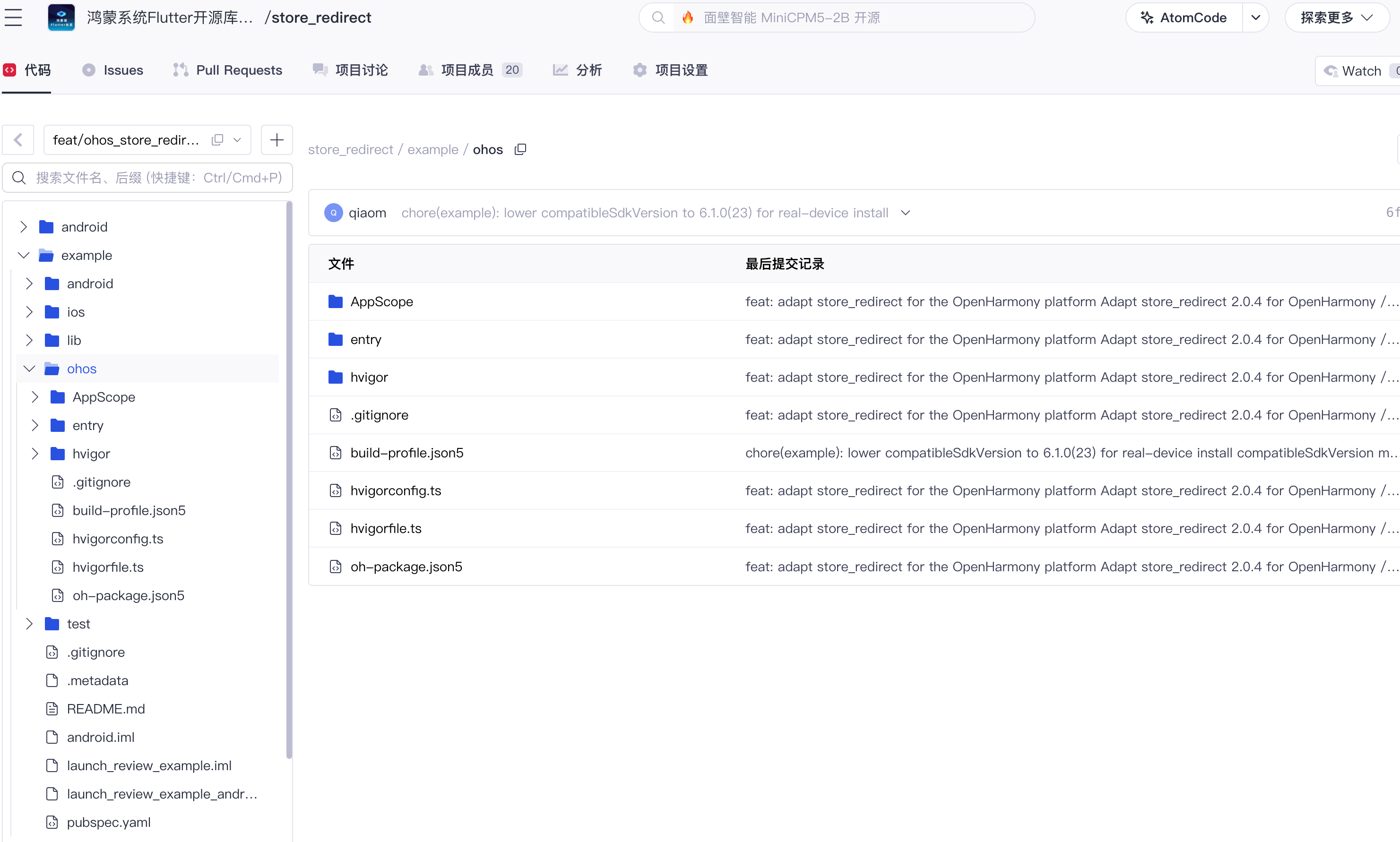
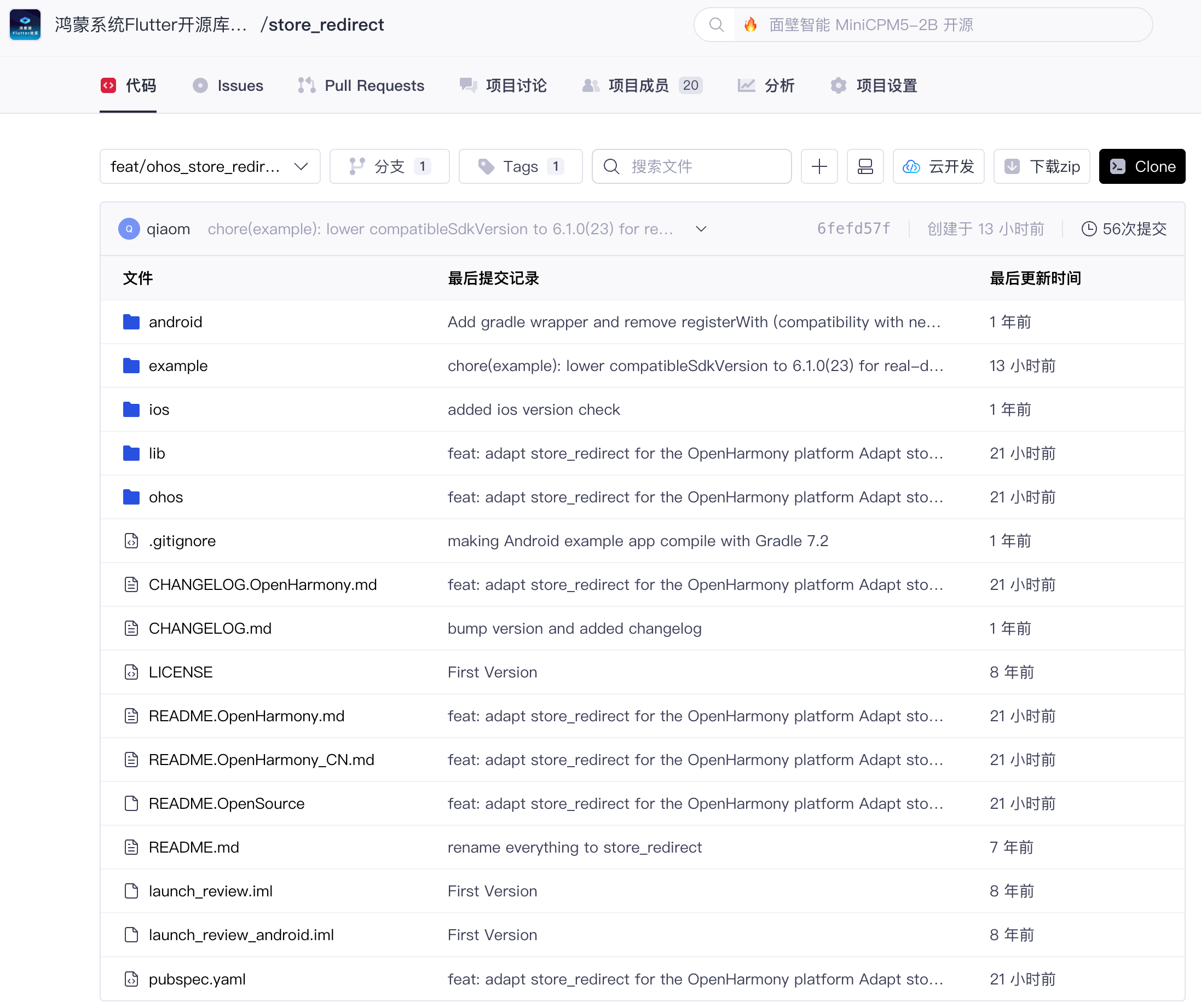
图注:AtomGit Web 端目录树实拍(等价于 IDE 中展开的工程目录树):两图合看,可同时确认
ohos/与example/ohos/两个新增目录。
七、ohos 平台实现代码分析
这是适配的核心环节。OpenHarmony 侧的 Flutter 插件与 Android/iOS 的写法不同,需要实现 FlutterPlugin 接口,并在需要 Activity/Ability 上下文时追加实现 AbilityAware。
7.1 pubspec.yaml 声明 ohos 平台
flutter:
  plugin:
    platforms:
      android:
        package: com.iyaffle.storeredirect
        pluginClass: StoreRedirectPlugin
      ios:
        pluginClass: StoreRedirectPlugin
      ohos:                        # ★ 新增
        pluginClass: StoreRedirectPlugin
注意 pluginClass 必须与 ArkTS 侧 getUniqueClassName() 返回值一致,否则注册时找不到插件类。
7.2 插件骨架:FlutterPlugin + MethodCallHandler + AbilityAware
ohos/src/main/ets/components/plugin/StoreRedirectPlugin.ets 的骨架:
import {
  FlutterPlugin, FlutterPluginBinding, MethodCall, MethodCallHandler,
  MethodChannel, MethodChannelResult, AbilityAware, AbilityBinding,
} from '@ohos/flutter_ohos';
import { abilityAccessCtrl, bundleManager, common, Want } from '@kit.AbilityKit';

const CHANNEL_NAME: string = 'store_redirect';

export default class StoreRedirectPlugin
  implements FlutterPlugin, MethodCallHandler, AbilityAware {

  private methodChannel: MethodChannel | null = null;
  private ability: common.UIAbility | null = null;

  getUniqueClassName(): string {
    return 'StoreRedirectPlugin';   // 与 pubspec 中 pluginClass 一致
  }

  onAttachedToEngine(binding: FlutterPluginBinding): void {
    this.methodChannel = new MethodChannel(
      binding.getBinaryMessenger(), CHANNEL_NAME, StandardMethodCodec.INSTANCE);
    this.methodChannel.setMethodCallHandler(this);
  }

  onDetachedFromEngine(binding: FlutterPluginBinding): void {
    this.methodChannel?.setMethodCallHandler(null);
    this.methodChannel = null;
  }

  onAttachedToAbility(binding: AbilityBinding): void {
    this.ability = binding.getAbility();
  }

  onDetachedFromAbility(): void {
    this.ability = null;
  }
}
三个关键点:
- channel 名保持
store_redirect,与 Android/iOS 完全一致,Dart 层代码零分支判断; - 显式传入
StandardMethodCodec.INSTANCE,避免平台默认编解码器与 Dart 侧不一致; - 实现
AbilityAware:跳转商店需要 UIAbility 上下文去startAbility,Ability 挂载时缓存引用,卸载时置空。
7.3 方法处理:外层 try/catch + 参数解析
onMethodCall(call: MethodCall): void {
  try {
    if (call.method === 'redirect') {
      // 优先使用调用方显式传入的 ohosAppId
      let appId: string | null = call.argument('ohos_id');
      if (appId != null && appId.length > 0) {
        this.openAppGalleryDetail(appId);
        return;
      }
      // 未传入时兜底:取当前应用的 Bundle Name
      bundleManager.getBundleInfoForSelf(
        bundleManager.BundleFlag.GET_BUNDLE_INFO_WITH_APPLICATION)
        .then((bundleInfo: bundleManager.BundleInfo) => {
          this.openAppGalleryDetail(bundleInfo.name);
        }).catch(() => {
          this.finishWithError();
        });
      return;
    }
    this.methodChannel?.invokeMethod('', null); // 未知方法走 notImplemented
  } catch (e) {
    // 外层 try/catch:任何异常都以 error result 返回,而不是让宿主崩溃
    this.finishWithError();
  }
}
跳转能力依赖 Ability,所以 openAppGalleryDetail 里会先校验 ability 是否已挂载,未挂载时直接返回错误结果。
7.4 Want 跳转 AppGallery
OpenHarmony 上打开应用市场详情页的标准方式是构造隐式 Want:
private openAppGalleryDetail(appId: string): void {
  let want: Want = {
    action: 'ohos.want.action.appdetail',
    uri: `store://appgallery.huawei.com/app/detail?id=${appId}`,
  };
  this.ability?.context.startAbility(want);
}
action: 'ohos.want.action.appdetail'表示"查看应用详情";uri指向华为 AppGallery 的详情页协议,id就是应用在 AppGallery 的 App ID。
7.5 Dart 层:新增 ohosAppId 参数(lib/ 改动说明)
Dart API 增加了一个可选参数 ohosAppId:
await StoreRedirect.redirect(
  androidAppId: "com.iyaffle.rangoli",
  iOSAppId: "585027354",
  ohosAppId: "C123456789",   // ★ 新增:AppGallery App ID
);
这里对 lib/ 做了改动,原因如下:原库在 Dart 层写死了 MethodChannel('store_redirect') 的调用参数集合,ohos 平台的 ohos_id 参数无法在不改 Dart 层的前提下传递。改动仅为追加一个可选命名参数并在 map 中透传,Android/iOS 行为完全不变,属于向下兼容的最小改动。
7.6 example/ohos 宿主工程的两个"反直觉"点
GeneratedPluginRegistrant.ets在仓库里找不到? 正常。它由 flutter 工具在构建期自动生成,官方宿主模板里同样没有这个文件;entry/oh-package.json5的 dependencies 是空的? 也正常。@ohos/flutter_ohos与插件 har 的依赖都在构建期由工具注入。
这两个点在排查"别人拉代码飘红"问题时非常高频,提前说明。
八、补全 README.OpenSource 等文件并提交推送
8.1 补全四个规范文件
| 文件 | 作用 |
|---|---|
README.OpenHarmony_CN.md | 中文使用说明(简介/安装/TAG 表/兼容性/示例/接口) |
README.OpenHarmony.md | 英文对照版 |
CHANGELOG.OpenHarmony.md | 适配变更记录,条目 ## 2.0.4-ohos-1.0.0-beta.1 |
README.OpenSource | TPC 规范的开源信息 JSON(Name/License/Version Number/Upstream URL 等 7 字段) |
其中 TAG 表把框架版本收敛到主版本号,便于使用者按表选 ref:
| Flutter 框架版本 | TAG 名称 | 分支名 |
|---|---|---|
| 3.44 | 2.0.4-ohos-1.0.0-beta.1 | feat/ohos_store_redirect_2.0.4 |
该 TAG 在 3.41 系 stable(3.41.10-ohos-1.0.1)上亦以零改动复验通过,见第十章验证二。
8.2 提交:一次 squash、英文、签名
适配过程可能产生多个中间 commit,推送前合并为单个 commit,并按社区规范签署(-s 产生 Signed-off-by,尾部追加 Co-Authored-By):
git add -A
git commit --amend -s -F /tmp/store_redirect_commit_msg.txt   # 消息见下
git log -1 --format=%B    # 检查格式:body → Signed-off-by → 空行 → Co-Authored-By
提交信息采用 Conventional Commits 英文格式,feat: adapt store_redirect for the OpenHarmony platform,正文逐条说明:新增 ohos 实现、Dart API 追加 ohosAppId(lib/ 改动原因)、pubspec 平台声明、显式 codec 与 try/catch、example 宿主、四个文档文件。
小坑:如果消息文件里已经写了
Signed-off-by,再用-s会在Co-Authored-By后面追加重复的一行,此时去掉-s重新git commit --amend -F即可。
8.3 打 TAG 并推送
TAG 命名规范:原库版本-ohos-版本号-beta.x:
git tag -a 2.0.4-ohos-1.0.0-beta.1 -m "2.0.4-ohos-1.0.0-beta.1"
git push -u atomgit feat/ohos_store_redirect_2.0.4
git push atomgit 2.0.4-ohos-1.0.0-beta.1
推送验证(匿名只读即可确认远端状态):
git ls-remote https://atomgit.com/oh-flutter/store_redirect.git
# 7457734... refs/heads/feat/ohos_store_redirect_2.0.4
# 1b3f55b... refs/tags/2.0.4-ohos-1.0.0-beta.1
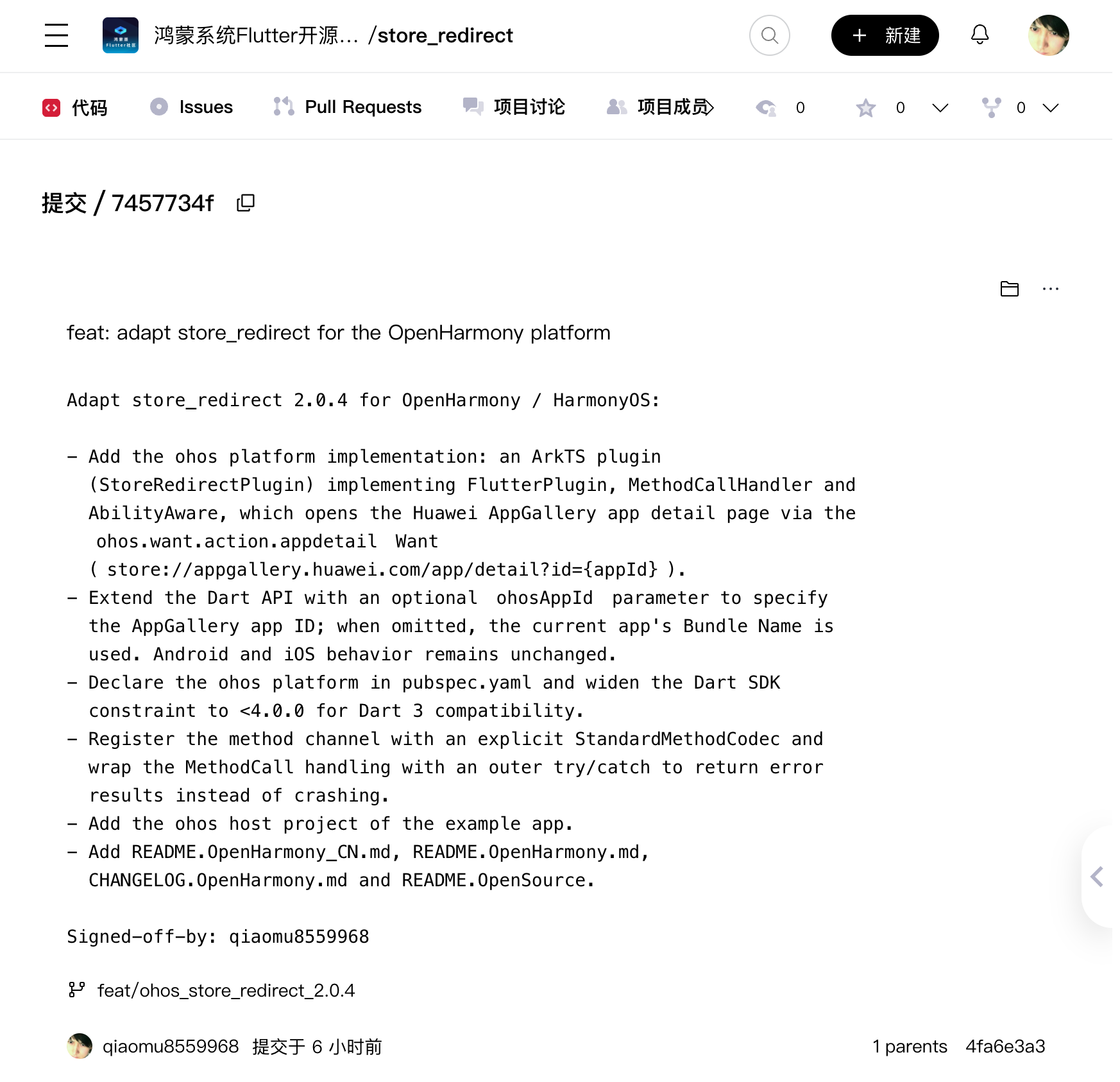
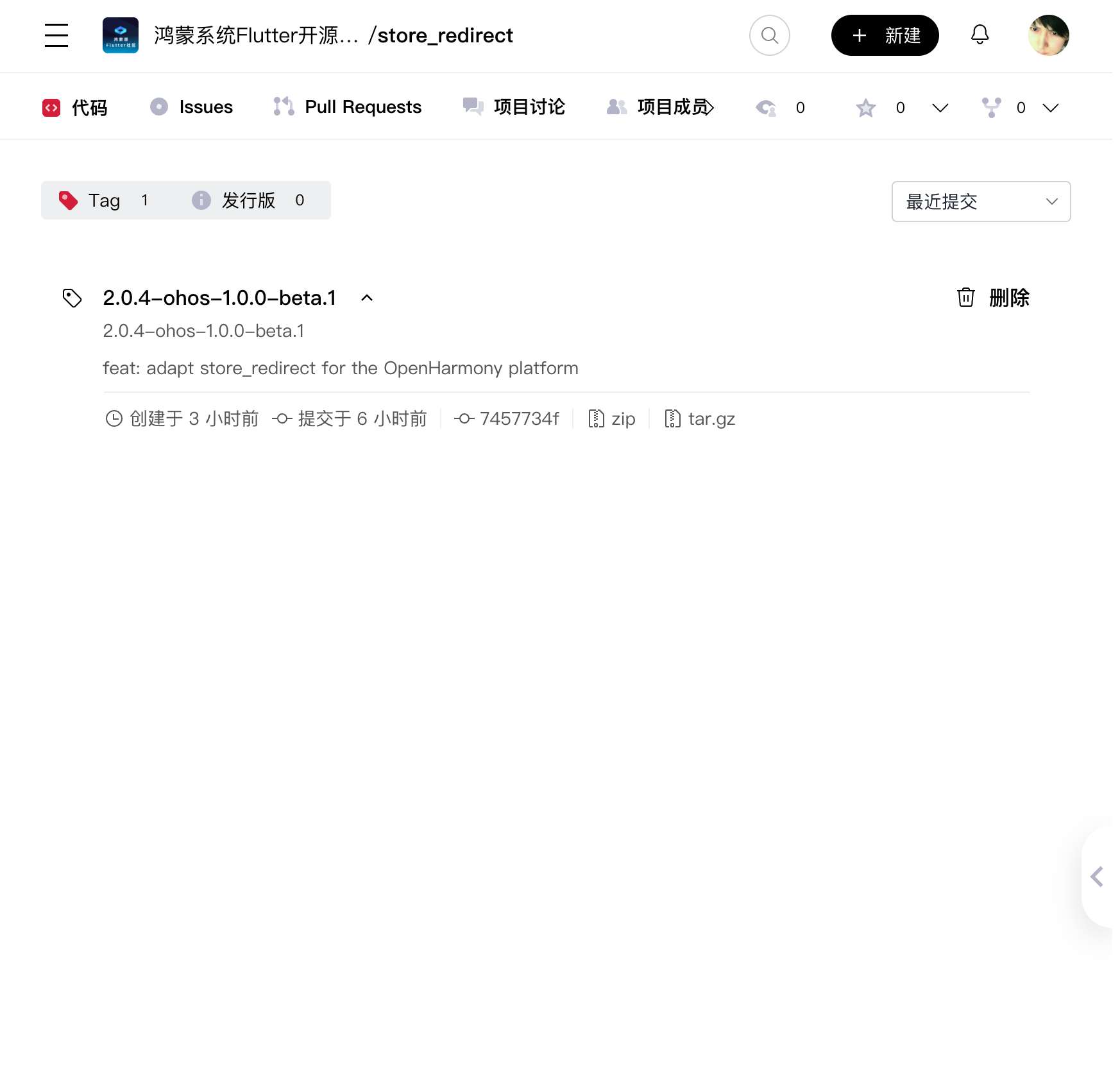
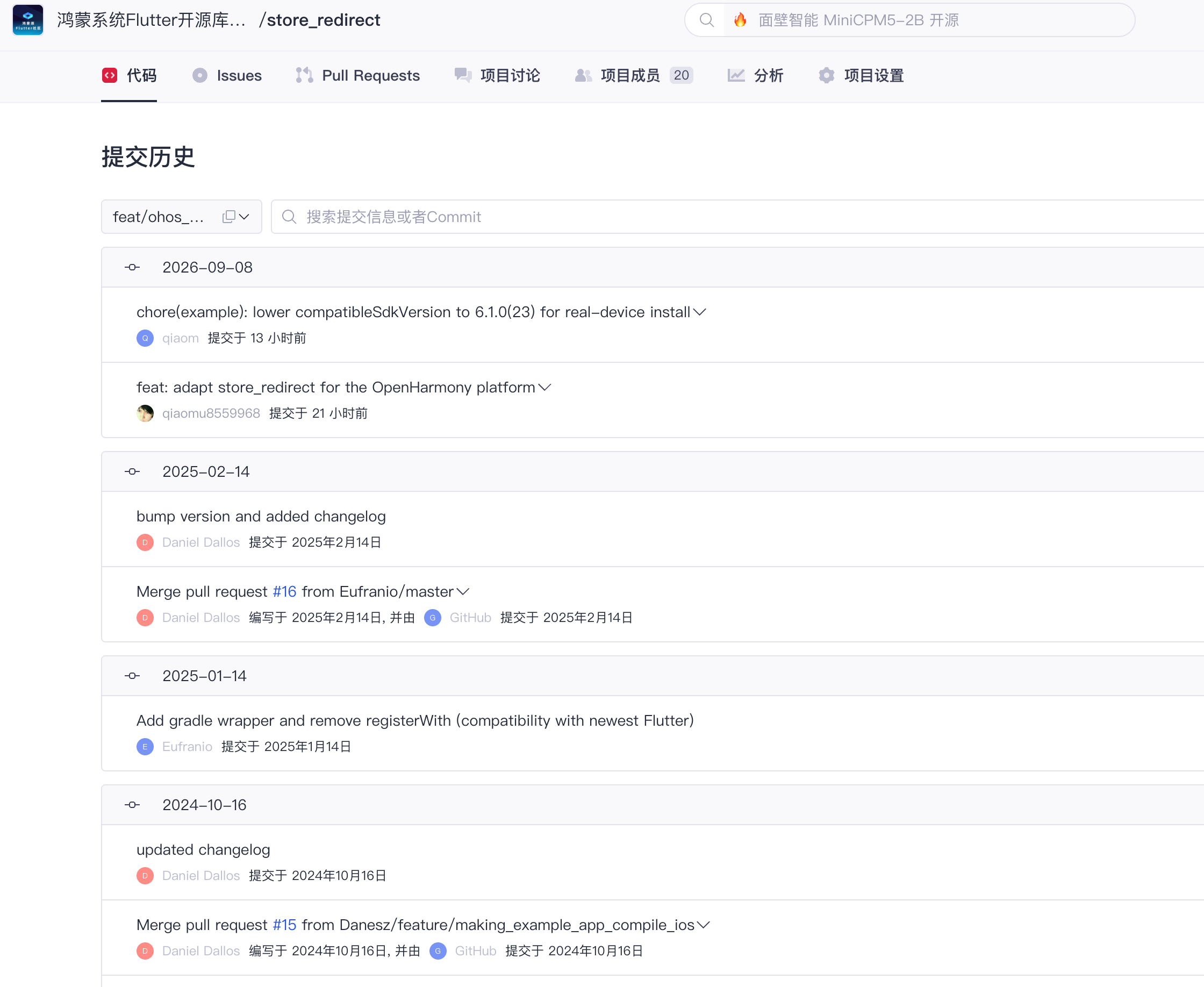
图注:push 与
ls-remote验证在 AtomGit Web 端的等价呈现:提交详情页能被访问即说明该 commit 已被远端接收;TAG 列表页显示 annotated tag2.0.4-ohos-1.0.0-beta.1所指向的提交为7457734f(ls-remote输出的1b3f55b是 tag 对象自身的 hash,两者并不矛盾)。
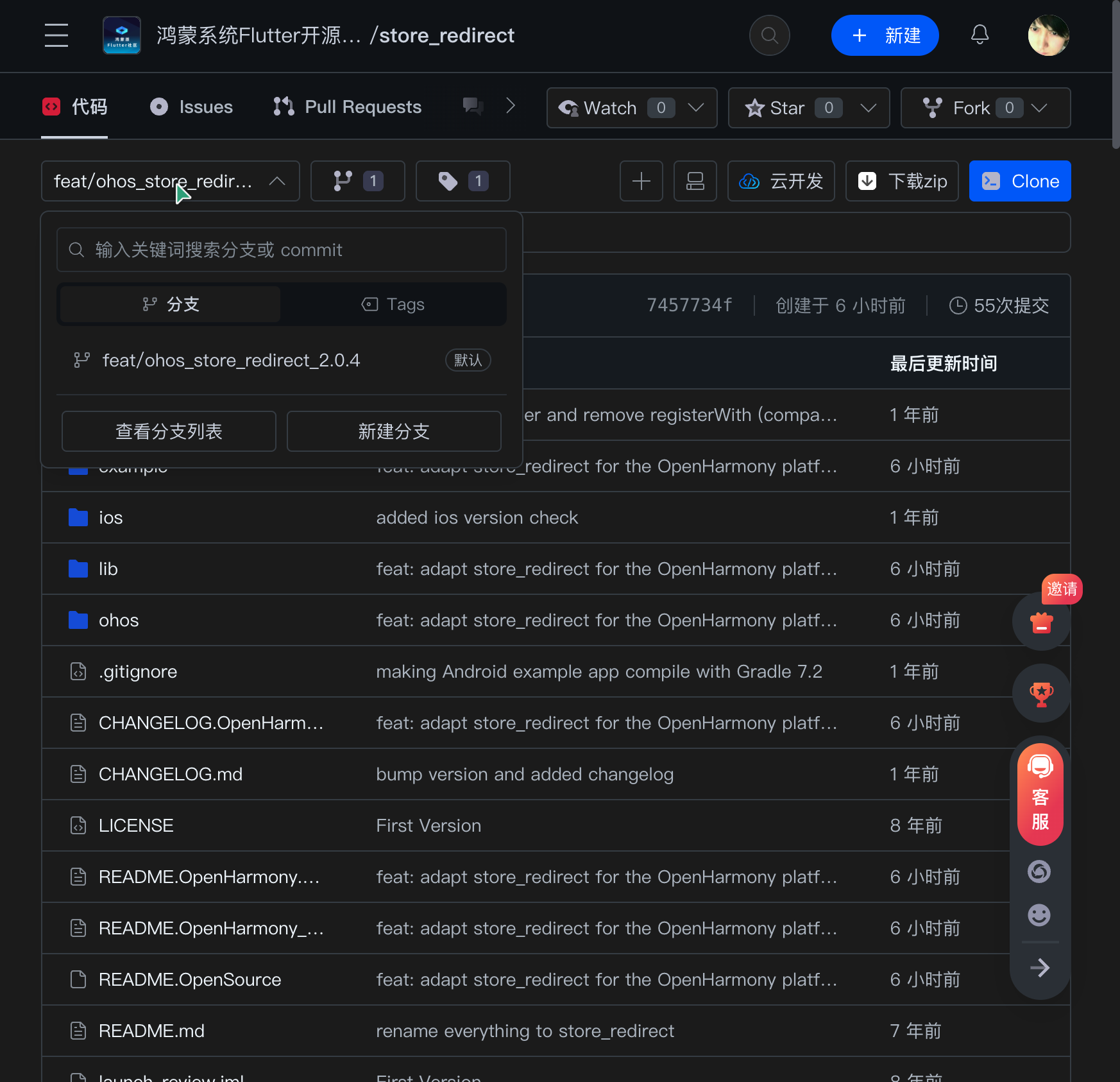
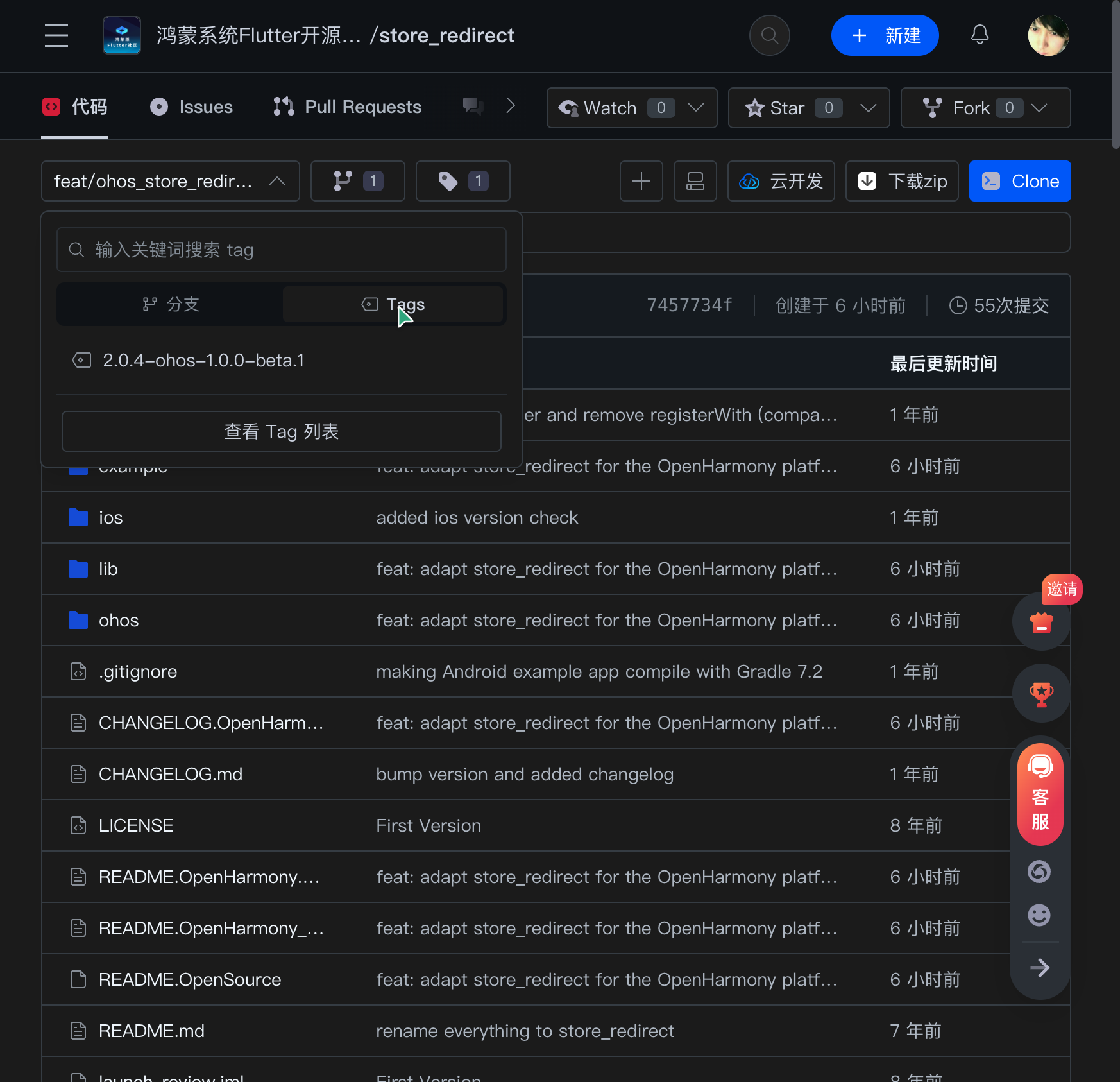
图注:AtomGit Web 界面实拍:分支
feat/ohos_store_redirect_2.0.4与 TAG2.0.4-ohos-1.0.0-beta.1均在页面上可见,与上方git ls-remote的两条 ref 输出一一对应;根目录树中亦可见 README.OpenHarmony_CN.md 已入库。
九、Demo 使用说明
demo 在仓库根目录的 example/ 中,同时覆盖三个平台:
import 'package:store_redirect/store_redirect.dart';

// 三个平台共用一个调用,各平台取各自参数
StoreRedirect.redirect(
  androidAppId: "com.iyaffle.rangoli",   // Google Play 包名
  iOSAppId: "585027354",                 // App Store 数字 ID
  ohosAppId: "C123456789",               // AppGallery App ID(可选)
);
在自己的工程中引入适配版(两种方式):
# 方式一:git 依赖(推荐,锁 TAG)
dependencies:
  store_redirect:
    git:
      url: https://atomgit.com/oh-flutter/store_redirect.git
      ref: 2.0.4-ohos-1.0.0-beta.1
或直接克隆仓库后以路径依赖跑通 example:
git clone https://atomgit.com/oh-flutter/store_redirect.git
cd store_redirect/example
flutter pub get
flutter run                     # 连接 ohos 设备时自动构建 hap
接口一览:
| 接口 | 描述 | 入参 | 返回值 |
|---|---|---|---|
StoreRedirect.redirect | 跳转到应用商店的应用详情页 | androidAppId: String?, iOSAppId: String?, ohosAppId: String? | Future<void> |
十、适配效果验证
适配必须上真机验证。本节给出三轮完整验证记录:验证一为 3.44 canary 模拟器全链路取证,验证二为 3.41 stable 模拟器复验,验证三为 HUAWEI nova 12 Ultra 真机实测。
验证一:3.44 canary 模拟器(API 26)
2026-09-08 在 DevEco 模拟器上的实测记录,验证链路:构建 → 签名 → 安装 → 启动 → uitest 点击 → hilog 取证。
验证环境
| 项目 | 版本/值 |
|---|---|
| 设备 | DevEco Emulator 127.0.0.1:5555 |
| 系统 ROM | emulator 7.0.0.105(SP6DEVC00E999R4P11),API 26 |
| Flutter | 3.44.9+ohos-0.0.1-canary1(Engine b9499e4c25 / revision 5a2a6a42cc) |
| 构建产物 | entry-default-signed.hap(约 94 MB,debug 签名) |
| Bundle Name | com.example.demo(本地调试临时值,见下文说明) |
实测流程
# 1. 构建 hap(debug 包,signingConfigs 已在本地注入调试签名材料)
flutter build hap --debug
# ✓ Built build/ohos/hap/entry-default-signed.hap.

# 2. 安装到模拟器
hdc install build/ohos/hap/entry-default-signed.hap
# msg:install bundle successfully.

# 3. 启动应用 + 录制 hilog
hdc hilog > hilog_full.txt &
hdc shell aa start -a EntryAbility -b com.example.demo
# start ability successfully.

# 4. uitest 定位按钮并模拟点击(按钮 bounds [460,1186][859,1330],中心点 660,1258)
hdc shell uitest dumpLayout -p /data/local/tmp/layout1.json
hdc shell uitest uiInput click 660 1258

# 5. 截图 + 确认前台应用
hdc shell snapshot_display -f /data/local/tmp/step2.jpeg
hdc shell aa dump -a
关于签名的说明:仓库内 example/ohos/build-profile.json5 的 signingConfigs 不入库,构建前需在 DevEco 勾选 Automatically generate signature 自动生成。本次命令行验证时临时注入了本机已有的调试签名材料(p12/cer/p7b),并将 Bundle Name 临时对齐为签名 Profile 允许的 com.example.demo——两处临时改动验证后已用 git checkout 还原,不影响已推送的提交内容。
实测结果
操作 1:应用启动成功。 Flutter 页面正常渲染,AppBar 标题 Launch App Redirect,中央按钮 Redirect App:
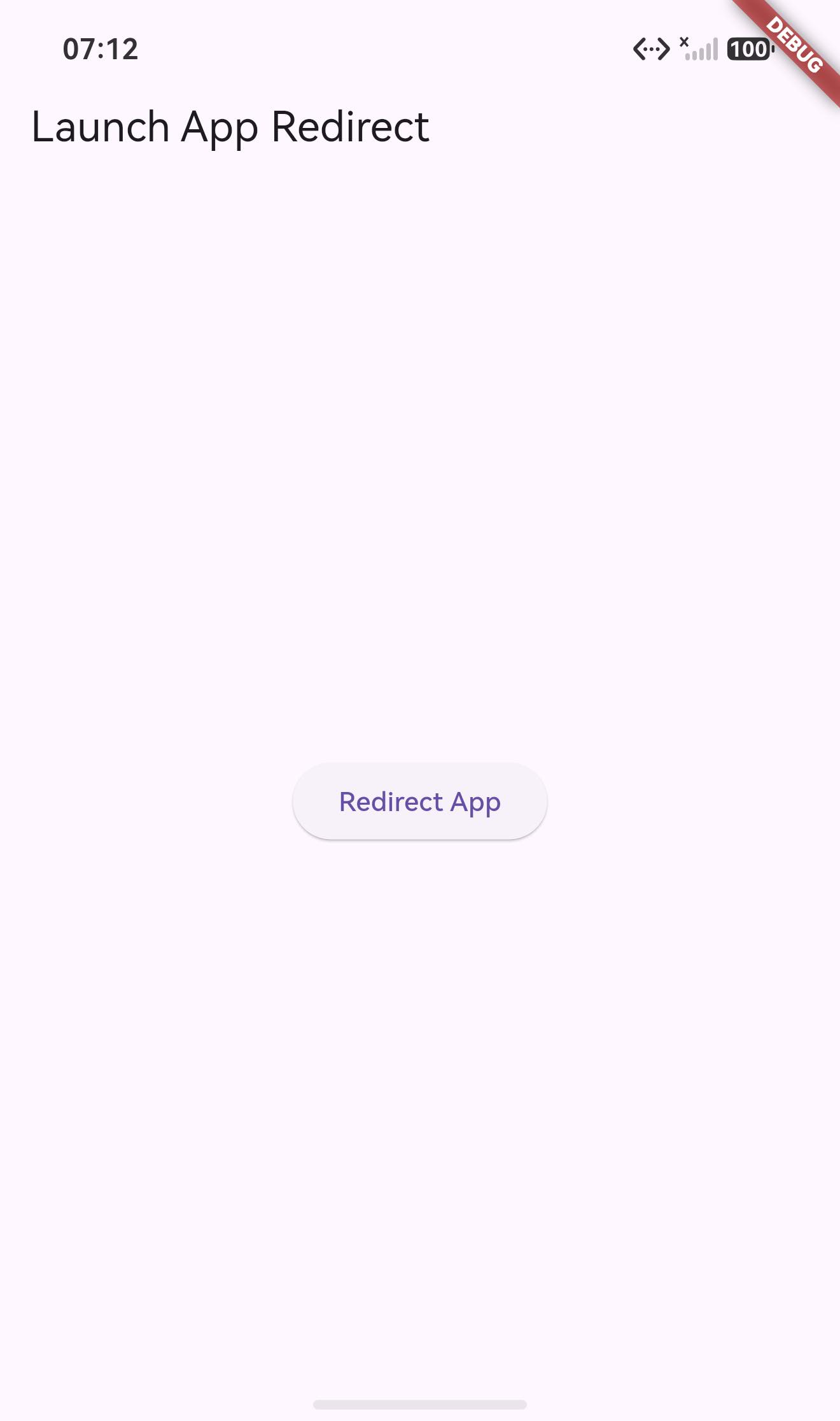
操作 2:点击后成功拉起 AppGallery。 aa dump -a 显示任务栈中 com.huawei.hmsapp.appgallery:entry:MainAbility 进入 FOREGROUND,我们的应用 com.example.demo 退到 BACKGROUND:
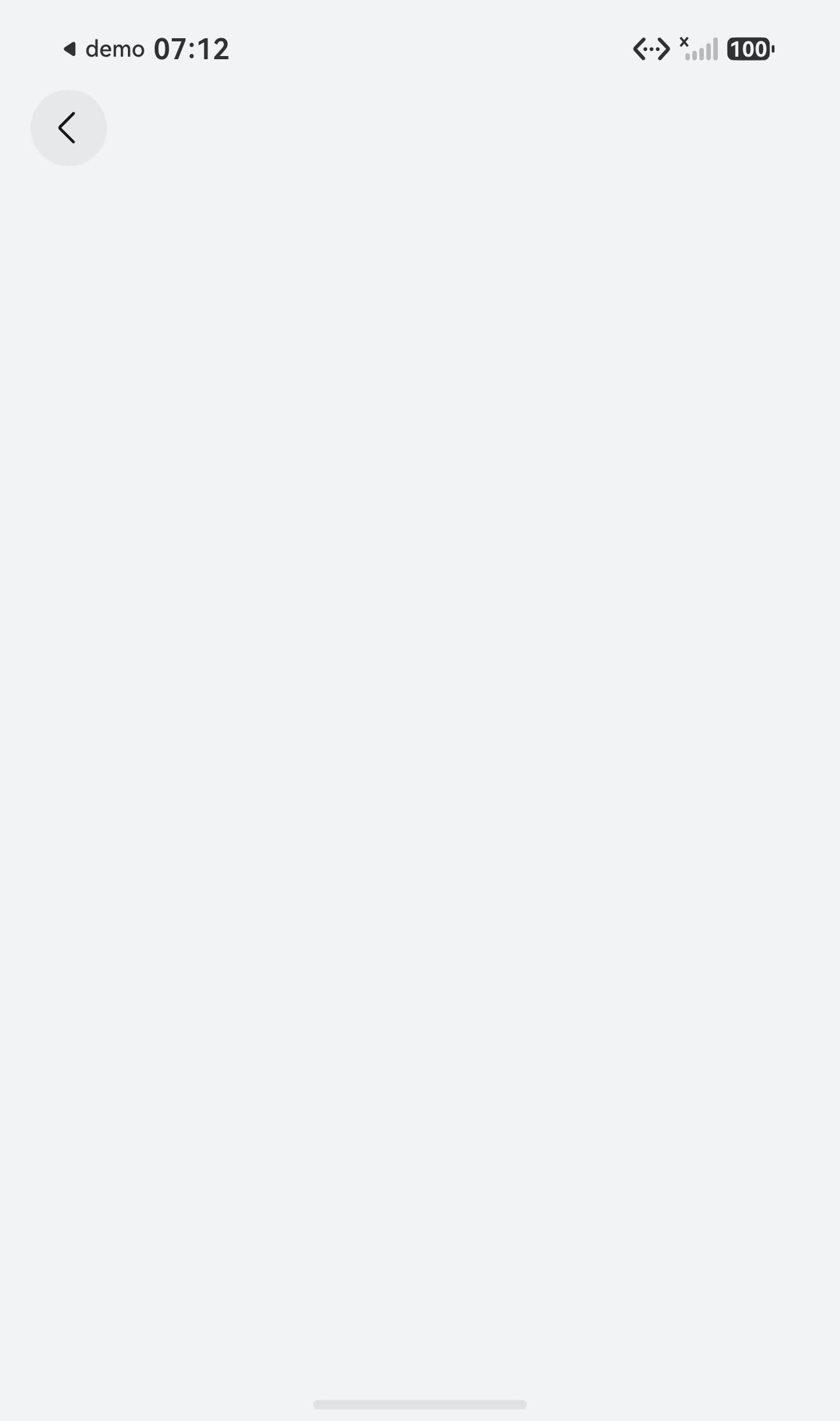
页面详情区空白属预期——本适配 demo 本身未上架应用市场,未传 ohosAppId 时按 Bundle Name 兜底跳转,AppGallery 找不到对应详情页。
操作 3:hilog 取证——插件构造的 Want 被系统精确匹配。 点击时刻(18:39:04)的 AMS 日志完整记录了隐式跳转链:
[AMC181]StartAbility ability:/                          ← 插件调用 context.startAbility(want)
[implicit_start_processor.cpp95]implicit start, action:ohos.want.action.appdetail   ← Want action 命中
[deeplink_reserve_config.cpp81]link:store://appgallery.huawei.com/app/detail?id=com.example.demo, linkReserved:store, matched   ← 插件构造的 URI 精确匹配
[implicit_start_processor.cpp850]ability:MainAbility, bundle:com.huawei.hmsapp.appgallery   ← 解析到 AppGallery
同时进程日志记录了 com.example.demo/EntryAbility(pid 6853)state 2→4 的后台切换,与 AppGallery 前台化完全吻合(完整 hilog 约 4.4 万行,关键日志如上,不再全量贴出)。
验证一结论:store_redirect 2.0.4 的 OpenHarmony 适配在 API 26 模拟器上验证通过——MethodChannel 调用、Bundle Name 兜底解析、Want 隐式跳转、AppGallery 拉起全链路正常,无异常与 error 回调。若应用已上架或显式传入 ohosAppId,AppGallery 将直接展示对应应用详情页。
验证二:3.41 stable 模拟器复验
同一份适配代码(TAG 2.0.4-ohos-1.0.0-beta.1,零改动)切换到 3.41.10-ohos-1.0.1(3.41 系 stable)引擎后重新构建、安装、启动、点击,AppGallery 同样正常拉起,状态栏出现「◀ demo」跳出标记:
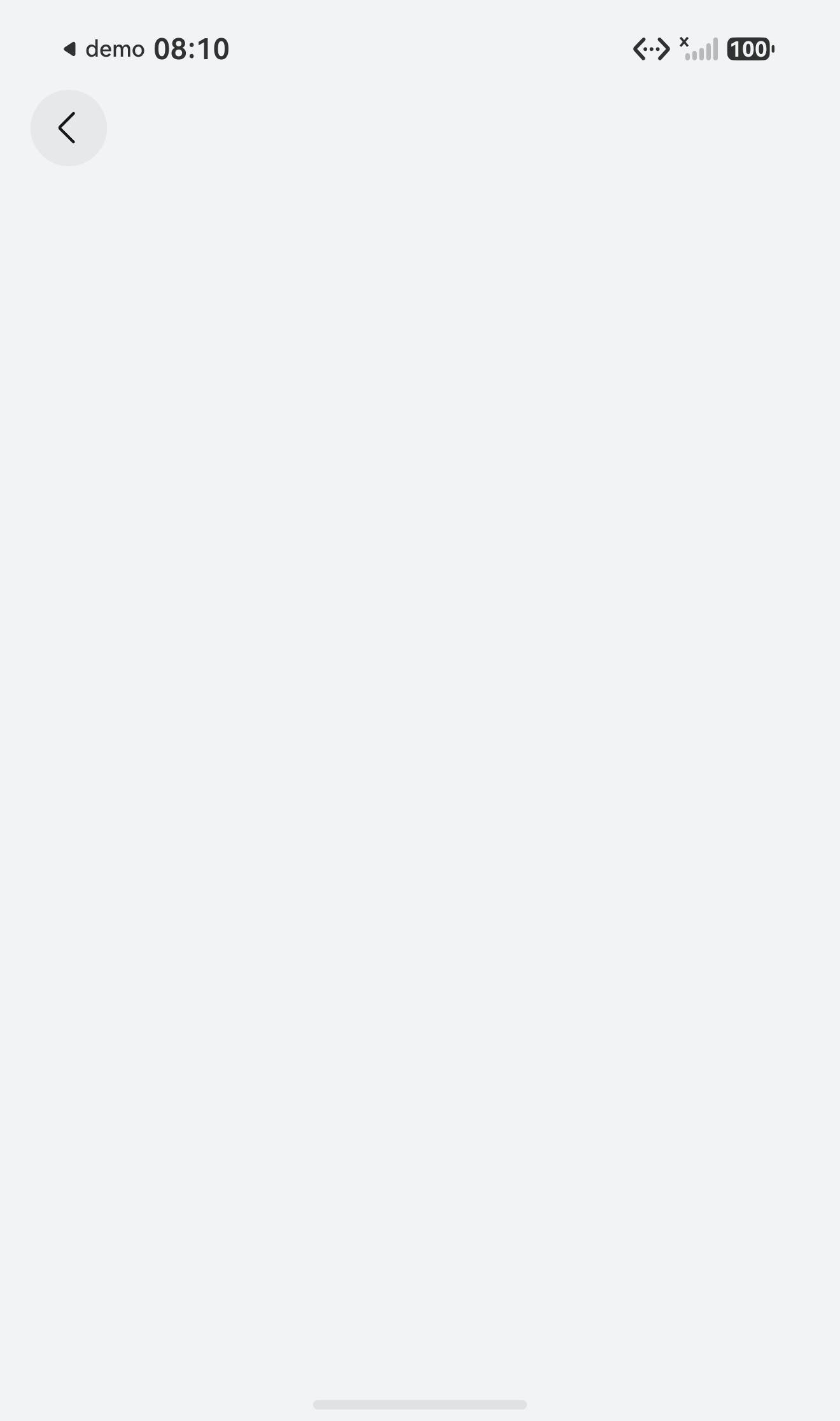
复验通过的原因:插件只依赖 @ohos/flutter_ohos 的标准接口(FlutterPlugin / AbilityAware / MethodChannel),没有使用任何 canary 专属 API,因此对 3.41 系 stable 同样适用。TAG 与框架版本的对应关系见第八章的 TAG 表。
验证三:nova 12 Ultra 真机实测(API 24)
模拟器之外,适配代码在真机上做了完整实测,设备信息如下:
| 项目 | 版本/值 |
|---|---|
| 设备 | HUAWEI nova 12 Ultra 星耀版(ADA-AL10) |
| 系统 ROM | HarmonyOS 6.1.0.135(SP8C00E120R2P6),API 24 |
| 分辨率 | 1224 × 2776 |
| Flutter | 3.41.10-ohos-1.0.1 |
| Bundle Name | com.example.demo(本地调试临时值,说明见验证一) |
首次安装即暴露一个真机特有的问题:hdc install 报安装被拒。原因是 example 的 compatibleSdkVersion 配置为 26.0.0,高于设备 API 24——兼容 SDK 版本不得高于目标设备的 API 版本,否则安装直接被拒。
compatibleSdkVersion 与 targetSdkVersion 的取值格式与含义并不相同:
| 配置项 | 取值示例 | 格式 | 与安装的关系 |
|---|---|---|---|
compatibleSdkVersion | "6.1.0(23)" | 带括号旧格式(括号内为 API 版本) | 必须 ≤ 目标设备 API,否则安装被拒 |
targetSdkVersion / 编译 SDK | "26.0.0" | 不带括号新格式 | 不影响安装 |
修复方式:将 example/ohos/build-profile.json5 的两个 SDK 配置降至 "6.1.0(23)",重新构建后安装成功(该修复已提交为 6fefd57)。注意:3.44 canary 引擎的 ArkTS 层需要 API 26,用 canary 引擎构建时需改回 "26.0.0"。
真机验证命令链与验证一相同,仅按钮坐标不同(真机分辨率 1224 × 2776,经 uitest dumpLayout 解析 Redirect App 按钮中心点为 611,1556):
flutter build hap --debug
hdc install build/ohos/hap/entry-default-signed.hap
hdc shell aa start -a EntryAbility -b com.example.demo
hdc shell uitest dumpLayout -p /data/local/tmp/layout.json
hdc shell uitest uiInput click 611 1556
hdc shell snapshot_display -f /data/local/tmp/rm_after.jpeg
hdc shell aa dump -a
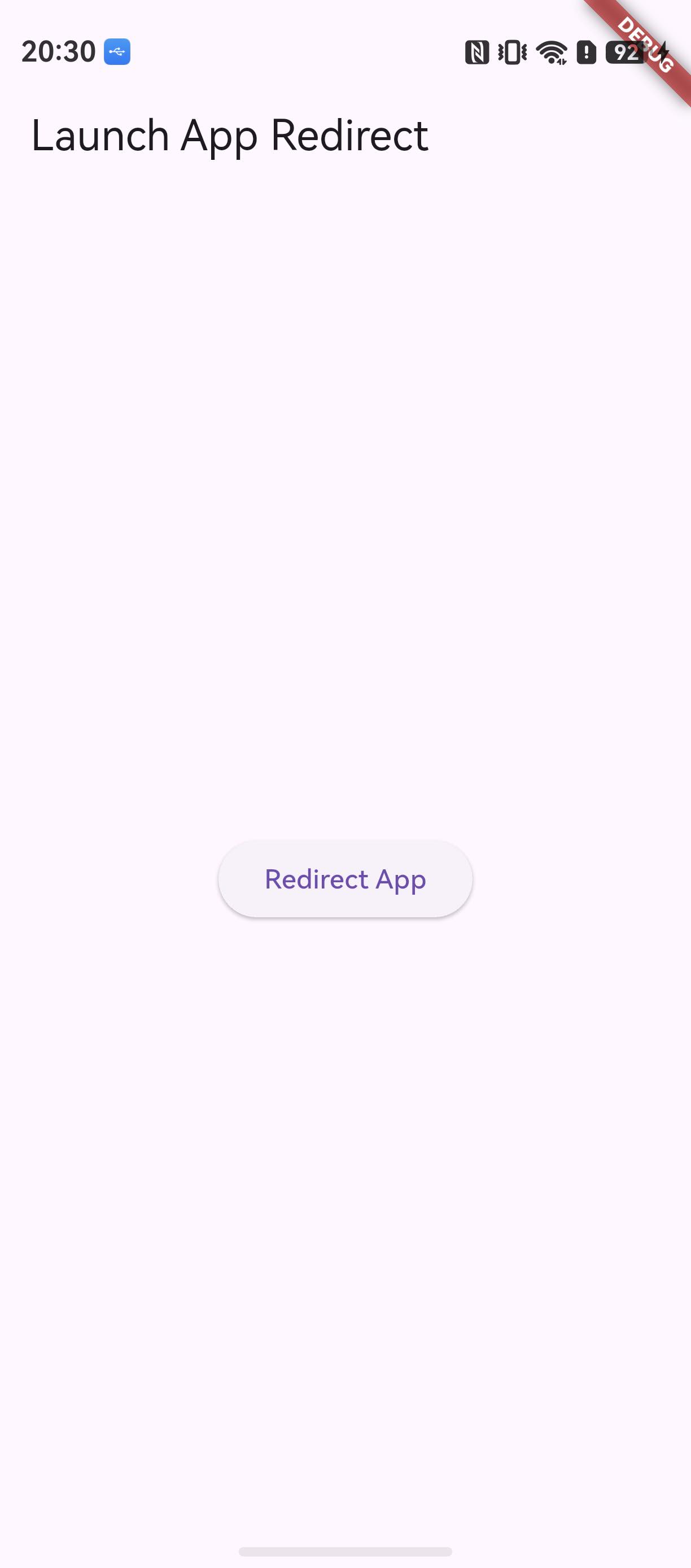
点击后 AppGallery 被拉起,aa dump -a 确认前台为 com.huawei.hmsapp.appgallery:
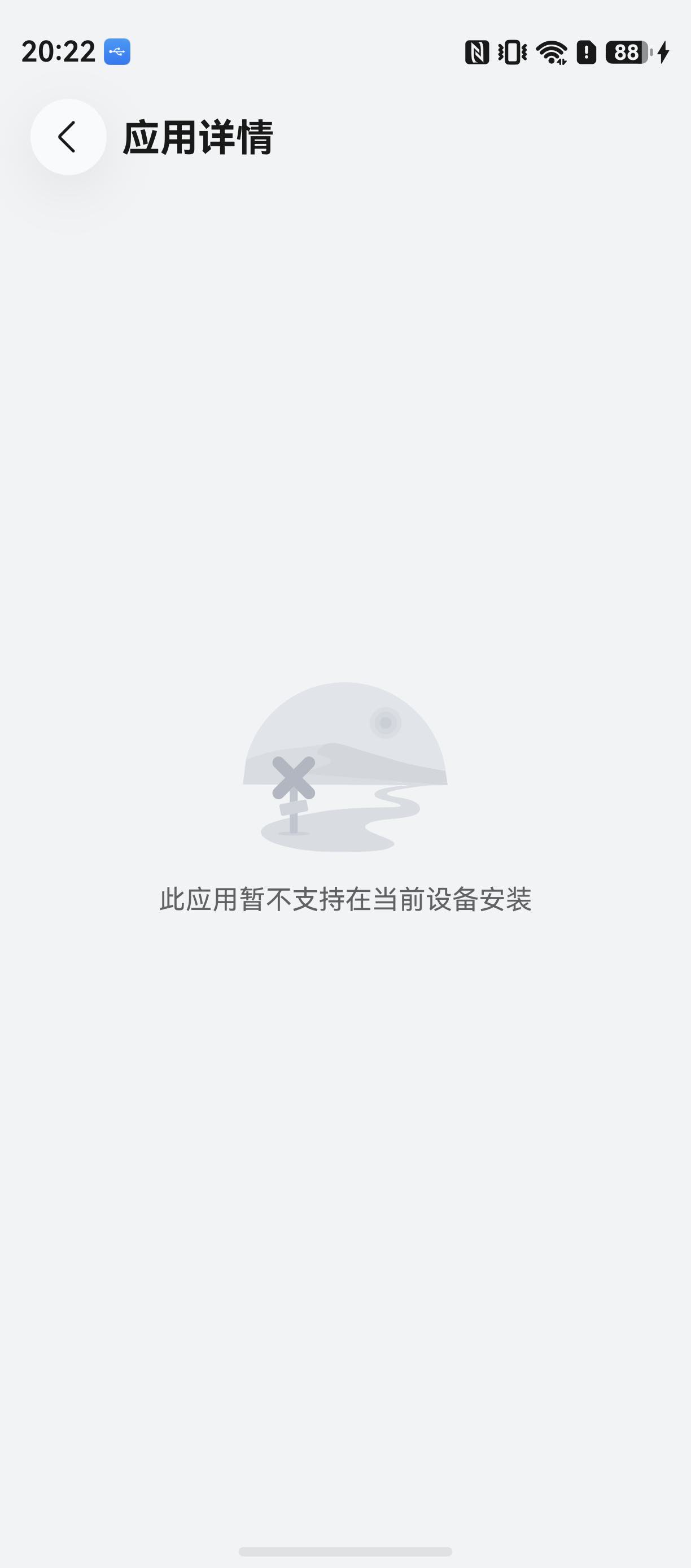
三轮验证总结:3.44 canary 模拟器(API 26)、3.41 stable 模拟器、nova 12 Ultra 真机(API 24)全部通过——MethodChannel 调用、Bundle Name 兜底解析、Want 隐式跳转、AppGallery 拉起全链路正常。
十一、FAQ
Q1:flutter create . --template=plugin --platforms=ohos 没有生成 ohos 目录?
说明当前 flutter 不是 ohos 定制版。用 flutter --version 检查,输出应包含 ohos 字样(如 3.44.9+ohos-0.0.1-canary1),按文首环境搭建文档重装。
Q2:example/ohos 里 GeneratedPluginRegistrant 导入飘红?
构建期生成文件,源码里本就不存在,直接构建即可,不要手动补文件。
Q3:entry/oh-package.json5 依赖是空的,要不要手动加 @ohos/flutter_ohos?
不要。flutter 工具构建时会自动注入宿主与插件 har 依赖,手动添加反而可能与注入值冲突。
Q4:跳转后 AppGallery 打不开详情页?
两种可能:应用未在 AppGallery 上架(详情页自然不存在);ohosAppId 传错。未传 ohosAppId 时会以当前应用 Bundle Name 兜底,上架名与包名不一致的应用务必显式传入 App ID。
Q5:iOS 模拟器上点击没反应?
上游已知限制:跳转 App Store 的 openAppStoreLink 在模拟器上无效,iOS 需真机验证。
Q6:git push 提示 403 “You are not allowed to push code to this project”?
HTTPS 凭据对应的账号没有该仓库的推送权限(本文实测:本机存储的 HTTPS 凭据属于另一账号,被服务端拒绝)。两种解法:在 AtomGit 仓库成员管理中为该账号授予 Developer 及以上角色;或配置与仓库所有者一致的 SSH 公钥,改用 SSH 远程推送(git@atomgit.com:oh-flutter/store_redirect.git)。
Q7:适配版本的兼容性如何确认?
见 README.OpenHarmony_CN.md 兼容性说明:Flutter: 3.44.9+ohos-0.0.1-canary1, DevEco Studio: 26.0.0(26.0.0.821), SDK: 26.0.0(26), ROM: 26.0.0 及以上。其他 Flutter 框架版本请等待对应 TAG(命名规则 原库版本-ohos-版本号-beta.x)。另:本文适配已在 3.41.10-ohos-1.0.1(3.41 系 stable)与 HUAWEI nova 12 Ultra 真机(HarmonyOS 6.1.0 / API 24)上复验通过,见"十、适配效果验证"的验证二与验证三。
十二、结语
整套流程下来,适配一个 Flutter 插件到 OpenHarmony 的工作量集中在三处:ohos/ 的 ArkTS 实现(约 90 行)、pubspec 平台声明、四个规范文档。Android/iOS 侧零改动(Dart 层仅追加可选参数并说明原因),上游升级时 rebase 适配分支即可跟进。
仓库地址:https://atomgit.com/oh-flutter/store_redirect (分支 feat/ohos_store_redirect_2.0.4,TAG 2.0.4-ohos-1.0.0-beta.1),使用中发现问题欢迎提 Issue,也欢迎 PR 共建。

作为“人工智能6S店”的官方数字引擎,为AI开发者与企业提供一个覆盖软硬件全栈、一站式门户。
更多推荐



 1
1 0
0- 0


 已为社区贡献3条内容

所有评论(0)