
flutter_fluttertoast三方库鸿蒙版本部署使用效果展示
Flutter社区地址:https://atomgit.com/CPF-Flutter
本项目仓库地址:https://atomgit.com/feng8403000/flutter_fluttertoast
基础环境
Flutter3.44.9: https://atomgit.com/CPF-Flutter/flutter_flutter/tree/oh-3.44.9-dev
三方库地址:https://atomgit.com/CPF-Flutter/flutter_fluttertoast
鸿蒙版本:7.0
演示视频
flutter_fluttertoast-鸿蒙7调用使用示例
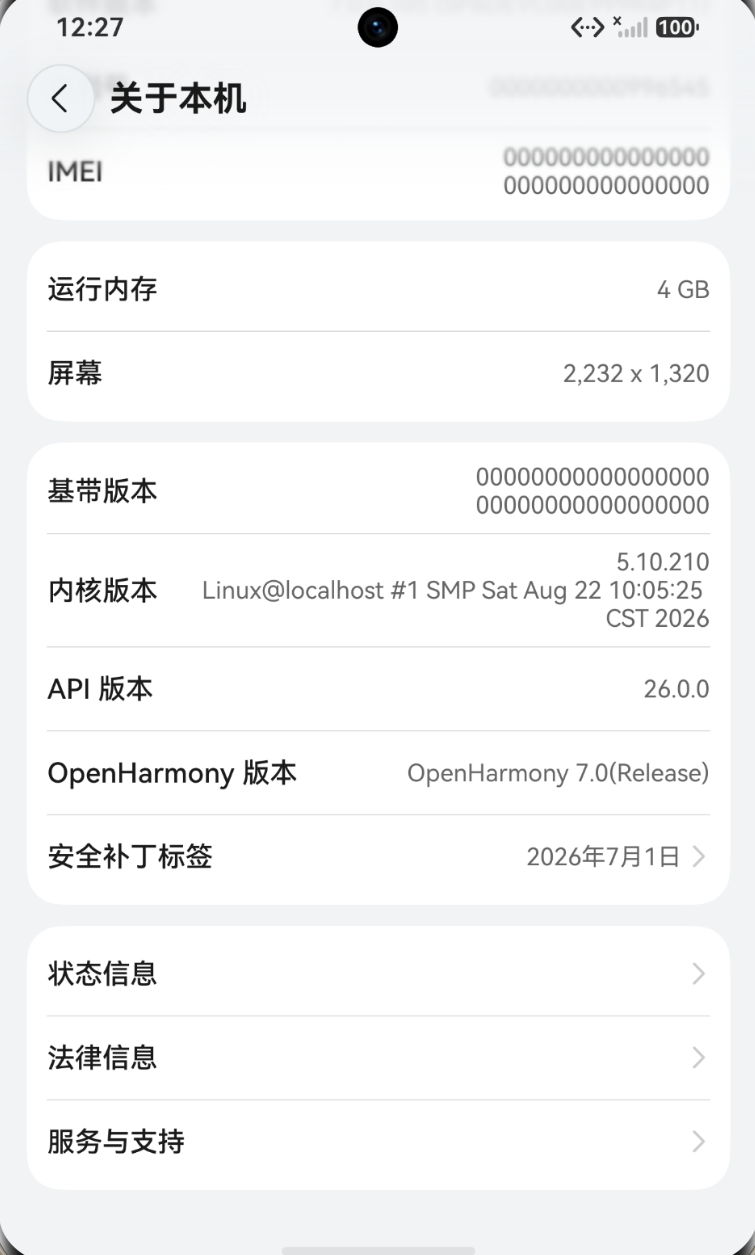
演示的鸿蒙系统版本
库的概述
fluttertoast 原本是 PonnamKarthik/FlutterToast 提供的 Flutter Toast 消息提示插件,官方版本支持 Android、iOS、Web 三个平台。通过社区的努力,现阶段已经支持鸿蒙方向。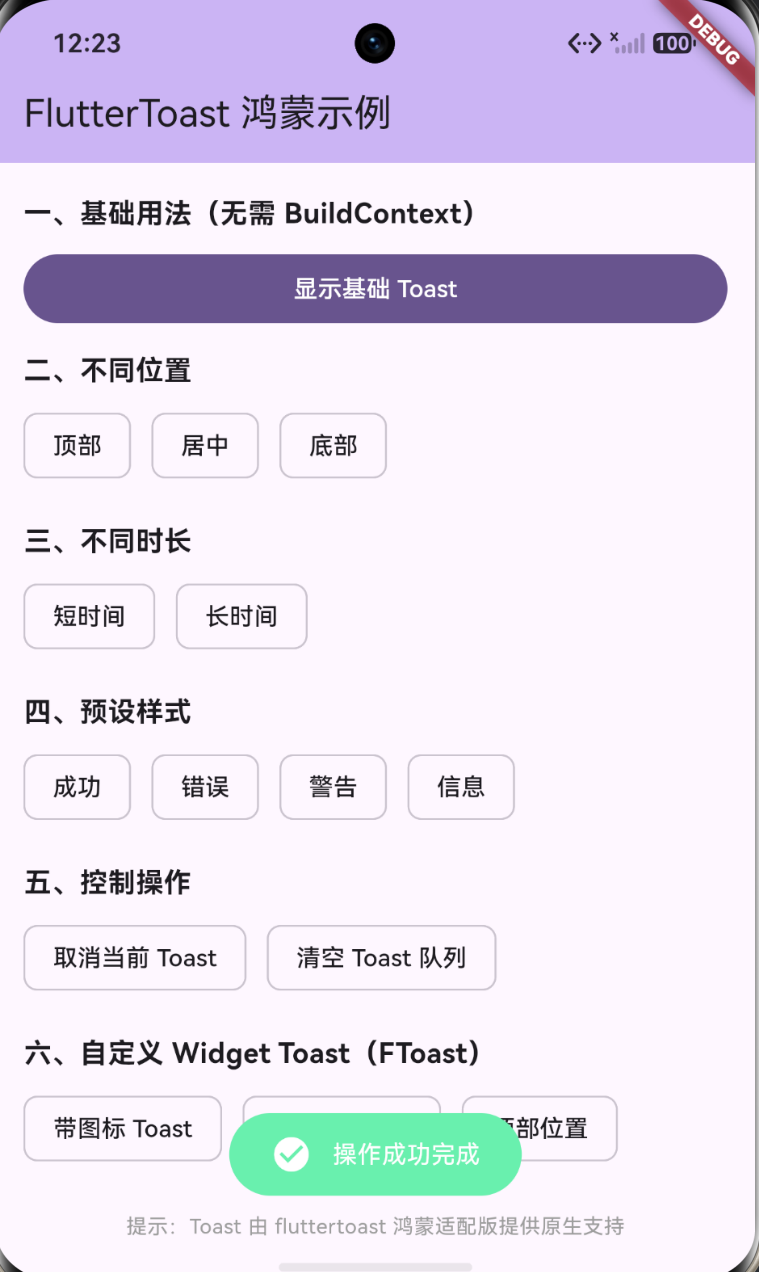
工作原理图
根据工作流程生成的工作脑图。使用的工具是豆包。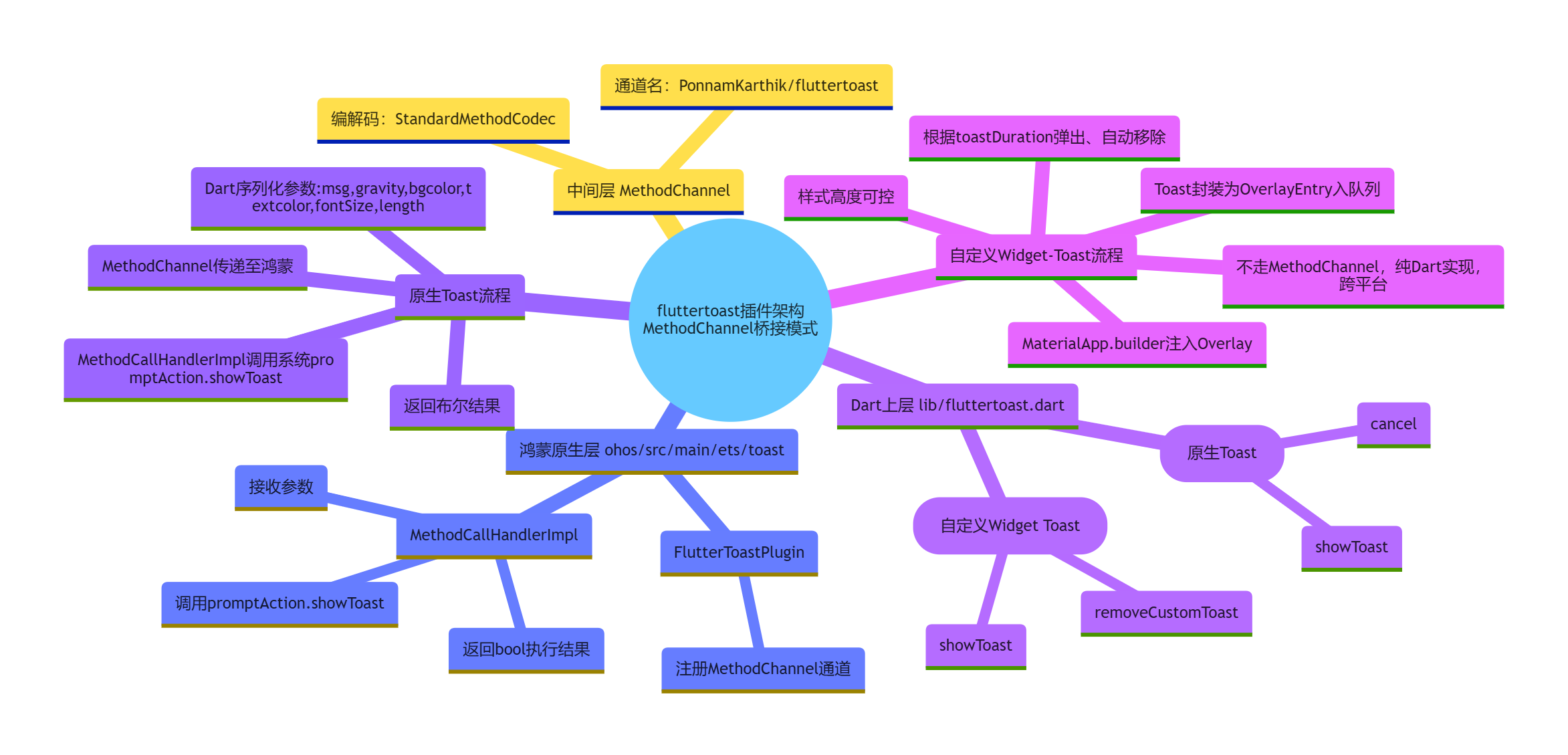
主要功能
原生 Toast
通过 Fluttertoast.showToast 一行调用,由鸿蒙原生 promptAction.showToast 渲染。msg 是必填的显示文本,toastLength 用 Toast.LENGTH_SHORT 或 Toast.LENGTH_LONG,分别对应约 1 秒和 3 秒。gravity 可以选 ToastGravity.TOP、CENTER、BOTTOM。timeInSecForIosWeb 控制 iOS 和 Web 的显示时长。backgroundColor 和 textColor 控制颜色,fontSize 控制字号,fontAsset 可以指定自定义字体资源。取消用 Fluttertoast.cancel。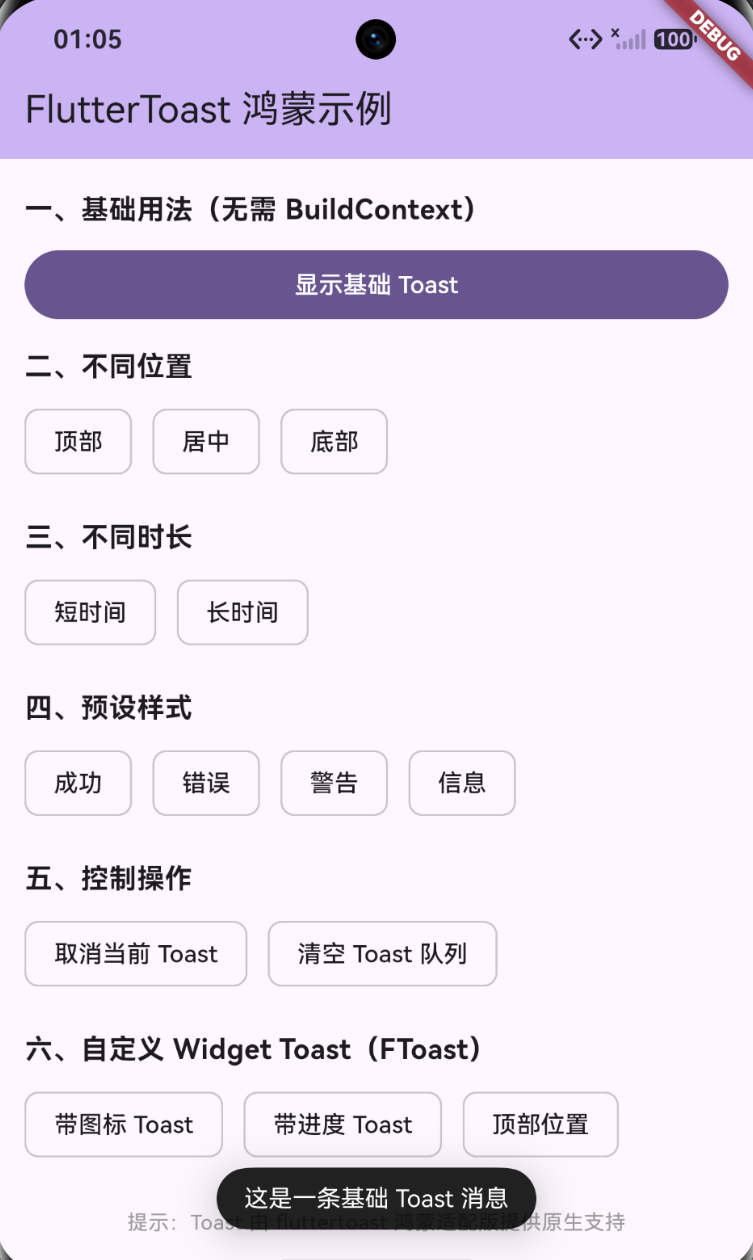
自定义 Widget Toast
通过 FToast 实例配合 FToastBuilder 实现,支持任意 Widget 作为 Toast 内容。FToast().init(context) 保存 BuildContext 用来获取 Overlay。showToast 接收 child、gravity、toastDuration、fadeDuration、positionedToastBuilder、ignorePointer、isDismissable 这些参数。removeCustomToast 移除当前正在显示的 Toast,removeQueuedCustomToasts 清空队列并移除当前 Toast。
核心代码
下面挑四个关键的代码块来说明。
Fluttertoast.showToast
这一段在 lib/fluttertoast.dart 里。
class Fluttertoast {
  static const MethodChannel _channel =
      const MethodChannel('PonnamKarthik/fluttertoast');

  static Future<bool?> cancel() async {
    bool? res = await _channel.invokeMethod("cancel");
    return res;
  }

  static Future<bool?> showToast({
    required String msg,
    Toast? toastLength,
    int timeInSecForIosWeb = 1,
    double? fontSize,
    String? fontAsset,
    ToastGravity? gravity,
    Color? backgroundColor,
    Color? textColor,
    bool webShowClose = false,
    webBgColor = "linear-gradient(to right, #00b09b, #96c93d)",
    webPosition = "right",
  }) async {
    String toast = "short";
    if (toastLength == Toast.LENGTH_LONG) {
      toast = "long";
    }

    String gravityToast = "bottom";
    if (gravity == ToastGravity.TOP) {
      gravityToast = "top";
    } else if (gravity == ToastGravity.CENTER) {
      gravityToast = "center";
    } else {
      gravityToast = "bottom";
    }

    if (backgroundColor == null) backgroundColor = Colors.black;
    if (textColor == null) textColor = Colors.white;

    final Map<String, dynamic> params = <String, dynamic>{
      'msg': msg,
      'length': toast,
      'time': timeInSecForIosWeb,
      'gravity': gravityToast,
      'bgcolor': backgroundColor.value,
      'iosBgcolor': backgroundColor.value,
      'textcolor': textColor.value,
      'iosTextcolor': textColor.value,
      'fontSize': fontSize,
      'fontAsset': fontAsset,
      'webShowClose': webShowClose,
      'webBgColor': webBgColor,
      'webPosition': webPosition
    };

    bool? res = await _channel.invokeMethod('showToast', params);
    return res;
  }
}
MethodChannel 的通道名固定为 PonnamKarthik/fluttertoast,和各平台原生端保持一致。入参在发送前会被转换成原生端能识别的形式,Toast 枚举转成 short 或 long 字符串,ToastGravity 枚举转成 top、center、bottom 字符串,Color 转成 value 整数值。最后通过 invokeMethod 把 showToast 方法和参数 Map 发出去,异步等待原生端返回结果。这一层是纯 Dart 代码,跨平台通用。
鸿蒙端 MethodCallHandlerImpl
文件在 ohos/src/main/ets/toast/MethodCallHandlerImpl.ets。
import { promptAction, display } from '@kit.ArkUI'
import { MethodCallHandler, MethodResult } from '@ohos/flutter_ohos/src/main/ets/plugin/common/MethodChannel';
import MethodCall from '@ohos/flutter_ohos/src/main/ets/plugin/common/MethodCall';

export default class MethodCallHandlerImpl implements MethodCallHandler {
  onMethodCall(call: MethodCall, result: MethodResult): void {
    switch (call.method) {
      case 'showToast': {
        let msg: string = call.argument('msg');
        let gravity: string = call.argument("gravity");
        let bgcolor: number = call.argument("bgcolor");
        let textcolor: number = call.argument("textcolor");
        let textSize: number = call.argument("fontSize");
        let length: string = call.argument("length").toString();
        let mDuration: number = 0;
        if (length == 'long') {
          mDuration = 3000;
        } else {
          mDuration = 1000;
        }
        promptAction.showToast({
          message: msg,
          duration: mDuration,
          alignment: gravity == "center" ? Alignment.Center
                    : gravity == "top" ? Alignment.Top
                    : Alignment.Bottom,
          backgroundColor: bgcolor,
          textColor: textcolor,
          backgroundBlurStyle: BlurStyle.NONE
        });
        result.success(true);
      }
      case 'cancel': {
        result.success(true);
      }
      default: {
        result.notImplemented();
      }
    }
  }
}
这是鸿蒙适配的核心,把 Dart 发来的 showToast 方法映射到鸿蒙 ArkUI 的 promptAction.showToast。时长的映射规则是 long 对应 3000 毫秒,其他情况对应 1000 毫秒,正好对应 Dart 层的 LENGTH_LONG 和 LENGTH_SHORT。位置映射里 center 对应 Alignment.Center,top 对应 Alignment.Top,剩下的都走 Alignment.Bottom。cancel 在鸿蒙端没有原生的取消接口可调用,所以直接 result.success(true) 返回,实际效果是短时间内被下一次 Toast 覆盖或者自然消失。最后通过 result.success 把布尔结果回传到 Dart 层。
MethodChannel 注册 FlutterToastPlugin
文件在 ohos/src/main/ets/toast/FlutterToastPlugin.ets。
import MethodChannel from '@ohos/flutter_ohos/src/main/ets/plugin/common/MethodChannel';
import { BinaryMessenger } from '@ohos/flutter_ohos/src/main/ets/plugin/common/BinaryMessenger'
import { FlutterPlugin, FlutterPluginBinding }
  from '@ohos/flutter_ohos/src/main/ets/embedding/engine/plugins/FlutterPlugin';
import MethodCallHandlerImpl from './MethodCallHandlerImpl'
import StandardMethodCodec from '@ohos/flutter_ohos/src/main/ets/plugin/common/StandardMethodCodec'

const TAG = "FlutterToastPlugin"

export default class FlutterToastPlugin implements FlutterPlugin {
  private channel: MethodChannel | null = null;

  getUniqueClassName(): string {
    return TAG;
  }

  onAttachedToEngine(binding: FlutterPluginBinding): void {
    this.setupChannel(binding.getBinaryMessenger());
  }

  onDetachedFromEngine(binding: FlutterPluginBinding): void {
    this.teardownChannel();
  }

  private setupChannel(messenger: BinaryMessenger) {
    this.channel = new MethodChannel(messenger,
      "PonnamKarthik/fluttertoast", StandardMethodCodec.INSTANCE);
    let handler = new MethodCallHandlerImpl();
    this.channel.setMethodCallHandler(handler);
  }

  private teardownChannel() {
    this.channel?.setMethodCallHandler(null)
    this.channel = null
  }
}
这个类实现了鸿蒙的 FlutterPlugin 接口。onAttachedToEngine 时通过 BinaryMessenger 创建 MethodChannel,通道名和 Dart 端完全一致,编解码器用 StandardMethodCodec.INSTANCE。然后把 MethodCallHandlerImpl 设为方法调用处理器,所有从 Dart 侧发出的 showToast 和 cancel 都会路由到这里。onDetachedFromEngine 时解除注册、置空通道,避免内存泄漏。pubspec.yaml 里声明了 ohos 平台的 pluginClass 为 FluttertoastPlugin,Flutter 构建时会自动把这个插件注册到引擎。
FToast 队列与 Overlay
这一段也在 lib/fluttertoast.dart 里。
class FToast {
  BuildContext? context;
  static final FToast _instance = FToast._internal();
  factory FToast() => _instance;
  FToast._internal();

  OverlayEntry? _entry;
  List<_ToastEntry> _overlayQueue = [];
  Timer? _timer;
  Timer? _fadeTimer;

  FToast init(BuildContext context) {
    _instance.context = context;
    return _instance;
  }

  void showToast({
    required Widget child,
    PositionedToastBuilder? positionedToastBuilder,
    Duration toastDuration = const Duration(seconds: 2),
    ToastGravity? gravity,
    Duration fadeDuration = const Duration(milliseconds: 350),
    bool ignorePointer = false,
    bool isDismissable = false,
  }) {
    if (context == null)
      throw ("Error: Context is null, Please call init(context) before showing toast.");

    Widget newChild = _ToastStateFul(child, toastDuration, fadeDuration,
        ignorePointer,
        !isDismissable ? null : () => removeCustomToast());

    if (gravity == ToastGravity.BOTTOM) {
      if (MediaQuery.of(context!).viewInsets.bottom != 0) {
        gravity = ToastGravity.CENTER;
      }
    }

    OverlayEntry newEntry = OverlayEntry(builder: (context) {
      if (positionedToastBuilder != null)
        return positionedToastBuilder(context, newChild);
      return _getPostionWidgetBasedOnGravity(newChild, gravity);
    });
    _overlayQueue.add(_ToastEntry(
        entry: newEntry, duration: toastDuration, fadeDuration: fadeDuration));
    if (_timer == null) _showOverlay();
  }

  _showOverlay() {
    if (_overlayQueue.isEmpty) { _entry = null; return; }
    OverlayState? _overlay = Overlay.of(context!);
    _ToastEntry _toastEntry = _overlayQueue.removeAt(0);
    _entry = _toastEntry.entry;
    _overlay.insert(_entry!);

    _timer = Timer(_toastEntry.duration, () {
      _fadeTimer = Timer(_toastEntry.fadeDuration, () {
        removeCustomToast();
      });
    });
  }

  removeCustomToast() {
    _timer?.cancel();
    _fadeTimer?.cancel();
    _timer = null;
    _fadeTimer = null;
    _entry?.remove();
    _entry = null;
    _showOverlay();
  }

  removeQueuedCustomToasts() {
    _timer?.cancel();
    _fadeTimer?.cancel();
    _timer = null;
    _fadeTimer = null;
    _overlayQueue.clear();
    _entry?.remove();
    _entry = null;
  }
}
FToast 是单例,通过 factory 构造方法复用,保证全局只有一个队列。每条 Toast 封装成 _ToastEntry,里面包含 OverlayEntry、duration 和 fadeDuration,然后加到 _overlayQueue 里。_showOverlay 从队首取出一条,通过 Overlay.of(context).insert 插到最上层,同时启动两个 Timer,duration 到时开始淡出,fadeDuration 到时真正移除并递归调用 _showOverlay 展示下一条。淡入淡出由内部的 _ToastStateFul 和 AnimationController 配合 FadeTransition 实现,只改透明度不改布局尺寸,性能上没问题。positionedToastBuilder 可以让调用方完全自定义位置,返回一个 Positioned,不走默认的位置计算逻辑。
使用示例
引入依赖的时候鸿蒙必须用 git 分支,不能直接写版本号。
dependencies:
  flutter:
    sdk: flutter
  fluttertoast:
    git:
      url: "https://atomgit.com/openharmony-sig/flutter_fluttertoast.git"
      ref: "br_8.2.8_ohos"
基础原生 Toast 直接调用 Fluttertoast.showToast。
import 'package:fluttertoast/fluttertoast.dart';

Fluttertoast.showToast(
  msg: '操作成功',
  toastLength: Toast.LENGTH_SHORT,
  gravity: ToastGravity.BOTTOM,
  timeInSecForIosWeb: 1,
  backgroundColor: Colors.green,
  textColor: Colors.white,
  fontSize: 16.0,
);
自定义 Widget Toast 需要先在 MaterialApp 里配置 FToastBuilder,让 FToast 能在 Navigator 之上渲染。
final GlobalKey<NavigatorState> navigatorKey = GlobalKey<NavigatorState>();

MaterialApp(
  builder: FToastBuilder(),
  navigatorKey: navigatorKey,
  home: const HomePage(),
);
然后初始化 FToast 并显示。
late final FToast fToast = FToast()..init(context);

void showSuccess() {
  fToast.showToast(
    child: Container(
      padding: const EdgeInsets.symmetric(horizontal: 24, vertical: 12),
      decoration: BoxDecoration(
        borderRadius: BorderRadius.circular(25),
        color: Colors.greenAccent,
      ),
      child: Row(mainAxisSize: MainAxisSize.min, children: [
        Icon(Icons.check, color: Colors.white),
        SizedBox(width: 12),
        Text('操作成功', style: TextStyle(color: Colors.white)),
      ]),
    ),
    gravity: ToastGravity.BOTTOM,
    toastDuration: const Duration(seconds: 2),
  );
}
取消和清空队列的写法。
Fluttertoast.cancel();
fToast.removeCustomToast();
fToast.removeQueuedCustomToasts();

作为“人工智能6S店”的官方数字引擎,为AI开发者与企业提供一个覆盖软硬件全栈、一站式门户。
更多推荐

 0
0 0
0- 0


 已为社区贡献162条内容

所有评论(0)