
贪吃蛇的鸿蒙 Canvas:游戏循环与碰撞检测
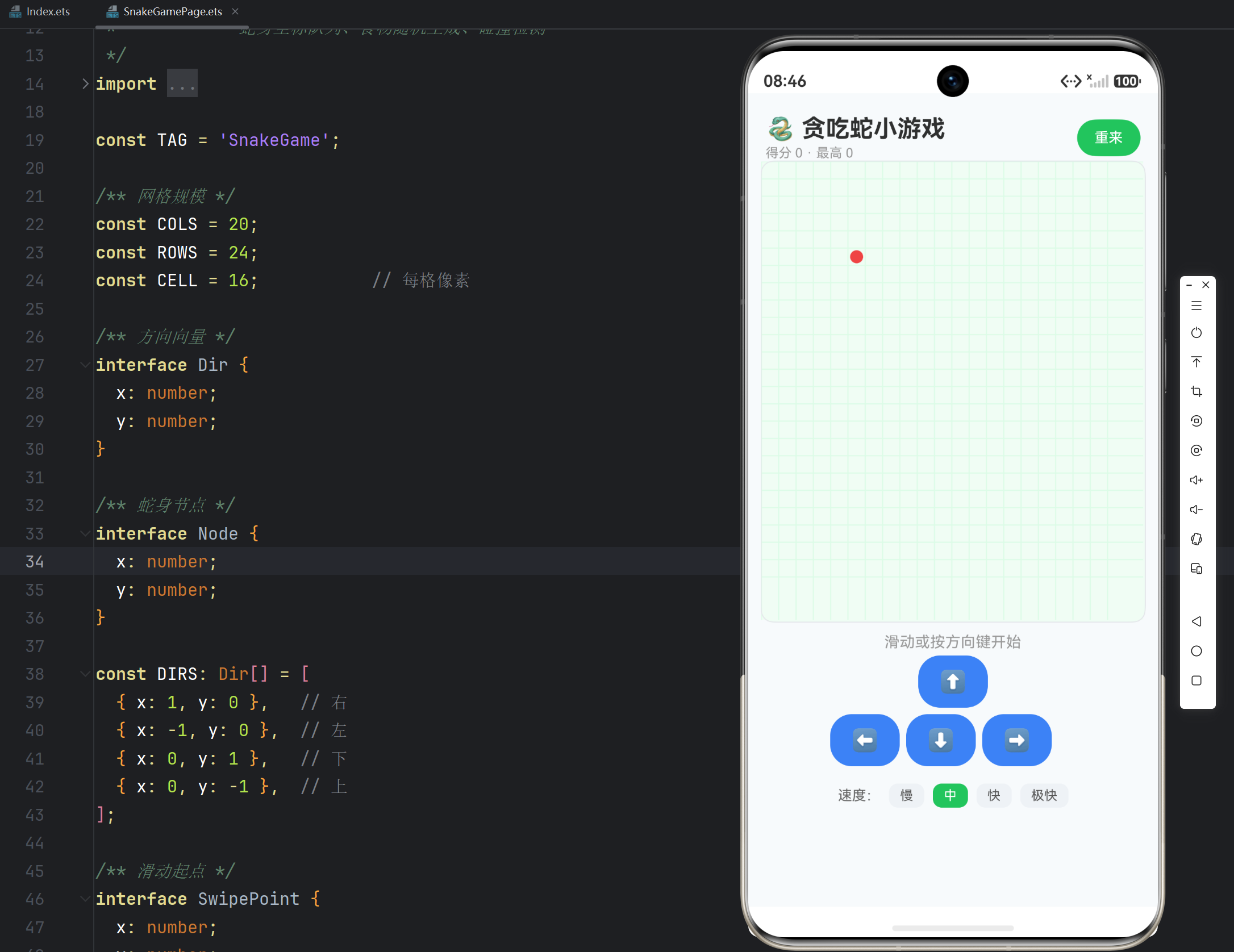
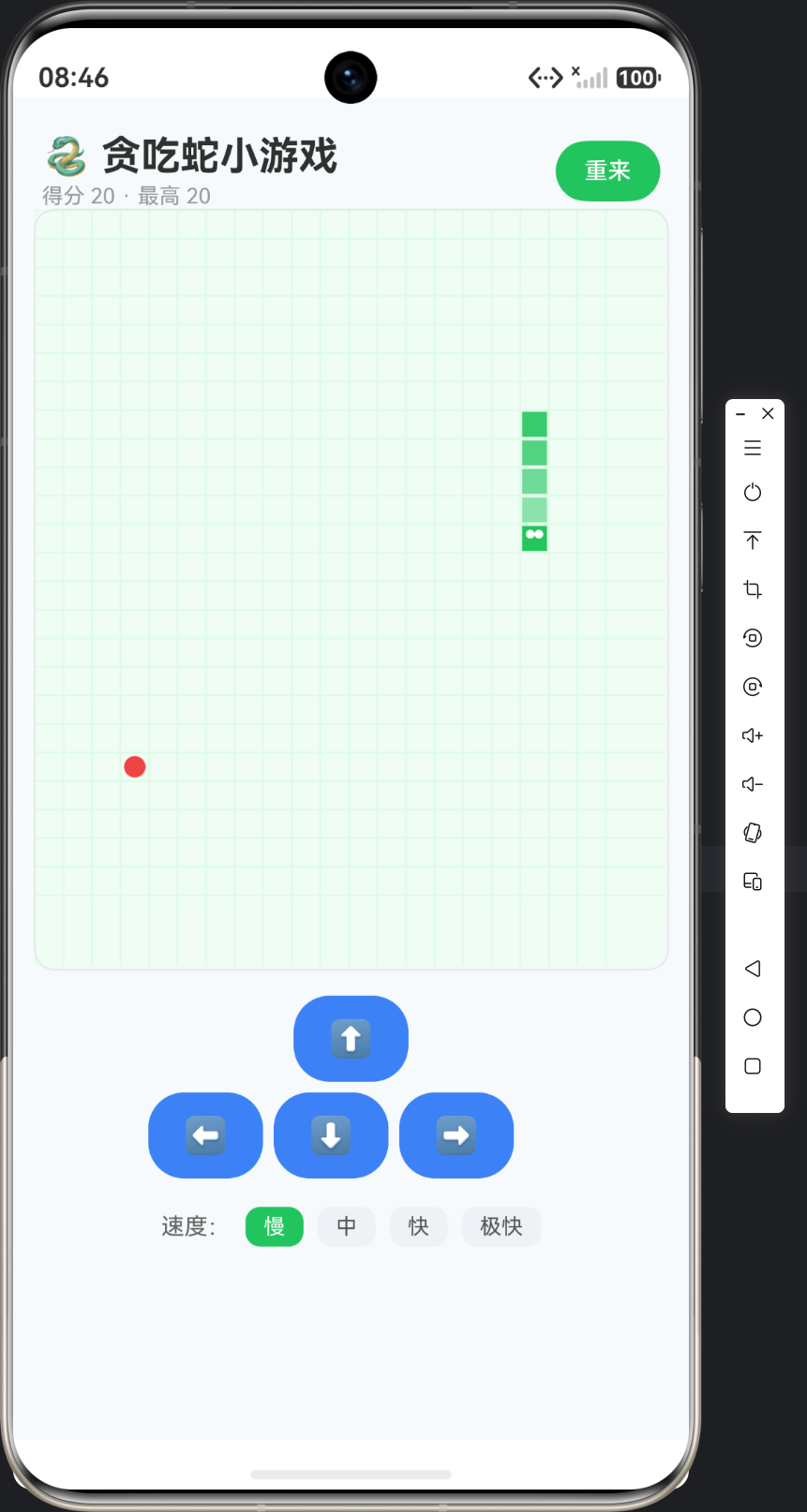
实例:贪吃蛇小游戏(Snake Game)|技术:Canvas 网格绘制、帧循环(setInterval)、坐标队列、碰撞检测、最高分持久化
一、为什么选贪吃蛇作为游戏首例
1.1 从"绘制"到"游戏"
前五个 Canvas 应用(21 签名板、22 涂鸦、23 图表、24 时钟、25 粒子)本质都是"绘制"——把数据画到画布上。贪吃蛇是第一个游戏:它引入三个全新概念:
- 帧循环——不是"画一次",而是"每帧都画",游戏世界随时间推进;
- 状态管理——蛇的位置、方向、食物是"游戏状态",每帧更新;
- 交互驱动——玩家的方向输入改变游戏走向,胜负由状态判断。
这三个概念构成一切游戏(乃至一切实时应用)的基础骨架:状态更新 → 渲染 → 输入 → 再更新。
1.2 贪吃蛇的经典规则
| 规则 | 说明 |
|---|---|
| 蛇 | 由 N 节身体组成,每帧向当前方向移动一格 |
| 食物 | 随机出现在空白格,蛇头碰到则蛇长一节、分数 +10 |
| 移动 | 玩家通过方向键/滑动控制蛇头方向(不能 180° 掉头) |
| 结束 | 撞墙或撞到自己身体 → 游戏结束 |
| 胜利 | 蛇占满全部格子 → 胜利 |
1.3 技术要点一览
| 技术点 | 用途 |
|---|---|
| Canvas + RenderingContextSettings | 网格/蛇/食物绘制 |
| setInterval 帧循环 | 定时推进游戏 |
| 坐标数组 unshift/pop | 蛇身移动的"滑动窗口" |
| 随机数生成 | 食物位置 |
| 碰撞检测(边界 + 自身) | 游戏结束判定 |
| preferences(@kit.ArkData) | 最高分持久化 |
二、游戏架构设计
2.1 数据模型
/** 网格规模 */
const COLS = 20;
const ROWS = 24;
const CELL = 16;           // 每格像素

/** 方向向量 */
interface Dir { x: number; y: number; }

/** 蛇身节点 */
interface Node { x: number; y: number; }
网格坐标系:游戏世界是一个 20×24 的网格,蛇、食物都用网格坐标(整数 x/y)表示,绘制时再乘以 CELL 换算成像素坐标。逻辑坐标与像素坐标分离是游戏开发的基本纪律——逻辑层只管"在第几格",渲染层才关心"画在哪个像素"。
2.2 游戏状态
private snake: Node[] = [];        // 蛇身(头在 index 0)
private food: Node = { x: 5, y: 5 };
private dir: Dir = DIRS[0];        // 当前方向
private nextDir: Dir = DIRS[0];    // 缓冲方向
private timer: number = -1;        // 帧循环句柄
private gameOver: boolean = false;
为什么 snake 是数组而非独立字段:蛇身是有序坐标序列,数组天然表达"头尾顺序"。移动 = 头部插入新坐标(unshift)+ 尾部弹出旧坐标(pop)——滑动窗口,一步移动 O(1) 开销。
2.3 状态量与 UI 量分离
// 游戏状态(非 @State,由 draw() 主动重绘)
private snake: Node[] = [];
// UI 状态量(驱动标题/提示刷新)
@State score: number = 0;
@State best: number = 0;
@State statusText: string = '滑动或按方向键开始';
@State speed: number = 150;
核心设计:蛇身、食物、方向是"游戏世界内部状态",用普通私有变量 + 每次变化后手动 draw();分数、最高分、提示文案是"用户可见 UI",用 @State 自动刷新。理由:蛇每帧变化(150ms 一次),若全部 @State,ArkUI 每帧 diff 整棵 UI 树,开销大;而分数变化频率低(吃一口 +10),@State 恰到好处。
三、游戏初始化
3.1 新游戏
private startGame(): void {
  // 初始化蛇:三段在中间
  const cx = Math.floor(COLS / 2);
  const cy = Math.floor(ROWS / 2);
  this.snake = [
    { x: cx, y: cy },
    { x: cx - 1, y: cy },
    { x: cx - 2, y: cy },
  ];
  this.dir = DIRS[0];      // 初始向右
  this.nextDir = DIRS[0];
  this.gameOver = false;
  this.score = 0;
  this.statusText = '';
  this.spawnFood();
  this.draw();
  this.startTimer();
}
初始化清单:蛇三段居中、方向向右、分数清零、生成食物、立即画一帧、启动帧循环。注意 gameOver 必须先置 false——否则 step() 的守卫会拒绝推进。
3.2 帧循环
private startTimer(): void {
  this.stopTimer();       // 防重复启动
  this.timer = setInterval(() => {
    this.step();          // 每 speed ms 推进一帧
  }, this.speed);
}

private stopTimer(): void {
  if (this.timer !== -1) {
    clearInterval(this.timer);
    this.timer = -1;
  }
}
setInterval 帧循环:speed ms 触发一次 step()。speed=150 即每秒约 6.7 步——贪吃蛇的经典节奏。先 stopTimer 再 startTimer 防止"重来"按钮连点时叠加多个定时器(这是最常见的 bug 源)。
3.3 食物生成
private spawnFood(): void {
  for (let i = 0; i < 200; i++) {
    const x = Math.floor(Math.random() * COLS);
    const y = Math.floor(Math.random() * ROWS);
    const occupied = this.snake.some((n) => n.x === x && n.y === y);
    if (!occupied) {
      this.food = { x: x, y: y };
      return;
    }
  }
  this.endGame(true);   // 200 次尝试都撞蛇身:格子满了,胜利
}
随机 + 重试:随机取一格,若被蛇占用则重试(最多 200 次)。200 次全失败说明格子基本满了——触发胜利。重试上限 + 兜底分支是"随机生成不重叠"的工程解法(纯随机无上限可能死循环)。
四、核心逻辑:单步推进 ★核心方法
private step(): void {
  if (this.gameOver) {
    return;
  }
  this.dir = this.nextDir;   // 采纳缓冲方向
  const head = this.snake[0];
  const newHead: Node = { x: head.x + this.dir.x, y: head.y + this.dir.y };

  // ① 撞墙检测
  if (newHead.x < 0 || newHead.x >= COLS || newHead.y < 0 || newHead.y >= ROWS) {
    this.endGame(false);
    return;
  }
  // ② 撞自己检测(排除尾巴:尾巴即将移走)
  const bodyHit = this.snake.some((n, i) => i < this.snake.length - 1 && n.x === newHead.x && n.y === newHead.y);
  if (bodyHit) {
    this.endGame(false);
    return;
  }
  // ③ 头部前插
  this.snake.unshift(newHead);
  if (newHead.x === this.food.x && newHead.y === this.food.y) {
    // ④ 吃到食物:不删尾(变长)+ 加分 + 新食物
    this.score += 10;
    if (this.score > this.best) {
      this.best = this.score;
      this.saveBest();
    }
    this.spawnFood();
  } else {
    this.snake.pop();      // ⑤ 没吃到:删尾(保持长度)
  }
  this.draw();             // ⑥ 重绘
}
逐行拆解:
① 撞墙检测:新头坐标超出 [0, COLS)×[0, ROWS) 即撞墙。边界判定用 x < 0 || x >= COLS(而非 <=)——坐标是 0 基,合法范围 0~19,20 即越界。
② 撞自己检测:some 遍历身体(排除最后一个——尾巴这一帧会移走,蛇头到达尾巴当前位置是合法的,这是贪吃蛇的经典规则细节)。i < this.snake.length - 1 正是"跳过尾巴"。
③ unshift 头前插:新头成为蛇头,身体依次后移。unshift + pop 配合 = 蛇"爬行":没吃食物时长度不变,吃食物时不 pop 长度 +1。
④ 吃食物判定:新头坐标 == 食物坐标。加分 + 更新最高分(持久化)+ 生成新食物。分数是"吃了几口 × 10"。
⑤ pop 删尾:没吃食物才删尾——保持长度;吃了则保留尾巴(变长)。
⑥ draw() 重绘:状态更新完,画一帧。状态与渲染分离,渲染永远反映最新状态。
五、方向控制
private changeDir(d: Dir): void {
  if (this.gameOver) {
    return;
  }
  // 禁止直接掉头(反方向)
  if (d.x === -this.dir.x && d.y === -this.dir.y) {
    return;
  }
  // 缓冲方向也禁止反向
  if (d.x === -this.nextDir.x && d.y === -this.nextDir.y) {
    return;
  }
  this.nextDir = d;
}
为什么用 nextDir 缓冲而非直接改 dir:帧循环里 this.dir = this.nextDir 只在 step() 开头采纳一次。若直接改 dir,可能"一帧内连按两次方向导致 180° 掉头"(如向右时先按上再按左,同帧内 dir 先变上又变左,蛇直接反向穿自己)。缓冲方向 + 帧末采纳是防反向的标准解法。
双重反向检查:既检查与当前方向反向,也检查与缓冲方向反向(缓冲方向可能已被玩家改成别的,再改回反方向同样危险)。
六、最高分持久化(preferences)
private async loadBest(): Promise<void> {
  try {
    const context = getContext(this) as common.UIAbilityContext;
    this.prefs = await preferences.getPreferences(context, 'snake_store');
    const val = await this.prefs.get('best', 0);
    this.best = val as number;
  } catch (e) { ... }
}

private async saveBest(): Promise<void> {
  if (this.prefs === null) {
    return;
  }
  try {
    await this.prefs.put('best', this.best);
    await this.prefs.flush();
  } catch (e) { ... }
}
最高分为什么用 preferences 而非 SQLite:单值键值数据,preferences(键值存储)比关系型数据库更轻——选型跟着数据形态走:KV 用 preferences,结构化用 relationalStore。getPreferences(context, 'snake_store') 打开命名存储,get('best', 0) 带默认值读取,put + flush 写入落盘。
七、绘制实现
private draw(): void {
  if (this.canvasW === 0) {
    return;
  }
  this.ctx.clearRect(0, 0, this.canvasW, this.canvasH);
  // ① 网格背景
  this.ctx.fillStyle = '#F0FDF4';
  this.ctx.fillRect(0, 0, this.canvasW, this.canvasH);
  this.ctx.strokeStyle = '#DCFCE7';
  this.ctx.lineWidth = 1;
  for (let x = 0; x <= COLS; x++) {
    this.ctx.beginPath();
    this.ctx.moveTo(x * CELL, 0);
    this.ctx.lineTo(x * CELL, this.canvasH);
    this.ctx.stroke();
  }
  for (let y = 0; y <= ROWS; y++) { /* 水平线同款 */ }
  // ② 食物:红色圆
  this.ctx.fillStyle = '#EF4444';
  this.ctx.beginPath();
  this.ctx.arc(this.food.x * CELL + CELL / 2, this.food.y * CELL + CELL / 2, CELL / 2 - 2, 0, Math.PI * 2);
  this.ctx.fill();
  // ③ 蛇身:尾部深 → 头部亮
  for (let i = this.snake.length - 1; i >= 0; i--) {
    const n = this.snake[i];
    const t = i / Math.max(1, this.snake.length - 1);
    this.ctx.fillStyle = i === 0 ? '#22C55E' : `rgba(34, 197, 94, ${0.35 + 0.55 * t})`;
    this.ctx.fillRect(n.x * CELL + 1, n.y * CELL + 1, CELL - 2, CELL - 2);
  }
  // ④ 蛇眼
  if (this.snake.length > 0) {
    const h = this.snake[0];
    this.ctx.fillStyle = '#FFFFFF';
    this.ctx.beginPath();
    this.ctx.arc(h.x * CELL + CELL * 0.35, h.y * CELL + CELL * 0.35, 2.5, 0, Math.PI * 2);
    this.ctx.arc(h.x * CELL + CELL * 0.65, h.y * CELL + CELL * 0.35, 2.5, 0, Math.PI * 2);
    this.ctx.fill();
  }
}
绘制分层:背景网格 → 食物 → 蛇身(从尾到头)→ 蛇眼。绘制顺序 = 视觉层级:网格垫底、食物在上、蛇最上、眼睛最上。
蛇身渐变:t = i / (len-1) 把索引归一化到 [0,1],头亮尾暗(透明度 0.9→0.35)。rgba(34,197,94, alpha) 动态透明度——同一颜色不同透明度表达身体方向感。
圆角/内缩:fillRect(x*CELL+1, ..., CELL-2) 内缩 1px 让蛇节之间有空隙,视觉上"一节一节"而非连成块。1px 内缩的细节是网格游戏质感的来源。
八、技术要点对照表
| 技术点 | 实现方式 | 生产价值 |
|---|---|---|
| 帧循环 | setInterval + stopTimer 防重 | 游戏时间推进 |
| 蛇身队列 | unshift + pop | O(1) 移动 |
| 撞自己 | some 排除尾巴 | 规则细节正确 |
| 方向缓冲 | nextDir 帧末采纳 | 防 180° 掉头 |
| 随机食物 | 随机 + 重试上限 | 不死循环 |
| 逻辑/像素分离 | 网格坐标 × CELL | 游戏可移植 |
| 状态/UI 分离 | 私有变量 vs @State | 渲染性能 |
| KV 持久化 | preferences put/flush | 最高分存盘 |
九、文章小结
本篇完成了贪吃蛇的数据与逻辑层:网格坐标建模、帧循环驱动、滑动窗口式蛇身移动、双重碰撞检测、方向缓冲防反向、食物随机生成、最高分持久化。这套"状态更新 → 渲染"的循环是所有游戏的骨架,而"逻辑坐标与像素坐标分离""状态与 UI 分离"是游戏代码的可维护性基石。
下一篇《页面 UI 与交互实现》将搭建游戏界面:画布适配(aspectRatio)、触摸滑动控制、屏幕方向键、速度调节、游戏状态提示。
十、深度扩展
1. 帧循环的三种方案对比
| 方案 | 机制 | 适用 |
|---|---|---|
| setInterval | 固定间隔回调 | 本实例(节奏固定) |
| setTimeout 递归 | 每帧结束后排下一帧 | 可变速、可暂停 |
| requestAnimationFrame | 对齐屏幕刷新率 | 流畅动画(60fps) |
贪吃蛇节奏固定(150ms/步),setInterval 足够。需要 60fps 平滑动画时用 rAF(参考 25 粒子特效的动画方案)。
2. 碰撞检测的优化
some 全遍历 O(n),蛇长 100 节也就 100 次比较——微不足道。若蛇超长,可用 Set 存坐标哈希(x*100+y)O(1) 查重。先测再优化。
3. 无障碍与适配
- aspectRatio(COLS/ROWS) 保证画布纵横比固定,不同屏幕等比缩放;
- 方向键按钮 + 滑动双输入:兼顾触屏与习惯;
- 色弱用户靠蛇头亮色与身体渐变的明度差(非纯色相)区分方向。
4. FAQ
Q1:为什么蛇头撞尾巴"将要移走的位置"不算死?
A:经典规则——这帧尾巴会移走,蛇头可以占据该格。若严格要求"撞任何身体都死",去掉 i < len-1 条件即可。规则细节要显式表达(注释说明)。
Q2:速度调节后为什么重设定时器?
A:setInterval 的间隔在创建时固定,改 speed 必须 clearInterval 重建。页面代码 this.startTimer() 内部先 stopTimer 再按新 speed 启动。
Q3:最高分为什么不在 SQLite?
A:单键值数据用 preferences 更轻(无表结构、读写快)。若最高分要与历史游戏记录关联统计,才考虑 SQLite。数据形态决定存储选型。
Q4:canvas 的 aspectRatio 怎么用?
A:Canvas(...).width('94%').aspectRatio(COLS/ROWS)——宽占屏 94%,高按纵横比自适应。onReady 里 this.ctx.width/height 拿到实际像素。
Q5:游戏结束的提示为什么是红色?
A:statusText 在 gameOver 时红色(#EF4444)、进行中灰色——状态语义着色,延续全系列的"颜色语言"。
十一、下篇预告
下一篇《页面 UI 与交互实现》将完成游戏界面:Canvas 适配与 onReady 初始化、触摸滑动方向控制(起点记录 + 位移判定)、屏幕方向键按钮、四档速度调节、得分/最高分/状态提示的 UI 呈现。

作为“人工智能6S店”的官方数字引擎,为AI开发者与企业提供一个覆盖软硬件全栈、一站式门户。
更多推荐



 1
1 0
0- 0


 已为社区贡献60条内容

所有评论(0)