
鸿蒙超级终端高级底层逻辑:设备融合/资源池化/能力编排/协同决策引擎全链路拆解
·
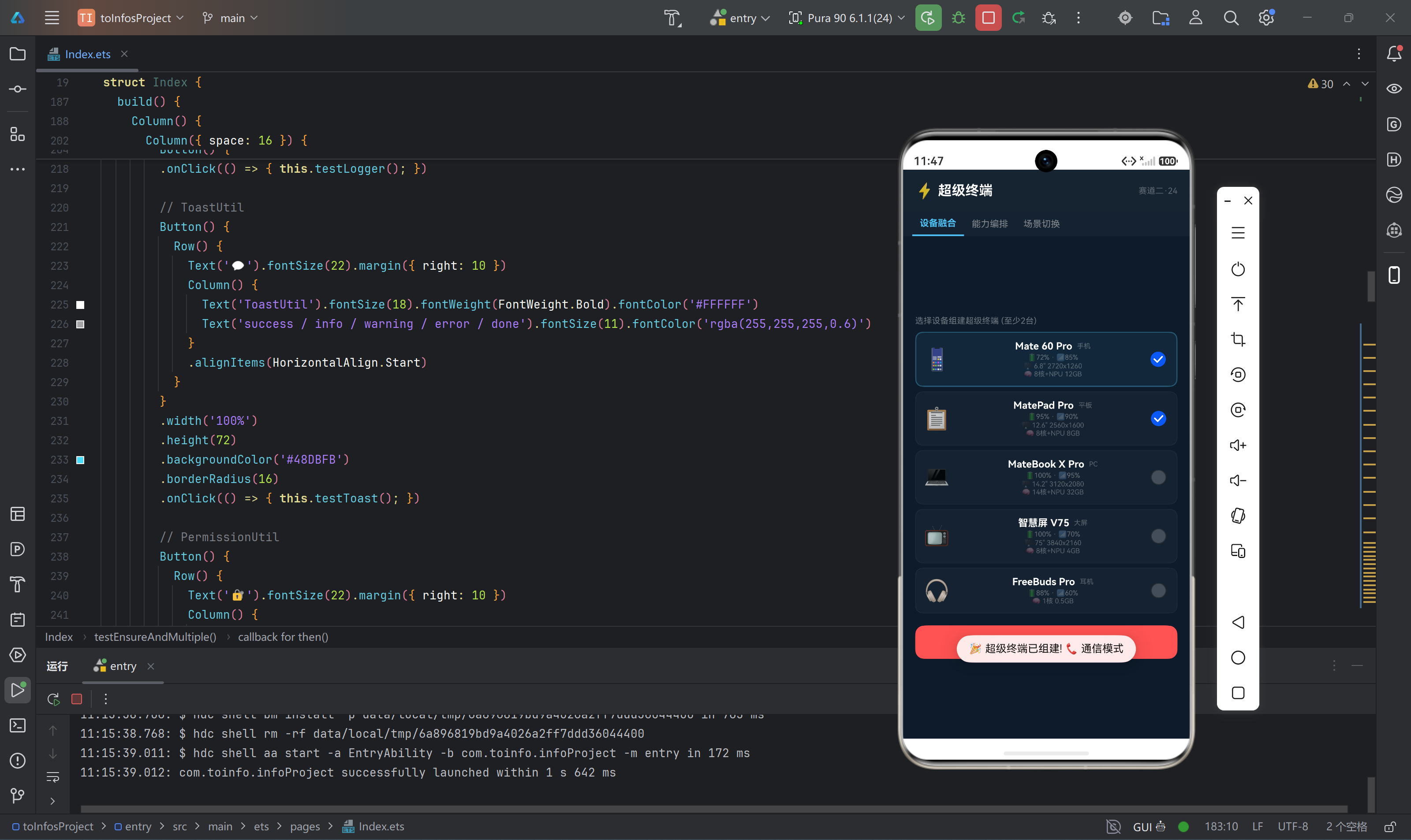
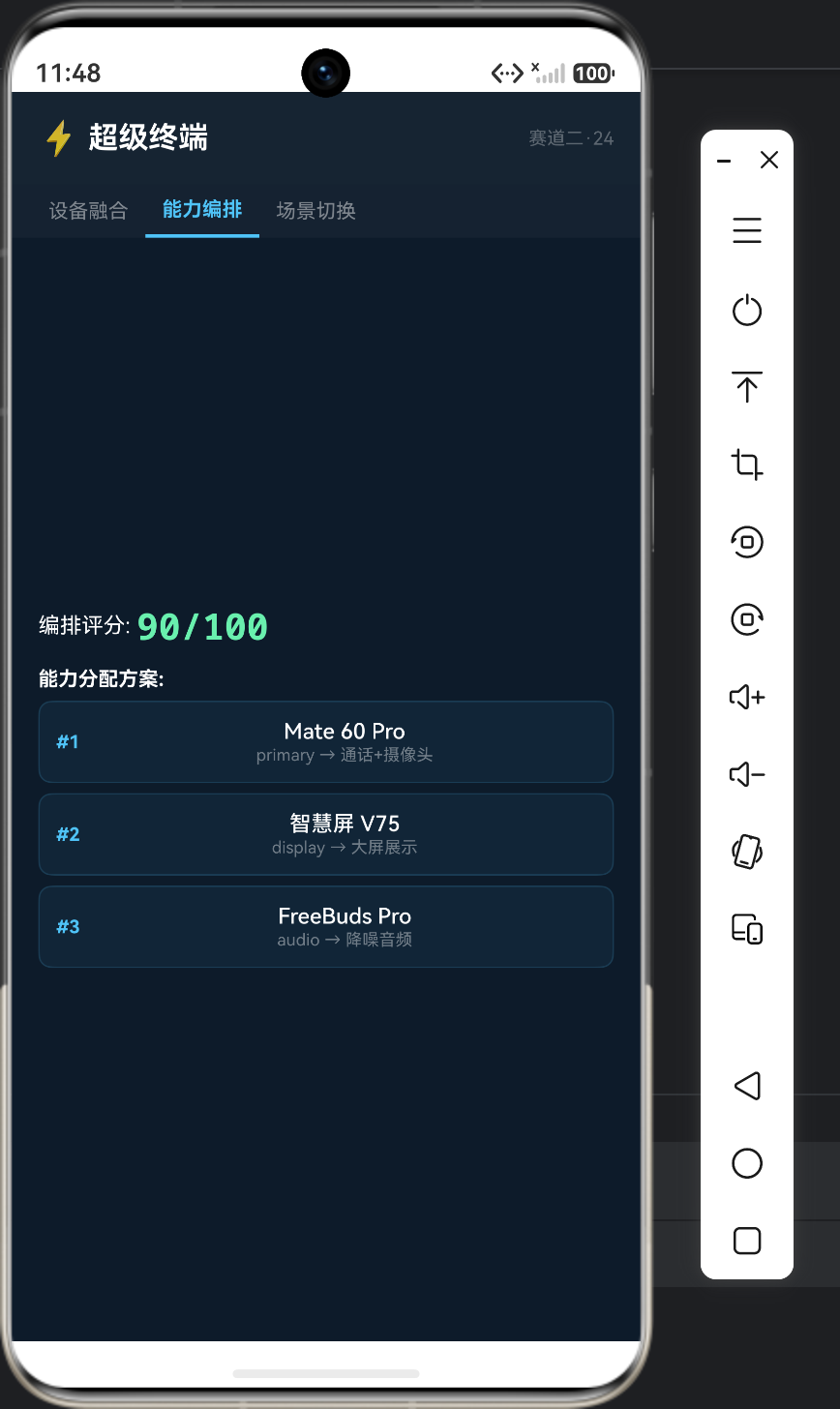
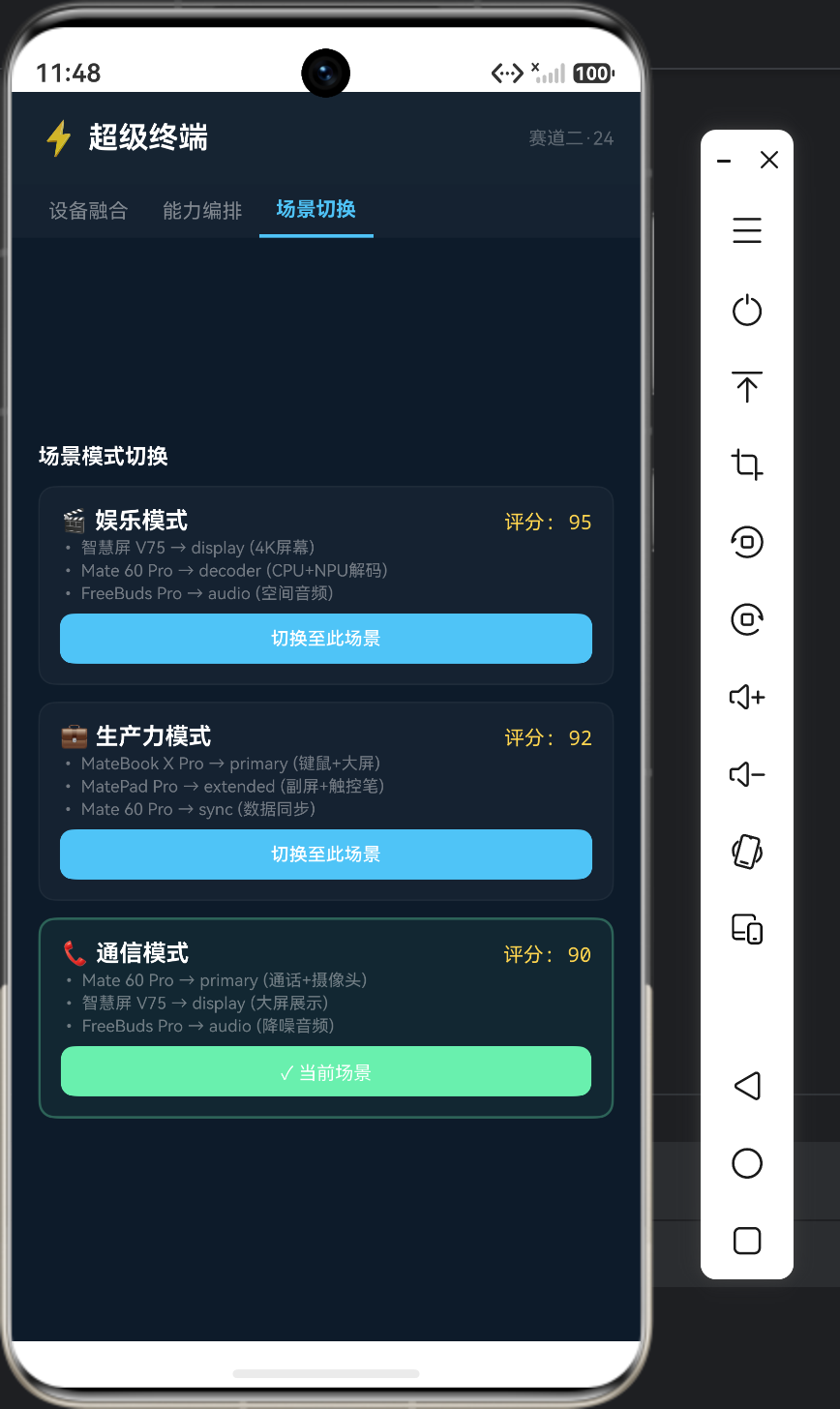
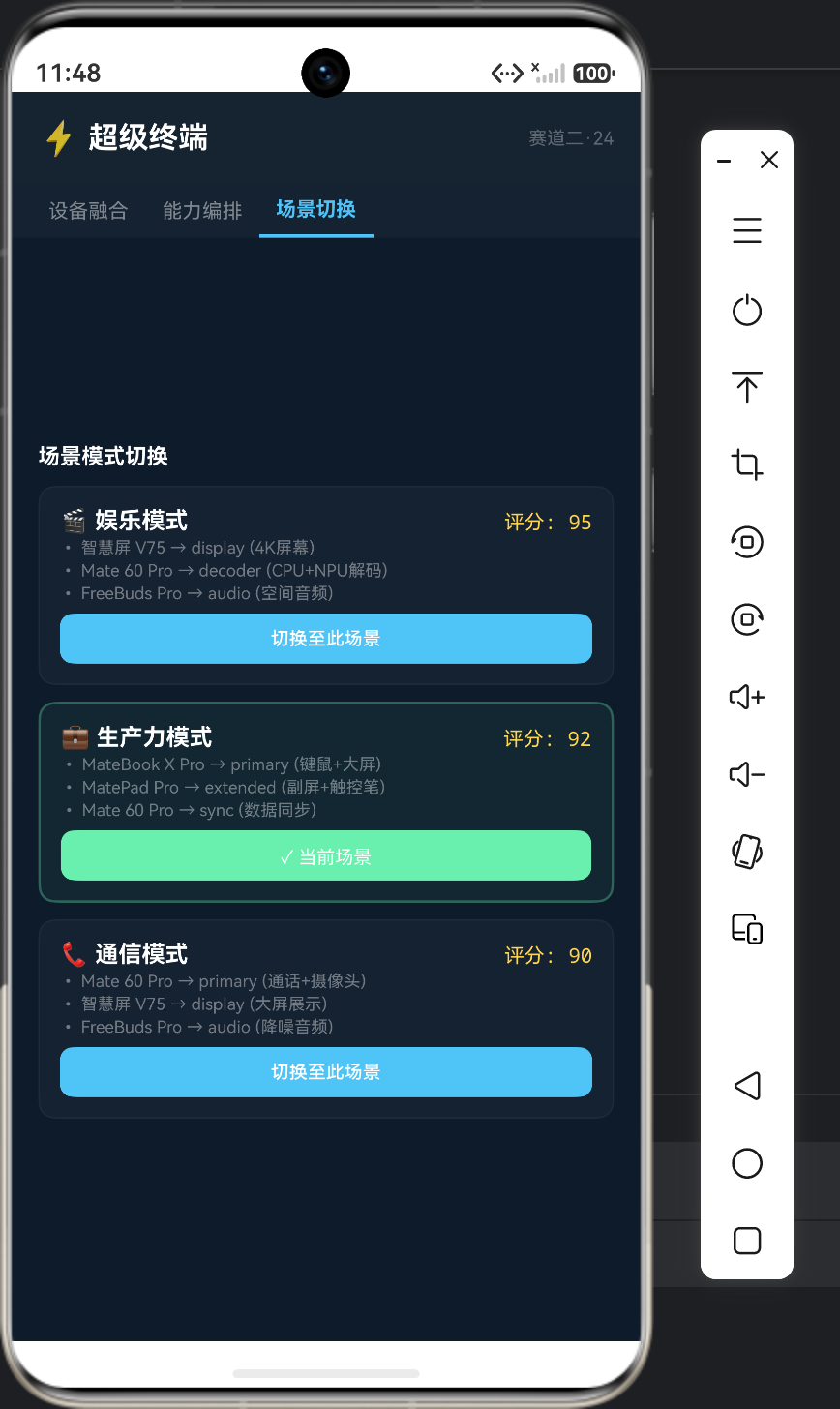
一、前置思考
"超级终端"是鸿蒙最标志性的能力——在控制中心拖动设备图标组成超级终端,手机+平板+PC+智慧屏瞬间融为一体。用户在手机上播放视频,拖动到智慧屏上无缝切换;手机编辑文档,拖动到PC上继续。本文拆解超级终端背后的底层架构。
本文聚焦:
- 超级终端的设备融合机制(不是简单的屏幕投射)
- 能力编排引擎(Capability Orchestrator)原理
- 协同决策引擎如何选择合适的设备组合
- 多设备资源池化与动态负载分配
真实痛点场景:
- 超级终端组建失败:拖动设备图标后提示"连接失败"
- 能力编排不对:视频流转到了扬声器差的设备上
- 资源切换卡顿:从手机切换到平板有3-5秒黑屏
- 设备优先级冲突:同时有平板和PC时不知道优先用哪个
二、核心原理
2.1 超级终端架构
┌─────────────────────────────────────────────┐
│           用户交互层                          │
│     控制中心 → 拖动设备 → 组建超级终端         │
├─────────────────────────────────────────────┤
│         超级终端管理服务 (SuperDeviceService) │
│  ┌───────────────────────────────────────┐  │
│  │       能力编排引擎 (Orchestrator)      │  │
│  │   输入: 用户意图 + 设备能力矩阵        │  │
│  │   输出: 最优设备组合 + 任务分配方案     │  │
│  ├───────────────────────────────────────┤  │
│  │       资源池化管理器 (ResourcePool)    │  │
│  │   ┌──────┐ ┌──────┐ ┌──────┐        │  │
│  │   │显示池│ │音频池│ │算力池│        │  │
│  │   └──────┘ └──────┘ └──────┘        │  │
│  ├───────────────────────────────────────┤  │
│  │       协同决策引擎 (DecisionEngine)   │  │
│  │   评分算法: 设备能力 × 网络质量 ×     │  │
│  │             用户偏好 × 历史行为       │  │
│  └───────────────────────────────────────┘  │
├─────────────────────────────────────────────┤
│              软总线 (DSoftBus)               │
├─────────────────────────────────────────────┤
│            设备画像注册中心                  │
│  手机 / 平板 / PC / 智慧屏 / 耳机 / 手表   │
└─────────────────────────────────────────────┘
2.2 设备画像模型
每台设备注册自己的"画像":
interface DeviceProfile {
  // 基础信息
  deviceId: string;
  deviceName: string;
  deviceType: DeviceType;
  deviceRole: DeviceRole; // PRIMARY / SECONDARY / PERIPHERAL

  // 资源池
  resources: {
    display: DisplayResource | null;
    audio: AudioResource | null;
    compute: ComputeResource;
    camera: CameraResource[];
    sensor: SensorResource[];
    input: InputResource;
    storage: StorageResource;
  };

  // 当前状态
  status: {
    isOnline: boolean;
    isCharging: boolean;
    batteryLevel: number;
    networkQuality: number;
    cpuUsage: number;
    memoryUsage: number;
    currentTemperature: number;
  };

  // 用户偏好
  userPreferences: {
    preferredDisplay: string;    // 优先显示设备
    preferredAudio: string;      // 优先音频设备
    preferredCompute: string;    // 优先计算设备
    autoConnectEnabled: boolean; // 是否自动组网
  };
}

enum DeviceType {
  PHONE = 0x00A,
  TABLET = 0x00B,
  PC = 0x00C,
  TV = 0x00D,
  WATCH = 0x00E,
  HEADPHONE = 0x00F
}

enum DeviceRole {
  PRIMARY = 0,     // 主设备(持有任务上下文)
  SECONDARY = 1,   // 辅助设备(贡献特定能力)
  PERIPHERAL = 2   // 外设(耳机/手表)
}

interface DisplayResource {
  width: number;
  height: number;
  dpi: number;
  refreshRate: number;
  hdrSupport: boolean;
  foldableType: string; // 'none' | 'horizontal' | 'vertical'
}

interface ComputeResource {
  cpuCores: number;
  cpuFreqMax: number;
  gpuModel: string;
  npuAvailable: boolean;
  memoryTotalMB: number;
  memoryAvailableMB: number;
}

interface AudioResource {
  speakerCount: number;
  micCount: number;
  spatialAudio: boolean;
  codecSupport: string[]; // ['AAC','LDAC','LHDC']
}
2.3 能力编排引擎
class CapabilityOrchestrator {
  // 根据用户意图分配任务
  orchestrate(
    intent: UserIntent,
    devices: DeviceProfile[]
  ): OrchestrationResult {
    const result: OrchestrationResult = {
      assignments: [],
      score: 0
    };

    switch (intent.type) {
      case 'video_playback':
        result.assignments = this.orchestrateVideo(intent, devices);
        break;
      case 'document_edit':
        result.assignments = this.orchestrateDocument(intent, devices);
        break;
      case 'video_call':
        result.assignments = this.orchestrateVideoCall(intent, devices);
        break;
      case 'gaming':
        result.assignments = this.orchestrateGaming(intent, devices);
        break;
      case 'ai_inference':
        result.assignments = this.orchestrateAI(intent, devices);
        break;
      default:
        break;
    }

    // 方案评分
    for (let i: number = 0; i < result.assignments.length; i++) {
      result.score += result.assignments[i].score;
    }

    return result;
  }

  // 视频播放编排: 画面→最大屏, 音频→最佳扬声器
  private orchestrateVideo(
    intent: UserIntent,
    devices: DeviceProfile[]
  ): CapabilityAssignment[] {
    const assignments: CapabilityAssignment[] = [];

    // 屏幕分配:优先选最大屏幕
    const displayDevice: DeviceProfile | null =
      this.findBestDisplay(devices);
    if (displayDevice !== null) {
      assignments.push({
        deviceId: displayDevice.deviceId,
        role: 'display',
        resource: 'screen',
        score: 95
      });
    }

    // 音频分配:优先选扬声器最多的设备
    const audioDevice: DeviceProfile | null =
      this.findBestAudio(devices);
    if (audioDevice !== null) {
      assignments.push({
        deviceId: audioDevice.deviceId,
        role: 'audio_output',
        resource: 'speaker',
        score: 90
      });
    }

    // 解码任务:优先选NPU设备
    const computeDevice: DeviceProfile | null =
      this.findBestCompute(devices);
    if (computeDevice !== null) {
      assignments.push({
        deviceId: computeDevice.deviceId,
        role: 'decoder',
        resource: 'compute',
        score: 85
      });
    }

    return assignments;
  }

  private findBestDisplay(devices: DeviceProfile[]): DeviceProfile | null {
    let best: DeviceProfile | null = null;
    let bestArea: number = -1;

    for (let i: number = 0; i < devices.length; i++) {
      const dev: DeviceProfile = devices[i];
      if (dev.resources.display === null || !dev.status.isOnline) continue;

      const area: number =
        dev.resources.display.width * dev.resources.display.height;

      if (area > bestArea) {
        bestArea = area;
        best = dev;
      }
    }
    return best;
  }

  private findBestAudio(devices: DeviceProfile[]): DeviceProfile | null {
    let best: DeviceProfile | null = null;
    let bestSpeakers: number = -1;

    for (let i: number = 0; i < devices.length; i++) {
      const dev: DeviceProfile = devices[i];
      if (!dev.status.isOnline) continue;

      const speakers: number = dev.resources.audio.speakerCount;
      if (speakers > bestSpeakers) {
        bestSpeakers = speakers;
        best = dev;
      }
    }
    return best;
  }

  private findBestCompute(devices: DeviceProfile[]): DeviceProfile | null {
    let best: DeviceProfile | null = null;
    let bestScore: number = -1;

    for (let i: number = 0; i < devices.length; i++) {
      const dev: DeviceProfile = devices[i];
      if (!dev.status.isOnline) continue;

      const score: number =
        dev.resources.compute.cpuCores * 10 +
        (dev.resources.compute.npuAvailable ? 50 : 0) +
        dev.status.memoryUsage * -0.1 +
        dev.status.networkQuality * 0.2;

      if (score > bestScore) {
        bestScore = score;
        best = dev;
      }
    }
    return best;
  }
}

interface UserIntent {
  type: string;
  parameters: Record<string, string>;
  priority: number; // 1-10
}

interface CapabilityAssignment {
  deviceId: string;
  role: string;
  resource: string;
  score: number;
}

interface OrchestrationResult {
  assignments: CapabilityAssignment[];
  score: number;
}
2.4 场景化协同决策
// 超级终端场景切换
enum SuperTerminalScene {
  ENTERTAINMENT = 'entertainment',   // 娱乐模式
  PRODUCTIVITY = 'productivity',      // 生产力模式
  COMMUNICATION = 'communication',    // 通信模式
  HEALTH = 'health',                 // 健康模式
  SMART_HOME = 'smart_home'          // 智能家居模式
}

class SceneManager {
  private currentScene: SuperTerminalScene =
    SuperTerminalScene.ENTERTAINMENT;

  // 场景切换
  switchScene(newScene: SuperTerminalScene): CapabilityAssignment[] {
    this.currentScene = newScene;

    // 每个场景有不同的设备优先级
    switch (newScene) {
      case SuperTerminalScene.ENTERTAINMENT:
        // 大屏优先 → 好音响第二
        return [{ deviceId: 'tv1', role: 'display', resource: 'screen', score: 95 }];
      case SuperTerminalScene.PRODUCTIVITY:
        // PC优先 → 平板副屏
        return [
          { deviceId: 'pc1', role: 'primary', resource: 'all', score: 95 },
          { deviceId: 'pad1', role: 'extended_display', resource: 'screen', score: 90 }
        ];
      case SuperTerminalScene.COMMUNICATION:
        // 手机优先 → 耳机音频
        return [
          { deviceId: 'phone1', role: 'primary', resource: 'all', score: 95 },
          { deviceId: 'headphone1', role: 'audio', resource: 'speaker+mic', score: 90 }
        ];
      default:
        return [];
    }
  }
}
三、避坑速查
| 坑 | 现象 | 原因 | 解决 |
|---|---|---|---|
| 超级终端组建失败 | 拖动后提示错误 | 设备信任未建立 | 先进超级终端设置,建好信任关系 |
| 音频分配到手机 | 平板有更好扬声器但没用 | 编排算法未考虑音频资源 | 在orchestrateVideo等函数中加入音频评分 |
| 高延迟的算力分配 | AI推理卡在PC上很慢 | 选了算力强但网络差的设备 | 计算评分加入网络质量因子(×0.2) |
| 设备状态不更新 | 设备在线但显示离线 | 画像缓存未及时刷新 | 监听deviceStateChange回调强制刷新 |
| 场景切换不自动 | 用户手动切换场景 | 未实现自动场景识别 | 根据前台App类型自动切换场景 |
| 资源互相干扰 | 多场景同时运行 | 未做资源互斥 | 引入资源锁+优先级仲裁 |
四、总结
超级终端本质是能力编排:
- 设备画像→注册能力
- 用户意图→分析场景
- 编排引擎→匹配最优设备组合
- 软总线→建立低延迟连接

作为“人工智能6S店”的官方数字引擎,为AI开发者与企业提供一个覆盖软硬件全栈、一站式门户。
更多推荐
 1
1 0
0- 0


 已为社区贡献25条内容

所有评论(0)