
手动JSON解析实战 - Flutter在鸿蒙平台的数据转换核心技巧
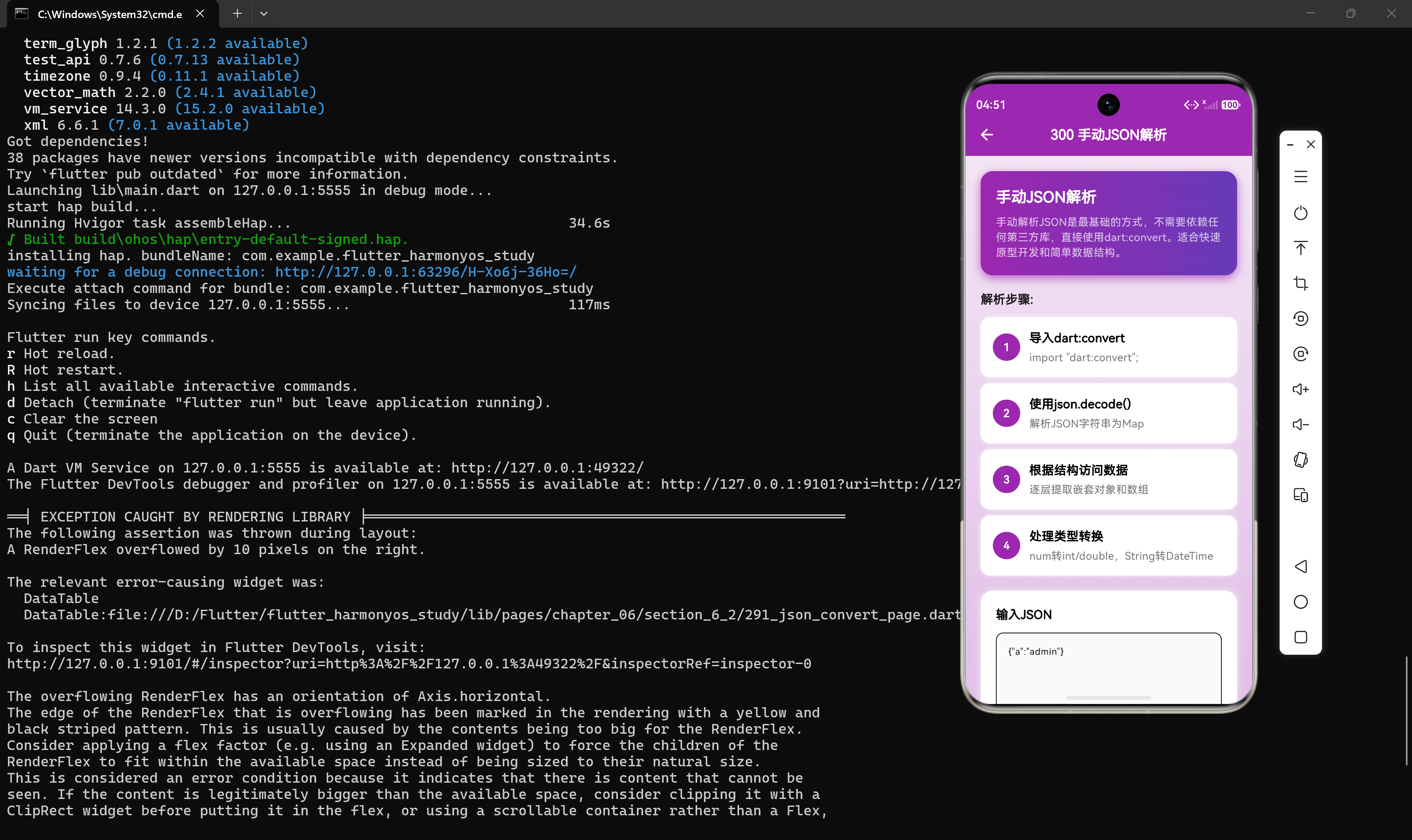
引言
在Flutter开发中,JSON数据的解析是一项基础而重要的技能。虽然现在有很多自动化工具可以帮助我们完成JSON解析,但理解手动解析的原理和技巧对于处理复杂数据结构、调试问题以及在特定场景下进行性能优化至关重要。
本章节将深入探讨手动JSON解析的完整流程,结合天气查询应用的实际场景,详细讲解从解码到类型转换,再到错误处理的各个环节。通过学习,读者将掌握手动解析JSON的核心技巧和最佳实践。
1. 手动解析概述
手动JSON解析是指不依赖任何第三方代码生成工具,直接使用Dart标准库dart:convert提供的API进行JSON数据的解码和处理。
1.1 手动解析的适用场景
手动解析JSON适用于以下场景:
| 场景 | 说明 | 示例 |
|---|---|---|
| 快速原型开发 | 无需配置代码生成工具 | 临时测试API响应 |
| 简单数据结构 | 数据字段少,结构简单 | 配置信息、用户信息 |
| 一次性解析 | 只需要解析一次的临时数据 | 单次API请求响应 |
| 自定义解析逻辑 | 需要特殊的解析处理 | 数据转换、字段映射 |
| 学习理解 | 理解JSON解析的底层原理 | 教学、学习目的 |
1.2 手动解析的基本步骤
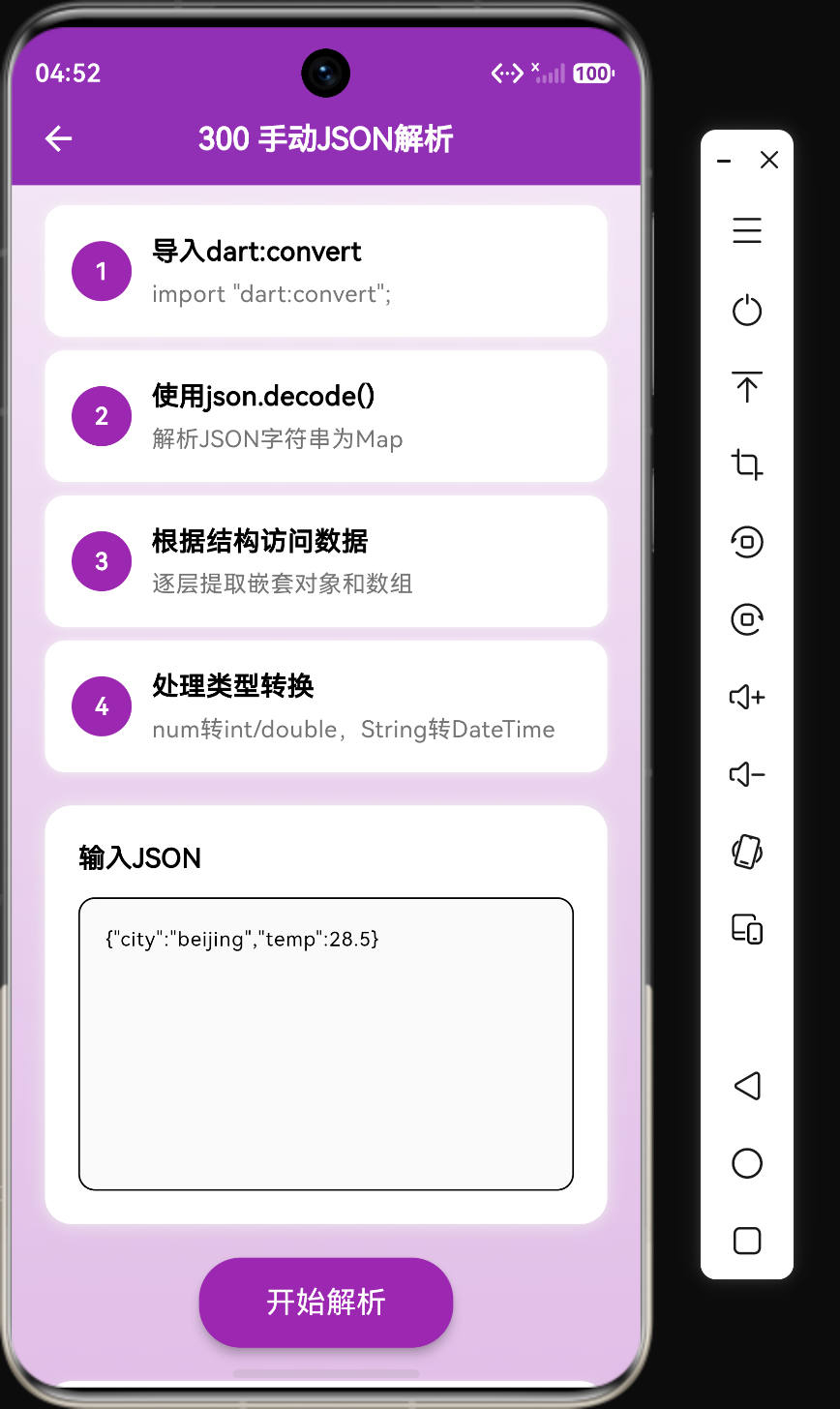
手动解析JSON通常包含以下五个步骤:
1. 导入dart:convert库
    ↓
2. 使用json.decode()解析JSON字符串
    ↓
3. 根据JSON结构访问数据(顶层→嵌套→数组)
    ↓
4. 处理类型转换和可选字段
    ↓
5. 错误处理和异常捕获
1.3 核心API介绍
dart:convert库提供了以下核心API:
import 'dart:convert';

// 解码JSON字符串
Map<String, dynamic> data = json.decode(jsonString);

// 编码Dart对象为JSON字符串
String jsonString = json.encode(data);

// 格式化输出(带缩进)
String prettyJson = JsonEncoder.withIndent("  ").convert(data);
2. 基本解析实战
让我们从一个简单的天气数据示例开始,逐步掌握手动解析的技巧。
2.1 解析简单对象
void parseSimpleWeather() {
  String jsonStr = '''{
    "city": "北京",
    "temp": 28.5,
    "condition": "晴"
  }''';

  // 步骤1: 解码JSON字符串
  Map<String, dynamic> data = json.decode(jsonStr);

  // 步骤2: 提取数据
  String city = data["city"] as String;
  double temp = (data["temp"] as num).toDouble();
  String condition = data["condition"] as String;

  // 步骤3: 使用数据
  print("$city 当前温度: ${temp}°C, 天气: $condition");
}
代码解析:
- 使用
json.decode()将JSON字符串转换为Map<String, dynamic> - 使用
as关键字进行类型转换 - 数字类型需要先转换为
num,再转为int或double
2.2 解析嵌套对象
实际的天气数据通常包含嵌套结构:
void parseNestedWeather() {
  String jsonStr = '''{
    "city": "北京",
    "current": {
      "temp": 28.5,
      "humidity": 65,
      "condition": "晴",
      "wind": {
        "direction": "东南风",
        "speed": 3.5
      }
    }
  }''';

  Map<String, dynamic> data = json.decode(jsonStr);

  // 提取顶层数据
  String city = data["city"] as String;

  // 提取嵌套对象
  Map<String, dynamic> current = data["current"] as Map<String, dynamic>;
  double temp = (current["temp"] as num).toDouble();
  int humidity = current["humidity"] as int;

  // 提取深层嵌套对象
  Map<String, dynamic> wind = current["wind"] as Map<String, dynamic>;
  String windDirection = wind["direction"] as String;
  double windSpeed = (wind["speed"] as num).toDouble();

  print("城市: $city");
  print("温度: ${temp}°C");
  print("湿度: ${humidity}%");
  print("风向: ${windDirection}, 风速: ${windSpeed}m/s");
}
代码解析:
- 嵌套对象需要逐级提取
- 每一层都是
Map<String, dynamic>类型 - 需要逐层进行类型转换
2.3 解析数组数据
天气API通常返回预报数组:
void parseWeatherArray() {
  String jsonStr = '''{
    "city": "北京",
    "forecast": [
      {"date": "2024-01-15", "high": 30, "low": 20, "condition": "晴"},
      {"date": "2024-01-16", "high": 28, "low": 18, "condition": "多云"},
      {"date": "2024-01-17", "high": 26, "low": 16, "condition": "阴"}
    ]
  }''';

  Map<String, dynamic> data = json.decode(jsonStr);
  String city = data["city"] as String;

  // 提取数组数据
  List<dynamic> forecastArray = data["forecast"] as List;

  print("$city 未来三天预报:");
  for (var day in forecastArray) {
    Map<String, dynamic> dayData = day as Map<String, dynamic>;
    String date = dayData["date"] as String;
    int high = dayData["high"] as int;
    int low = dayData["low"] as int;
    String condition = dayData["condition"] as String;

    print("${date}: ${condition}, ${low}°C ~ ${high}°C");
  }
}
代码解析:
- JSON数组解码后返回
List<dynamic>类型 - 需要遍历数组,逐个处理每个元素
- 每个数组元素通常是
Map<String, dynamic>类型
3. 构建数据模型
在实际应用中,我们通常将解析后的数据封装为自定义的数据模型类。
3.1 定义数据模型
class Weather {
  final String city;
  final double temperature;
  final String condition;
  final int humidity;
  final List<ForecastDay> forecast;

  Weather({
    required this.city,
    required this.temperature,
    required this.condition,
    required this.humidity,
    required this.forecast,
  });
}

class ForecastDay {
  final String date;
  final int high;
  final int low;

  ForecastDay({
    required this.date,
    required this.high,
    required this.low,
  });
}
代码解析:
- 使用
final关键字确保数据不可变 - 使用
required关键字标记必需参数 - 将嵌套结构拆分为独立的类
3.2 实现fromJson方法
extension WeatherParsing on Weather {
  static Weather fromJson(Map<String, dynamic> json) {
    // 提取顶层数据
    String city = json["city"] as String;

    // 提取嵌套对象
    Map<String, dynamic> current = json["current"] as Map<String, dynamic>;
    double temperature = (current["temp"] as num).toDouble();
    String condition = current["condition"] as String;
    int humidity = current["humidity"] as int;

    // 提取数组数据
    List<dynamic> forecastArray = json["forecast"] as List;
    List<ForecastDay> forecast = forecastArray
        .map((item) => ForecastDay(
              date: item["date"] as String,
              high: item["high"] as int,
              low: item["low"] as int,
            ))
        .toList();

    return Weather(
      city: city,
      temperature: temperature,
      condition: condition,
      humidity: humidity,
      forecast: forecast,
    );
  }
}
代码解析:
- 使用扩展方法实现
fromJson - 数组数据使用
map方法转换为类型化列表 - 每个字段都进行了明确的类型转换
3.3 使用数据模型
void useWeatherModel() {
  String jsonStr = '''{
    "city": "上海",
    "current": {
      "temp": 32.0,
      "humidity": 70,
      "condition": "多云"
    },
    "forecast": [
      {"date": "2024-01-15", "high": 35, "low": 25},
      {"date": "2024-01-16", "high": 33, "low": 24}
    ]
  }''';

  Map<String, dynamic> data = json.decode(jsonStr);
  Weather weather = WeatherParsing.fromJson(data);

  print("城市: ${weather.city}");
  print("温度: ${weather.temperature}°C");
  print("湿度: ${weather.humidity}%");
  print("天气: ${weather.condition}");

  print("\n未来预报:");
  for (var day in weather.forecast) {
    print("${day.date}: ${day.low}°C ~ ${day.high}°C");
  }
}
4. 类型转换技巧
手动解析JSON时,类型转换是最容易出错的环节,需要特别注意。
4.1 数字类型转换
void convertNumbers() {
  String jsonStr = '{"count": 10, "price": 9.99, "ratio": 0.75}';
  Map<String, dynamic> data = json.decode(jsonStr);

  // 方法1: 直接转换(可能抛出异常)
  int count1 = data["count"] as int;
  double price1 = data["price"] as double;

  // 方法2: 通过num中转(更安全)
  int count2 = (data["count"] as num).toInt();
  double price2 = (data["price"] as num).toDouble();

  // 方法3: 使用try-catch
  try {
    double ratio = (data["ratio"] as num).toDouble();
    print("比率: $ratio");
  } catch (e) {
    print("比率解析失败: $e");
  }
}
代码解析:
- JSON数字解码后是
num类型 - 直接转换为
int或double可能失败 - 通过
num中转更安全
4.2 字符串类型转换
void convertStrings() {
  String jsonStr = '{"name": "张三", "city": "北京", "code": 101010100}';
  Map<String, dynamic> data = json.decode(jsonStr);

  // 普通字符串转换
  String name = data["name"] as String;

  // 数字转字符串
  String cityCode = (data["code"] as num).toString();

  // 安全转换(处理null)
  String? optionalField = data["optional"] as String?;
  String safeField = optionalField ?? "默认值";
}
4.3 DateTime类型转换
void convertDateTime() {
  String jsonStr = '''{
    "updateTime": "2024-01-15 12:00:00",
    "date": "2024-01-15"
  }''';
  Map<String, dynamic> data = json.decode(jsonStr);

  // 解析完整时间
  String updateTimeStr = data["updateTime"] as String;
  DateTime updateTime = DateTime.parse(updateTimeStr);

  // 解析日期
  String dateStr = data["date"] as String;
  DateTime date = DateTime.parse(dateStr);

  // 格式化输出
  print("更新时间: ${updateTime.toString()}");
  print("日期: ${date.year}-${date.month}-${date.day}");
}
代码解析:
- JSON中没有日期类型,日期以字符串形式存储
- 使用
DateTime.parse()解析日期字符串 - 需要注意日期格式是否符合ISO标准
5. 错误处理策略
手动解析JSON时,错误处理至关重要。一个健壮的应用应该能够优雅地处理各种异常情况。
5.1 常见错误类型
| 错误类型 | 原因 | 示例 |
|---|---|---|
| 格式错误 | JSON字符串格式不正确 | 缺少引号、括号不匹配 |
| 类型错误 | 数据类型与预期不符 | 期望int但收到String |
| 键缺失 | 访问不存在的键 | 访问data[“nonExistent”] |
| 嵌套错误 | 嵌套结构与预期不符 | 期望对象但收到数组 |
| 空值错误 | 字段值为null | data[“field”]返回null |
5.2 安全解析示例
Weather? safeParseWeather(String jsonStr) {
  try {
    // 步骤1: 解码JSON
    Map<String, dynamic> root = json.decode(jsonStr);

    // 步骤2: 检查状态码
    if (root["code"] != 200) {
      print("API返回错误: ${root["message"]}");
      return null;
    }

    // 步骤3: 检查数据是否存在
    Map<String, dynamic>? data = root["data"] as Map<String, dynamic>?;
    if (data == null) {
      print("数据为空");
      return null;
    }

    // 步骤4: 解析数据
    return WeatherParsing.fromJson(data);

  } catch (e) {
    print("解析失败: $e");
    return null;
  }
}
代码解析:
- 使用try-catch捕获所有异常
- 检查状态码确保API请求成功
- 检查关键数据是否存在
- 返回
Weather?类型,允许null值
5.3 字段级安全解析
double _parseDouble(dynamic value, double defaultValue) {
  if (value is num) {
    return value.toDouble();
  }
  return defaultValue;
}

int _parseInt(dynamic value, int defaultValue) {
  if (value is num) {
    return value.toInt();
  }
  return defaultValue;
}

String _parseString(dynamic value, String defaultValue) {
  if (value is String) {
    return value;
  }
  return defaultValue;
}

bool _parseBool(dynamic value, bool defaultValue) {
  if (value is bool) {
    return value;
  }
  return defaultValue;
}
代码解析:
- 为每种类型创建安全解析函数
- 提供默认值,即使解析失败也不会崩溃
- 提高应用的健壮性
5.4 使用这些安全函数
Weather safeParseWithHelpers(Map<String, dynamic> json) {
  return Weather(
    city: _parseString(json["city"], "未知城市"),
    temperature: _parseDouble(json["temp"], 0.0),
    condition: _parseString(json["condition"], "未知"),
    humidity: _parseInt(json["humidity"], 0),
    forecast: _parseForecast(json["forecast"]),
  );
}

List<ForecastDay> _parseForecast(dynamic forecastData) {
  if (forecastData is List) {
    return forecastData
        .map((item) => ForecastDay(
              date: _parseString(item["date"], ""),
              high: _parseInt(item["high"], 0),
              low: _parseInt(item["low"], 0),
            ))
        .toList();
  }
  return [];
}
6. 手动序列化
手动解析不仅包括解码,还包括将Dart对象编码为JSON字符串。
6.1 基本序列化
String serializeWeather(Weather weather) {
  Map<String, dynamic> data = {
    "city": weather.city,
    "current": {
      "temp": weather.temperature,
      "condition": weather.condition,
      "humidity": weather.humidity,
    },
    "forecast": weather.forecast
        .map((day) => {
              "date": day.date,
              "high": day.high,
              "low": day.low,
            })
        .toList(),
  };

  return json.encode(data);
}
代码解析:
- 将对象转换为
Map<String, dynamic>结构 - 嵌套对象需要递归转换
- 数组使用
map方法转换
6.2 格式化输出
String serializeWeatherPretty(Weather weather) {
  Map<String, dynamic> data = {
    "city": weather.city,
    "current": {
      "temp": weather.temperature,
      "condition": weather.condition,
      "humidity": weather.humidity,
    },
  };

  // 使用带缩进的编码器
  return JsonEncoder.withIndent("  ").convert(data);
}
代码解析:
JsonEncoder.withIndent()可以指定缩进字符- 格式化后的JSON更易于阅读和调试
6.3 自定义序列化逻辑
Map<String, dynamic> toJsonWithCustomLogic(Weather weather) {
  return {
    "city_name": weather.city,  // 字段名映射
    "temperature_celsius": weather.temperature,
    "weather_condition": weather.condition,
    "humidity_percent": weather.humidity,
    "forecast_days": weather.forecast.length,
    "forecast": weather.forecast.map((day) => {
          "date": day.date,
          "temperature_range": "${day.low}°C ~ ${day.high}°C",
        }).toList(),
  };
}
代码解析:
- 可以自定义字段名映射
- 可以添加计算字段
- 可以转换数据格式
7. 手动解析与代码生成对比
在实际开发中,我们需要根据项目需求选择合适的JSON解析方式。
7.1 优缺点对比
| 方面 | 手动解析 | 代码生成(json_serializable) |
|---|---|---|
| 开发速度 | 快,无需配置 | 需要配置build_runner |
| 类型安全 | 需手动保证 | 编译时检查 |
| 维护性 | 差,容易出错 | 好,自动生成 |
| 性能 | 略好 | 略差(代码生成) |
| 依赖 | 无 | 需要依赖库 |
| 灵活性 | 高,可自定义 | 较低,受模板限制 |
| 错误处理 | 需手动实现 | 自动生成安全解析 |
7.2 选择建议
// 场景1: 快速原型开发 → 使用手动解析
void quickPrototype() {
Map<String, dynamic> data = json.decode(response.body);
String city = data["city"] as String;
// ...
}
// 场景2: 生产环境 → 使用代码生成
()
class Weather {
final String city;
final double temp;
Weather({required this.city, required this.temp});
factory Weather.fromJson(Map<String, dynamic> json) =>
_$WeatherFromJson(json);
}
// 场景3: 特殊解析逻辑 → 手动解析 + 代码生成
()
class Weather {
final String city;
final WeatherCondition condition;
Weather({required this.city, required this.condition});
factory Weather.fromJson(Map<String, dynamic> json) {
var result = _$WeatherFromJson(json);
// 添加自定义解析逻辑
return result;
}
}
7.3 混合使用策略
在实际项目中,可以结合两种方式的优点:
// 使用代码生成处理标准字段
()
class Weather {
final String city;
final double temp;
// 自定义字段,手动处理
final WeatherCondition condition;
Weather({
required this.city,
required this.temp,
required this.condition,
});
factory Weather.fromJson(Map<String, dynamic> json) {
// 使用代码生成处理大部分字段
var weather = _$WeatherFromJson(json);
// 手动处理自定义字段
String conditionStr = json["condition"] as String;
WeatherCondition condition = parseWeatherCondition(conditionStr);
return Weather(
city: weather.city,
temp: weather.temp,
condition: condition,
);
}
}
WeatherCondition parseWeatherCondition(String str) {
switch (str) {
case "晴":
return WeatherCondition.sunny;
case "多云":
return WeatherCondition.cloudy;
// ... 其他映射
default:
return WeatherCondition.unknown;
}
}
8. 性能优化技巧
虽然手动解析通常比代码生成更快,但在处理大量数据时仍需要注意性能。
8.1 避免重复解析
// 错误示例:每次访问都重新解析
String getCity(String jsonStr) {
  Map<String, dynamic> data = json.decode(jsonStr);
  return data["city"] as String;
}

// 正确示例:缓存解析结果
class WeatherCache {
  Map<String, dynamic>? _cachedData;

  String getCity(String jsonStr) {
    _cachedData ??= json.decode(jsonStr);
    return _cachedData!["city"] as String;
  }
}
8.2 按需解析
// 只解析需要的字段
void parseOnlyNeededFields(String jsonStr) {
  Map<String, dynamic> data = json.decode(jsonStr);

  // 只提取需要的字段,不解析整个结构
  String city = data["city"] as String;
  double temp = (data["current"]["temp"] as num).toDouble();

  // 不需要的字段不解析
  // forecast, hourly, aqi 等字段不会被处理
}
8.3 使用Isolate
Future<Weather> parseInBackground(String jsonStr) async {
  return await compute(_parseWeather, jsonStr);
}

Weather _parseWeather(String jsonStr) {
  Map<String, dynamic> data = json.decode(jsonStr);
  return WeatherParsing.fromJson(data);
}
代码解析:
- 使用
compute函数在后台Isolate中执行解析 - 避免阻塞主线程,保持UI流畅
9. 高级技巧
9.1 递归解析
对于递归结构的JSON数据,可以使用递归函数:
class TreeNode {
  final String name;
  final List<TreeNode> children;

  TreeNode({required this.name, required this.children});
}

TreeNode parseTreeNode(Map<String, dynamic> json) {
  String name = json["name"] as String;

  List<dynamic> childrenJson = json["children"] as List;
  List<TreeNode> children = childrenJson
      .map((child) => parseTreeNode(child))
      .toList();

  return TreeNode(name: name, children: children);
}
9.2 条件解析
根据JSON中的字段值选择不同的解析逻辑:
Weather parseWeatherConditionally(Map<String, dynamic> json) {
  String type = json["type"] as String;

  if (type == "current") {
    return parseCurrentWeather(json);
  } else if (type == "forecast") {
    return parseForecastWeather(json);
  } else {
    throw Exception("未知天气类型: $type");
  }
}
9.3 字段别名处理
处理API返回的字段名与本地模型不一致的情况:
Weather parseWithAliases(Map<String, dynamic> json) {
  return Weather(
    city: json["city_name"] ?? json["city"] ?? "未知",
    temperature: (json["temp"] ?? json["temperature"] ?? 0) as num,
    condition: json["weather"] ?? json["condition"] ?? "未知",
    humidity: (json["humidity"] ?? 0) as num,
    forecast: [],
  );
}
10. 实战案例:完整天气解析
让我们结合前面学到的知识,实现一个完整的天气数据解析案例。
10.1 完整解析函数
Weather? parseCompleteWeather(String jsonStr) {
  try {
    // 步骤1: 解码JSON
    Map<String, dynamic> root = json.decode(jsonStr);

    // 步骤2: 检查状态
    int code = _parseInt(root["code"], -1);
    if (code != 200) {
      String message = _parseString(root["message"], "未知错误");
      print("API错误: $message");
      return null;
    }

    // 步骤3: 获取数据主体
    Map<String, dynamic>? data = root["data"] as Map<String, dynamic>?;
    if (data == null) {
      print("数据为空");
      return null;
    }

    // 步骤4: 解析当前天气
    Map<String, dynamic>? current = data["current"] as Map<String, dynamic>?;
    if (current == null) {
      print("当前天气数据为空");
      return null;
    }

    double temp = _parseDouble(current["temp"], 0.0);
    int humidity = _parseInt(current["humidity"], 0);
    String condition = _parseString(current["condition"], "未知");

    // 步骤5: 解析风信息
    Map<String, dynamic>? wind = current["wind"] as Map<String, dynamic>?;
    String windDirection = wind != null ? _parseString(wind["direction"], "未知") : "未知";
    double windSpeed = wind != null ? _parseDouble(wind["speed"], 0.0) : 0.0;

    // 步骤6: 解析预报数据
    List<ForecastDay> forecast = [];
    List<dynamic>? forecastArray = data["forecast"] as List?;
    if (forecastArray != null) {
      forecast = forecastArray
          .map((item) => ForecastDay(
                date: _parseString(item["date"], ""),
                high: _parseInt(item["high"], 0),
                low: _parseInt(item["low"], 0),
              ))
          .toList();
    }

    return Weather(
      city: _parseString(data["city"], "未知城市"),
      temperature: temp,
      condition: condition,
      humidity: humidity,
      forecast: forecast,
    );

  } catch (e) {
    print("解析失败: $e");
    return null;
  }
}
10.2 使用示例
void main() {
  String jsonStr = '''{
    "code": 200,
    "message": "success",
    "data": {
      "city": "广州",
      "current": {
        "temp": 35.0,
        "humidity": 80,
        "condition": "晴",
        "wind": {
          "direction": "南风",
          "speed": 2.5
        }
      },
      "forecast": [
        {"date": "2024-01-15", "high": 38, "low": 28},
        {"date": "2024-01-16", "high": 36, "low": 27}
      ]
    }
  }''';

  Weather? weather = parseCompleteWeather(jsonStr);

  if (weather != null) {
    print("城市: ${weather.city}");
    print("温度: ${weather.temperature}°C");
    print("湿度: ${weather.humidity}%");
    print("天气: ${weather.condition}");

    print("\n未来预报:");
    for (var day in weather.forecast) {
      print("${day.date}: ${day.low}°C ~ ${day.high}°C");
    }
  } else {
    print("解析失败");
  }
}
11. 调试技巧
手动解析JSON时,调试是一项重要技能。
11.1 打印中间结果
void debugParse(String jsonStr) {
  Map<String, dynamic> data = json.decode(jsonStr);

  // 打印完整数据结构
  print("完整数据: $data");

  // 打印类型信息
  print("city类型: ${data["city"].runtimeType}");
  print("temp类型: ${data["temp"].runtimeType}");

  // 打印嵌套结构
  Map<String, dynamic> current = data["current"] as Map<String, dynamic>;
  print("current结构: $current");
}
11.2 使用断点调试
在IDE中设置断点,检查每一步的解析结果:
void parseWithDebug(String jsonStr) {
  Map<String, dynamic> data = json.decode(jsonStr);  // 断点1

  String city = data["city"] as String;  // 断点2
  double temp = (data["temp"] as num).toDouble();  // 断点3

  // ...
}
11.3 使用格式化工具
void prettyPrint(String jsonStr) {
  Map<String, dynamic> data = json.decode(jsonStr);

  // 格式化输出
  String pretty = JsonEncoder.withIndent("  ").convert(data);
  print(pretty);
}
12. 常见问题与解决方案
12.1 问题:类型转换异常
现象:data["temp"] as int抛出异常
原因:JSON数字解码后是num类型,不能直接转换为int
解决方案:
// 正确做法
int temp = (data["temp"] as num).toInt();

// 或者使用安全转换
int temp = data["temp"] is int ? data["temp"] : (data["temp"] as num).toInt();
12.2 问题:空值异常
现象:访问data["nonExistent"]返回null,后续操作崩溃
解决方案:
// 使用可选访问
String? city = data["city"] as String?;
String safeCity = city ?? "默认值";

// 或者使用containsKey检查
if (data.containsKey("city")) {
  String city = data["city"] as String;
}
12.3 问题:数组类型错误
现象:data["forecast"] as List<ForecastDay>失败
解决方案:
// 正确做法
List<dynamic> forecastArray = data["forecast"] as List;
List<ForecastDay> forecast = forecastArray
    .map((e) => ForecastDay.fromJson(e))
    .toList();
12.4 问题:日期解析失败
现象:DateTime.parse("2024/01/15")抛出异常
解决方案:
// 使用DateFormat解析自定义格式
String dateStr = "2024/01/15";
DateFormat format = DateFormat("yyyy/MM/dd");
DateTime date = format.parse(dateStr);
13. 总结
手动JSON解析是Flutter开发者必备的技能,虽然代码生成工具可以提高效率,但理解手动解析的原理和技巧对于处理复杂场景至关重要。
通过本章节的学习,我们掌握了以下核心知识点:
- 基本解析步骤:导入库、解码、访问数据、类型转换、错误处理
- 数据模型构建:定义类、实现fromJson方法
- 类型转换技巧:数字、字符串、DateTime的安全转换
- 错误处理策略:全局捕获、字段级安全解析
- 手动序列化:将对象转换为JSON字符串
- 性能优化:缓存、按需解析、使用Isolate
- 高级技巧:递归解析、条件解析、字段别名处理
在实际开发中,建议根据项目需求选择合适的解析方式:
- 快速原型:使用手动解析
- 生产环境:使用json_serializable代码生成
- 复杂场景:结合手动解析和代码生成
参考文献
- Dart官方文档 - JSON and serialization: https://dart.dev/guides/libraries/library-tour#json
- Flutter官方文档 - Serializing JSON: https://docs.flutter.dev/data-and-backend/json
- json_serializable包文档: https://pub.dev/packages/json_serializable
- DateFormat文档: https://api.flutter.dev/flutter/intl/DateFormat-class.html

作为“人工智能6S店”的官方数字引擎,为AI开发者与企业提供一个覆盖软硬件全栈、一站式门户。
更多推荐


 6
6 0
0- 0


 已为社区贡献58条内容

所有评论(0)