
鸿蒙Flutter 复杂JSON结构处理
·
引言
在实际应用开发中,JSON数据往往不像简单示例那样规整。天气API返回的数据通常包含嵌套对象、数组、可选字段等复杂结构。如何正确处理这些复杂结构是Flutter开发者必须掌握的技能。
本章节将深入探讨复杂JSON结构的处理方法,结合天气查询应用场景,展示如何设计和实现健壮的数据解析方案。
1. 复杂JSON结构特点
1.1 常见复杂结构类型
实际应用中的JSON数据通常具有以下特点:
- 多层嵌套:对象中包含对象,形成多层嵌套结构
- 数组嵌套:数组中包含对象,对象中可能又包含数组
- 可选字段:某些字段可能不存在或为null
- 类型多变:同一字段可能返回不同类型的值
- 日期时间:需要特殊处理的日期时间格式
- 枚举值:需要映射到枚举类型的字符串值
1.2 天气API示例
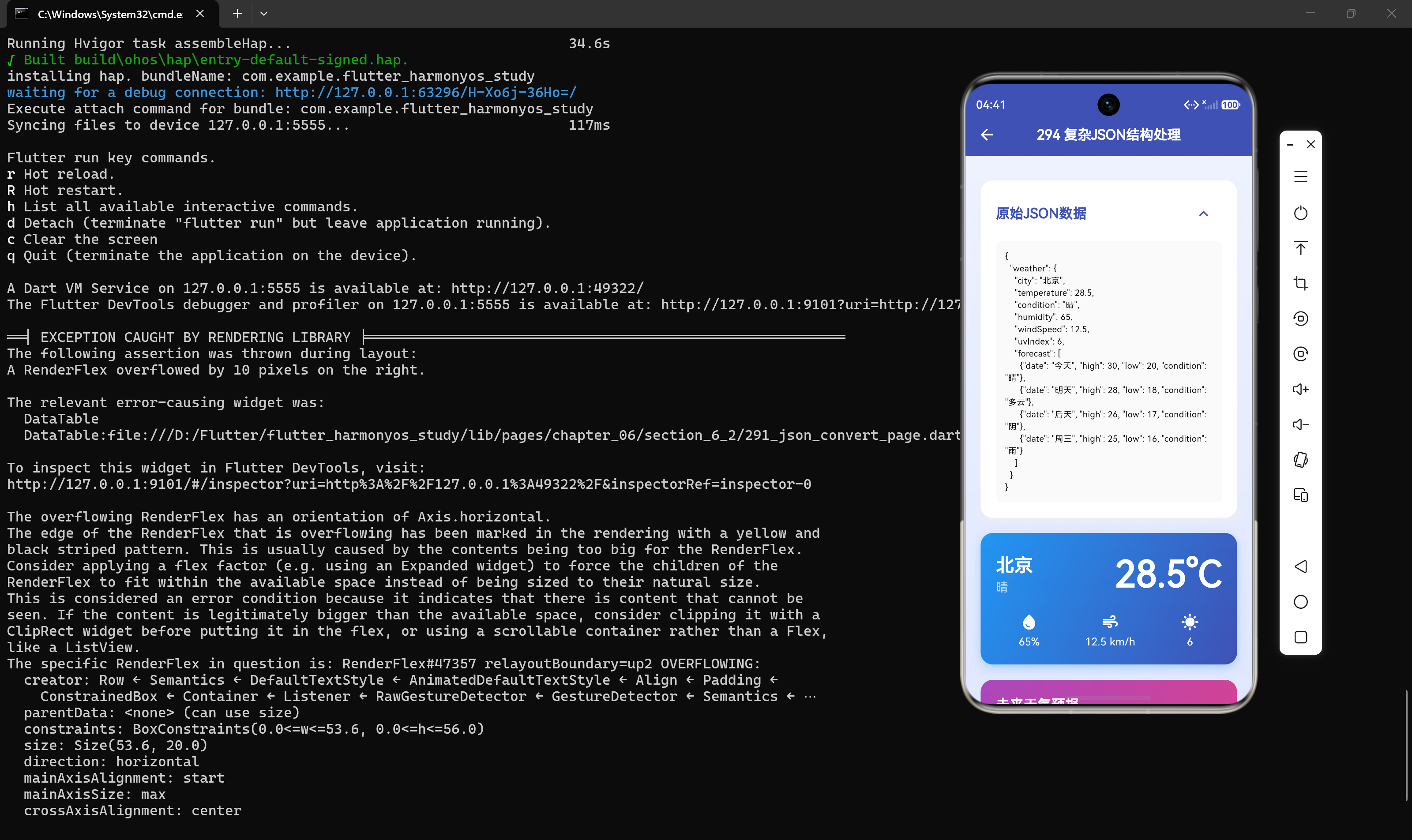
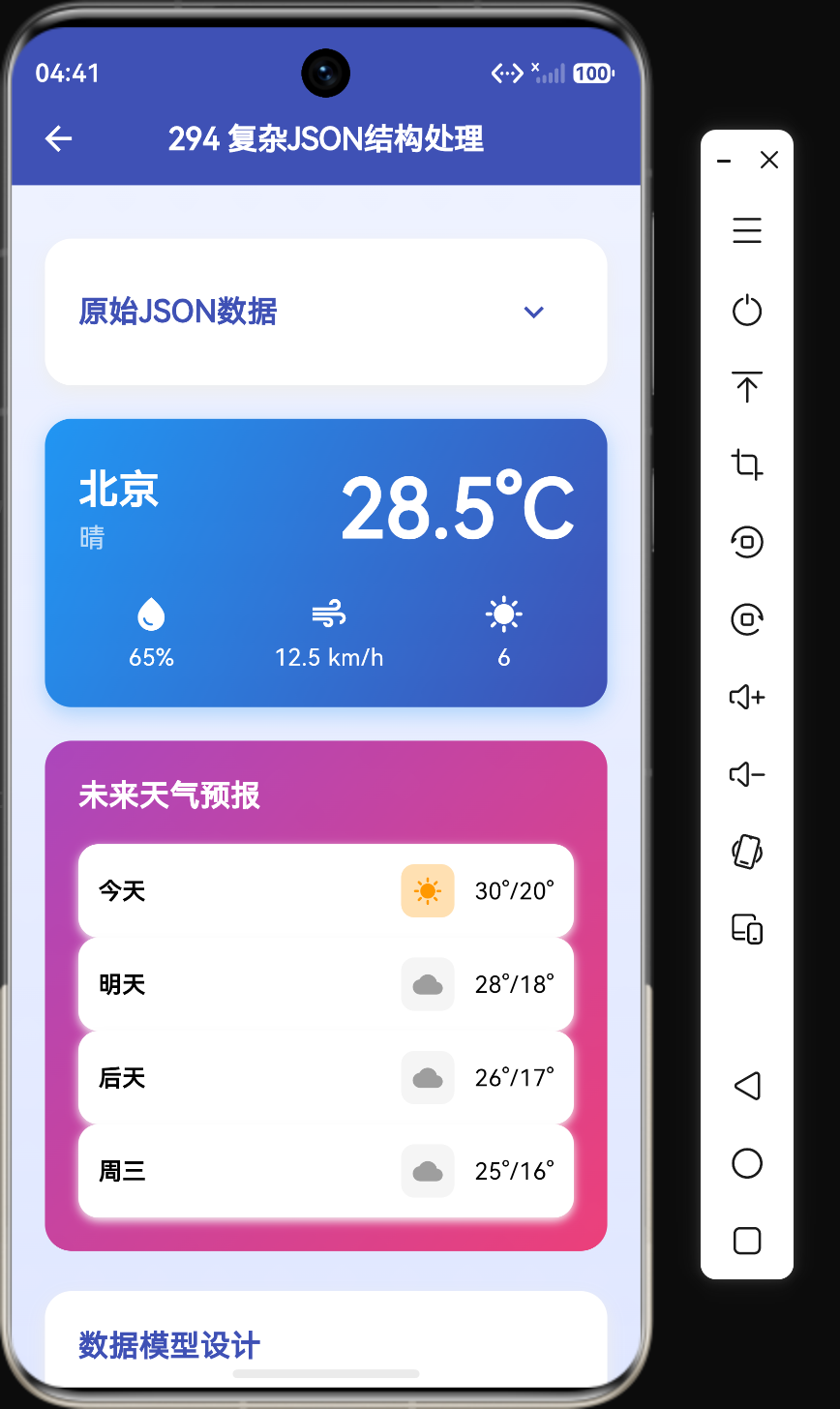
以一个典型的天气API响应为例:
{
  "weather": {
    "city": "北京",
    "current": {
      "temp": 28.5,
      "humidity": 65,
      "condition": "晴"
    },
    "forecast": [
      {"date": "2024-01-01", "high": 30, "low": 20},
      {"date": "2024-01-02", "high": 28, "low": 18}
    ],
    "lastUpdated": "2024-01-01T12:00:00Z"
  }
}
这个JSON包含:
- 顶层对象包裹
- 嵌套的current对象
- forecast数组
- ISO 8601格式的日期时间
2. 数据模型设计
2.1 分层设计原则
对于复杂JSON结构,应该采用分层设计:
- 响应层:处理API响应的顶层结构
- 数据层:处理业务数据的核心结构
- 子对象层:处理嵌套的子对象
- 枚举层:处理需要映射的枚举值
2.2 完整数据模型
class WeatherResponse {
  final WeatherData weather;

  WeatherResponse({required this.weather});

  factory WeatherResponse.fromJson(Map<String, dynamic> json) {
    return WeatherResponse(
      weather: WeatherData.fromJson(json["weather"]),
    );
  }
}

class WeatherData {
  final String city;
  final CurrentWeather current;
  final List<ForecastDay> forecast;
  final DateTime lastUpdated;

  WeatherData({
    required this.city,
    required this.current,
    required this.forecast,
    required this.lastUpdated,
  });

  factory WeatherData.fromJson(Map<String, dynamic> json) {
    var forecastList = json["forecast"] as List;
    return WeatherData(
      city: json["city"] as String,
      current: CurrentWeather.fromJson(json["current"]),
      forecast: forecastList
          .map((e) => ForecastDay.fromJson(e))
          .toList(),
      lastUpdated: DateTime.parse(json["lastUpdated"]),
    );
  }
}

class CurrentWeather {
  final double temp;
  final int humidity;
  final String condition;

  CurrentWeather({
    required this.temp,
    required this.humidity,
    required this.condition,
  });

  factory CurrentWeather.fromJson(Map<String, dynamic> json) {
    return CurrentWeather(
      temp: (json["temp"] as num).toDouble(),
      humidity: json["humidity"] as int,
      condition: json["condition"] as String,
    );
  }
}

class ForecastDay {
  final String date;
  final int high;
  final int low;

  ForecastDay({
    required this.date,
    required this.high,
    required this.low,
  });

  factory ForecastDay.fromJson(Map<String, dynamic> json) {
    return ForecastDay(
      date: json["date"] as String,
      high: json["high"] as int,
      low: json["low"] as int,
    );
  }
}
代码解析:
- WeatherResponse:顶层响应类,包含weather字段
- WeatherData:核心数据类,包含城市、当前天气、预报列表和更新时间
- CurrentWeather:当前天气类,包含温度、湿度、天气状况
- ForecastDay:预报天类,包含日期、最高温和最低温
2.3 关键技术点
处理数组:
var forecastList = json["forecast"] as List;
forecast: forecastList
    .map((e) => ForecastDay.fromJson(e))
    .toList(),
处理嵌套对象:
current: CurrentWeather.fromJson(json["current"]),
处理日期时间:
lastUpdated: DateTime.parse(json["lastUpdated"]),
3. 处理可选字段
3.1 定义可选字段
在实际API响应中,某些字段可能不存在:
class UserProfile {
  final String name;
  final int? age;
  final String? avatarUrl;

  UserProfile({
    required this.name,
    this.age,
    this.avatarUrl,
  });

  factory UserProfile.fromJson(Map<String, dynamic> json) {
    return UserProfile(
      name: json["name"] as String,
      age: json["age"] as int?,
      avatarUrl: json["avatarUrl"] as String?,
    );
  }
}
3.2 默认值处理
对于有默认值的字段,可以使用??运算符:
class Weather {
  final String city;
  final double temperature;
  final String condition;
  final String description;

  Weather({
    required this.city,
    required this.temperature,
    required this.condition,
    this.description = "",
  });

  factory Weather.fromJson(Map<String, dynamic> json) {
    return Weather(
      city: json["city"] as String,
      temperature: (json["temperature"] as num).toDouble(),
      condition: json["condition"] as String,
      description: json["description"] as String? ?? "",
    );
  }
}
代码解析:
description字段有默认值空字符串- 使用
??运算符处理null值 - 即使JSON中没有该字段,也不会抛出异常
3.3 列表为空处理
factory WeatherData.fromJson(Map<String, dynamic> json) {
  var forecastList = json["forecast"] as List? ?? [];
  return WeatherData(
    city: json["city"] as String,
    forecast: forecastList
        .map((e) => ForecastDay.fromJson(e))
        .toList(),
  );
}
代码解析:
- 使用
?? []处理列表为null的情况 - 确保即使forecast字段不存在,也能返回空列表
4. 处理类型转换
4.1 数字类型转换
JSON中的数字默认解析为num类型,需要根据实际情况转换:
void handleNumbers() {
  String jsonStr = '{"count": 10, "price": 9.99}';
  Map<String, dynamic> data = json.decode(jsonStr);

  int count = data["count"] as int;
  double price = data["price"] as double;

  int safeCount = (data["count"] as num).toInt();
  double safePrice = (data["price"] as num).toDouble();
}
代码解析:
- 直接使用
as int或as double可能在类型不匹配时抛出异常 - 使用
(data["field"] as num).toInt()是更安全的方式
4.2 日期时间处理
DateTime _parseDateTime(dynamic value) {
  if (value is String) {
    return DateTime.parse(value);
  } else if (value is int) {
    return DateTime.fromMillisecondsSinceEpoch(value);
  }
  throw ArgumentError("Invalid DateTime value: $value");
}
代码解析:
- 支持字符串格式的日期时间
- 支持时间戳格式
- 抛出明确的错误信息
4.3 枚举类型处理
enum WeatherCondition {
  sunny,
  cloudy,
  rainy,
  snowy,
}

WeatherCondition _parseCondition(String value) {
  switch (value) {
    case "晴天":
      return WeatherCondition.sunny;
    case "多云":
      return WeatherCondition.cloudy;
    case "雨天":
      return WeatherCondition.rainy;
    case "雪天":
      return WeatherCondition.snowy;
    default:
      throw ArgumentError("Unknown condition: $value");
  }
}

String _conditionToString(WeatherCondition condition) {
  switch (condition) {
    case WeatherCondition.sunny:
      return "晴天";
    case WeatherCondition.cloudy:
      return "多云";
    case WeatherCondition.rainy:
      return "雨天";
    case WeatherCondition.snowy:
      return "雪天";
  }
}
5. 完整解析示例
5.1 解析复杂天气数据
void parseComplexJson() {
  String jsonStr = '''{
    "weather": {
      "city": "北京",
      "current": {"temp": 28.5, "humidity": 65, "condition": "晴"},
      "forecast": [
        {"date": "2024-01-01", "high": 30, "low": 20},
        {"date": "2024-01-02", "high": 28, "low": 18}
      ],
      "lastUpdated": "2024-01-01T12:00:00Z"
    }
  }''';

  WeatherResponse response =
      WeatherResponse.fromJson(json.decode(jsonStr));

  print("城市: ${response.weather.city}");
  print("温度: ${response.weather.current.temp}度");
  print("湿度: ${response.weather.current.humidity}%");
  print("预报天数: ${response.weather.forecast.length}");
}
5.2 完整数据模型
class WeatherResponse {
  final int code;
  final String message;
  final WeatherData data;

  WeatherResponse({
    required this.code,
    required this.message,
    required this.data,
  });

  factory WeatherResponse.fromJson(Map<String, dynamic> json) {
    return WeatherResponse(
      code: json["code"] as int,
      message: json["message"] as String,
      data: WeatherData.fromJson(json["data"]),
    );
  }
}

class WeatherData {
  final String city;
  final String cityId;
  final CurrentWeather current;
  final List<ForecastDay> forecast;
  final List<HourlyForecast> hourly;
  final AqiInfo aqi;

  WeatherData({
    required this.city,
    required this.cityId,
    required this.current,
    required this.forecast,
    required this.hourly,
    required this.aqi,
  });

  factory WeatherData.fromJson(Map<String, dynamic> json) {
    var forecastList = json["forecast"] as List;
    var hourlyList = json["hourly"] as List;

    return WeatherData(
      city: json["city"] as String,
      cityId: json["cityId"] as String,
      current: CurrentWeather.fromJson(json["current"]),
      forecast: forecastList
          .map((e) => ForecastDay.fromJson(e))
          .toList(),
      hourly: hourlyList
          .map((e) => HourlyForecast.fromJson(e))
          .toList(),
      aqi: AqiInfo.fromJson(json["aqi"]),
    );
  }
}

class CurrentWeather {
  final double temp;
  final int humidity;
  final String condition;
  final Wind wind;
  final String updateTime;

  CurrentWeather({
    required this.temp,
    required this.humidity,
    required this.condition,
    required this.wind,
    required this.updateTime,
  });

  factory CurrentWeather.fromJson(Map<String, dynamic> json) {
    return CurrentWeather(
      temp: (json["temp"] as num).toDouble(),
      humidity: json["humidity"] as int,
      condition: json["condition"] as String,
      wind: Wind.fromJson(json["wind"]),
      updateTime: json["updateTime"] as String,
    );
  }
}

class Wind {
  final String direction;
  final double speed;

  Wind({required this.direction, required this.speed});

  factory Wind.fromJson(Map<String, dynamic> json) {
    return Wind(
      direction: json["direction"] as String,
      speed: (json["speed"] as num).toDouble(),
    );
  }
}

class ForecastDay {
  final String date;
  final int high;
  final int low;
  final String condition;
  final int pop;

  ForecastDay({
    required this.date,
    required this.high,
    required this.low,
    required this.condition,
    required this.pop,
  });

  factory ForecastDay.fromJson(Map<String, dynamic> json) {
    return ForecastDay(
      date: json["date"] as String,
      high: json["high"] as int,
      low: json["low"] as int,
      condition: json["condition"] as String,
      pop: json["pop"] as int,
    );
  }
}

class HourlyForecast {
  final String time;
  final int temp;

  HourlyForecast({required this.time, required this.temp});

  factory HourlyForecast.fromJson(Map<String, dynamic> json) {
    return HourlyForecast(
      time: json["time"] as String,
      temp: json["temp"] as int,
    );
  }
}

class AqiInfo {
  final int value;
  final String level;
  final String primary;

  AqiInfo({
    required this.value,
    required this.level,
    required this.primary,
  });

  factory AqiInfo.fromJson(Map<String, dynamic> json) {
    return AqiInfo(
      value: json["value"] as int,
      level: json["level"] as String,
      primary: json["primary"] as String,
    );
  }
}
6. 错误处理策略
6.1 try-catch包裹
WeatherResponse? safeParse(String jsonStr) {
  try {
    return WeatherResponse.fromJson(json.decode(jsonStr));
  } catch (e) {
    print("JSON解析错误: $e");
    return null;
  }
}
6.2 字段验证
factory WeatherData.fromJson(Map<String, dynamic> json) {
  if (!json.containsKey("city") || json["city"] is! String) {
    throw ArgumentError("city字段无效");
  }

  var forecastList = json["forecast"] as List?;
  if (forecastList == null) {
    forecastList = [];
  }

  return WeatherData(
    city: json["city"] as String,
    forecast: forecastList
        .map((e) => ForecastDay.fromJson(e))
        .toList(),
  );
}
6.3 统一错误处理
class JsonParseError {
final String message;
final String field;
final dynamic value;
JsonParseError({
required this.message,
required this.field,
this.value,
});
String toString() {
return "JSON解析错误[$field]: $message, 值: $value";
}
}
List<JsonParseError> validateWeatherData(Map<String, dynamic> json) {
List<JsonParseError> errors = [];
if (!json.containsKey("city")) {
errors.add(JsonParseError(message: "字段缺失", field: "city"));
} else if (json["city"] is! String) {
errors.add(JsonParseError(
message: "类型错误,期望String",
field: "city",
value: json["city"],
));
}
return errors;
}
7. 性能优化
7.1 延迟解析
对于大型JSON数据,可以使用延迟解析:
class LazyWeatherData {
  final Map<String, dynamic> _rawData;

  LazyWeatherData(this._rawData);

  String get city => _rawData["city"] as String;

  CurrentWeather get current {
    return CurrentWeather.fromJson(_rawData["current"]);
  }

  List<ForecastDay> get forecast {
    var list = _rawData["forecast"] as List;
    return list.map((e) => ForecastDay.fromJson(e)).toList();
  }
}
7.2 缓存解析结果
class CachedWeatherData {
  final Map<String, dynamic> _rawData;
  CurrentWeather? _current;
  List<ForecastDay>? _forecast;

  CachedWeatherData(this._rawData);

  String get city => _rawData["city"] as String;

  CurrentWeather get current {
    return _current ??= CurrentWeather.fromJson(_rawData["current"]);
  }

  List<ForecastDay> get forecast {
    return _forecast ??= (_rawData["forecast"] as List)
        .map((e) => ForecastDay.fromJson(e))
        .toList();
  }
}
代码解析:
- 使用
??=运算符实现懒加载缓存 - 第一次访问时解析并缓存结果
- 后续访问直接返回缓存结果
8. 使用json_serializable处理复杂结构
8.1 定义带注解的模型
import "package:json_annotation/json_annotation.dart";
part "weather_response.g.dart";
()
class WeatherResponse {
final int code;
final String message;
final WeatherData data;
WeatherResponse({
required this.code,
required this.message,
required this.data,
});
factory WeatherResponse.fromJson(Map<String, dynamic> json) =>
_$WeatherResponseFromJson(json);
Map<String, dynamic> toJson() => _$WeatherResponseToJson(this);
}
()
class WeatherData {
final String city;
final CurrentWeather current;
(defaultValue: [])
final List<ForecastDay> forecast;
WeatherData({
required this.city,
required this.current,
required this.forecast,
});
factory WeatherData.fromJson(Map<String, dynamic> json) =>
_$WeatherDataFromJson(json);
Map<String, dynamic> toJson() => _$WeatherDataToJson(this);
}
()
class CurrentWeather {
final double temp;
final int humidity;
final String condition;
CurrentWeather({
required this.temp,
required this.humidity,
required this.condition,
});
factory CurrentWeather.fromJson(Map<String, dynamic> json) =>
_$CurrentWeatherFromJson(json);
Map<String, dynamic> toJson() => _$CurrentWeatherToJson(this);
}
()
class ForecastDay {
final String date;
final int high;
final int low;
ForecastDay({
required this.date,
required this.high,
required this.low,
});
factory ForecastDay.fromJson(Map<String, dynamic> json) =>
_$ForecastDayFromJson(json);
Map<String, dynamic> toJson() => _$ForecastDayToJson(this);
}
8.2 自定义类型转换器
DateTime _dateTimeFromJson(String str) => DateTime.parse(str);
String _dateTimeToJson(DateTime date) => date.toIso8601String();
()
class WeatherData {
final String city;
(fromJson: _dateTimeFromJson, toJson: _dateTimeToJson)
final DateTime lastUpdated;
WeatherData({
required this.city,
required this.lastUpdated,
});
factory WeatherData.fromJson(Map<String, dynamic> json) =>
_$WeatherDataFromJson(json);
Map<String, dynamic> toJson() => _$WeatherDataToJson(this);
}
9. 最佳实践
9.1 模型设计原则
- 单一职责:每个模型类只负责一个实体
- 不可变性:使用
final关键字确保数据不可变 - 类型安全:明确指定字段类型
- 错误处理:处理可选字段和类型转换错误
- 可扩展性:考虑未来可能的字段变更
9.2 代码组织建议
- 按功能分组:将相关的模型类放在同一文件中
- 统一命名:使用一致的命名规范
- 注释说明:为复杂字段添加注释
- 测试覆盖:编写单元测试确保解析正确性
9.3 性能优化建议
- 延迟解析:对于大型数据集,使用延迟解析
- 缓存结果:缓存解析结果避免重复解析
- 按需解析:只解析需要的数据
- 使用Isolate:对于超大JSON数据,考虑在后台线程解析
10. 总结
处理复杂JSON结构是Flutter开发中的常见需求。本章详细介绍了复杂JSON结构的特点、数据模型设计、类型转换、错误处理和性能优化等方面的内容。
通过分层设计数据模型、使用类型安全的转换、添加完善的错误处理机制,可以构建健壮的JSON解析系统。结合json_serializable等代码生成工具,可以大大提高开发效率和代码质量。

作为“人工智能6S店”的官方数字引擎,为AI开发者与企业提供一个覆盖软硬件全栈、一站式门户。
更多推荐


 7
7 0
0- 0


 已为社区贡献74条内容

所有评论(0)