
网络图片缓存 - Flutter在鸿蒙平台优化图片加载
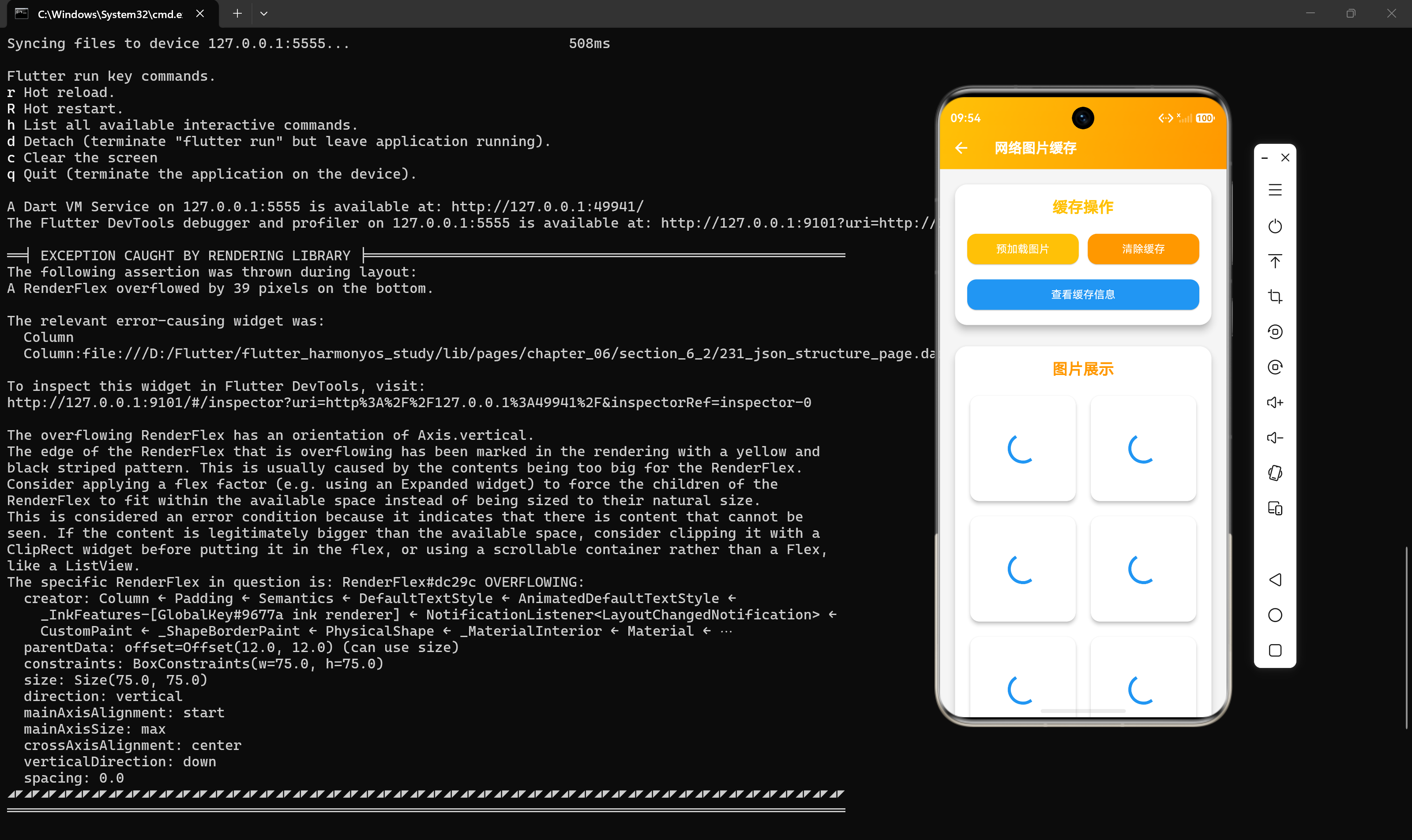
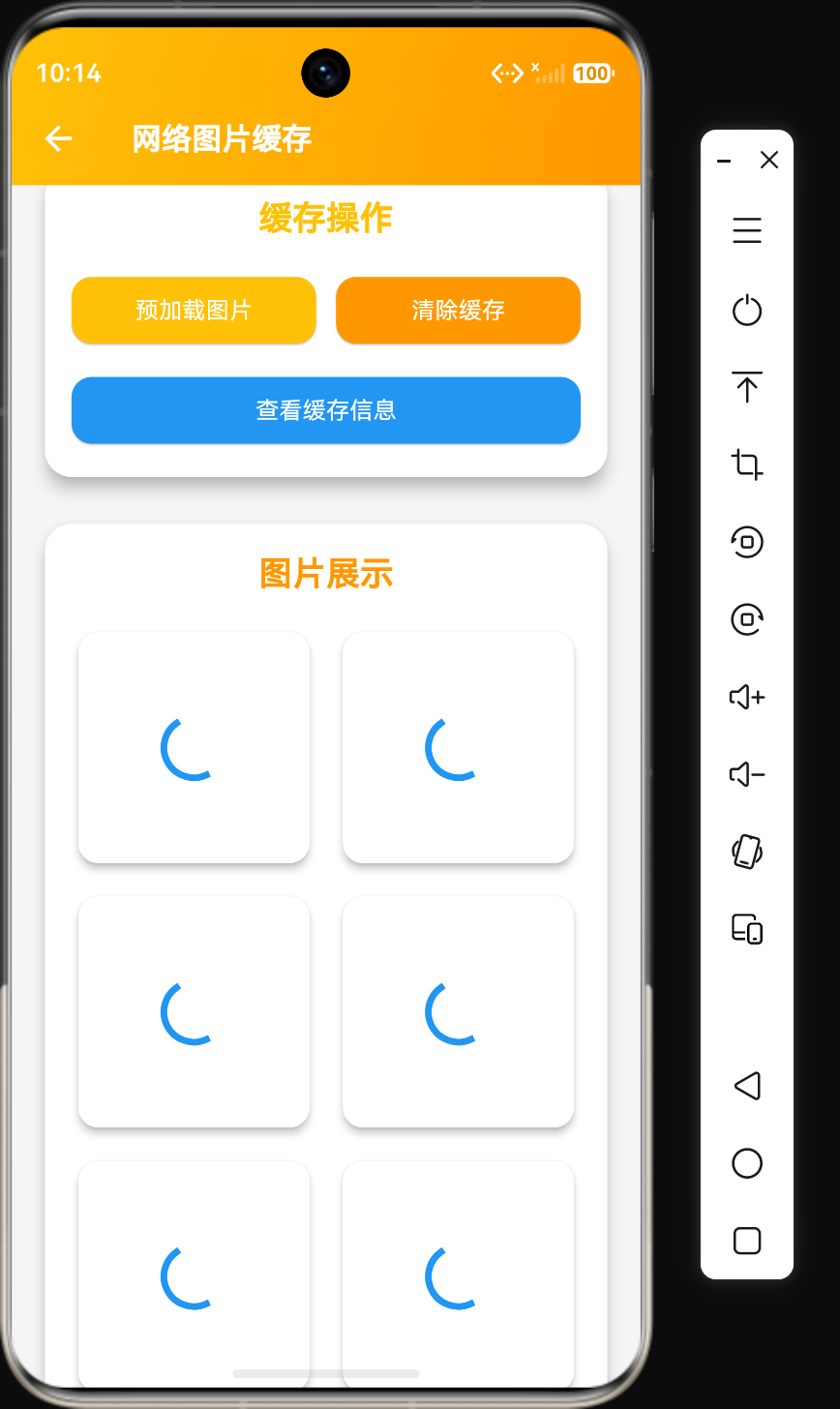
概述
在Flutter应用开发中,图片加载是一个常见的性能瓶颈。网络图片的加载速度直接影响用户体验,而图片缓存可以显著提升应用性能,减少网络请求次数。Flutter提供了flutter_cache_manager库来实现图片缓存功能。
本文将详细介绍网络图片缓存的核心概念、使用方法、高级特性以及在鸿蒙平台上的实现细节。
核心概念
什么是图片缓存
图片缓存是将已下载的图片存储在本地,下次需要时直接从本地读取,而不是重新从网络下载。它具有以下特点:
- 减少网络请求:避免重复下载相同的图片
- 提升加载速度:本地读取比网络下载快得多
- 节省流量:减少用户的数据消耗
- 离线可用:缓存的图片在离线状态下也能显示
缓存策略
| 策略 | 描述 | 适用场景 |
|---|---|---|
| 内存缓存 | 将图片缓存到内存中 | 频繁访问的图片 |
| 磁盘缓存 | 将图片缓存到磁盘中 | 需要持久化的图片 |
| 混合缓存 | 同时使用内存和磁盘缓存 | 大多数应用 |
缓存管理
缓存管理包括以下方面:
- 缓存大小限制:设置最大缓存大小
- 缓存过期时间:设置图片的过期时间
- 缓存清理:定期清理过期或不再使用的缓存
- 缓存统计:查看缓存使用情况
基本使用
安装依赖
dependencies:
  flutter_cache_manager: ^3.3.1
  cached_network_image: ^3.3.1
使用CachedNetworkImage
import 'package:cached_network_image/cached_network_image.dart';

CachedNetworkImage(
  imageUrl: 'https://example.com/image.jpg',
  placeholder: (context, url) => const CircularProgressIndicator(),
  errorWidget: (context, url, error) => const Icon(Icons.error),
);
预加载图片
import 'package:flutter_cache_manager/flutter_cache_manager.dart';

Future<void> preloadImage(String url) async {
  await DefaultCacheManager().downloadFile(url);
}
核心代码示例
代码示例1:图片缓存服务封装
import 'package:flutter_cache_manager/flutter_cache_manager.dart';
import 'package:flutter/widgets.dart';

class ImageCacheService {
  static late DefaultCacheManager _cacheManager;

  static void init() {
    _cacheManager = DefaultCacheManager();
  }

  static Widget cachedNetworkImage({
    required String url,
    double? width,
    double? height,
    BoxFit fit = BoxFit.cover,
    Widget? placeholder,
    Widget? errorWidget,
  }) {
    return CachedNetworkImage(
      imageUrl: url,
      width: width,
      height: height,
      fit: fit,
      placeholder: (context, url) => placeholder ?? const Center(child: CircularProgressIndicator()),
      errorWidget: (context, url, error) => errorWidget ?? const Icon(Icons.error),
    );
  }

  static Future<void> preCacheImage(String url) async {
    await _cacheManager.downloadFile(url);
  }

  static Future<void> preCacheImages(List<String> urls) async {
    await Future.wait(urls.map((url) => _cacheManager.downloadFile(url)));
  }

  static Future<void> clearCache() async {
    await _cacheManager.emptyCache();
  }

  static Future<void> removeFromCache(String url) async {
    await _cacheManager.removeFile(url);
  }

  static Future<int> getCacheSize() async {
    final files = await _cacheManager.getFiles();
    int totalSize = 0;
    for (final fileInfo in files) {
      totalSize += fileInfo.size;
    }
    return totalSize;
  }

  static Future<List<String>> getCachedUrls() async {
    final files = await _cacheManager.getFiles();
    return files.map((fileInfo) => fileInfo.url).toList();
  }

  static String formatCacheSize(int bytes) {
    if (bytes < 1024) return '$bytes B';
    if (bytes < 1024 * 1024) return '${(bytes / 1024).toStringAsFixed(1)} KB';
    return '${(bytes / (1024 * 1024)).toStringAsFixed(2)} MB';
  }
}
代码说明:
- 缓存管理器:使用DefaultCacheManager管理缓存
- 缓存图片组件:封装CachedNetworkImage组件,提供默认的占位符和错误处理
- 预加载功能:支持预加载单个或多个图片
- 缓存管理:提供清除缓存、移除单个缓存、获取缓存大小等功能
- 缓存统计:提供获取缓存URL列表和格式化缓存大小的方法
代码示例2:自定义缓存管理器
import 'package:flutter_cache_manager/flutter_cache_manager.dart';
import 'package:path/path.dart' as path;

class CustomCacheManager extends CacheManager with ImageCacheManager {
  static const key = 'customCache';

  static CustomCacheManager _instance = CustomCacheManager._();

  factory CustomCacheManager() {
    return _instance;
  }

  CustomCacheManager._()
      : super(
          Config(
            key,
            stalePeriod: const Duration(days: 7),
            maxNrOfCacheObjects: 100,
            repo: JsonCacheInfoRepository(databaseName: key),
            fileService: HttpFileService(),
          ),
        );
}

class ImageCacheManager {
  Future<void> downloadImage(String url) async {
    await DefaultCacheManager().downloadFile(url);
  }

  Future<void> downloadImages(List<String> urls) async {
    await Future.wait(urls.map((url) => DefaultCacheManager().downloadFile(url)));
  }

  Future<void> clearAllCache() async {
    await DefaultCacheManager().emptyCache();
  }

  Future<void> clearOldCache() async {
    final files = await DefaultCacheManager().getFiles();
    for (final fileInfo in files) {
      if (fileInfo.validTill.isBefore(DateTime.now())) {
        await DefaultCacheManager().removeFile(fileInfo.url);
      }
    }
  }
}
代码说明:
- 自定义配置:设置缓存过期时间为7天,最大缓存数量为100个
- 单例模式:使用单例模式确保只有一个缓存管理器实例
- 扩展功能:提供图片下载、批量下载、清除缓存等功能
- 过期清理:提供清理过期缓存的方法
代码示例3:图片缓存UI组件
import 'package:flutter/material.dart';
import 'package:cached_network_image/cached_network_image.dart';
class CachedImageWidget extends StatefulWidget {
final String imageUrl;
final double? width;
final double? height;
final BoxFit fit;
final bool showProgress;
final bool showError;
const CachedImageWidget({
super.key,
required this.imageUrl,
this.width,
this.height,
this.fit = BoxFit.cover,
this.showProgress = true,
this.showError = true,
});
State<CachedImageWidget> createState() => _CachedImageWidgetState();
}
class _CachedImageWidgetState extends State<CachedImageWidget> {
ImageCacheStatus _status = ImageCacheStatus.loading;
String? _error;
Widget build(BuildContext context) {
return ClipRRect(
borderRadius: BorderRadius.circular(12),
child: Stack(
fit: StackFit.expand,
children: [
CachedNetworkImage(
imageUrl: widget.imageUrl,
width: widget.width,
height: widget.height,
fit: widget.fit,
progressIndicatorBuilder: widget.showProgress
? (context, url, downloadProgress) => _buildProgress(downloadProgress)
: null,
errorWidget: widget.showError
? (context, url, error) => _buildError(error)
: null,
onImageLoaded: () {
setState(() => _status = ImageCacheStatus.loaded);
},
onError: (_, __) {
setState(() => _status = ImageCacheStatus.error);
},
),
if (_status == ImageCacheStatus.loading && widget.showProgress)
const Positioned.fill(
child: DecoratedBox(
decoration: BoxDecoration(color: Colors.black12),
),
),
],
),
);
}
Widget _buildProgress(Progress downloadProgress) {
return Center(
child: CircularProgressIndicator(
value: downloadProgress.progress,
strokeWidth: 2,
),
);
}
Widget _buildError(dynamic error) {
return Center(
child: Icon(
Icons.broken_image,
size: 48,
color: Theme.of(context).colorScheme.error,
),
);
}
}
enum ImageCacheStatus {
loading,
loaded,
error,
}
代码说明:
- 状态管理:使用枚举管理图片加载状态
- 进度显示:显示图片下载进度
- 错误处理:显示错误图标
- 圆角裁剪:使用ClipRRect实现圆角效果
- 叠加层:加载时显示半透明遮罩
代码示例4:图片缓存管理页面
import 'package:flutter/material.dart';
class CacheManagerPage extends StatefulWidget {
const CacheManagerPage({super.key});
State<CacheManagerPage> createState() => _CacheManagerPageState();
}
class _CacheManagerPageState extends State<CacheManagerPage> {
int _cacheSize = 0;
List<String> _cachedUrls = [];
bool _isLoading = true;
void initState() {
super.initState();
_loadCacheInfo();
}
Future<void> _loadCacheInfo() async {
setState(() => _isLoading = true);
_cacheSize = await ImageCacheService.getCacheSize();
_cachedUrls = await ImageCacheService.getCachedUrls();
setState(() => _isLoading = false);
}
Future<void> _clearCache() async {
await ImageCacheService.clearCache();
await _loadCacheInfo();
if (mounted) {
ScaffoldMessenger.of(context).showSnackBar(
const SnackBar(content: Text('缓存已清除')),
);
}
}
Widget build(BuildContext context) {
return Scaffold(
appBar: AppBar(title: const Text('缓存管理')),
body: _isLoading
? const Center(child: CircularProgressIndicator())
: ListView(
padding: const EdgeInsets.all(16),
children: [
Card(
elevation: 4,
child: Padding(
padding: const EdgeInsets.all(16),
child: Column(
children: [
const Icon(Icons.storage, size: 48),
const SizedBox(height: 16),
Text(
'缓存大小',
style: Theme.of(context).textTheme.titleLarge,
),
const SizedBox(height: 8),
Text(
ImageCacheService.formatCacheSize(_cacheSize),
style: Theme.of(context).textTheme.headlineSmall,
),
const SizedBox(height: 8),
Text(
'缓存图片数量: ${_cachedUrls.length}',
style: Theme.of(context).textTheme.bodyLarge,
),
],
),
),
),
const SizedBox(height: 16),
ElevatedButton(
onPressed: _clearCache,
child: const Text('清除所有缓存'),
),
const SizedBox(height: 16),
if (_cachedUrls.isNotEmpty)
Column(
crossAxisAlignment: CrossAxisAlignment.start,
children: [
Text(
'缓存的图片',
style: Theme.of(context).textTheme.titleLarge,
),
const SizedBox(height: 8),
GridView.builder(
shrinkWrap: true,
gridDelegate: const SliverGridDelegateWithFixedCrossAxisCount(
crossAxisCount: 3,
crossAxisSpacing: 8,
mainAxisSpacing: 8,
),
itemCount: _cachedUrls.length,
itemBuilder: (context, index) => CachedImageWidget(
imageUrl: _cachedUrls[index],
),
),
],
),
],
),
);
}
}
代码说明:
- 缓存信息展示:显示缓存大小和缓存图片数量
- 清除缓存:提供清除所有缓存的按钮
- 缓存列表:以网格形式展示缓存的图片
- 加载状态:显示加载指示器
高级特性
1. 缓存策略配置
final customCacheManager = CacheManager(
  Config(
    'my_cache',
    stalePeriod: const Duration(days: 3),
    maxNrOfCacheObjects: 50,
    repo: JsonCacheInfoRepository(databaseName: 'my_cache'),
    fileService: HttpFileService(),
  ),
);
2. 图片压缩
CachedNetworkImage(
  imageUrl: 'https://example.com/image.jpg',
  width: 200,
  height: 200,
  fit: BoxFit.cover,
  memCacheWidth: 200,
  memCacheHeight: 200,
);
3. 缓存优先级
CachedNetworkImage(
  imageUrl: 'https://example.com/image.jpg',
  priority: CachePriority.high,
);
4. 缓存监听
final stream = DefaultCacheManager().getFileStream(
  'https://example.com/image.jpg',
  withProgress: true,
);

stream.listen((event) {
  if (event is FileInfo) {
    print('File cached: ${event.file.path}');
  } else if (event is DownloadProgress) {
    print('Progress: ${event.progress}%');
  }
});
在鸿蒙平台的实现
鸿蒙平台适配
鸿蒙平台对Flutter图片缓存的支持与Android类似,因为鸿蒙兼容Android应用。需要注意以下几点:
- 存储权限:需要获取存储权限才能将图片缓存到磁盘
- 缓存路径:鸿蒙平台使用自己的存储路径
- 性能优化:鸿蒙平台对内存管理有严格要求,需要注意缓存大小
鸿蒙平台存储配置
在module.json5中配置存储权限:
{
  "module": {
    "requestPermissions": [
      {
        "name": "ohos.permission.WRITE_MEDIA",
        "reason": "需要存储权限缓存图片",
        "usedScene": {
          "ability": [
            {
              "name": "MainAbility",
              "when": "inuse"
            }
          ],
          "permissionFlags": [
            "grantMode:user_grant"
          ]
        }
      }
    ]
  }
}
鸿蒙平台注意事项
- 缓存大小:建议限制缓存大小,避免占用过多存储空间
- 内存管理:及时释放不再使用的图片资源
- 存储路径:了解鸿蒙平台的存储路径结构
性能对比
| 操作 | 首次加载 | 缓存加载 | 预加载 |
|---|---|---|---|
| 加载时间 | 慢(网络请求) | 快(本地读取) | 提前加载 |
| 流量消耗 | 有 | 无 | 有 |
| 内存占用 | 中 | 低 | 提前占用 |
最佳实践
1. 合理设置缓存策略
根据应用需求设置合适的缓存过期时间和大小:
CacheManager(
  Config(
    'app_cache',
    stalePeriod: const Duration(days: 7),
    maxNrOfCacheObjects: 100,
  ),
);
2. 预加载关键图片
在用户可能访问的页面预加载图片:
void initState() {
super.initState();
ImageCacheService.preCacheImages([
'https://example.com/image1.jpg',
'https://example.com/image2.jpg',
]);
}
3. 限制图片尺寸
根据显示尺寸加载合适大小的图片:
CachedNetworkImage(
  imageUrl: 'https://example.com/image.jpg',
  width: 200,
  height: 200,
  memCacheWidth: 200,
  memCacheHeight: 200,
);
4. 定期清理缓存
定期清理过期或不再使用的缓存:
Future<void> cleanupCache() async {
  final files = await DefaultCacheManager().getFiles();
  for (final fileInfo in files) {
    if (fileInfo.validTill.isBefore(DateTime.now())) {
      await DefaultCacheManager().removeFile(fileInfo.url);
    }
  }
}
5. 使用占位符
提供美观的占位符提升用户体验:
CachedNetworkImage(
  imageUrl: 'https://example.com/image.jpg',
  placeholder: (context, url) => Container(
    color: Colors.grey[200],
    child: const Center(child: Icon(Icons.image)),
  ),
);
常见问题
Q1: 图片缓存不生效怎么办?
A:检查以下几点:
- 是否正确使用了CachedNetworkImage组件
- 是否有网络连接
- 缓存管理器是否正确初始化
- 图片URL是否正确
Q2: 如何清除特定图片的缓存?
A:使用removeFile方法:
await DefaultCacheManager().removeFile('https://example.com/image.jpg');
Q3: 缓存的图片会占用多少存储空间?
A:缓存大小取决于图片数量和大小,可以通过getCacheSize方法查看:
final size = await DefaultCacheManager().getCacheSize();
Q4: 如何设置缓存过期时间?
A:在CacheManager的Config中设置stalePeriod:
Config(
  'my_cache',
  stalePeriod: const Duration(days: 7),
);
Q5: 图片加载失败怎么办?
A:使用errorWidget参数提供错误处理:
CachedNetworkImage(
  imageUrl: 'https://example.com/image.jpg',
  errorWidget: (context, url, error) => const Icon(Icons.error),
);
总结
图片缓存是Flutter应用性能优化的重要手段,通过flutter_cache_manager和cached_network_image库可以实现高效的图片缓存功能。在鸿蒙平台上,图片缓存的实现与Android类似,但需要注意存储权限和内存管理。
选择合适的缓存策略需要根据应用需求来决定:
| 策略 | 适用场景 | 特点 |
|---|---|---|
| 默认缓存 | 一般应用 | 简单易用,无需配置 |
| 自定义缓存 | 复杂应用 | 可定制过期时间和大小 |
| 预加载缓存 | 频繁访问的页面 | 提前加载,提升体验 |
希望本文能帮助你更好地理解和使用图片缓存在Flutter应用中优化图片加载性能。

作为“人工智能6S店”的官方数字引擎,为AI开发者与企业提供一个覆盖软硬件全栈、一站式门户。
更多推荐


 0
0 0
0- 0


 已为社区贡献96条内容

所有评论(0)