
Hive数据库 - Flutter在鸿蒙平台高效存储复杂对象
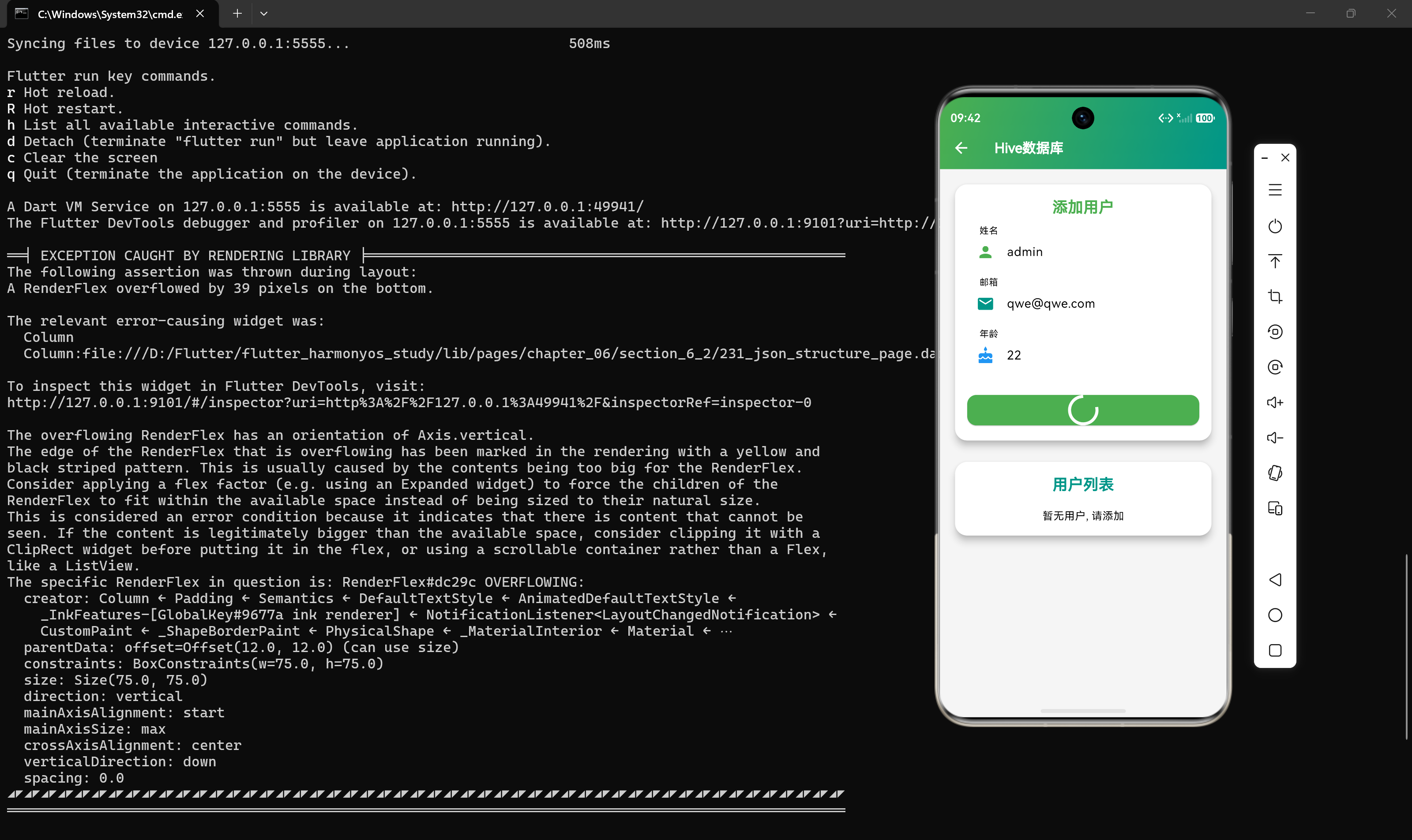
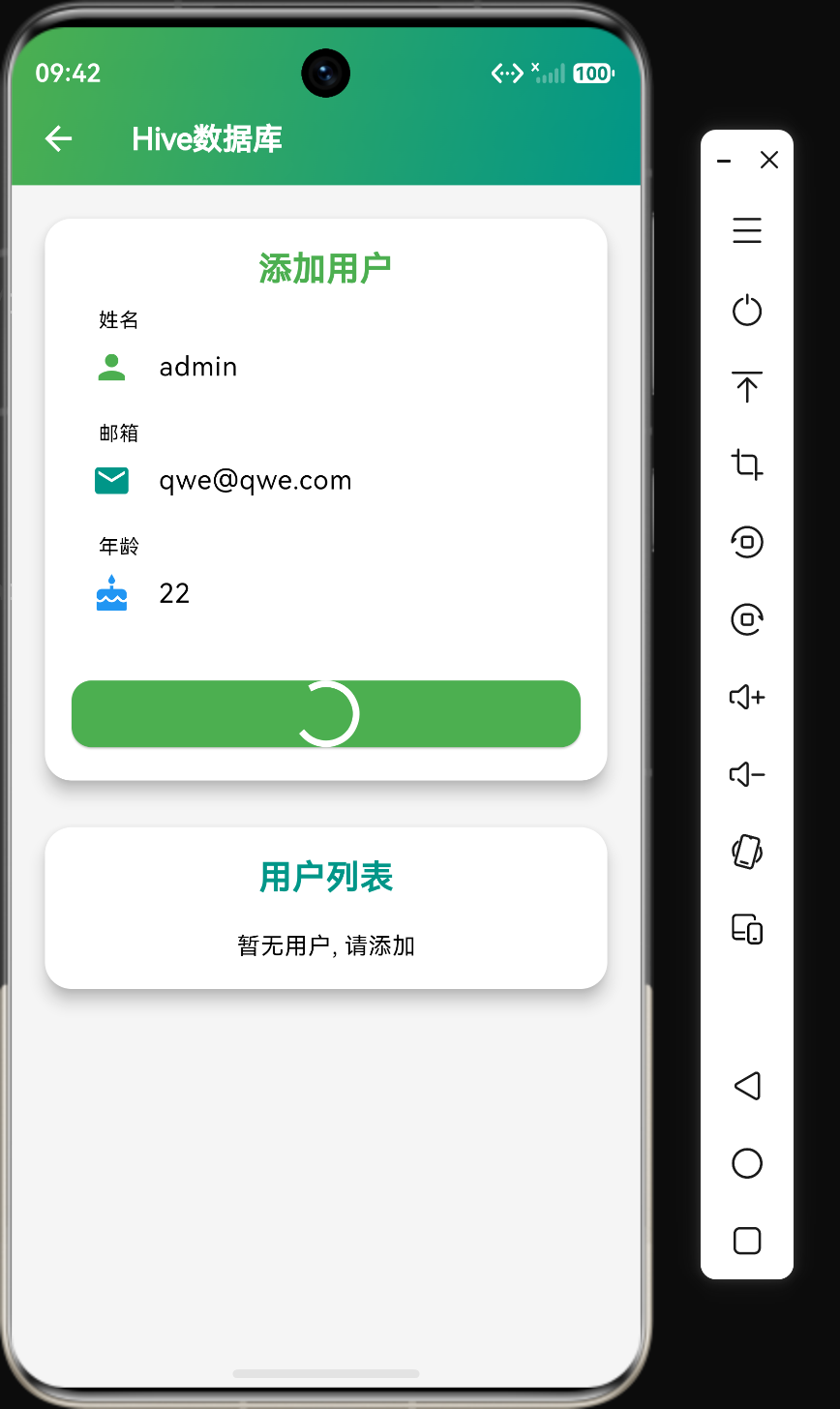
概述
在Flutter应用开发中,当需要存储中等规模数据或复杂对象时,SharedPreferences已经不能满足需求。Hive是一个轻量级、快速的NoSQL数据库,专为Flutter和Dart设计,提供了简单直观的API,非常适合存储复杂对象和中等规模的数据。
本文将详细介绍Hive数据库的核心概念、使用方法、最佳实践以及在鸿蒙平台上的实现细节。
核心概念
什么是Hive
Hive是一个基于文件系统的NoSQL数据库,具有以下特点:
- 轻量级:无需服务器,无需复杂配置
- 快速:基于键值对存储,读写性能优异
- 类型安全:通过类型适配器实现类型安全的数据存储
- 跨平台:支持Android、iOS、Web、Linux、macOS、Windows
- 加密支持:支持数据加密,保护敏感信息
- 开箱即用:简单的API,易于上手
Hive的核心组件
Hive的数据存储结构分为三层:
- Box(盒子):相当于数据库中的表,用于组织和管理数据
- TypeAdapter(类型适配器):负责对象的序列化和反序列化
- HiveObject(Hive对象):可被Hive存储的对象基类
数据存储格式
Hive使用自定义的二进制格式存储数据,相比JSON格式具有以下优势:
- 更小的体积:二进制格式比JSON更紧凑
- 更快的读写:二进制序列化/反序列化速度更快
- 更好的兼容性:避免JSON的类型转换问题
基本使用
添加依赖
在pubspec.yaml中添加依赖:
dependencies:
  hive: ^2.2.3
  hive_flutter: ^1.1.0

dev_dependencies:
  hive_generator: ^1.1.5
  build_runner: ^2.4.6
然后运行flutter pub get安装依赖。
初始化Hive
import 'package:hive_flutter/hive_flutter.dart';

void main() async {
  await Hive.initFlutter();
  // 注册类型适配器
  Hive.registerAdapter(UserAdapter());
  // 打开盒子
  await Hive.openBox<User>('users');
  runApp(const MyApp());
}
核心代码示例
代码示例1:定义Hive模型
import 'package:hive/hive.dart';
part 'user_model.g.dart';
(typeId: 0)
class User extends HiveObject {
(0)
late String id;
(1)
late String name;
(2)
late String email;
(3)
late int age;
(4)
late bool isActive;
(5)
late DateTime createdAt;
User({
required this.id,
required this.name,
required this.email,
required this.age,
this.isActive = true,
DateTime? createdAt,
}) : createdAt = createdAt ?? DateTime.now();
String toString() {
return 'User{id: $id, name: $name, email: $email, age: $age}';
}
}
代码说明:
- @HiveType注解:标记这是一个Hive模型,
typeId是唯一标识符 - @HiveField注解:标记字段为Hive存储字段,
fieldId是字段的唯一标识符 - HiveObject继承:继承
HiveObject后可以使用save()、delete()等便捷方法 - part指令:用于生成类型适配器代码
代码示例2:生成类型适配器
创建模型后,需要生成类型适配器代码:
flutter pub run build_runner build
这会生成user_model.g.dart文件,包含自动生成的类型适配器:
class UserAdapter extends TypeAdapter<User> {
final int typeId = 0;
User read(BinaryReader reader) {
final numOfFields = reader.readByte();
final fields = <int, dynamic>{
for (int i = 0; i < numOfFields; i++) reader.readByte(): reader.read(),
};
return User(
id: fields[0] as String,
name: fields[1] as String,
email: fields[2] as String,
age: fields[3] as int,
isActive: fields[4] as bool,
createdAt: fields[5] as DateTime,
);
}
void write(BinaryWriter writer, User obj) {
writer
..writeByte(6)
..writeByte(0)
..write(obj.id)
..writeByte(1)
..write(obj.name)
..writeByte(2)
..write(obj.email)
..writeByte(3)
..write(obj.age)
..writeByte(4)
..write(obj.isActive)
..writeByte(5)
..write(obj.createdAt);
}
int get hashCode => typeId.hashCode;
bool operator ==(Object other) =>
identical(this, other) ||
other is UserAdapter &&
runtimeType == other.runtimeType &&
typeId == other.typeId;
}
代码说明:
- read方法:从二进制流中读取数据并构建对象
- write方法:将对象写入二进制流
- typeId:与模型中定义的typeId一致
- 字段顺序:read和write方法中的字段顺序必须一致
代码示例3:数据库操作封装
class HiveDatabaseService {
  late Box<User> _usersBox;
  late Box<Message> _messagesBox;

  static final HiveDatabaseService _instance = HiveDatabaseService._internal();
  factory HiveDatabaseService() => _instance;
  HiveDatabaseService._internal();

  Future<void> init() async {
    _usersBox = await Hive.openBox<User>('users');
    _messagesBox = await Hive.openBox<Message>('messages');
  }

  Future<void> addUser(User user) async {
    await _usersBox.put(user.id, user);
  }

  User? getUser(String id) {
    return _usersBox.get(id);
  }

  List<User> getAllUsers() {
    return _usersBox.values.toList();
  }

  Future<void> updateUser(User user) async {
    await user.save();
  }

  Future<void> deleteUser(String id) async {
    await _usersBox.delete(id);
  }

  Future<void> addMessage(Message message) async {
    await _messagesBox.put(message.id, message);
  }

  List<Message> getMessagesByUserId(String userId) {
    return _messagesBox.values
        .where((msg) => msg.userId == userId)
        .toList()
      ..sort((a, b) => b.createdAt.compareTo(a.createdAt));
  }

  Future<void> clearAll() async {
    await _usersBox.clear();
    await _messagesBox.clear();
  }

  void close() {
    Hive.close();
  }
}
代码说明:
- 单例模式:确保全局唯一的数据库实例
- Box管理:统一管理多个Box的打开和关闭
- CRUD操作:提供完整的增删改查方法
- 查询过滤:支持根据条件过滤数据
- 资源管理:提供close方法释放资源
代码示例4:复杂对象与嵌套结构
import 'package:hive/hive.dart';
part 'order_model.g.dart';
(typeId: 2)
class OrderItem extends HiveObject {
(0)
late String productId;
(1)
late String productName;
(2)
late double price;
(3)
late int quantity;
OrderItem({
required this.productId,
required this.productName,
required this.price,
required this.quantity,
});
double get total => price * quantity;
}
(typeId: 1)
class Order extends HiveObject {
(0)
late String id;
(1)
late String userId;
(2)
late List<OrderItem> items;
(3)
late double totalAmount;
(4)
late String status;
(5)
late DateTime createdAt;
Order({
required this.id,
required this.userId,
required this.items,
required this.status,
DateTime? createdAt,
}) : totalAmount = items.fold(0, (sum, item) => sum + item.total),
createdAt = createdAt ?? DateTime.now();
}
代码说明:
- 嵌套对象:Order包含OrderItem列表
- 计算属性:
total和totalAmount是计算属性 - 自动计算:在构造函数中自动计算总金额
- HiveObject:嵌套对象也继承HiveObject
代码示例5:加密存储
import 'package:hive/hive.dart';
import 'package:hive_flutter/hive_flutter.dart';
import 'package:encrypt/encrypt.dart';

class SecureStorage {
  static const String _encryptionKey = 'my_secret_encryption_key';
  static late Box _secureBox;

  static Future<void> init() async {
    final key = Key.fromUtf8(_encryptionKey.padRight(32));
    final iv = IV.fromLength(16);
    final encryptionCipher = Encrypter(AES(key));

    _secureBox = await Hive.openBox(
      'secure_data',
      encryptionCipher: encryptionCipher,
    );
  }

  static Future<void> saveSecureData(String key, String value) async {
    await _secureBox.put(key, value);
  }

  static String? getSecureData(String key) {
    return _secureBox.get(key);
  }

  static Future<void> deleteSecureData(String key) async {
    await _secureBox.delete(key);
  }
}
代码说明:
- 加密配置:使用AES加密算法
- 密钥管理:使用32位密钥(AES-256)
- 初始化向量:使用16位IV
- 安全存储:存储敏感信息如Token、密码等
高级特性
1. Box事件监听
Hive支持监听Box的变化:
final box = Hive.box<User>('users');
box.listenable().addListener(() {
  print('Box changed!');
  // 更新UI
});
2. 事务操作
Hive支持批量事务操作:
final box = Hive.box<User>('users');
box.transaction((box) {
  box.put('user1', User(id: '1', name: 'Alice', email: 'alice@example.com', age: 25));
  box.put('user2', User(id: '2', name: 'Bob', email: 'bob@example.com', age: 30));
});
3. Lazy Box
对于大量数据,可以使用Lazy Box延迟加载:
final lazyBox = await Hive.openLazyBox<User>('users');
final user = await lazyBox.get('user1');
4. 自定义类型适配器
对于无法自动生成适配器的复杂类型,可以手动编写:
class CustomAdapter extends TypeAdapter<CustomType> {
final int typeId = 10;
CustomType read(BinaryReader reader) {
final field1 = reader.read();
final field2 = reader.read();
return CustomType(field1, field2);
}
void write(BinaryWriter writer, CustomType obj) {
writer.write(obj.field1);
writer.write(obj.field2);
}
}
在鸿蒙平台的实现
鸿蒙平台适配
Hive在鸿蒙平台上通过Dart的文件系统API实现,无需额外的原生依赖。数据存储在应用沙盒目录下的文件中。
存储位置
在鸿蒙平台上,Hive数据存储在:
/data/data/<包名>/files/hive/
每个Box对应一个文件,文件名格式为<box_name>.hive。
鸿蒙平台注意事项
- 权限配置:确保配置了文件读写权限
- 数据迁移:应用升级时注意数据迁移
- 加密支持:鸿蒙平台同样支持数据加密
性能对比
| 操作 | Hive | SharedPreferences | sqflite |
|---|---|---|---|
| 读取1000条数据 | ~5ms | ~50ms | ~20ms |
| 写入1000条数据 | ~10ms | ~100ms | ~30ms |
| 内存占用 | 低 | 中 | 高 |
| 复杂对象支持 | 优秀 | 差 | 中等 |
最佳实践
1. 合理组织Box
根据数据类型和访问模式合理组织Box:
// 用户数据
final usersBox = await Hive.openBox<User>('users');
// 消息数据
final messagesBox = await Hive.openBox<Message>('messages');
// 配置数据
final settingsBox = await Hive.openBox('settings');
2. 使用常量定义typeId
class HiveTypeIds {
  static const int user = 0;
  static const int message = 1;
  static const int order = 2;
  static const int orderItem = 3;
}
3. 预加载数据
在应用启动时预加载常用数据:
class AppData {
  static late List<User> users;

  static Future<void> preload() async {
    final box = Hive.box<User>('users');
    users = box.values.toList();
  }
}
4. 定期清理数据
定期清理过期或不再需要的数据:
class DataCleaner {
  static Future<void> cleanOldMessages(int daysToKeep) async {
    final box = Hive.box<Message>('messages');
    final cutoffDate = DateTime.now().subtract(Duration(days: daysToKeep));

    for (final msg in box.values) {
      if (msg.createdAt.isBefore(cutoffDate)) {
        await msg.delete();
      }
    }
  }
}
5. 错误处理
对Hive操作进行错误处理:
class SafeHive {
  static Future<T?> get<T>(Box box, String key) async {
    try {
      return box.get(key);
    } catch (e) {
      print('Error getting value: $e');
      return null;
    }
  }

  static Future<bool> put(Box box, String key, dynamic value) async {
    try {
      await box.put(key, value);
      return true;
    } catch (e) {
      print('Error putting value: $e');
      return false;
    }
  }
}
常见问题
Q1: Hive的数据文件可以跨平台共享吗?
A:可以。Hive使用平台无关的二进制格式,可以在不同平台间共享数据文件。
Q2: Hive支持并发访问吗?
A:Hive的Box操作是线程安全的,可以在多个Isolate中访问。
Q3: Hive的数据会自动备份吗?
A:不会。需要手动实现数据备份逻辑。
Q4: 如何处理数据版本升级?
A:可以在打开Box时检查版本号,执行数据迁移逻辑。
Q5: Hive适合存储大量数据吗?
A:Hive适合存储中等规模的数据(数万条记录)。对于大规模数据,建议使用sqflite或其他数据库。
总结
Hive是Flutter应用中优秀的本地数据库方案,特别适合存储中等规模数据和复杂对象。它具有轻量级、快速、类型安全等优点,API简单直观,易于上手。在鸿蒙平台上,Hive同样可以正常工作,无需额外配置。
选择合适的数据库方案需要根据数据量、复杂度和性能需求来决定:
| 方案 | 适用场景 | 数据量 | 复杂度 |
|---|---|---|---|
| SharedPreferences | 用户配置、设置 | 小 | 低 |
| Hive | 中等数据量、复杂对象 | 中 | 中 |
| sqflite | 大量数据、关系型数据 | 大 | 高 |
希望本文能帮助你更好地理解和使用Hive在Flutter应用中进行本地数据持久化。

作为“人工智能6S店”的官方数字引擎,为AI开发者与企业提供一个覆盖软硬件全栈、一站式门户。
更多推荐


 6
6 0
0- 0


 已为社区贡献96条内容

所有评论(0)