
鸿蒙Flutter JSON解析与序列化:json_serializable代码生成详解
·
概述
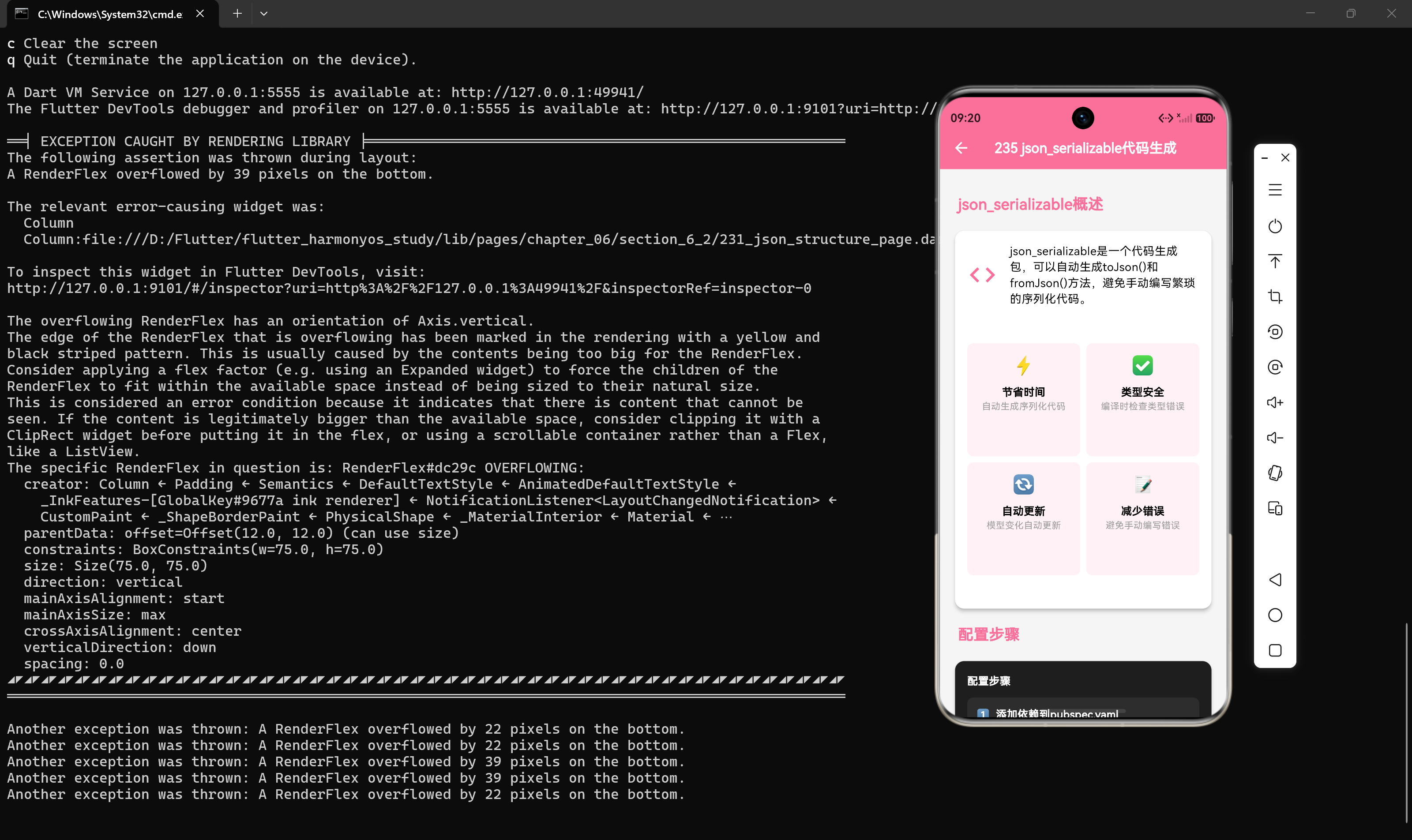
json_serializable 是Flutter生态中最流行的JSON序列化代码生成工具,它可以自动生成 toJson() 和 fromJson() 方法,大大减少手动编写序列化代码的工作量。本文将详细介绍 json_serializable 的配置、使用方法和高级特性,帮助开发者实现自动化序列化。
1. json_serializable简介
1.1 什么是json_serializable
json_serializable 是一个Dart代码生成包,通过注解标记数据模型类,自动生成序列化和反序列化代码。
1.2 核心优势
- 减少重复代码:自动生成
toJson()和fromJson()方法 - 类型安全:编译时检查类型转换
- 减少错误:避免手动编写时的拼写和类型错误
- 易于维护:数据模型变更时自动更新转换代码
1.3 工作原理
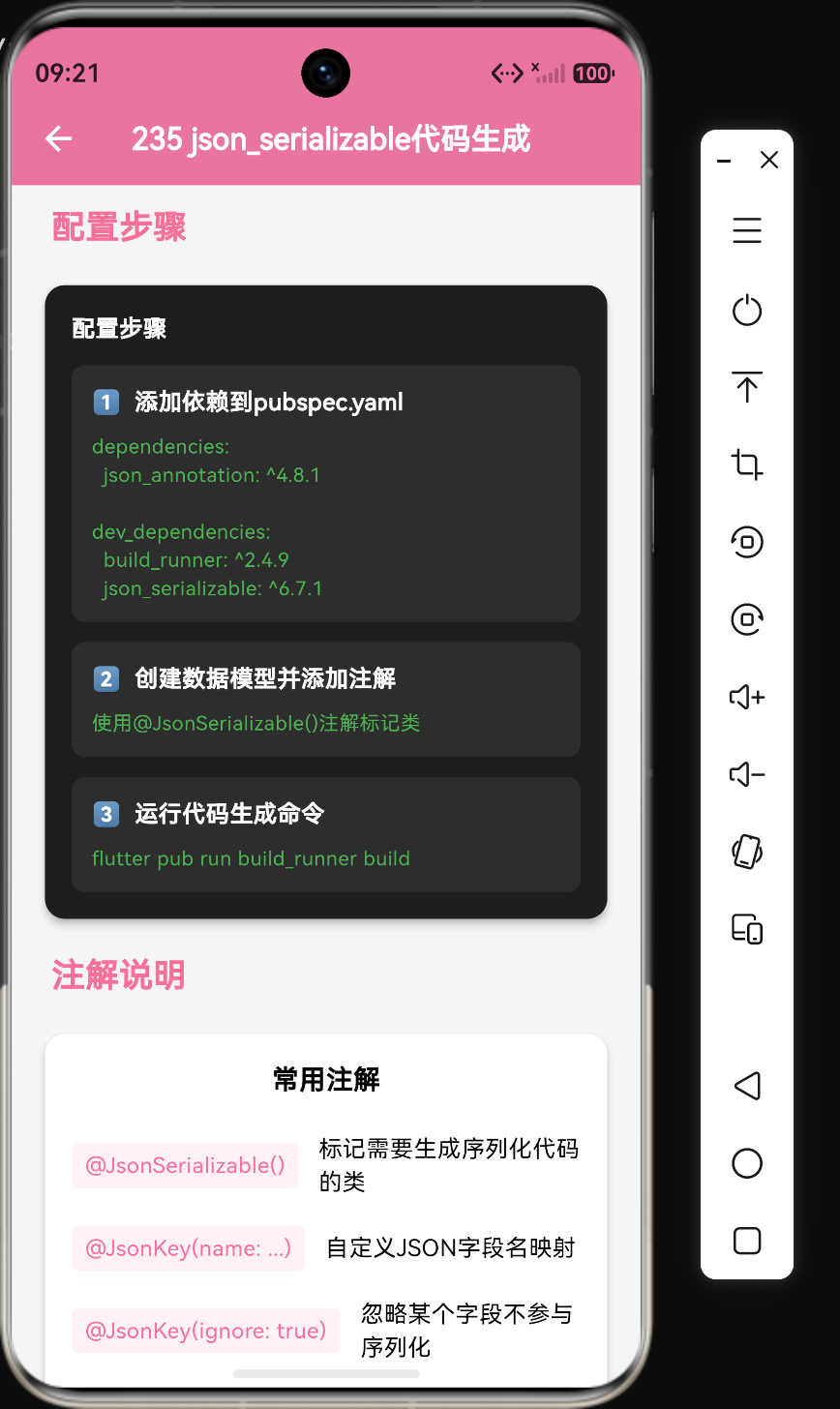
数据模型类(带注解) → build_runner → 生成.g.dart文件 → 编译使用
2. 安装与配置
2.1 添加依赖
在 pubspec.yaml 中添加以下依赖:
dependencies:
  json_annotation: ^4.8.1

dev_dependencies:
  build_runner: ^2.4.6
  json_serializable: ^6.7.0
2.2 安装依赖
flutter pub get
2.3 配置build.yaml(可选)
targets:
  $default:
    builders:
      json_serializable:
        options:
          explicit_to_json: true
          any_map: false
3. 基础使用
3.1 创建数据模型类
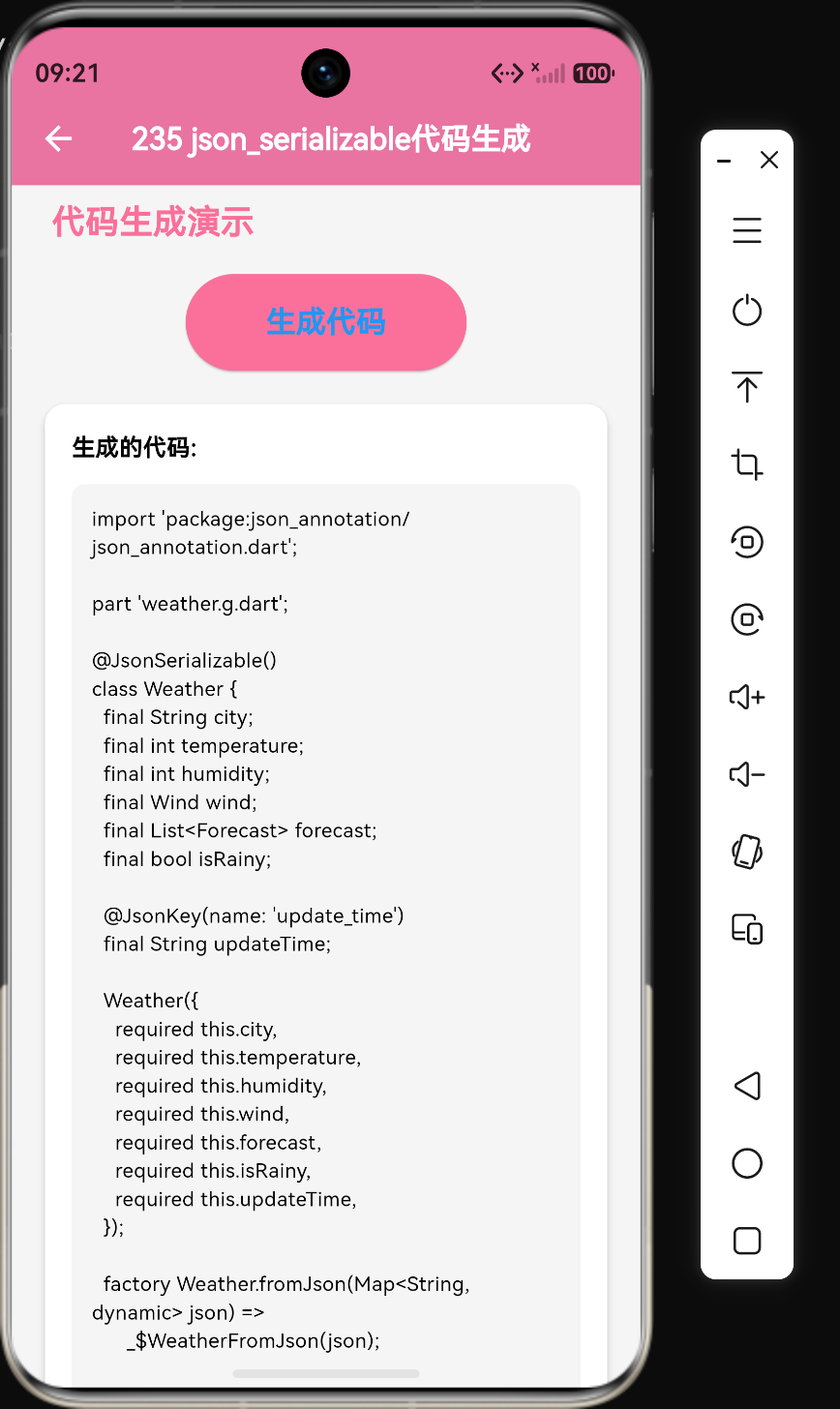
import 'package:json_annotation/json_annotation.dart';
part 'weather.g.dart';
()
class Weather {
final String city;
final int temperature;
final int humidity;
Weather({
required this.city,
required this.temperature,
required this.humidity,
});
factory Weather.fromJson(Map<String, dynamic> json) => _$WeatherFromJson(json);
Map<String, dynamic> toJson() => _$WeatherToJson(this);
}
3.2 生成代码
运行以下命令生成序列化代码:
flutter pub run build_runner build
常用命令:
| 命令 | 说明 |
|---|---|
build | 单次构建,生成代码 |
watch | 监听文件变化,自动重新生成 |
clean | 清除缓存 |
3.3 生成的代码示例
生成的 weather.g.dart 文件内容:
Weather _$WeatherFromJson(Map<String, dynamic> json) => Weather(
      city: json['city'] as String,
      temperature: json['temperature'] as int,
      humidity: json['humidity'] as int,
    );

Map<String, dynamic> _$WeatherToJson(Weather instance) => <String, dynamic>{
      'city': instance.city,
      'temperature': instance.temperature,
      'humidity': instance.humidity,
    };
4. 高级注解配置
4.1 @JsonKey注解
4.1.1 重命名字段
()
class Weather {
(name: 'city_name')
final String city;
(name: 'temp')
final int temperature;
Weather({required this.city, required this.temperature});
factory Weather.fromJson(Map<String, dynamic> json) => _$WeatherFromJson(json);
Map<String, dynamic> toJson() => _$WeatherToJson(this);
}
4.1.2 忽略字段
()
class Weather {
final String city;
(ignore: true)
final String? internalId;
Weather({required this.city, this.internalId});
}
4.1.3 指定默认值
()
class Weather {
final String city;
(defaultValue: 0)
final int temperature;
Weather({required this.city, required this.temperature});
}
4.1.4 处理空值
()
class Weather {
(nullable: false)
final String city;
(nullable: true)
final String? description;
Weather({required this.city, this.description});
}
4.1.5 自定义转换函数
()
class Weather {
final String city;
(fromJson: _dateTimeFromJson, toJson: _dateTimeToJson)
final DateTime updateTime;
Weather({required this.city, required this.updateTime});
static DateTime _dateTimeFromJson(String json) => DateTime.parse(json);
static String _dateTimeToJson(DateTime date) => date.toIso8601String();
}
4.2 @JsonSerializable注解配置
4.2.1 explicit_to_json
(explicitToJson: true)
class Weather {
final Wind wind;
Weather({required this.wind});
}
4.2.2 any_map
(anyMap: true)
class Weather {
final String city;
Weather({required this.city});
}
4.2.3 fieldRename
(fieldRename: FieldRename.snake)
class Weather {
final String cityName; // 自动映射为 city_name
Weather({required this.cityName});
}
FieldRename选项:
| 选项 | 说明 | 示例 |
|---|---|---|
none | 不转换 | cityName → cityName |
snake | 蛇形命名 | cityName → city_name |
kebab | 短横线命名 | cityName → city-name |
pascal | 帕斯卡命名 | cityName → CityName |
5. 处理嵌套对象
5.1 嵌套对象模型
import 'package:json_annotation/json_annotation.dart';
part 'wind.g.dart';
()
class Wind {
final String direction;
final int speed;
Wind({required this.direction, required this.speed});
factory Wind.fromJson(Map<String, dynamic> json) => _$WindFromJson(json);
Map<String, dynamic> toJson() => _$WindToJson(this);
}
5.2 在主模型中使用嵌套对象
import 'package:json_annotation/json_annotation.dart';
import 'wind.dart';
part 'weather.g.dart';
(explicitToJson: true)
class Weather {
final String city;
final Wind wind;
Weather({required this.city, required this.wind});
factory Weather.fromJson(Map<String, dynamic> json) => _$WeatherFromJson(json);
Map<String, dynamic> toJson() => _$WeatherToJson(this);
}
5.3 处理数组
import 'package:json_annotation/json_annotation.dart';
import 'forecast.dart';
part 'weather.g.dart';
(explicitToJson: true)
class Weather {
final String city;
final List<Forecast> forecast;
Weather({required this.city, required this.forecast});
factory Weather.fromJson(Map<String, dynamic> json) => _$WeatherFromJson(json);
Map<String, dynamic> toJson() => _$WeatherToJson(this);
}
6. 完整示例
6.1 数据模型文件
weather.dart:
import 'package:json_annotation/json_annotation.dart';
import 'wind.dart';
import 'forecast.dart';
part 'weather.g.dart';
(explicitToJson: true, fieldRename: FieldRename.snake)
class Weather {
final String city;
(name: 'temp')
final int temperature;
final int humidity;
final Wind wind;
final List<Forecast> forecast;
(fromJson: _dateTimeFromJson, toJson: _dateTimeToJson)
final DateTime update_time;
Weather({
required this.city,
required this.temperature,
required this.humidity,
required this.wind,
required this.forecast,
required this.update_time,
});
factory Weather.fromJson(Map<String, dynamic> json) => _$WeatherFromJson(json);
Map<String, dynamic> toJson() => _$WeatherToJson(this);
static DateTime _dateTimeFromJson(String json) => DateTime.parse(json);
static String _dateTimeToJson(DateTime date) => date.toIso8601String();
}
6.2 使用示例
import 'dart:convert';
import 'weather.dart';

void main() {
  String jsonString = '''
    {
      "city": "北京",
      "temp": 28,
      "humidity": 65,
      "wind": {"direction": "东南风", "speed": 3},
      "forecast": [
        {"date": "周一", "high": 30, "low": 22},
        {"date": "周二", "high": 29, "low": 21}
      ],
      "update_time": "2024-07-22T14:30:00"
    }
  ''';

  // 反序列化
  Map<String, dynamic> jsonData = jsonDecode(jsonString);
  Weather weather = Weather.fromJson(jsonData);

  print('城市: ${weather.city}');
  print('温度: ${weather.temperature}°C');

  // 序列化
  String encoded = jsonEncode(weather);
  print('\n序列化结果: $encoded');
}
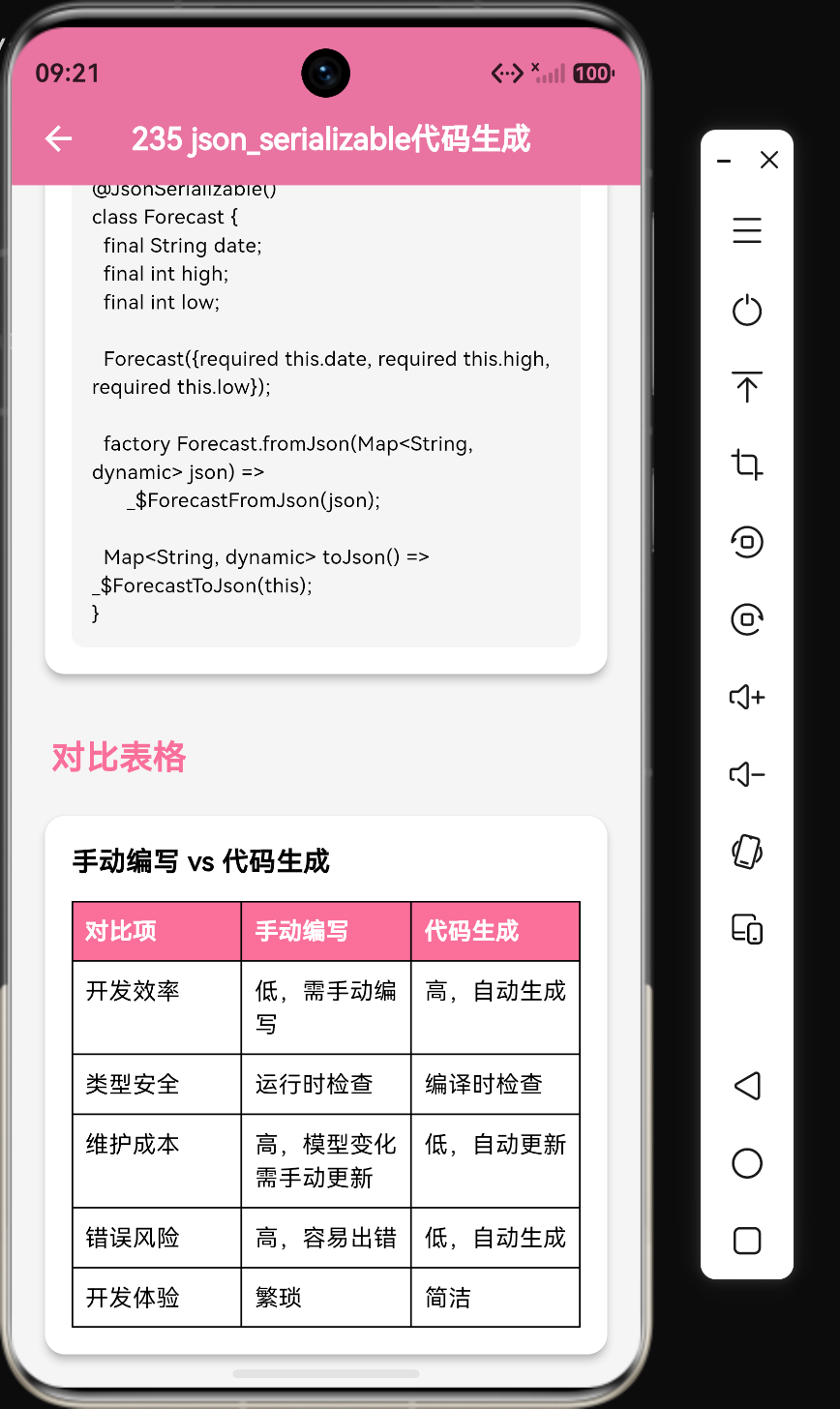
7. 与手动序列化的对比
| 特性 | 手动序列化 | json_serializable |
|---|---|---|
| 代码量 | 多 | 少(仅需定义模型) |
| 错误率 | 高 | 低(编译时检查) |
| 开发效率 | 低 | 高 |
| 维护成本 | 高 | 低 |
| 灵活性 | 高 | 中 |
| 学习成本 | 低 | 中 |
8. 鸿蒙平台兼容性
8.1 依赖版本选择
确保使用与Flutter版本兼容的 json_serializable 版本。
8.2 代码生成
代码生成在开发机器上完成,生成的 .g.dart 文件会被打包到应用中,鸿蒙平台运行时无需额外处理。
8.3 性能考虑
生成的代码与手动编写的代码性能相当,不会影响鸿蒙平台的运行效率。
9. 常见问题与解决方案
9.1 生成代码失败
问题:运行 build_runner 时出错
解决方案:
- 确保所有依赖已正确安装
- 检查注解是否正确
- 运行
flutter pub run build_runner clean清除缓存后重试
9.2 字段不匹配
问题:JSON字段名与Dart字段名不同
解决方案:
- 使用
@JsonKey(name: 'json_field_name')重命名 - 使用
fieldRename配置自动转换命名风格
9.3 嵌套对象序列化失败
问题:嵌套对象没有正确序列化
解决方案:
- 在
@JsonSerializable()中设置explicitToJson: true - 确保嵌套对象也使用了
@JsonSerializable()注解
9.4 DateTime类型处理
问题:DateTime类型无法直接序列化
解决方案:
- 使用
@JsonKey(fromJson: ..., toJson: ...)自定义转换函数 - 使用
json_serializable的dateTimeFormat配置
10. 总结
json_serializable 是Flutter开发中处理JSON序列化的最佳工具之一,通过代码生成大大提高了开发效率和代码质量。掌握其配置和使用方法是每个Flutter开发者的必备技能。下一章将介绍如何处理复杂JSON结构。
核心知识点回顾
json_serializable通过注解自动生成序列化代码- 需要在
pubspec.yaml中添加json_annotation和json_serializable依赖 - 使用
@JsonSerializable()注解标记数据模型类 - 使用
@JsonKey()配置字段映射、默认值、空值处理等 - 使用
flutter pub run build_runner build生成代码 - 嵌套对象需要设置
explicitToJson: true - 支持自定义命名风格转换(snake_case、kebab-case等)
- 生成的代码类型安全,编译时检查

作为“人工智能6S店”的官方数字引擎,为AI开发者与企业提供一个覆盖软硬件全栈、一站式门户。
更多推荐


 5
5 0
0- 0


 已为社区贡献75条内容

所有评论(0)