
鸿蒙Flutter JSON解析与序列化:序列化与反序列化核心技巧
·
概述
在Flutter开发中,序列化(Serialization)和反序列化(Deserialization)是将Dart对象与JSON数据相互转换的过程。这是网络请求、数据存储和状态管理的核心操作。本文将详细介绍序列化与反序列化的实现方法,结合天气查询应用的实际场景,帮助开发者掌握数据转换的核心技巧。
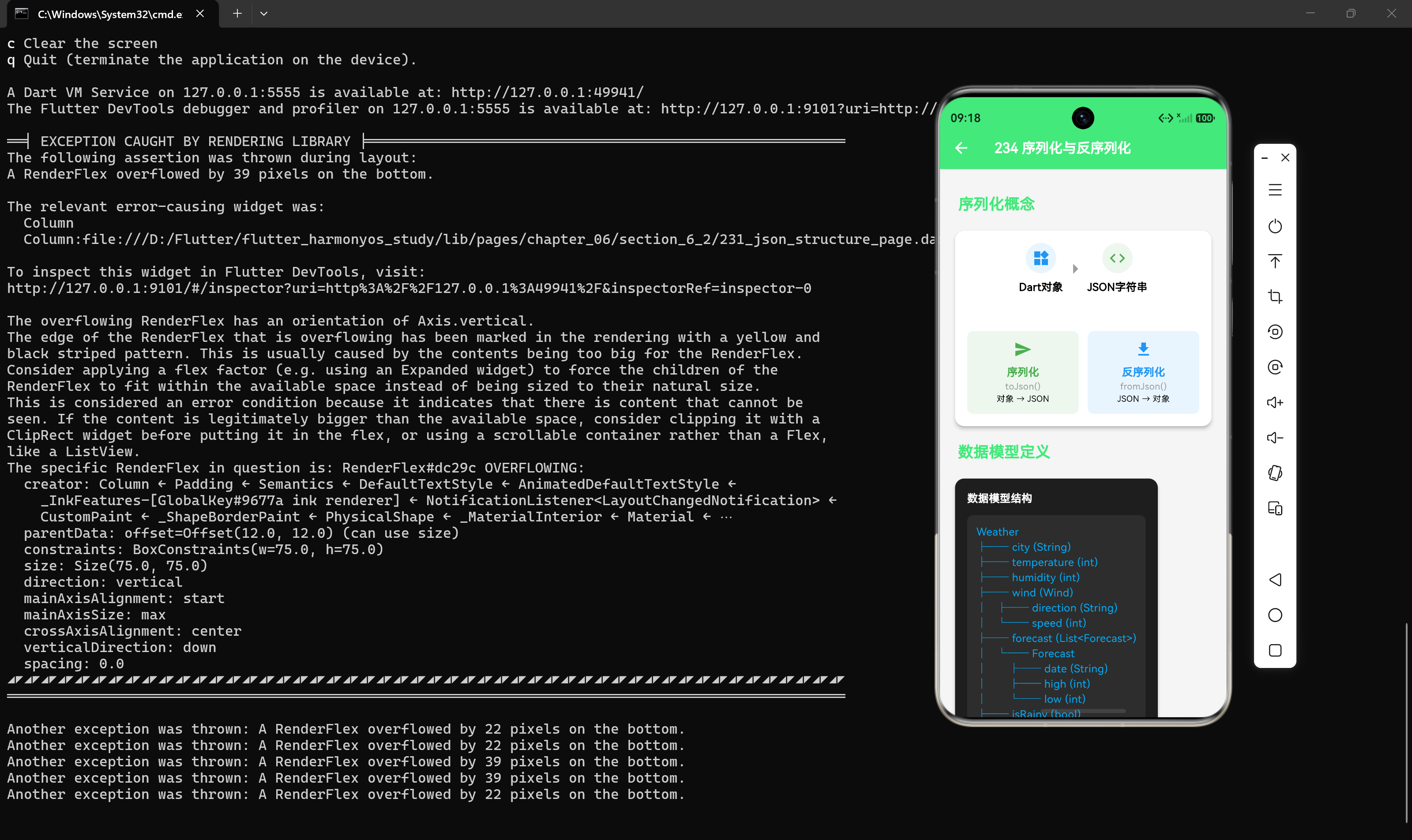
1. 序列化与反序列化概念
1.1 序列化(Serialization)
序列化是将Dart对象转换为JSON字符串的过程,用于:
- 网络请求发送数据
- 本地存储数据
- 数据传输和共享
1.2 反序列化(Deserialization)
反序列化是将JSON字符串转换为Dart对象的过程,用于:
- 解析网络响应数据
- 读取本地存储数据
- 初始化应用状态
1.3 转换流程
Dart对象 ──序列化──→ JSON字符串 ──反序列化──→ Dart对象
   │                         │                         │
   │  toJson()               │  jsonDecode()           │  fromJson()
   │                         │                         │
   ▼                         ▼                         ▼
 Map<String,dynamic>      String                  Map<String,dynamic>
2. 手动实现序列化与反序列化
2.1 基础数据模型
class Weather {
  final String city;
  final int temperature;
  final int humidity;
  final bool isRainy;
  final String updateTime;

  Weather({
    required this.city,
    required this.temperature,
    required this.humidity,
    required this.isRainy,
    required this.updateTime,
  });
}
2.2 实现toJson()方法(序列化)
Map<String, dynamic> toJson() {
  return {
    'city': city,
    'temperature': temperature,
    'humidity': humidity,
    'isRainy': isRainy,
    'updateTime': updateTime,
  };
}
2.3 实现fromJson()工厂方法(反序列化)
factory Weather.fromJson(Map<String, dynamic> json) {
  return Weather(
    city: json['city'] as String,
    temperature: (json['temperature'] as num).toInt(),
    humidity: (json['humidity'] as num).toInt(),
    isRainy: json['isRainy'] as bool,
    updateTime: json['updateTime'] as String,
  );
}
2.4 完整数据模型示例
class Weather {
  final String city;
  final int temperature;
  final int humidity;
  final bool isRainy;
  final String updateTime;

  Weather({
    required this.city,
    required this.temperature,
    required this.humidity,
    required this.isRainy,
    required this.updateTime,
  });

  Map<String, dynamic> toJson() {
    return {
      'city': city,
      'temperature': temperature,
      'humidity': humidity,
      'isRainy': isRainy,
      'updateTime': updateTime,
    };
  }

  factory Weather.fromJson(Map<String, dynamic> json) {
    return Weather(
      city: json['city'] as String,
      temperature: (json['temperature'] as num).toInt(),
      humidity: (json['humidity'] as num).toInt(),
      isRainy: json['isRainy'] as bool,
      updateTime: json['updateTime'] as String,
    );
  }
}
3. 处理嵌套对象
3.1 创建嵌套数据模型
class Wind {
  final String direction;
  final int speed;

  Wind({required this.direction, required this.speed});

  Map<String, dynamic> toJson() {
    return {'direction': direction, 'speed': speed};
  }

  factory Wind.fromJson(Map<String, dynamic> json) {
    return Wind(
      direction: json['direction'] as String,
      speed: (json['speed'] as num).toInt(),
    );
  }
}

class Forecast {
  final String date;
  final int high;
  final int low;

  Forecast({required this.date, required this.high, required this.low});

  Map<String, dynamic> toJson() {
    return {'date': date, 'high': high, 'low': low};
  }

  factory Forecast.fromJson(Map<String, dynamic> json) {
    return Forecast(
      date: json['date'] as String,
      high: (json['high'] as num).toInt(),
      low: (json['low'] as num).toInt(),
    );
  }
}
3.2 在主模型中使用嵌套模型
class Weather {
  final String city;
  final int temperature;
  final Wind wind;
  final List<Forecast> forecast;

  Weather({
    required this.city,
    required this.temperature,
    required this.wind,
    required this.forecast,
  });

  Map<String, dynamic> toJson() {
    return {
      'city': city,
      'temperature': temperature,
      'wind': wind.toJson(),
      'forecast': forecast.map((e) => e.toJson()).toList(),
    };
  }

  factory Weather.fromJson(Map<String, dynamic> json) {
    return Weather(
      city: json['city'] as String,
      temperature: (json['temperature'] as num).toInt(),
      wind: Wind.fromJson(json['wind'] as Map<String, dynamic>),
      forecast: (json['forecast'] as List<dynamic>)
          .map((e) => Forecast.fromJson(e as Map<String, dynamic>))
          .toList(),
    );
  }
}
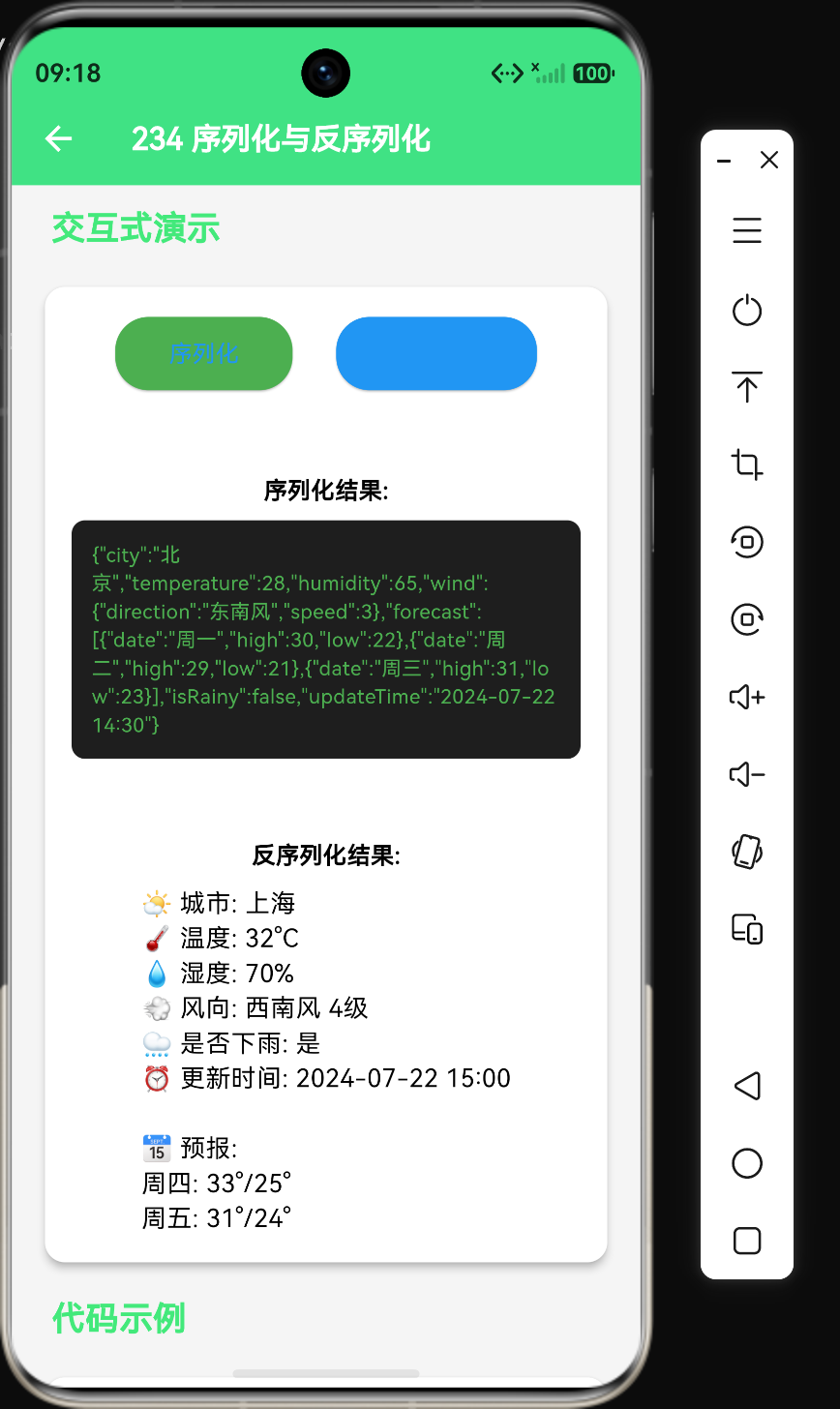
4. 完整示例:天气数据序列化与反序列化
import 'dart:convert';

void main() {
  // 创建Weather对象
  Weather weather = Weather(
    city: '北京',
    temperature: 28,
    humidity: 65,
    wind: Wind(direction: '东南风', speed: 3),
    forecast: [
      Forecast(date: '周一', high: 30, low: 22),
      Forecast(date: '周二', high: 29, low: 21),
      Forecast(date: '周三', high: 31, low: 23),
    ],
    isRainy: false,
    updateTime: '2024-07-22 14:30',
  );

  // 序列化:Dart对象 → JSON字符串
  String jsonString = jsonEncode(weather);
  print('序列化结果:');
  print(jsonString);

  // 反序列化:JSON字符串 → Dart对象
  Map<String, dynamic> jsonData = jsonDecode(jsonString);
  Weather decodedWeather = Weather.fromJson(jsonData);

  print('\n反序列化结果:');
  print('城市: ${decodedWeather.city}');
  print('温度: ${decodedWeather.temperature}°C');
  print('风向: ${decodedWeather.wind.direction} ${decodedWeather.wind.speed}级');
}
5. 处理可选字段和空值
5.1 可选字段处理
class Weather {
  final String city;
  final int temperature;
  final String? description; // 可选字段

  Weather({
    required this.city,
    required this.temperature,
    this.description,
  });

  Map<String, dynamic> toJson() {
    return {
      'city': city,
      'temperature': temperature,
      if (description != null) 'description': description,
    };
  }

  factory Weather.fromJson(Map<String, dynamic> json) {
    return Weather(
      city: json['city'] as String,
      temperature: (json['temperature'] as num).toInt(),
      description: json['description'] as String?,
    );
  }
}
5.2 默认值处理
factory Weather.fromJson(Map<String, dynamic> json) {
  return Weather(
    city: json['city'] as String? ?? '未知城市',
    temperature: (json['temperature'] as num?)?.toInt() ?? 0,
    humidity: (json['humidity'] as num?)?.toInt() ?? 50,
  );
}
6. 类型安全保障
6.1 使用num统一处理数字类型
int temperature = (json['temperature'] as num).toInt();
double pressure = (json['pressure'] as num).toDouble();
6.2 使用as?进行安全转换
String? city = json['city'] as String?;
if (city == null) {
  throw FormatException('城市字段不能为空');
}
6.3 添加类型检查
factory Weather.fromJson(Map<String, dynamic> json) {
  if (json['city'] is! String) {
    throw TypeError();
  }
  if (json['temperature'] is! num) {
    throw TypeError();
  }

  return Weather(
    city: json['city'] as String,
    temperature: (json['temperature'] as num).toInt(),
  );
}
7. 序列化与反序列化的最佳实践
7.1 使用不可变对象
class Weather {
  final String city; // 使用final保证不可变性
  final int temperature;

  const Weather({required this.city, required this.temperature});
}
7.2 封装转换逻辑
将转换逻辑封装到数据模型中,便于维护和复用。
7.3 提供copyWith方法
Weather copyWith({
  String? city,
  int? temperature,
}) {
  return Weather(
    city: city ?? this.city,
    temperature: temperature ?? this.temperature,
  );
}
7.4 添加toString方法
String toString() {
return 'Weather{city: $city, temperature: ${temperature}°C}';
}
8. 性能优化策略
8.1 缓存序列化结果
class Weather {
  final String city;
  final int temperature;
  String? _cachedJson;

  Weather({required this.city, required this.temperature});

  String toJsonString() {
    if (_cachedJson == null) {
      _cachedJson = jsonEncode({'city': city, 'temperature': temperature});
    }
    return _cachedJson!;
  }
}
8.2 避免频繁创建对象
在循环中处理大量数据时,避免频繁创建临时对象。
8.3 使用更高效的数据结构
对于简单的数据结构,直接使用Map而不是自定义类可以提高性能。
9. 鸿蒙平台注意事项
9.1 编码一致性
确保在鸿蒙平台上使用UTF-8编码进行数据转换。
9.2 平台特定数据格式
处理日期时间等平台特定的数据格式时,确保转换逻辑兼容鸿蒙平台。
9.3 内存管理
在鸿蒙平台上,注意序列化和反序列化过程中的内存使用,避免内存泄漏。
10. 总结
序列化与反序列化是Flutter开发中数据处理的核心技能。通过手动实现 toJson() 和 fromJson() 方法,开发者可以灵活地处理各种JSON数据格式。在实际项目中,对于复杂的数据结构,推荐使用代码生成工具提高开发效率。下一章将介绍 json_serializable 代码生成工具的使用方法。
核心知识点回顾
- 序列化是将Dart对象转换为JSON字符串的过程
- 反序列化是将JSON字符串转换为Dart对象的过程
- 使用
toJson()方法实现序列化 - 使用
fromJson()工厂方法实现反序列化 - 嵌套对象需要递归调用各自的转换方法
- 使用空值安全操作符处理可选字段
- 使用
num统一处理数字类型,避免类型转换错误 - 将转换逻辑封装到数据模型类中

作为“人工智能6S店”的官方数字引擎,为AI开发者与企业提供一个覆盖软硬件全栈、一站式门户。
更多推荐


 4
4 0
0- 0


 已为社区贡献75条内容

所有评论(0)