
鸿蒙Flutter 组件间状态共享
概述
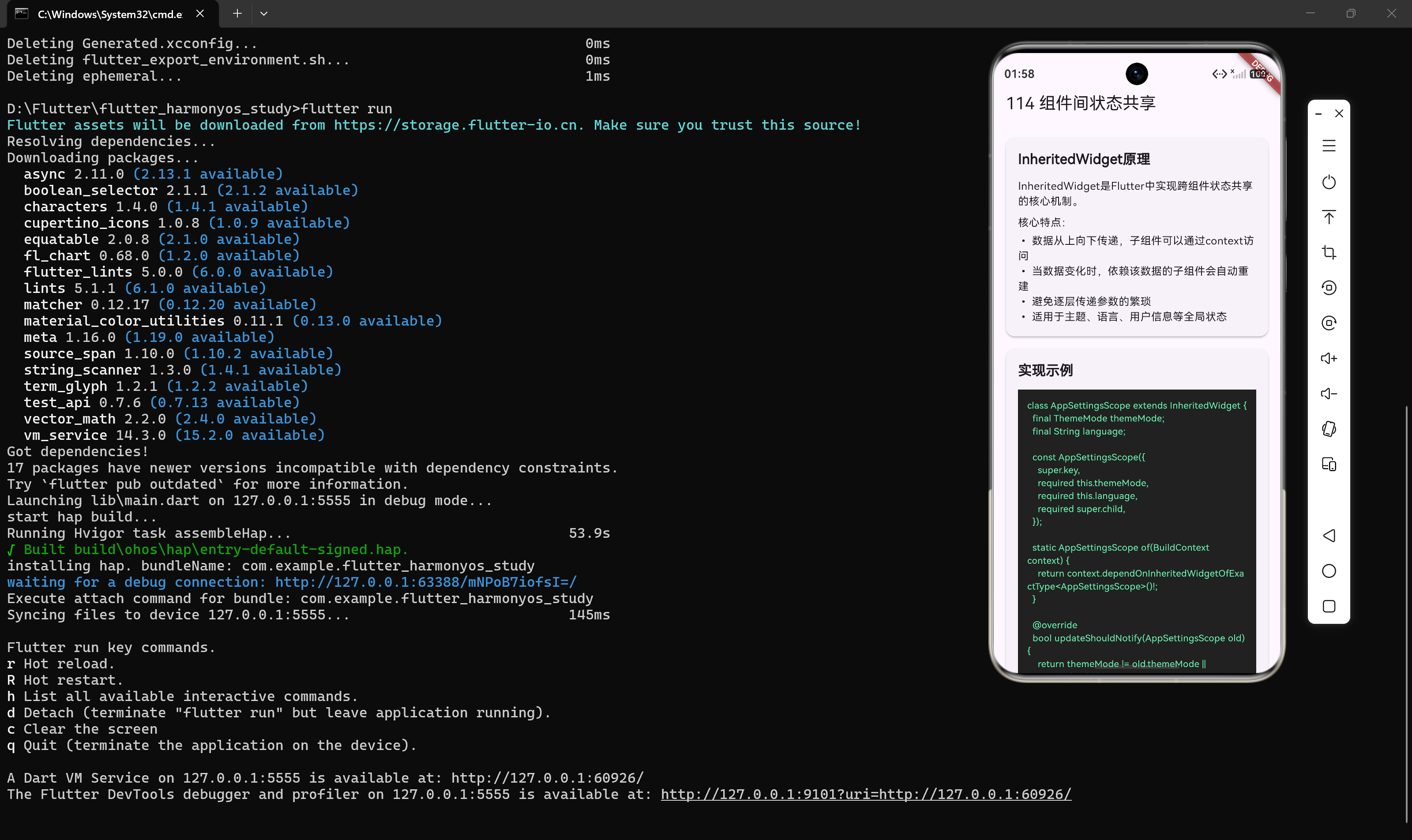
组件间状态共享是 Flutter 开发中常见的需求。当多个组件需要访问和修改同一状态时,我们需要一种高效的方式来实现状态共享。InheritedWidget 是 Flutter 提供的原生解决方案。
什么是 InheritedWidget
InheritedWidget 是 Flutter 框架提供的一种特殊 Widget,它允许数据在 Widget 树中从上向下传递,而不需要通过逐层传递参数。
核心特点
- 数据从上向下传递:子组件可以通过
context访问祖先组件提供的数据 - 自动依赖追踪:当数据变化时,依赖该数据的子组件会自动重建
- 避免逐层传递:不需要通过每一层组件传递参数
- 适用于全局状态:如主题、语言、用户信息等
InheritedWidget 的实现
第一步:创建 InheritedWidget 子类
class AppSettingsScope extends InheritedWidget {
final ThemeMode themeMode;
final String language;
const AppSettingsScope({
super.key,
required this.themeMode,
required this.language,
required super.child,
});
static AppSettingsScope of(BuildContext context) {
  return context.dependOnInheritedWidgetOfExactType<AppSettingsScope>()!;
}
bool updateShouldNotify(AppSettingsScope old) {
return themeMode != old.themeMode || language != old.language;
}
}
关键方法解析
of 方法:提供一个静态方法,让子组件可以方便地获取 InheritedWidget 实例。
static AppSettingsScope of(BuildContext context) {
return context.dependOnInheritedWidgetOfExactType<AppSettingsScope>()!;
}
updateShouldNotify 方法:决定当数据变化时,是否通知依赖该数据的子组件重建。
bool updateShouldNotify(AppSettingsScope old) {
return themeMode != old.themeMode || language != old.language;
}
只有当 themeMode 或 language 发生变化时,才会通知子组件重建。
第二步:使用 InheritedWidget 包裹应用
class MyApp extends StatelessWidget {
const MyApp({super.key});
Widget build(BuildContext context) {
return AppSettingsScope(
themeMode: ThemeMode.light,
language: '中文',
child: MaterialApp(
title: 'Flutter Demo',
home: const HomePage(),
),
);
}
}
第三步:子组件访问数据
class ThemeDisplay extends StatelessWidget {
const ThemeDisplay({super.key});
Widget build(BuildContext context) {
final settings = AppSettingsScope.of(context);
return Text('当前主题: ${settings.themeMode == ThemeMode.light ? '亮色' : '暗色'}');
}
}
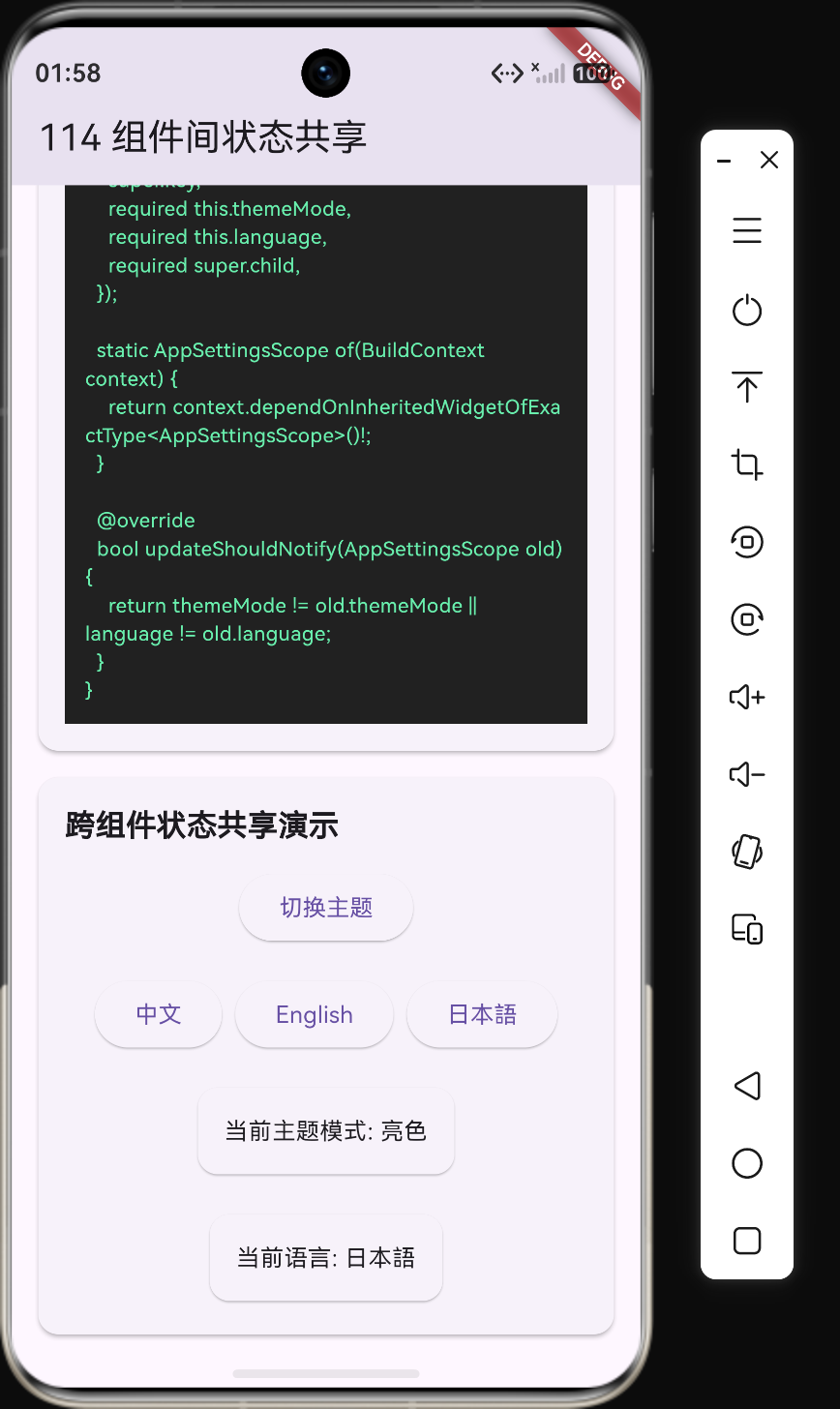
完整示例:主题和语言切换
创建状态管理
class AppSettingsScope extends InheritedWidget {
final ThemeMode themeMode;
final String language;
final void Function(ThemeMode) onThemeChanged;
final void Function(String) onLanguageChanged;
const AppSettingsScope({
super.key,
required this.themeMode,
required this.language,
required this.onThemeChanged,
required this.onLanguageChanged,
required super.child,
});
static AppSettingsScope of(BuildContext context) {
return context.dependOnInheritedWidgetOfExactType<AppSettingsScope>()!;
}
bool updateShouldNotify(AppSettingsScope old) {
return themeMode != old.themeMode || language != old.language;
}
}
创建主应用
class SettingsApp extends StatefulWidget {
const SettingsApp({super.key});
State<SettingsApp> createState() => _SettingsAppState();
}
class _SettingsAppState extends State<SettingsApp> {
ThemeMode _themeMode = ThemeMode.light;
String _language = '中文';
void _toggleTheme() {
setState(() {
_themeMode = _themeMode == ThemeMode.light ? ThemeMode.dark : ThemeMode.light;
});
}
void _changeLanguage(String language) {
setState(() {
_language = language;
});
}
Widget build(BuildContext context) {
return AppSettingsScope(
themeMode: _themeMode,
language: _language,
onThemeChanged: (theme) => _themeMode = theme,
onLanguageChanged: (lang) => _language = lang,
child: MaterialApp(
themeMode: _themeMode,
theme: ThemeData.light(),
darkTheme: ThemeData.dark(),
home: const SettingsPage(),
),
);
}
}
创建设置页面
class SettingsPage extends StatelessWidget {
const SettingsPage({super.key});
Widget build(BuildContext context) {
final settings = AppSettingsScope.of(context);
return Scaffold(
appBar: AppBar(title: const Text('设置')),
body: ListView(
padding: const EdgeInsets.all(16),
children: [
ListTile(
title: const Text('主题切换'),
trailing: ElevatedButton(
onPressed: () => settings.onThemeChanged(
settings.themeMode == ThemeMode.light ? ThemeMode.dark : ThemeMode.light,
),
child: const Text('切换'),
),
),
ListTile(
title: const Text('语言选择'),
trailing: DropdownButton<String>(
value: settings.language,
items: const [
DropdownMenuItem(value: '中文', child: Text('中文')),
DropdownMenuItem(value: 'English', child: Text('English')),
DropdownMenuItem(value: '日本語', child: Text('日本語')),
],
onChanged: (value) => value != null ? settings.onLanguageChanged(value) : null,
),
),
const ThemeDisplay(),
const LanguageDisplay(),
],
),
);
}
}
class ThemeDisplay extends StatelessWidget {
const ThemeDisplay({super.key});
Widget build(BuildContext context) {
final settings = AppSettingsScope.of(context);
return Card(
child: Padding(
padding: const EdgeInsets.all(16),
child: Text('当前主题模式: ${settings.themeMode == ThemeMode.light ? '亮色' : '暗色'}'),
),
);
}
}
class LanguageDisplay extends StatelessWidget {
const LanguageDisplay({super.key});
Widget build(BuildContext context) {
final settings = AppSettingsScope.of(context);
return Card(
child: Padding(
padding: const EdgeInsets.all(16),
child: Text('当前语言: ${settings.language}'),
),
);
}
}
InheritedWidget 的工作原理
依赖追踪机制
当子组件调用 AppSettingsScope.of(context) 时,Flutter 会建立一个依赖关系:
┌─────────────────────────────────────────────────────────────────┐
│                    AppSettingsScope                             │
│              (InheritedWidget, 持有主题和语言数据)               │
└─────────────────────────────────────────────────────────────────┘
                              │
              ┌───────────────┼───────────────┐
              ▼               ▼               ▼
      ┌─────────────┐ ┌─────────────┐ ┌─────────────┐
      │ ThemeDisplay│ │LanguageDisplay│ │ SettingsPage │
      │  (依赖主题)  │ │  (依赖语言)  │ │ (依赖两者)   │
      └─────────────┘ └─────────────┘ └─────────────┘
更新流程
当 updateShouldNotify 返回 true 时,Flutter 会通知所有依赖该 InheritedWidget 的子组件重建:
AppSettingsScope的数据发生变化updateShouldNotify返回true- Flutter 遍历所有依赖该
InheritedWidget的子组件 - 调用这些子组件的
build方法重建
InheritedWidget 的优缺点
优点
- 原生支持:不需要引入额外的状态管理库
- 高效更新:只有依赖数据变化的子组件才会重建
- 代码简洁:不需要通过回调逐层传递状态
- 类型安全:编译时检查数据类型
缺点
- 只能向下传递:数据只能从上向下传递,不能反向传递
- 状态修改不便:需要通过回调函数修改状态
- 复杂场景有限:不适合复杂的状态管理场景
- 样板代码多:需要编写较多的样板代码
最佳实践
实践 1:封装状态和操作
将状态和操作封装在一起,提供清晰的 API。
class AppSettingsScope extends InheritedWidget {
  final ThemeMode themeMode;
  final String language;
  final void Function() toggleTheme;
  final void Function(String) changeLanguage;

  // ...
}
实践 2:使用 const 构造函数
对于不变的 InheritedWidget,使用 const 构造函数可以提高性能。
const AppSettingsScope({
  super.key,
  required this.themeMode,
  required this.language,
  required super.child,
});
实践 3:合理分割 InheritedWidget
将不同类型的状态放在不同的 InheritedWidget 中,避免不必要的重建。
// 主题状态
class ThemeScope extends InheritedWidget { ... }

// 语言状态
class LanguageScope extends InheritedWidget { ... }

// 用户状态
class UserScope extends InheritedWidget { ... }
实践 4:使用 context.select 精确控制依赖
使用 context.select 只依赖需要的数据,减少不必要的重建。
class ThemeDisplay extends StatelessWidget {
const ThemeDisplay({super.key});
Widget build(BuildContext context) {
// 只依赖 themeMode,language 变化不会触发重建
final themeMode = context.select((AppSettingsScope scope) => scope.themeMode);
return Text('主题: ${themeMode == ThemeMode.light ? '亮色' : '暗色'}');
}
}
InheritedWidget 与状态管理库
InheritedWidget 是 Flutter 状态管理的基础,很多状态管理库都是基于它构建的:
| 库 | 基于 InheritedWidget | 说明 |
|---|---|---|
| Provider | 是 | 最常用的状态管理库 |
| Riverpod | 否 | Provider 的改进版,不依赖 Widget 树 |
| Bloc | 否 | 基于 Stream 的状态管理 |
| GetX | 否 | 轻量级状态管理方案 |
Provider 的原理
Provider 是对 InheritedWidget 的封装,提供了更便捷的 API:
// 使用 Provider
ChangeNotifierProvider(
  create: (context) => CartModel(),
  child: MyApp(),
)

// 消费状态
final cart = Provider.of<CartModel>(context);
底层实现仍然是 InheritedWidget,但 API 更加友好。
总结
InheritedWidget 是 Flutter 组件间状态共享的核心机制,适用于以下场景:
- 主题、语言等全局配置
- 用户登录状态
- 应用设置
掌握 InheritedWidget 的原理和用法,对于理解 Flutter 的状态管理机制至关重要。在下一节中,我们将探讨复杂状态管理的痛点和解决方案。

作为“人工智能6S店”的官方数字引擎,为AI开发者与企业提供一个覆盖软硬件全栈、一站式门户。
更多推荐

 5
5 0
0- 0


 已为社区贡献8条内容

所有评论(0)