
鸿蒙应用开发实战【84】— UI测试DevEco Previewer使用技巧
·
鸿蒙应用开发实战【84】— UI测试DevEco Previewer使用技巧
本文是「号码助手全栈开发系列」第 84 篇,持续更新中…
开源社区:https://openharmonycrossplatform.csdn.net
前言
DevEco Studio 的 Previewer(预览器)是 UI 开发的利器——不需要连接真机或启动模拟器,即可实时预览页面效果。结合 @Preview 装饰器和多设备预览,可以大幅提升 UI 开发效率。
本篇涵盖:@Preview 装饰器使用、多尺寸设备同步预览、交互式预览(点击/滑动模拟)、预览与源码双向定位、@Entry + @Preview 共存策略、常见预览失败排查。
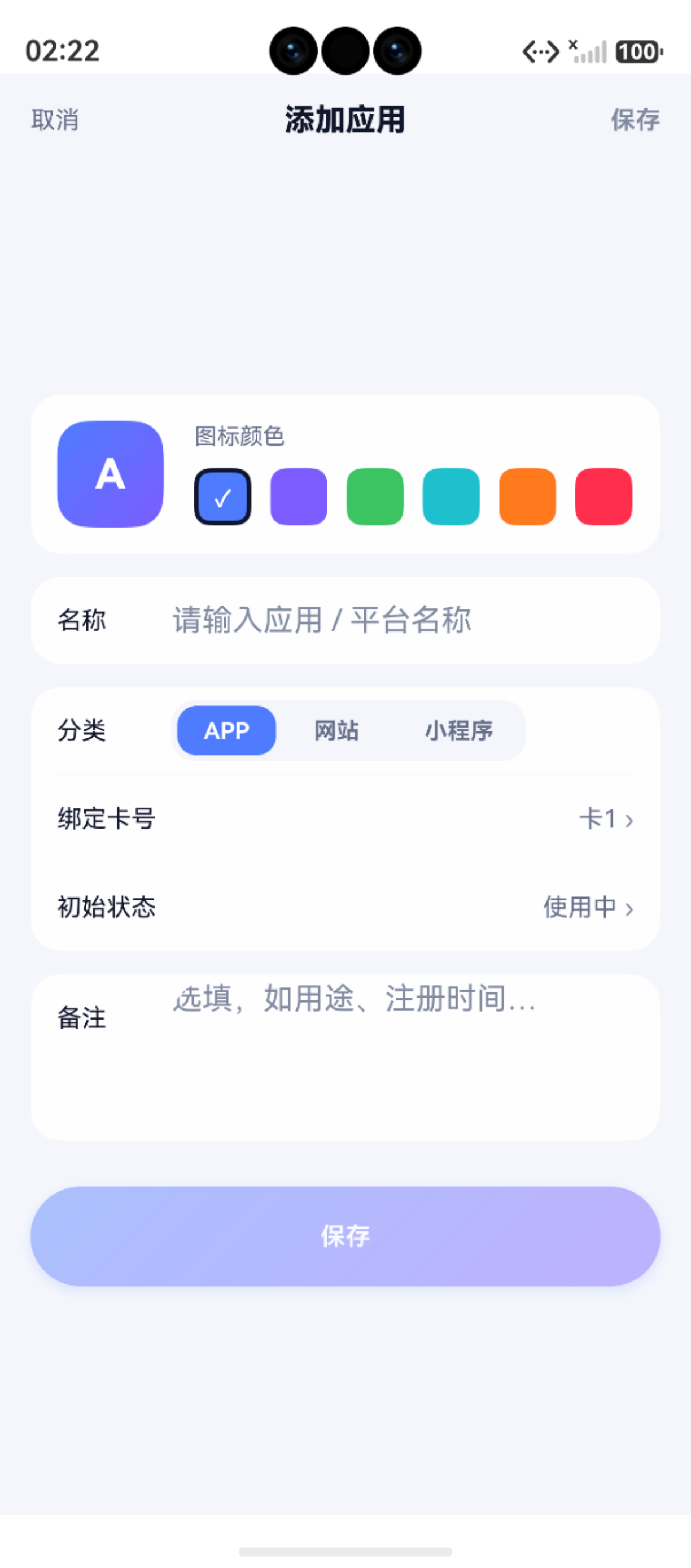
一、@Preview 装饰器
1.1 基础使用
@Component
@Preview  // 标记为可预览
struct HomePagePreview {
  build() {
    HomePage()  // 直接渲染目标组件
  }
}
1.2 @Preview 参数
@Preview({
  title: '首页预览',          // 预览标题
  deviceType: 'phone',        // 设备类型
  height: 1920,               // 屏幕高度
  width: 1080,                // 屏幕宽度
  locale: 'zh-CN',            // 语言环境
  colorMode: 'light'          // 颜色模式
})
@Component
struct HomePagePreview { ... }
1.3 与 @Entry 共存
// 同一个 .ets 文件中可以同时有 @Entry 和 @Preview
@Entry
@Component
struct HomePage {
  build() { ... }
}

// 第二个组件加 @Preview 用于预览
@Preview
@Component
struct HomePagePreview {
  build() {
    HomePage()
  }
}
注意:一个 .ets 文件中只能有一个 @Entry,但可以有多个 @Preview。
二、多设备同步预览
2.1 多配置
@Preview({ deviceType: 'phone', width: 360, height: 780 })
@Preview({ deviceType: 'tablet', width: 1280, height: 800 })
@Preview({ deviceType: 'foldable', width: 712, height: 1136 })
@Component
struct ResponsivePreview {
  build() {
    MyComponent()
  }
}
2.2 快速验证布局
将 layoutWeight 和 Size 配合 Previewer 快速验证:
@Preview
@Component
struct FilterChipsPreview {
  build() {
    Scroll() {
      Row({ space: 8 }) {
        ForEach(['全部', 'APP', '网站', '小程序'], (cat: string) => {
          Text(cat)
            .padding({ left: 14, right: 14, top: 6, bottom: 6 })
            .borderRadius(16)
            .fontColor('#FFFFFF')
            .backgroundColor('#4F7CFF')
        })
      }
    }
    .scrollable(ScrollDirection.Horizontal)
  }
}
三、交互式预览
Previewer 支持基本的交互模拟:
| 操作 | 方式 |
|---|---|
| 点击 | 鼠标左键点击 UI 元素 |
| 滑动 | 鼠标拖拽 Scroll/List 区域 |
| 输入 | 键盘输入到 TextInput/TextArea |
| 返回 | 模拟系统返回手势 |
四、常见问题处理
| 问题 | 原因 | 解决 | 排查难度 |
|---|---|---|---|
| 空白预览 | @Preview 缺失 | 添加 @Preview 装饰器 | ⭐ 低 |
| 路由错误 | getUIContext 在 preview 中受限 | 使用参数注入而非路由 | ⭐⭐ 中 |
| 数据为空 | 未 mock 数据 | 在 @Preview 组件中传入 mock 数据 | ⭐ 低 |
| 构建失败 | ArkTS 版本不兼容 | 检查 build-profile.json5 的 arkTSVersion | ⭐⭐⭐ 高 |
| 性能卡顿 | 复杂动画 | 减少 @Preview 中动画组件数量 | ⭐⭐ 中 |
小结
| 要点 | 说明 |
|---|---|
| @Preview | 标记组件可在 Previewer 中预览 |
| 多设备 | 多个 @Preview 配置不同设备参数 |
| mock 数据 | @Preview 组件中传入假数据测试 UI |
| 交互模拟 | 点击、滑动、输入基本操作 |
| 共存策略 | .ets 中同时保留 @Entry 和 @Preview |
如果这篇文章对你有帮助,欢迎点赞👍、收藏⭐、关注🔔,你的支持是我持续创作的动力!
相关资源:
- openHarmony 跨平台社区:https://openharmonycrossplatform.csdn.net
- HarmonyOS 官方文档:https://developer.huawei.com/consumer/cn/doc/
- HarmonyOS hilog文档:https://developer.huawei.com/consumer/cn/doc/harmonyos-references/hilog
- HarmonyOS testing:https://developer.huawei.com/consumer/cn/doc/harmonyos-guides/unit-test
- DevEco Studio 使用指南:https://developer.huawei.com/consumer/cn/doc/harmonyos-guides/ide-overview

作为“人工智能6S店”的官方数字引擎,为AI开发者与企业提供一个覆盖软硬件全栈、一站式门户。
更多推荐


 5
5 0
0- 0


 已为社区贡献28条内容

所有评论(0)