
AtomGit Flutter 鸿蒙客户端:表单编辑与数据回填
·
编辑已有记录是 CRUD 中最容易出 Bug 的环节。本文详解 E-Brufen 如何实现安全、流畅的编辑体验。
一、编辑状态管理
// diary_page.dart
MoodType? _selectedMood;     // 当前选择的情绪
final _noteController = TextEditingController();  // 备注控制器
DateTime _selectedDate = DateTime.now();  // 选择的日期
int? _editingId;             // 正在编辑的记录 ID(null = 新建模式)
两个模式用一个变量区分:
_editingId == null→ 新建模式_editingId != null→ 编辑模式
二、进入编辑模式
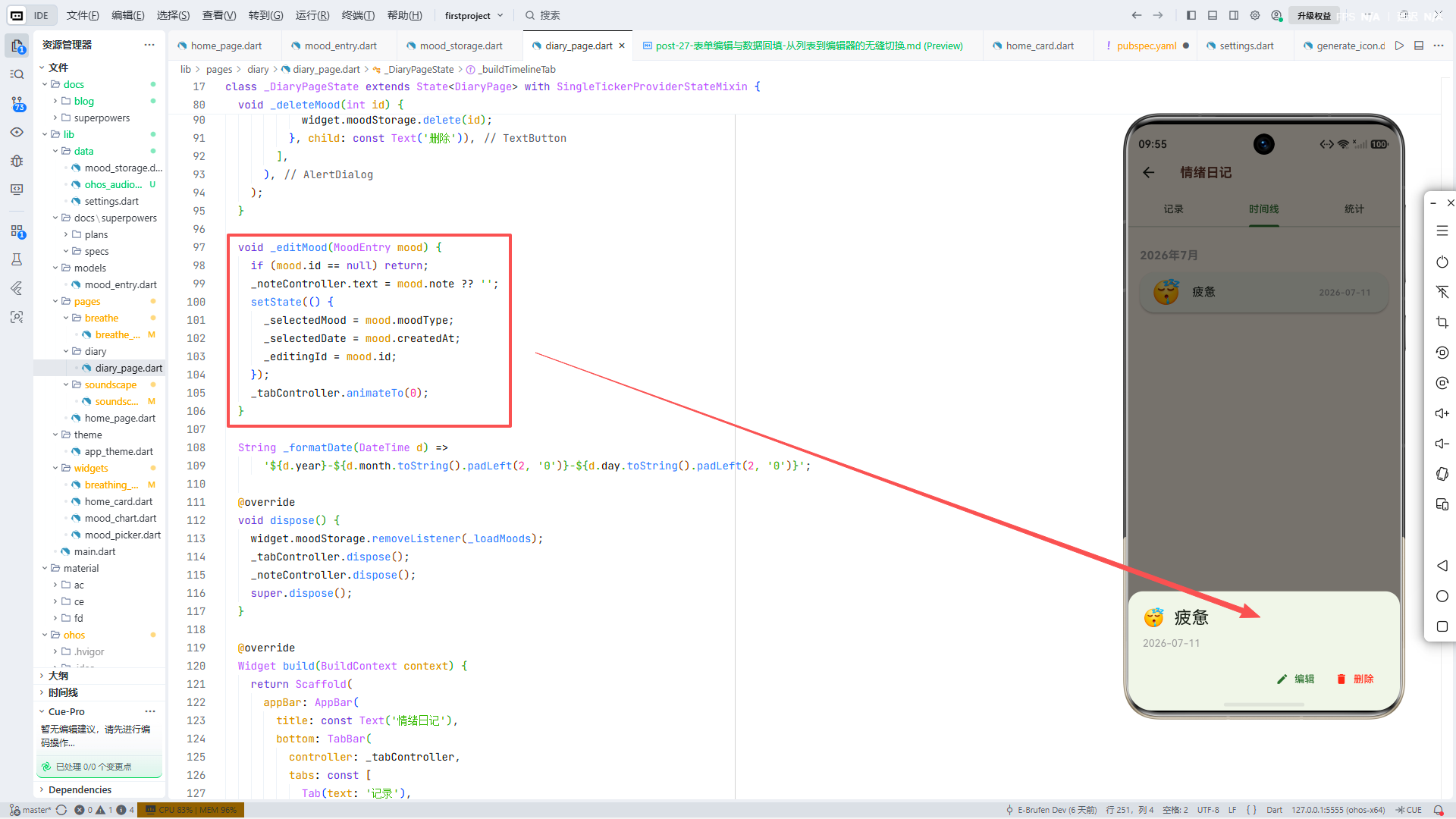
void _editMood(MoodEntry mood) {
  if (mood.id == null) return;

  // 回填数据
  _noteController.text = mood.note ?? '';
  setState(() {
    _selectedMood = mood.moodType;
    _selectedDate = mood.createdAt;
    _editingId = mood.id;        // ← 标记为编辑模式
  });

  _tabController.animateTo(0);   // 切换到"记录"Tab
}
★ Insight ─────────────────────────────────────_tabController.animateTo(0)让编辑入口(在时间线 Tab 2)自动切换到记录 Tab 1。这个跨 Tab 跳转是编辑体验的关键——用户不必手动切回记录页,系统"知道"他要去哪里。animateTo比index = 0更优雅,因为平滑动画让用户感知到空间位置的变化。─────────────────────────────────────────────────
三、UI 的状态区分
按钮文案
ElevatedButton.icon(
  onPressed: _selectedMood != null ? _saveMood : null,
  icon: const Icon(Icons.check),
  label: Text(_editingId != null ? '更新' : '保存'),  // ← 动态文案
)
日期选择器的限制
IconButton(
  icon: const Icon(Icons.chevron_right),
  onPressed: () {
    final next = _selectedDate.add(const Duration(days: 1));
    if (!next.isAfter(DateTime.now())) {
      setState(() => _selectedDate = next);
    }
  },
)
不能选择未来的日期——这个限制对新建和编辑都生效。
四、保存逻辑
void _saveMood() {
  if (_selectedMood == null) return;

  final now = DateTime.now();
  final timestamp = DateTime(
    _selectedDate.year, _selectedDate.month, _selectedDate.day,
    now.hour, now.minute, now.second,
  );

  if (_editingId != null) {
    // 编辑模式:找到原记录并更新
    final existing = widget.moodStorage.getAll().firstWhere(
      (e) => e.id == _editingId,
      orElse: () => MoodEntry(
        moodType: _selectedMood!,
        createdAt: timestamp,
        updatedAt: timestamp,
      ),
    );
    widget.moodStorage.update(_editingId!, existing.copyWith(
      moodType: _selectedMood!,
      note: _noteController.text.isEmpty ? null : _noteController.text,
      updatedAt: timestamp,
    ));
  } else {
    // 新建模式:直接插入
    widget.moodStorage.insert(MoodEntry(
      moodType: _selectedMood!,
      note: _noteController.text.isEmpty ? null : _noteController.text,
      createdAt: timestamp,
      updatedAt: timestamp,
    ));
  }

  // 重置表单
  _noteController.clear();
  _editingId = null;
  setState(() => _selectedMood = null);

  ScaffoldMessenger.of(context).showSnackBar(
    const SnackBar(content: Text('已保存 ✅'), duration: Duration(seconds: 1)),
  );
}
编辑模式的关键逻辑:
- 用
_editingId查找原记录 - 用
copyWith只更新变化的字段(moodType、note、updatedAt) - 保留
id和createdAt不变(copyWith的 null = 保持原值)
保存后的清理:
_noteController.clear();     // 清空文本
_editingId = null;           // 回到新建模式
_selectedMood = null;        // 取消选中
⚠️ 如果不清空
_editingId,用户下次新建也会被当作编辑——这是一个常见的状态污染 Bug。
五、空备注处理
note: _noteController.text.isEmpty ? null : _noteController.text,
空字符串转为 null——在时间线中,null 备注不显示 subtitle,而空字符串会导致一个空的 Text。这样处理保持了 UI 的干净。
六、时间戳策略
final timestamp = DateTime(
  _selectedDate.year, _selectedDate.month, _selectedDate.day,
  now.hour, now.minute, now.second,
);
日期来自用户的选择,但时分秒使用当前时间。这让"补记昨天的情绪"成为可能——日期回填但时间真实。
小结
编辑比新建复杂——涉及状态标记、数据回填、部分更新、表单重置。E-Brufen 用 _editingId 这一个变量干净地区分了两种模式,配合 copyWith 实现了安全的不可变更新。
作者简介:E-Brufen Dev,Flutter & 鸿蒙开发者,专注于跨平台移动应用开发与心理健康数字化,项目地址:AtomGit - E-Brufen。

作为“人工智能6S店”的官方数字引擎,为AI开发者与企业提供一个覆盖软硬件全栈、一站式门户。
更多推荐
 6
6 0
0- 0


 已为社区贡献61条内容

所有评论(0)