
Flutter 嵌入鸿蒙原生 Swiper:PlatformView 从注册到页面显示完整实践
Flutter 嵌入鸿蒙原生 Swiper:PlatformView 从注册到页面显示完整实践
Flutter 页面里可以自己写轮播,也可以嵌入鸿蒙原生 Swiper。什么时候值得嵌入原生组件?通常是你已经有 ArkTS 组件、需要复用鸿蒙侧 UI 能力,或者希望某个区域完全由原生渲染。这个场景不要用 MethodChannel 硬传截图或数据,而要使用 PlatformView。
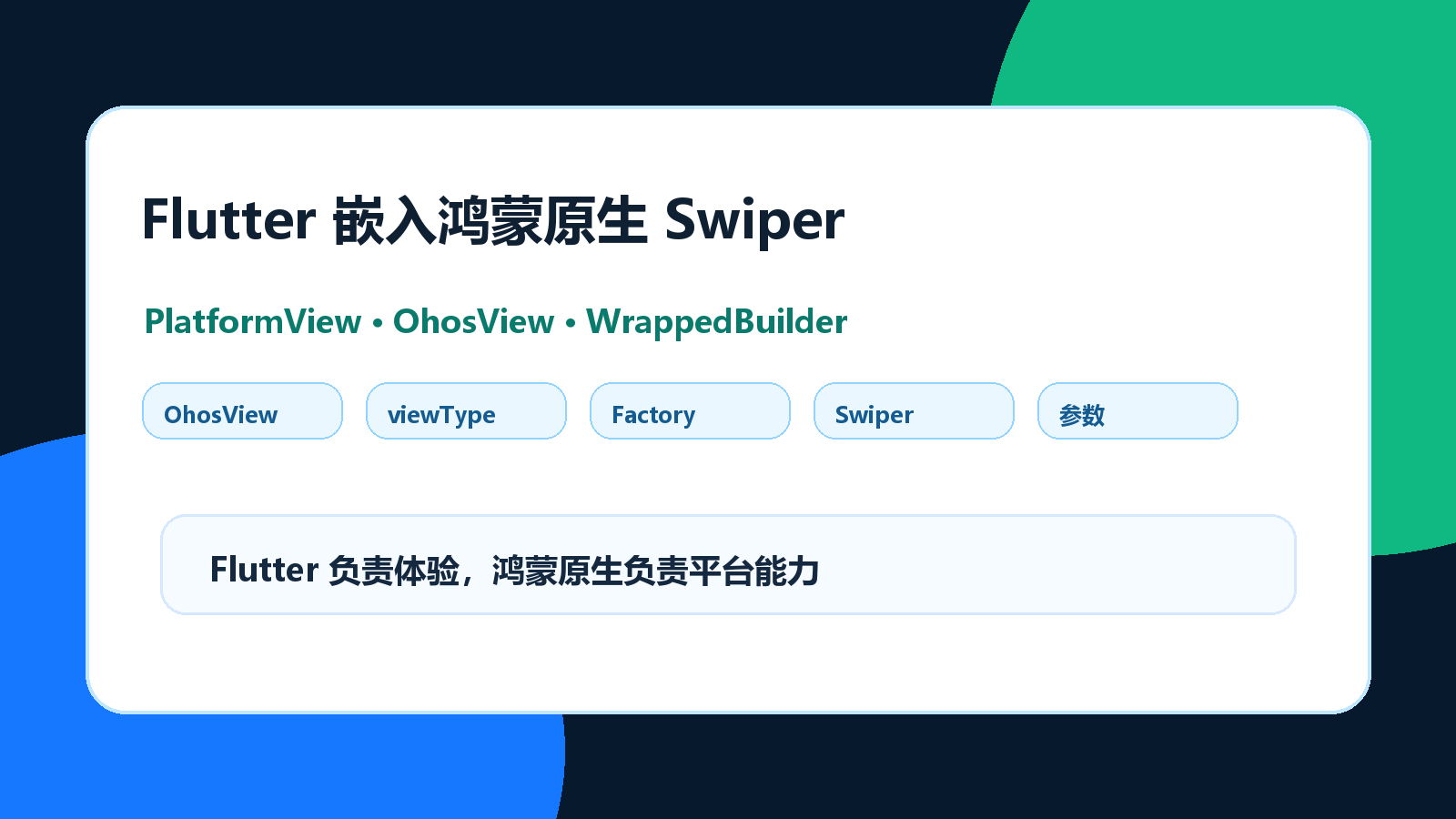
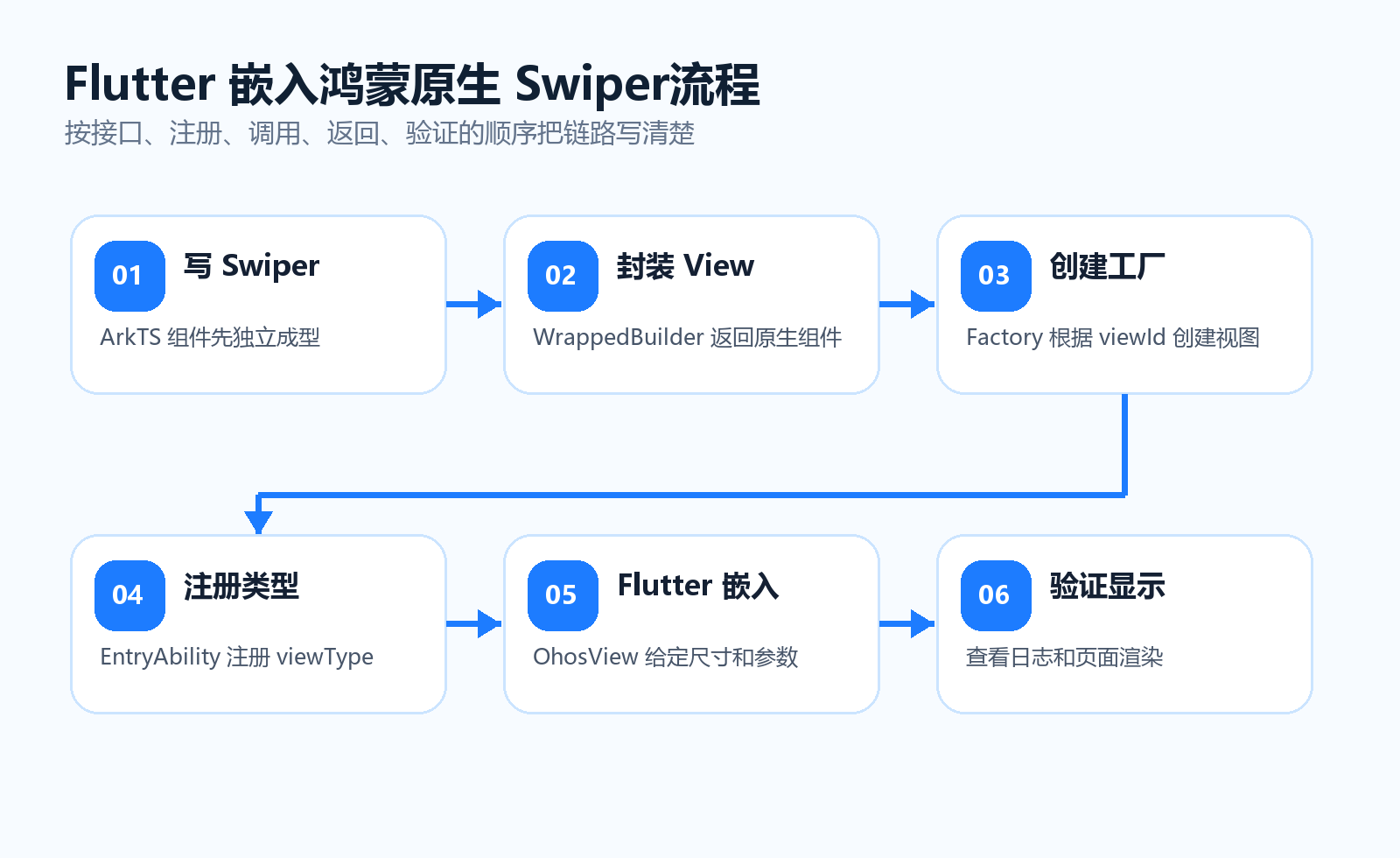
本文以“Flutter 页面嵌入鸿蒙原生 Swiper”为例,讲清楚 Flutter 端 OhosView、鸿蒙端 PlatformViewFactory、PlatformView、WrappedBuilder 的职责边界,并补上参数传递、生命周期和空白页排查。
1. PlatformView 的职责边界
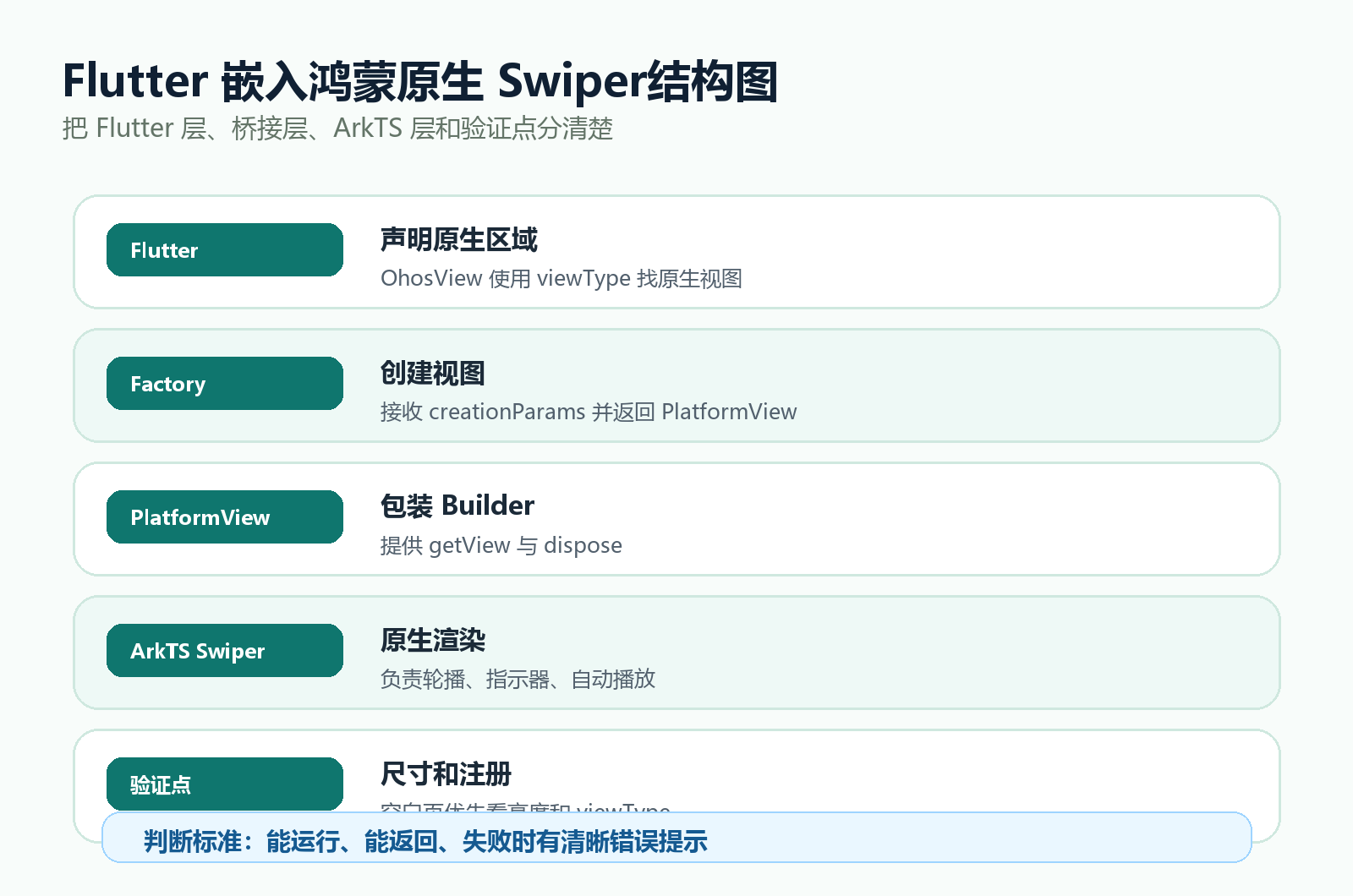
PlatformView 不是“调用一个原生方法”,而是让 Flutter 页面留出一个区域,由鸿蒙原生组件负责渲染。
| 层级 | 负责内容 | 不建议做的事 |
|---|---|---|
| Flutter 页面 | 布局尺寸、传入参数、页面状态 | 不直接写 ArkTS UI |
| OhosView | 声明原生视图 viewType | 不处理原生业务 |
| PlatformViewFactory | 根据 viewType 创建视图 | 不写复杂 UI |
| PlatformView | 返回原生 WrappedBuilder | 不保存无用全局状态 |
| ArkTS Component | 真正渲染 Swiper | 不处理 Flutter 路由 |
这个边界清楚后,空白页、参数不生效、重复注册就更容易定位。
2. 推荐项目结构
project/
  lib/
    pages/
      Film/
        index.dart
  ohos/
    entry/
      src/
        main/
          ets/
            entryability/
              EntryAbility.ets
            views/
              NativeSwiperView.ets
代码解释:
- Flutter 的
Film/index.dart负责页面布局。 - 鸿蒙的
NativeSwiperView.ets负责原生 Swiper。 EntryAbility.ets负责注册 viewType。
3. ArkTS 定义 Swiper 数据和组件
先把原生 Swiper 组件写出来,不要一开始就注册 PlatformView。这样能把 UI 逻辑和注册逻辑分开。
interface SwiperItem {
  id: number;
  title: string;
  color: ResourceColor;
}

@Component
struct NativeSwiperComponent {
  private controller: SwiperController = new SwiperController();
  private data: SwiperItem[] = [
    { id: 1, title: '鸿蒙原生轮播 1', color: '#FF5722' },
    { id: 2, title: '鸿蒙原生轮播 2', color: '#2196F3' },
    { id: 3, title: '鸿蒙原生轮播 3', color: '#4CAF50' }
  ];

  build() {
    Column() {
      Swiper(this.controller) {
        ForEach(this.data, (item: SwiperItem) => {
          Column() {
            Text(item.title)
              .fontSize(24)
              .fontColor(Color.White)
              .fontWeight(FontWeight.Bold)
            Text('ID: ' + item.id.toString())
              .fontSize(16)
              .fontColor(Color.White)
              .margin({ top: 8 })
          }
          .width('100%')
          .height('100%')
          .justifyContent(FlexAlign.Center)
          .backgroundColor(item.color)
        })
      }
      .autoPlay(true)
      .interval(3000)
      .indicator(true)
      .loop(true)
    }
    .width('100%')
    .height('100%')
  }
}
代码解释:
SwiperItem显式定义字段,避免 ArkTS 对对象字面量类型报错。SwiperController放在组件内部,生命周期跟随组件。ForEach中给出明确类型,减少类型推断不稳定。- 根容器必须有宽高,否则 Flutter 侧可能看到空白区域。
4. 封装 WrappedBuilder 和 PlatformView
PlatformView 返回的是鸿蒙侧可渲染的 Builder。
import { PlatformView, PlatformViewFactory, StandardMessageCodec } from '@ohos/flutter_ohos';

@Builder
function NativeSwiperBuilder(params: ESObject) {
  NativeSwiperComponent();
}

export class NativeSwiperPlatformView extends PlatformView {
  getView(): WrappedBuilder<[ESObject]> {
    return new WrappedBuilder(NativeSwiperBuilder);
  }

  dispose(): void {
    console.info('[NativeSwiperPlatformView] dispose');
  }
}

export class NativeSwiperFactory extends PlatformViewFactory {
  constructor() {
    super(StandardMessageCodec.INSTANCE);
  }

  create(context: Context, viewId: number, args: Object): PlatformView {
    console.info('[NativeSwiperFactory] create viewId=' + viewId);
    return new NativeSwiperPlatformView();
  }
}
代码解释:
StandardMessageCodec.INSTANCE用于接收 Flutter 创建视图时传来的参数。create每创建一个 Flutter 原生视图区域,就返回一个 PlatformView。dispose用来释放资源或记录日志,页面销毁时会用到。- 不同 Flutter 鸿蒙版本接口签名可能略有差异,优先参照当前工程模板。
5. 注册 viewType
Flutter 端通过 viewType 找原生工厂,所以注册名要稳定。
import { FlutterAbility, FlutterEngine } from '@ohos/flutter_ohos';
import { GeneratedPluginRegistrant } from '../plugins/GeneratedPluginRegistrant';
import { NativeSwiperFactory } from '../views/NativeSwiperView';

export default class EntryAbility extends FlutterAbility {
  configureFlutterEngine(flutterEngine: FlutterEngine): void {
    super.configureFlutterEngine(flutterEngine);
    GeneratedPluginRegistrant.registerWith(flutterEngine);

    flutterEngine
      .getPlatformViewRegistry()
      .registerViewFactory('native-swiper-view', new NativeSwiperFactory());
  }
}
代码解释:
native-swiper-view是 Flutter 端要使用的 viewType。- 注册动作要在 FlutterEngine 初始化后执行。
- 修改注册代码后,需要完整重启应用。
6. Flutter 端嵌入 OhosView
Flutter 页面要给原生视图明确尺寸。PlatformView 放在无限高度的滚动区域里时,最容易出现空白。
import 'package:flutter/material.dart';
import 'package:flutter/services.dart';
import 'package:flutter_ohos/flutter_ohos.dart';
class NativeSwiperPage extends StatelessWidget {
const NativeSwiperPage({super.key});
Widget build(BuildContext context) {
return Column(
children: [
const Padding(
padding: EdgeInsets.all(16),
child: Text('下方区域由鸿蒙原生 Swiper 渲染'),
),
SizedBox(
height: 220,
width: double.infinity,
child: OhosView(
viewType: 'native-swiper-view',
creationParams: {
'source': 'flutter-film-page',
'autoPlay': true,
},
creationParamsCodec: const StandardMessageCodec(),
),
),
],
);
}
}
代码解释:
viewType必须和鸿蒙端注册名一致。SizedBox给原生视图确定宽高,避免布局阶段没有尺寸。creationParams可以把页面参数传给原生工厂。creationParamsCodec要和原生工厂的 codec 对应。
7. 接收 Flutter 传入的参数
如果希望 Flutter 控制标题、自动播放等配置,可以在 create 中读取参数。
interface SwiperOptions {
  source?: string;
  autoPlay?: boolean;
}

export class NativeSwiperFactory extends PlatformViewFactory {
  constructor() {
    super(StandardMessageCodec.INSTANCE);
  }

  create(context: Context, viewId: number, args: Object): PlatformView {
    const options = args as SwiperOptions;
    console.info('[NativeSwiperFactory] source=' + options?.source);
    return new NativeSwiperPlatformView();
  }
}
代码解释:
args来自 Flutter 的creationParams。- 定义
SwiperOptions可以让字段更清晰。 - 如果参数要影响组件渲染,需要继续传给 Builder 或组件状态。
8. 构建运行与验证
flutter clean
flutter pub get
flutter build hap --debug
flutter run
代码解释:
- 改了 ArkTS 视图和注册逻辑后,不要只依赖热重载。
- 先构建 HAP,可以提前发现 ArkTS 类型错误。
- 运行后查看日志,确认
NativeSwiperFactory create被打印。
9. 常见问题
| 现象 | 原因 | 处理方式 |
|---|---|---|
| 页面空白 | 没给 OhosView 高度 | 使用 SizedBox 或固定高度容器 |
| 找不到 viewType | 注册名不一致 | 对齐 native-swiper-view |
| ArkTS 类型错误 | 对象字段未定义 | 使用 interface 显式声明 |
| 热重载无效 | 原生注册未重启 | 完整停止并重新运行 |
| 参数没生效 | codec 或键名不一致 | 对齐 StandardMessageCodec 和字段名 |
10. 总结
PlatformView 的关键是“注册名一致、尺寸明确、原生视图可独立渲染”。Flutter 端只声明一个原生视图区域,鸿蒙端负责创建和返回真正的 Swiper。只要先把 Swiper 组件写稳,再注册工厂,最后用 OhosView 嵌入,排查会比一边写 UI 一边调注册简单很多。

作为“人工智能6S店”的官方数字引擎,为AI开发者与企业提供一个覆盖软硬件全栈、一站式门户。
更多推荐

 7
7 0
0- 0


 已为社区贡献8条内容

所有评论(0)