
@State 状态与 Stack 层叠布局
·
1.@state
定义:表示组件内状态, @state发生改变,这个页面实时发生更新
格式:@State 变量名: 类型 = 初始值;
例子:
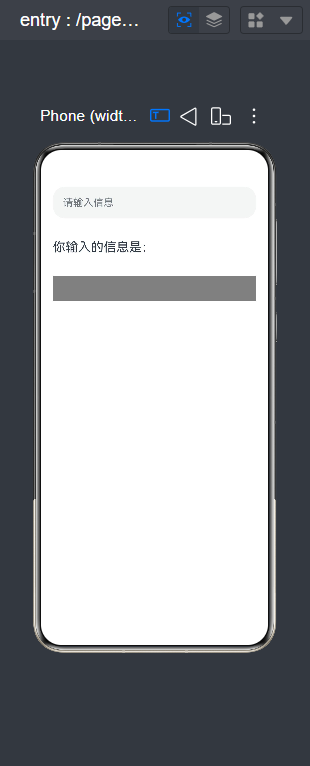
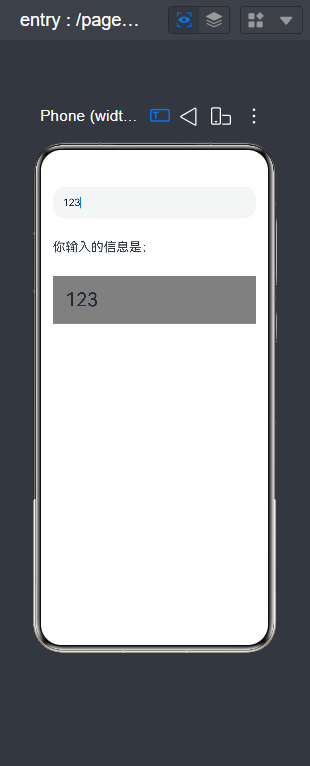
我在TextInput文本框输入123,下边会自动写出123,以此来实现@state的实时更新
@Entry
@Component
struct StstesDemo1{
  @State msg:string=""
  build() {
    Column({space:20}){
      TextInput({text:this.msg,placeholder:"请输入信息"})
        .height(50)
        .width('100%')
        .onChange((value:string)=>{
          this.msg=value
        })

      Text("你输入的信息是:")
        .height(50)
        .width('100%')
        .fontSize(20)

      Text(this.msg)
        .width('100%')
        .padding(20)
        .fontSize(30)
        .backgroundColor(Color.Grey)

    }
    .width('100%')
    .height('100%')
    .padding(20)
  }
}
2.stack层叠布局
定义:Stack 是层叠容器,内部所有子组件会嵌套摆放:
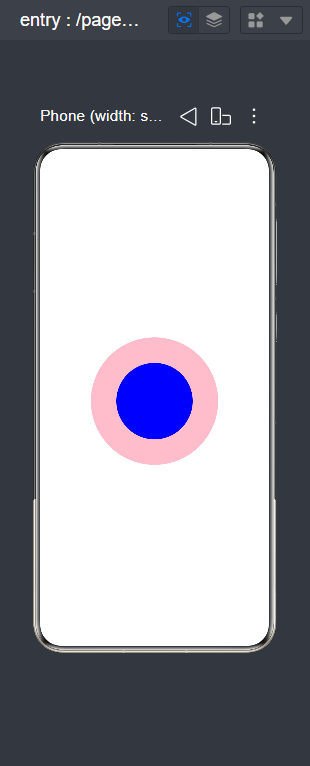
堆叠顺序规则(最重要):先写的组件在底层,后写的组件在上层
以同心圆为例,
@Entry
@Component
struct CircleDemo {
  build() {
    Column() {
      Stack() {

        Stack()
          .width(200)
          .height(200)
          .backgroundColor(Color.Grey)
          .borderRadius(100)

        Stack()
          .width(120)
          .height(120)
          .backgroundColor(Color.Black)
          .borderRadius(60)
      }
      .width(150)
      .height(150)
    }
    .width('100%')
    .height('100%')
    .justifyContent(FlexAlign.Center)
  }
}
注意:宽高保持一致, .borderRadius相当于半径。如果.width() .height()统一设置成120,则.borderRadius()就设置成60

作为“人工智能6S店”的官方数字引擎,为AI开发者与企业提供一个覆盖软硬件全栈、一站式门户。
更多推荐



 10
10 0
0- 0


 已为社区贡献2条内容

所有评论(0)