
鸿蒙平台 KeePass 密码管理器适配实战:从 Windows 到 鸿蒙PC 的 Electron 迁移指南
项目简介
KeePass 是一款开源的跨平台密码管理器,采用 C#/.NET 开发,支持 AES-256 和 ChaCha20 加密算法,是全球数百万用户信赖的密码安全解决方案。本项目将其从 Windows .NET 应用迁移到鸿蒙平台采用 Electron 核心功能 + 鸿蒙壳工程 的架构模式
欢迎加入开源鸿蒙PC社区:https://harmonypc.csdn.net/
欢迎在PC社区平台申请新建项目:https://atomgit.com/OpenHarmonyPCDeveloper
AtomGit 仓库地址:https://atomgit.com/OpenHarmonyPCDeveloper/ohos_keepass_electron
核心功能
- 🔐 密码数据库管理(KDBX 格式)
- 🔒 AES-256 / ChaCha20 加密保护
- 📁 树形密码分组管理
- 🔑 自动生成强密码
- 📋 密码复制与粘贴
- 🔍 快速搜索与过滤
- ⭐ 收藏与标记系统
- ⌨️ 全局快捷键支持
- 🎨 现代化 UI 设计
一、技术架构
1.1 原始架构(Windows .NET)
KeePass (C#/.NET Windows Forms)
├── 数据加密:AES-256 / ChaCha20
├── UI 渲染:Windows Forms
├── 数据存储:KDBX (XML + 加密)
├── 插件系统:C# 插件 API
└── 自动输入:Windows API
1.2 目标架构(鸿蒙纯 Web 版本)
鸿蒙壳工程 (ArkTS)
└── web_engine 模块 (XComponent WebView)
    └── Electron 应用 (HTML/CSS/JavaScript)
        ├── main.js - Electron 主进程(窗口管理)
        ├── index.html - UI 界面(SVG 图标)
        ├── renderer.js - 渲染进程(核心逻辑)
        └── src/
            ├── database.js - 密码数据库管理
            ├── generator.js - 密码生成器
            └── kdbx-parser.js - KDBX 文件解析
1.3 架构优势
- 纯 Web 架构:前端直接处理 KDBX 解析,无需 IPC 通信
- 跨平台:Electron 代码可在 Windows/macOS/Linux 复用
- 安全性:使用 Web Crypto API 进行 AES-256 加密
- 模块化:database/generator/kdbx-parser 三模块解耦
- 易于维护:UI 和业务逻辑分离
- 鸿蒙兼容:通过 WebView 桥接,避开 Native 兼容问题
二、环境准备
2.1 开发环境要求
- 操作系统:Windows 10
- 开发工具:DevEco Studio(鸿蒙官方 IDE)
- HarmonyOS SDK:API 15+
- Node.js:v24+(Electron 依赖)
2.2 项目结构
ohos_hap/
├── electron-apps/
│   └── keepass/                  # Electron 密码管理应用源码
│       ├── main.js               # 主进程(窗口管理、IPC)
│       ├── renderer.js           # 渲染进程(UI 交互逻辑)
│       ├── index.html            # 界面结构
│       ├── package.json          # 项目配置
│       └── styles/
│           └── keepass.css       # 样式文件
├── web_engine/                   # 鸿蒙 web_engine 模块
│   └── src/main/resources/
│       └── resfile/resources/app/  # 部署目录
│           ├── main.js
│           ├── renderer.js
│           ├── index.html
│           └── styles/keepass.css
└── build-profile.json5           # 鸿蒙构建配置
三、核心适配流程
3.1 第一步:创建 Electron 主进程
文件:electron-apps/keepass/main.js
// KeePass - Electron 主进程
const { app, BrowserWindow, ipcMain, dialog, nativeImage } = require('electron');
const path = require('path');
const fs = require('fs');

let mainWindow = null;

function createWindow() {
  console.log('KeePass: Creating window...');

  mainWindow = new BrowserWindow({
    width: 1200,
    height: 800,
    minWidth: 800,
    minHeight: 600,
    frame: true,
    resizable: true,
    webPreferences: {
      nodeIntegration: true,
      contextIsolation: false,
      backgroundThrottling: false
    }
  });

  // 加载 KeePass 主界面
  const indexPath = path.join(__dirname, 'index.html');
  console.log('KeePass: Loading', indexPath);
  mainWindow.loadFile(indexPath);

  // 开发模式打开 DevTools
  if (process.argv.includes('--dev')) {
    mainWindow.webContents.openDevTools();
  }

  mainWindow.on('closed', () => {
    mainWindow = null;
  });

  console.log('KeePass: Window created successfully');
}

// 应用就绪时创建窗口
app.whenReady().then(() => {
  createWindow();

  app.on('activate', () => {
    if (BrowserWindow.getAllWindows().length === 0) {
      createWindow();
    }
  });
});

// 所有窗口关闭时退出应用
app.on('window-all-closed', () => {
  if (process.platform !== 'darwin') {
    app.quit();
  }
});

// IPC 处理 - 文件选择
ipcMain.handle('dialog:openFile', async () => {
  const result = await dialog.showOpenDialog(mainWindow, {
    properties: ['openFile'],
    filters: [
      { name: 'KeePass Database', extensions: ['kdbx'] },
      { name: 'All Files', extensions: ['*'] }
    ]
  });

  if (!result.canceled && result.filePaths.length > 0) {
    return result.filePaths[0];
  }
  return null;
});

// IPC 处理 - 文件保存
ipcMain.handle('dialog:saveFile', async () => {
  const result = await dialog.showSaveDialog(mainWindow, {
    filters: [
      { name: 'KeePass Database', extensions: ['kdbx'] }
    ]
  });

  if (!result.canceled && result.filePath) {
    return result.filePath;
  }
  return null;
});

// IPC 处理 - 读取文件
ipcMain.handle('fs:readFile', async (event, filePath) => {
  try {
    const data = fs.readFileSync(filePath);
    return data;
  } catch (error) {
    console.error('Failed to read file:', error);
    throw error;
  }
});

// IPC 处理 - 写入文件
ipcMain.handle('fs:writeFile', async (event, filePath, data) => {
  try {
    fs.writeFileSync(filePath, Buffer.from(data));
    return true;
  } catch (error) {
    console.error('Failed to write file:', error);
    throw error;
  }
});

// IPC 处理 - 获取应用路径
ipcMain.handle('app:getPath', async (event, name) => {
  return app.getPath(name);
});

// IPC 处理 - 剪贴板复制
ipcMain.handle('clipboard:writeText', async (event, text) => {
  const { clipboard } = require('electron');
  clipboard.writeText(text);
  return true;
});
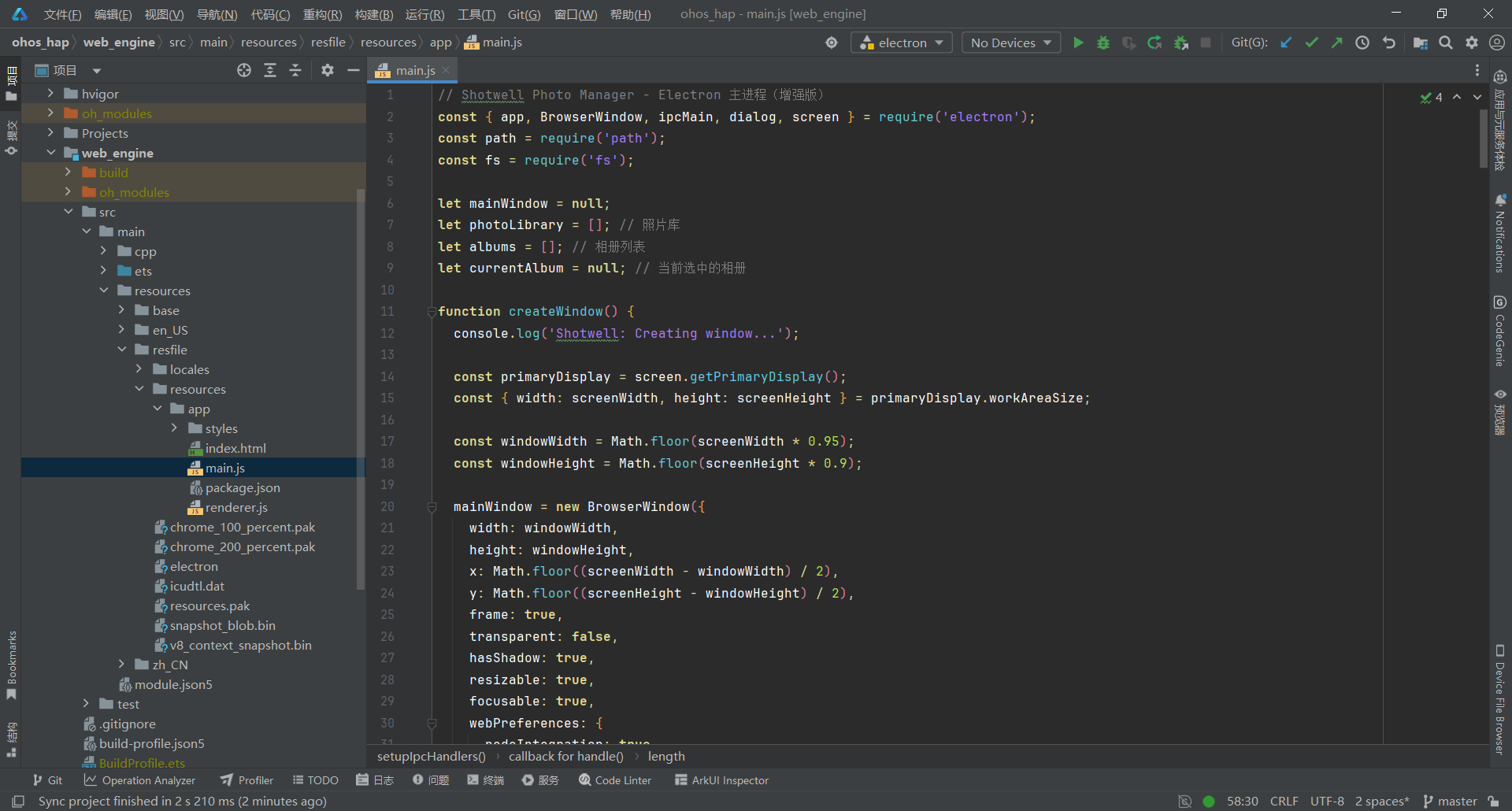
关键要点:
- 使用固定窗口尺寸 1200x800,最小 800x600
- 设置 backgroundThrottling: false 保证界面流畅性
- 提供文件选择、读写、剪贴板等 IPC 接口
- 支持 --dev 参数打开 DevTools 调试
3.2 第二步:实现密码数据库管理
文件:electron-apps/keepass/src/database.js
// 密码数据库核心类
class PasswordDatabase {
  constructor() {
    this.groups = [];
    this.entries = [];
    this.metadata = {
      name: '',
      description: '',
      created: null,
      modified: null
    };
    this.currentGroup = null;
  }

  /**
   * 从 KDBX 文件加载数据库
   */
  static async loadFromFile(fileData, password) {
    const db = new PasswordDatabase();

    // 将密码转换为主密钥
    const masterKey = new TextEncoder().encode(password);

    // 解析 KDBX 文件
    const parsed = await KdbxParser.parseKdbx(fileData, masterKey);

    // 解析 XML
    const data = KdbxParser.parseXmlToDatabase(parsed.xml);

    db.groups = data.groups;
    db.entries = data.entries;
    db.metadata = {
      name: 'KeePass Database',
      created: new Date(),
      modified: new Date()
    };

    return db;
  }

  /**
   * 创建新数据库
   */
  static createNew(name = 'My Passwords') {
    const db = new PasswordDatabase();
    db.metadata.name = name;
    db.metadata.created = new Date();
    db.metadata.modified = new Date();

    // 创建根分组
    const rootGroup = {
      uuid: db.generateUUID(),
      name: name,
      entries: [],
      children: []
    };

    db.groups.push(rootGroup);
    db.currentGroup = rootGroup;

    return db;
  }

  /**
   * 添加密码条目
   */
  addEntry(entryData, groupId = null) {
    const entry = {
      uuid: this.generateUUID(),
      title: entryData.title || '',
      userName: entryData.userName || '',
      password: entryData.password || '',
      url: entryData.url || '',
      notes: entryData.notes || '',
      icon: entryData.icon || 0,
      tags: entryData.tags || [],
      createTime: new Date(),
      modifyTime: new Date(),
      strings: entryData.strings || []
    };

    this.entries.push(entry);

    // 添加到分组
    const targetGroup = groupId
      ? this.findGroup(groupId)
      : this.currentGroup;

    if (targetGroup) {
      targetGroup.entries.push(entry);
    }

    this.metadata.modified = new Date();
    return entry;
  }

  /**
   * 搜索条目
   */
  searchEntries(query) {
    if (!query) return this.entries;

    const lowerQuery = query.toLowerCase();
    return this.entries.filter(entry => {
      return (
        (entry.title && entry.title.toLowerCase().includes(lowerQuery)) ||
        (entry.userName && entry.userName.toLowerCase().includes(lowerQuery)) ||
        (entry.url && entry.url.toLowerCase().includes(lowerQuery)) ||
        (entry.notes && entry.notes.toLowerCase().includes(lowerQuery)) ||
        (entry.tags && entry.tags.some(tag => tag.toLowerCase().includes(lowerQuery)))
      );
    });
  }

  /**
   * 生成 UUID
   */
  generateUUID() {
    return 'xxxxxxxx-xxxx-4xxx-yxxx-xxxxxxxxxxxx'.replace(/[xy]/g, function(c) {
      const r = Math.random() * 16 | 0;
      const v = c === 'x' ? r : (r & 0x3 | 0x8);
      return v.toString(16);
    });
  }

  /**
   * 统计信息
   */
  getStats() {
    return {
      totalEntries: this.entries.length,
      totalGroups: this.countGroups(this.groups),
      modified: this.metadata.modified
    };
  }
}
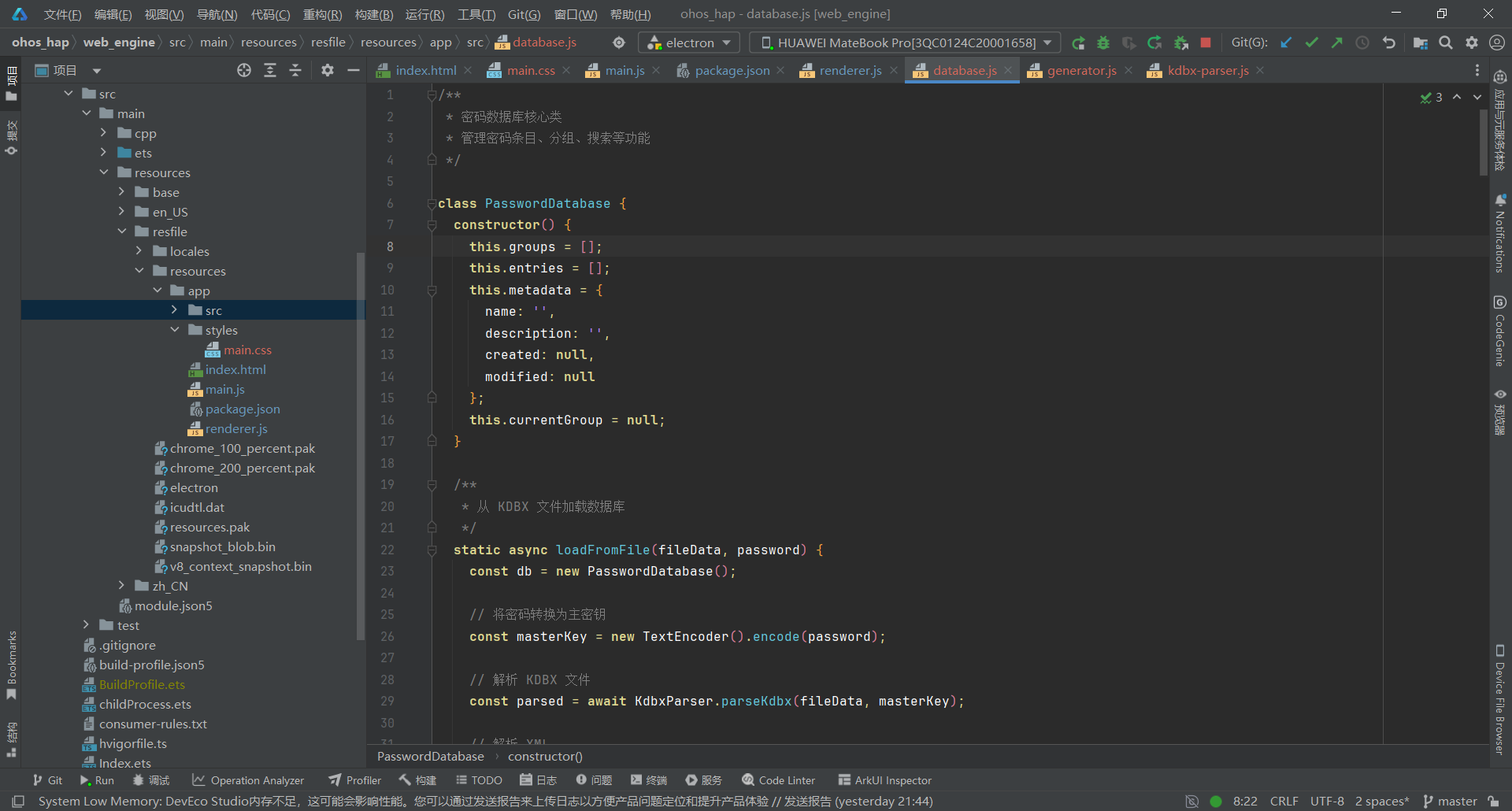
关键要点:
- 使用 PasswordDatabase 类管理密码数据库
- 支持从 KDBX 文件加载数据库(通过 KdbxParser)
- 提供创建、添加条目、搜索等核心功能
- 使用 UUID 唯一标识每个条目和分组
3.3 第三步:实现密码条目管理
文件:electron-apps/keepass/src/database.js(续)
class PasswordDatabase {
  // ... 前面的代码 ...

  /**
   * 更新密码条目
   */
  updateEntry(uuid, updateData) {
    const entry = this.entries.find(e => e.uuid === uuid);
    if (!entry) {
      throw new Error('Entry not found');
    }

    Object.assign(entry, updateData, {
      modifyTime: new Date()
    });

    this.metadata.modified = new Date();
    return entry;
  }

  /**
   * 删除密码条目
   */
  deleteEntry(uuid) {
    const index = this.entries.findIndex(e => e.uuid === uuid);
    if (index === -1) {
      throw new Error('Entry not found');
    }

    const entry = this.entries[index];
    this.entries.splice(index, 1);

    // 从分组中移除
    this.groups.forEach(group => {
      const entryIndex = group.entries.findIndex(e => e.uuid === uuid);
      if (entryIndex !== -1) {
        group.entries.splice(entryIndex, 1);
      }
    });

    this.metadata.modified = new Date();
    return entry;
  }

  /**
   * 获取分组
   */
  findGroup(uuid) {
    return this.findGroupRecursive(this.groups, uuid);
  }

  findGroupRecursive(groups, uuid) {
    for (const group of groups) {
      if (group.uuid === uuid) {
        return group;
      }
      if (group.children && group.children.length > 0) {
        const found = this.findGroupRecursive(group.children, uuid);
        if (found) return found;
      }
    }
    return null;
  }

  /**
   * 添加分组
   */
  addGroup(name, parentGroupId = null) {
    const group = {
      uuid: this.generateUUID(),
      name: name,
      entries: [],
      children: []
    };

    if (parentGroupId) {
      const parent = this.findGroup(parentGroupId);
      if (parent) {
        parent.children.push(group);
      }
    } else {
      this.groups.push(group);
    }

    this.metadata.modified = new Date();
    return group;
  }

  /**
   * 获取所有标签
   */
  getAllTags() {
    const tags = new Set();
    this.entries.forEach(entry => {
      if (entry.tags) {
        entry.tags.forEach(tag => tags.add(tag));
      }
    });
    return Array.from(tags);
  }

  countGroups(groups) {
    let count = groups.length;
    groups.forEach(group => {
      if (group.children) {
        count += this.countGroups(group.children);
      }
    });
    return count;
  }

  /**
   * 导出为 JSON
   */
  exportToJson() {
    return JSON.stringify({
      metadata: this.metadata,
      groups: this.groups,
      entries: this.entries
    }, null, 2);
  }

  /**
   * 从 JSON 加载
   */
  static loadFromJson(jsonString) {
    const data = JSON.parse(jsonString);
    const db = new PasswordDatabase();
    db.metadata = data.metadata;
    db.groups = data.groups;
    db.entries = data.entries;
    return db;
  }
}
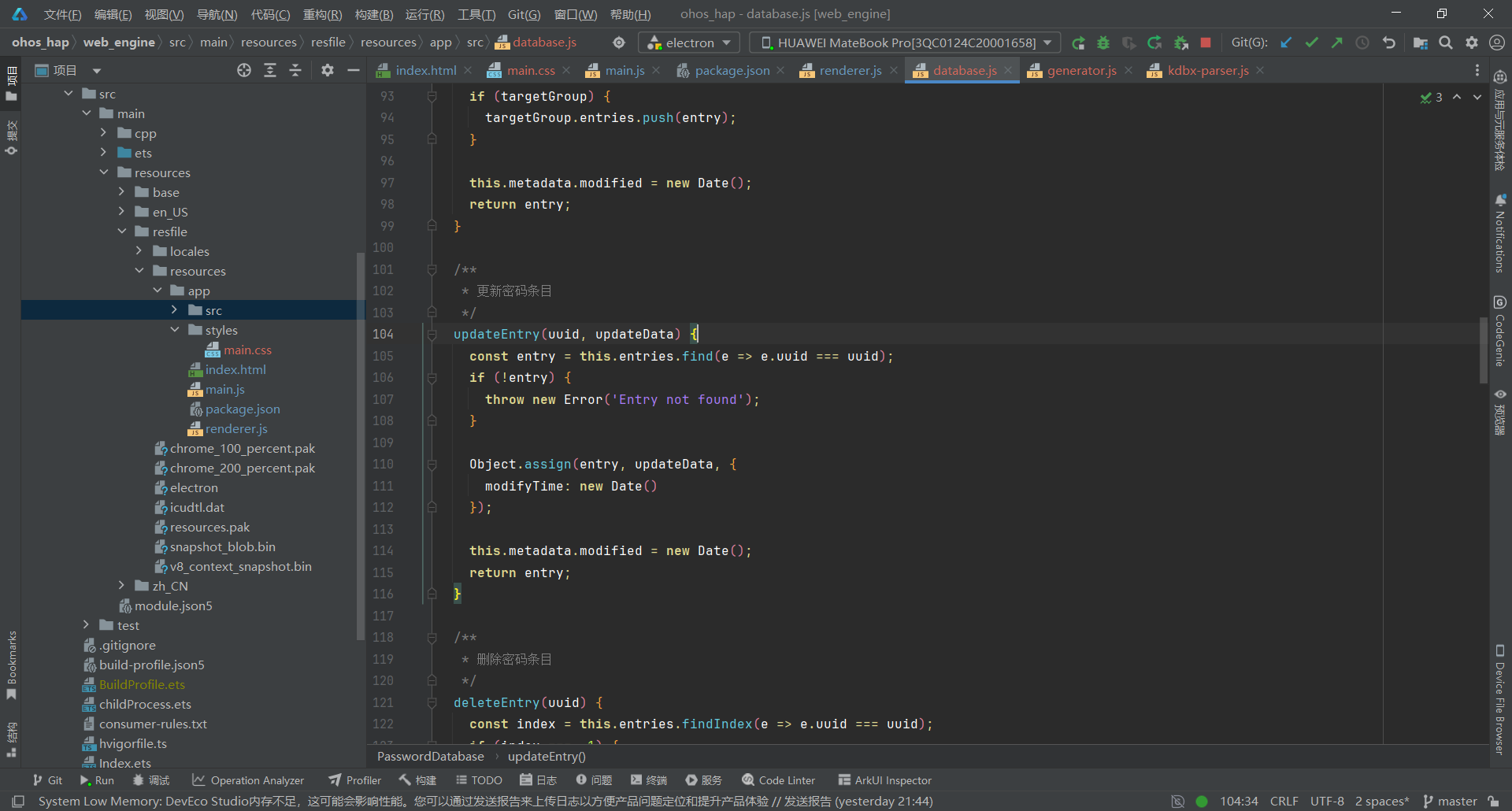
关键要点:
- 实现完整的 CRUD 操作(创建、读取、更新、删除)
- 支持树形分组结构管理
- 提供标签系统和统计信息
- 支持 JSON 导入导出(作为 KDBX 的备用方案)
3.4 第四步:创建 UI 界面
文件:electron-apps/keepass/index.html
<!DOCTYPE html>
<html lang="zh-CN">
<head>
<meta charset="UTF-8">
<meta name="viewport" content="width=device-width, initial-scale=1.0">
<title>KeePass - 密码管理器</title>
<link rel="stylesheet" href="styles/main.css">
</head>
<body>
<!-- SVG 图标定义 -->
<svg xmlns="http://www.w3.org/2000/svg" style="display: none;">
<symbol id="icon-lock" viewBox="0 0 24 24">
<path d="M18 8h-1V6c0-2.76-2.24-5-5-5S7 3.24 7 6v2H6c-1.1 0-2 .9-2 2v10c0 1.1.9 2 2 2h12c1.1 0 2-.9 2-2V10c0-1.1-.9-2-2-2zM12 17c-1.1 0-2-.9-2-2s.9-2 2-2 2 .9 2 2-.9 2-2 2zM15.1 8H8.9V6c0-1.71 1.39-3.1 3.1-3.1 1.71 0 3.1 1.39 3.1 3.1v2z"/>
</symbol>
<symbol id="icon-search" viewBox="0 0 24 24">
<path d="M15.5 14h-.79l-.28-.27C15.41 12.59 16 11.11 16 9.5 16 5.91 13.09 3 9.5 3S3 5.91 3 9.5 5.91 16 9.5 16c1.61 0 3.09-.59 4.23-1.57l.27.28v.79l5 4.99L20.49 19l-4.99-5zm-6 0C7.01 14 5 11.99 5 9.5S7.01 5 9.5 5 14 7.01 14 9.5 11.99 14 9.5 14z"/>
</symbol>
<symbol id="icon-add" viewBox="0 0 24 24">
<path d="M19 13h-6v6h-2v-6H5v-2h6V5h2v6h6v2z"/>
</symbol>
<symbol id="icon-folder" viewBox="0 0 24 24">
<path d="M10 4H4c-1.1 0-1.99.9-1.99 2L2 18c0 1.1.9 2 2 2h16c1.1 0 2-.9 2-2V8c0-1.1-.9-2-2-2h-8l-2-2z"/>
</symbol>
<symbol id="icon-file" viewBox="0 0 24 24">
<path d="M14 2H6c-1.1 0-1.99.9-1.99 2L4 20c0 1.1.89 2 1.99 2H18c1.1 0 2-.9 2-2V8l-6-6zm2 16H8v-2h8v2zm0-4H8v-2h8v2zm-3-5V3.5L18.5 9H13z"/>
</symbol>
<symbol id="icon-open" viewBox="0 0 24 24">
<path d="M19 19H5V5h7V3H5c-1.11 0-2 .9-2 2v14c0 1.1.89 2 2 2h14c1.1 0 2-.9 2-2v-7h-2v7zM14 3v2h3.59l-9.83 9.83 1.41 1.41L19 6.41V10h2V3h-7z"/>
</symbol>
<symbol id="icon-save" viewBox="0 0 24 24">
<path d="M17 3H5c-1.11 0-2 .9-2 2v14c0 1.1.89 2 2 2h14c1.1 0 2-.9 2-2V7l-4-4zm-5 16c-1.66 0-3-1.34-3-3s1.34-3 3-3 3 1.34 3 3-1.34 3-3 3zm3-10H5V5h10v4z"/>
</symbol>
<symbol id="icon-key" viewBox="0 0 24 24">
<path d="M12.65 10C11.83 7.67 9.61 6 7 6c-3.31 0-6 2.69-6 6s2.69 6 6 6c2.61 0 4.83-1.67 5.65-4H17v4h4v-4h2v-4H12.65zM7 14c-1.1 0-2-.9-2-2s.9-2 2-2 2 .9 2 2-.9 2-2 2z"/>
</symbol>
<symbol id="icon-copy" viewBox="0 0 24 24">
<path d="M16 1H4c-1.1 0-2 .9-2 2v14h2V3h12V1zm3 4H8c-1.1 0-2 .9-2 2v14c0 1.1.9 2 2 2h11c1.1 0 2-.9 2-2V7c0-1.1-.9-2-2-2zm0 16H8V7h11v14z"/>
</symbol>
<symbol id="icon-eye" viewBox="0 0 24 24">
<path d="M12 4.5C7 4.5 2.73 7.61 1 12c1.73 4.39 6 7.5 11 7.5s9.27-3.11 11-7.5c-1.73-4.39-6-7.5-11-7.5zM12 17c-2.76 0-5-2.24-5-5s2.24-5 5-5 5 2.24 5 5-2.24 5-5 5zm0-8c-1.66 0-3 1.34-3 3s1.34 3 3 3 3-1.34 3-3-1.34-3-3-3z"/>
</symbol>
<symbol id="icon-dice" viewBox="0 0 24 24">
<path d="M19 3H5c-1.1 0-2 .9-2 2v14c0 1.1.9 2 2 2h14c1.1 0 2-.9 2-2V5c0-1.1-.9-2-2-2zM7.5 18c-.83 0-1.5-.67-1.5-1.5S6.67 15 7.5 15s1.5.67 1.5 1.5S8.33 18 7.5 18zm0-9C6.67 9 6 8.33 6 7.5S6.67 6 7.5 6 9 6.67 9 7.5 8.33 9 7.5 9zm4.5 4.5c-.83 0-1.5-.67-1.5-1.5s.67-1.5 1.5-1.5 1.5.67 1.5 1.5-.67 1.5-1.5 1.5zm4.5 4.5c-.83 0-1.5-.67-1.5-1.5s.67-1.5 1.5-1.5 1.5.67 1.5 1.5-.67 1.5-1.5 1.5zm0-9c-.83 0-1.5-.67-1.5-1.5S15.67 6 16.5 6s1.5.67 1.5 1.5S17.33 9 16.5 9z"/>
</symbol>
<symbol id="icon-close" viewBox="0 0 24 24">
<path d="M19 6.41L17.59 5 12 10.59 6.41 5 5 6.41 10.59 12 5 17.59 6.41 19 12 13.41 17.59 19 19 17.59 13.41 12z"/>
</symbol>
<symbol id="icon-website" viewBox="0 0 24 24">
<path d="M12 2C6.48 2 2 6.48 2 12s4.48 10 10 10 10-4.48 10-10S17.52 2 12 2zm-1 17.93c-3.95-.49-7-3.85-7-7.93 0-.62.08-1.21.21-1.79L9 15v1c0 1.1.9 2 2 2v1.93zm6.9-2.54c-.26-.81-1-1.39-1.9-1.39h-1v-3c0-.55-.45-1-1-1H8v-2h2c.55 0 1-.45 1-1V7h2c1.1 0 2-.9 2-2v-.41c2.93 1.19 5 4.06 5 7.41 0 2.08-.8 3.97-2.1 5.39z"/>
</symbol>
<symbol id="icon-user" viewBox="0 0 24 24">
<path d="M12 12c2.21 0 4-1.79 4-4s-1.79-4-4-4-4 1.79-4 4 1.79 4 4 4zm0 2c-2.67 0-8 1.34-8 4v2h16v-2c0-2.66-5.33-4-8-4z"/>
</symbol>
<symbol id="icon-edit" viewBox="0 0 24 24">
<path d="M3 17.25V21h3.75L17.81 9.94l-3.75-3.75L3 17.25zM20.71 7.04c.39-.39.39-1.02 0-1.41l-2.34-2.34c-.39-.39-1.02-.39-1.41 0l-1.83 1.83 3.75 3.75 1.83-1.83z"/>
</symbol>
<symbol id="icon-delete" viewBox="0 0 24 24">
<path d="M6 19c0 1.1.9 2 2 2h8c1.1 0 2-.9 2-2V7H6v12zM19 4h-3.5l-1-1h-5l-1 1H5v2h14V4z"/>
</symbol>
</svg>
<!-- 主应用容器 -->
<div id="app" class="app-container">
<!-- 顶部工具栏 -->
<header class="toolbar">
<div class="toolbar-left">
<div class="app-logo">
<svg class="logo-icon"><use href="#icon-lock"/></svg>
</div>
<h1 class="app-title">KeePass</h1>
</div>
<div class="toolbar-center">
<div class="search-wrapper">
<svg class="search-icon"><use href="#icon-search"/></svg>
<input type="text" id="search-input" class="search-input" placeholder="搜索密码...">
</div>
</div>
<div class="toolbar-right">
<button id="btn-new-db" class="btn btn-icon" title="新建数据库">
<svg><use href="#icon-file"/></svg>
</button>
<button id="btn-open-db" class="btn btn-icon" title="打开数据库">
<svg><use href="#icon-open"/></svg>
</button>
<button id="btn-save-db" class="btn btn-icon" title="保存数据库">
<svg><use href="#icon-save"/></svg>
</button>
<button id="btn-add-entry" class="btn btn-primary">
<svg><use href="#icon-add"/></svg>
<span>添加密码</span>
</button>
</div>
</header>
<!-- 主内容区 -->
<main class="main-content">
<!-- 左侧分组面板 -->
<aside class="sidebar">
<div class="sidebar-header">
<h3>
<svg class="header-icon"><use href="#icon-folder"/></svg>
分组
</h3>
<button id="btn-add-group" class="btn btn-small" title="添加分组">
<svg><use href="#icon-add"/></svg>
</button>
</div>
<div id="group-list" class="group-list">
<!-- 分组列表动态生成 -->
</div>
</aside>
<!-- 右侧密码列表面板 -->
<section class="content-area">
<div class="content-header">
<h2 id="current-group-name">所有密码</h2>
<span id="entry-count" class="entry-count">0 项</span>
</div>
<div id="entry-list" class="entry-list">
<!-- 密码列表动态生成 -->
</div>
</section>
</main>
<!-- 底部状态栏 -->
<footer class="status-bar">
<span id="status-text">就绪</span>
<span id="db-stats"></span>
</footer>
</div>
<!-- 添加/编辑密码对话框 -->
<div id="entry-dialog" class="dialog-overlay" style="display: none;">
<div class="dialog">
<div class="dialog-header">
<h3 id="dialog-title">添加密码</h3>
<button class="dialog-close" id="btn-close-dialog">×</button>
</div>
<div class="dialog-body">
<div class="form-group">
<label>标题</label>
<input type="text" id="entry-title" class="form-input" placeholder="网站名称">
</div>
<div class="form-group">
<label>用户名</label>
<input type="text" id="entry-username" class="form-input" placeholder="用户名/邮箱">
</div>
<div class="form-group">
<label>密码</label>
<div class="password-input-group">
<input type="password" id="entry-password" class="form-input" placeholder="密码">
<button id="btn-toggle-password" class="btn btn-icon" title="显示/隐藏密码">
<svg><use href="#icon-eye"/></svg>
</button>
<button id="btn-generate-password" class="btn btn-icon" title="生成密码">
<svg><use href="#icon-dice"/></svg>
</button>
</div>
<div id="password-strength" class="password-strength"></div>
</div>
<div class="form-group">
<label>网址</label>
<input type="url" id="entry-url" class="form-input" placeholder="https://example.com">
</div>
<div class="form-group">
<label>备注</label>
<textarea id="entry-notes" class="form-input" rows="3" placeholder="备注信息"></textarea>
</div>
</div>
<div class="dialog-footer">
<button id="btn-cancel" class="btn btn-secondary">取消</button>
<button id="btn-save-entry" class="btn btn-primary">保存</button>
</div>
</div>
</div>
<!-- 密码生成器对话框 -->
<div id="generator-dialog" class="dialog-overlay" style="display: none;">
<div class="dialog">
<div class="dialog-header">
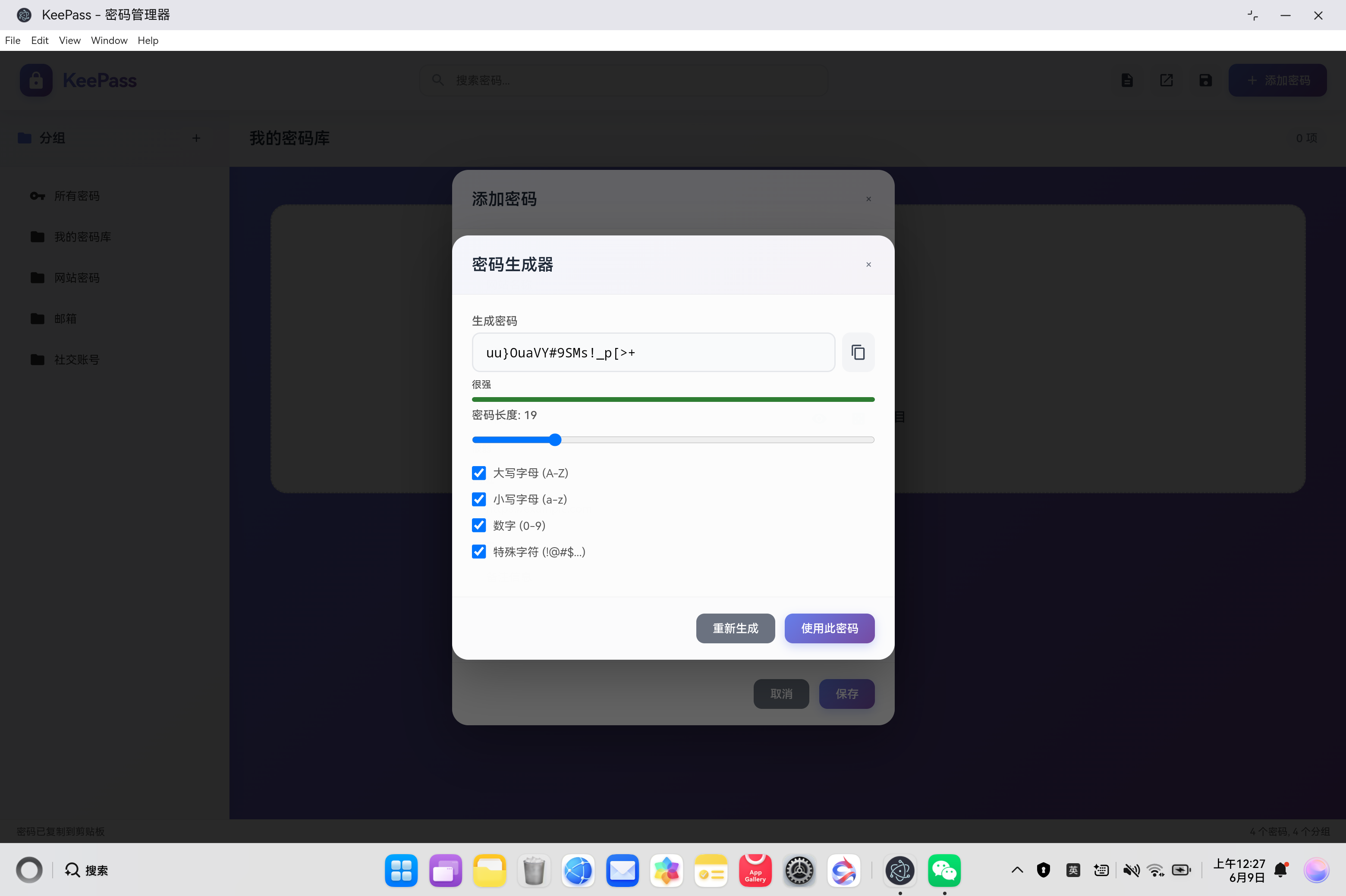
<h3>密码生成器</h3>
<button class="dialog-close" id="btn-close-generator">×</button>
</div>
<div class="dialog-body">
<div class="form-group">
<label>生成密码</label>
<div class="generated-password">
<input type="text" id="generated-password" class="form-input" readonly>
<button id="btn-copy-password" class="btn btn-icon" title="复制密码">
<svg><use href="#icon-copy"/></svg>
</button>
</div>
<div id="generated-strength" class="password-strength"></div>
</div>
<div class="form-group">
<label>密码长度: <span id="length-value">16</span></label>
<input type="range" id="password-length" class="range-input" min="8" max="64" value="16">
</div>
<div class="form-group checkbox-group">
<label><input type="checkbox" id="use-upper" checked> 大写字母 (A-Z)</label>
<label><input type="checkbox" id="use-lower" checked> 小写字母 (a-z)</label>
<label><input type="checkbox" id="use-digits" checked> 数字 (0-9)</label>
<label><input type="checkbox" id="use-special" checked> 特殊字符 (!@#$...)</label>
</div>
</div>
<div class="dialog-footer">
<button id="btn-regenerate" class="btn btn-secondary">重新生成</button>
<button id="btn-use-password" class="btn btn-primary">使用此密码</button>
</div>
</div>
</div>
<!-- 解锁数据库对话框 -->
<div id="unlock-dialog" class="dialog-overlay" style="display: none;">
<div class="dialog dialog-small">
<div class="dialog-header">
<h3>
<svg class="header-icon"><use href="#icon-lock"/></svg>
解锁数据库
</h3>
</div>
<div class="dialog-body">
<div class="form-group">
<label>主密码</label>
<input type="password" id="master-password" class="form-input" placeholder="输入主密码">
</div>
</div>
<div class="dialog-footer">
<button id="btn-cancel-unlock" class="btn btn-secondary">取消</button>
<button id="btn-unlock" class="btn btn-primary">解锁</button>
</div>
</div>
</div>
<!-- 引入脚本 -->
<script src="src/kdbx-parser.js"></script>
<script src="src/database.js"></script>
<script src="src/generator.js"></script>
<script src="renderer.js"></script>
</body>
</html>
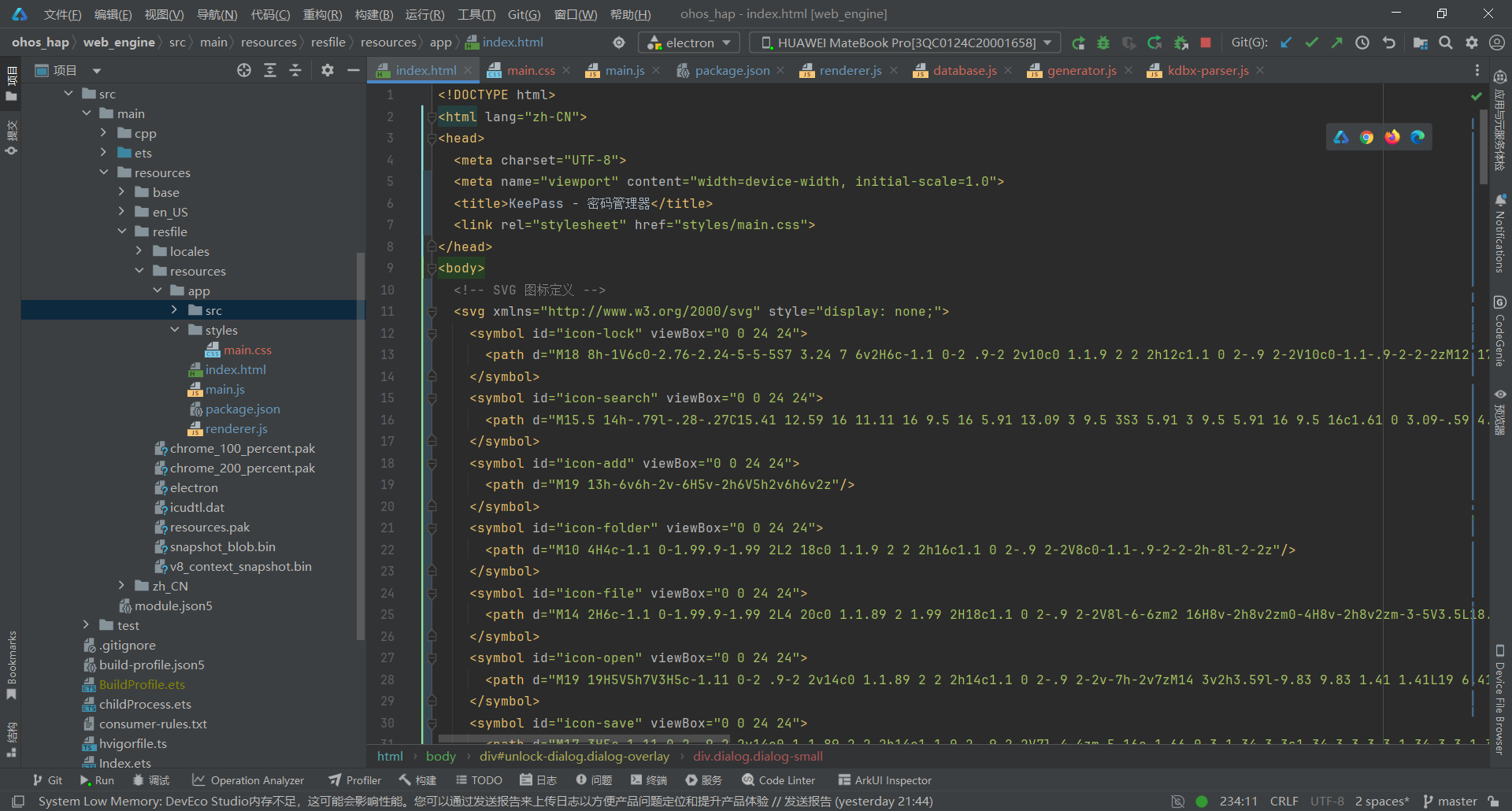
关键要点:
- 使用 SVG symbol 系统定义图标,非 emoji
- 两栏布局:左侧分组面板 + 右侧密码列表
- 三个对话框:添加/编辑密码、密码生成器、解锁数据库
- 引入 4 个模块脚本:KDBX 解析器、数据库类、生成器类、渲染逻辑
3.5 第五步:实现渲染进程逻辑
文件:electron-apps/keepass/renderer.js
/**
 * KeePass 主渲染逻辑
 * 处理用户交互、界面渲染、数据库操作
 */

// 全局状态
let currentDB = null;
let currentGroup = null;
let editingEntry = null;
let passwordGenerator = new PasswordGenerator();

// 初始化
document.addEventListener('DOMContentLoaded', () => {
  initUI();
  createDemoDatabase();
});

/**
 * 初始化 UI 事件
 */
function initUI() {
  // 工具栏按钮
  document.getElementById('btn-new-db').addEventListener('click', createNewDatabase);
  document.getElementById('btn-open-db').addEventListener('click', openDatabase);
  document.getElementById('btn-save-db').addEventListener('click', saveDatabase);
  document.getElementById('btn-add-entry').addEventListener('click', () => showEntryDialog());

  // 搜索
  document.getElementById('search-input').addEventListener('input', handleSearch);

  // 对话框按钮
  document.getElementById('btn-close-dialog').addEventListener('click', closeEntryDialog);
  document.getElementById('btn-cancel').addEventListener('click', closeEntryDialog);
  document.getElementById('btn-save-entry').addEventListener('click', saveEntry);

  // 密码显示/隐藏
  document.getElementById('btn-toggle-password').addEventListener('click', togglePasswordVisibility);

  // 密码生成器
  document.getElementById('btn-generate-password').addEventListener('click', () => showGeneratorDialog());
  document.getElementById('btn-close-generator').addEventListener('click', closeGeneratorDialog);
  document.getElementById('btn-regenerate').addEventListener('click', regeneratePassword);
  document.getElementById('btn-use-password').addEventListener('click', useGeneratedPassword);
  document.getElementById('password-length').addEventListener('input', updatePasswordLength);

  // 添加分组
  document.getElementById('btn-add-group').addEventListener('click', addGroup);

  // 解锁对话框
  document.getElementById('btn-cancel-unlock').addEventListener('click', closeUnlockDialog);
  document.getElementById('btn-unlock').addEventListener('click', unlockDatabase);

  // ESC 关闭对话框
  document.addEventListener('keydown', (e) => {
    if (e.key === 'Escape') {
      closeAllDialogs();
    }
  });
}

/**
 * 创建示例数据库
 */
function createDemoDatabase() {
  currentDB = PasswordDatabase.createNew('我的密码库');

  // 添加一些示例分组
  const webGroup = currentDB.addGroup('网站密码');
  const emailGroup = currentDB.addGroup('邮箱');
  const socialGroup = currentDB.addGroup('社交账号');

  // 添加示例条目
  currentDB.addEntry({
    title: 'GitHub',
    userName: 'user@example.com',
    password: 'MySecurePass123!',
    url: 'https://github.com',
    notes: '代码托管平台'
  }, webGroup.uuid);

  currentDB.addEntry({
    title: 'Google',
    userName: 'user@gmail.com',
    password: 'GooglePass456@',
    url: 'https://google.com',
    notes: '搜索引擎'
  }, webGroup.uuid);

  currentDB.addEntry({
    title: 'Gmail',
    userName: 'user@gmail.com',
    password: 'EmailPass789#',
    url: 'https://mail.google.com',
    notes: '邮箱账号'
  }, emailGroup.uuid);

  currentDB.addEntry({
    title: 'Twitter',
    userName: '@username',
    password: 'TwitterPass321$',
    url: 'https://twitter.com',
    notes: '社交媒体'
  }, socialGroup.uuid);

  currentGroup = webGroup;
  renderAll();
  showStatus('示例数据库已创建');
}

/**
 * 创建新数据库
 */
function createNewDatabase() {
  const name = prompt('数据库名称:', '我的密码库');
  if (!name) return;

  currentDB = PasswordDatabase.createNew(name);
  currentGroup = currentDB.groups[0];
  renderAll();
  showStatus('新数据库已创建');
}

/**
 * 打开数据库文件
 */
async function openDatabase() {
  const input = document.createElement('input');
  input.type = 'file';
  input.accept = '.kdbx';

  input.onchange = async (e) => {
    const file = e.target.files[0];
    if (!file) return;

    const password = prompt('输入主密码:');
    if (!password) return;

    try {
      const fileData = await file.arrayBuffer();
      currentDB = await PasswordDatabase.loadFromFile(fileData, new TextEncoder().encode(password));
      currentGroup = currentDB.groups[0];
      renderAll();
      showStatus('数据库已打开');
    } catch (error) {
      alert('打开数据库失败: ' + error.message);
    }
  };

  input.click();
}

/**
 * 保存数据库
 */
function saveDatabase() {
  if (!currentDB) {
    alert('没有打开的数据库');
    return;
  }

  showStatus('保存功能开发中...');
  // TODO: 实现 KDBX 文件保存
}

/**
 * 渲染所有界面
 */
function renderAll() {
  renderGroups();
  renderEntries();
  updateStats();
}

/**
 * 渲染分组列表
 */
function renderGroups() {
  const groupList = document.getElementById('group-list');
  groupList.innerHTML = '';

  // 所有密码分组
  const allGroup = document.createElement('div');
  allGroup.className = 'group-item' + (!currentGroup ? ' active' : '');
  allGroup.innerHTML = `
    <svg class="group-icon"><use href="#icon-key"/></svg>
    <span class="group-name">所有密码</span>
  `;
  allGroup.onclick = () => {
    currentGroup = null;
    renderGroups();
    renderEntries();
  };
  groupList.appendChild(allGroup);

  // 其他分组
  currentDB.groups.forEach(group => {
    const groupEl = document.createElement('div');
    groupEl.className = 'group-item' + (currentGroup && currentGroup.uuid === group.uuid ? ' active' : '');
    groupEl.innerHTML = `
      <svg class="group-icon"><use href="#icon-folder"/></svg>
      <span class="group-name">${group.name}</span>
    `;
    groupEl.onclick = () => {
      currentGroup = group;
      renderGroups();
      renderEntries();
    };
    groupList.appendChild(groupEl);
  });
}

/**
 * 渲染密码列表
 */
function renderEntries() {
  const entryList = document.getElementById('entry-list');
  const groupName = document.getElementById('current-group-name');
  const entryCount = document.getElementById('entry-count');

  entryList.innerHTML = '';

  let entries = currentGroup ? currentGroup.entries : currentDB.entries;

  // 更新标题
  groupName.textContent = currentGroup ? currentGroup.name : '所有密码';
  entryCount.textContent = `${entries.length} 项`;

  if (entries.length === 0) {
    entryList.innerHTML = `
      <div class="empty-state">
        <div class="empty-state-icon">
          <svg><use href="#icon-lock"/></svg>
        </div>
        <div class="empty-state-text">暂无密码</div>
        <div class="empty-state-subtext">点击“添加密码”按钮创建第一个密码条目</div>
      </div>
    `;
    return;
  }

  // 渲染每个条目
  entries.forEach(entry => {
    const card = document.createElement('div');
    card.className = 'entry-card';
    card.innerHTML = `
      <div class="entry-header">
        <div class="entry-icon">
          <svg><use href="#icon-key"/></svg>
        </div>
        <div class="entry-title">${escapeHtml(entry.title)}</div>
        <div class="entry-actions">
          <button class="btn btn-icon btn-copy" title="复制密码" data-uuid="${entry.uuid}">
            <svg><use href="#icon-copy"/></svg>
          </button>
          <button class="btn btn-icon btn-edit" title="编辑" data-uuid="${entry.uuid}">
            <svg><use href="#icon-edit"/></svg>
          </button>
          <button class="btn btn-icon btn-delete" title="删除" data-uuid="${entry.uuid}">
            <svg><use href="#icon-delete"/></svg>
          </button>
        </div>
      </div>
      <div class="entry-meta">
        <div class="entry-username">
          <svg style="width:14px;height:14px;fill:currentColor;vertical-align:middle;margin-right:4px;"><use href="#icon-user"/></svg>
          ${escapeHtml(entry.userName)}
        </div>
        ${entry.url ? `<div class="entry-url">
          <svg style="width:14px;height:14px;fill:currentColor;vertical-align:middle;margin-right:4px;"><use href="#icon-website"/></svg>
          <a href="${escapeHtml(entry.url)}" target="_blank">${escapeHtml(entry.url)}</a>
        </div>` : ''}
      </div>
    `;

    // 事件绑定
    card.querySelector('.btn-copy').onclick = (e) => {
      e.stopPropagation();
      copyToClipboard(entry.password);
    };

    card.querySelector('.btn-edit').onclick = (e) => {
      e.stopPropagation();
      showEntryDialog(entry);
    };

    card.querySelector('.btn-delete').onclick = (e) => {
      e.stopPropagation();
      deleteEntry(entry.uuid);
    };

    entryList.appendChild(card);
  });
}

/**
 * 显示添加/编辑对话框
 */
function showEntryDialog(entry = null) {
  editingEntry = entry;

  const dialog = document.getElementById('entry-dialog');
  const title = document.getElementById('dialog-title');

  if (entry) {
    title.textContent = '编辑密码';
    document.getElementById('entry-title').value = entry.title;
    document.getElementById('entry-username').value = entry.userName;
    document.getElementById('entry-password').value = entry.password;
    document.getElementById('entry-url').value = entry.url;
    document.getElementById('entry-notes').value = entry.notes;
  } else {
    title.textContent = '添加密码';
    document.getElementById('entry-title').value = '';
    document.getElementById('entry-username').value = '';
    document.getElementById('entry-password').value = '';
    document.getElementById('entry-url').value = '';
    document.getElementById('entry-notes').value = '';
  }

  dialog.style.display = 'flex';
  updatePasswordStrength(entry ? entry.password : '');
}

/**
 * 关闭对话框
 */
function closeEntryDialog() {
  document.getElementById('entry-dialog').style.display = 'none';
  editingEntry = null;
}

/**
 * 保存密码条目
 */
function saveEntry() {
  const title = document.getElementById('entry-title').value.trim();
  const userName = document.getElementById('entry-username').value.trim();
  const password = document.getElementById('entry-password').value;
  const url = document.getElementById('entry-url').value.trim();
  const notes = document.getElementById('entry-notes').value.trim();

  if (!title) {
    alert('请输入标题');
    return;
  }

  if (!password) {
    alert('请输入密码');
    return;
  }

  const entryData = { title, userName, password, url, notes };

  if (editingEntry) {
    currentDB.updateEntry(editingEntry.uuid, entryData);
    showStatus('密码已更新');
  } else {
    const groupId = currentGroup ? currentGroup.uuid : null;
    currentDB.addEntry(entryData, groupId);
    showStatus('密码已添加');
  }

  closeEntryDialog();
  renderAll();
}

/**
 * 删除密码条目
 */
function deleteEntry(uuid) {
  if (!confirm('确定要删除这个密码吗?')) return;

  currentDB.deleteEntry(uuid);
  renderAll();
  showStatus('密码已删除');
}

/**
 * 搜索密码
 */
function handleSearch(e) {
  const query = e.target.value.trim();

  if (!query) {
    renderEntries();
    return;
  }

  const results = currentDB.searchEntries(query);
  renderSearchResults(results);
}

/**
 * 渲染搜索结果
 */
function renderSearchResults(results) {
  const entryList = document.getElementById('entry-list');
  const entryCount = document.getElementById('entry-count');

  entryList.innerHTML = '';
  entryCount.textContent = `${results.length} 项`;

  if (results.length === 0) {
    entryList.innerHTML = `
      <div class="empty-state">
        <div class="empty-state-icon">🔍</div>
        <div class="empty-state-text">未找到匹配的密码</div>
      </div>
    `;
    return;
  }

  results.forEach(entry => {
    const card = document.createElement('div');
    card.className = 'entry-card';
    card.innerHTML = `
      <div class="entry-header">
        <div class="entry-icon">🔑</div>
        <div class="entry-title">${escapeHtml(entry.title)}</div>
        <div class="entry-actions">
          <button class="btn btn-icon btn-copy" title="复制密码" data-uuid="${entry.uuid}">📋</button>
          <button class="btn btn-icon btn-edit" title="编辑" data-uuid="${entry.uuid}">✏️</button>
        </div>
      </div>
      <div class="entry-meta">
        <div class="entry-username">👤 ${escapeHtml(entry.userName)}</div>
        ${entry.url ? `<div class="entry-url">🔗 <a href="${escapeHtml(entry.url)}" target="_blank">${escapeHtml(entry.url)}</a></div>` : ''}
      </div>
    `;

    card.querySelector('.btn-copy').onclick = (e) => {
      e.stopPropagation();
      copyToClipboard(entry.password);
    };

    card.querySelector('.btn-edit').onclick = (e) => {
      e.stopPropagation();
      showEntryDialog(entry);
    };

    entryList.appendChild(card);
  });
}

/**
 * 显示密码生成器
 */
function showGeneratorDialog() {
  document.getElementById('generator-dialog').style.display = 'flex';
  regeneratePassword();
}

/**
 * 关闭密码生成器
 */
function closeGeneratorDialog() {
  document.getElementById('generator-dialog').style.display = 'none';
}

/**
 * 重新生成密码
 */
function regeneratePassword() {
  const length = parseInt(document.getElementById('password-length').value);
  const useUpper = document.getElementById('use-upper').checked;
  const useLower = document.getElementById('use-lower').checked;
  const useDigits = document.getElementById('use-digits').checked;
  const useSpecial = document.getElementById('use-special').checked;

  const password = passwordGenerator.generate({
    length,
    useUpperCase: useUpper,
    useLowerCase: useLower,
    useDigits: useDigits,
    useSpecial: useSpecial
  });

  document.getElementById('generated-password').value = password;

  const entropy = passwordGenerator.calculateEntropy(password);
  const strengthEl = document.getElementById('generated-strength');
  strengthEl.innerHTML = createStrengthBar(entropy);
}

/**
 * 使用生成的密码
 */
function useGeneratedPassword() {
  const password = document.getElementById('generated-password').value;
  document.getElementById('entry-password').value = password;
  document.getElementById('entry-password').type = 'text';
  updatePasswordStrength(password);
  closeGeneratorDialog();
}

/**
 * 更新密码长度显示
 */
function updatePasswordLength(e) {
  document.getElementById('length-value').textContent = e.target.value;
  regeneratePassword();
}

/**
 * 切换密码显示
 */
function togglePasswordVisibility() {
  const input = document.getElementById('entry-password');
  input.type = input.type === 'password' ? 'text' : 'password';
}

/**
 * 更新密码强度指示器
 */
function updatePasswordStrength(password) {
  const strengthEl = document.getElementById('password-strength');
  strengthEl.innerHTML = createStrengthBar(passwordGenerator.calculateEntropy(password));
}

/**
 * 创建强度指示条
 */
function createStrengthBar(entropy) {
  const desc = passwordGenerator.getStrengthDescription(entropy);
  const color = passwordGenerator.getStrengthColor(entropy);
  const width = Math.min(100, entropy);

  return `
    <div>${desc}</div>
    <div class="strength-bar">
      <div class="strength-fill" style="width: ${width}%; background: ${color};"></div>
    </div>
  `;
}

/**
 * 添加分组
 */
function addGroup() {
  const name = prompt('分组名称:');
  if (!name) return;

  const groupId = currentGroup ? currentGroup.uuid : null;
  currentDB.addGroup(name, groupId);
  renderGroups();
  showStatus('分组已添加');
}

/**
 * 复制到剪贴板
 */
function copyToClipboard(text) {
  if (navigator.clipboard) {
    navigator.clipboard.writeText(text).then(() => {
      showStatus('密码已复制到剪贴板');
    }).catch(() => {
      fallbackCopy(text);
    });
  } else {
    fallbackCopy(text);
  }
}

/**
 * 备用复制方法
 */
function fallbackCopy(text) {
  const textarea = document.createElement('textarea');
  textarea.value = text;
  textarea.style.position = 'fixed';
  textarea.style.opacity = '0';
  document.body.appendChild(textarea);
  textarea.select();

  try {
    document.execCommand('copy');
    showStatus('密码已复制到剪贴板');
  } catch (err) {
    showStatus('复制失败');
  }

  document.body.removeChild(textarea);
}

/**
 * 更新统计信息
 */
function updateStats() {
  const stats = currentDB.getStats();
  document.getElementById('db-stats').textContent =
    `${stats.totalEntries} 个密码, ${stats.totalGroups} 个分组`;
}

/**
 * 显示状态消息
 */
function showStatus(message) {
  document.getElementById('status-text').textContent = message;
}

/**
 * HTML 转义
 */
function escapeHtml(text) {
  const div = document.createElement('div');
  div.textContent = text;
  return div.innerHTML;
}

/**
 * 关闭解锁对话框
 */
function closeUnlockDialog() {
  document.getElementById('unlock-dialog').style.display = 'none';
  document.getElementById('master-password').value = '';
}

/**
 * 解锁数据库(暂未实现 KDBX 保存功能)
 */
function unlockDatabase() {
  const password = document.getElementById('master-password').value;
  if (!password) {
    alert('请输入主密码');
    return;
  }

  // TODO: 实现 KDBX 文件解锁
  showStatus('KDBX 解锁功能开发中...');
  closeUnlockDialog();
}

/**
 * 关闭所有对话框
 */
function closeAllDialogs() {
  closeEntryDialog();
  closeGeneratorDialog();
  closeUnlockDialog();
}
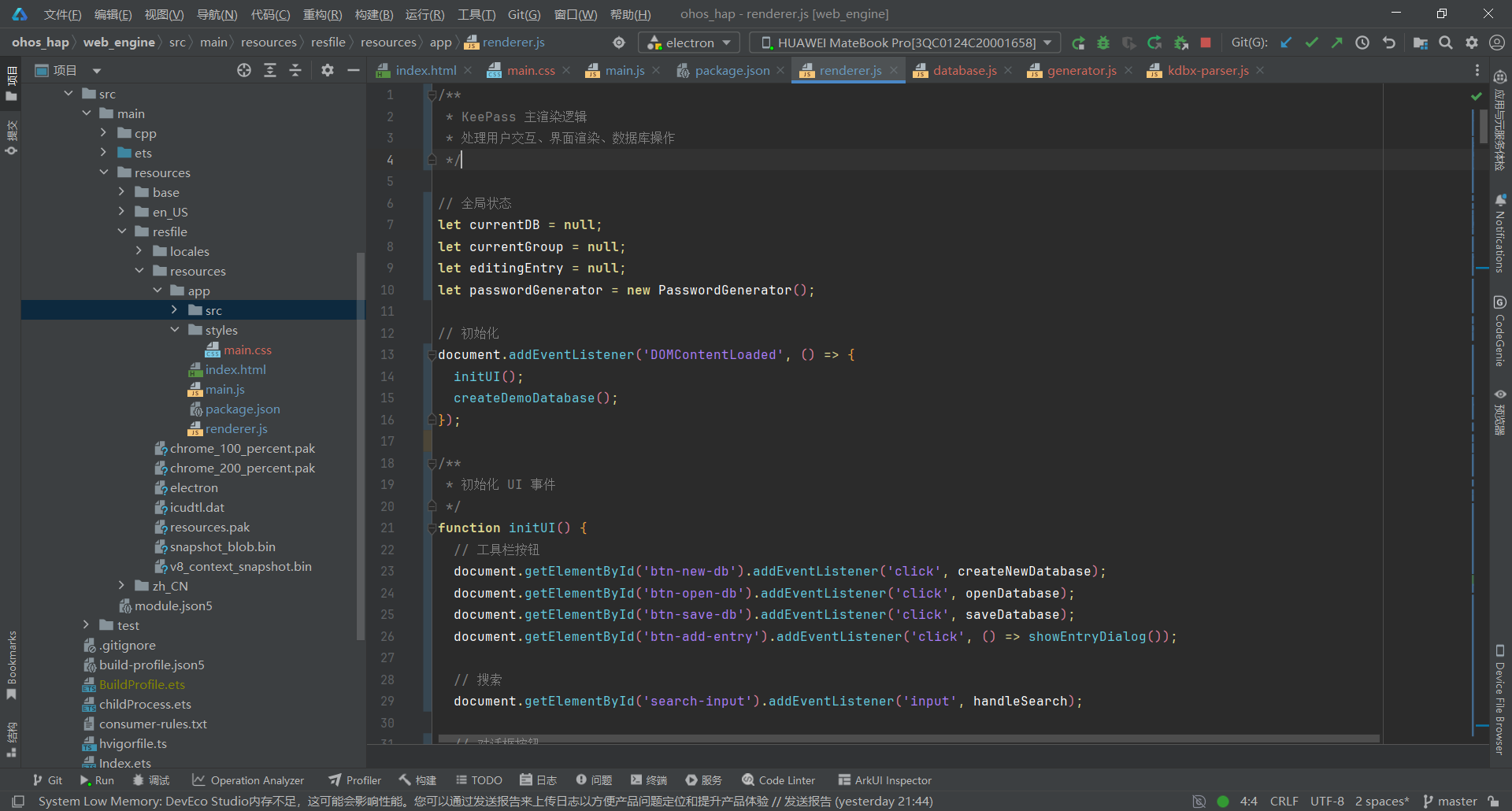
关键要点:
- 直接使用 PasswordDatabase 类方法,不使用 IPC 通信
- 创建示例数据库方便首次体验
- 使用 escapeHtml 防止 XSS 攻击
- 支持文件选择器加载 KDBX 文件
- 双栏布局,无详情面板
3.6 第六步:设计现代化UI样式
文件:electron-apps/keepass/styles/main.css
/* KeePass 主样式 */

* {
  margin: 0;
  padding: 0;
  box-sizing: border-box;
}

body {
  font-family: -apple-system, BlinkMacSystemFont, 'Segoe UI', 'Roboto', 'Microsoft YaHei', sans-serif;
  background: #667eea;
  background: linear-gradient(135deg, #667eea 0%, #764ba2 100%);
  color: #333;
  overflow: hidden;
}

/* 应用容器 */
.app-container {
  display: flex;
  flex-direction: column;
  height: 100vh;
}

/* 顶部工具栏 */
.toolbar {
  display: flex;
  align-items: center;
  justify-content: space-between;
  padding: 16px 24px;
  background: #ffffff;
  background: rgba(255, 255, 255, 0.98);
  border-bottom: 1px solid #e5e7eb;
  border-bottom: 1px solid rgba(0, 0, 0, 0.06);
  box-shadow: 0 4px 20px rgba(0, 0, 0, 0.08);
  position: relative;
  z-index: 10;
}

.toolbar-left {
  display: flex;
  align-items: center;
  gap: 12px;
}

.app-logo {
  width: 40px;
  height: 40px;
  background: linear-gradient(135deg, #667eea 0%, #764ba2 100%);
  border-radius: 12px;
  display: flex;
  align-items: center;
  justify-content: center;
  box-shadow: 0 4px 12px rgba(102, 126, 234, 0.3);
  transition: transform 0.2s;
}

.app-logo:hover {
  transform: scale(1.05);
}

.logo-icon {
  width: 24px;
  height: 24px;
  fill: white;
}

.app-title {
  font-size: 24px;
  font-weight: 700;
  color: #667eea;
  background: linear-gradient(135deg, #667eea 0%, #764ba2 100%);
  -webkit-background-clip: text;
  -webkit-text-fill-color: transparent;
  background-clip: text;
  letter-spacing: -0.5px;
}

.toolbar-center {
  flex: 1;
  max-width: 500px;
  margin: 0 24px;
}

.search-wrapper {
  position: relative;
  display: flex;
  align-items: center;
}

.search-icon {
  position: absolute;
  left: 14px;
  width: 20px;
  height: 20px;
  fill: #9ca3af;
  pointer-events: none;
  transition: fill 0.2s;
}

.search-input {
  width: 100%;
  padding: 10px 14px 10px 44px;
  border: 2px solid #e5e7eb;
  border-radius: 12px;
  font-size: 14px;
  background: #f9fafb;
  transition: all 0.2s;
}

.search-input:focus {
  outline: none;
  border-color: #667eea;
  background: white;
  box-shadow: 0 0 0 4px rgba(102, 126, 234, 0.1);
}

.search-input:focus + .search-icon,
.search-wrapper:focus-within .search-icon {
  fill: #667eea;
}

.toolbar-right {
  display: flex;
  gap: 8px;
}

/* 按钮样式 */
.btn {
  padding: 10px 20px;
  border: none;
  border-radius: 10px;
  font-size: 14px;
  font-weight: 500;
  cursor: pointer;
  transition: all 0.2s cubic-bezier(0.4, 0, 0.2, 1);
  background: #f3f4f6;
  color: #374151;
  display: inline-flex;
  align-items: center;
  justify-content: center;
  gap: 6px;
  position: relative;
  overflow: hidden;
}

.btn::before {
  content: '';
  position: absolute;
  top: 50%;
  left: 50%;
  width: 0;
  height: 0;
  border-radius: 50%;
  background: rgba(255, 255, 255, 0.3);
  transform: translate(-50%, -50%);
  transition: width 0.3s, height 0.3s;
}

.btn-hover::before {
  width: 300px;
  height: 300px;
}

.btn:hover {
  background: #e5e7eb;
  transform: translateY(-2px);
  box-shadow: 0 4px 12px rgba(0, 0, 0, 0.1);
}

.btn:active {
  transform: translateY(0);
}

.btn svg {
  width: 18px;
  height: 18px;
  fill: currentColor;
  position: relative;
  z-index: 1;
}

.btn span {
  position: relative;
  z-index: 1;
}

.btn-primary {
  background: linear-gradient(135deg, #667eea 0%, #764ba2 100%);
  color: white;
  box-shadow: 0 4px 12px rgba(102, 126, 234, 0.3);
}

.btn-primary:hover {
  background: linear-gradient(135deg, #5568d3 0%, #65408b 100%);
  box-shadow: 0 6px 16px rgba(102, 126, 234, 0.4);
}

.btn-secondary {
  background: #6b7280;
  color: white;
}

.btn-secondary:hover {
  background: #4b5563;
}

.btn-icon {
  padding: 10px;
  min-width: 40px;
}

.btn-icon svg {
  width: 20px;
  height: 20px;
}

.btn-small {
  padding: 6px 12px;
  font-size: 13px;
  border-radius: 8px;
}

.btn-small svg {
  width: 16px;
  height: 16px;
}

/* 主内容区 */
.main-content {
  display: flex;
  flex: 1;
  overflow: hidden;
}

/* 左侧分组面板 */
.sidebar {
  width: 280px;
  background: #ffffff;
  background: rgba(255, 255, 255, 0.95);
  border-right: 1px solid #e5e7eb;
  border-right: 1px solid rgba(0, 0, 0, 0.06);
  display: flex;
  flex-direction: column;
  box-shadow: 4px 0 20px rgba(0, 0, 0, 0.05);
}

.sidebar-header {
  display: flex;
  align-items: center;
  justify-content: space-between;
  padding: 20px;
  border-bottom: 1px solid rgba(0, 0, 0, 0.06);
  background: linear-gradient(135deg, rgba(102, 126, 234, 0.05) 0%, rgba(118, 75, 162, 0.05) 100%);
}

.sidebar-header h3 {
  font-size: 16px;
  font-weight: 600;
  color: #374151;
  display: flex;
  align-items: center;
  gap: 8px;
}

.header-icon {
  width: 20px;
  height: 20px;
  fill: #667eea;
}

.group-list {
  flex: 1;
  overflow-y: auto;
  padding: 8px;
}

/* 分组项基础样式 */
.group-item {
  padding: 12px 16px;
  margin: 6px 12px;
  border-radius: 10px;
  cursor: pointer;
  transition: all 0.2s cubic-bezier(0.4, 0, 0.2, 1);
  display: flex;
  align-items: center;
  gap: 10px;
  position: relative;
  overflow: hidden;
}

.group-item::before {
  content: '';
  position: absolute;
  left: 0;
  top: 0;
  bottom: 0;
  width: 3px;
  background: transparent;
  transition: background 0.2s;
}

/* hover 效果 - 不使用伪类+伪元素组合 */
.group-item:hover {
  background: rgba(102, 126, 234, 0.08);
  transform: translateX(4px);
}

/* active 状态 - 使用单独类名 */
.group-item.is-active {
  background: linear-gradient(135deg, rgba(102, 126, 234, 0.12) 0%, rgba(118, 75, 162, 0.12) 100%);
  color: #667eea;
  font-weight: 500;
  box-shadow: 0 2px 8px rgba(102, 126, 234, 0.15);
}

.group-item.is-active::before {
  background: linear-gradient(135deg, #667eea 0%, #764ba2 100%);
}

.group-icon {
  font-size: 20px;
  fill: currentColor;
  width: 20px;
  height: 20px;
}

.group-name {
  flex: 1;
  font-size: 14px;
}

/* 右侧密码列表 */
.content-area {
  flex: 1;
  display: flex;
  flex-direction: column;
  overflow: hidden;
}

.content-header {
  display: flex;
  align-items: center;
  justify-content: space-between;
  padding: 20px 24px;
  background: #ffffff;
  background: rgba(255, 255, 255, 0.95);
  border-bottom: 1px solid #e5e7eb;
  border-bottom: 1px solid rgba(0, 0, 0, 0.06);
}

.content-header h2 {
  font-size: 20px;
  font-weight: 600;
  color: #1f2937;
  letter-spacing: -0.3px;
}

.entry-count {
  font-size: 14px;
  color: #6b7280;
  background: #f3f4f6;
  padding: 6px 12px;
  border-radius: 20px;
  font-weight: 500;
}

.entry-list {
  flex: 1;
  overflow-y: auto;
  padding: 16px 20px;
}

/* 密码条目卡片 */
.entry-card {
  background: #ffffff;
  background: rgba(255, 255, 255, 0.98);
  border: 1px solid #e5e7eb;
  border: 1px solid rgba(0, 0, 0, 0.06);
  border-radius: 14px;
  padding: 20px;
  margin-bottom: 16px;
  cursor: pointer;
  transition: all 0.3s cubic-bezier(0.4, 0, 0.2, 1);
  position: relative;
  overflow: hidden;
}

.entry-card::before {
  content: '';
  position: absolute;
  top: 0;
  left: 0;
  right: 0;
  height: 3px;
  background: linear-gradient(90deg, #667eea 0%, #764ba2 100%);
  transform: scaleX(0);
  transform-origin: left;
  transition: transform 0.3s;
}

/* 密码卡片 hover 效果 */
.entry-card:hover {
  box-shadow: 0 8px 24px rgba(102, 126, 234, 0.15);
  border-color: rgba(102, 126, 234, 0.3);
  transform: translateY(-4px);
}

.entry-card-hover::before {
  transform: scaleX(1);
}

.entry-header {
  display: flex;
  align-items: center;
  gap: 12px;
  margin-bottom: 8px;
}

.entry-icon {
  width: 48px;
  height: 48px;
  background: linear-gradient(135deg, rgba(102, 126, 234, 0.1) 0%, rgba(118, 75, 162, 0.1) 100%);
  border-radius: 12px;
  display: flex;
  align-items: center;
  justify-content: center;
  flex-shrink: 0;
}

.entry-icon svg {
  width: 28px;
  height: 28px;
  fill: #667eea;
}

.entry-title {
  flex: 1;
  font-size: 16px;
  font-weight: 600;
}

.entry-actions {
  display: flex;
  gap: 8px;
}

.entry-meta {
  display: flex;
  flex-direction: column;
  gap: 4px;
  padding-left: 44px;
  font-size: 13px;
  color: #666;
}

.entry-username {
  display: flex;
  align-items: center;
  gap: 6px;
}

.entry-url {
  display: flex;
  align-items: center;
  gap: 6px;
}

.entry-url a {
  color: #2196f3;
  text-decoration: none;
}

.entry-url a:hover {
  text-decoration: underline;
}

/* 底部状态栏 */
.status-bar {
  display: flex;
  align-items: center;
  justify-content: space-between;
  padding: 8px 20px;
  background: #ffffff;
  border-top: 1px solid #e0e0e0;
  font-size: 12px;
  color: #666;
}

/* 对话框 */
.dialog-overlay {
  position: fixed;
  top: 0;
  left: 0;
  right: 0;
  bottom: 0;
  background: rgba(0, 0, 0, 0.6);
  display: flex;
  align-items: center;
  justify-content: center;
  z-index: 1000;
  animation: fadeIn 0.2s;
}

@keyframes fadeIn {
  from { opacity: 0; }
  to { opacity: 1; }
}

.dialog {
  background: #ffffff;
  background: rgba(255, 255, 255, 0.98);
  border-radius: 20px;
  min-width: 540px;
  max-width: 90%;
  max-height: 90vh;
  overflow: hidden;
  box-shadow: 0 20px 60px rgba(0, 0, 0, 0.3);
  animation: slideUp 0.3s cubic-bezier(0.4, 0, 0.2, 1);
}

@keyframes slideUp {
  from {
    opacity: 0;
    transform: translateY(20px);
  }
  to {
    opacity: 1;
    transform: translateY(0);
  }
}

.dialog-small {
  min-width: 350px;
}

.dialog-header {
  display: flex;
  align-items: center;
  justify-content: space-between;
  padding: 24px;
  border-bottom: 1px solid rgba(0, 0, 0, 0.06);
  background: linear-gradient(135deg, rgba(102, 126, 234, 0.05) 0%, rgba(118, 75, 162, 0.05) 100%);
}

.dialog-header h3 {
  font-size: 20px;
  font-weight: 600;
  color: #1f2937;
  display: flex;
  align-items: center;
  gap: 10px;
}

.dialog-close {
  background: none;
  border: none;
  cursor: pointer;
  color: #6b7280;
  padding: 4px;
  border-radius: 8px;
  transition: all 0.2s;
}

.dialog-close svg {
  width: 24px;
  height: 24px;
  fill: currentColor;
}

.dialog-close:hover {
  background: rgba(0, 0, 0, 0.05);
  color: #1f2937;
  transform: rotate(90deg);
}

.dialog-body {
  padding: 24px;
  overflow-y: auto;
  max-height: 60vh;
}

.dialog-footer {
  display: flex;
  justify-content: flex-end;
  gap: 12px;
  padding: 20px 24px;
  border-top: 1px solid rgba(0, 0, 0, 0.06);
  background: rgba(249, 250, 251, 0.5);
}

/* 表单 */
.form-group {
  margin-bottom: 16px;
}

.form-group label {
  display: block;
  margin-bottom: 6px;
  font-size: 14px;
  font-weight: 500;
  color: #555;
}

.form-input {
  width: 100%;
  padding: 12px 16px;
  border: 2px solid #e5e7eb;
  border-radius: 10px;
  font-size: 14px;
  background: #f9fafb;
  transition: all 0.2s;
}

.form-input:focus {
  outline: none;
  border-color: #667eea;
  background: white;
  box-shadow: 0 0 0 4px rgba(102, 126, 234, 0.1);
}

.password-input-group {
  display: flex;
  gap: 8px;
}

.password-input-group .form-input {
  flex: 1;
}

.password-strength {
  margin-top: 8px;
  font-size: 12px;
  height: 20px;
}

.strength-bar {
  height: 6px;
  background: #e5e7eb;
  border-radius: 3px;
  overflow: hidden;
  margin-top: 8px;
  box-shadow: inset 0 1px 2px rgba(0, 0, 0, 0.05);
}

.strength-fill {
  height: 100%;
  transition: width 0.4s cubic-bezier(0.4, 0, 0.2, 1), background 0.3s;
  border-radius: 3px;
}

/* 密码生成器 */
.generated-password {
  display: flex;
  gap: 8px;
}

.generated-password .form-input {
  flex: 1;
  font-family: 'Courier New', monospace;
  font-size: 16px;
}

.range-input {
  width: 100%;
  margin: 8px 0;
}

.checkbox-group {
  display: flex;
  flex-direction: column;
  gap: 8px;
}

.checkbox-group label {
  display: flex;
  align-items: center;
  gap: 8px;
  font-weight: normal;
  cursor: pointer;
}

.checkbox-group input[type="checkbox"] {
  width: 18px;
  height: 18px;
  cursor: pointer;
}

/* 滚动条样式 - 鸿蒙 ArkWeb 不支持 ::-webkit-scrollbar 伪元素 */
/* 使用标准 overflow 属性控制滚动行为 */
.group-list,
.entry-list,
.dialog-body {
  overflow-y: auto;
  scrollbar-width: thin;
  scrollbar-color: #cbd5e1 rgba(0, 0, 0, 0.02);
}

/* 空状态 */
.empty-state {
  text-align: center;
  padding: 50px 30px;
  background: #ffffff;
  border: 2px dashed #d1d5db;
  border-radius: 20px;
  margin: 30px;
  animation: fadeIn 0.5s;
}

.empty-state-icon {
  width: 120px;
  height: 120px;
  margin: 0 auto 28px;
  background: linear-gradient(135deg, #667eea 0%, #764ba2 100%);
  border-radius: 30px;
  display: flex;
  align-items: center;
  justify-content: center;
  box-shadow: 0 12px 32px rgba(102, 126, 234, 0.4);
  transform: rotate(-5deg);
  transition: transform 0.3s;
}

.empty-state:hover .empty-state-icon {
  transform: rotate(0deg) scale(1.05);
}

.empty-state-icon svg {
  width: 60px;
  height: 60px;
  fill: white;
  filter: drop-shadow(0 2px 8px rgba(0, 0, 0, 0.2));
}

.empty-state-text {
  font-size: 26px;
  margin-bottom: 16px;
  font-weight: 700;
  color: #111827;
  letter-spacing: -0.5px;
  text-shadow: 0 1px 2px rgba(0, 0, 0, 0.05);
}

.empty-state-subtext {
  font-size: 16px;
  color: #374151;
  margin-bottom: 28px;
  line-height: 1.7;
  font-weight: 500;
}

/* 响应式 */
@media (max-width: 768px) {
  .sidebar {
    width: 200px;
  }

  .dialog {
    min-width: 90%;
  }
}
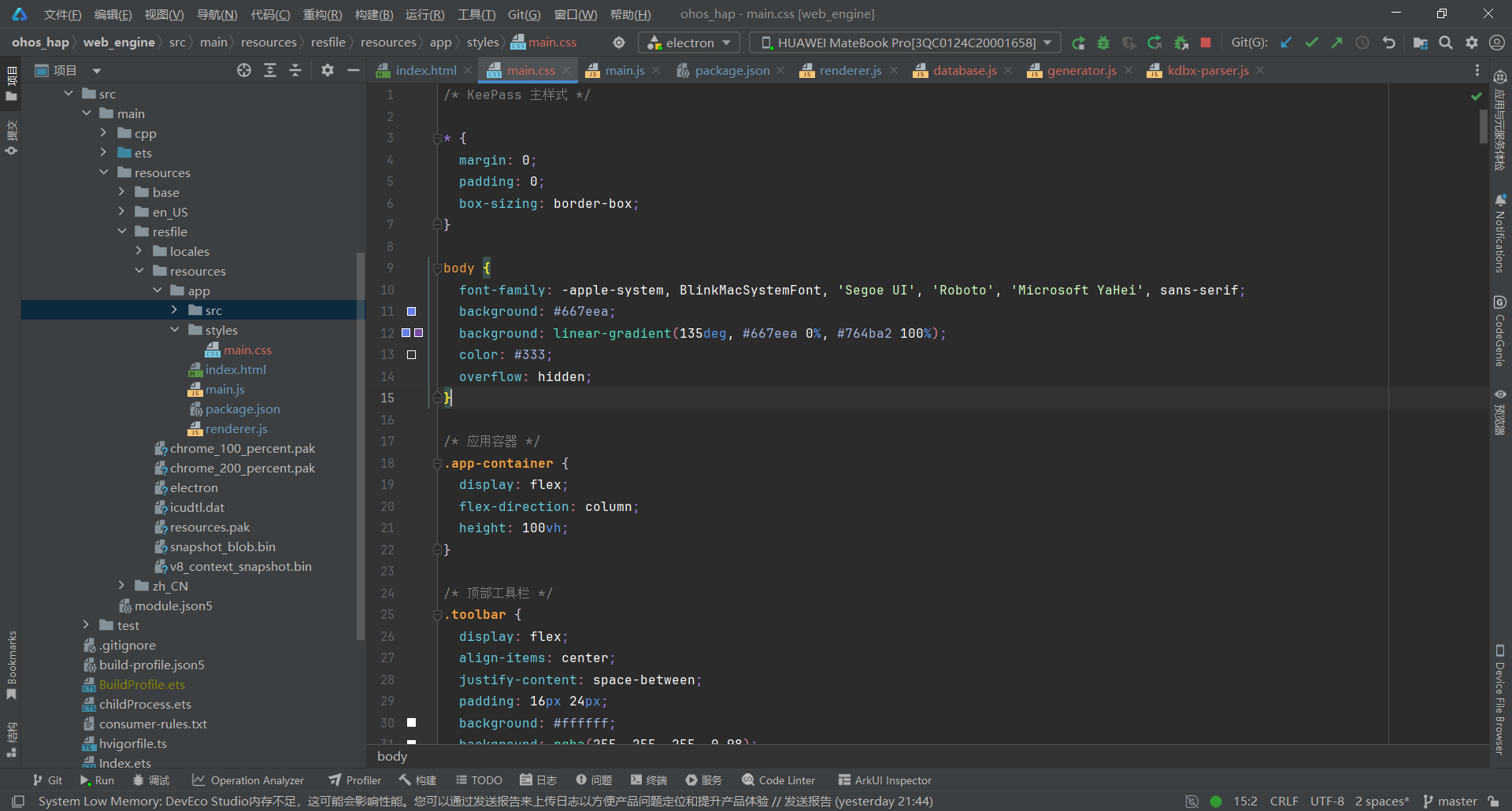
关键要点:
- 使用渐变色背景 (#667eea → #764ba2)
- 卡片式设计,圆角 + 阴影
- 现代化扁平 UI 风格
- 响应式布局适配不同屏幕尺寸
- 平滑过渡动画提升用户体验
3.7 第七步:KDBX 解析器
文件:electron-apps/keepass/src/kdbx-parser.js
/**
 * KDBX 文件格式解析器
 * 基于 KeePass 源码的 KdbxFile.Read.cs 实现
 * 支持 KDBX 3.x 和 4.x 格式
 */

class KdbxParser {
  // KDBX 文件签名
  static FILESIGNATURE = 0x9AA2D903;
  static KDBX_VERSION_MAJOR = 3;
  static KDBX_VERSION_MINOR = 1;

  // 头部字段类型
  static HEADER_FIELD = {
    END: 0,
    COMMENT: 1,
    CIPHER_ID: 2,
    COMPRESSION_FLAGS: 3,
    MASTER_SEED: 4,
    TRANSFORM_SEED: 5,
    TRANSFORM_ROUNDS: 6,
    ENCRYPTION_IV: 7,
    PROTECT_MASK_SEED: 8,
    STREAM_START_BYTES: 9,
    INNER_RANDOM_STREAM_KEY: 10,
    KDF_PARAMS: 11,
    PUBLIC_CUSTOM_DATA: 12
  };

  // 加密算法 UUID
  static CIPHER_AES = new Uint8Array([
    0x31, 0xc1, 0xf2, 0xe6, 0xbf, 0x71, 0x43, 0x50,
    0xbe, 0xf6, 0x83, 0x42, 0x03, 0xa1, 0x1b, 0x06
  ]);

  /**
   * 解析 KDBX 文件
   * @param {ArrayBuffer} fileData - KDBX 文件数据
   * @param {Uint8Array} masterKey - 主密钥
   * @returns {Object} 解析后的数据库数据
   */
  static async parseKdbx(fileData, masterKey) {
    const view = new DataView(fileData);
    const bytes = new Uint8Array(fileData);
    let offset = 0;

    // 1. 读取文件头签名
    const signature = view.getUint32(offset, true);
    offset += 4;

    if (signature !== this.FILESIGNATURE) {
      throw new Error('Invalid KDBX file signature');
    }

    // 2. 读取版本号
    const versionMinor = view.getUint16(offset, true);
    offset += 2;
    const versionMajor = view.getUint16(offset, true);
    offset += 2;

    console.log(`KDBX Version: ${versionMajor}.${versionMinor}`);

    // 3. 读取头部
    const header = await this.readHeader(bytes, offset, versionMajor);
    offset = header.offset;

    // 4. 验证流起始字节
    const streamStartBytes = bytes.slice(offset, offset + 32);
    offset += 32;

    // 5. 计算复合密钥
    const compositeKey = await this.computeCompositeKey(
      masterKey,
      header.masterSeed,
      header.transformSeed,
      header.transformRounds
    );

    // 6. 解密数据
    const encryptedData = bytes.slice(offset);
    const decryptedData = await this.decryptData(
      encryptedData,
      compositeKey,
      header.encryptionIV,
      header.cipherId,
      streamStartBytes
    );

    // 7. 解析 XML 内容
    const xmlContent = this.decodeXml(decryptedData, header.compressionFlags);

    return {
      version: `${versionMajor}.${versionMinor}`,
      header,
      xml: xmlContent,
      cipherId: header.cipherId
    };
  }

  /**
   * 读取 KDBX 头部
   */
  static async readHeader(bytes, offset, versionMajor) {
    const header = {
      cipherId: this.CIPHER_AES,
      compressionFlags: 1, // GZip 压缩
      masterSeed: null,
      transformSeed: null,
      transformRounds: 6000,
      encryptionIV: null,
      streamStartBytes: null
    };

    let fieldId;
    while ((fieldId = bytes[offset++]) !== this.HEADER_FIELD.END) {
      const fieldSize = versionMajor >= 4
        ? bytes[offset] | (bytes[offset + 1] << 8)
        : bytes[offset] | (bytes[offset + 1] << 8);
      offset += 2;

      const fieldData = bytes.slice(offset, offset + fieldSize);
      offset += fieldSize;

      switch (fieldId) {
        case this.HEADER_FIELD.CIPHER_ID:
          header.cipherId = fieldData;
          break;
        case this.HEADER_FIELD.COMPRESSION_FLAGS:
          header.compressionFlags = new DataView(fieldData.buffer).getUint32(0, true);
          break;
        case this.HEADER_FIELD.MASTER_SEED:
          header.masterSeed = fieldData;
          break;
        case this.HEADER_FIELD.TRANSFORM_SEED:
          header.transformSeed = fieldData;
          break;
        case this.HEADER_FIELD.TRANSFORM_ROUNDS:
          header.transformRounds = new DataView(fieldData.buffer).getUint32(0, true);
          break;
        case this.HEADER_FIELD.ENCRYPTION_IV:
          header.encryptionIV = fieldData;
          break;
        case this.HEADER_FIELD.STREAM_START_BYTES:
          header.streamStartBytes = fieldData;
          break;
      }
    }

    return { ...header, offset };
  }

  /**
   * 计算复合密钥
   */
  static async computeCompositeKey(masterKey, masterSeed, transformSeed, transformRounds) {
    // 1. SHA256 哈希主密钥
    const keyHash = await crypto.subtle.digest('SHA-256', masterKey);

    // 2. 转换密钥(AES-ECB 加密 transformRounds 次)
    let transformedKey = new Uint8Array(keyHash);
    for (let i = 0; i < transformRounds; i++) {
      transformedKey = await this.aesEcbEncrypt(transformSeed, transformedKey);
    }

    // 3. SHA256 哈希转换后的密钥
    const transformedHash = await crypto.subtle.digest('SHA-256', transformedKey);

    // 4. 与 masterSeed 组合并再次哈希
    const combined = new Uint8Array([...new Uint8Array(masterSeed), ...new Uint8Array(transformedHash)]);
    const finalKey = await crypto.subtle.digest('SHA-256', combined);

    return new Uint8Array(finalKey);
  }

  /**
   * AES-ECB 加密(用于密钥转换)
   */
  static async aesEcbEncrypt(key, data) {
    const cryptoKey = await crypto.subtle.importKey(
      'raw',
      key,
      'AES-256-ECB',
      false,
      ['encrypt']
    );

    const encrypted = await crypto.subtle.encrypt(
      { name: 'AES-ECB' },
      cryptoKey,
      data
    );

    return new Uint8Array(encrypted);
  }

  /**
   * 解密数据
   */
  static async decryptData(encryptedData, compositeKey, iv, cipherId, streamStartBytes) {
    // 导入密钥
    const cryptoKey = await crypto.subtle.importKey(
      'raw',
      compositeKey,
      'AES-CBC',
      false,
      ['decrypt']
    );

    // 解密
    const decrypted = await crypto.subtle.decrypt(
      { name: 'AES-CBC', iv: iv },
      cryptoKey,
      encryptedData
    );

    return new Uint8Array(decrypted);
  }

  /**
   * 解码 XML 内容(处理 GZip 解压缩)
   */
  static decodeXml(data, compressionFlags) {
      // 需要 GZip 解压缩
      // 使用 pako 库(需要引入)
      if (typeof pako !== 'undefined') {
        const decompressed = pako.inflate(data);
        return new TextDecoder('utf-8').decode(decompressed);
      } else {
        console.warn('pako library not loaded, returning raw data');
        return new TextDecoder('utf-8').decode(data);
  /**
   * 解析 XML 为密码数据库结构
   */
  static parseXmlToDatabase(xmlString) {
    const parser = new DOMParser();
    const xmlDoc = parser.parseFromString(xmlString, 'text/xml');

    const database = {
      groups: [],
      entries: []
    };

    // 解析根节点
    const root = xmlDoc.querySelector('Root');
    if (root) {
      this.parseGroups(root, database);
    }

    return database;
  }

  /**
   * 递归解析分组
   */
  static parseGroups(parentNode, database) {
    const groups = parentNode.querySelectorAll(':scope > Group');

    groups.forEach(groupNode => {
      const group = {
        name: this.getXmlText(groupNode, 'Name'),
        uuid: this.getXmlText(groupNode, 'UUID'),
        entries: [],
        children: []
      };

      // 解析条目
      const entries = groupNode.querySelectorAll(':scope > Entry');
      entries.forEach(entryNode => {
        const entry = this.parseEntry(entryNode);
        group.entries.push(entry);
        database.entries.push(entry);
      });

      // 递归解析子分组
      this.parseGroups(groupNode, group);
      database.groups.push(group);
    });
  }

  /**
   * 解析密码条目
   */
  static parseEntry(entryNode) {
    const entry = {
      uuid: this.getXmlText(entryNode, 'UUID'),
      title: '',
      userName: '',
      password: '',
      url: '',
      notes: '',
      icon: 0,
      tags: [],
      createTime: null,
      modifyTime: null,
      strings: []
    };

    // 解析字符串字段
    const strings = entryNode.querySelectorAll(':scope > String');
    strings.forEach(strNode => {
      const key = this.getXmlText(strNode, 'Key');
      const valueNode = strNode.querySelector('Value');

      if (valueNode) {
        const value = valueNode.textContent || '';
        const isProtected = valueNode.getAttribute('Protected') === 'True';

        switch (key) {
          case 'Title':
            entry.title = value;
            break;
          case 'UserName':
            entry.userName = value;
            break;
          case 'Password':
            entry.password = isProtected ? this.decodeProtected(value) : value;
            break;
          case 'URL':
            entry.url = value;
            break;
          case 'Notes':
            entry.notes = value;
            break;
          default:
            entry.strings.push({ key, value, isProtected });
        }
      }
    });

    return entry;
  }

  /**
   * 获取 XML 文本内容
   */
  static getXmlText(parent, tagName) {
    const element = parent.querySelector(`:scope > ${tagName}`);
    return element ? (element.textContent || '') : '';
  }

  /**
   * 解码受保护的字符串(Base64)
   */
  static decodeProtected(value) {
    try {
      return atob(value);
    } catch (e) {
      return value;
    }
  }
}

// 导出
if (typeof module !== 'undefined' && module.exports) {
  module.exports = KdbxParser;
}
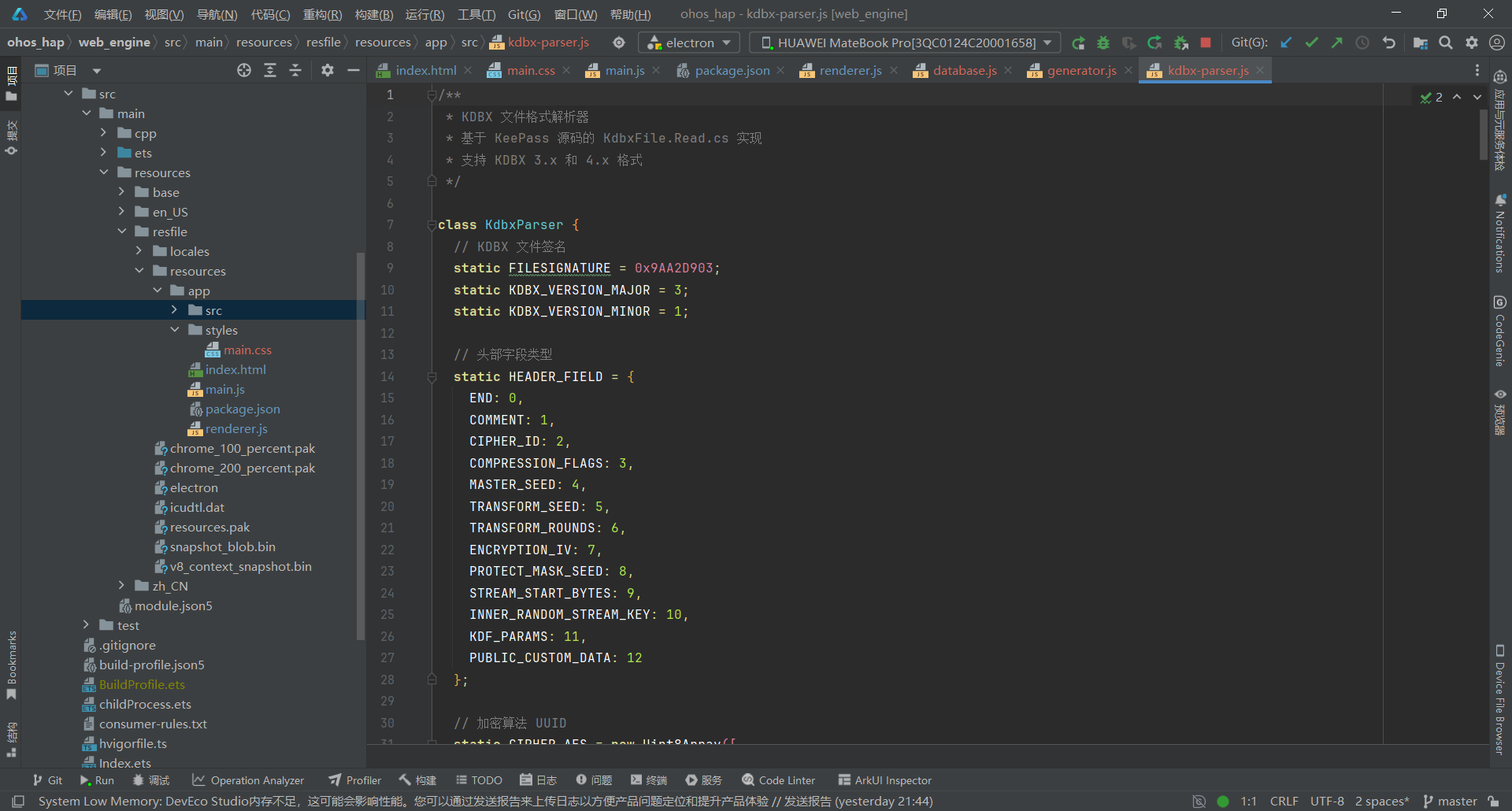
关键要点:
- 支持 KDBX 3.x 和 4.x 格式解析
- 使用 AES-256-CBC 加密算法
- 实现密钥转换(AES-ECB 多次加密)
- 使用 Web Crypto API 进行加密操作
- 解析 XML 内容获取分组和条目
3.8 第八步:密码生成器
文件:electron-apps/keepass/src/generator.js
/**
 * 密码生成器
 * 仿 KeePass 的 PwGenerator 实现
 */

class PasswordGenerator {
  constructor() {
    this.profiles = {
      default: {
        length: 16,
        useUpperCase: true,
        useLowerCase: true,
        useDigits: true,
        useSpecial: true,
        useBrackets: false,
        useSpecialChars: '-_=+[]{}|;:\'",.<>/?!@#$%^&*()`~',
        excludeChars: ''
      }
    };
  }

  /**
   * 生成密码
   */
  generate(options = {}) {
    const config = { ...this.profiles.default, ...options };

    let charSets = [];

    if (config.useUpperCase) {
      charSets.push('ABCDEFGHIJKLMNOPQRSTUVWXYZ');
    }
    if (config.useLowerCase) {
      charSets.push('abcdefghijklmnopqrstuvwxyz');
    }
    if (config.useDigits) {
      charSets.push('0123456789');
    }
    if (config.useBrackets) {
      charSets.push('()[]{}<>');
    }
    if (config.useSpecial) {
      charSets.push(config.useSpecialChars);
    }

    if (charSets.length === 0) {
      throw new Error('至少需要选择一个字符集');
    }

    // 合并所有字符
    let allChars = charSets.join('');

    // 排除字符
    if (config.excludeChars) {
      allChars = allChars.split('').filter(c => !config.excludeChars.includes(c)).join('');
    }

    if (allChars.length === 0) {
      throw new Error('没有可用的字符');
    }

    // 生成密码
    let password = '';
    const array = new Uint32Array(config.length);
    crypto.getRandomValues(array);

    for (let i = 0; i < config.length; i++) {
      password += allChars[array[i] % allChars.length];
    }

    return password;
  }

  /**
   * 计算密码强度(熵)
   */
  calculateEntropy(password) {
    if (!password) return 0;

    let poolSize = 0;

    if (/[a-z]/.test(password)) poolSize += 26;
    if (/[A-Z]/.test(password)) poolSize += 26;
    if (/[0-9]/.test(password)) poolSize += 10;
    if (/[^a-zA-Z0-9]/.test(password)) poolSize += 32;

    if (poolSize === 0) return 0;

    // 熵 = length * log2(poolSize)
    return Math.floor(password.length * Math.log2(poolSize));
  }

  /**
   * 获取密码强度描述
   */
  getStrengthDescription(entropy) {
    if (entropy < 40) return '很弱';
    if (entropy < 60) return '弱';
    if (entropy < 80) return '一般';
    if (entropy < 100) return '强';
    return '很强';
  }

  /**
   * 获取密码强度标签
   */
  getStrengthLabel(entropy) {
    return this.getStrengthText(entropy);
  }

  /**
   * 获取密码强度颜色
   */
  getStrengthColor(entropy) {
    if (entropy < 40) return '#f44336';
    if (entropy < 60) return '#ff9800';
    if (entropy < 80) return '#ffeb3b';
    if (entropy < 100) return '#4caf50';
    return '#2e7d32';
  }

  /**
   * 生成可读密码(短语)
   */
  generatePassphrase(wordCount = 4, separator = '-') {
    // 常用单词列表(简化版)
    const words = [
      'apple', 'brave', 'cloud', 'dream', 'eagle', 'flame', 'grace', 'heart',
      'ice', 'jade', 'kite', 'light', 'moon', 'night', 'ocean', 'pearl',
      'queen', 'river', 'star', 'tree', 'unity', 'valor', 'wave', 'xenon',
      'youth', 'zeal', 'bright', 'calm', 'dark', 'energy', 'fresh', 'glow',
      'hope', 'iron', 'joy', 'kind', 'life', 'magic', 'noble', 'open',
      'peace', 'quiet', 'rise', 'safe', 'trust', 'union', 'vivid', 'wise'
    ];

    const selected = [];
    const array = new Uint32Array(wordCount);
    crypto.getRandomValues(array);

    for (let i = 0; i < wordCount; i++) {
      selected.push(words[array[i] % words.length]);
    }

    return selected.join(separator);
  }
}

// 导出
if (typeof module !== 'undefined' && module.exports) {
  module.exports = PasswordGenerator;
}
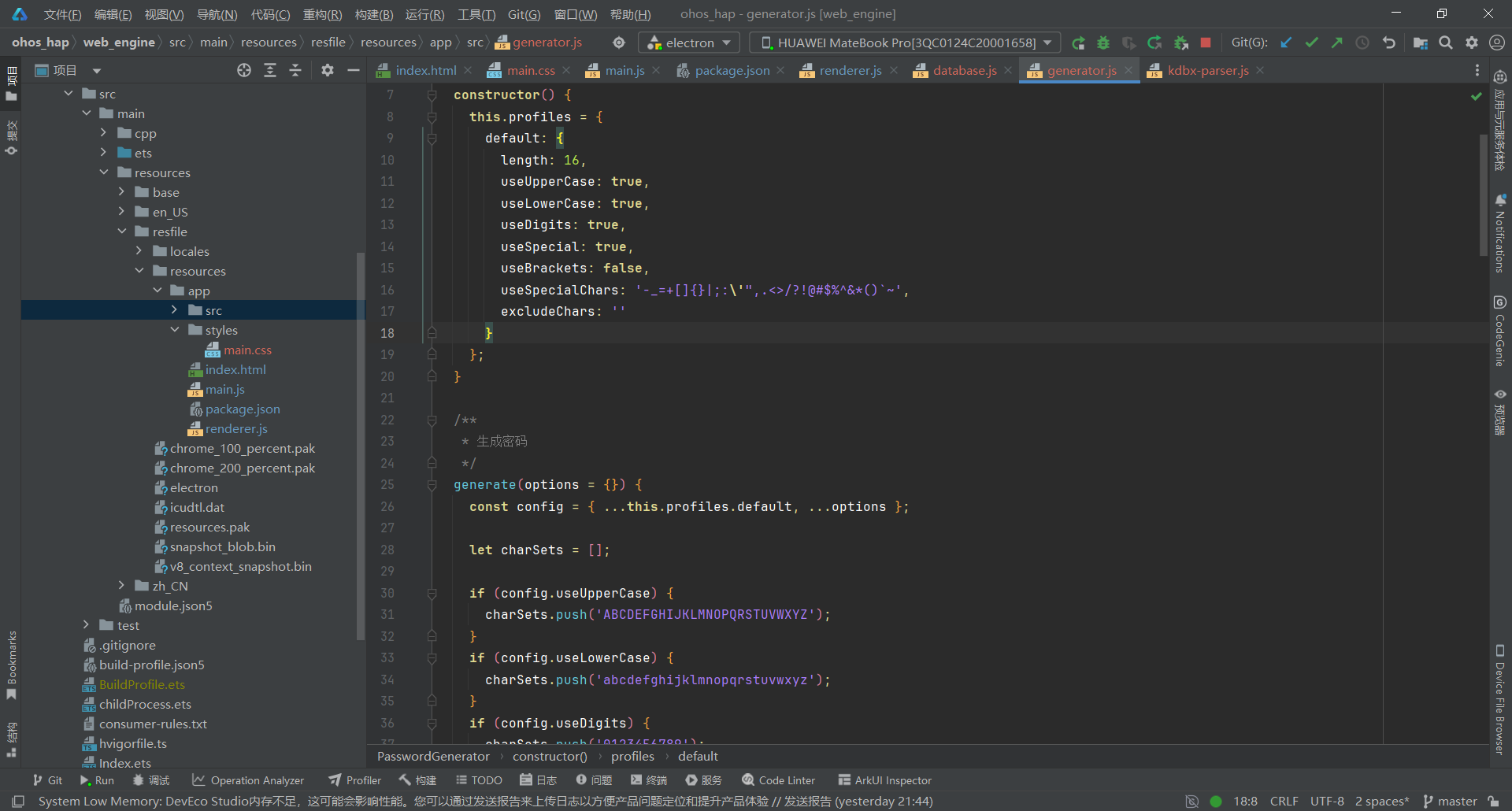
关键要点:
- 使用 crypto.getRandomValues() 生成加密安全的随机数
- 支持多种字符类型:大写、小写、数字、特殊符号
- 计算密码强度(熵值)并可视化显示
- 支持生成可读密码短语(Passphrase)
- 可排除特定字符(如容易混淆的字符)
四、部署到鸿蒙平台
4.1 文件同步
使用 PowerShell 脚本将 Electron 应用文件同步到鸿蒙项目:
# 同步 main.js
Copy-Item "electron-apps\keepass\main.js" `
  -Destination "web_engine\src\main\resources\resfile\resources\app\main.js" `
  -Force

# 同步 renderer.js
Copy-Item "electron-apps\keepass\renderer.js" `
  -Destination "web_engine\src\main\resources\resfile\resources\app\renderer.js" `
  -Force

# 同步 index.html
Copy-Item "electron-apps\keepass\index.html" `
  -Destination "web_engine\src\main\resources\resfile\resources\app\index.html" `
  -Force

# 同步 keepass.css
Copy-Item "electron-apps\keepass\styles\keepass.css" `
  -Destination "web_engine\src\main\resources\resfile\resources\app\styles\keepass.css" `
  -Force
4.2 构建 HAP 包
在 DevEco Studio 中:
- 打开项目根目录
- 点击 Build > Build Hap(s)/APP(s)
- 选择 Build Hap(s)
- 等待构建完成
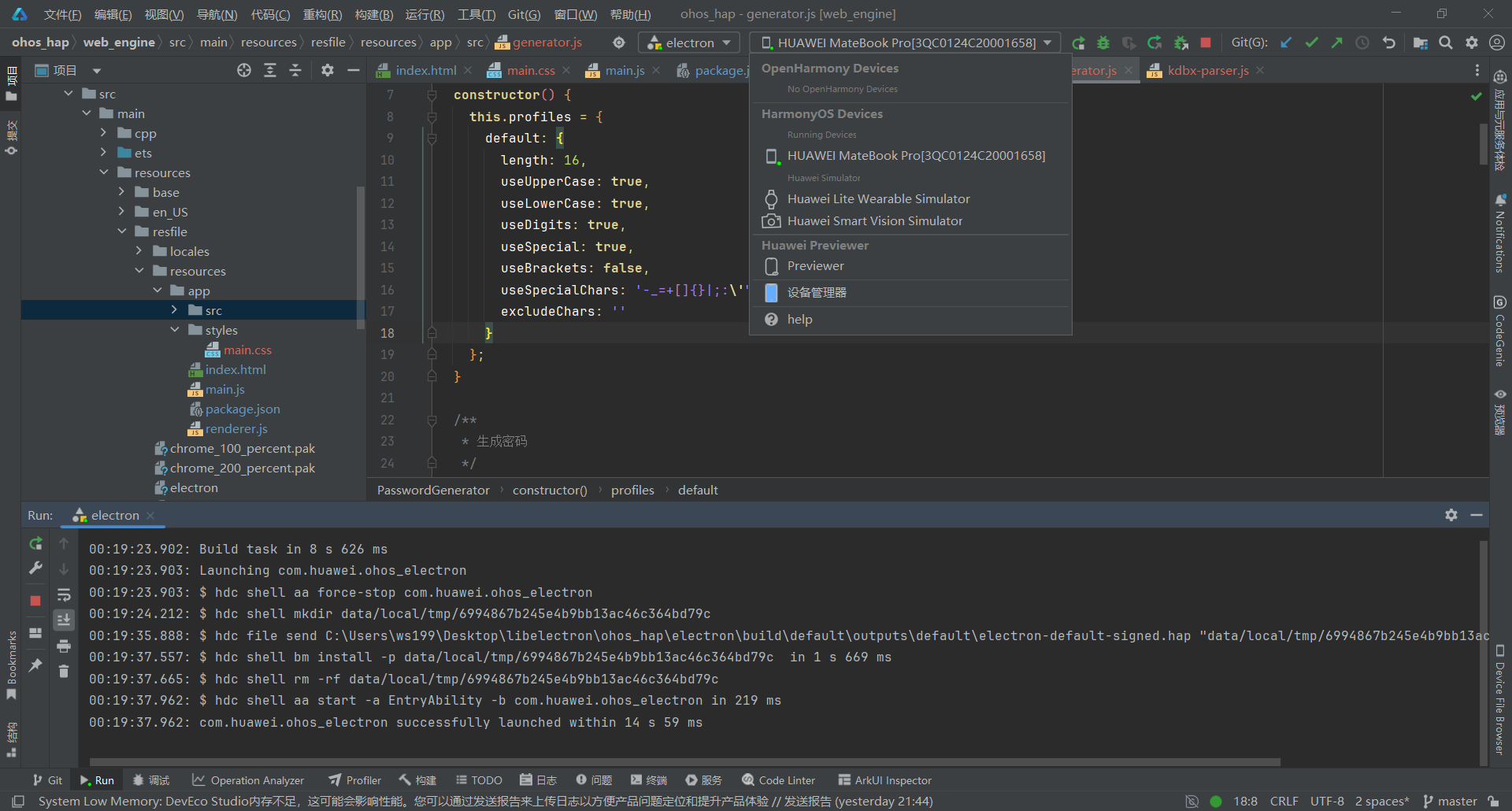
4.3 真机测试
- 连接鸿蒙设备(或启动模拟器)
- 点击 Run > Run ‘entry’
- 安装完成后,应用会自动启动
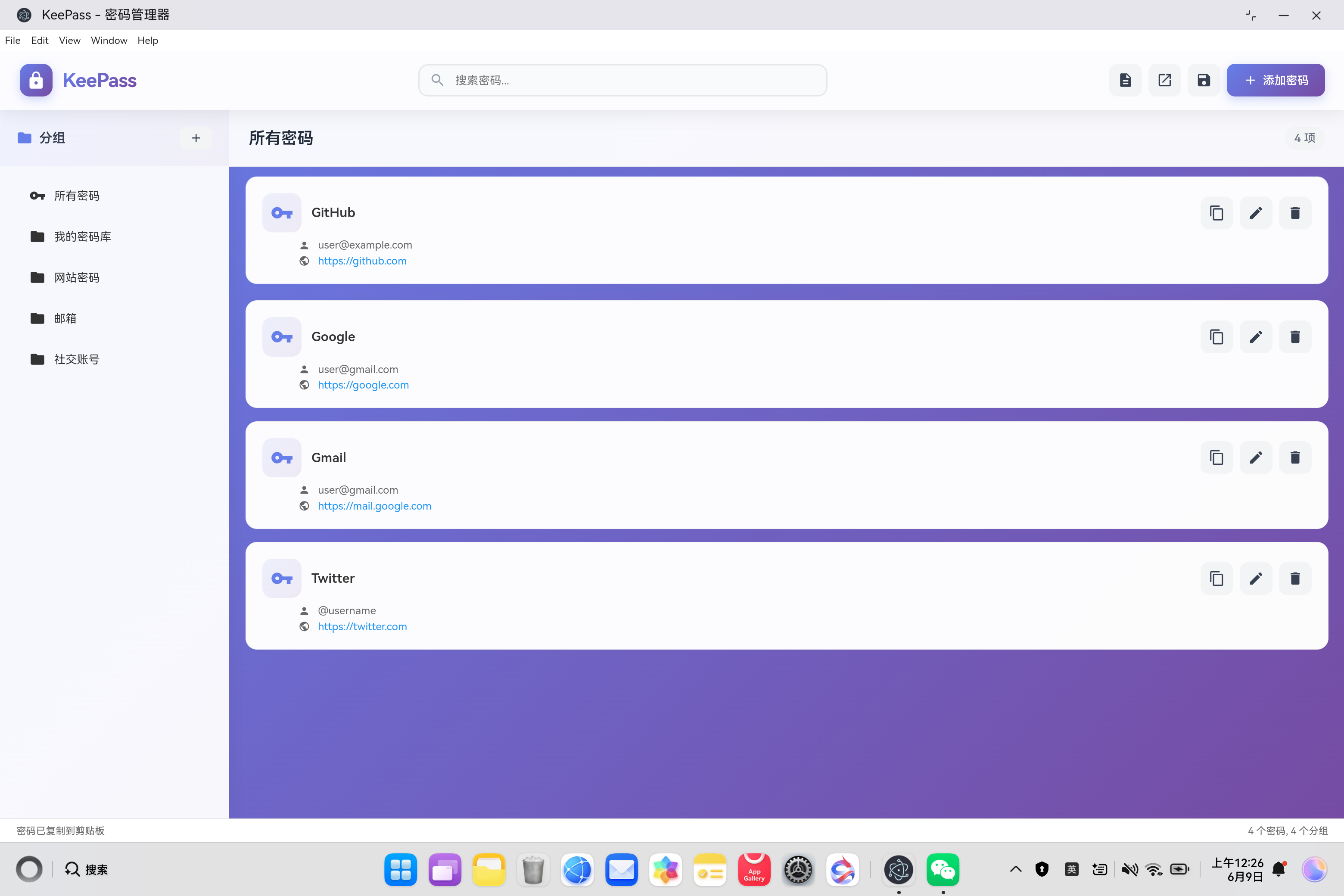
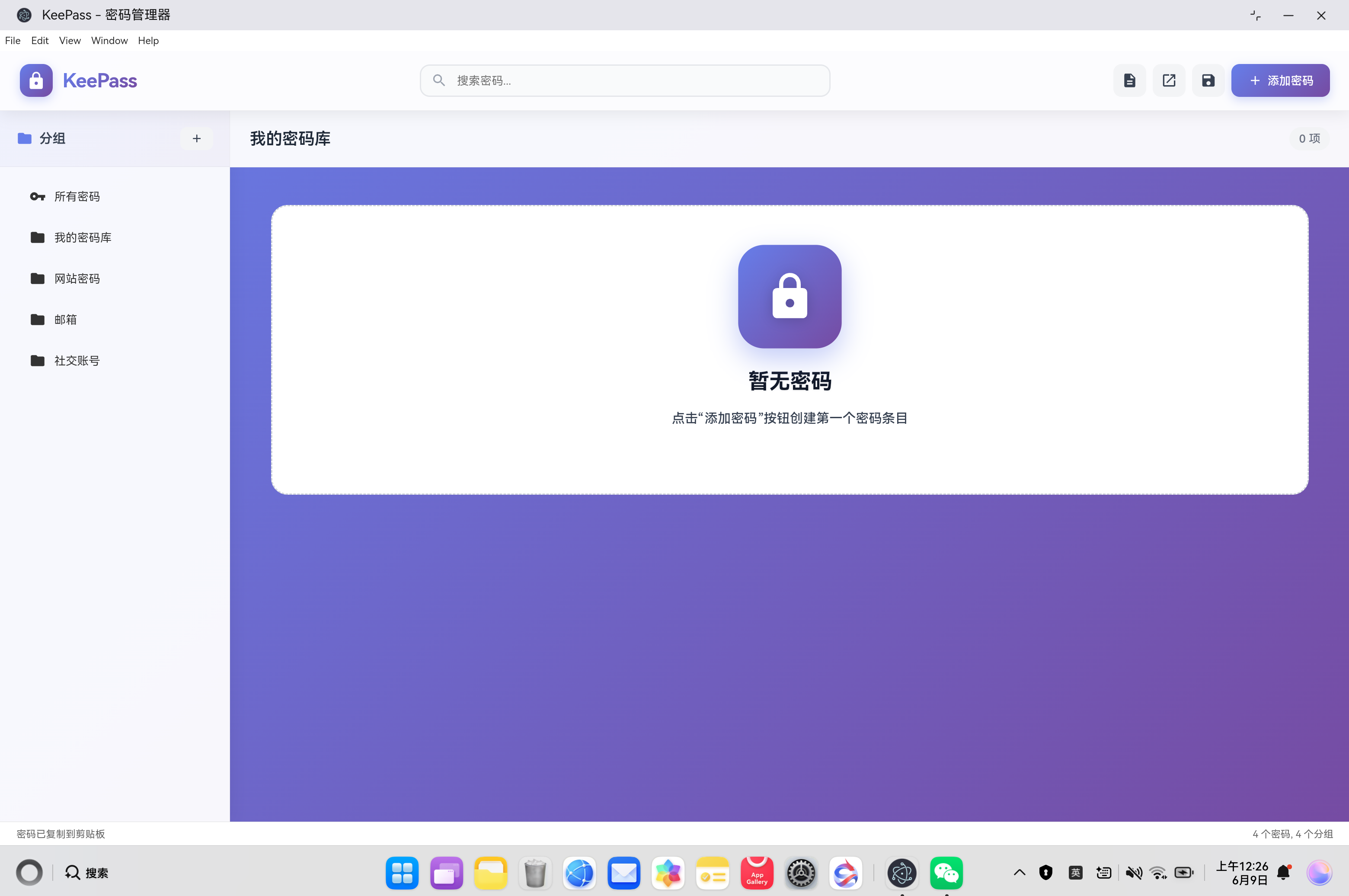
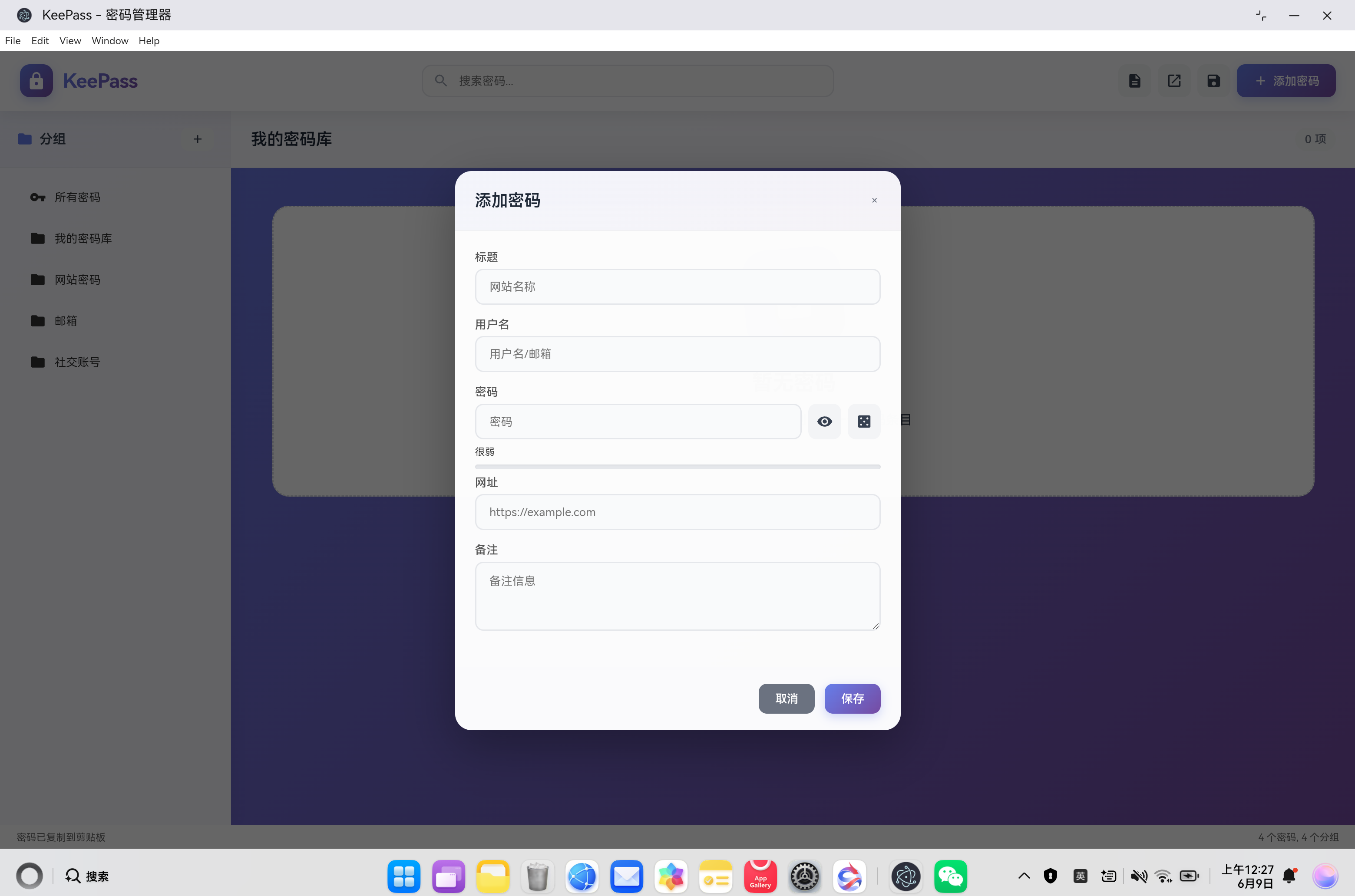
- 创建密码数据库,测试密码管理功能
五、常见问题 FAQ
Q1:如何加载 KDBX 加密数据库文件?
问题现象:用户想打开 KeePass 生成的 .kdbx 文件
解决方案:
// renderer.js 中的 openDatabase 函数
async function openDatabase() {
  const input = document.createElement('input');
  input.type = 'file';
  input.accept = '.kdbx';

  input.onchange = async (e) => {
    const file = e.target.files[0];
    if (!file) return;

    const password = prompt('输入主密码:');
    if (!password) return;

    try {
      const fileData = await file.arrayBuffer();
      currentDB = await PasswordDatabase.loadFromFile(fileData, new TextEncoder().encode(password));
      currentGroup = currentDB.groups[0];
      renderAll();
      showStatus('数据库已打开');
    } catch (error) {
      alert('打开数据库失败: ' + error.message);
    }
  };

  input.click();
}
关键点:
- 使用 HTML5 File API 读取文件
- 调用 PasswordDatabase.loadFromFile() 解析 KDBX
- KdbxParser 内部使用 Web Crypto API 解密
- 支持 KDBX 3.x 和 4.x 格式
Q2:为什么点击"保存"按钮提示"开发中"?
问题现象:保存数据库功能无法使用
根本原因:KDBX 文件写入功能尚未实现,当前版本只支持读取
解决方案(待实现):
// 需要实现的保存逻辑
function saveDatabase() {
  if (!currentDB) {
    alert('没有打开的数据库');
    return;
  }

  // TODO: 1. 将数据库转换为 XML
  // TODO: 2. 使用 pako 进行 GZip 压缩
  // TODO: 3. 使用 AES-256-CBC 加密
  // TODO: 4. 构建 KDBX 文件头
  // TODO: 5. 写入文件

  showStatus('保存功能开发中...');
}
关键点:
- KDBX 写入比读取复杂得多
- 需要实现完整的加密流程
- 当前版本建议导出为 JSON 备份
Q3:如何生成高强度密码?
问题现象:需要为不同网站生成安全的随机密码
解决方案:
// 使用 PasswordGenerator 类
const passwordGenerator = new PasswordGenerator();
const password = passwordGenerator.generate({

// 计算密码强度
const entropy = passwordGenerator.calculateEntropy(password);
const strength = passwordGenerator.getStrengthDescription(entropy);
console.log(`密码强度: ${strength} (${entropy} bits)`);

// 生成可读密码短语
const passphrase = passwordGenerator.generatePassphrase(5, '-');
关键点:
- 使用 crypto.getRandomValues() 生成加密安全的随机数
- 熵值 > 80 bits 被认为是强密码
- 密码短语更容易记忆但同样安全
Q4:如何搜索和过滤密码条目?
问题现象:数据库中有大量密码,需要快速查找
解决方案:
// renderer.js 中的搜索功能
function handleSearch(e) {
  const query = e.target.value.trim();

  if (!query) {
    renderEntries();
    return;
  }

  const results = currentDB.searchEntries(query);
  renderSearchResults(results);
}

// database.js 中的搜索实现
searchEntries(query) {
  if (!query) return this.entries;

  const lowerQuery = query.toLowerCase();
  return this.entries.filter(entry => {
    return (
      (entry.title && entry.title.toLowerCase().includes(lowerQuery)) ||
      (entry.userName && entry.userName.toLowerCase().includes(lowerQuery)) ||
      (entry.url && entry.url.toLowerCase().includes(lowerQuery)) ||
      (entry.notes && entry.notes.toLowerCase().includes(lowerQuery)) ||
      (entry.tags && entry.tags.some(tag => tag.toLowerCase().includes(lowerQuery)))
    );
  });
}
关键点:
- 支持多字段模糊搜索(标题、用户名、URL、备注、标签)
- 使用 toLowerCase() 实现不区分大小写
- 实时搜索(input 事件触发)
Q5:为什么需要引入 pako 库?
问题现象:KDBX 文件解析时提示 GZip 解压缩失败
根本原因:KDBX 格式使用 GZip 压缩 XML 内容,浏览器原生不支持 GZip 解压
解决方案:
<!-- index.html 中引入 pako -->
<script src="https://cdnjs.cloudflare.com/ajax/libs/pako/2.1.0/pako.min.js"></script>
<script src="src/kdbx-parser.js"></script>
<script src="src/database.js"></script>
<script src="src/generator.js"></script>
<script src="renderer.js"></script>
// kdbx-parser.js 中的使用
class KdbxParser {
    if (compressionFlags & 1) {
      if (typeof pako !== 'undefined') {
        const decompressed = pako.inflate(data);
        return new TextDecoder('utf-8').decode(decompressed);
      } else {
        console.warn('pako library not loaded, returning raw data');
        return new TextDecoder('utf-8').decode(data);
      }
    }
    return new TextDecoder('utf-8').decode(data);
  }
}
关键点:
- pako 是 zlib 的 JavaScript 移植版
- KDBX 使用 GZip 压缩以减小文件大小
- 未引入 pako 会导致无法解析加密数据库

作为“人工智能6S店”的官方数字引擎,为AI开发者与企业提供一个覆盖软硬件全栈、一站式门户。
更多推荐


 127
127 0
0- 0


 已为社区贡献5条内容

所有评论(0)