
鸿蒙原生项目实战(二):SQLite 数据库层实战
·
🚀 鸿蒙原生项目实战(二):SQLite 数据库层实战
本文深入剖析「掌中书」的
DatabaseManager层,涵盖 RelationalStore 初始化、5 张表的 CRUD、事务处理、聚合查询和 ArkTS 严格模式下的 SQLite 编程技巧。
一、前言
在鸿蒙中操作 SQLite 需要用到 @kit.ArkData 提供的 relationalStore 模块。这是 HarmonyOS 对关系型数据库的封装,底层是 SQLite,但 API 风格与 Android 的 SQLiteOpenHelper 不同。
相关 API
| API | 作用 |
|---|---|
relationalStore.getRdbStore() |
获取/创建数据库实例 |
RdbStore.executeSql() |
执行原始 SQL |
RdbStore.insert() |
插入数据 |
RdbStore.query() |
查询数据(基于 predicates) |
RdbStore.update() |
更新数据 |
RdbStore.delete() |
删除数据 |
RdbPredicates |
查询条件构造器 |
ResultSet |
查询结果集 |
二、单例模式与初始化
export class DatabaseManager {
  private static instance: DatabaseManager;
  private store: relationalStore.RdbStore | null = null;
  private context: common.Context;

  private constructor(context: common.Context) {
    this.context = context;
  }

  static init(context: common.Context): void {
    if (!DatabaseManager.instance) {
      DatabaseManager.instance = new DatabaseManager(context);
    }
  }

  static getInstance(): DatabaseManager {
    if (!DatabaseManager.instance) {
      throw new Error('DatabaseManager not initialized.');
    }
    return DatabaseManager.instance;
  }
打开数据库
async getStore(): Promise<relationalStore.RdbStore> {
  if (this.store) return this.store;

  const config: relationalStore.StoreConfig = {
    name: 'novel_reader.db',
    securityLevel: relationalStore.SecurityLevel.S1,
    encrypt: false
  };

  this.store = await relationalStore.getRdbStore(this.context, config);
  // 建表
  for (const sql of CREATE_TABLES_SQL) {
    await this.store.executeSql(sql);
  }
  return this.store;
}
关键点:
- 惰性初始化:
getStore()只在第一次调用时建表,后续复用缓存实例 - 安全级别 S1:最低级别,适合纯本地阅读器。如果涉及用户账户信息应使用 S3+
- executeSql 执行 DDL:建表 SQL 通过
executeSql执行
三、建表 SQL
export const CREATE_TABLES_SQL = [
  `CREATE TABLE IF NOT EXISTS books (
    id TEXT PRIMARY KEY,
    title TEXT NOT NULL,
    author TEXT DEFAULT '未知作者',
    cover TEXT DEFAULT '#6C5CE7',
    total_chapters INTEGER DEFAULT 0,
    current_chapter INTEGER DEFAULT 0,
    progress REAL DEFAULT 0.0,
    added_at TEXT DEFAULT '',
    last_read_at TEXT DEFAULT '',
    total_read_seconds INTEGER DEFAULT 0
  )`,
  `CREATE TABLE IF NOT EXISTS chapters (
    id INTEGER PRIMARY KEY AUTOINCREMENT,
    book_id TEXT NOT NULL,
    chapter_index INTEGER NOT NULL,
    title TEXT NOT NULL,
    content TEXT DEFAULT '',
    FOREIGN KEY (book_id) REFERENCES books(id) ON DELETE CASCADE
  )`,
  `CREATE TABLE IF NOT EXISTS bookmarks (
    id TEXT PRIMARY KEY,
    book_id TEXT NOT NULL,
    chapter_index INTEGER NOT NULL,
    chapter_title TEXT DEFAULT '',
    text_snippet TEXT DEFAULT '',
    note TEXT DEFAULT '',
    offset INTEGER DEFAULT 0,
    created_at TEXT DEFAULT '',
    FOREIGN KEY (book_id) REFERENCES books(id) ON DELETE CASCADE
  )`,
  `CREATE TABLE IF NOT EXISTS reading_sessions (
    id TEXT PRIMARY KEY,
    book_id TEXT NOT NULL,
    start_time TEXT NOT NULL,
    end_time TEXT DEFAULT '',
    duration_seconds INTEGER DEFAULT 0,
    chapter_index INTEGER DEFAULT 0,
    pages_read INTEGER DEFAULT 0,
    FOREIGN KEY (book_id) REFERENCES books(id) ON DELETE CASCADE
  )`,
  `CREATE TABLE IF NOT EXISTS reading_goals (
    id TEXT PRIMARY KEY,
    daily_minutes INTEGER DEFAULT 30,
    enabled INTEGER DEFAULT 1
  )`
];
设计要点
外键级联删除:
FOREIGN KEY (book_id) REFERENCES books(id) ON DELETE CASCADE
当删除一本书时,自动删除该书的所有章节、书签和阅读记录,无需手动处理。
为什么 chapters 用 AUTOINCREMENT 而其他用 UUID?
chapters表数据量最大(一本书可能有几千章),用整数自增主键节省空间、查询更快books、bookmarks、reading_sessions的主键在业务层生成(generateId()),方便数据同步和扩展
四、书籍 CRUD
4.1 查询所有书籍(按最近阅读排序)
async getAllBooks(): Promise<Book[]> {
  const store = await this.getStore();
  const predicates = new relationalStore.RdbPredicates('books');
  predicates.orderByDesc('last_read_at');
  const resultSet = await store.query(predicates, [
    'id', 'title', 'author', 'cover', 'total_chapters',
    'current_chapter', 'progress', 'added_at', 'last_read_at', 'total_read_seconds'
  ]);

  const books: Book[] = [];
  while (resultSet.goToNextRow()) {
    books.push(this.rowToBook(resultSet));
  }
  resultSet.close();
  return books;
}
4.2 ResultSet 到对象的映射
private rowToBook(rs: relationalStore.ResultSet): Book {
  return {
    id: rs.getString(rs.getColumnIndex('id')),
    title: rs.getString(rs.getColumnIndex('title')),
    author: rs.getString(rs.getColumnIndex('author')),
    cover: rs.getString(rs.getColumnIndex('cover')),
    totalChapters: rs.getLong(rs.getColumnIndex('total_chapters')),
    currentChapter: rs.getLong(rs.getColumnIndex('current_chapter')),
    progress: rs.getDouble(rs.getColumnIndex('progress')),
    addedAt: rs.getString(rs.getColumnIndex('added_at')),
    lastReadAt: rs.getString(rs.getColumnIndex('last_read_at')),
    totalReadSeconds: rs.getLong(rs.getColumnIndex('total_read_seconds'))
  };
}
⚠️ 重要:
ResultSet使用后必须调用close(),否则会泄漏数据库连接。推荐在 finally 块或使用后立即关闭。
4.3 添加书籍(含事务批量插入章节)
async addBook(title: string, author: string, chapters: ParsedChapter[]): Promise<Book> {
  const store = await this.getStore();
  const now = getToday();
  const bookId = generateId();

  // 插入书籍
  const bookValues: relationalStore.ValuesBucket = {
    'id': bookId, 'title': title, 'author': author || '未知作者',
    'cover': this.randomCoverColor(), 'total_chapters': chapters.length,
    'current_chapter': 0, 'progress': 0.0,
    'added_at': now, 'last_read_at': now, 'total_read_seconds': 0
  };
  await store.insert('books', bookValues);

  // 批量插入章节(使用事务)
  await store.beginTransaction();
  try {
    for (let i = 0; i < chapters.length; i++) {
      const ch = chapters[i];
      await store.insert('chapters', {
        'book_id': bookId, 'chapter_index': i,
        'title': ch.title, 'content': ch.content
      });
    }
    await store.commit();
  } catch (e) {
    await store.rollBack();
    throw new Error(String(e));
  }
  return { ... };
}
4.4 为什么需要事务?
假设一本书有 1000 章,循环插入需要 1000 次 insert 调用。如果不使用事务:
- 性能差:每次 insert 都是独立的磁盘写入
- 数据不一致:插入到第 500 章时崩溃,数据库中会有 500 章"孤儿"数据
使用事务后:
- 性能提升 10-50 倍:全部在内存中执行,最后一次性刷入磁盘
- 原子性:要么全部插入成功,要么全部回滚
五、更新书籍进度
async updateBookProgress(bookId: string, currentChapter: number, progress: number): Promise<void> {
  const store = await this.getStore();
  const predicates = new relationalStore.RdbPredicates('books');
  predicates.equalTo('id', bookId);
  const values: relationalStore.ValuesBucket = {
    'current_chapter': currentChapter,
    'progress': progress,
    'last_read_at': getNow()
  };
  await store.update(values, predicates);
}
使用原生 SQL 累加
async addReadSeconds(bookId: string, seconds: number): Promise<void> {
  const store = await this.getStore();
  const sql = `UPDATE books SET total_read_seconds = total_read_seconds + ${seconds},
               last_read_at = '${getNow()}' WHERE id = '${bookId}'`;
  await store.executeSql(sql);
}
💡 这里使用原生 SQL 而不是
RdbPredicates+update(),因为后者不支持total_read_seconds + ${seconds}这种表达式。executeSql可以执行任意 SQL 语句。
六、全文搜索
async searchInBook(bookId: string, keyword: string): Promise<SearchResultItem[]> {
  const store = await this.getStore();
  const predicates = new relationalStore.RdbPredicates('chapters');
  predicates.equalTo('book_id', bookId);
  const resultSet = await store.query(predicates, ['chapter_index', 'title', 'content']);

  const results: SearchResultItem[] = [];
  const kw = keyword.toLowerCase();

  while (resultSet.goToNextRow()) {
    const content = resultSet.getString(resultSet.getColumnIndex('content'));
    if (content.toLowerCase().includes(kw)) {
      const idx = content.toLowerCase().indexOf(kw);
      const start = Math.max(0, idx - 20);
      const end = Math.min(content.length, idx + keyword.length + 30);
      const snippet = (start > 0 ? '...' : '') +
        content.substring(start, end) +
        (end < content.length ? '...' : '');
      results.push({
        chapterIndex: resultSet.getLong(resultSet.getColumnIndex('chapter_index')),
        chapterTitle: resultSet.getString(resultSet.getColumnIndex('title')),
        snippet: snippet
      });
    }
  }
  resultSet.close();
  return results;
}
搜索实现逻辑:
- 查询该书所有章节的内容
- 逐章检查是否包含关键词
- 对匹配的章节,截取关键词前后各 20~30 字作为上下文片段
- 返回结果列表
💡 对于真正的全文搜索场景,应该使用 SQLite 的 FTS5 扩展。但对于单本书几千章的数据量,全表扫描已经足够快。
七、统计查询
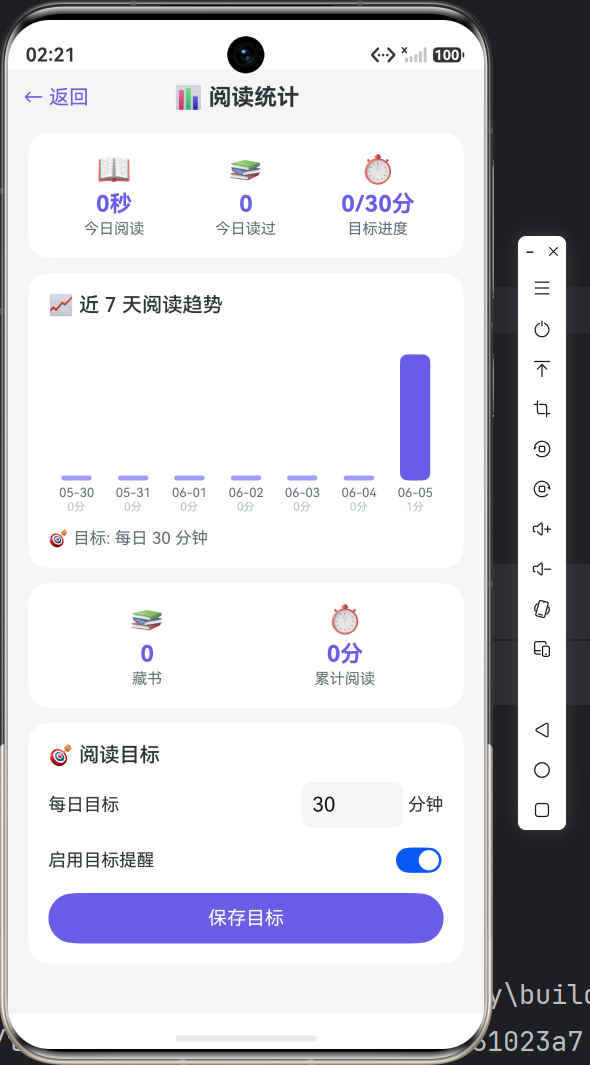
7.1 今日阅读统计
async getTodayStats(): Promise<TodayStatResult> {
  const store = await this.getStore();
  const today = getToday();
  const sql = `SELECT COALESCE(SUM(duration_seconds),0) as total_sec,
                      COUNT(DISTINCT book_id) as book_count
               FROM reading_sessions
               WHERE start_time LIKE '${today}%'`;
  const resultSet = await store.querySql(sql);
  let totalSeconds = 0;
  let booksRead = 0;
  if (resultSet.goToFirstRow()) {
    totalSeconds = resultSet.getLong(resultSet.getColumnIndex('total_sec'));
    booksRead = resultSet.getLong(resultSet.getColumnIndex('book_count'));
  }
  resultSet.close();
  return { totalSeconds, booksRead };
}
7.2 近 7 天趋势
async getWeeklyStats(): Promise<WeekStat[]> {
  const store = await this.getStore();
  const results: WeekStat[] = [];
  for (let i = 6; i >= 0; i--) {
    const d = new Date();
    d.setDate(d.getDate() - i);
    const dateStr = formatDate(d);
    const sql = `SELECT COALESCE(SUM(duration_seconds),0) as sec
                 FROM reading_sessions
                 WHERE start_time LIKE '${dateStr}%'`;
    const rs = await store.querySql(sql);
    let minutes = 0;
    if (rs.goToFirstRow()) {
      minutes = Math.round(rs.getLong(rs.getColumnIndex('sec')) / 60);
    }
    rs.close();
    results.push({ date: dateStr, minutes });
  }
  return results;
}
八、性能优化建议
| 优化项 | 当前做法 | 数据量大时改进 |
|---|---|---|
| 获取所有书籍 | 全表查询 | 分页 + 懒加载 |
| 搜索 | 全表扫描 LIKE | FTS5 全文索引 |
| 章节内容 | 每章独立查询 | 预加载前后章节 |
| 统计计算 | 逐日查询 SQL | 物化视图 / 缓存表 |
| 数据库连接 | 单例复用 | 连接池 |
九、下篇预告
下一篇将进入 书架与导入功能实现:
- Grid 网格布局展示书籍
- 最近阅读卡片 + 今日统计概览
- TXT 章节解析算法
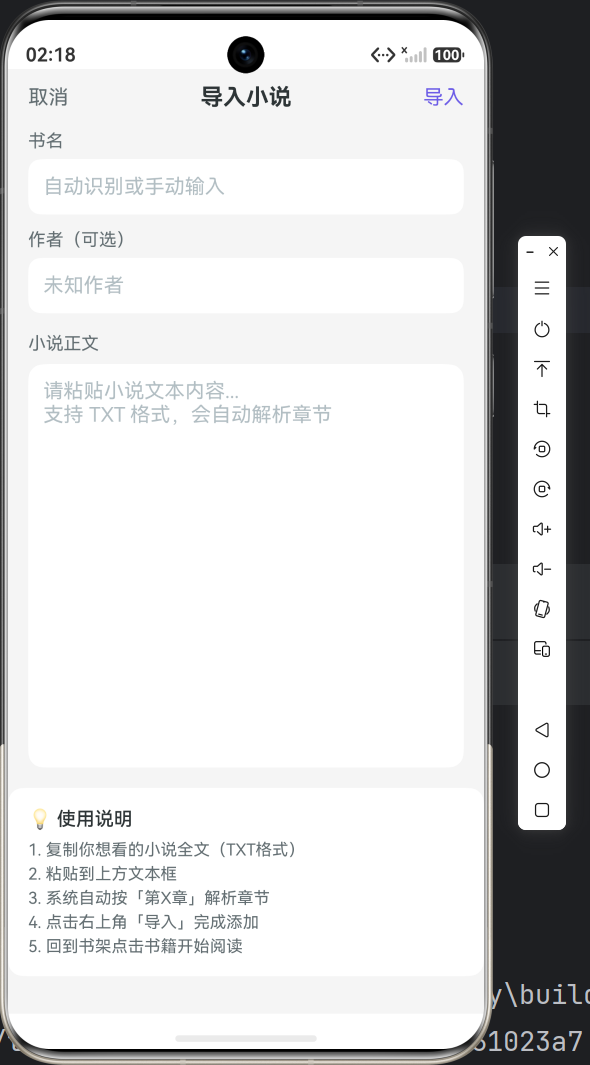
- 文本粘贴导入页面
本文所有代码片段均来自「掌中书」项目 DatabaseManager.ets(511行)。

作为“人工智能6S店”的官方数字引擎,为AI开发者与企业提供一个覆盖软硬件全栈、一站式门户。
更多推荐

 9
9 0
0- 0


 已为社区贡献54条内容

所有评论(0)