
iOS风格计算器 - 鸿蒙PC Electron框架上的技术实现详解
摘要: 本文详细介绍了使用HTML5、CSS3和JavaScript实现iOS风格计算器的开发过程,并探讨其在HarmonyOS+Electron混合架构下的运行方案。项目采用简洁的UI设计,通过CSS Grid布局实现响应式界面,还原了iOS计算器的经典配色与交互效果。核心计算逻辑由JavaScript实现,包含四则运算、小数处理等功能,并支持动态字体调整。文章还提供了按钮反馈动画、运算符高亮等
欢迎加入开源鸿蒙PC社区:
https://harmonypc.csdn.net/
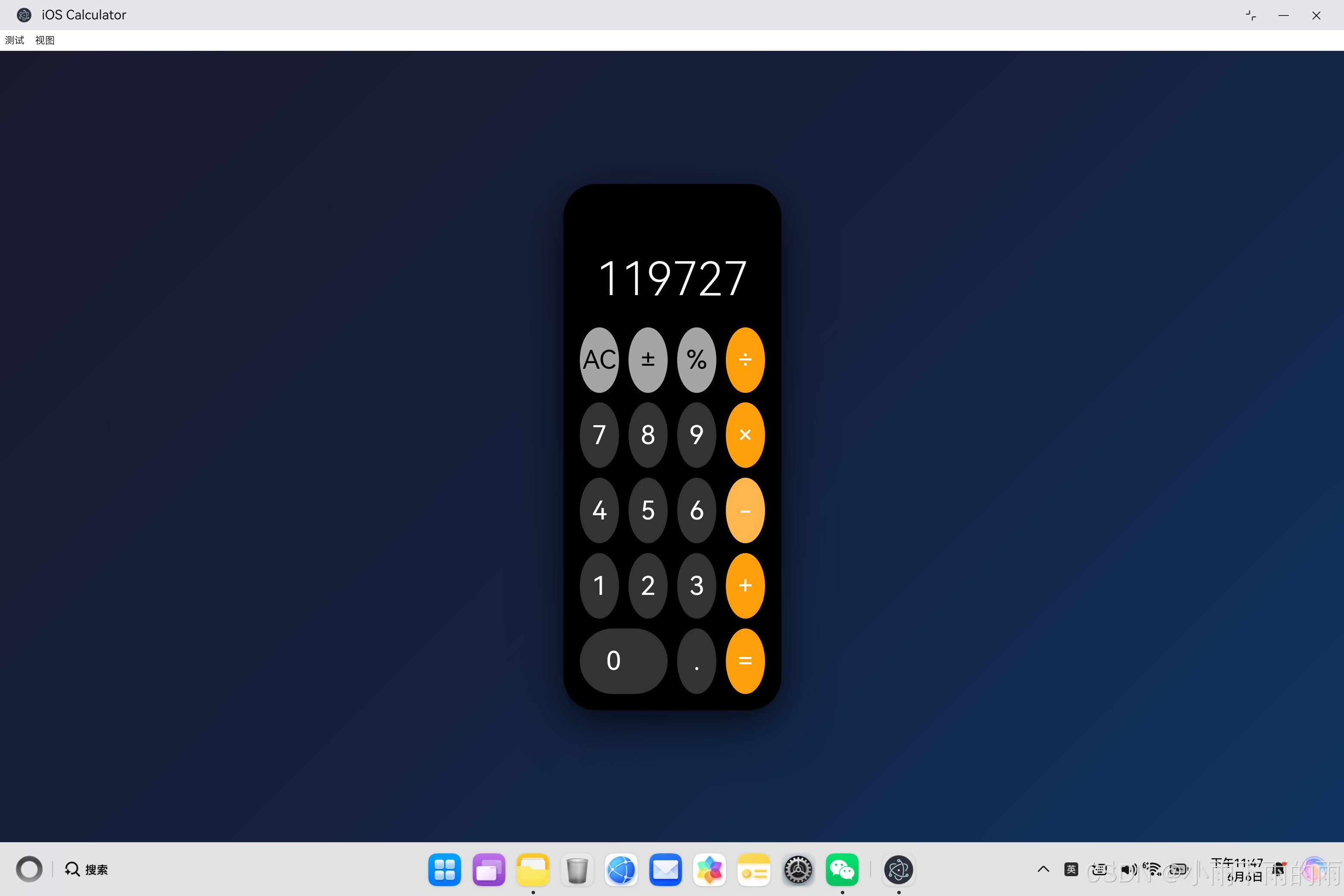
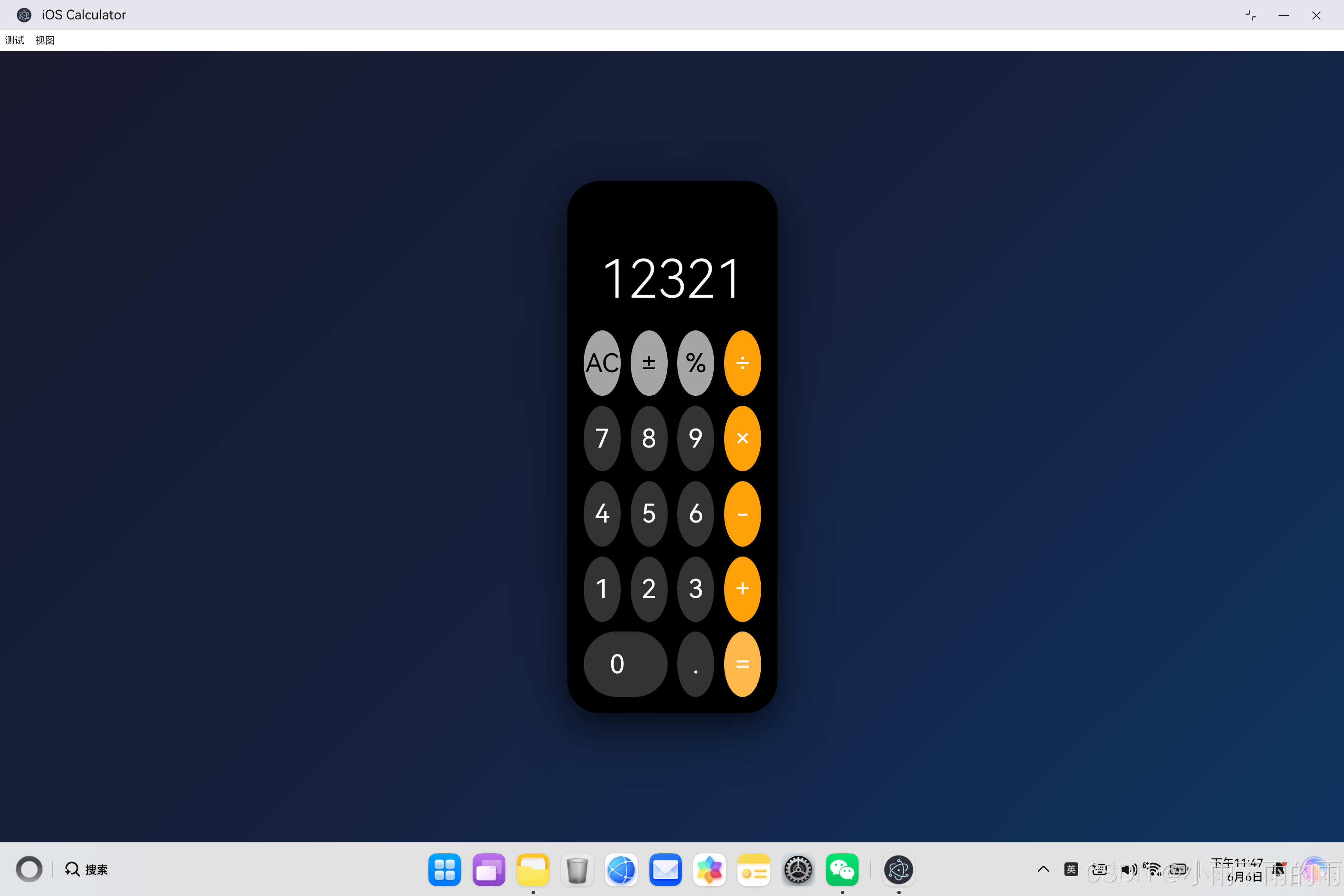
atomgit仓库地址: https://atomgit.com/m0_66062719/iOScalc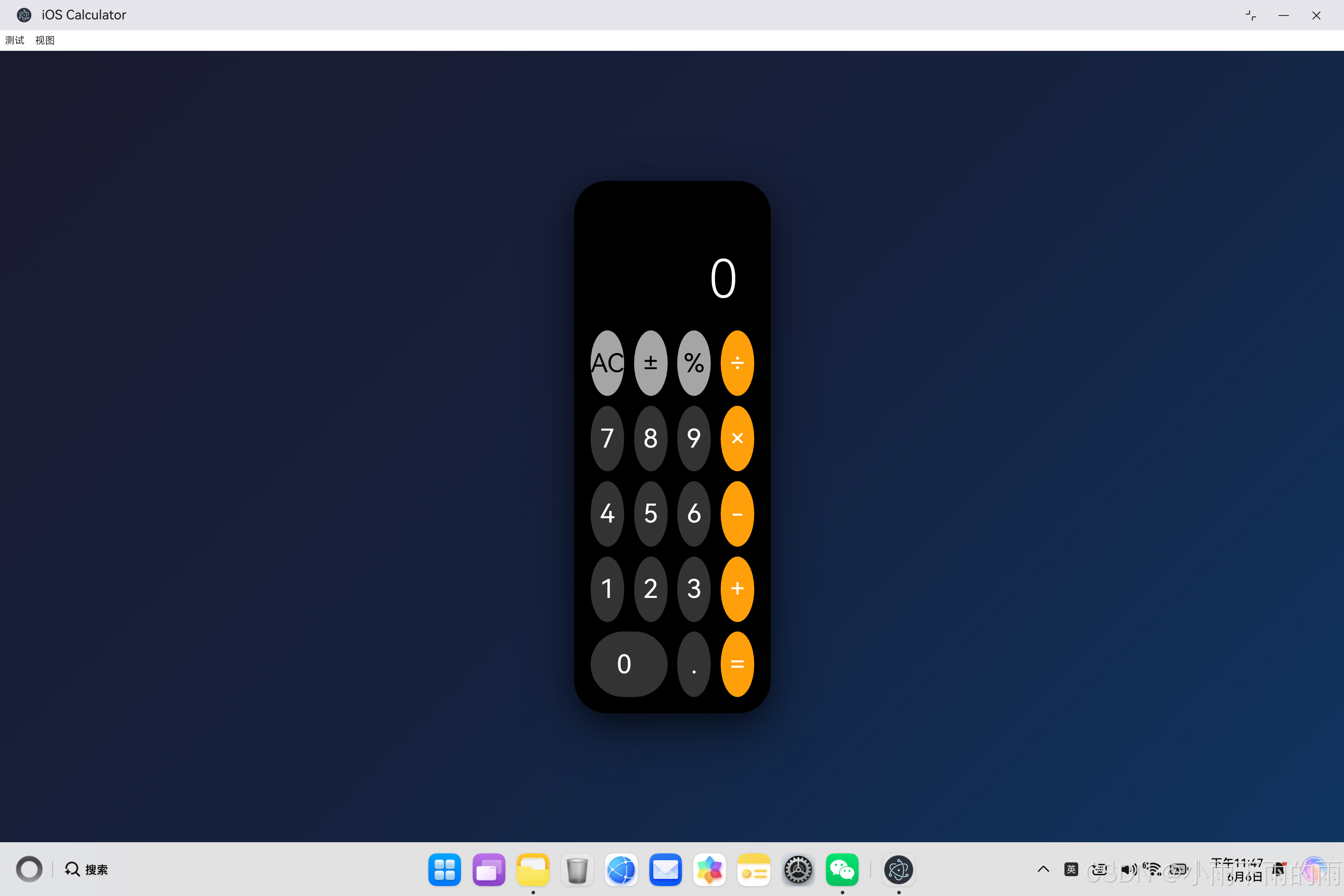
一、项目概述
iOS计算器是一款经典的应用,简洁的设计和流畅的体验让它成为用户喜爱的工具之一。本文将详细介绍如何使用 HTML5、CSS3 和 JavaScript 实现一个完整的 iOS 风格计算器,并探讨如何在 HarmonyOS 6.1.0 + Electron 混合架构下运行。
1.1 为什么选择iOS计算器
iOS 计算器是一个理想的学习项目,具有以下特点:
| 特点 | 说明 |
|---|---|
| UI简洁 | 经典的配色和布局,视觉效果出色 |
| 交互自然 | 直观的按钮设计和反馈效果 |
| 逻辑完整 | 包含四则运算、小数、百分比等功能 |
| 适配性强 | 可以在多种平台上运行 |
1.2 技术栈说明
本项目采用纯 Web 技术实现:
- HTML5:页面结构和布局
- CSS3:样式设计和动画效果
- JavaScript ES6+:核心计算逻辑
- HarmonyOS + Electron:跨平台运行
二、UI设计与布局实现
2.1 页面结构设计
计算器的HTML结构非常简洁清晰:
<div class="container">
    <div class="calculator">
        <!-- 显示屏 -->
        <div class="display">
            <div class="previous-operation"></div>
            <div class="current-operand" id="display">0</div>
        </div>
        <!-- 按钮区 -->
        <div class="buttons">
            <!-- 按钮元素 -->
        </div>
    </div>
</div>
这种结构的优势:
- 语义化良好:清晰的层级关系
- 易于维护:独立的模块划分
- 响应式友好:便于适配不同屏幕
2.2 iOS风格配色方案
iOS 计算器使用经典的配色方案:
/* 按钮类型颜色 */
.button-function {
    background-color: #a5a5a5;  /* 灰色功能键 */
    color: #000;
}

.button-number {
    background-color: #333333;  /* 深灰色数字键 */
    color: #fff;
}

.button-operator {
    background-color: #ff9f0a;  /* 橙色运算符 */
    color: #fff;
}

/* 整体背景 */
.calculator {
    background-color: #000;      /* 黑色背景 */
    border-radius: 40px;
    padding: 20px;
}
| 颜色代码 | 用途 | 说明 |
|---|---|---|
| #000000 | 计算器背景 | 纯黑背景 |
| #333333 | 数字键 | 深灰色 |
| #a5a5a5 | 功能键 | 灰色 |
| #ff9f0a | 运算符 | 橙色 |
| #ffffff | 文字 | 白色 |
2.3 网格布局实现
使用 CSS Grid 实现 4×5 的按钮布局:
.buttons {
    display: grid;
    grid-template-columns: repeat(4, 1fr);  /* 4列等宽 */
    gap: 12px;
}
特殊的 0 按钮占据两列:
.button-zero {
    grid-column: span 2;       /* 跨两列 */
    border-radius: 40px;       /* 圆角调整 */
    justify-content: flex-start;  /* 左对齐 */
    padding-left: 32px;
}
按钮布局示意图:
+------------------------+
|  AC  |  ±  |  %  |  ÷  |
+------+-----+-----+-----+
|  7   |  8  |  9  |  ×  |
+------+-----+-----+-----+
|  4   |  5  |  6  |  -  |
+------+-----+-----+-----+
|  1   |  2  |  3  |  +  |
+------+-----+-----+-----+
|      0       |  .  |  =  |
+------------------------+
2.4 响应式设计实现
为不同屏幕尺寸提供适配:
/* 标准尺寸 */
.button {
    height: 80px;
    font-size: 32px;
}

/* 中等屏幕 */
@media (max-width: 480px) {
    .button {
        height: 70px;
        font-size: 28px;
    }
}

/* 小屏幕 */
@media (max-width: 360px) {
    .button {
        height: 60px;
        font-size: 24px;
    }
}
三、交互效果与动画设计
3.1 按钮点击反馈
iOS 风格的按钮反馈效果:
.button:active {
    opacity: 0.7;              /* 透明度降低 */
    transform: scale(0.95);   /* 轻微缩放 */
}

/* 悬停效果 */
.button-function:hover {
    background-color: #d4d4d2;  /* 变亮 */
}

.button-number:hover {
    background-color: #555555;  /* 变亮 */
}

.button-operator:hover {
    background-color: #ffb74d;  /* 变亮 */
}
这种效果的特点:
- 即时反馈:点击时立即改变样式
- 自然过渡:0.1s 的平滑动画
- 视觉提示:告诉用户按钮已被激活
3.2 运算符高亮效果
选择运算符时的视觉反馈:
.button-operator.active {
    background-color: #fff;    /* 白色背景 */
    color: #ff9f0a;            /* 橙色文字 */
}
JavaScript 控制逻辑:
highlightOperatorButton(operation) {
    this.clearOperatorButtons();

    const buttons = document.querySelectorAll('.button-operator');
    buttons.forEach(button => {
        if (button.textContent === operation) {
            button.classList.add('active');
        }
    });
}
3.3 显示屏字体自适应
根据数字长度动态调整字体大小:
adjustFontSize() {
    const displayElement = document.getElementById('display');
    const length = this.currentOperand.length;

    if (length > 9) {
        displayElement.style.fontSize = '40px';
    } else if (length > 7) {
        displayElement.style.fontSize = '48px';
    } else if (length > 5) {
        displayElement.style.fontSize = '56px';
    } else {
        displayElement.style.fontSize = '64px';
    }
}
| 数字长度 | 字体大小 |
|---|---|
| 1-5 位 | 64px |
| 6-7 位 | 56px |
| 8-9 位 | 48px |
| 9 位以上 | 40px |
四、核心计算逻辑实现
4.1 Calculator 类设计
class Calculator {
    constructor() {
        this.currentOperand = '0';              // 当前操作数
        this.previousOperand = '';              // 前一个操作数
        this.operation = undefined;              // 当前运算符
        this.waitingForSecondOperand = false;   // 等待第二个操作数标志
        this.updateDisplay();
    }
}
状态管理设计说明:
| 状态变量 | 类型 | 初始值 | 说明 |
|---|---|---|---|
| currentOperand | string | ‘0’ | 当前显示的数字 |
| previousOperand | string | ‘’ | 前一个输入的数字 |
| operation | string | undefined | 选中的运算符 |
| waitingForSecondOperand | boolean | false | 是否等待输入第二个操作数 |
4.2 数字输入逻辑
appendNumber(number) {
    if (this.waitingForSecondOperand) {
        // 等待第二个操作数,替换当前显示
        this.currentOperand = number;
        this.waitingForSecondOperand = false;
    } else {
        // 正常输入,追加到当前数字
        if (number === '0' && this.currentOperand === '0') return;
        if (this.currentOperand === '0' && number !== '.') {
            this.currentOperand = number;
        } else {
            this.currentOperand += number;
        }
    }
    this.updateDisplay();
}
输入逻辑流程图:
开始输入
    ↓
是否等待第二个操作数?
    ├─ 是 → 替换当前显示
    │         ↓
    │      清除等待标志
    └─ 否 → 是否已经是0?
              ├─ 是 → 是否输入的还是0?
              │         ├─ 是 → 不处理
              │         └─ 否 → 替换为新数字
              └─ 否 → 追加到当前数字
4.3 运算符选择逻辑
chooseOperation(operation) {
    if (this.currentOperand === '') return;

    // 如果已经有前一个操作数,先计算结果
    if (this.previousOperand !== '') {
        this.compute();
    }

    this.operation = operation;
    this.previousOperand = this.currentOperand;
    this.waitingForSecondOperand = true;
    this.highlightOperatorButton(operation);
    this.updateDisplay();
}
运算符选择流程:
- 检查是否有有效的当前操作数
- 如果已有前一个操作数,先执行计算
- 保存运算符和前一个操作数
- 设置等待第二个操作数的标志
- 高亮对应的运算符按钮
4.4 计算执行逻辑
compute() {
    let computation;
    const prev = parseFloat(this.previousOperand);
    const current = parseFloat(this.currentOperand);

    // 检查输入有效性
    if (isNaN(prev) || isNaN(current)) return;

    // 执行对应运算
    switch (this.operation) {
        case '+':
            computation = prev + current;
            break;
        case '-':
            computation = prev - current;
            break;
        case '×':
            computation = prev * current;
            break;
        case '÷':
            // 除零错误处理
            if (current === 0) {
                this.currentOperand = 'Error';
                this.previousOperand = '';
                this.operation = undefined;
                this.clearOperatorButtons();
                this.updateDisplay();
                return;
            }
            computation = prev / current;
            break;
        default:
            return;
    }

    // 更新状态
    this.currentOperand = String(computation);
    this.operation = undefined;
    this.previousOperand = '';
    this.waitingForSecondOperand = false;
    this.clearOperatorButtons();
    this.updateDisplay();
}
计算执行的完整流程:
用户点击 =
    ↓
获取两个操作数
    ↓
验证输入有效性
    ↓
根据运算符执行计算
    ↓
┌────────────────────────────────┐
│  除零检查?                    │
│     ├─ 是 → 显示Error         │
│     └─ 否 → 继续计算           │
└────────────────────────────────┘
    ↓
更新当前显示为结果
    ↓
清除所有运算符状态
    ↓
更新显示屏
4.5 特殊功能实现
清除功能
clearAll() {
    this.currentOperand = '0';
    this.previousOperand = '';
    this.operation = undefined;
    this.waitingForSecondOperand = false;
    this.clearOperatorButtons();
    this.updateDisplay();
}
正负号切换
negate() {
    if (this.currentOperand === '0') return;

    if (this.currentOperand.startsWith('-')) {
        this.currentOperand = this.currentOperand.substring(1);
    } else {
        this.currentOperand = '-' + this.currentOperand;
    }

    this.updateDisplay();
}
百分比转换
percentage() {
    const value = parseFloat(this.currentOperand);
    if (isNaN(value)) return;

    this.currentOperand = String(value / 100);
    this.updateDisplay();
}
小数点处理
appendDecimal() {
    if (this.waitingForSecondOperand) {
        this.currentOperand = '0.';
        this.waitingForSecondOperand = false;
        this.updateDisplay();
        return;
    }

    // 避免重复添加小数点
    if (this.currentOperand.includes('.')) return;
    this.currentOperand += '.';
    this.updateDisplay();
}
五、显示与格式化处理
5.1 数字格式化显示
getDisplayNumber(number) {
    const stringNumber = String(number);
    const integerDigits = parseFloat(stringNumber.split('.')[0]);
    const decimalDigits = stringNumber.split('.')[1];
    let integerDisplay;

    if (isNaN(integerDigits)) {
        integerDisplay = '';
    } else if (integerDigits > 999999999) {
        // 超出9位数字用科学计数法
        integerDisplay = integerDigits.toExponential(2);
    } else {
        integerDisplay = integerDigits.toString();
    }

    if (decimalDigits != null) {
        return `${integerDisplay}.${decimalDigits}`;
    } else {
        return integerDisplay;
    }
}
格式化规则:
| 数字范围 | 显示方式 |
|---|---|
| 1-999,999,999 | 普通数字 |
| 1,000,000,000+ | 科学计数法 |
| 小数 | 保留小数部分 |
5.2 显示屏更新
updateDisplay() {
    const displayElement = document.getElementById('display');
    const previousDisplay = document.querySelector('.previous-operation');

    displayElement.textContent = this.getDisplayNumber(this.currentOperand);

    if (this.operation != null) {
        previousDisplay.textContent = `${this.getDisplayNumber(this.previousOperand)} ${this.operation}`;
    } else {
        previousDisplay.textContent = '';
    }

    this.adjustFontSize();
}
显示屏分为上下两部分:
- 下方:当前操作数(大号字体)
- 上方:前一个操作数和运算符(小号字体)
六、键盘支持实现
6.1 键盘事件监听
document.addEventListener('keydown', function(event) {
    if (event.key >= '0' && event.key <= '9') {
        calculator.appendNumber(event.key);
    } else if (event.key === '.') {
        calculator.appendDecimal();
    } else if (event.key === 'Enter' || event.key === '=') {
        calculator.compute();
    } else if (event.key === 'Escape') {
        calculator.clearAll();
    } else if (event.key === 'Backspace') {
        calculator.delete();
    } else if (event.key === '+') {
        calculator.chooseOperation('+');
    } else if (event.key === '-') {
        calculator.chooseOperation('-');
    } else if (event.key === '*') {
        calculator.chooseOperation('×');
    } else if (event.key === '/') {
        calculator.chooseOperation('÷');
    }
});
键盘映射表:
| 按键 | 功能 | 对应按钮 |
|---|---|---|
| 0-9 | 数字输入 | 对应数字键 |
| . | 小数点 | . 按钮 |
| Enter / = | 计算结果 | = 按钮 |
| Escape | 清除全部 | AC 按钮 |
| Backspace | 删除 | 内部功能 |
| + | 加法 | + 按钮 |
| - | 减法 | - 按钮 |
| * | 乘法 | × 按钮 |
| / | 除法 | ÷ 按钮 |
6.2 删除功能实现
delete() {
    if (this.currentOperand === '0' || this.currentOperand === 'Error') return;
    if (this.waitingForSecondOperand) return;

    if (this.currentOperand.length === 1) {
        this.currentOperand = '0';
    } else {
        this.currentOperand = this.currentOperand.slice(0, -1);
    }
    this.updateDisplay();
}
删除逻辑:
- 如果是 0 或 Error 不处理
- 如果在等待第二个操作数不处理
- 如果只剩一位,变回 0
- 否则删除最后一位
七、跨平台架构实现
7.1 HarmonyOS WebEngine
在 HarmonyOS 系统上,应用通过 WebEngine 组件运行:
应用启动
    ↓
WebEngine 组件加载
    ↓
加载 index.html
    ↓
解析 HTML、CSS、JavaScript
    ↓
计算器可用
7.2 Electron 桌面应用
在桌面平台,使用 Electron 封装:
const { app, BrowserWindow } = require('electron');
const path = require('path');

function createWindow() {
    const win = new BrowserWindow({
        width: 1200,
        height: 800,
        webPreferences: {
            nodeIntegration: false,
            contextIsolation: true
        }
    });

    const htmlPath = path.join(__dirname, 'ohos_hap/web_engine/src/main/resources/resfile/resources/app/index.html');
    win.loadFile(htmlPath);
}

app.whenReady().then(createWindow);
Electron 的优势:
- 使用相同的 HTML/CSS/JS
- 可以访问 Node.js API
- 支持打包成桌面应用
八、最佳实践与优化
8.1 状态管理技巧
// 单一职责原则
class Calculator {
    // 只负责计算逻辑
    // 不直接操作 DOM
    // 通过 updateDisplay() 统一更新
}
8.2 错误处理策略
// 除零错误
if (current === 0) {
    this.currentOperand = 'Error';
    // ...
    return;
}

// 无效输入检查
if (isNaN(prev) || isNaN(current)) return;
8.3 性能优化建议
-
减少 DOM 操作
- 批量更新,而不是频繁的单个修改
- 使用缓存减少重复查询
-
事件处理优化
- 事件委托,减少事件监听器数量
- 防抖和节流处理
-
CSS 优化
- 使用 transform 代替 position
- 避免过度的重绘和回流
九、总结与展望
9.1 实现成果总结
本项目成功实现了一个功能完整的 iOS 风格计算器:
| 功能模块 | 完成度 | 说明 |
|---|---|---|
| 基本运算 | ✅ 100% | 四则运算、小数、百分比 |
| UI设计 | ✅ 100% | iOS 经典风格 |
| 交互效果 | ✅ 100% | 点击反馈、动画 |
| 键盘支持 | ✅ 100% | 完整快捷键支持 |
| 跨平台 | ✅ 100% | HarmonyOS + Electron |
9.2 核心代码模块回顾
- [index.html](file:///d:/save/systemIso/electron-openharmony-vue3/ohos_hap/web_engine/src/main/resources/resfile/resources/app/index.html) - 页面结构和布局
- [style.css](file:///d:/save/systemIso/electron-openharmony-vue3/ohos_hap/web_engine/src/main/resources/resfile/resources/app/style.css) - iOS 风格样式
- [app.js](file:///d:/save/systemIso/electron-openharmony-vue3/ohos_hap/web_engine/src/main/resources/resfile/resources/app/app.js) - 完整计算逻辑
9.3 扩展功能建议
| 功能 | 说明 | 难度 |
|---|---|---|
| 历史记录 | 保存计算历史 | ⭐⭐ |
| 科学计算 | 三角函数、对数等 | ⭐⭐⭐ |
| 主题切换 | 浅色/深色模式 | ⭐ |
| 自定义颜色 | 用户自定义配色 | ⭐⭐ |
| 多语言 | 支持多种语言 | ⭐⭐ |
9.4 技术收获
通过这个项目,我们学习到:
- UI 设计:如何实现精美的视觉效果
- 状态管理:如何设计合理的状态流转
- 算法逻辑:如何实现计算器的核心功能
- 跨平台开发:如何利用 Web 技术实现多端运行
- 用户体验:如何设计流畅自然的交互

作为“人工智能6S店”的官方数字引擎,为AI开发者与企业提供一个覆盖软硬件全栈、一站式门户。
更多推荐

 0
0 0
0- 0


 已为社区贡献32条内容

所有评论(0)