
基于鸿蒙PC Electron框架技术完成的表单验证技术详解
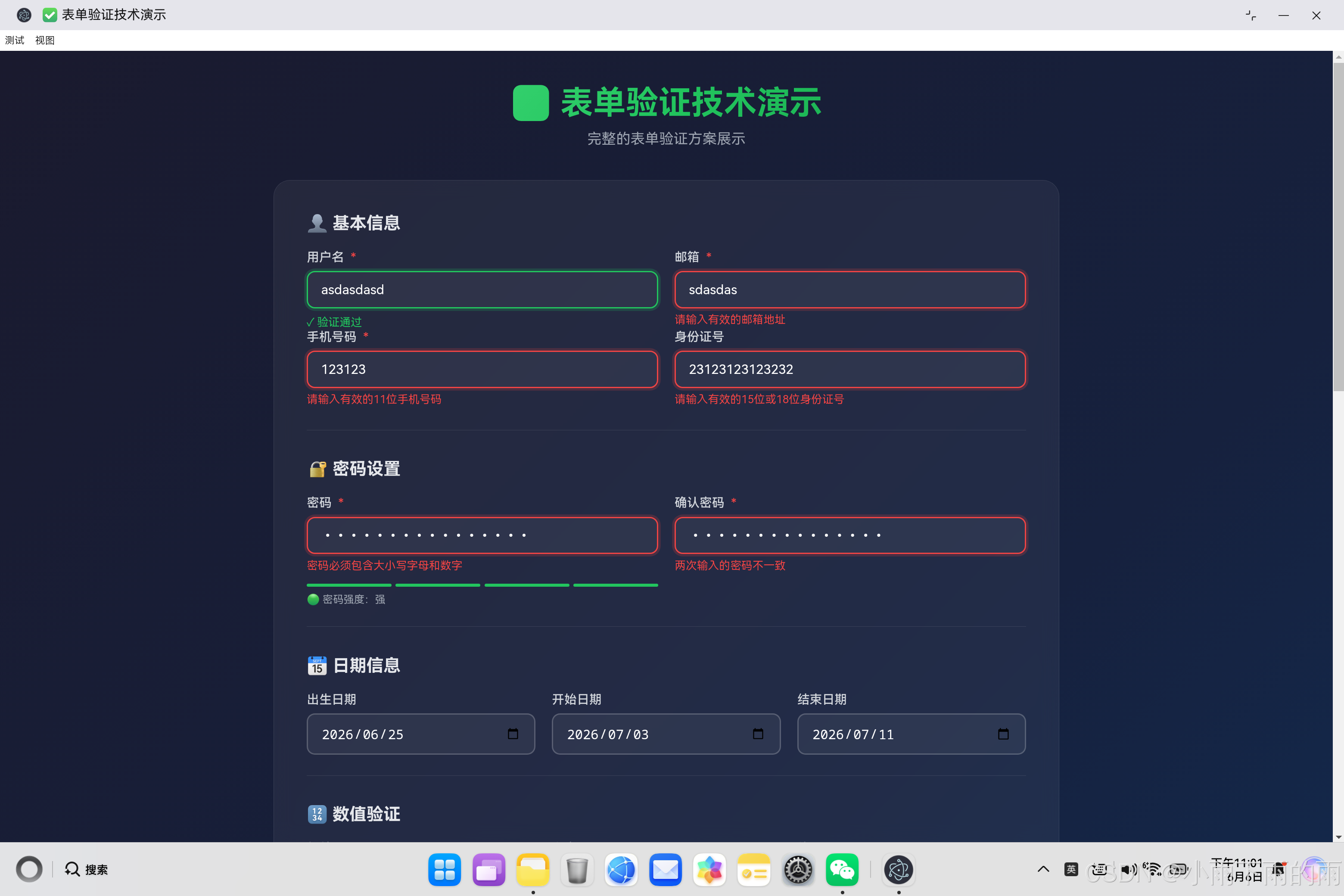
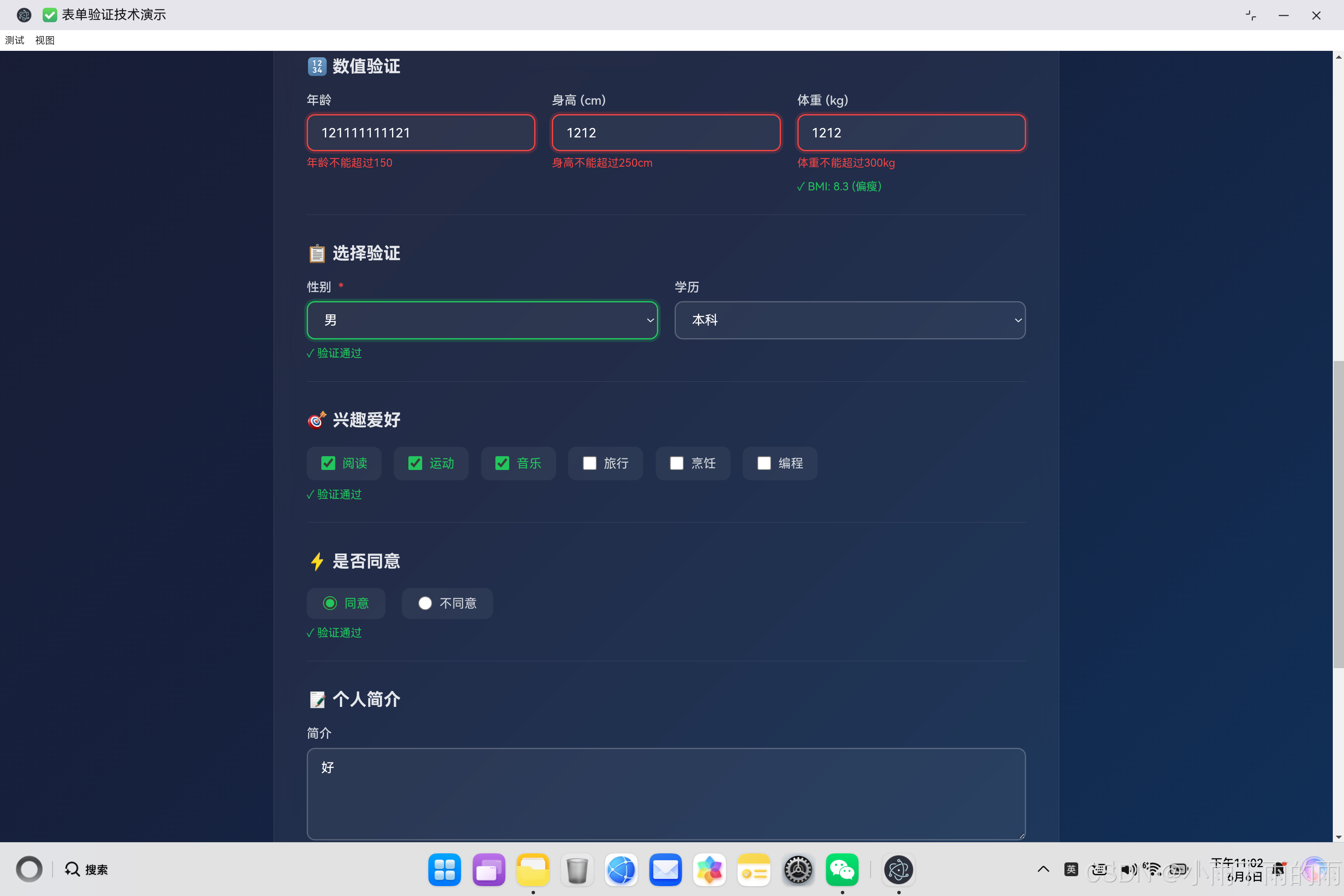
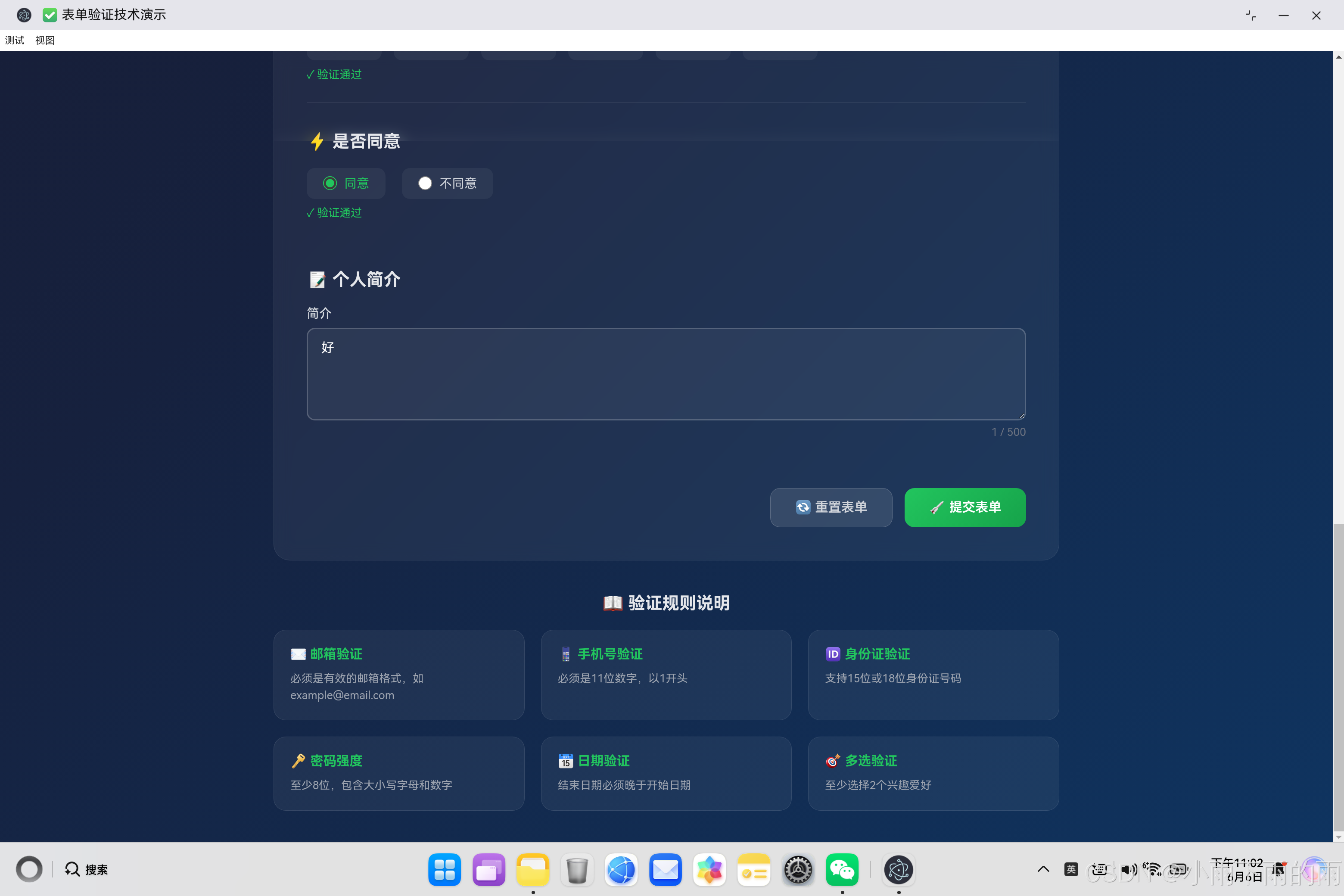
开源鸿蒙PC表单验证实现方案 本文介绍了基于开源鸿蒙PC平台的前端表单验证方案。通过配置化的验证规则设计,实现了包括必填检查、长度限制、正则匹配等常见验证类型,支持自定义错误提示。核心验证逻辑采用分字段验证方式,提供实时视觉反馈(成功/失败状态)。高级特性包含密码强度动态检测(5级评分)和跨字段验证(如密码确认)。该方案具有良好的扩展性,可通过atomgit仓库获取完整实现代码,适用于各类Web表
·
欢迎加入开源鸿蒙PC社区:
https://harmonypc.csdn.net/
atomgit仓库地址: https://atomgit.com/m0_66062719/aiwuziqi
一、引言
表单验证是Web开发中至关重要的一环,它直接关系到数据的准确性和用户体验。本文将深入探讨前端表单验证的实现方案,包括验证规则设计、实时反馈机制和用户交互体验优化。
二、验证规则设计
2.1 规则配置结构
validationRules = {
    username: {
        required: true,
        minLength: 3,
        maxLength: 20,
        pattern: /^[a-zA-Z0-9_]+$/,
        messages: {
            required: '请输入用户名',
            minLength: '用户名至少需要3个字符',
            maxLength: '用户名最多20个字符',
            pattern: '用户名只能包含字母、数字和下划线'
        }
    }
};
设计要点:
- 可配置性:每个字段的验证规则独立配置
- 多规则支持:一个字段可同时应用多种验证
- 自定义消息:每种验证失败都有对应的提示信息
- 扩展性:易于添加新的验证规则类型
2.2 支持的验证规则类型
| 规则类型 | 说明 | 使用场景 |
|---|---|---|
required |
必填检查 | 用户名、密码等关键字段 |
minLength |
最小长度 | 用户名、密码 |
maxLength |
最大长度 | 用户名、简介 |
pattern |
正则匹配 | 邮箱、手机号、身份证 |
min |
最小值 | 年龄、身高、体重 |
max |
最大值 | 年龄、身高、体重 |
minCount |
最小选择数 | 多选框 |
2.3 正则表达式设计
phone: {
    pattern: /^1[3-9]\d{9}$/,
    messages: {
        pattern: '请输入有效的11位手机号码'
    }
},
idCard: {
    pattern: /^(\d{15}$|^\d{18}$|^\d{17}(\d|X|x))$/,
    messages: {
        pattern: '请输入有效的15位或18位身份证号'
    }
}
正则设计原则:
- 精确匹配:使用
^和$确保完整匹配 - 字符范围:合理限制输入字符类型
- 容错处理:身份证号支持大小写X
三、核心验证逻辑
3.1 字段验证方法
validateField(fieldName) {
    const rules = this.validationRules[fieldName];
    if (!rules) return true;

    let value, isValid = true, errorMessage = '';

    switch (fieldName) {
        case 'username':
        case 'email':
            value = document.getElementById(fieldName).value.trim();
            break;
        case 'age':
        case 'height':
            value = parseFloat(document.getElementById(fieldName).value);
            break;
        case 'hobbies':
            value = document.querySelectorAll('input[name="hobbies"]:checked').length;
            break;
        // ... 其他字段类型
    }

    if (rules.required && !value) {
        isValid = false;
        errorMessage = rules.messages.required;
    } else if (rules.minLength && typeof value === 'string' && value.length < rules.minLength) {
        isValid = false;
        errorMessage = rules.messages.minLength;
    } else if (rules.pattern && typeof value === 'string' && value && !rules.pattern.test(value)) {
        isValid = false;
        errorMessage = rules.messages.pattern;
    }

    this.showFieldStatus(fieldName, isValid, errorMessage);
    return isValid;
}
验证流程:
- 获取字段规则配置
- 根据字段类型获取对应值
- 按顺序执行各项验证规则
- 更新字段状态并显示提示信息
3.2 状态管理
showFieldStatus(fieldName, isValid, message) {
    const group = document.querySelector(`#${fieldName}`)?.closest('.form-group');

    const errorElement = document.getElementById(`${fieldName}Error`);
    const successElement = document.getElementById(`${fieldName}Success`);

    if (isValid) {
        group.classList.remove('error');
        group.classList.add('success');
        this.showMessage(errorElement, '', false);
        this.showMessage(successElement, '✓ 验证通过', true);
    } else {
        group.classList.remove('success');
        group.classList.add('error');
        this.showMessage(errorElement, message, true);
        this.showMessage(successElement, '', false);
    }
}
视觉反馈机制:
- 成功状态:绿色边框和成功图标
- 失败状态:红色边框和错误提示
- 动画效果:错误时的抖动动画
四、高级验证特性
4.1 密码强度检测
updatePasswordStrength(password) {
    let strength = 0;

    if (password.length >= 8) strength++;
    if (/[a-z]/.test(password)) strength++;
    if (/[A-Z]/.test(password)) strength++;
    if (/[0-9]/.test(password)) strength++;
    if (/[^a-zA-Z0-9]/.test(password)) strength++;

    const bars = document.querySelectorAll('.strength-bar .bar');
    bars.forEach((bar, index) => {
        if (index < strength) {
            bar.classList.add('active');
            bar.classList.remove('weak', 'medium', 'strong');
            if (strength <= 2) {
                bar.classList.add('weak');
            } else if (strength <= 3) {
                bar.classList.add('medium');
            } else {
                bar.classList.add('strong');
            }
        } else {
            bar.classList.remove('active', 'weak', 'medium', 'strong');
        }
    });
}
强度评估标准:
| 分数 | 等级 | 颜色 |
|---|---|---|
| 1-2 | 弱 | 红色 |
| 3 | 中等 | 黄色 |
| 4-5 | 强 | 绿色 |
4.2 密码确认验证
} else if (fieldName === 'confirmPassword') {
    const password = document.getElementById('password').value;
    if (value !== password) {
        isValid = false;
        errorMessage = rules.messages.mismatch;
    }
}
跨字段验证:
- 获取原始密码值
- 比较两次输入是否一致
- 提供明确的错误提示
4.3 日期范围验证
validateDateRange() {
    const startDate = document.getElementById('startDate').value;
    const endDate = document.getElementById('endDate').value;

    if (startDate && endDate) {
        if (new Date(endDate) <= new Date(startDate)) {
            this.showMessage(endDateError, '结束日期必须晚于开始日期', true);
            return false;
        } else {
            this.showMessage(dateCompareSuccess, '✓ 日期范围有效', true);
            return true;
        }
    }
    return true;
}
业务规则验证:
- 验证两个日期字段的逻辑关系
- 提供正向和负向反馈
- 增强用户输入体验
4.4 动态计算功能
calculateBMI() {
    const height = parseFloat(document.getElementById('height').value);
    const weight = parseFloat(document.getElementById('weight').value);

    if (!isNaN(height) && !isNaN(weight) && height > 0 && weight > 0) {
        const heightInMeters = height / 100;
        const bmi = (weight / (heightInMeters * heightInMeters)).toFixed(1);

        let category = '';
        if (bmi < 18.5) category = '偏瘦';
        else if (bmi < 24) category = '正常';
        else if (bmi < 28) category = '偏胖';
        else category = '肥胖';

        bmiResult.textContent = `✓ BMI: ${bmi} (${category})`;
    }
}
实时计算:
- 根据输入动态计算BMI
- 提供健康状态分类
- 即时反馈计算结果
五、用户交互体验优化
5.1 事件监听策略
setupEventListeners() {
    document.getElementById('username').addEventListener('blur', () => this.validateField('username'));
    document.getElementById('password').addEventListener('input', () => this.handlePasswordInput());
    document.getElementById('password').addEventListener('blur', () => this.validateField('password'));

    document.querySelectorAll('input[name="hobbies"]').forEach(checkbox => {
        checkbox.addEventListener('change', () => this.validateField('hobbies'));
    });
}
事件选择原则:
- blur事件:失去焦点时验证,适合大多数字段
- input事件:输入时即时反馈,适合密码强度检测
- change事件:值改变时验证,适合选择框
5.2 错误定位与滚动
scrollToFirstError() {
    const firstError = document.querySelector('.form-group.error, .form-section.error');
    if (firstError) {
        firstError.scrollIntoView({ behavior: 'smooth', block: 'center' });
    }
}
用户体验优化:
- 表单提交失败时自动滚动到第一个错误字段
- 使用平滑滚动效果
- 将错误字段居中显示
5.3 Toast消息提示
showToast(message, type) {
    const existingToast = document.querySelector('.toast');
    if (existingToast) {
        existingToast.remove();
    }

    const toast = document.createElement('div');
    toast.className = `toast ${type}`;
    toast.textContent = message;
    document.body.appendChild(toast);

    setTimeout(() => {
        toast.remove();
    }, 3000);
}
消息提示设计:
- 自动移除旧消息
- 支持成功/失败类型
- 3秒自动消失
5.4 表单数据预览
showFormData() {
    const formData = this.collectFormData();
    const previewContent = document.getElementById('previewContent');

    previewContent.textContent = JSON.stringify(formData, null, 2);
    previewSection.style.display = 'block';

    previewSection.scrollIntoView({ behavior: 'smooth', block: 'start' });
}
数据展示:
- 验证通过后展示提交的数据
- 格式化JSON输出
- 自动滚动到预览区域
六、表单重置功能
resetForm() {
    document.getElementById('validationForm').reset();

    document.querySelectorAll('.form-group, .form-section').forEach(group => {
        group.classList.remove('error', 'success');
    });

    document.querySelectorAll('.error-message, .success-message').forEach(el => {
        el.textContent = '';
        el.classList.remove('show');
    });

    this.updatePasswordStrength('');
    this.updateCharCounter();

    document.getElementById('previewSection').style.display = 'none';
}
重置逻辑:
- 清空表单值
- 移除所有状态样式
- 重置密码强度显示
- 隐藏预览区域
七、设计模式应用
7.1 策略模式
验证规则的可配置性体现了策略模式:
// 不同的验证规则就是不同的策略
if (rules.required && !value) { /* 必填策略 */ }
if (rules.minLength && value.length < rules.minLength) { /* 最小长度策略 */ }
if (rules.pattern && !rules.pattern.test(value)) { /* 正则策略 */ }
7.2 观察者模式
事件监听机制体现了观察者模式:
// 事件作为主题,验证方法作为观察者
input.addEventListener('blur', validateField);
checkbox.addEventListener('change', validateField);
八、性能优化考虑
8.1 事件委托
对于动态添加的表单元素,可以使用事件委托:
form.addEventListener('change', (e) => {
    if (e.target.name === 'hobbies') {
        this.validateField('hobbies');
    }
});
8.2 防抖处理
对于实时验证,可以添加防抖:
function debounce(func, delay = 300) {
    let timer = null;
    return function(...args) {
        clearTimeout(timer);
        timer = setTimeout(() => func.apply(this, args), delay);
    };
}

input.addEventListener('input', debounce(() => this.validateField('username')));
九、安全考虑
9.1 防止XSS攻击
// 使用textContent而非innerHTML
errorElement.textContent = message;
9.2 密码安全
// 使用type="password"
<input type="password" id="password" name="password">

// 不在前端存储密码
// 提交时通过HTTPS传输
十、总结
10.1 技术亮点
- 完整的验证规则体系:支持10+种验证类型
- 实时反馈机制:即时验证,即时反馈
- 用户体验优化:错误定位、平滑滚动、Toast提示
- 扩展性设计:易于添加新的验证规则
10.2 核心代码模块
| 模块 | 功能 | 关键方法 |
|---|---|---|
| 规则配置 | 定义验证规则 | validationRules |
| 字段验证 | 执行单个字段验证 | validateField() |
| 状态管理 | 更新UI状态 | showFieldStatus() |
| 表单验证 | 整体表单验证 | validateForm() |
10.3 未来扩展
- 添加更多验证规则(文件验证、URL验证等)
- 支持异步验证(用户名唯一性检查)
- 集成后端验证结果
- 添加多语言支持

作为“人工智能6S店”的官方数字引擎,为AI开发者与企业提供一个覆盖软硬件全栈、一站式门户。
更多推荐
 0
0 0
0- 0


 已为社区贡献32条内容

所有评论(0)