
基于鸿蒙PC用Electron框架实现的路径动画:轨道效果技术详解
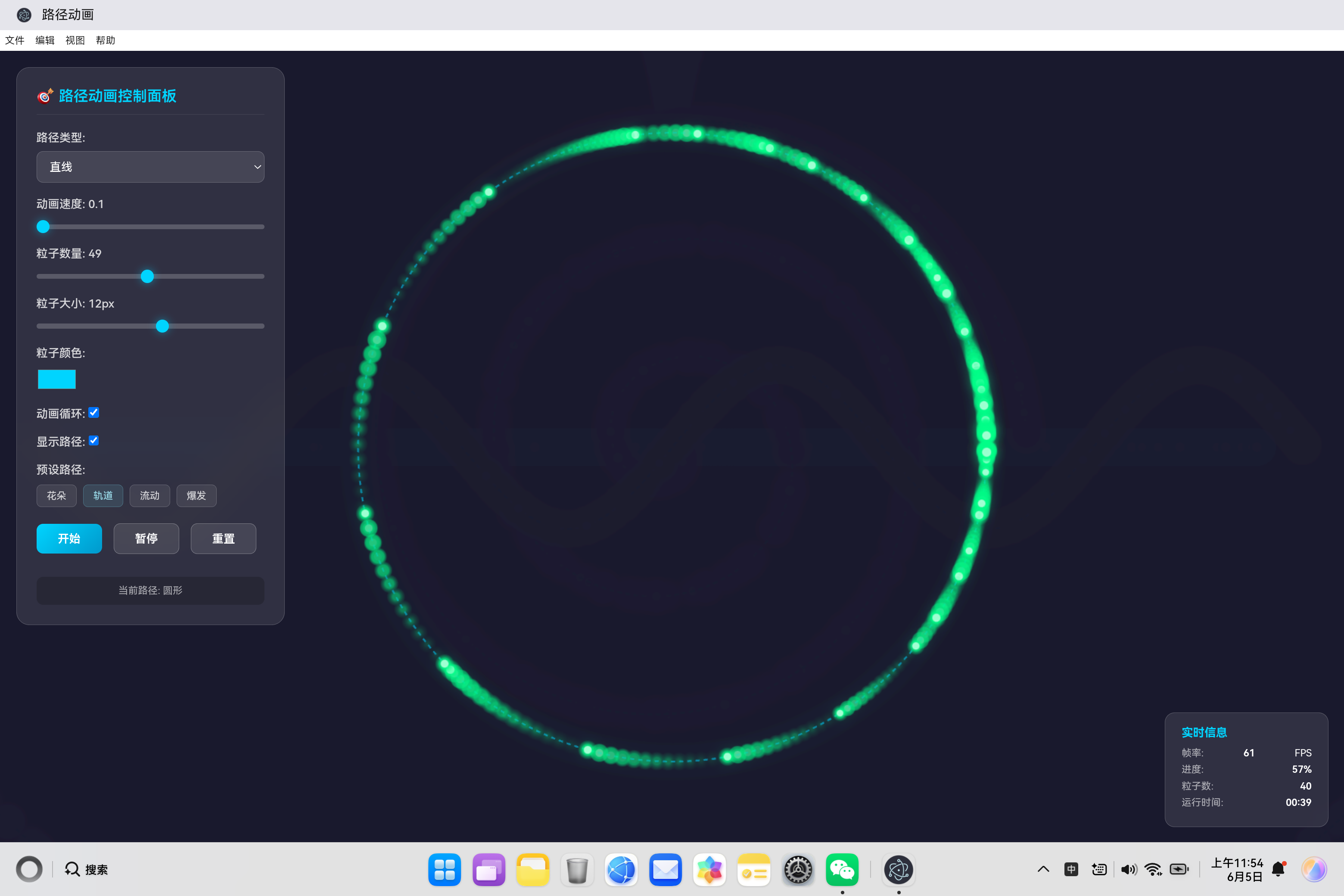
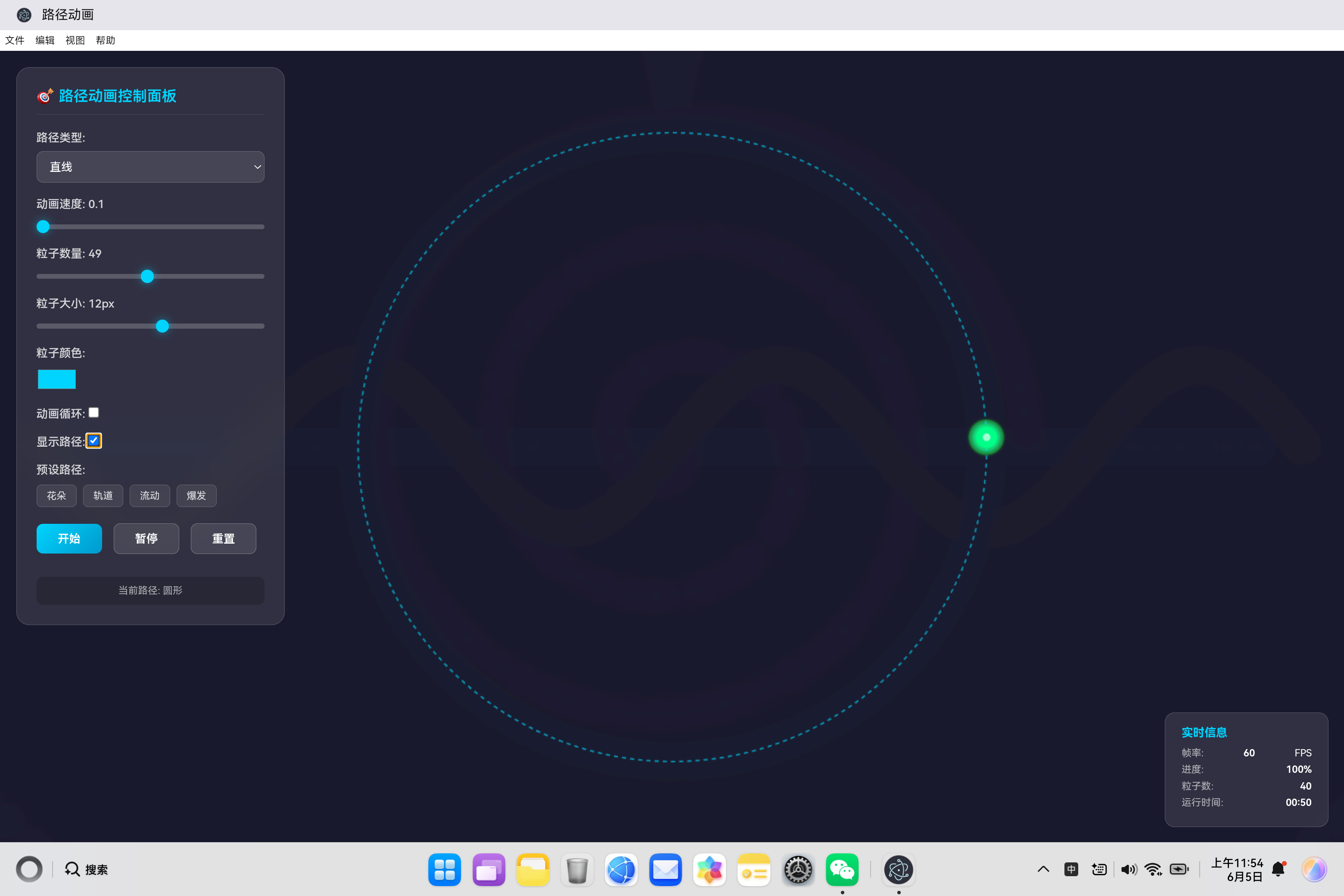
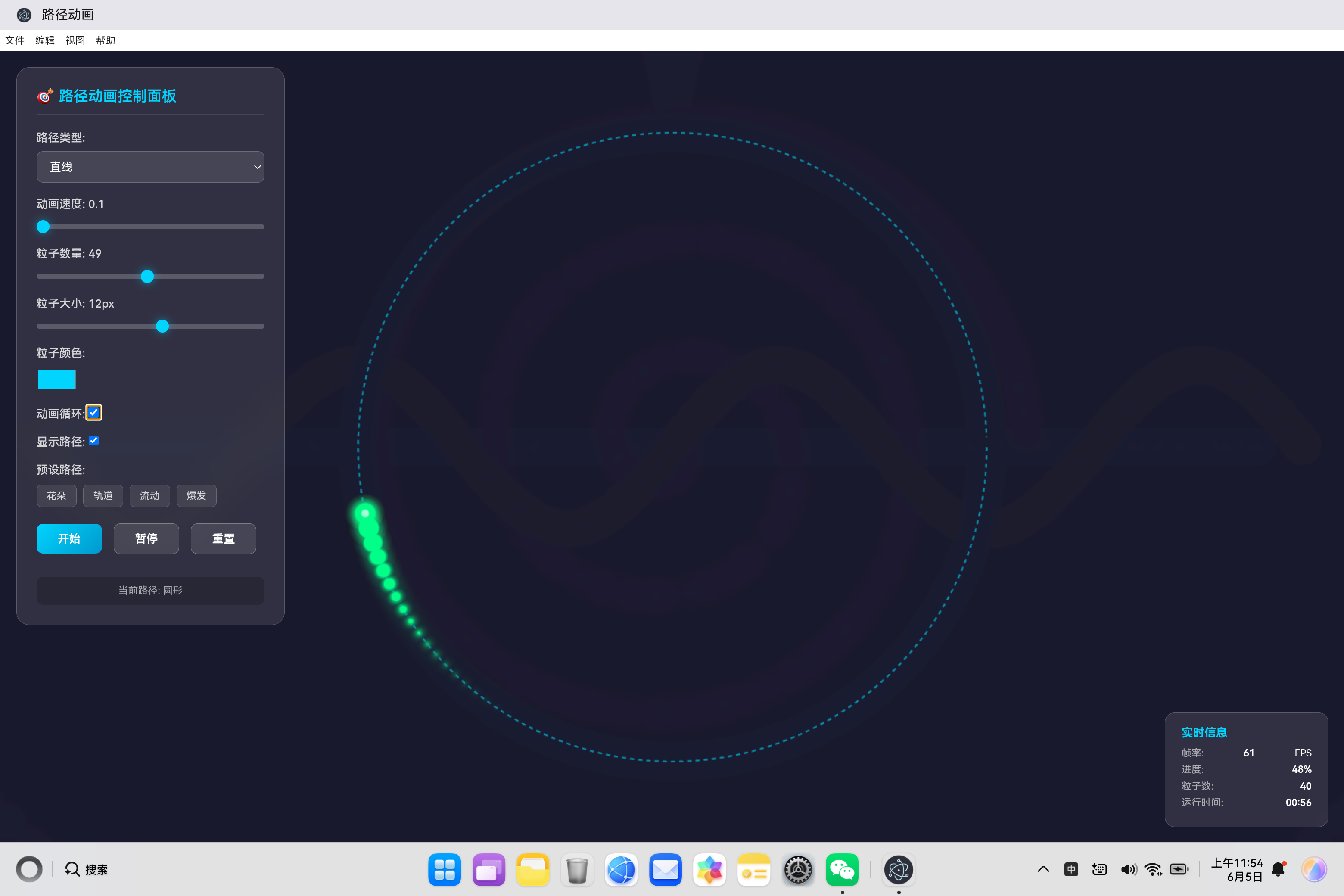
开源鸿蒙PC社区轨道动画技术摘要 本文深入解析了基于Canvas实现的轨道动画效果技术方案。该效果模拟粒子沿圆形轨道的匀速运动,采用极坐标转换算法(x = r·cosθ, y = r·sinθ)生成201个路径点确保平滑度。40个粒子通过双线性插值实现均匀分布,每个粒子具备独立大小、透明度、旋转速度等属性以增强层次感。运动控制采用线性缓动函数保持匀速,支持循环播放和终点停止两种模式。优化措施包括:
欢迎加入开源鸿蒙PC社区:
https://harmonypc.csdn.net/
atomgit仓库地址: https://atomgit.com/tizibanfan/lujingdonghua
一、概述
轨道效果(Orbit)是路径动画应用中的经典预设之一,模拟粒子沿圆形轨道运动的视觉效果。这种效果广泛应用于天文学可视化、粒子系统、UI交互动画等场景。本文深入剖析轨道效果的实现原理、数学基础和优化策略。
二、轨道效果设计理念
2.1 效果特点
轨道效果模拟天体运行的自然美感:
- 均匀分布:粒子在圆周上均匀分布
- 平稳运动:匀速圆周运动,视觉流畅
- 同步旋转:所有粒子保持同步运动
- 层次感:通过大小和透明度变化增加深度
2.2 应用场景
| 场景 | 说明 |
|---|---|
| 太阳系模型 | 行星围绕太阳运行 |
| 卫星轨道 | 人造卫星轨道可视化 |
| 原子模型 | 电子云效果 |
| UI加载动画 | 环形加载指示器 |
| 装饰动画 | 页面背景装饰 |
三、圆形路径生成算法
3.1 数学原理
圆形路径的核心是极坐标到笛卡尔坐标的转换:
x = c x + r ⋅ cos ( θ ) x = cx + r \cdot \cos(\theta) x=cx+r⋅cos(θ)
y = c y + r ⋅ sin ( θ ) y = cy + r \cdot \sin(\theta) y=cy+r⋅sin(θ)
其中:
- ( c x , c y ) (cx, cy) (cx,cy) 是圆心坐标
- r r r 是半径
- θ \theta θ 是极角,范围 [ 0 , 2 π ] [0, 2\pi] [0,2π]
3.2 路径生成实现
generateCirclePath() {
    const points = [];
    const radius = Math.min(this.centerX, this.centerY) - 100;

    for (let t = 0; t <= 1; t += 0.005) {
        const angle = t * Math.PI * 2;
        points.push({
            x: this.centerX + Math.cos(angle) * radius,
            y: this.centerY + Math.sin(angle) * radius
        });
    }
    return points;
}
技术要点:
- 半径计算:取画布中心到边缘距离的较小值,确保圆完全显示在画布内
- 角度参数化:使用参数 t ∈ [ 0 , 1 ] t \in [0, 1] t∈[0,1] 映射到角度 [ 0 , 2 π ] [0, 2\pi] [0,2π]
- 点密度控制:步长 0.005 生成 201 个路径点,保证平滑度
3.3 路径点密度分析
| 步长 | 点数 | 平滑度 | 性能 |
|---|---|---|---|
| 0.01 | 101 | 一般 | 优秀 |
| 0.005 | 201 | 良好 | 良好 |
| 0.002 | 501 | 优秀 | 一般 |
四、粒子系统设计
4.1 粒子初始化策略
initParticles() {
    this.particles = [];
    for (let i = 0; i < this.particleCount; i++) {
        const progress = i / this.particleCount;
        const pointIndex = Math.floor(progress * (this.pathPoints.length - 1));
        const point = this.pathPoints[pointIndex] || { x: 0, y: 0 };

        this.particles.push({
            progress: progress,
            x: point.x,
            y: point.y,
            size: this.particleSize + (Math.random() - 0.5) * 4,
            opacity: 0.6 + Math.random() * 0.4,
            rotation: Math.random() * Math.PI * 2,
            rotationSpeed: (Math.random() - 0.5) * 0.1,
            trail: []
        });
    }
}
均匀分布策略:
粒子初始位置通过 progress = i / particleCount 均匀分布在路径上:
粒子0: progress = 0/40 = 0.00
粒子1: progress = 1/40 = 0.025
粒子2: progress = 2/40 = 0.05
...
粒子39: progress = 39/40 = 0.975
4.2 粒子属性设计
| 属性 | 范围 | 作用 |
|---|---|---|
| progress | [0, 1] | 粒子在路径上的位置 |
| size | [size-2, size+2] | 粒子大小,增加视觉层次 |
| opacity | [0.6, 1.0] | 透明度,产生远近效果 |
| rotation | [0, 2π] | 初始旋转角度 |
| rotationSpeed | [-0.05, 0.05] | 旋转速度,增加动态感 |
| trail | [] | 轨迹点数组 |
五、运动控制与缓动
5.1 匀速运动实现
轨道效果采用线性缓动函数,保证匀速运动:
this.easingFunctions = {
    linear: t => t,
    // ... 其他缓动函数
};
线性缓动的特点:
- 速度恒定: v = 2 π r T v = \frac{2\pi r}{T} v=T2πr
- 视觉平稳:无加速减速过程
- 数学简洁: f ( t ) = t f(t) = t f(t)=t
5.2 粒子位置插值
getPointAtProgress(progress) {
    if (this.pathPoints.length === 0) return { x: 0, y: 0 };

    const clampedProgress = Math.max(0, Math.min(1, progress));
    const index = Math.floor(clampedProgress * (this.pathPoints.length - 1));
    const nextIndex = Math.min(index + 1, this.pathPoints.length - 1);
    const t = (clampedProgress * (this.pathPoints.length - 1)) % 1;

    const p0 = this.pathPoints[index];
    const p1 = this.pathPoints[nextIndex];

    return {
        x: p0.x + (p1.x - p0.x) * t,
        y: p0.y + (p1.y - p0.y) * t
    };
}
双线性插值原理:
当粒子进度落在两个路径点之间时,通过线性插值计算精确位置:
P = P 0 + ( P 1 − P 0 ) ⋅ t P = P_0 + (P_1 - P_0) \cdot t P=P0+(P1−P0)⋅t
其中 t t t 是局部插值参数,范围为 [0, 1]。
5.3 动画循环处理
updateParticles() {
    const speedFactor = this.speed * 0.005;

    this.particles.forEach(particle => {
        particle.progress += speedFactor;

        if (particle.progress > 1) {
            if (this.loop) {
                particle.progress = 0;  // 循环回到起点
            } else {
                particle.progress = 1;  // 停在终点
            }
        }

        const easedProgress = this.easingFunctions.linear(particle.progress);
        const point = this.getPointAtProgress(easedProgress);

        particle.trail.push({ x: particle.x, y: particle.y });
        if (particle.trail.length > 10) {
            particle.trail.shift();
        }

        particle.x = point.x;
        particle.y = point.y;
        particle.rotation += particle.rotationSpeed;
    });
}
循环机制:
- 当
loop = true时,粒子到达终点后自动回到起点 - 当
loop = false时,粒子停在终点位置
六、视觉效果优化
6.1 多层渲染结构
drawParticles() {
    this.particles.forEach(particle => {
        // 绘制轨迹
        particle.trail.forEach((trailPoint, index) => {
            const trailOpacity = (index / particle.trail.length) * particle.opacity * 0.5;
            this.ctx.beginPath();
            this.ctx.arc(trailPoint.x, trailPoint.y,
                        particle.size * (index / particle.trail.length), 0, Math.PI * 2);
            this.ctx.fillStyle = this.hexToRgba(this.color, trailOpacity);
            this.ctx.fill();
        });

        // 绘制发光层
        this.ctx.shadowColor = this.color;
        this.ctx.shadowBlur = 15;
        this.ctx.beginPath();
        this.ctx.arc(particle.x, particle.y, particle.size * 0.6, 0, Math.PI * 2);
        this.ctx.fillStyle = this.hexToRgba(this.color, 0.3);
        this.ctx.fill();
        this.ctx.shadowBlur = 0;

        // 绘制主体渐变
        const gradient = this.ctx.createRadialGradient(
            particle.x, particle.y, 0,
            particle.x, particle.y, particle.size
        );
        gradient.addColorStop(0, this.color);
        gradient.addColorStop(0.5, this.hexToRgba(this.color, 0.7));
        gradient.addColorStop(1, this.hexToRgba(this.color, 0));

        this.ctx.beginPath();
        this.ctx.arc(particle.x, particle.y, particle.size, 0, Math.PI * 2);
        this.ctx.fillStyle = gradient;
        this.ctx.fill();

        // 绘制高光点
        this.ctx.beginPath();
        this.ctx.arc(particle.x, particle.y, particle.size * 0.4, 0, Math.PI * 2);
        this.ctx.fillStyle = '#fff';
        this.ctx.fill();
    });
}
渲染层次:
| 层级 | 效果 | 实现方式 |
|---|---|---|
| 底层 | 轨迹拖尾 | 渐隐圆形,透明度递减 |
| 发光层 | 光晕效果 | shadowBlur + 半透明圆 |
| 主体层 | 径向渐变 | 中心亮边缘暗 |
| 高光层 | 白色亮点 | 中心小白圆 |
6.2 颜色方案设计
轨道效果使用绿色系配色 #00ff88:
applyPreset('orbit') {
    this.setPathType('circle');
    this.setParticleCount(40);
    this.setColor('#00ff88');
    this.setSpeed(0.8);
}
颜色选择原因:
- 绿色代表科技感和生命力
- 在深色背景上对比度高
- 适合表现能量流动
七、性能优化策略
7.1 路径预计算
generatePath() {
    this.pathPoints = [];
    const generator = this.pathGenerators[this.currentPathType];
    if (generator) {
        this.pathPoints = generator();
    }
}
路径点在初始化时一次性生成,避免运行时重复计算。
7.2 轨迹长度限制
particle.trail.push({ x: particle.x, y: particle.y });
if (particle.trail.length > 10) {
    particle.trail.shift();
}
限制轨迹数组长度为10,避免内存占用过大。
7.3 requestAnimationFrame 优化
animate() {
    if (!this.isRunning) return;

    this.updateParticles();
    this.draw();

    this.animationId = requestAnimationFrame(() => this.animate());
}
使用浏览器原生动画API,与屏幕刷新率同步(通常60fps)。
八、交互控制设计
8.1 参数调节
| 参数 | 范围 | 默认值 | 说明 |
|---|---|---|---|
| speed | 0.1-5 | 0.8 | 动画速度 |
| particleCount | 1-100 | 40 | 粒子数量 |
| particleSize | 2-20 | 8 | 粒子大小(像素) |
| loop | boolean | true | 是否循环 |
| showPath | boolean | true | 是否显示路径 |
8.2 实时监控
updateFps() {
    this.frameCount++;
    const now = Date.now();

    if (now - this.lastFpsUpdate >= 1000) {
        this.fps = this.frameCount;
        this.frameCount = 0;
        this.lastFpsUpdate = now;
        document.getElementById('fps').textContent = this.fps;
        document.getElementById('current-particles').textContent = this.particles.length;
    }
}
每秒更新一次帧率和粒子数显示,避免频繁DOM操作。
九、扩展应用
9.1 多轨道系统
可以扩展为多层轨道,模拟太阳系效果:
generateMultipleOrbits() {
    const orbits = [];
    const radii = [100, 150, 200, 250];

    radii.forEach(radius => {
        const points = [];
        for (let t = 0; t <= 1; t += 0.005) {
            const angle = t * Math.PI * 2;
            points.push({
                x: this.centerX + Math.cos(angle) * radius,
                y: this.centerY + Math.sin(angle) * radius
            });
        }
        orbits.push(points);
    });

    return orbits;
}
9.2 椭圆轨道
通过调整X/Y半径创建椭圆效果:
generateEllipsePath() {
    const points = [];
    const radiusX = this.centerX - 100;
    const radiusY = this.centerY - 150;

    for (let t = 0; t <= 1; t += 0.005) {
        const angle = t * Math.PI * 2;
        points.push({
            x: this.centerX + Math.cos(angle) * radiusX,
            y: this.centerY + Math.sin(angle) * radiusY
        });
    }
    return points;
}
十、总结
轨道效果通过以下技术实现:
- 圆形路径生成:极坐标到笛卡尔坐标转换
- 粒子系统:均匀分布、属性随机化
- 匀速运动:线性缓动函数
- 多层渲染:轨迹、发光、主体、高光
- 性能优化:路径预计算、轨迹限制、requestAnimationFrame
轨道效果展现了路径动画的核心能力:将数学公式转化为视觉美感,为用户提供沉浸式的动画体验。

作为“人工智能6S店”的官方数字引擎,为AI开发者与企业提供一个覆盖软硬件全栈、一站式门户。
更多推荐



 0
0 0
0- 0


 已为社区贡献5条内容

所有评论(0)