
鸿蒙ArkTS的http框架下的AI应用创建
本文介绍了如何使用Atomgit模型学习ArkTS的HTTP框架,重点展示了AIChatService.ets文件的实现。该文件将Python的HTTP请求转换为ArkTS版本,支持SSE流式响应和非流式回退。主要功能包括:解析SSE数据行、处理完整响应体、调用AI API进行聊天交互。代码提供了完整的请求结构体和回调接口,并实现了请求取消功能。示例效果展示了女友对话助手的功能实现,系统提示词定义
利用Atomgit的模型来学习ArkTS的HTTP框架。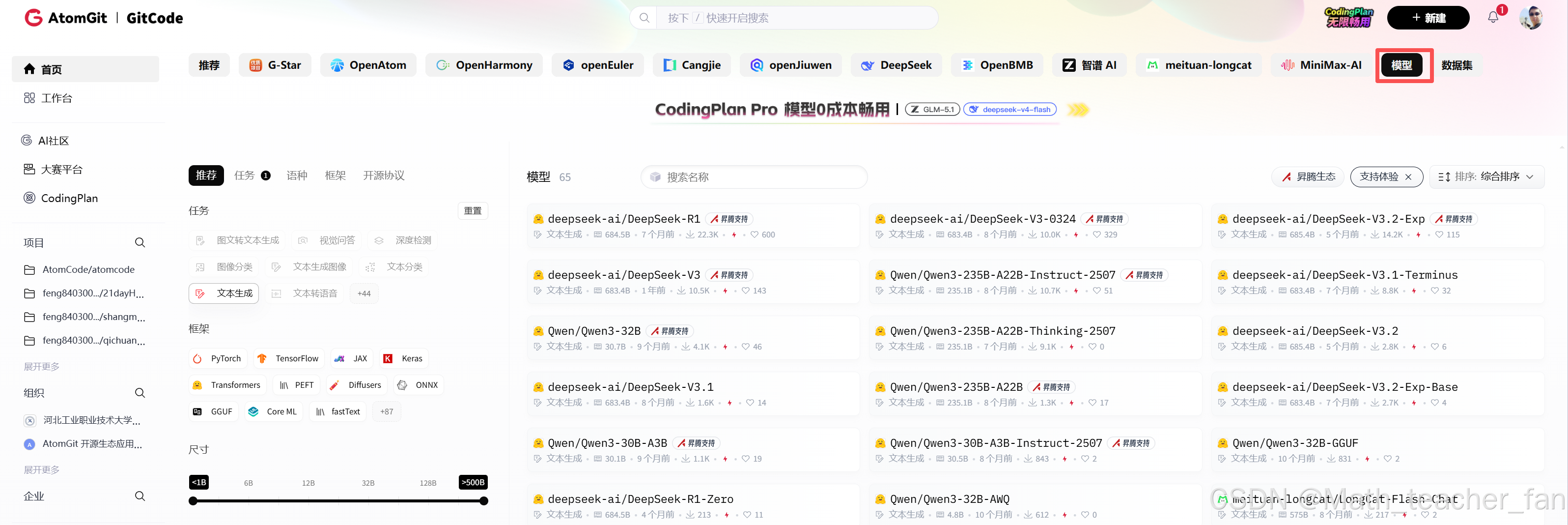
点击模型进入获取代码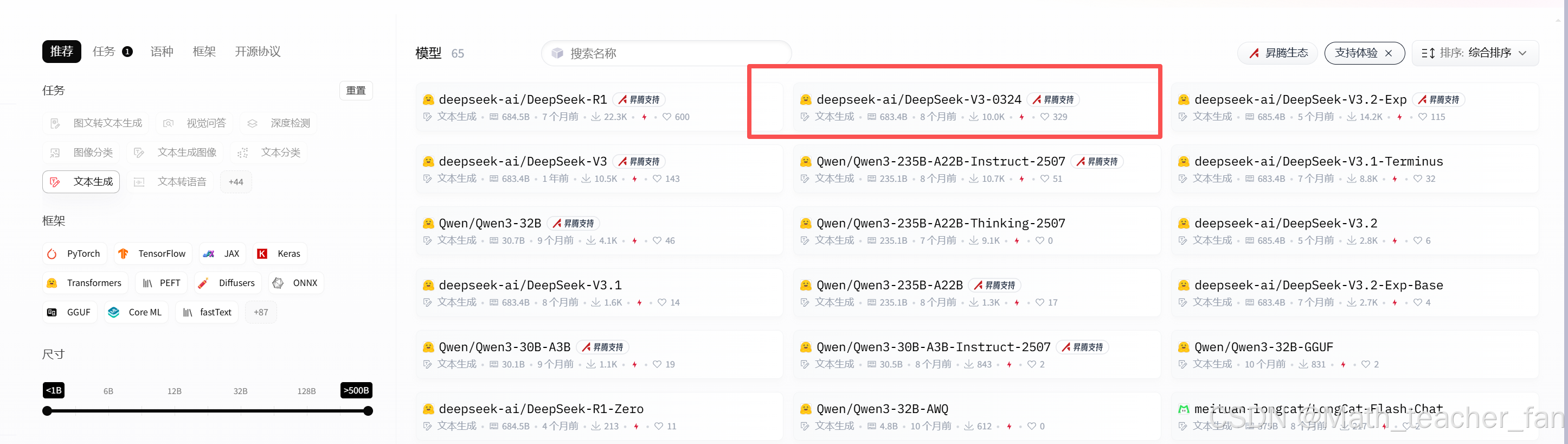
复制代码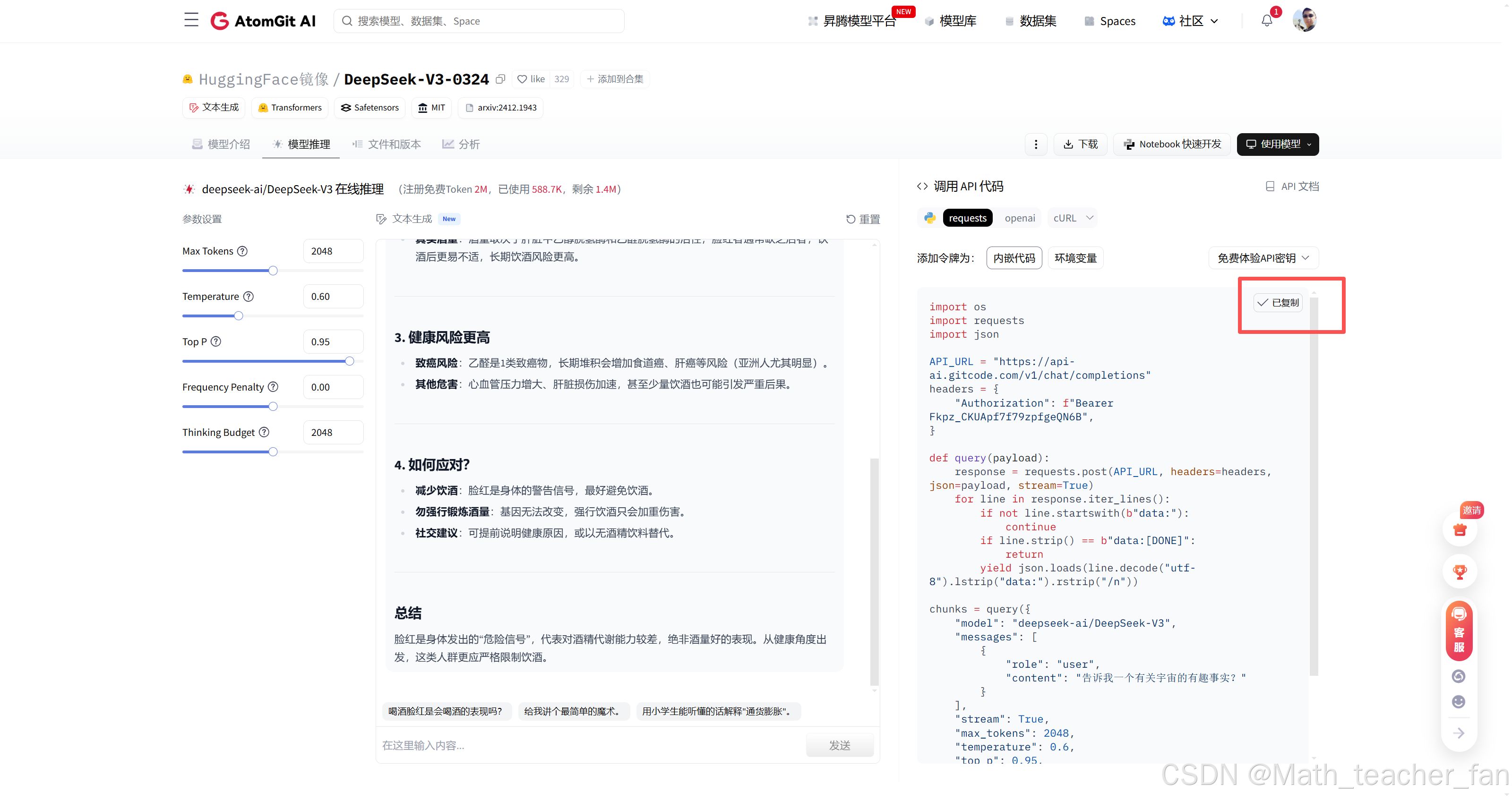
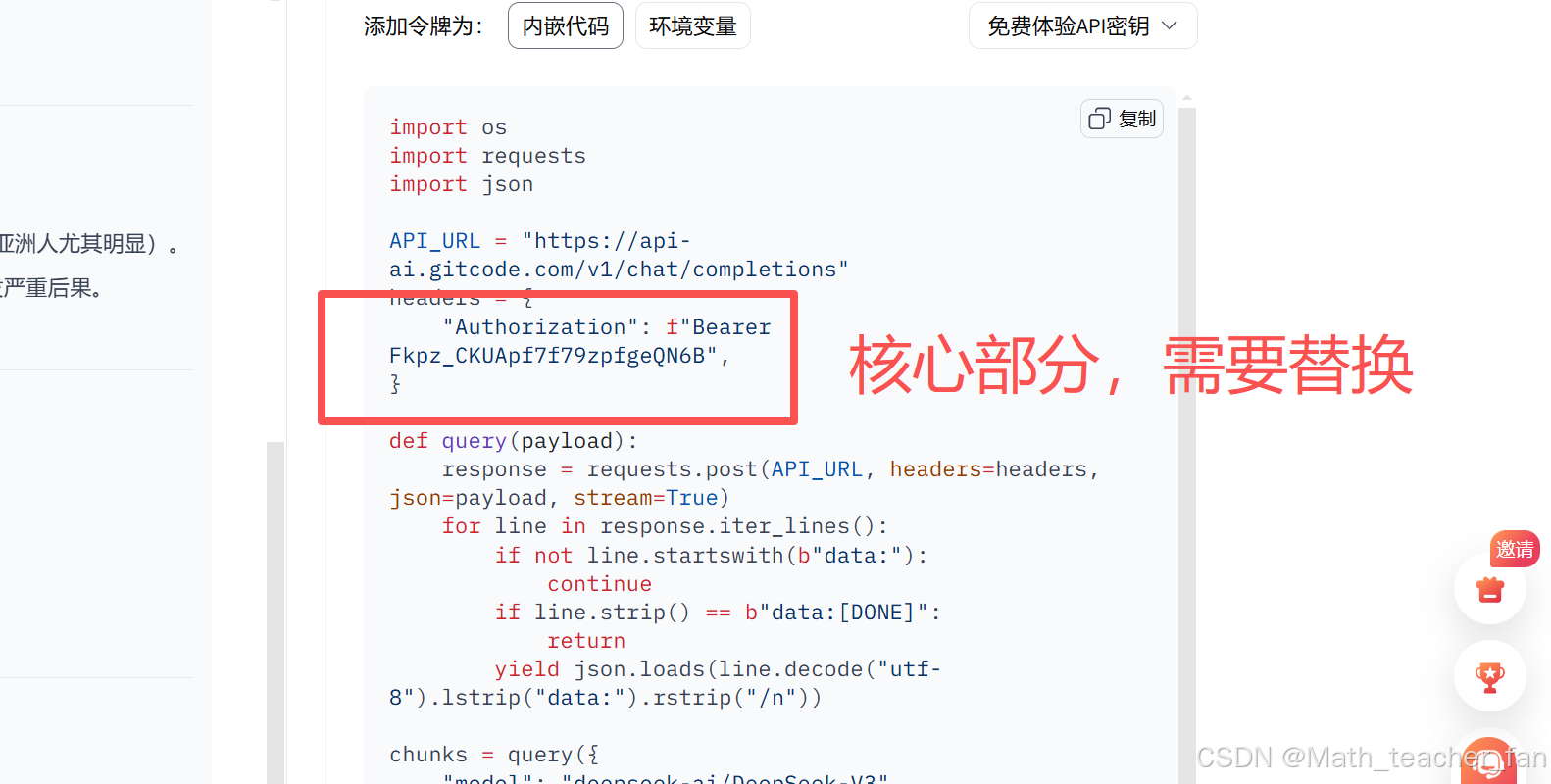
示例效果
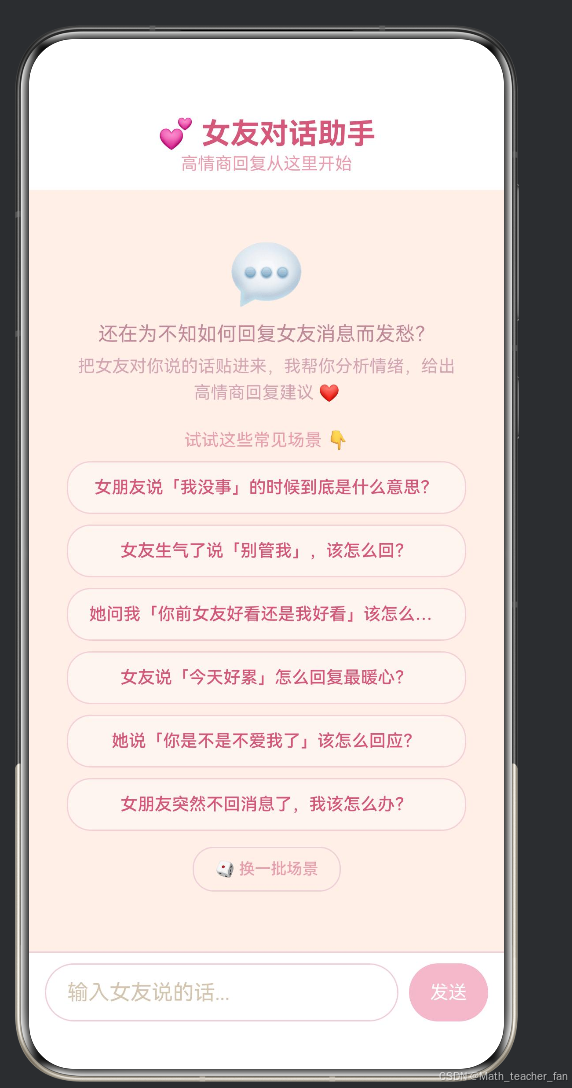
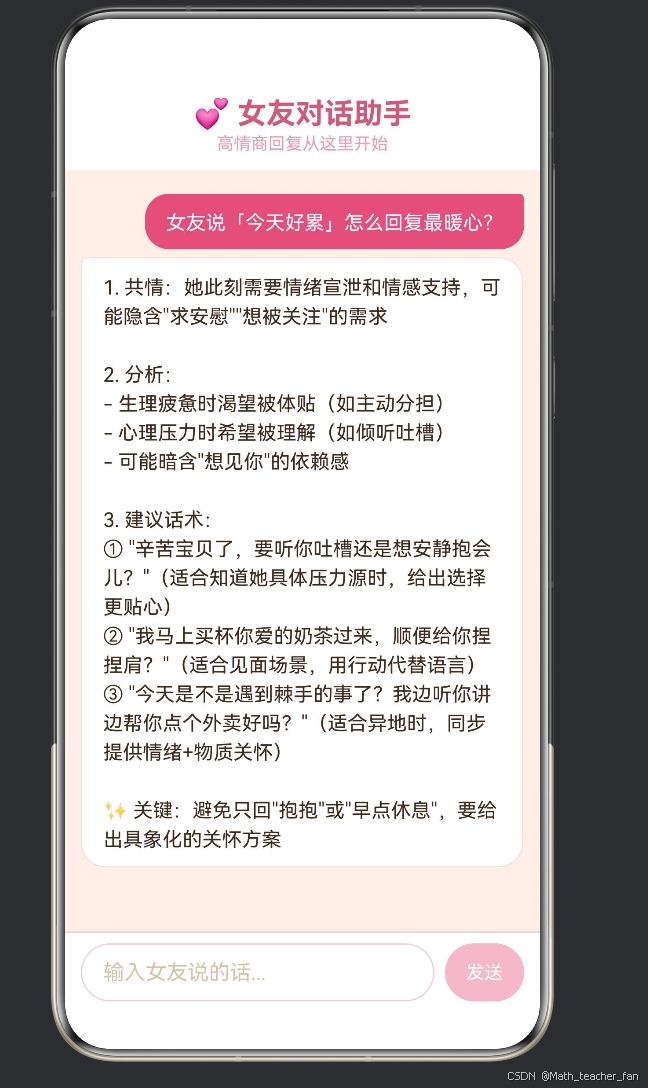
创建ets文件
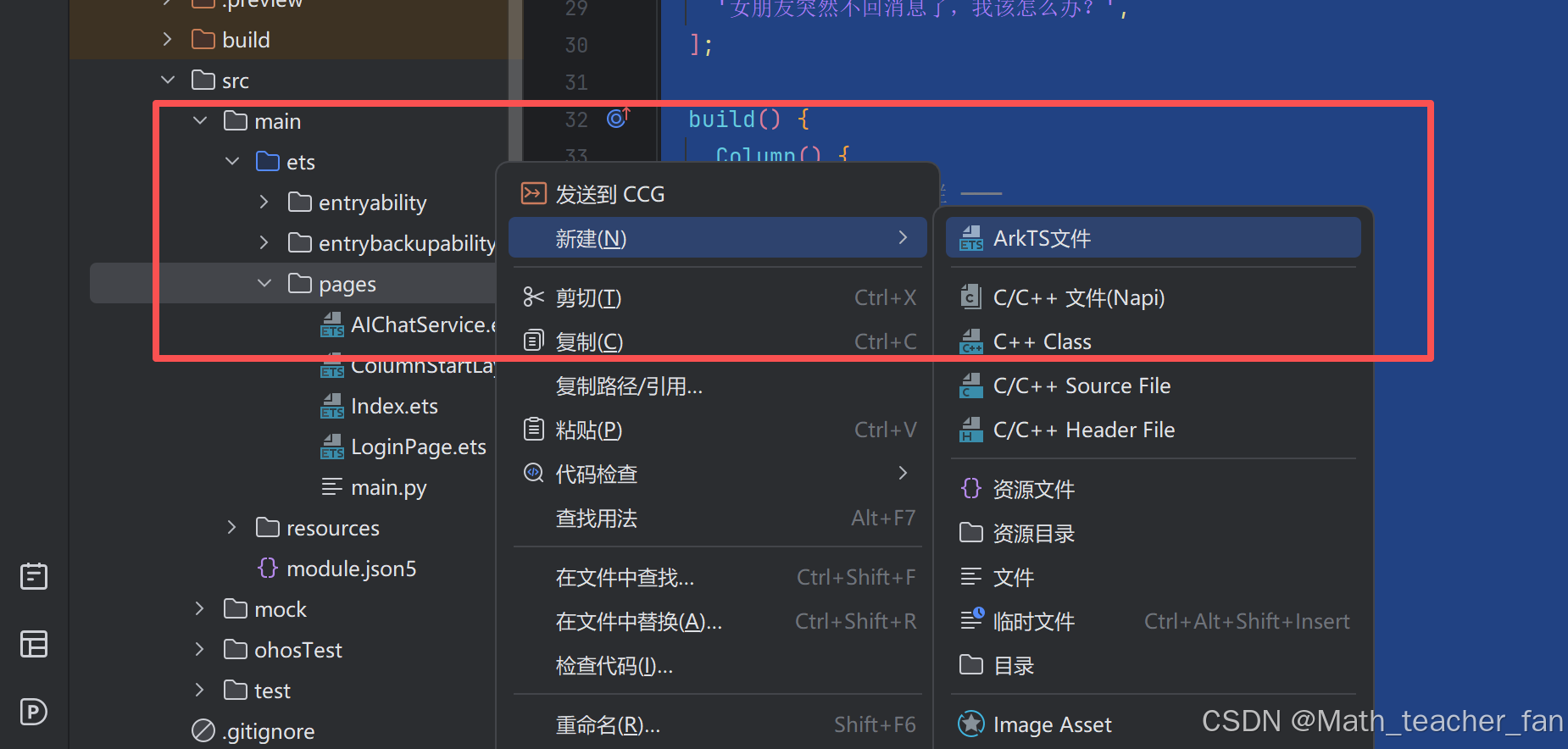
AIChatService.ets
AI的功能代码:
/**
 * AI Chat Service
 * 将 main.py 的 HTTP 请求转换为 ArkTS 版本
 * 使用 HarmonyOS NEXT 原生网络请求 API (@kit.NetworkKit)
 * 支持 SSE 流式响应 (Server-Sent Events)
 * 同时支持非流式回退(当 dataReceive 不触发时)
 */
import { http } from '@kit.NetworkKit';
import { BusinessError } from '@kit.BasicServicesKit';

/** API 配置常量(与 main.py 一致) */
const API_URL = 'https://api-ai.gitcode.com/v1/chat/completions';
const API_KEY = 'Fkpz_CKUApf7f79zpfgeQN6B';  /*这里需要替换成自己的*/

/** 系统提示词:女友对话助手 */
const SYSTEM_PROMPT: string =
  '你是一位资深的恋爱沟通顾问,擅长帮助男生分析女友话语背后的情感需求,' +
  '并提供真诚、体贴、有温度的高情商回复建议。\n\n' +
  '以下是你要遵循的原则:\n' +
  '1. 先共情:理解女友当下的情绪(开心、难过、生气、焦虑等)。\n' +
  '2. 再分析:指出她话语中隐含的需求(被关注、被理解、被重视、安全感等)。\n' +
  '3. 给建议:提供 1~3 条具体可用的回复话术,并说明每条话术的适用场景。\n' +
  '4. 语气温柔但真诚,避免油腻或过度讨好。\n' +
  '5. 如果涉及矛盾冲突,优先建议冷静沟通而非道歉敷衍。\n\n' +
  '请用中文回复,保持简洁实用。';

/** 聊天消息结构体 */
export interface ChatMessage {
  role: string;
  content: string;
}

/** 请求体结构体 */
export interface ChatCompletionRequest {
  model: string;
  messages: ChatMessage[];
  stream: boolean;
  max_tokens: number;
  temperature: number;
  top_p: number;
  frequency_penalty: number;
  thinking_budget: number;
}

/** SSE 解析结果回调 */
export interface AICallbacks {
  /** 每次收到新的 token 内容时触发 */
  onData: (text: string) => void;
  /** 流式响应结束时触发 */
  onDone: () => void;
  /** 发生错误时触发 */
  onError: (errMsg: string) => void;
}

/** HTTP 请求任务引用,用于取消 */
let httpRequestTask: http.HttpRequest | null = null;

/**
 * 解析 SSE data 行,提取 content 增量
 * @param line - 以 "data:" 开头的行(不含前缀)
 * @returns 提取到的 content,或 null
 */
function parseSSEDataLine(line: string): string | null {
  const jsonStr = line.slice(5).trim();
  if (!jsonStr) {
    return null;
  }
  try {
    const parsed: Record<string, Object> = JSON.parse(jsonStr) as Record<string, Object>;
    const choices: Object[] = parsed.choices as Object[];
    if (choices && choices.length > 0) {
      const choice: Record<string, Object> = choices[0] as Record<string, Object>;
      // 兼容 delta 和 message 两种格式(流式 vs 非流式)
      const delta: Record<string, Object> = choice.delta as Record<string, Object>;
      if (delta) {
        return delta.content as string;
      }
      const message: Record<string, Object> = choice.message as Record<string, Object>;
      if (message) {
        return message.content as string;
      }
    }
  } catch (_) {
    // JSON 解析失败,跳过
  }
  return null;
}

/**
 * 从完整响应体中解析所有 SSE data 行
 * @param body - 整个响应体字符串
 * @returns 拼接后的 content
 */
function parseFullSSEBody(body: string): string {
  let result = '';
  const lines = body.split('\n');
  for (const line of lines) {
    const trimmed = line.trim();
    if (trimmed.startsWith('data:')) {
      // 检查是否结束
      if (trimmed === 'data:[DONE]') {
        break;
      }
      const content = parseSSEDataLine(trimmed);
      if (content) {
        result += content;
      }
    }
  }
  return result;
}

/**
 * 从完整 JSON 响应体中提取 content(非流式回退)
 * @param body - 整个 JSON 响应体字符串
 * @returns 提取到的 content,或 null
 */
function parseNonStreamingBody(body: string): string | null {
  try {
    const parsed: Record<string, Object> = JSON.parse(body) as Record<string, Object>;
    const choices: Object[] = parsed.choices as Object[];
    if (choices && choices.length > 0) {
      const choice: Record<string, Object> = choices[0] as Record<string, Object>;
      const message: Record<string, Object> = choice.message as Record<string, Object>;
      if (message) {
        return message.content as string;
      }
      // 也可能是流式格式 (delta 而非 message)
      const delta: Record<string, Object> = choice.delta as Record<string, Object>;
      if (delta) {
        return delta.content as string;
      }
    }
  } catch (_) {
    // 不是纯 JSON,可能是 SSE 格式
  }
  return null;
}

/**
 * 将 ArrayBuffer 解码为字符串
 */
function arrayBufferToString(buffer: ArrayBuffer): string {
  const uint8Arr = new Uint8Array(buffer);
  let text = '';
  for (let i = 0; i < uint8Arr.length; i++) {
    text += String.fromCharCode(uint8Arr[i]);
  }
  return text;
}

/**
 * 调用 AI API(SSE 流式 + 非流式回退)
 * 对应 main.py 中 query() 函数 + chunks 遍历
 *
 * @param callbacks - 回调集合
 * @param messages - 聊天历史消息列表(含 system + user + assistant)
 */
export function queryAI(
  callbacks: AICallbacks,
  messages: ChatMessage[],
): void {
  // 取消上一次未完成的请求
  if (httpRequestTask) {
    try {
      httpRequestTask.destroy();
    } catch (_) { /* ignore */ }
    httpRequestTask = null;
  }

  const httpRequest = http.createHttp();
  httpRequestTask = httpRequest;

  // 构建请求体,合并系统提示词 + 用户聊天历史
  const fullMessages: ChatMessage[] = [
    { role: 'system', content: SYSTEM_PROMPT },
    ...messages,
  ];
  const requestBody: ChatCompletionRequest = {
    model: 'deepseek-ai/DeepSeek-V3',
    messages: fullMessages,
    stream: true,
    max_tokens: 2048,
    temperature: 0.6,
    top_p: 0.95,
    frequency_penalty: 0,
    thinking_budget: 2048,
  };

  // ---- 状态标记 ----
  let isDone: boolean = false;
  let receivedAnyData: boolean = false;

  // ---- SSE 流式缓冲区 ----
  let buffer = '';

  // 监听数据到达事件(流式场景)
  httpRequest.on('dataReceive', (data: ArrayBuffer) => {
    const text = arrayBufferToString(data);
    buffer += text;
    receivedAnyData = true;

    // 按行拆解(SSE 以 \n 分隔)
    const lines = buffer.split('\n');
    buffer = lines.pop() ?? ''; // 最后一行可能不完整,留到下次

    for (const line of lines) {
      const trimmed = line.trim();

      // 忽略非 data: 开头的行
      if (!trimmed.startsWith('data:')) {
        continue;
      }

      // 结束标记
      if (trimmed === 'data:[DONE]') {
        if (!isDone) {
          isDone = true;
          callbacks.onDone();
        }
        // 不能 return,因为 buffer 中可能还有后续数据
        continue;
      }

      // 解析 content
      const content = parseSSEDataLine(trimmed);
      if (content) {
        callbacks.onData(content);
      }
    }
  });

  // 数据接收完毕
  httpRequest.on('dataEnd', () => {
    if (!isDone) {
      // 如果 dataReceive 从未触发过(非流式场景),尝试从完整 body 解析
      // 但 dataEnd 不提供响应体,所以这个只是兜底标记
      isDone = true;
      callbacks.onDone();
    }
    httpRequestTask = null;
  });

  // 监听响应头(仅用于调试)
  httpRequest.on('headerReceive', (header: object) => {
    console.info('[AIChat] Header received: ' + JSON.stringify(header));
  });

  // 发起 POST 请求
  httpRequest.request(
    API_URL,
    {
      method: http.RequestMethod.POST,
      header: {
        Authorization: `Bearer ${API_KEY}`,
        'Content-Type': 'application/json',
        Accept: 'text/event-stream',
      },
      extraData: JSON.stringify(requestBody),
      connectTimeout: 30000,
      readTimeout: 120000,
    },
    (err: BusinessError | null, resp: http.HttpResponse) => {
      if (err) {
        callbacks.onError(`请求失败: ${JSON.stringify(err)}`);
        httpRequest.destroy();
        httpRequestTask = null;
        return;
      }

      // 检查 HTTP 状态码
      if (resp.responseCode !== 200) {
        const errBody = typeof resp.result === 'string' ? resp.result : 'HTTP ' + resp.responseCode;
        callbacks.onError(`服务器返回错误 (${resp.responseCode}): ${errBody}`.substring(0, 200));
        httpRequest.destroy();
        httpRequestTask = null;
        return;
      }

      // ---- 非流式回退 ----
      // 如果 dataReceive 没有被触发过(某些 HarmonyOS 版本的 http 模块
      // 在 SSE 场景下不会触发 dataReceive 事件),
      // 从 request 回调的响应体中解析结果
      if (!receivedAnyData && resp.result) {
        const bodyStr: string = typeof resp.result === 'string'
          ? resp.result
          : arrayBufferToString(resp.result as ArrayBuffer);

        console.info('[AIChat] Fallback: parsing body from callback, len=' + bodyStr.length);

        // 先尝试按 SSE 格式解析
        const sseContent = parseFullSSEBody(bodyStr);
        if (sseContent) {
          callbacks.onData(sseContent);
        } else {
          // 再尝试非流式 JSON 格式
          const jsonContent = parseNonStreamingBody(bodyStr);
          if (jsonContent) {
            callbacks.onData(jsonContent);
          } else {
            // 实在解析不了,把原始 body 前 200 字符作为错误提示
            const preview = bodyStr.length > 200 ? bodyStr.substring(0, 200) + '...' : bodyStr;
            callbacks.onError(`无法解析响应: ${preview}`);
            httpRequest.destroy();
            httpRequestTask = null;
            return;
          }
        }

        if (!isDone) {
          isDone = true;
          callbacks.onDone();
        }
      }
    },
  );
}

/**
 * 取消当前 AI 请求
 */
export function cancelAI(): void {
  if (httpRequestTask) {
    try {
      httpRequestTask.destroy();
    } catch (_) { /* ignore */ }
    httpRequestTask = null;
  }
}
index.ets代码
import {
  queryAI,
  cancelAI,
  ChatMessage,
} from './AIChatService';

@Entry
@Component
struct Index {
  /** 聊天历史消息 */
  @State messageList: ChatMessage[] = [];
  /** 当前输入框内容 */
  @State inputText: string = '';
  /** AI 正在回复中 */
  @State isLoading: boolean = false;
  /** 流式累积的 AI 回复(实时追加) */
  @State streamingContent: string = '';
  /** 错误提示 */
  @State errorMsg: string = '';

  /** 示例问题轮播索引 */
  private sampleIndex: number = 0;
  private sampleQuestions: string[] = [
    '女朋友说「我没事」的时候到底是什么意思?',
    '女友生气了说「别管我」,该怎么回?',
    '她问我「你前女友好看还是我好看」该怎么回答?',
    '女友说「今天好累」怎么回复最暖心?',
    '她说「你是不是不爱我了」该怎么回应?',
    '女朋友突然不回消息了,我该怎么办?',
  ];

  build() {
    Column() {
      // ─── 顶部标题栏 ───
      this.buildHeader();

      // ─── 聊天消息区 ───
      Column() {
        this.buildChatArea()
      }
      .layoutWeight(1);

      // ─── 底部输入区 ───
      this.buildInputArea();
    }
    .width('100%')
    .height('100%')
    .backgroundColor('#FFF0E8')
  }

  // ════════════════════════════════════════
  //  Builder:顶部标题栏
  // ════════════════════════════════════════

  @Builder
  buildHeader() {
    Column() {
      Text('💕 女友对话助手')
        .fontSize(22)
        .fontWeight(FontWeight.Bold)
        .fontColor('#D4587A')
        .margin({ top: 12 })

      Text('高情商回复从这里开始')
        .fontSize(13)
        .fontColor('#E8A0B0')
        .margin({ top: 2, bottom: 4 })
    }
    .width('100%')
    .padding({ top: 8, bottom: 8 })
    .backgroundColor('#FFFFFF')
  }

  // ════════════════════════════════════════
  //  Builder:聊天消息区
  // ════════════════════════════════════════

  @Builder
  buildChatArea() {
    Scroll() {
      Column() {
        // ─── 欢迎消息 ───
        if (this.messageList.length === 0) {
          this.buildWelcomeMessage();
        }

        // ─── 对话气泡 ───
        ForEach(this.messageList, (msg: ChatMessage) => {
          if (msg.role === 'user') {
            this.buildUserBubble(msg.content);
          } else {
            this.buildAIBubble(msg.content);
          }
        }, (msg: ChatMessage) => msg.role + '#' + msg.content)

        // ─── 流式 AI 回复(尚未完成) ───
        if (this.isLoading && this.streamingContent) {
          this.buildAIBubble(this.streamingContent + ' ▍');
        }

        // ─── 加载中占位 ───
        if (this.isLoading && !this.streamingContent) {
          this.buildLoadingIndicator();
        }

        // ─── 错误提示 ───
        if (this.errorMsg) {
          this.buildErrorBubble(this.errorMsg);
        }

        // 底部留白
        Blank().height(12)
      }
      .width('100%')
      .padding(12)
    }
    .width('100%')
    .scrollBar(BarState.Auto)
  }

  // ─── 欢迎界面 ───

  @Builder
  buildWelcomeMessage() {
    Column() {
      Text('💬')
        .fontSize(48)
        .margin({ top: 24, bottom: 8 })

      Text('还在为不知如何回复女友消息而发愁?')
        .fontSize(15)
        .fontColor('#C08A9A')
        .textAlign(TextAlign.Center)
        .margin({ bottom: 4 })

      Text('把女友对你说的话贴进来,我帮你分析情绪,给出高情商回复建议 ❤️')
        .fontSize(13)
        .fontColor('#D4A5B3')
        .textAlign(TextAlign.Center)
        .lineHeight(20)
        .margin({ bottom: 20 })
        .padding({ left: 20, right: 20 })

      Text('试试这些常见场景 👇')
        .fontSize(13)
        .fontColor('#E8A0B0')
        .margin({ bottom: 8 })

      // 示例问题按钮
      ForEach(this.sampleQuestions, (q: string, idx?: number) => {
        Button(q)
          .fontSize(13)
          .fontColor('#D4587A')
          .backgroundColor('#FFF5F0')
          .border({ width: 1, color: '#F5D0D8' })
          .borderRadius(18)
          .height(40)
          .width('90%')
          .margin({ bottom: 8 })
          .onClick(() => {
            this.inputText = q;
          })
      }, (_q: string, i?: number) => (i ?? 0).toString())

      // 随机示例按钮
      Button('🎲 换一批场景')
        .fontSize(12)
        .fontColor('#E8A0B0')
        .backgroundColor('transparent')
        .border({ width: 1, color: '#F0D0D8' })
        .borderRadius(16)
        .height(34)
        .margin({ top: 4, bottom: 16 })
        .onClick(() => {
          this.rotateSamples();
        })
    }
    .width('100%')
    .alignItems(HorizontalAlign.Center)
  }

  // ─── 用户气泡 ───

  @Builder
  buildUserBubble(content: string) {
    Column() {
      Row() {
        Blank()
        Text(content)
          .fontSize(15)
          .fontColor('#FFFFFF')
          .padding({ left: 16, right: 16, top: 10, bottom: 10 })
          .backgroundColor('#D4587A')
          .borderRadius({ topLeft: 18, topRight: 4, bottomLeft: 18, bottomRight: 18 })
          .maxLines(20)
          .lineHeight(22)
      }
      .width('100%')
      .margin({ top: 6 })
    }
  }

  // ─── AI 气泡 ───

  @Builder
  buildAIBubble(content: string) {
    Column() {
      Row() {
        Text(content)
          .fontSize(15)
          .fontColor('#3D2B1F')
          .padding({ left: 16, right: 16, top: 10, bottom: 10 })
          .backgroundColor('#FFFFFF')
          .border({ width: 1, color: '#F5E0E5' })
          .borderRadius({ topLeft: 4, topRight: 18, bottomLeft: 18, bottomRight: 18 })
          .lineHeight(22)
        Blank()
      }
      .width('100%')
      .margin({ top: 6 })
    }
  }

  // ─── 加载动画 ───

  @Builder
  buildLoadingIndicator() {
    Column() {
      Row() {
        Text('💭 正在思考...')
          .fontSize(14)
          .fontColor('#E8A0B0')
          .padding(16)
          .backgroundColor('#FFFFFF')
          .border({ width: 1, color: '#F5E0E5' })
          .borderRadius({ topLeft: 4, topRight: 18, bottomLeft: 18, bottomRight: 18 })
        Blank()
      }
      .width('100%')
      .margin({ top: 6 })
    }
  }

  // ─── 错误提示 ───

  @Builder
  buildErrorBubble(errMsg: string) {
    Column() {
      Row() {
        Text('⚠️ ' + errMsg)
          .fontSize(13)
          .fontColor('#C94A4A')
          .padding(12)
          .backgroundColor('#FFF0F0')
          .border({ width: 1, color: '#F5C0C0' })
          .borderRadius(12)
        Blank()
      }
      .width('100%')
      .margin({ top: 6 })
    }
  }

  // ════════════════════════════════════════
  //  Builder:底部输入区
  // ════════════════════════════════════════

  @Builder
  buildInputArea() {
    Column() {
      // ── 输入行 ──
      Row() {
        TextInput({ placeholder: '输入女友说的话...', text: this.inputText })
          .layoutWeight(1)
          .height(44)
          .fontSize(15)
          .fontColor('#3D2B1F')
          .placeholderColor('#D4C5B0')
          .backgroundColor('#FFFFFF')
          .border({ width: 1, color: '#F0D0D8' })
          .borderRadius(22)
          .padding({ left: 16 })
          .enabled(!this.isLoading)
          .onChange((val: string) => {
            this.inputText = val;
          })
          .onSubmit(() => {
            this.handleSend();
          })

        Blank().width(8)

        // 发送按钮
        Button() {
          Text('发送')
            .fontSize(14)
            .fontColor('#FFFFFF')
        }
        .width(60)
        .height(44)
        .backgroundColor(this.isLoading ? '#E8C0C8' : '#D4587A')
        .borderRadius(22)
        .enabled(!this.isLoading && this.inputText.trim().length > 0)
        .onClick(() => {
          this.handleSend();
        })
      }
      .width('100%')
      .padding({ left: 12, right: 12, top: 8, bottom: 8 })
      .backgroundColor('#FFFFFF')
      .border({ width: { top: 1 }, color: '#F0D0D8' })

      // ── 取消按钮(加载时显示) ──
      if (this.isLoading) {
        Button('⏹ 取消回复')
          .fontSize(13)
          .fontColor('#B0A595')
          .backgroundColor('#F5F0E8')
          .border({ width: 1, color: '#E8DDD0' })
          .borderRadius(16)
          .height(32)
          .width(120)
          .margin({ bottom: 6 })
          .onClick(() => {
            this.handleCancel();
          })
      }
    }
    .width('100%')
  }

  // ════════════════════════════════════════
  //  工具方法
  // ════════════════════════════════════════

  /** 轮换示例问题 */
  rotateSamples(): void {
    // 重新排列示例问题(用交换法模拟洗牌)
    const arr: string[] = this.sampleQuestions;
    for (let i: number = 0; i < arr.length; i++) {
      const j: number = (i * 7 + 3) % arr.length;
      const tmp: string = arr[i];
      arr[i] = arr[j];
      arr[j] = tmp;
    }
    this.sampleQuestions = [...arr];
  }

  /** 发送消息 */
  handleSend(): void {
    const msg: string = this.inputText.trim();
    if (!msg) {
      return;
    }

    // 清空输入
    this.inputText = '';

    // 添加用户消息到历史
    const userMsg: ChatMessage = { role: 'user', content: msg };
    this.messageList = [...this.messageList, userMsg];

    // 重置 AI 回复状态
    this.streamingContent = '';
    this.errorMsg = '';
    this.isLoading = true;

    // 调用 AI(带上完整聊天历史,让 AI 知道上下文)
    queryAI({
      onData: (text: string) => {
        this.streamingContent += text;
      },
      onDone: () => {
        // 流式完成后,将完整回复加入消息历史
        if (this.streamingContent) {
          const aiMsg: ChatMessage = { role: 'assistant', content: this.streamingContent };
          this.messageList = [...this.messageList, aiMsg];
        }
        this.streamingContent = '';
        this.isLoading = false;
      },
      onError: (errMsg: string) => {
        this.errorMsg = errMsg;
        this.isLoading = false;
      },
    }, this.messageList);
  }

  /** 取消请求 */
  handleCancel(): void {
    cancelAI();
    this.isLoading = false;
    // 保留已收到的流式内容作为 AI 回复
    if (this.streamingContent) {
      const aiMsg: ChatMessage = { role: 'assistant', content: this.streamingContent };
      this.messageList = [...this.messageList, aiMsg];
    }
    this.streamingContent = '';
  }
}
升级项目
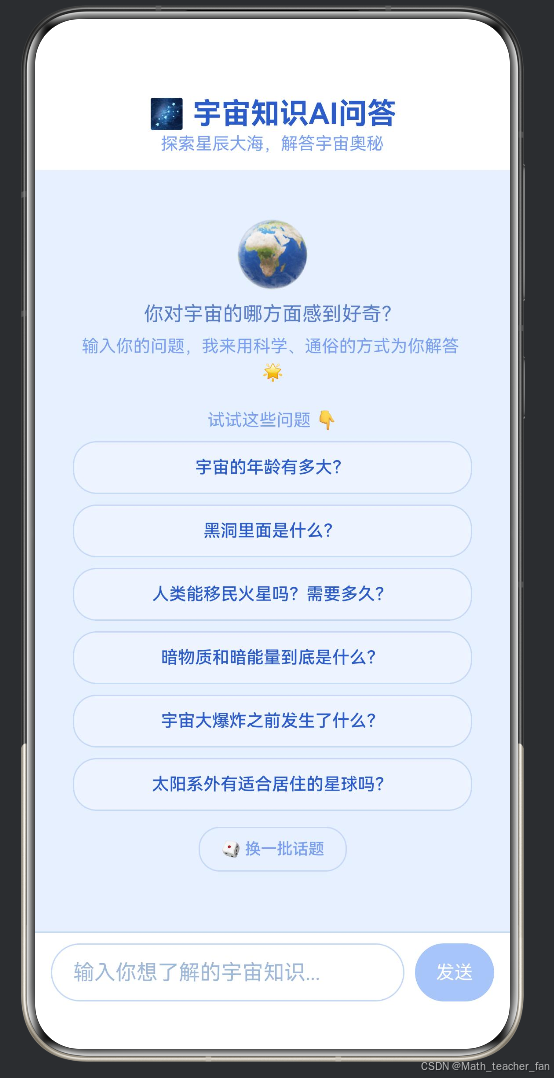
我要升级我的项目为: 宇宙知识AI问答。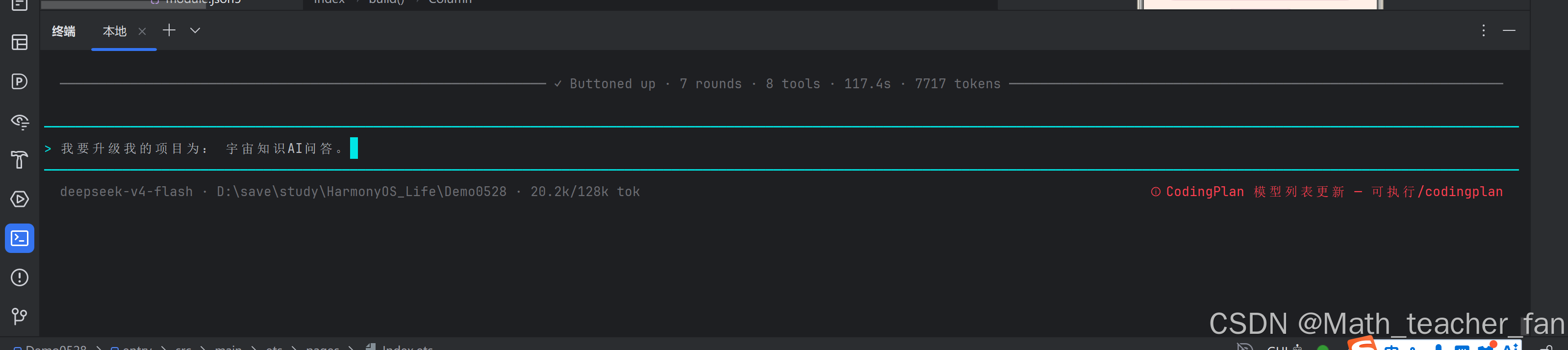
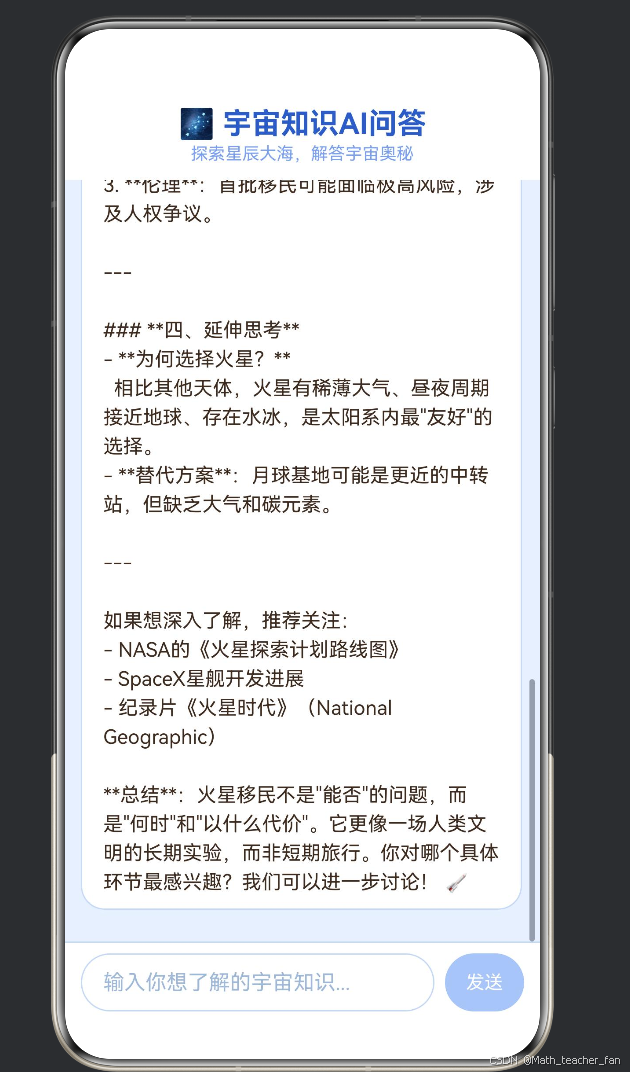
持续变化中: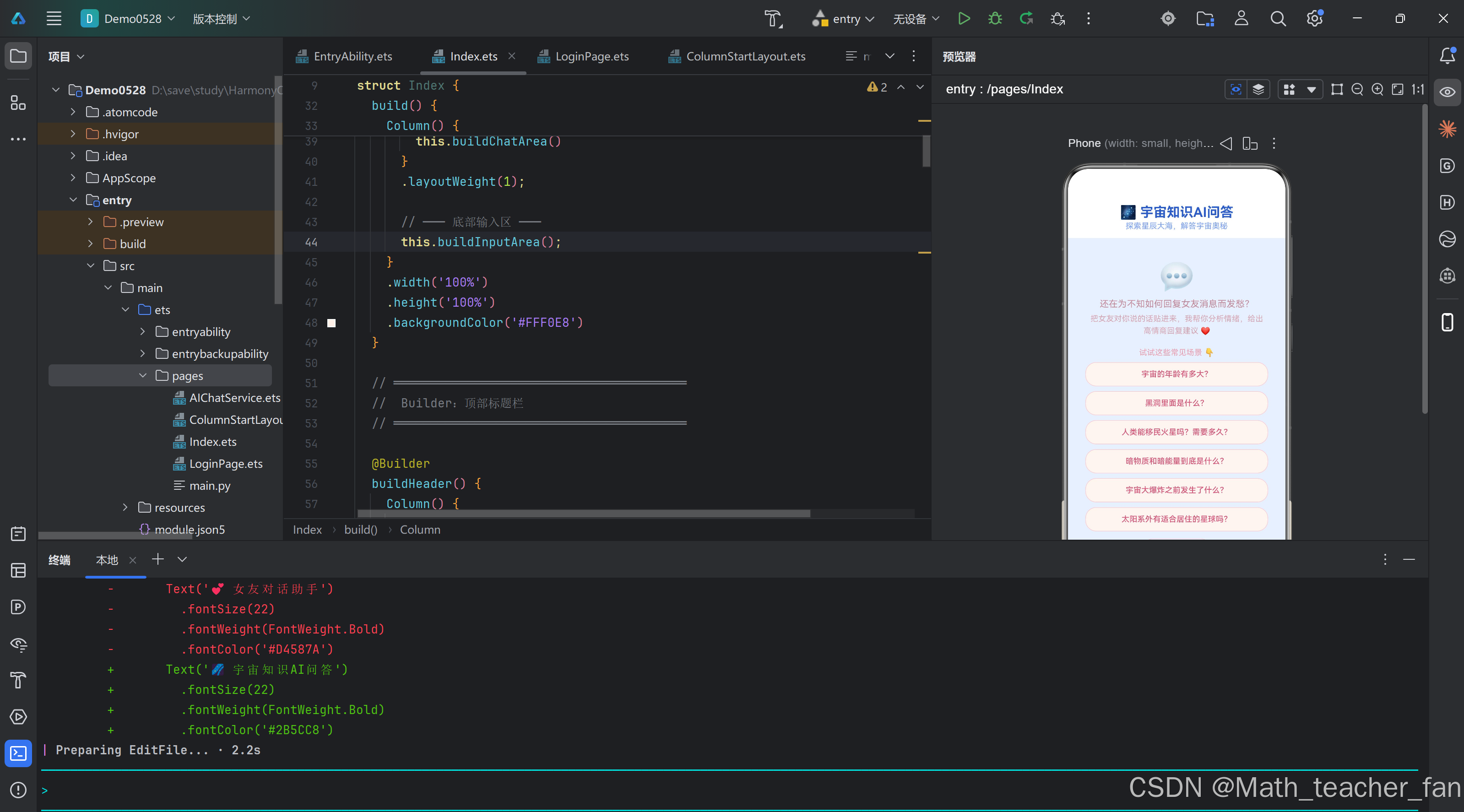
- 原生体验:充分利用 HarmonyOS 原生 API,提供流畅、稳定的用户体验。
- 智能问答:集成大语言模型(DeepSeek-V3),实现高质量的宇宙知识问答。
- 流式输出:采用 SSE(Server-Sent Events)流式传输技术,实现 AI 回复的逐字呈现,提升交互感。
- 友好界面:采用 ArkTS 声明式 UI 架构,构建美观、直观的聊天界面。
- 代码规范:遵循 ArkTS 最佳实践,展示模块化、可维护的代码结构。
| 技术组件 | 选择 | 说明 |
|---|---|---|
| 开发语言 | ArkTS | 鸿蒙原生声明式 UI 语言 |
| 开发框架 | HarmonyOS NEXT API | 最新原生开发框架 |
| AI 模型 | DeepSeek-V3 | 高性能大语言模型 |
| 网络请求 | @kit.NetworkKit | 鸿蒙原生 HTTP 网络库 |
| 数据传输 | SSE 流式传输 | 实时增量更新 |
| UI 构建 | @Builder 装饰器 | 组件化 UI 构建方案 |
 |
||
 |
文章撰写
生成的布局内容,写一篇对应的详细介绍文章,要写成markdown的md文件形式存储到项目的根目录中,要求标题为:鸿蒙原生ArkTS-宇宙知识AI问答 文字长度为:8000到12000字。

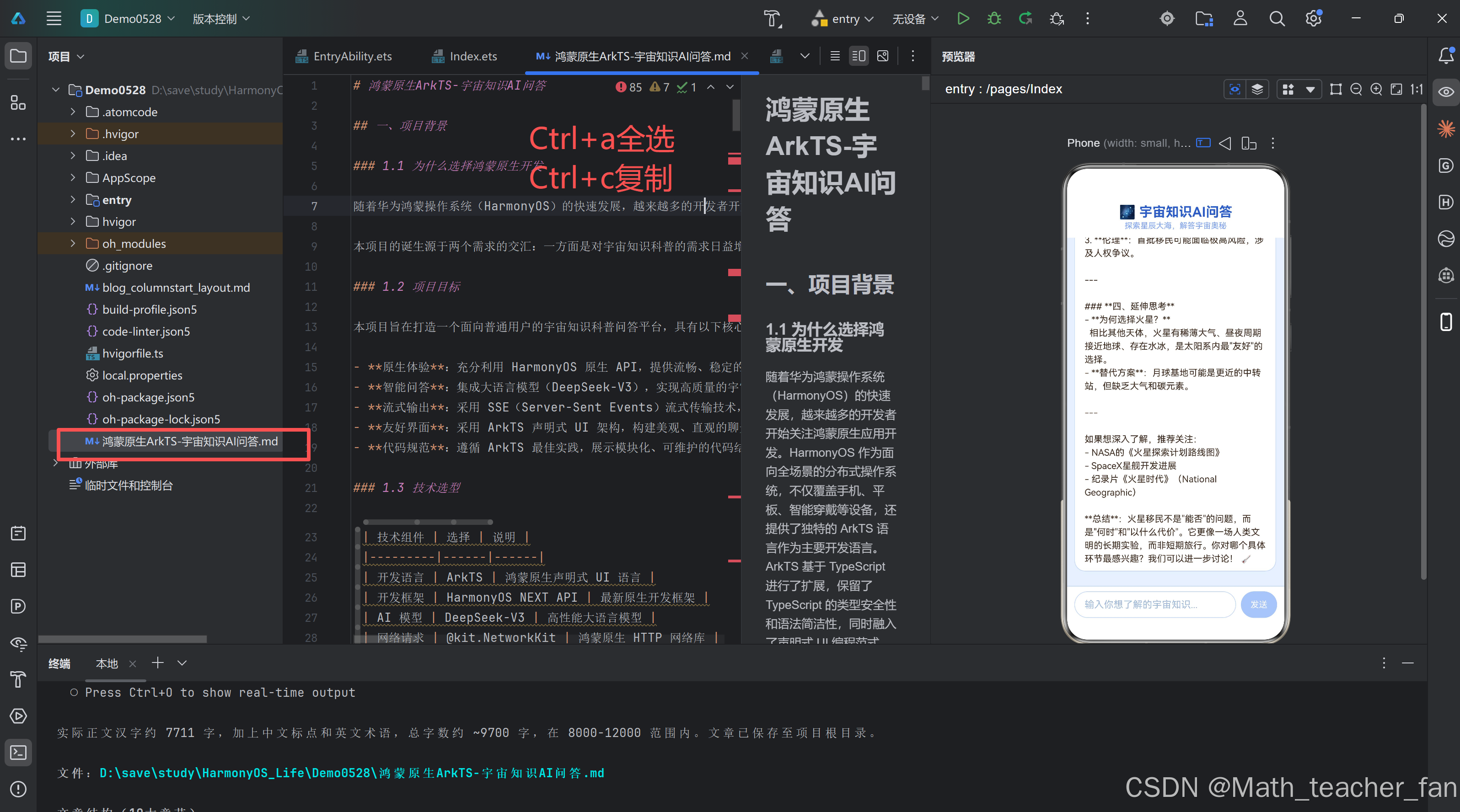
到CSDN中的MD格式发布文章即可。
本项目的目录结构遵循 HarmonyOS 标准工程规范,主要代码集中在 entry/src/main/ets/pages/ 目录下:
Demo0528/
├── entry/
│   └── src/
│       └── main/
│           └── ets/
│               └── pages/
│                   ├── Index.ets           # 主页面(聊天界面)
│                   ├── AIChatService.ets   # AI 服务层(网络请求+SSE解析)
│                   └── ColumnStartLayout.ets  # 其他布局组件
├── build-profile.json5      # 项目构建配置
├── hvigor/                  # 构建工具配置
├── AppScope/                # 应用级配置
└── oh-package.json5         # 包依赖管理
项目采用了明确的职责分离架构,共分为三个核心层次:
UI 表现层(Index.ets):负责所有用户界面元素的构建和交互逻辑,包括聊天消息展示、输入框、按钮、加载动画等。通过 @Builder 装饰器将 UI 拆分为多个独立构建函数,每个函数负责一个独立的 UI 区域。
AI 服务层(AIChatService.ets):封装了所有与 AI API 通信的逻辑,包括 HTTP 请求的发起、SSE 流式数据的解析、非流式回退机制以及请求取消功能。该层对上层完全黑盒,仅通过定义清晰的接口(AICallbacks、ChatMessage)与 UI 层交互。
配置管理层(build-profile.json5、module.json5 等):管理网络权限、应用签名、模块配置等基础设施,确保应用能够正常访问网络接口。
这种分层设计使得代码具有良好的可测试性和可维护性。当需要更换 AI 模型提供商时,只需修改 AIChatService.ets 中的 API 配置和解析逻辑,UI 层完全无需改动。
ArkTS 采用的声明式 UI 编程范式,与传统的命令式 UI(如 Java Android 的 XML+Activity)有本质区别。在声明式 UI 中,开发者描述 UI “应该是什么样”,而非"如何一步步构建"。状态驱动视图更新——当 @State 装饰的变量发生变化时,框架自动重新渲染相关组件。
以本项目的聊天消息列表为例:
@State messageList: ChatMessage[] = [];
@State isLoading: boolean = false;
@State streamingContent: string = '';
@State inputText: string = '';
@State errorMsg: string = '';

build() {
    Column() {
        this.buildHeader();        // 标题栏
        Column() {
            this.buildChatArea()   // 聊天区
        }
        .layoutWeight(1);
        this.buildInputArea();     // 输入区
    }
    .width('100%')
    .height('100%')
    .backgroundColor('#E8F0FF')
}
当 messageList 新增一条消息、isLoading 变为 true 或 streamingContent 收到新的 token 时,框架会自动触发 UI 重新渲染,开发者无需手动操作 DOM。

作为“人工智能6S店”的官方数字引擎,为AI开发者与企业提供一个覆盖软硬件全栈、一站式门户。
更多推荐

 0
0 0
0- 0


 已为社区贡献7条内容

所有评论(0)