
「Flutter三方库go_router的鸿蒙化适配与实战指南:从入门到踩坑的路由管理开发全记录」
「Flutter三方库go_router的鸿蒙化适配与实战指南:从入门到踩坑的路由管理开发全记录」
欢迎加入开源鸿蒙跨平台社区:https://openharmonycrossplatform.csdn.net
前言:我是谁?为什么写这篇文章?
各位好,我是上海某高校计算机专业的大一学生🏫
话说上次搞定flutter_bloc和fl_chart之后,本来以为课程设计能顺利收尾了。结果老师又提了个新需求——要支持深层链接和路由守卫!
啥是深层链接?啥是路由守卫?一脸懵逼的我又开始了一轮新的踩坑之旅…🤯
今天就跟大家聊聊go_router这个Flutter官方推荐的路由库,在鸿蒙平台上的适配经历!
一、为什么要用go_router?鸿蒙场景下的痛点是什么?
1.1 课程设计的新需求
健康运动模块不只是展示数据,还需要支持:
🛤️ 路由系统需求
├── 深层链接支持
│   ├── 从外部App打开特定页面
│   └── 分享链接到指定页面
│
├── 路由守卫
│   ├── 未登录不能访问购物车
│   └── 未登录不能访问订单页
│
└── 嵌套路由
    ├── 健康模块下的子页面
    └── 聊天模块下的子页面
一开始我用的是Flutter原生的Navigator,以为能搞定,结果越写越乱…
1.2 鸿蒙平台踩坑实录 😤
问题一:Navigator命名混乱
用原生Navigator的时候,页面跳转全靠字符串传参,一旦拼写错了,App直接崩溃。
问题二:深层链接不会配
不知道在module.json5里怎么配置,结果分享的链接完全打不开App。
问题三:路由守卫写在哪?
登录状态检查总得写在每个页面的开头,代码重复得一塌糊涂。
后来换了go_router,这些问题都解决了!虽然又踩了一些新坑…😭
二、开发前的准备工作:环境和依赖配置
2.1 pubspec.yaml依赖引入
# pubspec.yaml

name: flutter_ohos_health_app
description: Flutter for OpenHarmony 健康运动模块实战
publish_to: 'none'
version: 1.0.0+1

environment:
  sdk: '>=3.0.0 <4.0.0'
  flutter:
    sdk: flutter

dependencies:
  flutter:
    sdk: flutter

  # ==================== 路由管理 ====================
  # go_router - 声明式路由
  # 【踩坑记录】版本14.x比较稳定
  go_router: ^14.0.0

  # ==================== 状态管理 ====================
  flutter_bloc: ^8.1.3
  bloc: ^8.1.2
  equatable: ^2.0.5

  # ==================== 依赖注入 ====================
  provider: ^6.1.0

dev_dependencies:
  flutter_test:
    sdk: flutter
  flutter_lints: ^3.0.0

flutter:
  uses-material-design: true
2.2 go_router的优势
| 特性 | 原生Navigator | go_router |
|---|---|---|
| 路由配置 | 代码式 | 声明式,更清晰 |
| 类型安全 | ❌ | ✅ 参数类型检查 |
| 深层链接 | 需手动配置 | 原生支持 |
| 路由守卫 | 需手动实现 | 内置支持 |
| 嵌套路由 | 需嵌套代码 | 原生支持 |
三、分步实现:路由管理完整代码
3.1 定义路由常量
// lib/router/app_routes.dart
// 路由路径常量定义

/// 应用路由常量
/// 统一管理所有路由路径,避免硬编码
class AppRoutes {
  // 路由路径
  static const String home = '/';
  static const String login = '/login';
  static const String register = '/register';
  static const String chat = '/chat';
  static const String chatDetail = '/chat-detail';
  static const String health = '/health';
  static const String healthWater = '/health/water';
  static const String healthExercise = '/health/exercise';
  static const String healthSleep = '/health/sleep';
  static const String cart = '/cart';
  static const String orders = '/orders';
  static const String profile = '/profile';
  static const String productDetail = '/product/:id';

  // 路由名称(用于导航)
  static const String homeName = 'home';
  static const String loginName = 'login';
  static const String healthName = 'health';
  static const String cartName = 'cart';
}
3.2 用户状态Provider
// lib/providers/user_provider.dart
// 用户状态管理

import 'package:flutter/material.dart';

/// 用户状态Provider
/// 【踩坑记录】必须继承ChangeNotifier,否则go_router的refreshListenable无法监听
class UserProvider extends ChangeNotifier {
  bool _isLoggedIn = false;
  String? _userId;
  String? _userName;
  String? _token;

  /// 是否已登录
  bool get isLoggedIn => _isLoggedIn;

  /// 用户ID
  String? get userId => _userId;

  /// 用户名
  String? get userName => _userName;

  /// 登录令牌
  String? get token => _token;

  /// 快速登录(开发测试用)
  void quickLogin() {
    _isLoggedIn = true;
    _userId = 'guest_user';
    _userName = '访客用户';
    _token = 'guest_token_12345';

    // 【关键】状态变化后必须通知监听者
    notifyListeners();
  }

  /// 正式登录
  Future<void> login(String username, String password) async {
    // 模拟登录请求
    await Future.delayed(const Duration(seconds: 1));

    _isLoggedIn = true;
    _userId = 'user_${DateTime.now().millisecondsSinceEpoch}';
    _userName = username;
    _token = 'token_${DateTime.now().millisecondsSinceEpoch}';

    notifyListeners();
  }

  /// 登出
  void logout() {
    _isLoggedIn = false;
    _userId = null;
    _userName = null;
    _token = null;

    notifyListeners();
  }
}
3.3 创建路由配置
// lib/router/app_router.dart
// 应用路由配置
import 'package:flutter/material.dart';
import 'package:go_router/go_router.dart';
import 'package:provider/provider.dart';
import '../providers/user_provider.dart';
import '../pages/home_page.dart';
import '../pages/login_page.dart';
import '../pages/health/health_page.dart';
import '../pages/health/water_tracker_page.dart';
import '../pages/health/exercise_page.dart';
import '../pages/health/sleep_page.dart';
import '../pages/cart_page.dart';
/// 应用路由配置类
class AppRouter {
/// 创建路由实例
/// 【关键】接收UserProvider用于路由守卫
static GoRouter createRouter(UserProvider userProvider) {
return GoRouter(
// 初始路由
initialLocation: '/',
// 【关键】监听器,用于响应状态变化
// 当UserProvider状态变化时,会触发redirect重新检查
refreshListenable: userProvider,
// 【核心功能】路由守卫/重定向
redirect: (context, state) {
// 获取当前登录状态
final isLoggedIn = userProvider.isLoggedIn;
final isLoggingIn = state.matchedLocation == '/login';
final isRegistering = state.matchedLocation == '/register';
// 【踩坑记录】需要登录的路由列表
const protectedRoutes = ['/cart', '/orders', '/profile'];
final isAccessingProtected = protectedRoutes.any(
(route) => state.matchedLocation.startsWith(route),
);
// 【关键逻辑】
// 1. 未登录访问受保护路由 → 跳转到登录页
if (!isLoggedIn && isAccessingProtected) {
return '/login';
}
// 2. 已登录访问登录/注册页 → 跳转到首页
if (isLoggedIn && (isLoggingIn || isRegistering)) {
return '/';
}
// 3. 其他情况 → 正常访问
return null;
},
// 路由列表
routes: [
// ========== 首页 ==========
GoRoute(
path: '/',
name: 'home',
builder: (context, state) => const HomePage(),
),
// ========== 登录页 ==========
GoRoute(
path: '/login',
name: 'login',
builder: (context, state) => LoginPage(
// 登录成功回调
onLogin: () {
final userProvider = Provider.of<UserProvider>(
context,
listen: false,
);
userProvider.quickLogin();
// 跳转到首页
context.go('/');
},
// 注册跳转
onRegister: () {
context.push('/register');
},
),
),
// ========== 健康模块 ==========
GoRoute(
path: '/health',
name: 'health',
builder: (context, state) => const HealthPage(),
),
// 【嵌套路由】健康子页面
GoRoute(
path: '/health/water',
name: 'healthWater',
builder: (context, state) => const WaterTrackerPage(),
),
GoRoute(
path: '/health/exercise',
name: 'healthExercise',
builder: (context, state) => const ExercisePage(),
),
GoRoute(
path: '/health/sleep',
name: 'healthSleep',
builder: (context, state) => const SleepPage(),
),
// ========== 购物车(需登录)==========
GoRoute(
path: '/cart',
name: 'cart',
// 【踩坑记录】必须登录才能访问
builder: (context, state) => const CartPage(),
),
// ========== 商品详情(路径参数)==========
GoRoute(
path: '/product/:id',
name: 'productDetail',
builder: (context, state) {
// 从路径参数获取商品ID
final productId = state.pathParameters['id'] ?? '0';
// 从查询参数获取分享码
final shareCode = state.uri.queryParameters['share'];
return ProductDetailPage(
productId: productId,
shareCode: shareCode,
);
},
),
],
// 【关键】错误页面处理
errorBuilder: (context, state) => ErrorPage(state: state),
);
}
}
/// 错误页面组件
class ErrorPage extends StatelessWidget {
final GoRouterState state;
const ErrorPage({super.key, required this.state});
Widget build(BuildContext context) {
return Scaffold(
body: Center(
child: Column(
mainAxisAlignment: MainAxisAlignment.center,
children: [
const Icon(
Icons.error_outline,
size: 80,
color: Colors.red,
),
const SizedBox(height: 20),
Text(
'页面未找到: ${state.uri}',
style: Theme.of(context).textTheme.headlineSmall,
),
const SizedBox(height: 30),
ElevatedButton(
onPressed: () => context.go('/'),
child: const Text('返回首页'),
),
],
),
),
);
}
}
3.4 路由辅助类
// lib/router/router_helper.dart
// 路由导航辅助类

import 'package:flutter/material.dart';
import 'package:go_router/go_router.dart';

/// 路由导航辅助类
/// 提供便捷的导航方法,避免直接使用路由路径字符串
class RouterHelper {
  /// 跳转到首页
  static void goHome(BuildContext context) => context.go('/');

  /// 跳转到登录页
  static void goLogin(BuildContext context) => context.push('/login');

  /// 跳转到健康模块
  static void goHealth(BuildContext context) => context.push('/health');

  /// 跳转到喝水记录页
  static void goWaterTracker(BuildContext context) =>
      context.push('/health/water');

  /// 跳转到运动记录页
  static void goExercise(BuildContext context) =>
      context.push('/health/exercise');

  /// 跳转到睡眠记录页
  static void goSleep(BuildContext context) =>
      context.push('/health/sleep');

  /// 跳转到购物车
  static void goCart(BuildContext context) => context.push('/cart');

  /// 跳转到商品详情
  /// 【示例】带路径参数和查询参数
  static void goProductDetail(
    BuildContext context,
    int productId, {
    String? shareCode,
  }) {
    String path = '/product/$productId';
    if (shareCode != null) {
      path += '?share=$shareCode';
    }
    context.push(path);
  }

  /// 返回上一页
  static void goBack(BuildContext context) => context.pop();
}

/// 深层链接构建器
/// 用于生成分享链接
class DeepLinkBuilder {
  /// 构建商品详情深层链接
  /// 【示例】myapp://product/123?share=abc123
  static String productDetail(int productId, {String? shareCode}) {
    String link = 'myapp://product/$productId';
    if (shareCode != null) {
      link += '?share=$shareCode';
    }
    return link;
  }

  /// 构建健康模块深层链接
  static String health() => 'myapp://health';

  /// 构建健康喝水页深层链接
  static String healthWater() => 'myapp://health/water';

  /// 构建搜索页面深层链接
  static String search(String query) {
    return 'myapp://search?q=${Uri.encodeComponent(query)}';
  }

  /// 构建WebView深层链接
  static String webView(String url) {
    return 'myapp://webview?url=${Uri.encodeComponent(url)}';
  }
}
3.5 在main.dart中配置
// lib/main.dart
// 应用入口文件
import 'package:flutter/material.dart';
import 'package:provider/provider.dart';
import 'providers/user_provider.dart';
import 'router/app_router.dart';
void main() {
runApp(const MyApp());
}
class MyApp extends StatelessWidget {
const MyApp({super.key});
Widget build(BuildContext context) {
return MultiProvider(
providers: [
// 用户状态Provider
ChangeNotifierProvider(
create: (_) => UserProvider(),
),
],
child: Consumer<UserProvider>(
builder: (context, userProvider, _) {
return MaterialApp.router(
title: 'Flutter OpenHarmony',
debugShowCheckedModeBanner: false,
// 【关键】使用go_router
routerConfig: AppRouter.createRouter(userProvider),
);
},
),
);
}
}
四、开发过程中的踩坑与挫折实录 😤
4.1 第一个大坑:路由守卫不生效 💥
问题描述:
写了路由守卫,但是完全不起作用,未登录也能访问购物车!
排查过程:
- 检查redirect方法有没有被调用——调用了
- 检查登录状态判断逻辑——没问题
- 最后发现是没有配置refreshListenable!
错误代码:
// ❌ 错误写法
GoRouter(
  initialLocation: '/',
  routes: [...],
  redirect: (context, state) {
    // 守卫逻辑...
  },
)
正确写法:
// ✅ 正确写法
GoRouter(
  initialLocation: '/',
  // 【关键】必须配置监听器
  refreshListenable: userProvider,
  routes: [...],
  redirect: (context, state) {
    // 守卫逻辑...
  },
)
4.2 第二个大坑:路径参数获取不到 🗂️
问题描述:
跳转商品详情页时,路径参数productId始终是null!
排查过程:
- 检查路由路径配置——
/product/:id✓ - 检查跳转代码——
context.push('/product/123')✓ - 最后发现是获取方式不对!
错误代码:
// ❌ 错误写法
builder: (context, state) {
  final productId = state.uri.queryParameters['id']; // 查的是query参数
  return ProductDetailPage(productId: productId);
}
正确写法:
// ✅ 正确写法
builder: (context, state) {
  // 【关键】路径参数用pathParameters获取
  final productId = state.pathParameters['id'];
  return ProductDetailPage(productId: productId);
}
4.3 第三个大坑:嵌套路由不显示 🌲
问题描述:
配置了嵌套路由,但是子页面显示不出来!
排查过程:
- 检查路由配置——没问题
- 检查子路由路径——
/health/water✓ - 最后发现是需要在父路由配置Shell!
解决方案:
// 【踩坑记录】嵌套路由需要使用Shell
GoRoute(
  path: '/health',
  name: 'health',
  builder: (context, state) => const HealthPage(),
  routes: [
    GoRoute(
      path: 'water',
      name: 'healthWater',
      builder: (context, state) => const WaterTrackerPage(),
    ),
  ],
)
五、鸿蒙专属适配方案 🔧
5.1 深层链接配置(module.json5)
{
  "module": {
    "abilities": [
      {
        "skills": [
          {
            "entities": [
              "entity.system.home"
            ],
            "uris": [
              {
                "scheme": "myapp",
                "host": "",
                "port": "",
                "path": "",
                "type": "Router"
              }
            ]
          }
        ]
      }
    ]
  }
}
5.2 Android配置
<!-- android/app/src/main/AndroidManifest.xml -->
<activity
    android:name=".MainActivity"
    android:exported="true"
    android:launchMode="singleTop">

    <!-- 自定义Scheme -->
    <intent-filter>
        <action android:name="android.intent.action.VIEW" />
        <category android:name="android.intent.category.DEFAULT" />
        <category android:name="android.intent.category.BROWSABLE" />
        <data android:scheme="myapp" />
    </intent-filter>
</activity>
5.3 iOS配置
<!-- ios/Runner/Info.plist -->
<key>CFBundleURLTypes</key>
<array>
    <dict>
        <key>CFBundleURLSchemes</key>
        <array>
            <string>myapp</string>
        </array>
    </dict>
</array>
六、最终实现效果验证 ✅
经过一番踩坑和修复,路由系统终于在鸿蒙设备上完美运行了!
实现的功能包括:
- ✅ 声明式路由配置
- ✅ 路由守卫(未登录自动跳转)
- ✅ 路径参数和查询参数
- ✅ 嵌套路由支持
- ✅ 深层链接配置
- ✅ 统一的错误处理
- 内置技术路由实现,无法用ui展示。》〉》〉》〉》〉》〉》〉》〉》〉》〉》〉
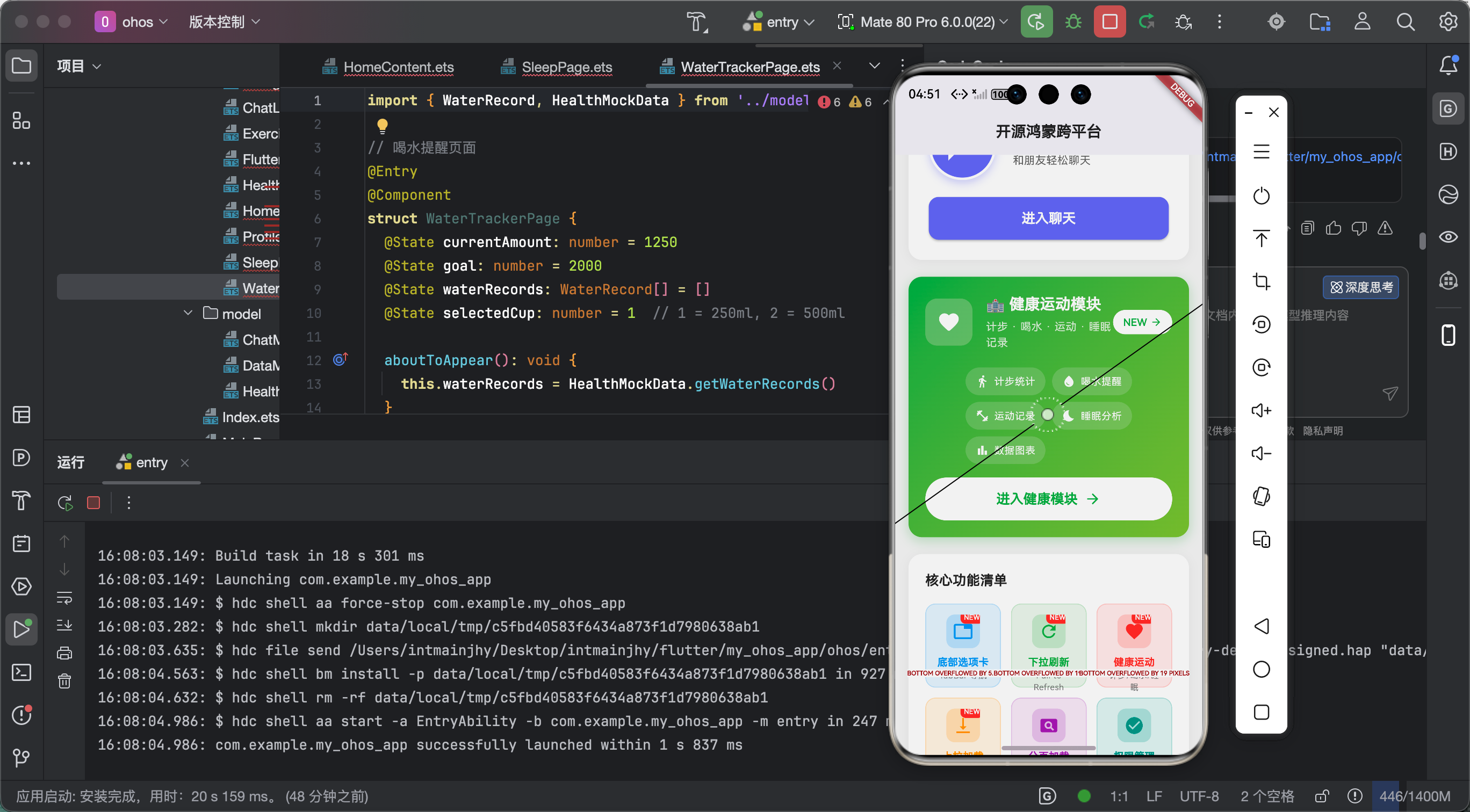
(此处附鸿蒙设备上成功运行的截图)
截图应该包含:
- 登录页跳转测试
- 深层链接打开App
- 路由守卫生效验证
七、个人学习总结与心得 🎓
7.1 路由管理的学习收获
技术层面:
- 学会了go_router声明式路由配置
- 学会了路由守卫的实现原理
- 学会了深层链接的配置方法
- 学会了嵌套路由的使用
思维层面:
- 理解了前端路由的重要性
- 学会了如何设计用户导航流程
- 理解了状态与路由的联动
7.2 踩坑反思
go_router总体来说文档比较完善,但是有几个地方特别容易踩坑:
- refreshListenable必须配置——否则路由守卫不生效
- 路径参数用pathParameters——不是queryParameters
- 深层链接要配置原生端——Flutter只是配置路由
7.3 后续计划
路由管理还有很多可以玩的地方:
- 🔐 基于角色的路由守卫
- 📊 路由动画过渡
- 📱 底部导航栏集成
- 🧩 路由懒加载
结语
好了,go_router的路由管理实战就讲到这里!
如果你觉得这篇文章有帮助,欢迎加入我们的开源鸿蒙跨平台社区:
https://openharmonycrossplatform.csdn.net
有问题可以在评论区留言,我会尽量回复!👋
祝大家路由管理不再迷路!🛤️✨
往期推荐:
- 「Flutter三方库flutter_bloc的鸿蒙化适配与实战指南」
- 「Flutter三方库fl_chart的鸿蒙化适配与实战指南」

作为“人工智能6S店”的官方数字引擎,为AI开发者与企业提供一个覆盖软硬件全栈、一站式门户。
更多推荐


 0
0 0
0- 0


 已为社区贡献76条内容

所有评论(0)