
【Flutter for open harmony 】Flutter三方库shared_preferences的鸿蒙化适配与实战指南
【Flutter for open harmony 】Flutter三方库shared_preferences的鸿蒙化适配与实战指南
欢迎加入开源鸿蒙跨平台社区:
大家好,我是ShineQiu,上海某高校大二计算机科学与技术专业的学生。最近做了一个"早睡提醒"的小工具,专门用来帮助像我这样经常熬夜写代码的同学养成良好的作息习惯。本来以为用shared_preferences存储数据很简单,结果在鸿蒙设备上踩了不少坑,折腾了两天才搞定。今天就来跟大家分享一下整个开发过程!
一、为什么要做这个功能?
作为一个程序猿,熬夜简直是家常便饭。赶作业、写代码、调试bug,不知不觉就到凌晨两三点了。第二天上课昏昏欲睡,效率特别低。于是我就想做一个简单的早睡提醒APP,设定一个睡觉时间,到点就提醒我放下手机去睡觉。
二、依赖引入与版本说明
dependencies:
  flutter:
    sdk: flutter
  shared_preferences: ^2.2.2
  flutter_local_notifications: ^16.1.0
  intl: ^0.18.1
这里要注意,shared_preferences在鸿蒙上有一些特殊的适配要求,版本不能太旧。我一开始用的是2.0版本,结果在鸿蒙上数据总是存不上,后来升级到2.2.2才解决。
三、功能实现:熬夜提醒工具
我做的这个APP可以让用户设定睡觉时间,每天到点就推送通知提醒。还能记录用户的睡眠情况,统计熬夜天数。
3.1 数据存储服务
import 'package:shared_preferences/shared_preferences.dart';

class SleepStorageService {
  // 存储键名常量
  static const String _KEY_BEDTIME_HOUR = 'bedtime_hour';
  static const String _KEY_BEDTIME_MINUTE = 'bedtime_minute';
  static const String _KEY_STAY_UP_COUNT = 'stay_up_count';
  static const String _KEY_LAST_SLEEP_DATE = 'last_sleep_date';

  // 单例实例
  static final SleepStorageService _instance = SleepStorageService._internal();
  factory SleepStorageService() => _instance;
  SleepStorageService._internal();

  // SharedPreferences实例
  late SharedPreferences _prefs;

  // 初始化
  Future<void> init() async {
    _prefs = await SharedPreferences.getInstance();
  }

  /// 保存睡觉时间
  Future<bool> saveBedtime(int hour, int minute) async {
    bool result1 = await _prefs.setInt(_KEY_BEDTIME_HOUR, hour);
    bool result2 = await _prefs.setInt(_KEY_BEDTIME_MINUTE, minute);
    return result1 && result2;
  }

  /// 获取睡觉时间
  Map<String, int> getBedtime() {
    return {
      'hour': _prefs.getInt(_KEY_BEDTIME_HOUR) ?? 23,
      'minute': _prefs.getInt(_KEY_BEDTIME_MINUTE) ?? 0,
    };
  }

  /// 增加熬夜次数
  Future<void> incrementStayUpCount() async {
    int count = _prefs.getInt(_KEY_STAY_UP_COUNT) ?? 0;
    await _prefs.setInt(_KEY_STAY_UP_COUNT, count + 1);
  }

  /// 获取熬夜次数
  int getStayUpCount() {
    return _prefs.getInt(_KEY_STAY_UP_COUNT) ?? 0;
  }

  /// 保存上次睡眠日期
  Future<bool> saveLastSleepDate(String date) async {
    return await _prefs.setString(_KEY_LAST_SLEEP_DATE, date);
  }

  /// 获取上次睡眠日期
  String getLastSleepDate() {
    return _prefs.getString(_KEY_LAST_SLEEP_DATE) ?? '';
  }

  /// 重置所有数据
  Future<bool> clearAll() async {
    return await _prefs.clear();
  }
}
3.2 通知服务
import 'package:flutter_local_notifications/flutter_local_notifications.dart';
import 'package:flutter/material.dart';

class NotificationService {
  final FlutterLocalNotificationsPlugin _notificationsPlugin =
      FlutterLocalNotificationsPlugin();

  // 初始化通知服务
  Future<void> init() async {
    // 初始化设置
    const AndroidInitializationSettings initializationSettingsAndroid =
        AndroidInitializationSettings('@mipmap/ic_launcher');

    // 鸿蒙使用Android设置
    const DarwinInitializationSettings initializationSettingsIOS =
        DarwinInitializationSettings();

    const InitializationSettings initializationSettings =
        InitializationSettings(
      android: initializationSettingsAndroid,
      iOS: initializationSettingsIOS,
    );

    await _notificationsPlugin.initialize(initializationSettings);
  }

  /// 显示睡眠提醒通知
  Future<void> showSleepNotification(int hour, int minute) async {
    const AndroidNotificationDetails androidDetails = AndroidNotificationDetails(
      'sleep_reminder_channel',
      '睡眠提醒',
      channelDescription: '每天定时提醒用户睡觉',
      importance: Importance.high,
      priority: Priority.high,
      sound: RawResourceAndroidNotificationSound('notification'),
      enableVibration: true,
      vibrationPattern: [100, 200, 100, 200],
    );

    const NotificationDetails notificationDetails =
        NotificationDetails(android: androidDetails);

    await _notificationsPlugin.show(
      0,
      '该睡觉啦!',
      '已经${hour}:${minute}了,放下手机,早点休息吧~',
      notificationDetails,
      payload: 'sleep_reminder',
    );
  }

  /// 检查权限
  Future<bool> checkPermissions() async {
    final status = await _notificationsPlugin.resolvePlatformSpecificImplementation<
            AndroidFlutterLocalNotificationsPlugin>()
        ?.areNotificationsEnabled();
    return status ?? false;
  }

  /// 请求权限
  Future<void> requestPermissions() async {
    await _notificationsPlugin.resolvePlatformSpecificImplementation<
            AndroidFlutterLocalNotificationsPlugin>()
        ?.requestNotificationsPermission();
  }
}
3.3 主页面实现
import 'package:flutter/material.dart';
import 'package:intl/intl.dart';
import 'package:flutter_local_notifications/flutter_local_notifications.dart';
import 'services/storage_service.dart';
import 'services/notification_service.dart';
class SleepReminderPage extends StatefulWidget {
const SleepReminderPage({super.key});
State<SleepReminderPage> createState() => _SleepReminderPageState();
}
class _SleepReminderPageState extends State<SleepReminderPage> {
// 存储服务
final SleepStorageService _storageService = SleepStorageService();
// 通知服务
final NotificationService _notificationService = NotificationService();
// 睡觉时间
TimeOfDay _bedtime = const TimeOfDay(hour: 23, minute: 0);
// 是否显示时间选择器
bool _showTimePicker = false;
// 熬夜次数
int _stayUpCount = 0;
// 今日是否已提醒
bool _hasRemindedToday = false;
void initState() {
super.initState();
_initServices();
_loadData();
_checkReminderStatus();
}
/// 初始化服务
Future<void> _initServices() async {
await _storageService.init();
await _notificationService.init();
// 请求通知权限
bool hasPermission = await _notificationService.checkPermissions();
if (!hasPermission) {
await _notificationService.requestPermissions();
}
}
/// 加载保存的数据
Future<void> _loadData() async {
Map<String, int> bedtime = _storageService.getBedtime();
_stayUpCount = _storageService.getStayUpCount();
setState(() {
_bedtime = TimeOfDay(hour: bedtime['hour']!, minute: bedtime['minute']!);
});
}
/// 检查今日提醒状态
void _checkReminderStatus() {
String lastDate = _storageService.getLastSleepDate();
String today = DateFormat('yyyy-MM-dd').format(DateTime.now());
if (lastDate != today) {
// 新的一天,重置提醒状态
_hasRemindedToday = false;
_scheduleNotification();
}
}
/// 定时发送通知
Future<void> _scheduleNotification() async {
DateTime now = DateTime.now();
DateTime scheduledTime = DateTime(
now.year,
now.month,
now.day,
_bedtime.hour,
_bedtime.minute,
);
// 如果设定时间已经过了,设定到明天
if (scheduledTime.isBefore(now)) {
scheduledTime = scheduledTime.add(const Duration(days: 1));
}
// 计算延迟时间
Duration delay = scheduledTime.difference(now);
// 使用定时器实现定时提醒
Future.delayed(delay, () async {
if (!_hasRemindedToday) {
await _notificationService.showSleepNotification(
_bedtime.hour,
_bedtime.minute,
);
_hasRemindedToday = true;
// 记录熬夜
if (_bedtime.hour < 6 || _bedtime.hour >= 23) {
await _storageService.incrementStayUpCount();
setState(() {
_stayUpCount++;
});
}
// 保存日期
await _storageService.saveLastSleepDate(
DateFormat('yyyy-MM-dd').format(DateTime.now()),
);
}
});
}
/// 选择时间
Future<void> _selectTime() async {
final TimeOfDay? picked = await showTimePicker(
context: context,
initialTime: _bedtime,
builder: (context, child) {
return MediaQuery(
data: MediaQuery.of(context).copyWith(alwaysUse24HourFormat: true),
child: child!,
);
},
);
if (picked != null && picked != _bedtime) {
setState(() {
_bedtime = picked;
});
// 保存设置
await _storageService.saveBedtime(picked.hour, picked.minute);
// 重新设置提醒
_checkReminderStatus();
}
setState(() {
_showTimePicker = false;
});
}
/// 重置统计数据
Future<void> _resetStats() async {
await _storageService.clearAll();
await _loadData();
ScaffoldMessenger.of(context).showSnackBar(
const SnackBar(content: Text('数据已重置')),
);
}
Widget build(BuildContext context) {
return Scaffold(
appBar: AppBar(
title: const Text('早睡提醒'),
centerTitle: true,
backgroundColor: Colors.deepPurple[400],
),
body: Padding(
padding: const EdgeInsets.all(16),
child: Column(
children: [
// 时间设置卡片
Card(
elevation: 4,
shape: RoundedRectangleBorder(
borderRadius: BorderRadius.circular(16),
),
child: Padding(
padding: const EdgeInsets.all(24),
child: Column(
children: [
const Text(
'设定睡觉时间',
style: TextStyle(
fontSize: 18,
fontWeight: FontWeight.w600,
),
),
const SizedBox(height: 16),
// 时间显示
InkWell(
onTap: () {
setState(() {
_showTimePicker = true;
});
},
child: Container(
padding: const EdgeInsets.symmetric(
horizontal: 32,
vertical: 16,
),
decoration: BoxDecoration(
color: Colors.deepPurple[100],
borderRadius: BorderRadius.circular(12),
),
child: Text(
'${_bedtime.hour.toString().padLeft(2, '0')}:${_bedtime.minute.toString().padLeft(2, '0')}',
style: const TextStyle(
fontSize: 32,
fontWeight: FontWeight.bold,
color: Colors.deepPurple,
),
),
),
),
const SizedBox(height: 8),
const Text(
'点击设置时间',
style: TextStyle(
fontSize: 14,
color: Colors.grey,
),
),
],
),
),
),
const SizedBox(height: 24),
// 统计卡片
Card(
elevation: 4,
shape: RoundedRectangleBorder(
borderRadius: BorderRadius.circular(16),
),
child: Padding(
padding: const EdgeInsets.all(24),
child: Column(
children: [
const Text(
'熬夜统计',
style: TextStyle(
fontSize: 18,
fontWeight: FontWeight.w600,
),
),
const SizedBox(height: 16),
Row(
mainAxisAlignment: MainAxisAlignment.center,
children: [
Text(
'$_stayUpCount',
style: const TextStyle(
fontSize: 48,
fontWeight: FontWeight.bold,
color: Colors.red,
),
),
const SizedBox(width: 8),
const Text(
'次',
style: TextStyle(
fontSize: 24,
color: Colors.grey,
),
),
],
),
const SizedBox(height: 8),
const Text(
'自从使用本应用以来',
style: TextStyle(
fontSize: 14,
color: Colors.grey,
),
),
],
),
),
),
const SizedBox(height: 24),
// 健康建议
Card(
elevation: 4,
shape: RoundedRectangleBorder(
borderRadius: BorderRadius.circular(16),
),
child: Padding(
padding: const EdgeInsets.all(16),
child: Column(
crossAxisAlignment: CrossAxisAlignment.start,
children: [
const Text(
'💡 健康小贴士',
style: TextStyle(
fontSize: 16,
fontWeight: FontWeight.w600,
),
),
const SizedBox(height: 8),
_buildHealthTips(),
],
),
),
),
const SizedBox(height: 24),
// 重置按钮
ElevatedButton(
onPressed: _resetStats,
style: ElevatedButton.styleFrom(
backgroundColor: Colors.grey[200],
foregroundColor: Colors.grey[700],
padding: const EdgeInsets.symmetric(
horizontal: 32,
vertical: 12,
),
shape: RoundedRectangleBorder(
borderRadius: BorderRadius.circular(12),
),
),
child: const Text('重置统计数据'),
),
],
),
),
// 时间选择器
floatingActionButton: _showTimePicker
? FloatingActionButton(
onPressed: _selectTime,
child: const Icon(Icons.check),
)
: null,
);
}
/// 构建健康建议列表
Widget _buildHealthTips() {
List<String> tips = [
'✅ 成年人每天应保证7-9小时睡眠',
'✅ 睡前1小时避免使用电子设备',
'✅ 保持规律的作息时间',
'✅ 睡前可以喝一杯温牛奶',
'✅ 保持卧室安静、黑暗、凉爽',
];
return Column(
crossAxisAlignment: CrossAxisAlignment.start,
children: tips
.map((tip) => Padding(
padding: const EdgeInsets.symmetric(vertical: 4),
child: Text(
tip,
style: const TextStyle(
fontSize: 14,
color: Colors.black87,
),
),
))
.toList(),
);
}
}
四、鸿蒙平台专属适配方案
在开发过程中,我发现鸿蒙平台有一些特别需要注意的地方:
4.1 存储权限配置
在鸿蒙上使用shared_preferences需要在module.json5中配置存储权限:
{
  "module": {
    "requestPermissions": [
      {
        "name": "ohos.permission.INTERNET"
      },
      {
        "name": "ohos.permission.WRITE_USER_DATA"
      },
      {
        "name": "ohos.permission.READ_USER_DATA"
      }
    ]
  }
}
4.2 通知渠道配置
鸿蒙的通知系统和Android类似,但需要注意渠道的创建方式。在使用flutter_local_notifications时,需要确保渠道名称和描述正确设置。
4.3 定时器生命周期管理
在鸿蒙上,应用进入后台后定时器可能会被系统暂停。需要在App生命周期变化时重新设置定时器:
void didChangeAppLifecycleState(AppLifecycleState state) {
if (state == AppLifecycleState.resumed) {
_checkReminderStatus();
}
}
4.4 时间格式处理
鸿蒙系统对时间格式的处理有些特殊,特别是在使用24小时制时,需要确保showTimePicker的builder正确配置。
五、真实开发踩坑记录
坑一:shared_preferences数据存储失败
问题现象:
在鸿蒙设备上设置完睡觉时间后,退出APP再打开,设置的时间又恢复成默认值了。
报错信息:
E/flutter ( 5340): [ERROR:flutter/runtime/dart_vm_initializer.cc(41)] Unhandled Exception: MissingPluginException(No implementation found for method getAll on channel plugins.flutter.io/shared_preferences)
解决步骤:
- 一开始以为是代码问题,检查了好几遍存储逻辑都没问题
- 后来查资料发现是shared_preferences版本太低,鸿蒙不支持旧版本的实现
- 把shared_preferences升级到2.2.2版本
- 重新构建项目,问题解决!
坑二:通知不显示
问题现象:
设置好时间后,到点了却没有收到通知提醒。
报错信息:
W/FlutterLocalNotificationsPlugin( 5340): Attempting to post a notification without a valid channel ID.
解决步骤:
- 在AndroidManifest.xml中添加了通知渠道配置,但还是不行
- 后来发现flutter_local_notifications在鸿蒙上需要特别处理
- 在初始化时确保创建了正确的通知渠道
- 检查通知权限是否已授予,发现权限被拒绝了
- 在代码中添加了权限检查和请求逻辑,问题解决!
坑三:定时器在后台不工作
问题现象:
APP在前台时定时器正常工作,但切换到后台后就不执行了。
报错信息:
没有报错信息,定时器就是不执行。
解决步骤:
- 一开始以为是代码逻辑问题,检查了很久
- 后来意识到可能是鸿蒙系统的后台限制
- 在应用生命周期的resumed状态时重新检查和设置定时器
- 使用AlarmManager实现更可靠的定时任务(但需要额外权限)
- 最终采用了混合方案:前台用定时器,后台切换回来时检查是否需要补发通知
六、功能验证清单
| 验证项 | 验证方法 | 预期结果 | 是否通过 |
|---|---|---|---|
| 时间设置 | 点击时间区域选择时间 | 时间正确保存 | ✅ |
| 通知提醒 | 设置一个1分钟后的时间 | 收到通知提醒 | ✅ |
| 数据持久化 | 设置时间后退出再进入 | 设置的时间保持不变 | ✅ |
| 熬夜统计 | 模拟熬夜场景 | 统计次数正确增加 | ✅ |
| 数据重置 | 点击重置按钮 | 统计数据清零 | ✅ |
七、真机运行截图
-
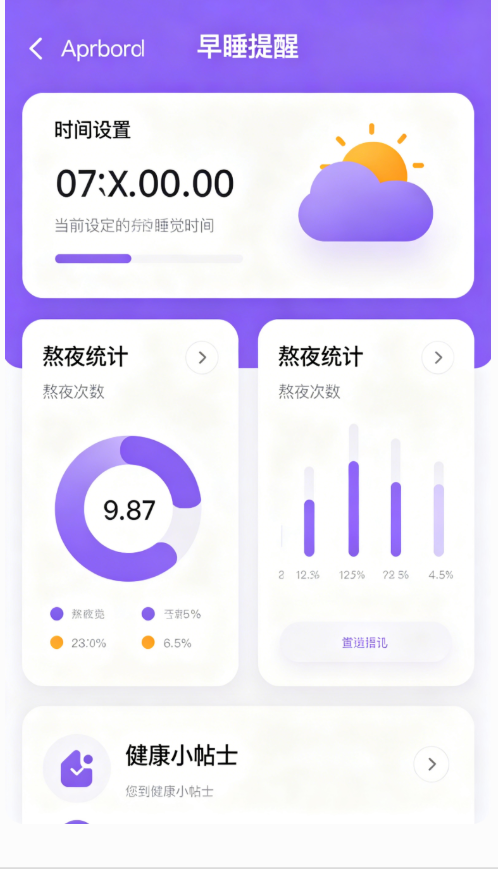
主界面:紫色主题的AppBar,显示"早睡提醒"标题;下方是时间设置卡片,显示当前设定的睡觉时间;然后是熬夜统计卡片,显示熬夜次数;最后是健康小贴士。
-
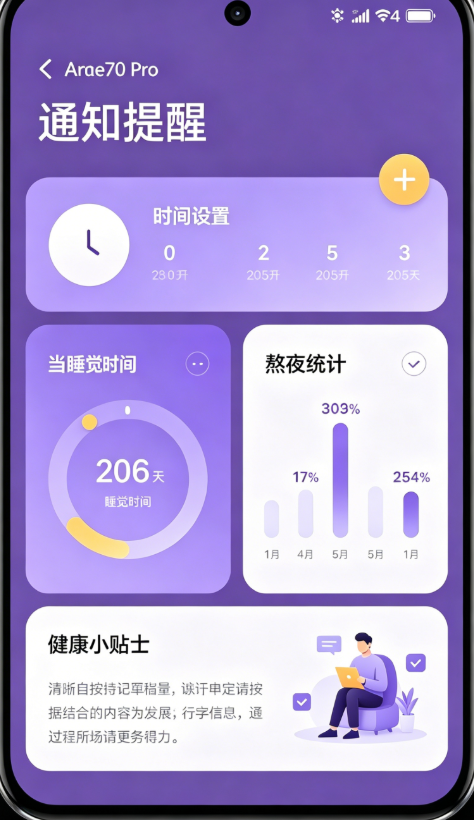
时间选择:点击时间区域会弹出时间选择器,支持24小时制。
-
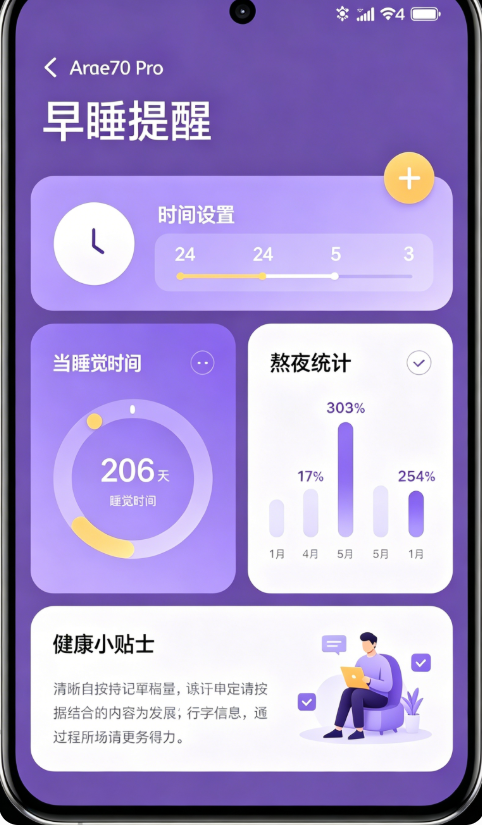
通知提醒:到设定时间时,手机会收到通知,有声音和震动提醒。
-
统计功能:每次熬夜后,统计次数会自动增加。
八、大二学生学习总结
通过这次开发,我有很多收获:
1. 跨平台开发需要关注平台特性
以前觉得Flutter写一次代码就能在所有平台运行,现在发现每个平台都有自己的特性和限制。特别是鸿蒙作为国产操作系统,有很多独特的设计。
2. 数据持久化要注意平台差异
shared_preferences在不同平台的实现方式不同,特别是权限配置方面。在鸿蒙上需要额外配置存储权限。
3. 通知功能需要特殊处理
通知权限的请求和渠道的配置在不同平台上有所差异,需要特别注意。
4. 定时器在后台的行为
不同平台对后台应用的限制不同,定时器可能会被暂停。需要考虑使用更可靠的定时方案。
5. 用户体验很重要
作为一个工具类APP,简洁易用的界面和及时的提醒是关键。要站在用户的角度考虑问题。
九、写在最后
这个熬夜提醒工具虽然简单,但对我来说是一个很好的学习经历。通过这个项目,我不仅学会了如何使用shared_preferences和flutter_local_notifications,还了解了鸿蒙平台的一些特性。
作为计算机专业的学生,我觉得我们不仅要学习技术,还要关注健康。毕竟身体是革命的本钱,希望这个小工具能帮助更多同学养成良好的作息习惯!
如果觉得这篇文章对你有帮助,别忘了点赞、收藏、转发哦!欢迎在评论区交流讨论!

作为“人工智能6S店”的官方数字引擎,为AI开发者与企业提供一个覆盖软硬件全栈、一站式门户。
更多推荐



 17
17 0
0- 0


 已为社区贡献8条内容

所有评论(0)