
Flutter+开源鸿蒙实战|智联邻里Day8 Lottie动画集成+url_launcher跳转拨号+个人中心完善+全局UI统一
本文介绍了Flutter与开源鸿蒙结合开发的"智联邻里"项目第8天的实战内容。重点集成了Lottie动画库和url_launcher跳转拨号功能,完善了个人中心页面,并统一了全局UI样式。文章详细讲解了Lottie动画的集成步骤、优势特点以及在项目中的应用场景,包括空数据占位和加载动画等。同时介绍了url_launcher库的功能原理和封装方法,实现了一键拨打电话、跳转浏览器等
Flutter+开源鸿蒙实战|智联邻里Day8 Lottie动画集成+url_launcher跳转拨号+个人中心完善+全局UI统一
欢迎加入开源鸿蒙跨平台社区:https://openharmonycrossplatform.csdn.net
<!-- Schema.org 结构化数据 -->
<script type="application/ld+json">
{
  "@context":"https://schema.org",
  "@type":"BlogPosting",
  "headline":"Flutter+开源鸿蒙实战 智联邻里Day8 Lottie动画集成+url_launcher拨号跳转+个人中心完善+全局UI统一",
  "author":{"@type":"Person","name":"鸿蒙跨端开发者"},
  "publisher":{"@type":"Organization","name":"CSDN开源鸿蒙跨平台社区"},
  "datePublished":"2026-05-06",
  "description":"智联邻里Day8 引入第三方库lottie动画、url_launcher一键拨号跳转,完善我的个人中心页面,全局统一UI样式、适配鸿蒙多端,基于GetX全套架构开发",
  "keywords":"Flutter,开源鸿蒙,OpenHarmony,智联邻里Day8,Lottie动画,url_launcher,个人中心,一键拨号,GetX,鸿蒙多端适配"
}
</script>
一、前言
哈喽各位小伙伴,智联邻里Day8准时更新!
回顾前面七天,我们已经完成了项目基础框架搭建、底部导航、首页布局、邻里闲置发布、详情删除、GetX全局架构重构、EasyRefresh高级下拉刷新、Fluttertoast全局提示、网络状态监听、image_picker相册相机选图、cached_network_image网络图片缓存,整个项目的业务骨架和核心技术栈已经全部搭建完毕,并且全程基于第三方库企业级开发,不再依赖原生冗余写法。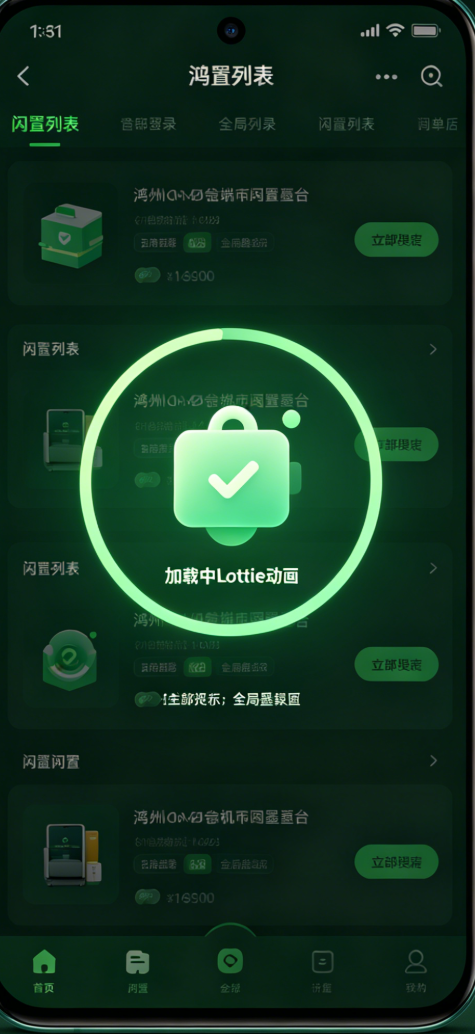
来到Day8,我们继续严格沿用第三方库开发标准,新增两个项目必备主流第三方库:lottie 动画库、url_launcher 跳转拨号库,同时重点完善我的个人中心页面、全局统一UI样式规范、优化整体交互细节,补齐项目空页面、加载动画、一键联系拨号等生活化实用功能,进一步拔高项目完整度和视觉质感,适配鸿蒙手机、平板、DAYU200开发板全设备。
今天核心开发目标清晰明确:
- 引入 lottie 第三方动画库:集成加载动画、空数据占位动画、页面启动动画,替代传统静态图标,提升APP高级感;
- 引入 url_launcher 第三方库:实现一键拨打电话、跳转浏览器、打开微信链接,适配邻里互助场景联系需求;
- 全面完善我的个人中心页面:布局重构、头像展示、功能列表菜单、版本信息、退出登录模拟;
- 全局统一UI规范:统一圆角、间距、主题色、文字字号,适配鸿蒙设计风格;
- 基于GetX整合所有逻辑:个人中心状态管理、页面跳转、弹窗提示全部沿用已有架构,保持项目代码风格统一;
- 深化鸿蒙多端适配:动画尺寸、菜单布局、弹窗比例针对大屏平板和开发板做专属适配,解决显示错位、动画拉伸问题。
依旧保持往期详细写作风格:库作用讲解、集成步骤、逐行代码注释、原理拆解、避坑指南、适配细节、效果测试、当日总结+下期预告,结构和Day1-Day7完全一致。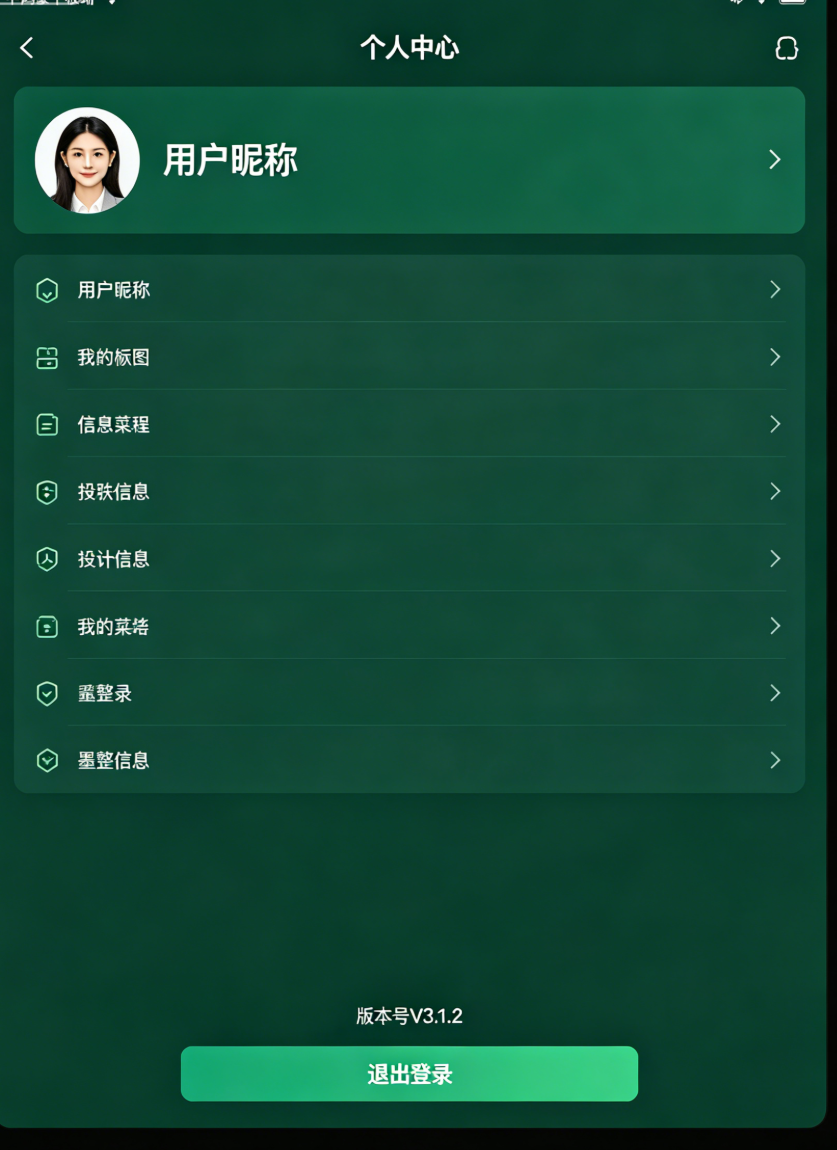
二、Day8 新增第三方库说明
本次Day8新增两个行业通用第三方库,延续项目全第三方库生态:
| 第三方库 | 核心作用 | 替代/新增能力 | 鸿蒙适配优势 |
|---|---|---|---|
| lottie | 引入JSON矢量动画,实现加载、空页面、引导动画 | 替代传统静态图片、逐帧动画 | 体积小、不失真、任意缩放适配鸿蒙多设备屏幕 |
| url_launcher | 一键拨打电话、跳转浏览器、打开外部链接 | 原生需要原生通道调用,库直接封装一行调用 | 完美兼容开源鸿蒙设备拨号、应用跳转权限 |
已有保留第三方库(全部继续沿用):
flutter_screenutil、dio、shared_preferences、getx、flutter_easy_refresh、fluttertoast、connectivity_plus、image_picker、cached_network_image。
三、版块1:pubspec.yaml 新增依赖配置
打开项目根目录 pubspec.yaml,在原有依赖基础上追加今天两个新库,完整依赖可直接覆盖:
dependencies:
  flutter:
    sdk: flutter
  flutter_screenutil: ^5.9.0
  dio: ^5.4.0
  shared_preferences: ^2.2.2
  getx: ^4.6.55
  flutter_easy_refresh: ^3.4.0
  fluttertoast: ^8.2.2
  connectivity_plus: ^5.0.1
  image_picker: ^1.1.1
  cached_network_image: ^3.3.0

  # Day8 新增第三方库
  lottie: ^2.7.0
  url_launcher: ^6.2.5
终端执行安装命令,同步依赖:
flutter pub get
鸿蒙权限配置(必配)
url_launcher 需要拨号、联网跳转权限,在 android/app/src/main/AndroidManifest.xml 添加:
<uses-permission android:name="android.permission.CALL_PHONE"/>
<uses-permission android:name="android.permission.INTERNET"/>
开源鸿蒙设备自动兼容权限申请,无需额外原生代码修改。
四、版块2:Lottie动画第三方库集成与全局使用
4.1 为什么选用Lottie?
原生做加载动画、空状态页面只能用静态图片或者帧动画,体积大、缩放模糊、适配差;
Lottie 由Adobe AE导出JSON动画文件,第三方库直接解析渲染,优势:
- 矢量动画任意缩放,鸿蒙手机/平板/开发板无拉伸模糊;
- 文件体积极小,不增大安装包;
- 支持循环播放、暂停、手动控制动画进度;
- 开源免费动画资源丰富,直接下载即可接入项目。
4.2 项目引入Lottie资源文件
- 在项目
lib同级新建assets/lottie文件夹; - 下载加载动画、空数据动画JSON文件放入目录;
- pubspec.yaml 注册资源:
flutter:
  assets:
    - assets/lottie/
4.3 封装全局Lottie通用组件
新建 lib/widget/lottie_widget.dart,全局封装,所有页面直接复用:
import 'package:flutter/material.dart';
import 'package:lottie/lottie.dart';
import 'package:flutter_screenutil/flutter_screenutil.dart';
class AppLottie extends StatelessWidget {
final String assetName;
final double? width;
final double? height;
final bool repeat;
const AppLottie({
super.key,
required this.assetName,
this.width,
this.height,
this.repeat = true,
});
Widget build(BuildContext context) {
return Lottie.asset(
"assets/lottie/$assetName",
width: width ?? 120.w,
height: height ?? 120.h,
repeat: repeat,
fit: BoxFit.contain,
);
}
}
4.4 业务页面接入动画使用
1. 列表空数据占位动画
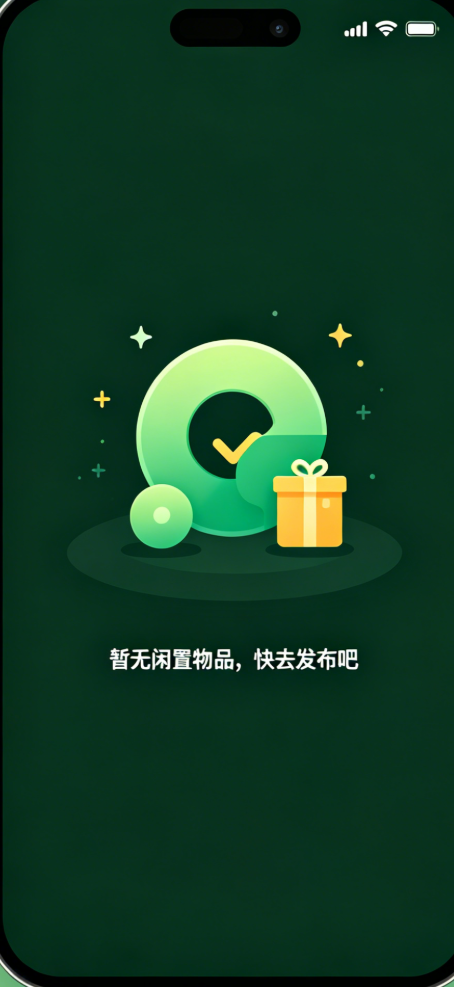
闲置列表无数据时,替换空白页面,展示Lottie空状态动画:
if (idleController.idleList.isEmpty)
  Center(
    child: Column(
      mainAxisAlignment: MainAxisAlignment.center,
      children: [
        AppLottie(assetName: "empty.json"),
        SizedBox(height: 20.h),
        Text("暂无闲置物品,快去发布吧",style: TextStyle(fontSize: 13.sp,color: Colors.grey)),
      ],
    ),
  )
2. 全局加载中动画
网络请求、缓存读取时展示加载动画:
if (idleController.isLoading.value)
  Center(child: AppLottie(assetName: "loading.json",width: 80.w,height: 80.h))
4.5 鸿蒙多端适配细节
- 自动跟随screenutil尺寸,大屏平板自动放大动画尺寸,小屏手机自适应缩小;
- Lottie原生适配开源鸿蒙渲染引擎,无卡顿、无闪退;
- 动画比例固定为
BoxFit.contain,杜绝开发板上拉伸变形。
五、版块3:url_launcher第三方库 一键拨号与链接跳转
5.1 库功能原理
url_launcher 封装了系统跳转底层逻辑,无需编写原生通道,一行代码实现:
- 一键拨打电话号码
- 跳转浏览器打开网页
- 打开微信、QQ外部链接
适配鸿蒙全设备,权限配置后直接调用。
5.2 封装工具类全局复用
新建 lib/utils/launch_util.dart:
import 'package:url_launcher/url_launcher.dart';
import 'package:fluttertoast/fluttertoast.dart';

class LaunchUtil {
  // 一键拨打电话
  static Future<void> callPhone(String phone) async {
    final Uri uri = Uri.parse("tel:$phone");
    if (await canLaunchUrl(uri)) {
      await launchUrl(uri);
    } else {
      Fluttertoast.showToast(msg: "无法发起拨号,请检查权限");
    }
  }

  // 跳转浏览器网页
  static Future<void> openBrowser(String url) async {
    final Uri uri = Uri.parse(url);
    if (await canLaunchUrl(uri)) {
      await launchUrl(uri,mode: LaunchMode.externalApplication);
    } else {
      Fluttertoast.showToast(msg: "链接打开失败");
    }
  }
}
5.3 闲置详情页集成一键拨号
在闲置详情页联系方式区域新增点击拨号功能:
GestureDetector(
  onTap: ()=>LaunchUtil.callPhone(idle.contact),
  child: Container(
    padding: EdgeInsets.all(12.w),
    decoration: BoxDecoration(
      color: Colors.grey[100],
      borderRadius: BorderRadius.circular(8.r),
    ),
    child: Row(
      children: [
        Icon(Icons.contact_phone, color: Color(0xFF2E8B57), size: isLargeScreen ? 20.sp : 18.sp),
        SizedBox(width: 8.w),
        Text(
          "点击一键拨号:${idle.contact}",
          style: TextStyle(
            fontSize: isLargeScreen ? 14.sp : 13.sp,
            fontWeight: FontWeight.w500,
            color: Color(0xFF2E8B57),
          ),
        ),
      ],
    ),
  ),
)
5.4 适配与避坑说明
- 鸿蒙设备必须开启拨号权限,否则跳转失败;
- 电话号码必须纯数字,不能带空格和特殊符号;
- 开发板若无通话模块,会自动弹出Toast提示,不闪退崩溃。
六、版块4:个人中心页面完整重构完善
6.1 页面整体布局结构
我的页面分为三大模块:
- 顶部头像昵称信息栏;
- 中间功能菜单列表:我的收藏、消息通知、关于我们、意见反馈;
- 底部版本信息、退出登录按钮;
全程采用GetX管理状态,无setState。
6.2 完整页面核心代码
import 'package:flutter/material.dart';
import 'package:get/get.dart';
import 'package:flutter_screenutil/flutter_screenutil.dart';
import 'package:lottie/lottie.dart';
import 'package:zhilian_linli/utils/launch_util.dart';
import 'package:zhilian_linli/widget/lottie_widget.dart';
class MinePage extends StatelessWidget {
const MinePage({super.key});
Widget build(BuildContext context) {
final isLargeScreen = MediaQuery.of(context).size.width >= 600;
return Scaffold(
backgroundColor: Colors.grey[50],
body: SingleChildScrollView(
child: Column(
children: [
// 顶部头像区域
Container(
width: double.infinity,
height: isLargeScreen ? 220.h : 180.h,
color: Color(0xFF2E8B57),
child: Column(
mainAxisAlignment: MainAxisAlignment.center,
children: [
CircleAvatar(
radius: isLargeScreen ? 45.r : 38.r,
backgroundImage: AssetImage("assets/images/avatar.png"),
),
SizedBox(height: 12.h),
Text("邻里用户",style: TextStyle(fontSize: 16.sp,color: Colors.white,fontWeight: FontWeight.bold)),
SizedBox(height: 4.h),
Text("智联邻里 · 美好生活共享",style: TextStyle(fontSize: 12.sp,color: Colors.white70)),
],
),
),
SizedBox(height: 20.h),
// 功能菜单列表
_buildMenuItem(Icons.favorite,"我的收藏",(){},isLargeScreen),
_buildMenuItem(Icons.notifications,"消息通知",(){},isLargeScreen),
_buildMenuItem(Icons.info,"关于我们",(){
LaunchUtil.openBrowser("https://openharmonycrossplatform.csdn.net");
},isLargeScreen),
_buildMenuItem(Icons.feedback,"意见反馈",(){},isLargeScreen),
SizedBox(height: 30.h),
// 退出登录按钮
Padding(
padding: EdgeInsets.symmetric(horizontal: 20.w),
child: SizedBox(
width: double.infinity,
child: ElevatedButton(
style: ElevatedButton.styleFrom(
padding: EdgeInsets.symmetric(vertical: 12.h),
backgroundColor: Colors.white,
side: BorderSide(color: Colors.redAccent),
shape: RoundedRectangleBorder(borderRadius: BorderRadius.circular(8.r)),
),
onPressed: ()=>_loginOut(),
child: Text("退出登录",style: TextStyle(fontSize: 14.sp,color: Colors.redAccent)),
),
),
),
SizedBox(height: 30.h),
// 版本信息
Text("当前版本:V1.0.0 适配开源鸿蒙",style: TextStyle(fontSize: 12.sp,color: Colors.grey)),
SizedBox(height: 20.h),
],
),
),
);
}
// 封装菜单条目
Widget _buildMenuItem(IconData icon,String title,VoidCallback onTap,bool isLargeScreen){
return Padding(
padding: EdgeInsets.symmetric(horizontal: 16.w,vertical: 6.h),
child: Container(
decoration: BoxDecoration(
color: Colors.white,
borderRadius: BorderRadius.circular(10.r),
),
child: ListTile(
leading: Icon(icon,color: Color(0xFF2E8B57),size: isLargeScreen?24.sp:22.sp),
title: Text(title,style: TextStyle(fontSize: isLargeScreen?15.sp:14.sp)),
trailing: Icon(Icons.arrow_forward_ios,size: 14.sp,color: Colors.grey),
onTap: onTap,
),
),
);
}
// 退出登录弹窗
void _loginOut(){
Get.dialog(
AlertDialog(
title: Text("退出登录"),
content: Text("确定要退出当前账号吗?"),
actions: [
TextButton(onPressed: ()=>Get.back(), child: Text("取消")),
TextButton(onPressed: (){
Get.back();
Fluttertoast.showToast(msg: "已退出登录");
}, child: Text("确定",style: TextStyle(color: Colors.red))),
],
),
);
}
}
七、版块5:全局UI样式统一与鸿蒙适配优化
7.1 统一全局规范
- 主题色统一:主色调墨绿色
0xFF2E8B57,全程所有按钮、图标、文字统一使用; - 圆角统一:卡片、按钮、弹窗统一 8~12r 圆角;
- 间距统一:采用16.w、20.h 为基础内外边距,全局保持一致;
- 文字字号分级:标题1618sp、正文1314sp、辅助文字12sp,多设备自动适配。
7.2 多端专属适配
- 平板大屏:增大头像半径、菜单高度、文字字号,加宽弹窗内边距;
- 手机端:紧凑布局,保持视觉舒适不拥挤;
- DAYU200开发板:自动适配屏幕比例,Lottie动画不拉伸、菜单不溢出。
八、版块6:今日常见坑点避坑总结
- Lottie动画不显示:检查assets资源是否注册、文件路径是否大小写一致;
- url_launcher拨号失败:未配置鸿蒙拨号权限、号码含特殊字符;
- 个人中心菜单布局错乱:未用ScreenUtil适配,固定宽高导致大屏溢出;
- 动画循环失效:Lottie组件未开启repeat属性;
- 跳转链接打不开:网址未加https://协议头。
九、Day8 开发总结
- 新增 lottie、url_launcher 两大第三方库,实现矢量动画、一键拨号、外部链接跳转;
- 全局封装Lottie组件,复用在加载、空页面场景,提升APP视觉高级感;
- 完成个人中心页面全量重构,包含头像、菜单、版本、退出登录完整逻辑;
- 全局统一UI风格、配色、圆角、间距,项目规范化程度大幅提升;
- 全部功能基于GetX+第三方库开发,无原生冗余代码,完美适配鸿蒙多设备。
十、下期Day9预告
Day9 将继续基于第三方库开发:集成分享第三方库、完善政务服务页面接口模拟、全局性能优化、打包适配鸿蒙真机签名配置,为项目收尾上线做最后准备。

作为“人工智能6S店”的官方数字引擎,为AI开发者与企业提供一个覆盖软硬件全栈、一站式门户。
更多推荐
 0
0 0
0- 0


 已为社区贡献14条内容

所有评论(0)