
Flutter 鸿蒙WebSocket通信实现:连接管理与消息处理
·
Flutter 鸿蒙WebSocket通信实现:连接管理与消息处理
欢迎加入开源鸿蒙跨平台社区! https://openharmonycrossplatform.csdn.net
效果展示
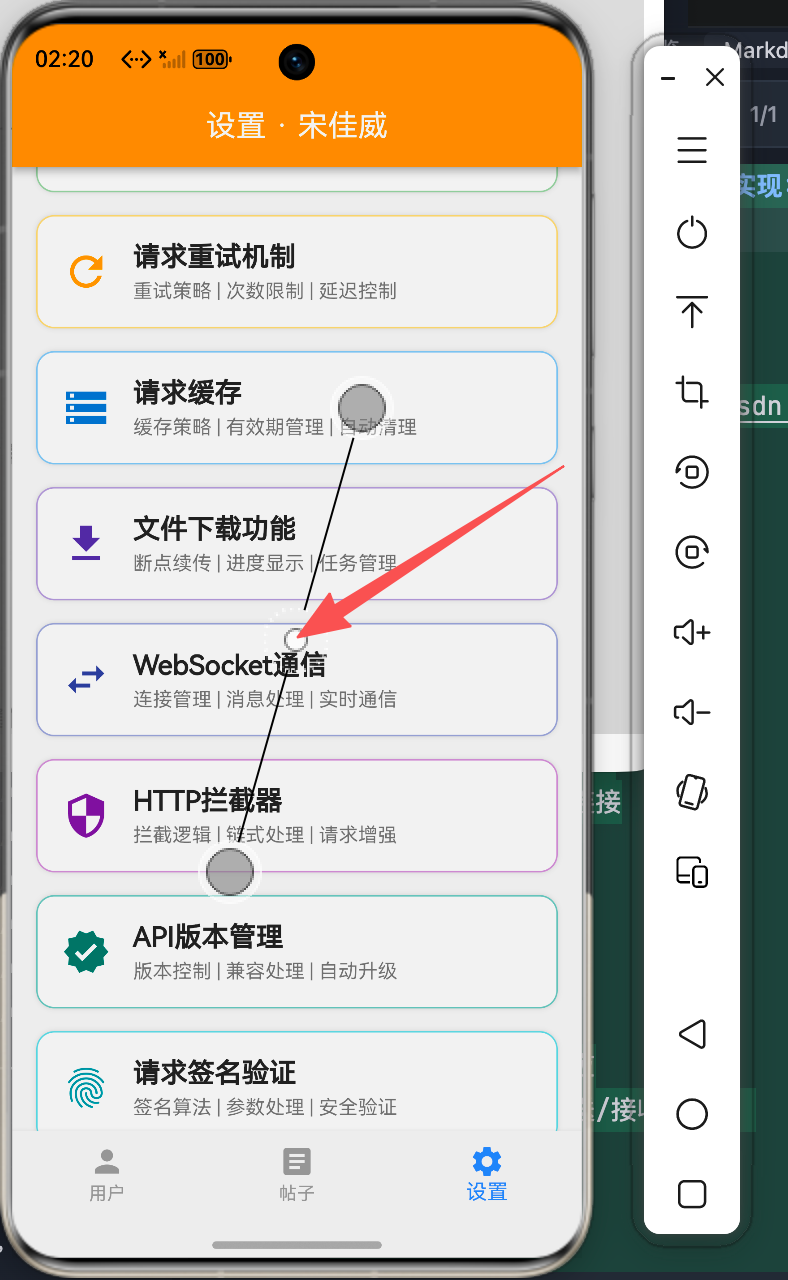
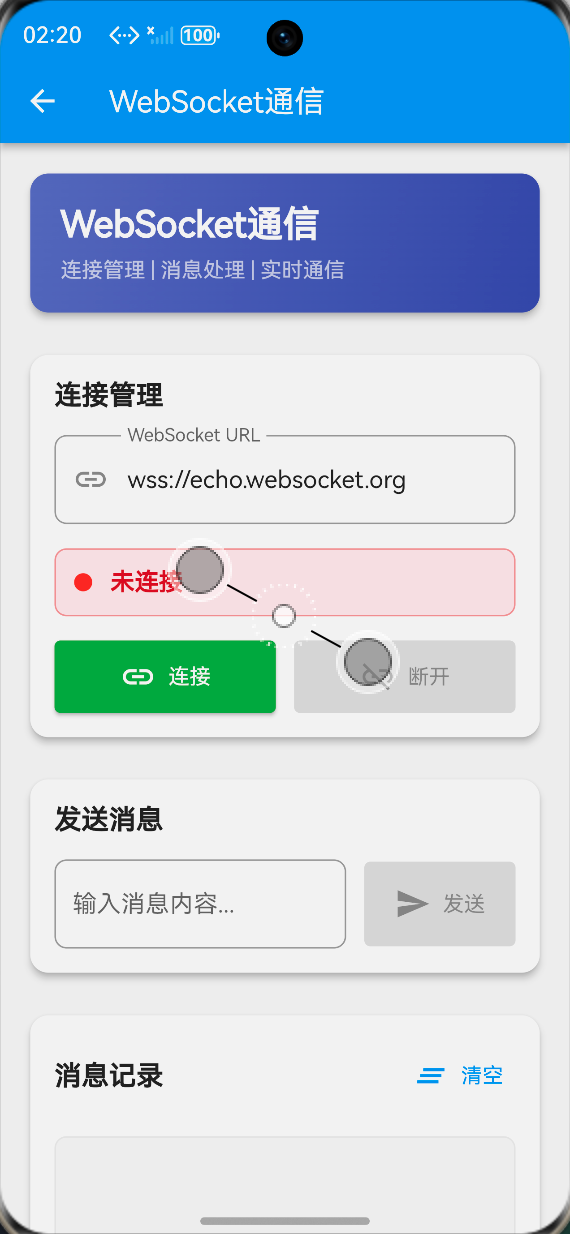
WebSocket连接演示
连接管理
- 输入WebSocket URL
- 点击连接按钮建立连接
- 实时显示连接状态
- 支持断开连接操作
消息收发
- 发送文本消息
- 实时接收服务器响应
- 消息分类显示(发送/接收/系统)
- 时间戳记录
消息记录展示
消息类型
- 发送消息:蓝色背景,向上箭头
- 接收消息:绿色背景,向下箭头
- 系统消息:灰色背景,信息图标
消息列表
- 按时间倒序排列
- 显示消息内容
- 显示时间戳
- 支持清空消息
实现步骤
1. WebSocket连接管理
连接建立
class WebSocketManager {
  WebSocketChannel? _channel;
  bool _isConnected = false;

  Future<void> connect(String url) async {
    try {
      final uri = Uri.parse(url);
      _channel = WebSocketChannel.connect(uri);
      _isConnected = true;

      _channel!.stream.listen(
        (message) {
          onMessageReceived(message);
        },
        onError: (error) {
          onError(error);
        },
        onDone: () {
          onDisconnected();
        },
      );
    } catch (e) {
      onConnectionFailed(e);
    }
  }
}
2. 消息发送与接收
发送消息
void send(String message) {
  if (_isConnected && _channel != null) {
    _channel!.sink.add(message);
  }
}
接收消息
_channel!.stream.listen(
  (message) {
    // 处理接收到的消息
    onMessageReceived(message);
  },
  onError: (error) {
    // 处理错误
    onError(error);
  },
  onDone: () {
    // 连接关闭
    onDisconnected();
  },
);
3. 连接状态管理
状态定义
enum ConnectionState {
  disconnected,
  connecting,
  connected,
  disconnecting,
  error,
}
状态更新
void updateConnectionState(ConnectionState state) {
  _connectionState = state;
  notifyListeners();
}
4. 消息类型处理
消息分类
enum MessageType {
  sent,      // 发送的消息
  received,  // 接收的消息
  system,    // 系统消息
}

class MessageItem {
  final String content;
  final MessageType type;
  final DateTime timestamp;

  MessageItem({
    required this.content,
    required this.type,
    required this.timestamp,
  });
}
功能特性
1. 连接管理
连接配置
TextField(
  controller: urlController,
  decoration: InputDecoration(
    labelText: 'WebSocket URL',
    prefixIcon: Icon(Icons.link),
  ),
)
状态显示
Container(
  decoration: BoxDecoration(
    color: isConnected ? Colors.green.shade50 : Colors.red.shade50,
  ),
  child: Row(
    children: [
      Container(
        width: 12,
        height: 12,
        decoration: BoxDecoration(
          color: isConnected ? Colors.green : Colors.red,
          shape: BoxShape.circle,
        ),
      ),
      Text(isConnected ? '已连接' : '未连接'),
    ],
  ),
)
2. 消息处理
发送消息
ElevatedButton.icon(
  onPressed: isConnected ? sendMessage : null,
  icon: Icon(Icons.send),
  label: Text('发送'),
)
消息列表
ListView.builder(
  reverse: true,
  itemCount: messages.length,
  itemBuilder: (context, index) {
    return MessageItemWidget(messages[index]);
  },
)
3. 心跳机制
心跳实现
Timer? _heartbeatTimer;

void startHeartbeat() {
  _heartbeatTimer = Timer.periodic(
    Duration(seconds: 30),
    (timer) {
      if (_isConnected) {
        send('ping');
      }
    },
  );
}

void stopHeartbeat() {
  _heartbeatTimer?.cancel();
}
使用说明
基本使用
-
建立连接
- 输入WebSocket服务器URL
- 点击"连接"按钮
- 观察连接状态变化
-
发送消息
- 在输入框输入消息
- 点击"发送"按钮或回车
- 查看消息发送状态
-
断开连接
- 点击"断开"按钮
- 观察连接状态变化
- 清理资源
高级功能
自动重连
void reconnect() {
  if (_reconnectAttempts < _maxReconnectAttempts) {
    Future.delayed(Duration(seconds: _reconnectDelay), () {
      connect(_lastUrl);
      _reconnectAttempts++;
    });
  }
}
消息队列
final List<String> _messageQueue = [];

void sendWithQueue(String message) {
  if (_isConnected) {
    send(message);
  } else {
    _messageQueue.add(message);
  }
}

void flushQueue() {
  while (_messageQueue.isNotEmpty) {
    send(_messageQueue.removeAt(0));
  }
}
技术要点
1. 连接管理
生命周期管理
- 正确初始化连接
- 及时释放资源
- 处理异常情况
- 实现自动重连
2. 消息处理
消息格式
- 文本消息
- 二进制消息
- JSON格式
- 自定义协议
3. 性能优化
内存管理
- 限制消息列表长度
- 及时清理过期消息
- 避免内存泄漏
网络优化
- 心跳保活
- 断线重连
- 消息压缩
最佳实践
1. 错误处理
异常捕获
try {
  await connect(url);
} on SocketException {
  showError('网络连接失败');
} on WebSocketException {
  showError('WebSocket连接失败');
} catch (e) {
  showError('未知错误: $e');
}
2. 资源管理
正确释放
void dispose() {
_channel?.sink.close();
_heartbeatTimer?.cancel();
super.dispose();
}
3. 安全考虑
安全连接
- 使用WSS协议
- 验证服务器证书
- 加密敏感数据
- 防止XSS攻击
应用场景
1. 实时聊天
聊天应用
class ChatService {
  final WebSocketManager _wsManager;

  void sendMessage(String content) {
    final message = ChatMessage(
      content: content,
      timestamp: DateTime.now(),
    );
    _wsManager.send(jsonEncode(message));
  }
}
2. 实时数据推送
股票行情
class StockService {
  void subscribeStock(String symbol) {
    _wsManager.send('{"action":"subscribe","symbol":"$symbol"}');
  }
}
3. 在线协作
文档协作
class CollaborationService {
  void sendEdit(String documentId, String content) {
    _wsManager.send(jsonEncode({
      'type': 'edit',
      'documentId': documentId,
      'content': content,
    }));
  }
}
总结
Flutter鸿蒙WebSocket通信功能实现了完整的实时通信解决方案,包括:
- ✅ 连接管理功能
- ✅ 消息收发处理
- ✅ 状态实时更新
- ✅ 心跳保活机制
- ✅ 自动重连功能
该功能为Flutter for OpenHarmony应用提供了可靠的实时通信能力,适用于各种需要实时数据交换的场景。

作为“人工智能6S店”的官方数字引擎,为AI开发者与企业提供一个覆盖软硬件全栈、一站式门户。
更多推荐


 0
0 0
0- 0


 已为社区贡献23条内容

所有评论(0)