
鸿蒙PC开发的Scroll组件maxHeight属性不存在
在 HarmonyOS 的 ArkTS 开发中,踩坑记录03:Scroll 组件 maxHeight 属性不存在 是很多新手都会遇到的问题。本文记录了完整的踩坑经历——从错误复现到根因定位再到解决方案,希望能帮助你在遇到类似问题时快速定位方向。核心要点:ArkUI 组件 API 与 Web 前端存在差异,不能直接套用 CSS 思维。Scroll组件没有maxHeight属性是其设计使然,使用是最接
踩坑记录03:Scroll组件maxHeight属性不存在
阅读时长:6分钟 | 难度等级:初级 | 适用版本:HarmonyOS NEXT (API 12+)
关键词:Scroll、maxHeight、constraintSize、API适配
声明:本文基于真实项目开发经历编写,所有代码片段均来自实际踩坑场景。
欢迎加入开源鸿蒙PC社区:https://harmonypc.csdn.net/
项目 Git 仓库:https://atomgit.com/Dgr111-space/HarmonyOS
📖 前言导读
在 HarmonyOS 的 ArkTS 开发中,踩坑记录03:Scroll 组件 maxHeight 属性不存在 是很多新手都会遇到的问题。本文记录了完整的踩坑经历——从错误复现到根因定位再到解决方案,希望能帮助你在遇到类似问题时快速定位方向。
踩坑记录03:Scroll 组件 maxHeight 属性不存在
ArkUI 的 Scroll 组件并不支持
maxHeight属性,需要用替代方案实现最大高度约束。
一、问题场景
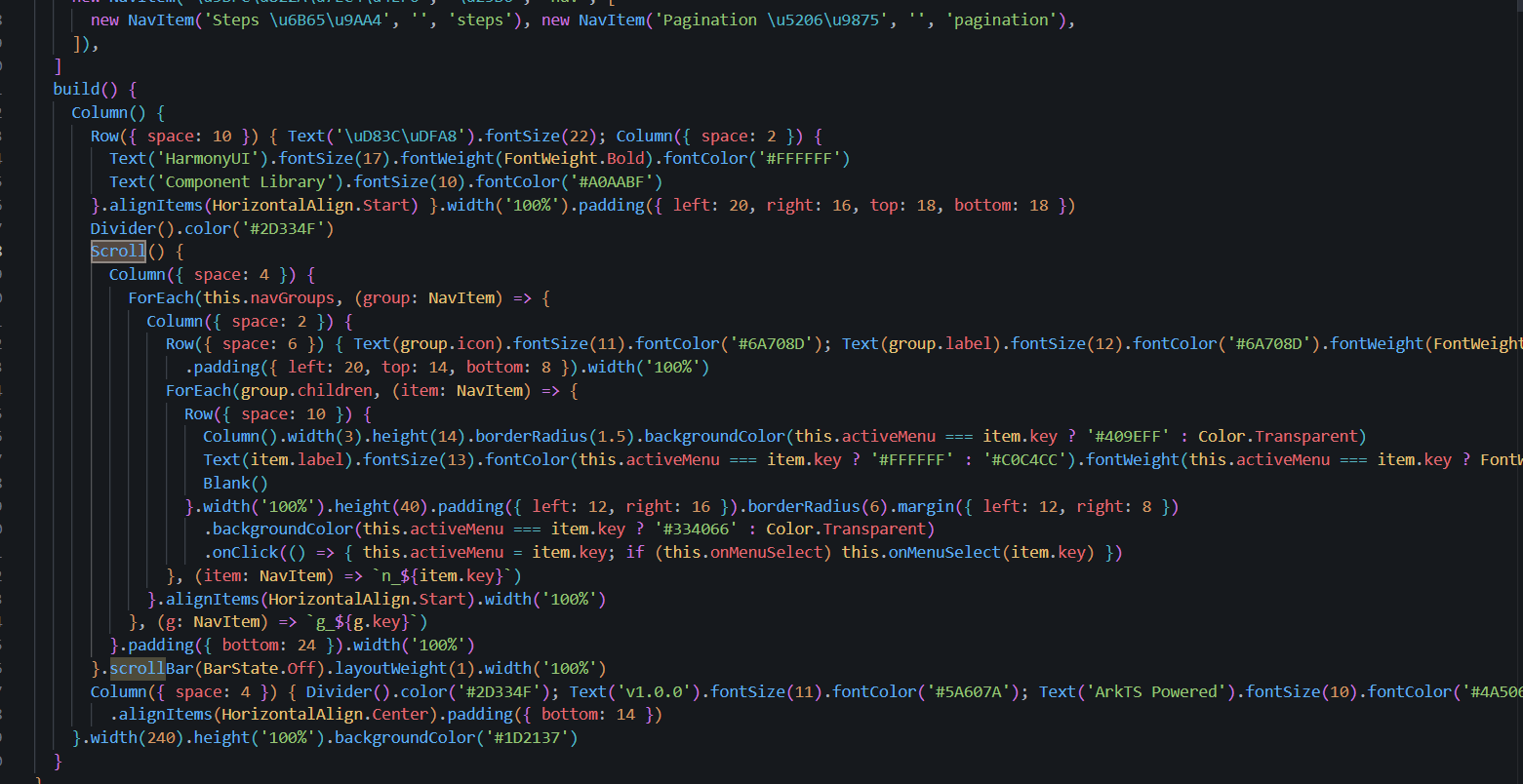
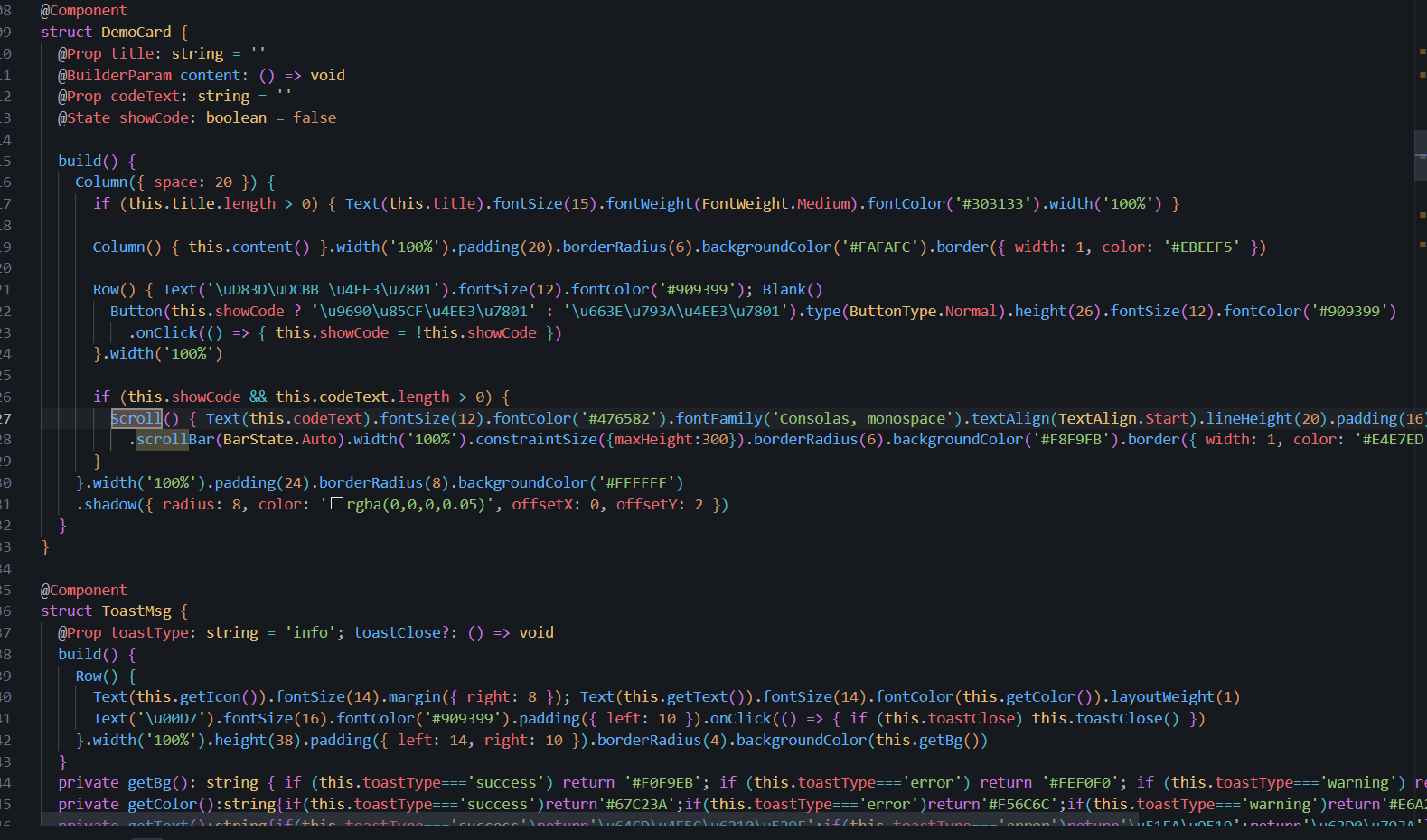
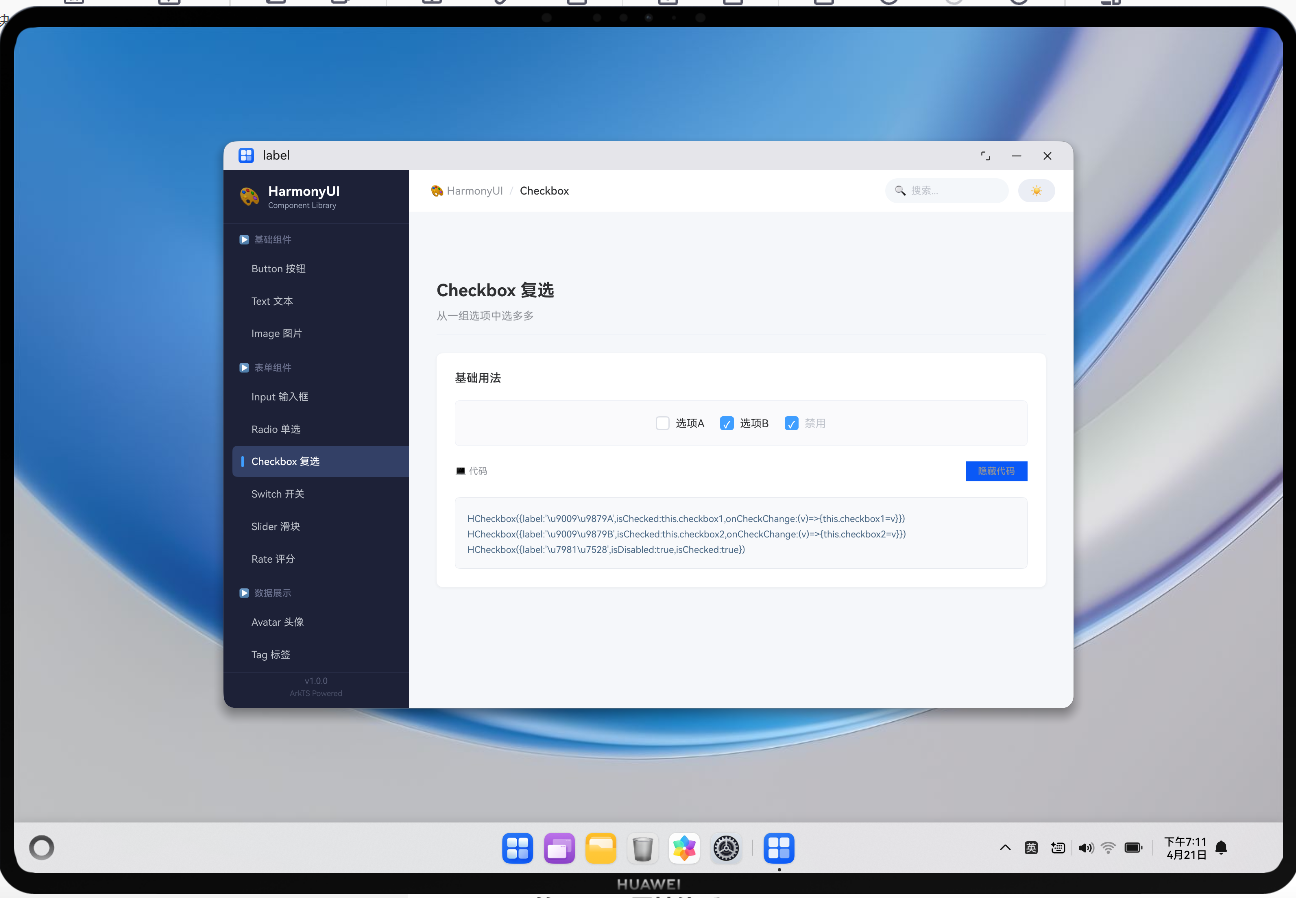
在开发代码展示卡片(DemoCard)时,希望代码区域可以滚动,但高度不能无限撑开:
Scroll() {
  Text(this.codeText).fontSize(12)/* ... */)
}
.scrollBar(BarState.Auto)
.width('100%')
.maxHeight(300)  // ❌ ScrollAttribute 上没有 maxHeight!
.borderRadius(6)
报错:
Property 'maxHeight' does not exist on type 'ScrollAttribute'.
Did you mean: height?
二、原因分析
ArkTS 的 Scroll 属性体系
| 分类 | 支持属性 | 不支持/需替代 |
|---|---|---|
| 尺寸控制 | width, height |
maxHeightminHeight |
| 滚动条 | scrollBar, edge, scrollSnap |
— |
| 对齐 | align, justifyContent |
— |
| 事件 | onScrollBegin/End/FrameStart |
— |
| 效果 | clip, enableScrollInteraction |
— |
| 约束 | constraintSize |
constraintSize({ maxHeight: N }) ✅ |
关键发现:maxHeight 在 ScrollAttribute 类型上根本不存在,但 constraintSize 方法支持 maxHeight 约束。
为什么不能用 height() 直接设置?
直接设置 .height(300) 的问题是:
- 内容不足 300px 时,Scroll 会强制占据 300px 高度,下方留白
- 内容超过 300px 时,无法滚动(因为高度已固定)
- 这与
maxHeight的语义完全不同
三、解决方案
方案一:constraintSize(推荐)
Scroll() {
  Text(this.codeText).fontSize(12)
    .fontFamily('Consolas, monospace')
    .textAlign(TextAlign.Start)
    .lineHeight(20)
    .padding(16)
    .width('100%')
}
.scrollBar(BarState.Auto)
.width('100%')
.constraintSize({ maxHeight: 300 })  // ✅ 正确!
.borderRadius(6)
.backgroundColor('#F8F9FB')
.clip(true)
方案二:外层容器约束
Column() {
  Scroll() {
    // 长内容...
  }
  .width('100%')
  .height('100%')
  .scrollBar(BarState.Auto)
}
.height(300)  // ✅ 通过外层 Column 约束
.clip(true)
方案三:动态计算高度
@State contentHeight: number = 0

aboutToAppear() {
  // 计算实际内容需要的最大高度
  this.contentHeight = Math.min(measureTextHeight(), 300)
}

build() {
  Column() {
    Scroll() { /* 内容 */ }
    .width('100%')
    .height(this.contentHeight)  // ✅ 动态限制
  }
  .height(300)
  .clip(true)
}
四、方案对比
| 维度 | constraintSize | 外层约束 | 动态计算 |
|:—|::—|:::—|::—|
| 实现复杂度 | ⭐ | ⭐ | ⭐⭐⭐ |
| 性能开销 | 低 | 低 | 中(需测量) |
| 滚动行为 | 正常 | 受限于外层 | 正确 |
| 适用场景 | 固定上限 | 需配合 clip | 动态内容 |
| 推荐度 | ⭐⭐⭐⭐ | ⭐⭐⭐ | ⭐⭐⭐ |
五、相关组件对比
不同容器组件的高度约束方式各不相同:
| 组件 | 高度约束方式 | 备注 |
|---|---|---|
| Scroll | constraintSize({ maxHeight }) |
本条重点 |
| List | .layoutGridSize() |
列表专属 |
| Column/Row | 直接 .height() |
无 constraintSize |
| Flex | 由父容器决定 | 自动布局 |
| TextInput | 直接 .height() |
表单控件 |
| Image | 直接 .height() |
媒体资源 |
六、扩展知识:constraintSize 完整用法
.constraintSize({
  minWidth: 200,
  maxWidth: '100%',
  minHeight: 50,
  maxHeight: 300,
})
constraintSize 支持以下组合:
constraintSize ( p a r a m s ) = { 无参数 → 移除所有限制 数字 → 设置该维度为固定值 ’100%’ → 跟随父容器 undefined → 保持原有逻辑 \text{constraintSize}(params) = \begin{cases} \text{无参数} & \rightarrow & \text{移除所有限制} \\ \text{数字} & \rightarrow & \text{设置该维度为固定值} \\ \text{'100\%'} & \rightarrow & \text{跟随父容器} \\ \text{undefined} & \rightarrow & \text{保持原有逻辑} \end{cases} constraintSize(params)=⎩ ⎨ ⎧无参数数字’100%’undefined→→→→移除所有限制设置该维度为固定值跟随父容器保持原有逻辑
七、总结
核心要点:ArkUI 组件 API 与 Web 前端存在差异,不能直接套用 CSS 思维。
Scroll组件没有maxHeight属性是其设计使然,使用constraintSize({ maxHeight: N })是最接近原生语义且性能最优的替代方案。
速查表:
| 需求 | 方法 |
|---|---|
| 限制最大高度,超出可滚 | .constraintSize({ maxHeight: N }) |
| 固定高度,溢出裁剪 | .height(N) + .clip(true) |
| 自适应内容高度 | 不设 height,由子元素撑开 |
| 全屏滚动填充 | 外层 Stack + height('100%') |
参考资源与延伸阅读
官方文档
> 系列导航:本文是「HarmonyOS 开发踩坑记录」系列的第 03 篇。该系列共 30 篇,涵盖 ArkTS 语法、组件开发、状态管理、网络请求、数据库、多端适配等全方位实战经验。
工具与资源### 工具与资源
- DevEco Studio 官方下载 — HarmonyOS 官方IDE
- HarmonyOS 开发者社区 — 技术问答与经验分享
👇 如果这篇对你有帮助,欢迎点赞、收藏、评论!
你的支持是我持续输出高质量技术内容的动力 💪

作为“人工智能6S店”的官方数字引擎,为AI开发者与企业提供一个覆盖软硬件全栈、一站式门户。
更多推荐



 0
0 0
0- 0



 已为社区贡献6条内容

所有评论(0)