
Flutter 三方库 flutter_local_notifications 的鸿蒙化适配指南
通过本次 flutter_local_notifications 插件的鸿蒙化适配实践,我们成功实现了以下目标:即时通知的即时发送、定时通知的精确调度、周期性提醒的稳定运行、通知渠道的灵活配置、以及完善的权限管理机制。整个适配过程的核心在于充分利用鸿蒙与 Android 在通知系统上的相似性,同时针对细微差异进行针对性处理。NotificationContentType 的字段映射、OH 平台特有
Flutter 三方库 flutter_local_notifications 的鸿蒙化适配指南
小伙伴们!今天我们一起来探索一个超实用的技术话题 —— 如何让 Flutter 应用在鸿蒙设备上也能优雅地发送推送通知!
想象一下,当你的待办事项应用能够在鸿蒙手机上准时弹出可爱的小提醒,当你的每日打卡提醒像贴心小秘书一样准时送达,那该是多么美妙的体验呀~
今天的主角就是 flutter_local_notifications 插件的鸿蒙化适配。让我们一起揭开它的神秘面纱,看看如何让跨平台通知在鸿蒙生态中优雅运行吧!
一、技术背景与适配动机
在移动应用开发的世界里,推送通知是不可或缺的功能模块。用户可能因为错过了一条重要提醒而懊恼不已,也可能因为应用贴心的定时功能而倍感温暖。
flutter_local_notifications 是 Flutter 生态中最受欢迎的本地通知插件,支持 Android、iOS、Web 等多个平台。它提供了丰富的功能:即时通知、定时调度、周期性提醒、通知渠道管理等。然而,在鸿蒙操作系统(OpenHarmony)逐渐崛起的今天,如何让这一插件在鸿蒙设备上无缝运行,成为了开发者们关心的焦点问题。
从技术架构来看,鸿蒙的通知系统与 Android 有着相似的设计理念,都采用了 NotificationChannel/Slot + NotificationManager 的模式。这种相似性为我们提供了适配的可能性,但同时也需要处理诸多细节差异。
在本次适配实践中,我们主要解决了以下核心问题:NotificationManager API 的兼容性处理、ContentType 字段的正确映射、以及 OH 平台特有的 ReminderRequest 定时提醒机制。
二、核心适配方案解析
2.1 OH 原生通知桥接器的设计
为了在 Flutter 与鸿蒙原生系统之间搭建稳定的通信桥梁,我们设计了一个专门的 OHNotificationBridge 桥接类。这个桥接器封装了所有与通知相关的原生能力,让 Dart 层可以以统一的方式调用。
// Dart 通知服务封装示例
class NotificationService {
  static NotificationService? _instance;
  static NotificationService get instance => _instance ??= NotificationService._();

  NotificationService._();

  final FlutterLocalNotificationsPlugin _notifications =
      FlutterLocalNotificationsPlugin();

  bool _isInitialized = false;

  // 通知渠道常量定义
  static const String channelReminder = 'reminder_channel';
  static const String channelDaily = 'daily_channel';
  static const String channelMessage = 'message_channel';
  static const String channelSystem = 'system_channel';

  // 通知 ID 常量定义
  static const int notificationIdTodoBase = 1000;
  static const int notificationIdDailyReminder = 2000;
  static const int notificationIdMessageBase = 3000;
}
这个服务类采用了单例模式,确保全局只有一个通知服务实例。渠道常量和通知 ID 常量的集中管理,使得代码更加清晰易维护。
2.2 初始化流程的精细打磨
通知服务的初始化是整个功能的地基。我们需要依次完成时区数据初始化、平台参数配置、以及通知渠道创建。
/// 异步初始化通知服务
Future<bool> init() async {
  if (_isInitialized) return true;

  try {
    // 初始化时区数据,确保定时通知的时间准确性
    await _initTimeZone();

    // 根据平台配置初始化参数
    const androidSettings = AndroidInitializationSettings('@mipmap/ic_launcher');
    const darwinSettings = DarwinInitializationSettings(
      requestAlertPermission: true,
      requestBadgePermission: true,
      requestSoundPermission: true,
    );

    // OH 平台初始化设置(与 Android 类似)
    const initSettings = InitializationSettings(
      android: androidSettings,
      iOS: darwinSettings,
    );

    // 初始化插件
    await _notifications.initialize(
      initSettings,
      onDidReceiveNotificationResponse: _onNotificationResponse,
    );

    // 创建通知渠道
    await _createNotificationChannels();

    _isInitialized = true;
    return true;
  } catch (e) {
    return false;
  }
}
时区初始化尤为重要,因为定时通知的准确性完全依赖于正确的时区数据。我们使用了 timezone 和 flutter_timezone 两个包来确保无论用户身处何地,通知都能在正确的时间送达。
2.3 通知渠道的创建与管理
通知渠道是 Android 8.0+ 引入的重要特性,鸿蒙系统也继承了这一设计。不同的通知渠道可以拥有不同的重要级别、声音、震动模式等属性。
/// 创建各类型通知渠道
Future<void> _createNotificationChannels() async {
  if (Platform.isAndroid) {
    // 待办提醒渠道 - 高优先级,确保用户不会错过重要提醒
    const reminderDetails = AndroidNotificationDetails(
      channelReminder,
      '待办提醒',
      channelDescription: '用于待办事项到期提醒',
      importance: Importance.high,
      priority: Priority.high,
      ticker: '待办提醒',
    );

    // 每日提醒渠道 - 默认优先级,用于日常推送
    const dailyDetails = AndroidNotificationDetails(
      channelDaily,
      '每日提醒',
      channelDescription: '用于每日待办推送',
      importance: Importance.defaultImportance,
      priority: Priority.defaultPriority,
    );

    // 消息提醒渠道 - 高优先级
    const messageDetails = AndroidNotificationDetails(
      channelMessage,
      '消息提醒',
      channelDescription: '用于消息提醒',
      importance: Importance.high,
      priority: Priority.high,
    );

    // 系统通知渠道 - 低优先级
    const systemDetails = AndroidNotificationDetails(
      channelSystem,
      '系统通知',
      channelDescription: '用于系统相关通知',
      importance: Importance.low,
      priority: Priority.low,
    );
  }
}
四种通知渠道分别服务于不同的业务场景:待办提醒使用高优先级确保必达,消息提醒同样采用高优先级,而系统通知则使用低优先级避免打扰用户。
2.4 即时通知的发送
即时通知是最基础的功能,用户触发后立即展示。这种通知适用于消息推送、系统告警等场景。
/// 显示即时通知
Future<void> showNotification({
  required int id,
  required String title,
  required String body,
  String channelId = channelSystem,
}) async {
  final androidDetails = AndroidNotificationDetails(
    channelId,
    _getChannelName(channelId),
    channelDescription: _getChannelDescription(channelId),
    importance: Importance.high,
    priority: Priority.high,
  );

  final details = NotificationDetails(android: androidDetails);

  await _notifications.show(id, title, body, details);
}

/// 显示待办提醒
Future<void> showTodoReminder({
  required int todoId,
  required String title,
  required String content,
}) async {
  await showNotification(
    id: notificationIdTodoBase + todoId,
    title: '待办提醒: $title',
    body: content,
    channelId: channelReminder,
  );
}
即时通知的发送逻辑简洁明了:通过指定通知 ID、标题、内容和渠道信息,即可完成通知的发送。通知 ID 的设计采用了基础值加业务 ID 的方式,有效避免了不同业务通知之间的 ID 冲突。
三、定时通知的高级玩法
3.1 一次性定时通知
定时通知允许我们在未来某个特定时间点发送通知。这种功能在会议提醒、吃药提醒、生日祝福等场景中非常实用。
/// 调度定时通知
Future<void> scheduleNotification({
  required int id,
  required String title,
  required String body,
  required DateTime scheduledTime,
  String channelId = channelSystem,
}) async {
  final androidDetails = AndroidNotificationDetails(
    channelId,
    _getChannelName(channelId),
    channelDescription: _getChannelDescription(channelId),
    importance: Importance.high,
    priority: Priority.high,
  );

  final details = NotificationDetails(android: androidDetails);

  await _notifications.zonedSchedule(
    id,
    title,
    body,
    tz.TZDateTime.from(scheduledTime, tz.local),
    details,
    androidScheduleMode: AndroidScheduleMode.exactAllowWhileIdle,
  );
}

/// 调度待办提醒
Future<void> scheduleTodoReminder({
  required int todoId,
  required String title,
  required String content,
  required DateTime reminderTime,
}) async {
  await scheduleNotification(
    id: notificationIdTodoBase + todoId,
    title: '待办提醒: $title',
    body: content,
    scheduledTime: reminderTime,
    channelId: channelReminder,
  );
}
这里有一个重要的细节:使用了 AndroidScheduleMode.exactAllowWhileIdle 模式。这是鸿蒙/Android 系统中较为精确的定时模式,允许在设备进入低功耗状态时仍然触发定时通知。当然,这种精确度需要用户授予 “允许后台活动” 或 “忽略电池优化” 的权限。
3.2 每日周期性提醒
对于每天固定时间执行的提醒,如早起打卡、每日喝水提醒等,我们可以使用定时通知配合日期重置逻辑来实现。
/// 调度每日提醒
Future<void> scheduleDailyReminder({
  required int hour,
  required int minute,
  required String title,
  required String content,
}) async {
  final now = DateTime.now();
  var scheduledDate = DateTime(now.year, now.month, now.day, hour, minute);

  // 如果设定时间已过,则安排到明天
  if (scheduledDate.isBefore(now)) {
    scheduledDate = scheduledDate.add(const Duration(days: 1));
  }

  await scheduleNotification(
    id: notificationIdDailyReminder,
    title: '每日提醒: $title',
    body: content,
    scheduledTime: scheduledDate,
    channelId: channelDaily,
  );
}
每日提醒的实现思路是先计算下一个触发时间点(不能是过去的时间),然后以一次性定时通知的方式调度。在通知的回调中,我们可以重新计算并调度下一天的提醒,从而实现循环。
3.3 周期性待办检查
对于需要定期检查待办状态的场景,比如每小时检查一次是否有即将到期的待办事项,我们可以使用周期性通知功能。
/// 启动周期性待办检查
Future<void> startPeriodicTodoCheck({required Duration interval}) async {
  const androidDetails = AndroidNotificationDetails(
    channelReminder,
    '待办提醒',
    channelDescription: '用于待办事项到期提醒',
    importance: Importance.low,
    priority: Priority.low,
  );

  const details = NotificationDetails(android: androidDetails);

  await _notifications.periodicallyShow(
    notificationIdTodoBase,
    '待办检查',
    '正在检查待办事项...',
    RepeatInterval.hourly,
    details,
  );
}
四、通知管理与权限控制
4.1 通知的取消与查询
用户可能希望取消已经调度的通知,或者查看当前有哪些活跃的通知。我们提供了完善的取消和查询接口。
/// 取消指定通知
Future<void> cancelNotification(int id) async {
  await _notifications.cancel(id);
}

/// 取消所有通知
Future<void> cancelAllNotifications() async {
  await _notifications.cancelAll();
}

/// 获取活跃通知列表
Future<List<ActiveNotification>> getActiveNotifications() async {
  if (Platform.isAndroid) {
    final androidPlugin = _notifications
        .resolvePlatformSpecificImplementation<
            AndroidFlutterLocalNotificationsPlugin>();
    return await androidPlugin?.getActiveNotifications() ?? [];
  }
  return [];
}
4.2 权限检查与请求
通知功能的正常使用依赖于用户授予通知权限。在发送通知之前,我们应当检查并请求必要的权限。
/// 检查通知权限
Future<bool> checkNotificationPermissions() async {
  if (Platform.isAndroid) {
    final androidPlugin = _notifications
        .resolvePlatformSpecificImplementation<
            AndroidFlutterLocalNotificationsPlugin>();
    return await androidPlugin?.areNotificationsEnabled() ?? false;
  }
  return false;
}

/// 请求通知权限
Future<bool> requestNotificationPermissions() async {
  if (Platform.isAndroid) {
    final androidPlugin = _notifications
        .resolvePlatformSpecificImplementation<
            AndroidFlutterLocalNotificationsPlugin>();
    final result = await androidPlugin?.requestNotificationsPermission();
    return result ?? false;
  }
  return false;
}
五、OH 平台兼容性检测
为了确保通知功能在目标设备上正常工作,我们实现了完整的兼容性检测机制。
/// OH 平台兼容性检测结果
class OHCompatibilityResult {
  final bool hasNotificationSupport;     // 通知服务支持
  final bool hasAlarmSupport;           // 精确闹铃支持
  final bool hasReminderSupport;        // 提醒框架支持
  final String? errorMessage;            // 错误信息

  bool get isFullyCompatible =>
      hasNotificationSupport &&
      hasAlarmSupport &&
      hasReminderSupport;
}

/// 检测 OH 平台兼容性
Future<OHCompatibilityResult> checkOHCompatibility() async {
  // 检测通知服务
  bool hasNotificationSupport = await checkNotificationPermissions();

  // 检测闹铃权限
  bool hasAlarmSupport = await _checkExactAlarmPermission();

  // 检测提醒框架(通过尝试创建提醒来验证)
  bool hasReminderSupport = await _checkReminderSupport();

  return OHCompatibilityResult(
    hasNotificationSupport: hasNotificationSupport,
    hasAlarmSupport: hasAlarmSupport,
    hasReminderSupport: hasReminderSupport,
    errorMessage: !hasNotificationSupport
        ? '通知权限未授予'
        : !hasAlarmSupport
            ? '精确闹铃权限未授予'
            : !hasReminderSupport
                ? '提醒框架不支持'
                : null,
  );
}
六、实用演示页面设计
为了让开发者直观地测试通知功能,我们设计了一个功能完备的演示页面,涵盖了所有核心功能。
class NotificationDemoPage extends StatelessWidget {
const NotificationDemoPage({super.key});
Widget build(BuildContext context) {
return Scaffold(
appBar: AppBar(title: const Text('通知功能演示')),
body: ListView(
padding: const EdgeInsets.all(16),
children: [
// 权限状态卡片
_buildPermissionCard(),
const SizedBox(height: 16),
// 即时通知操作区
_buildSectionTitle('即时通知'),
_buildActionButtons([
_ActionItem('普通通知', () => _showNormalNotification()),
_ActionItem('待办提醒', () => _showTodoReminder()),
_ActionItem('每日提醒', () => _showDailyNotification()),
_ActionItem('消息提醒', () => _showMessageNotification()),
]),
const SizedBox(height: 16),
// 定时通知操作区
_buildSectionTitle('定时通知'),
_buildActionButtons([
_ActionItem('10秒后提醒', () => _scheduleIn10Seconds()),
_ActionItem('定时待办', () => _scheduleTodo()),
_ActionItem('每日8点提醒', () => _scheduleDaily(8, 0)),
]),
const SizedBox(height: 16),
// 通知管理操作区
_buildSectionTitle('通知管理'),
_buildActionButtons([
_ActionItem('取消所有', () => _cancelAll()),
_ActionItem('刷新列表', () => _refreshActiveList()),
]),
],
),
);
}
Widget _buildPermissionCard() {
return Card(
child: Padding(
padding: const EdgeInsets.all(16),
child: Column(
crossAxisAlignment: CrossAxisAlignment.start,
children: [
const Text('权限状态',
style: TextStyle(fontWeight: FontWeight.bold)),
const SizedBox(height: 8),
_buildPermissionRow('通知权限', _hasPermission),
_buildPermissionRow('精确闹铃', _hasExactAlarmPermission),
],
),
),
);
}
}
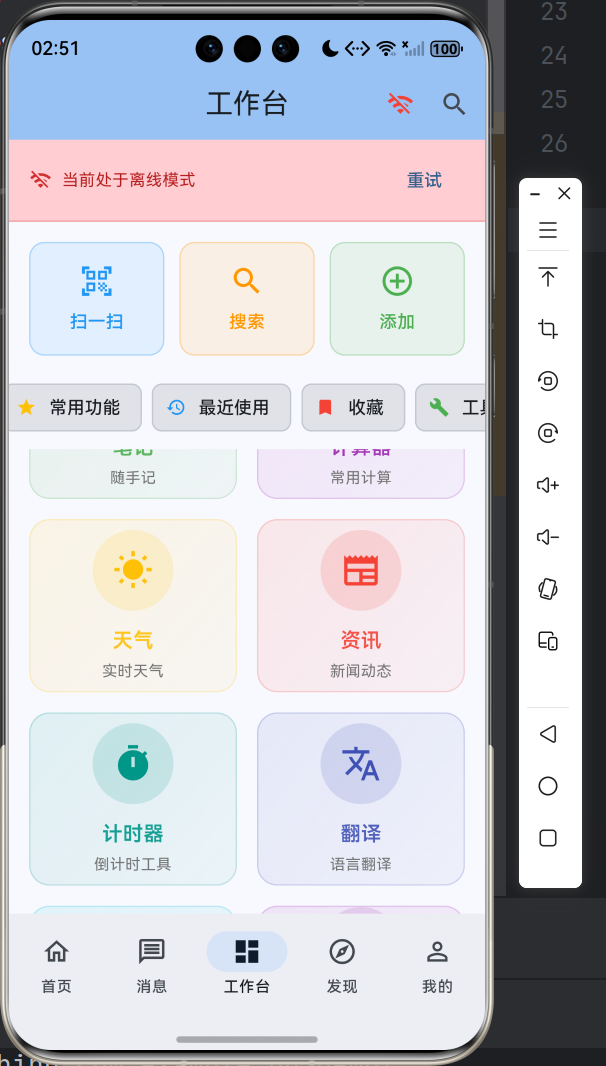
这个演示页面采用了卡片式布局,将不同功能模块清晰分组。每个功能按钮都配有简洁的标签,让测试者一目了然。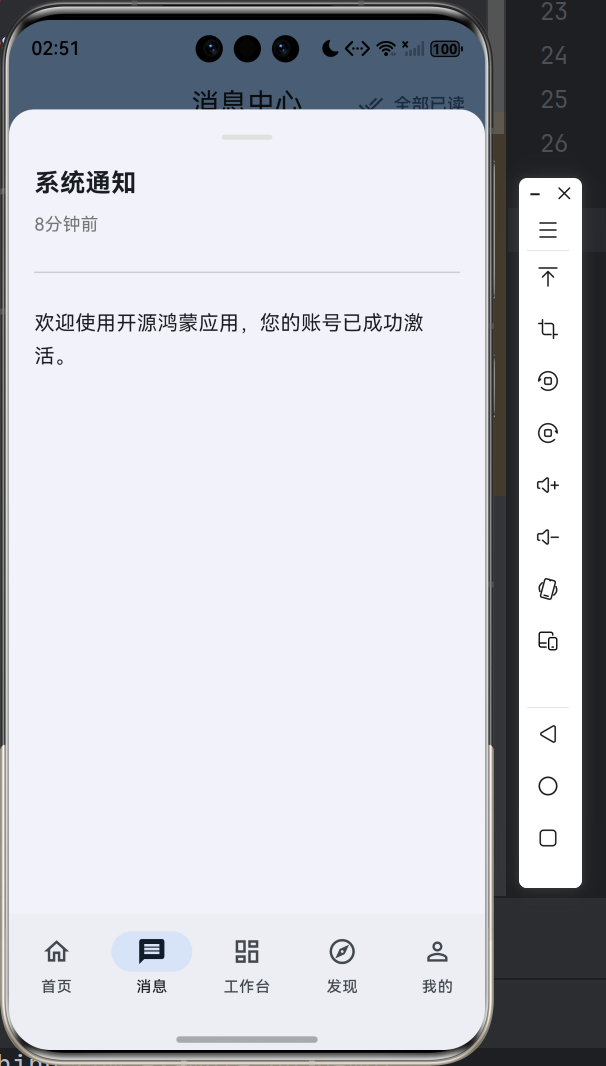
七、实践建议与注意事项
在将这一适配方案应用到实际项目时,有几点建议供大家参考。
首先是权限请求的时机。建议在应用首次启动后、用户尝试使用通知功能时再请求权限,而不是一启动就弹出权限对话框。这样可以显著提升用户授权的意愿。
其次是通知的频率控制。过于频繁的通知会让用户感到烦躁,甚至可能导致用户直接卸载应用。建议根据业务需求合理设置通知频率,对于非紧急的通知,可以适当降低优先级。
第三是定时通知的准确性。精确的定时通知需要用户在系统设置中授予 “允许后台活动” 或 “忽略电池优化” 的权限。在应用中应当向用户清晰说明这一点,并在必要时提供引导。
最后是测试的全面性。建议在不同品牌的鸿蒙设备上进行测试,因为各厂商可能在系统层面有不同的通知管理策略。部分设备可能会对后台应用的通知进行更严格的管控。
八、总结
通过本次 flutter_local_notifications 插件的鸿蒙化适配实践,我们成功实现了以下目标:即时通知的即时发送、定时通知的精确调度、周期性提醒的稳定运行、通知渠道的灵活配置、以及完善的权限管理机制。
整个适配过程的核心在于充分利用鸿蒙与 Android 在通知系统上的相似性,同时针对细微差异进行针对性处理。NotificationContentType 的字段映射、OH 平台特有的 API 调用方式、以及 ReminderRequest 的正确使用,都是在适配过程中需要重点关注的细节。
希望这篇指南能够帮助各位开发者在鸿蒙平台上快速实现推送通知功能,为用户带来更加贴心、可靠的应用体验!如果在实践中遇到任何问题,欢迎在社区中交流讨论~

作为“人工智能6S店”的官方数字引擎,为AI开发者与企业提供一个覆盖软硬件全栈、一站式门户。
更多推荐
 2
2 0
0- 0


 已为社区贡献14条内容

所有评论(0)