
Flutter 框架跨平台鸿蒙开发 - 胶片相机模拟
运行效果图胶片相机模拟应用是一款复古风格的摄影应用,完美还原了传统胶片相机的拍摄体验。核心特色在于"冲洗"机制——拍照后照片处于"已曝光"状态,无法立即查看,需要经过模拟的冲洗过程才能看到最终效果。应用以深灰色为主色调,营造复古、怀旧的摄影氛围。应用涵盖了相机取景、胶卷管理、照片冲洗、相册展示四大模块,支持4种胶卷类型,每种类型对应独特的色彩滤镜效果。通过快门动画、过片效果、冲洗进度等细节,让用户
胶片相机模拟应用
欢迎加入开源鸿蒙跨平台社区:
https://openharmonycrossplatform.csdn.net
一、项目概述
运行效果图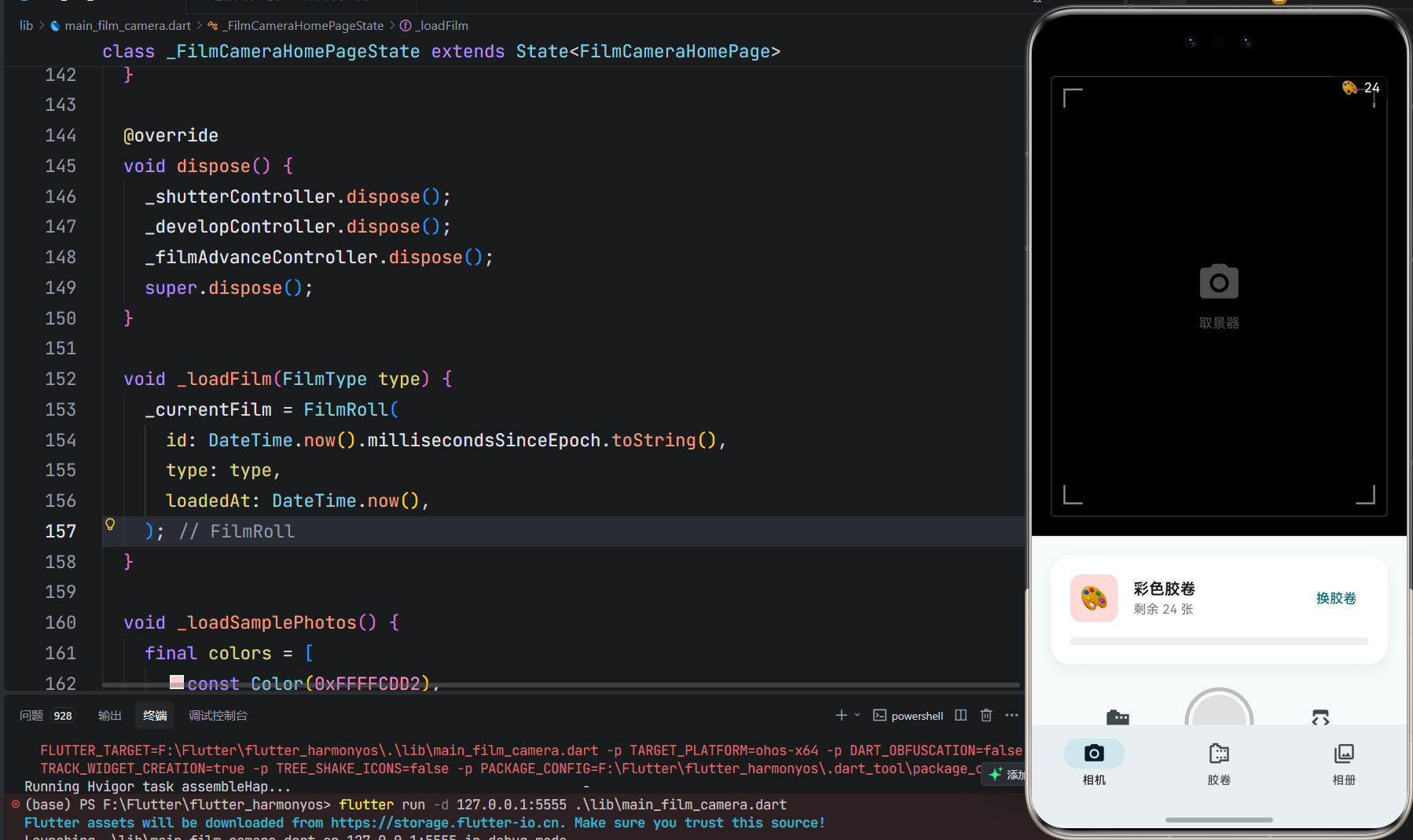
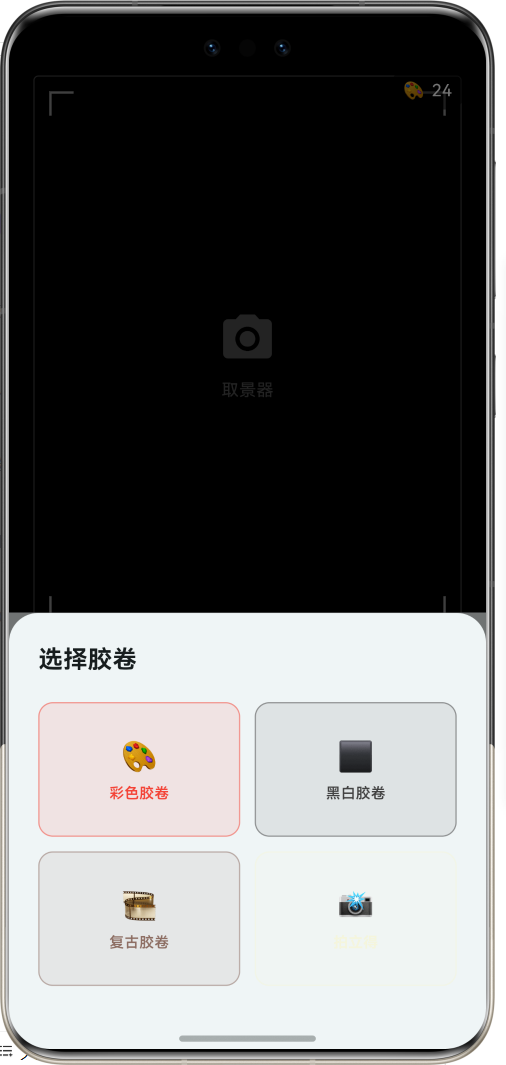
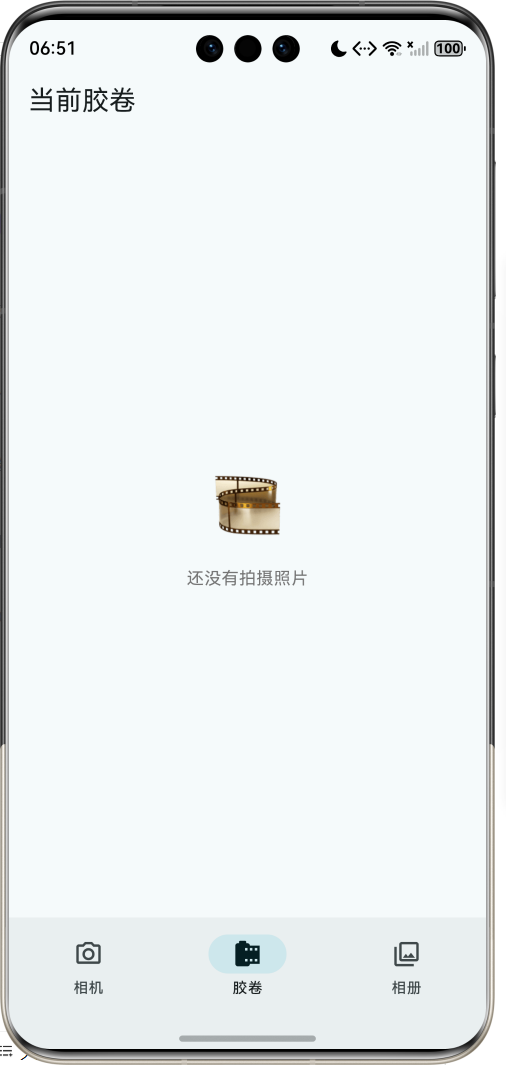
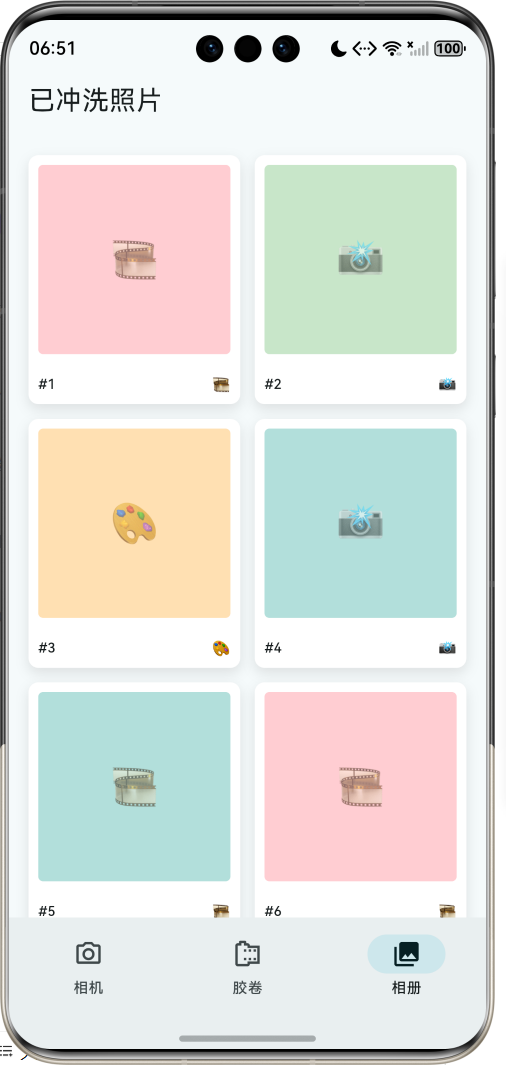
1.1 应用简介
胶片相机模拟应用是一款复古风格的摄影应用,完美还原了传统胶片相机的拍摄体验。核心特色在于"冲洗"机制——拍照后照片处于"已曝光"状态,无法立即查看,需要经过模拟的冲洗过程才能看到最终效果。应用以深灰色为主色调,营造复古、怀旧的摄影氛围。
应用涵盖了相机取景、胶卷管理、照片冲洗、相册展示四大模块,支持4种胶卷类型,每种类型对应独特的色彩滤镜效果。通过快门动画、过片效果、冲洗进度等细节,让用户体验到胶片摄影的独特魅力。
1.2 核心功能
| 功能模块 | 功能描述 | 实现方式 |
|---|---|---|
| 相机取景 | 模拟取景器界面 | 自定义UI |
| 快门拍照 | 模拟快门动作 | 动画效果 |
| 胶卷管理 | 装入/更换胶卷 | 状态管理 |
| 照片冲洗 | 延迟显示照片 | 进度动画 |
| 胶片滤镜 | 4种色彩效果 | ColorFiltered |
| 相册展示 | 已冲洗照片 | 网格布局 |
1.3 胶卷类型定义
| 序号 | 类型名称 | Emoji | 主题色 | 特点 |
|---|---|---|---|---|
| 1 | 彩色胶卷 | 🎨 | #F44336 | 经典彩色效果 |
| 2 | 黑白胶卷 | ⬛ | #424242 | 复古黑白效果 |
| 3 | 复古胶卷 | 🎞️ | #8D6E63 | 怀旧色调效果 |
| 4 | 拍立得 | 📸 | #F5F5DC | 即时成像效果 |
1.4 照片状态流转
| 状态 | Emoji | 描述 | 可见性 |
|---|---|---|---|
| 未曝光 | 📷 | 胶卷初始状态 | 不可见 |
| 已曝光 | ✨ | 已拍摄未冲洗 | 显示占位 |
| 冲洗中 | 🔄 | 正在冲洗处理 | 显示进度 |
| 已冲洗 | 🖼️ | 冲洗完成 | 显示照片 |
1.5 技术栈
| 技术领域 | 技术选型 | 版本要求 |
|---|---|---|
| 开发框架 | Flutter | >= 3.0.0 |
| 编程语言 | Dart | >= 2.17.0 |
| 设计规范 | Material Design 3 | - |
| 动画控制 | AnimationController | - |
| 滤镜效果 | ColorFiltered | - |
| 状态管理 | setState | - |
| 目标平台 | 鸿蒙OS / Web | API 21+ |
1.6 项目结构
lib/
└── main_film_camera.dart
    ├── FilmCameraApp           # 应用入口
    ├── FilmType                # 胶卷类型枚举
    ├── PhotoStatus             # 照片状态枚举
    ├── FilmPhoto               # 照片模型
    ├── FilmRoll                # 胶卷模型
    ├── FilmCameraHomePage      # 主页面(底部导航)
    ├── _buildCameraPage        # 相机页面
    ├── _buildFilmRollPage      # 胶卷页面
    └── _buildAlbumPage         # 相册页面
二、系统架构
2.1 整体架构图
2.2 类图设计
2.3 页面导航流程
2.4 照片冲洗流程
三、核心模块设计
3.1 数据模型设计
3.1.1 胶卷类型枚举 (FilmType)
enum FilmType {
  color('彩色胶卷', '🎨', Color(0xFFF44336), '经典彩色'),
  blackWhite('黑白胶卷', '⬛', Color(0xFF424242), '复古黑白'),
  vintage('复古胶卷', '🎞️', Color(0xFF8D6E63), '怀旧色调'),
  polaroid('拍立得', '📸', Color(0xFFF5F5DC), '即时成像');

  final String label;       // 类型名称
  final String emoji;       // 代表图标
  final Color color;        // 主题颜色
  final String description; // 类型描述
}
3.1.2 照片状态枚举 (PhotoStatus)
enum PhotoStatus {
  unexposed('未曝光', '📷'),   // 胶卷初始状态
  exposed('已曝光', '✨'),     // 已拍摄未冲洗
  developing('冲洗中', '🔄'),  // 正在冲洗
  developed('已冲洗', '🖼️');   // 冲洗完成

  final String label;  // 状态名称
  final String emoji;  // 状态图标
}
3.1.3 照片模型 (FilmPhoto)
class FilmPhoto {
  final String id;              // 唯一标识
  final DateTime takenAt;       // 拍摄时间
  final FilmType filmType;      // 胶卷类型
  PhotoStatus status;           // 照片状态
  final int frameNumber;        // 帧号
  final String? location;       // 拍摄地点(可选)
  final String? note;           // 备注(可选)
  Color? dominantColor;         // 主色调
  double? exposure;             // 曝光值
}
3.1.4 胶卷模型 (FilmRoll)
class FilmRoll {
  final String id;              // 唯一标识
  final FilmType type;          // 胶卷类型
  final int totalFrames;        // 总张数(默认24)
  final int usedFrames;         // 已用张数
  final DateTime loadedAt;      // 装入时间
  final List<FilmPhoto> photos; // 照片列表

  int get remainingFrames;      // 剩余张数
  bool get isFull;              // 是否拍完
}
3.1.5 胶卷类型分布
3.2 页面结构设计
3.2.1 主页面布局
3.2.2 相机页面结构
3.2.3 取景器界面
3.2.4 胶卷页面结构
3.3 拍照流程
3.4 冲洗流程
四、UI设计规范
4.1 配色方案
应用以深灰色为主色调,营造复古、怀旧的摄影氛围:
| 颜色类型 | 色值 | 用途 |
|---|---|---|
| 主色 | #424242 (Grey) | 导航、强调元素 |
| 取景器背景 | #000000 | 黑色背景 |
| 彩色胶卷 | #F44336 | 红色 |
| 黑白胶卷 | #424242 | 灰色 |
| 复古胶卷 | #8D6E63 | 棕色 |
| 拍立得 | #F5F5DC | 米色 |
4.2 胶片滤镜效果
| 胶卷类型 | 滤镜矩阵 | 效果描述 |
|---|---|---|
| 彩色 | 无滤镜 | 保持原色 |
| 黑白 | 灰度矩阵 | 转换为灰度 |
| 复古 | 暖色矩阵 | 增加暖色调 |
| 拍立得 | 无滤镜 | 白色边框 |
4.3 字体规范
| 元素 | 字号 | 字重 | 颜色 |
|---|---|---|---|
| 应用标题 | 20px | Bold | #000000 |
| 帧号显示 | 11px | Medium | #000000 |
| 状态文字 | 12px | Regular | #666666 |
| 进度数值 | 12px | Regular | #666666 |
| 胶卷类型 | 16px | Bold | #000000 |
4.4 组件规范
4.4.1 取景器界面
┌─────────────────────────────────────┐
│                              🎨 12  │
│  ┌─────────────────────────────┐    │
│  │┌──┐                 ┌──┐   │    │
│  ││  │                 │  │   │    │
│  │└──┘                 └──┘   │    │
│  │                             │    │
│  │         📷                  │    │
│  │        取景器               │    │
│  │                             │    │
│  │┌──┐                 ┌──┐   │    │
│  ││  │                 │  │   │    │
│  │└──┘                 └──┘   │    │
│  └─────────────────────────────┘    │
└─────────────────────────────────────┘
4.4.2 快门按钮
      ┌─────────────────┐
      │    ┌───────┐    │
      │    │ ┌───┐ │    │
      │    │ │   │ │    │
      │    │ └───┘ │    │
      │    └───────┘    │
      └─────────────────┘
4.4.3 待冲洗卡片
┌─────────────────────────────────────────────┐
│ ┌────┐                              ┌────┐ │
│ │ ?  │  第 5 张              [冲洗] │    │ │
│ │ #5 │  等待冲洗...                  │    │ │
│ └────┘                              └────┘ │
└─────────────────────────────────────────────┘
4.4.4 照片卡片
┌─────────────────────┐
│ ┌─────────────────┐ │
│ │                 │ │
│ │    🎨           │ │
│ │                 │ │
│ └─────────────────┘ │
│ #5              🎨  │
└─────────────────────┘
五、核心功能实现
5.1 拍照功能实现
void _takePhoto() {
  if (_currentFilm == null || _currentFilm!.isFull) {
    _showChangeFilmDialog();
    return;
  }

  _shutterController.forward(from: 0);

  final photo = FilmPhoto(
    id: DateTime.now().millisecondsSinceEpoch.toString(),
    takenAt: DateTime.now(),
    filmType: _currentFilm!.type,
    frameNumber: _currentFilm!.usedFrames + 1,
    dominantColor: _generateRandomColor(),
    exposure: 0.5 + _random.nextDouble() * 0.5,
  );

  setState(() {
    _currentFilm = FilmRoll(
      id: _currentFilm!.id,
      type: _currentFilm!.type,
      totalFrames: _currentFilm!.totalFrames,
      usedFrames: _currentFilm!.usedFrames + 1,
      loadedAt: _currentFilm!.loadedAt,
      photos: [..._currentFilm!.photos, photo],
    );
  });

  _filmAdvanceController.forward(from: 0);
}
5.2 冲洗功能实现
void _developPhoto(FilmPhoto photo) {
  if (_isDeveloping) return;

  setState(() {
    _isDeveloping = true;
    _developingPhoto = photo;
    _developProgress = 0;
  });

  _developController.forward(from: 0);

  Timer.periodic(const Duration(milliseconds: 50), (timer) {
    setState(() {
      _developProgress = _developController.value;
    });

    if (_developController.isCompleted) {
      timer.cancel();
      setState(() {
        photo.status = PhotoStatus.developed;
        _developedPhotos.insert(0, photo);
        _isDeveloping = false;
        _developingPhoto = null;
        _developProgress = 0;
      });

      _showDevelopedPhoto(photo);
    }
  });
}
5.3 黑白滤镜实现
ColorFiltered(
  colorFilter: const ColorFilter.matrix(<double>[
    0.2126, 0.7152, 0.0722, 0, 0,
    0.2126, 0.7152, 0.0722, 0, 0,
    0.2126, 0.7152, 0.0722, 0, 0,
    0, 0, 0, 1, 0,
  ]),
  child: Container(color: photo.dominantColor),
)
5.4 复古滤镜实现
ColorFiltered(
  colorFilter: ColorFilter.matrix(<double>[
    1.2, 0.1, 0.1, 0, -20,
    0.1, 1.1, 0.1, 0, -10,
    0.1, 0.1, 0.9, 0, 0,
    0, 0, 0, 1, 0,
  ]),
  child: Container(color: photo.dominantColor),
)
5.5 胶卷状态显示
Widget _buildFilmStatus() {
  if (_currentFilm == null) return const SizedBox();

  return Container(
    padding: const EdgeInsets.all(20),
    decoration: BoxDecoration(
      color: Colors.white,
      borderRadius: BorderRadius.circular(20),
    ),
    child: Column(
      children: [
        Row(
          children: [
            Container(
              width: 50,
              height: 50,
              decoration: BoxDecoration(
                color: _currentFilm!.type.color.withValues(alpha: 0.2),
                borderRadius: BorderRadius.circular(12),
              ),
              child: Center(
                child: Text(_currentFilm!.type.emoji, style: const TextStyle(fontSize: 24)),
              ),
            ),
            const SizedBox(width: 16),
            Expanded(
              child: Column(
                crossAxisAlignment: CrossAxisAlignment.start,
                children: [
                  Text(_currentFilm!.type.label, style: const TextStyle(fontSize: 16, fontWeight: FontWeight.bold)),
                  Text('剩余 ${_currentFilm!.remainingFrames} 张', style: TextStyle(color: Colors.grey[600], fontSize: 13)),
                ],
              ),
            ),
          ],
        ),
        const SizedBox(height: 16),
        LinearProgressIndicator(
          value: _currentFilm!.usedFrames / _currentFilm!.totalFrames,
          backgroundColor: Colors.grey[200],
          valueColor: AlwaysStoppedAnimation<Color>(_currentFilm!.type.color),
        ),
      ],
    ),
  );
}
六、交互设计
6.1 拍照流程
6.2 冲洗流程
6.3 换胶卷流程
七、扩展功能规划
7.1 后续版本规划
7.2 功能扩展建议
7.2.1 真实相机调用
接入设备相机:
- 使用camera插件
- 实时取景预览
- 支持前后摄像头
7.2.2 更多胶片效果
丰富滤镜选择:
- 柯达胶片效果
- 富士胶片效果
- 电影胶片效果
7.2.3 暗房模式
专业冲洗体验:
- 不同冲洗工艺
- 显影时间控制
- 特殊效果添加
八、注意事项
8.1 开发注意事项
-
状态管理:照片状态变化需要同步更新UI
-
动画释放:AnimationController需要在dispose中释放
-
胶卷计数:确保张数计算准确
-
滤镜效果:ColorFiltered矩阵需要正确配置
8.2 常见问题
| 问题 | 原因 | 解决方案 |
|---|---|---|
| 照片不显示 | 状态未更新 | 检查状态流转 |
| 滤镜无效 | 矩阵配置错误 | 检查ColorFiltered |
| 胶卷计数错误 | 张数计算错误 | 检查usedFrames |
| 冲洗卡住 | Timer未取消 | 确保Timer正确管理 |
8.3 胶片摄影寄语
📷 胶片摄影寄语 📷
每一张胶片都是独一无二的,
每一次快门都是不可逆的。
等待冲洗的过程,
是胶片摄影最迷人的仪式感。
在数字时代,
让我们重温那份期待与惊喜。
愿每一张照片都值得等待 🎞️
九、运行说明
9.1 环境要求
| 环境 | 版本要求 |
|---|---|
| Flutter SDK | >= 3.0.0 |
| Dart SDK | >= 2.17.0 |
| 鸿蒙OS | API 21+ |
9.2 运行命令
# 查看可用设备
flutter devices

# 运行到Web服务器
flutter run -d web-server -t lib/main_film_camera.dart --web-port 8119

# 运行到鸿蒙设备
flutter run -d 127.0.0.1:5555 lib/main_film_camera.dart

# 运行到Windows
flutter run -d windows -t lib/main_film_camera.dart

# 代码分析
flutter analyze lib/main_film_camera.dart
十、总结
胶片相机模拟应用通过相机取景、胶卷管理、照片冲洗、相册展示四大模块,为用户提供了一个复古风格的摄影体验。应用支持4种胶卷类型,每种类型对应独特的色彩滤镜效果,让用户感受到胶片摄影的独特魅力。
核心功能涵盖拍照、冲洗、滤镜、相册四大模块。拍照模拟真实快门体验;冲洗需要等待3秒才能看到照片;滤镜提供彩色、黑白、复古等效果;相册展示已冲洗的照片。
应用采用Material Design 3设计规范,以深灰色为主色调,配合取景器界面和快门按钮,营造复古的摄影氛围。通过本应用,希望能够让用户在数字时代重温胶片摄影的仪式感和期待感。
拍照后要冲洗才能看到,这就是胶片的魅力

作为“人工智能6S店”的官方数字引擎,为AI开发者与企业提供一个覆盖软硬件全栈、一站式门户。
更多推荐
 2
2 0
0- 0


 已为社区贡献10条内容

所有评论(0)