
Flutter 框架跨平台鸿蒙开发 - 心情天气应用
运行效果图心情天气应用是一款将情绪与天气动画巧妙融合的创意类应用,旨在帮助用户通过选择心情状态来生成专属的天气动画效果,同时记录每日的情绪变化轨迹。应用以紫色为主色调,营造温馨治愈的情感氛围。应用涵盖了心情选择、情绪记录、数据统计、个人设置四大模块,支持8种心情类型与8种天气动画的对应映射。通过动态天气动画、情绪强度调节、心情日记等功能,帮助用户关注自身情绪健康,记录生活中的点滴感受。心情天气应用
心情天气应用
欢迎加入开源鸿蒙跨平台社区:
https://openharmonycrossplatform.csdn.net
一、项目概述
运行效果图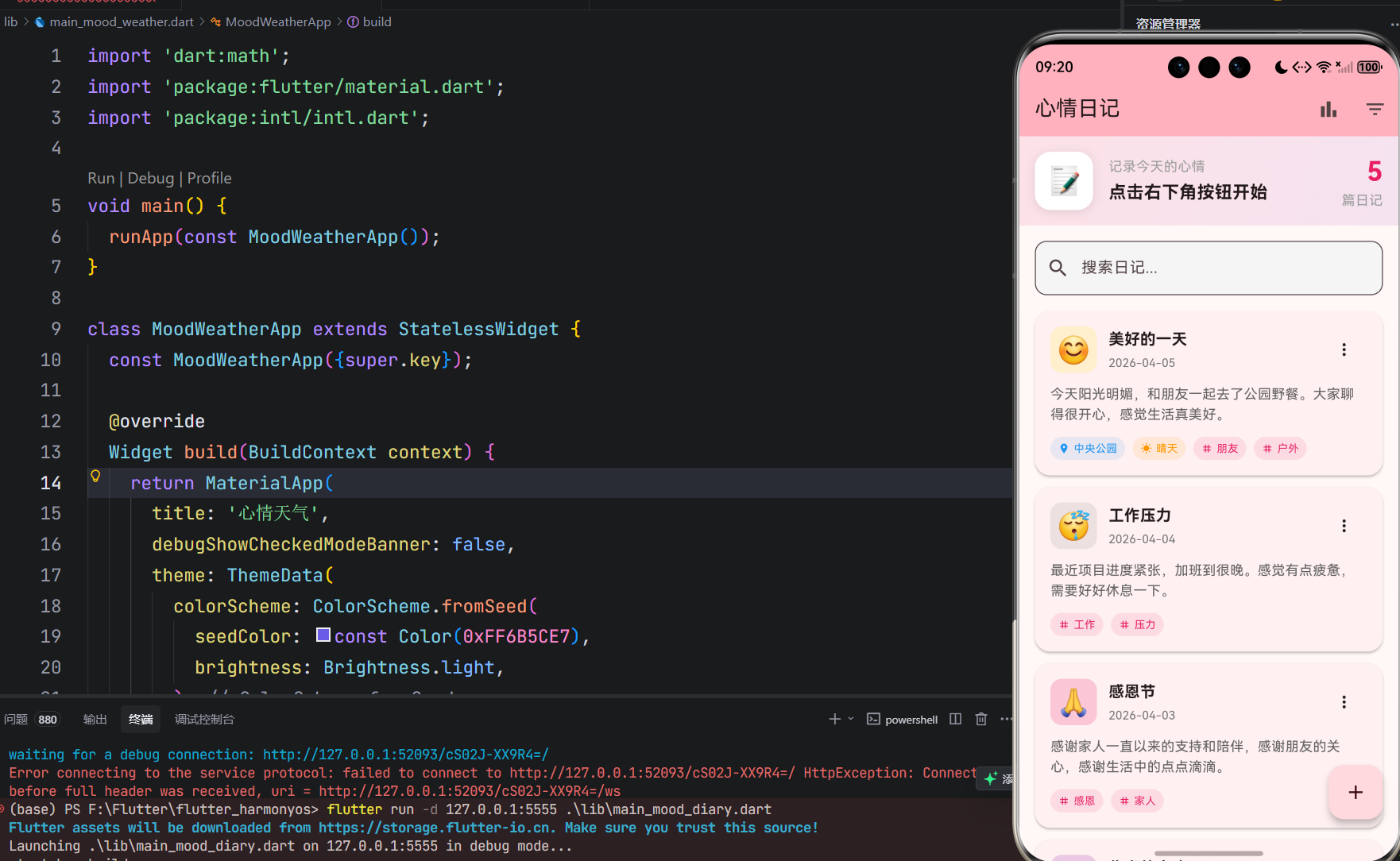
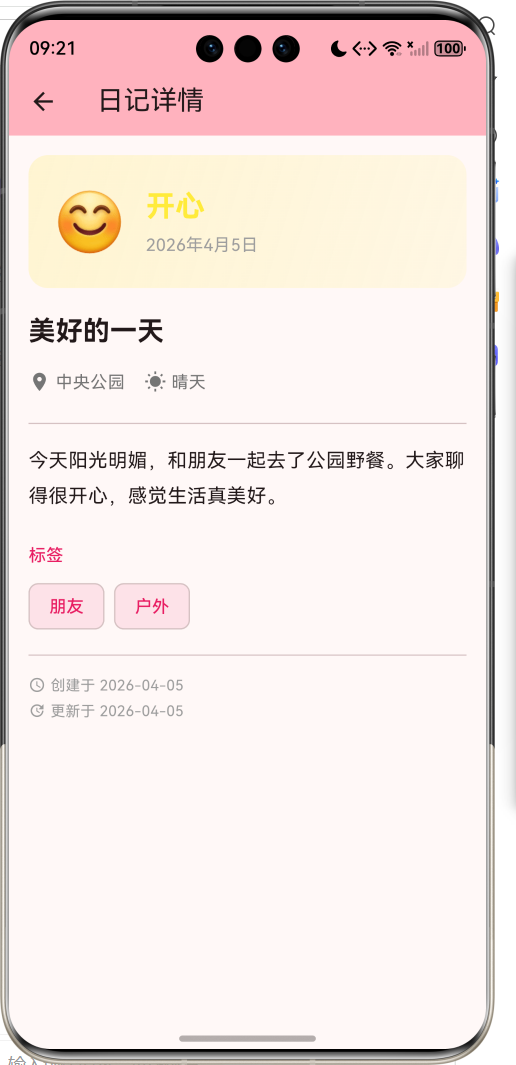
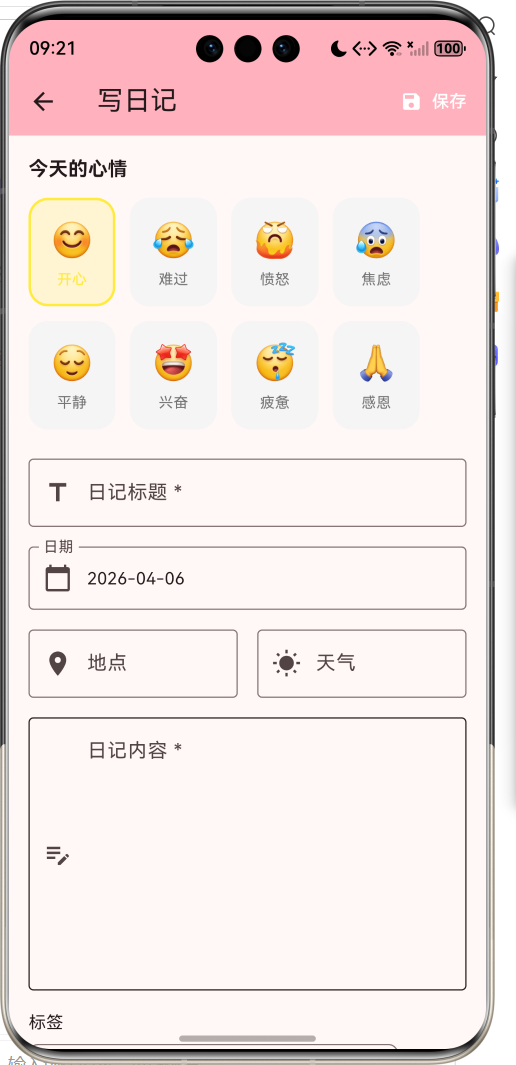
1.1 应用简介
心情天气应用是一款将情绪与天气动画巧妙融合的创意类应用,旨在帮助用户通过选择心情状态来生成专属的天气动画效果,同时记录每日的情绪变化轨迹。应用以紫色为主色调,营造温馨治愈的情感氛围。
应用涵盖了心情选择、情绪记录、数据统计、个人设置四大模块,支持8种心情类型与8种天气动画的对应映射。通过动态天气动画、情绪强度调节、心情日记等功能,帮助用户关注自身情绪健康,记录生活中的点滴感受。
1.2 核心功能
| 功能模块 | 功能描述 | 实现方式 |
|---|---|---|
| 心情选择 | 8种心情类型选择 | 网格卡片布局 |
| 天气动画 | 动态天气效果展示 | AnimationController |
| 情绪强度 | 1-5级强度调节 | Slider组件 |
| 心情日记 | 记录当下想法 | TextField输入 |
| 历史记录 | 查看过往心情 | 卡片列表展示 |
| 数据统计 | 心情分布与趋势 | 图表可视化 |
1.3 心情与天气映射
| 序号 | 心情类型 | 天气效果 | 主题色 | 描述文案 |
|---|---|---|---|---|
| 1 | 开心 | ☀️ 晴天 | #FFD54F | 阳光明媚,万物可爱 |
| 2 | 平静 | ☁️ 多云 | #81C784 | 微风轻拂,岁月静好 |
| 3 | 忧郁 | 🌧️ 雨天 | #64B5F6 | 细雨绵绵,心事重重 |
| 4 | 愤怒 | ⛈️ 雷暴 | #E57373 | 电闪雷鸣,心潮澎湃 |
| 5 | 焦虑 | 🌫️ 阴天 | #BA68C8 | 阴云密布,思绪纷乱 |
| 6 | 疲惫 | ❄️ 雪天 | #90A4AE | 雪花飘落,静待春来 |
| 7 | 期待 | 🌈 彩虹 | #FF8A65 | 彩虹初现,希望在前 |
| 8 | 感恩 | 🍃 微风 | #F06292 | 春风拂面,温暖如初 |
1.4 技术栈
| 技术领域 | 技术选型 | 版本要求 |
|---|---|---|
| 开发框架 | Flutter | >= 3.0.0 |
| 编程语言 | Dart | >= 2.17.0 |
| 设计规范 | Material Design 3 | - |
| 动画控制 | AnimationController | - |
| 状态管理 | setState | - |
| 目标平台 | 鸿蒙OS / Web | API 21+ |
1.5 项目结构
lib/
└── main_mood_weather.dart
    ├── MoodWeatherApp        # 应用入口
    ├── MoodType              # 心情类型枚举
    ├── WeatherType           # 天气类型枚举
    ├── MoodRecord            # 心情记录数据模型
    ├── MoodWeatherHomePage   # 主页面(底部导航)
    ├── _buildMoodPage        # 心情选择页面
    ├── _buildWeatherAnimation # 天气动画组件
    ├── _buildHistoryPage     # 历史记录页面
    ├── _buildStatisticsPage  # 数据统计页面
    ├── _buildSettingsPage    # 设置页面
    ├── LightningPainter      # 闪电绘制器
    └── RainbowPainter        # 彩虹绘制器
二、系统架构
2.1 整体架构图
2.2 类图设计
2.3 页面导航流程
2.4 数据流向图
三、核心模块设计
3.1 数据模型设计
3.1.1 心情类型枚举 (MoodType)
enum MoodType {
  happy('开心', '阳光明媚,万物可爱', Icons.sentiment_very_satisfied,
        Color(0xFFFFD54F), WeatherType.sunny),
  calm('平静', '微风轻拂,岁月静好', Icons.sentiment_satisfied,
       Color(0xFF81C784), WeatherType.cloudy),
  sad('忧郁', '细雨绵绵,心事重重', Icons.sentiment_dissatisfied,
      Color(0xFF64B5F6), WeatherType.rainy),
  angry('愤怒', '电闪雷鸣,心潮澎湃', Icons.sentiment_very_dissatisfied,
        Color(0xFFE57373), WeatherType.thunder),
  anxious('焦虑', '阴云密布,思绪纷乱', Icons.sentiment_neutral,
          Color(0xFFBA68C8), WeatherType.overcast),
  tired('疲惫', '雪花飘落,静待春来', Icons.battery_alert,
        Color(0xFF90A4AE), WeatherType.snowy),
  hopeful('期待', '彩虹初现,希望在前', Icons.auto_awesome,
          Color(0xFFFF8A65), WeatherType.rainbow),
  grateful('感恩', '春风拂面,温暖如初', Icons.favorite,
           Color(0xFFF06292), WeatherType.breeze);

  final String label;        // 心情标签
  final String description;  // 心情描述
  final IconData icon;       // 心情图标
  final Color color;         // 主题颜色
  final WeatherType weather; // 对应天气
}
3.1.2 天气类型枚举 (WeatherType)
enum WeatherType {
  sunny,     // 晴天
  cloudy,    // 多云
  rainy,     // 雨天
  thunder,   // 雷暴
  overcast,  // 阴天
  snowy,     // 雪天
  rainbow,   // 彩虹
  breeze,    // 微风
}
3.1.3 心情记录模型 (MoodRecord)
class MoodRecord {
  final String id;           // 唯一标识
  final MoodType mood;       // 心情类型
  final DateTime dateTime;   // 记录时间
  final String? note;        // 心情日记
  final int intensity;       // 情绪强度(1-5)
}
3.1.4 心情分布
3.2 页面结构设计
3.2.1 主页面布局
3.2.2 心情页面结构
3.2.3 天气动画结构
3.2.4 统计页面结构
3.3 心情记录流程
四、UI设计规范
4.1 配色方案
应用采用紫色为主色调,营造温馨治愈的情感氛围:
| 颜色类型 | 色值 | 用途 |
|---|---|---|
| 主色 | #6B5CE7 (Purple) | 导航、强调元素 |
| 开心 | #FFD54F | 金黄色 |
| 平静 | #81C784 | 绿色 |
| 忧郁 | #64B5F6 | 蓝色 |
| 愤怒 | #E57373 | 红色 |
| 焦虑 | #BA68C8 | 紫色 |
| 疲惫 | #90A4AE | 灰色 |
| 期待 | #FF8A65 | 橙色 |
| 感恩 | #F06292 | 粉色 |
4.2 天气动画配色
| 天气类型 | 渐变色 | 动画元素 |
|---|---|---|
| 晴天 | #FFD54F → #FF8A65 | 太阳、光芒 |
| 多云 | #81C784 → #4DB6AC | 云朵飘动 |
| 雨天 | #64B5F6 → #5C6BC0 | 乌云、雨滴 |
| 雷暴 | #455A64 → #263238 | 闪电、闪光 |
| 阴天 | #BA68C8 → #7E57C2 | 密集云层 |
| 雪天 | #B0BEC5 → #78909C | 雪花飘落 |
| 彩虹 | #FF8A65 → #FFB74D → #81C784 | 彩虹弧线 |
| 微风 | #F06292 → #EC407A | 风线、花瓣 |
4.3 字体规范
| 元素 | 字号 | 字重 | 颜色 |
|---|---|---|---|
| 心情标签 | 28px | Bold | #FFFFFF |
| 心情描述 | 14px | Regular | #FFFFFF(0.9) |
| 页面标题 | 20px | Medium | #000000 |
| 心情名称 | 12px | Bold/Normal | 主题色 |
| 强度数值 | 16px | Bold | 主题色 |
| 统计数值 | 24px | Bold | #000000 |
4.4 组件规范
4.4.1 心情选择卡片
┌─────────────────┐
│                 │
│    ┌─────┐      │
│    │ 😊  │      │
│    └─────┘      │
│                 │
│     开心        │
│                 │
└─────────────────┘
4.4.2 强度滑块
┌─────────────────────────────────────────────────┐
│  情绪强度                          3 / 5       │
│                                                 │
│  ━━━━━━━━━━━━━━━━━━━●━━━━━━━━━━━━━━━━━━━━━━━   │
│                                                 │
│  轻微                              强烈         │
└─────────────────────────────────────────────────┘
4.4.3 历史记录卡片
┌─────────────────────────────────────────────────┐
│ ┌────┐  开心  ★★★☆☆                      >     │
│ │ 😊 │  04月06日 14:30                           │
│ └────┘  今天心情很好,阳光明媚...               │
└─────────────────────────────────────────────────┘
4.4.4 统计概览卡片
┌────────────┐  ┌────────────┐  ┌────────────┐
│     📝     │  │     📊     │  │     😊     │
│     7      │  │    3.4     │  │    开心    │
│   总记录   │  │  平均强度  │  │   最常见   │
└────────────┘  └────────────┘  └────────────┘
五、核心功能实现
5.1 天气动画控制器初始化
void initState() {
super.initState();
_weatherAnimationController = AnimationController(
vsync: this,
duration: const Duration(seconds: 3),
)..repeat();
_particleAnimationController = AnimationController(
vsync: this,
duration: const Duration(seconds: 2),
)..repeat();
_fadeAnimation = Tween<double>(begin: 0.0, end: 1.0).animate(
CurvedAnimation(parent: _weatherAnimationController, curve: Curves.easeInOut),
);
}
5.2 晴天动画实现
List<Widget> _buildSunnyElements() {
  final value = _weatherAnimationController.value;
  return [
    Positioned(
      top: 60 + sin(value * 2 * pi) * 10,
      left: 0,
      right: 0,
      child: Center(
        child: Container(
          width: 100,
          height: 100,
          decoration: BoxDecoration(
            shape: BoxShape.circle,
            color: Colors.white.withValues(alpha: 0.9),
            boxShadow: [
              BoxShadow(
                color: Colors.yellow.withValues(alpha: 0.5),
                blurRadius: 40,
                spreadRadius: 20,
              ),
            ],
          ),
          child: const Icon(Icons.wb_sunny, size: 60, color: Color(0xFFFFD54F)),
        ),
      ),
    ),
    ...List.generate(8, (index) {
      final angle = (index * 45 + value * 360) * pi / 180;
      return Positioned(
        top: 110 + sin(angle) * 80,
        left: 0,
        right: 0,
        child: Center(
          child: Transform.translate(
            offset: Offset(cos(angle) * 80, sin(angle) * 80),
            child: Container(
              width: 8,
              height: 30,
              decoration: BoxDecoration(
                color: Colors.white.withValues(alpha: 0.6),
                borderRadius: BorderRadius.circular(4),
              ),
            ),
          ),
        ),
      );
    }),
  ];
}
5.3 雨天动画实现
List<Widget> _buildRainyElements() {
  final value = _weatherAnimationController.value;
  return [
    Positioned(
      top: 30,
      left: 0,
      right: 0,
      child: Center(child: _buildCloud(150, 0.8)),
    ),
    ...List.generate(20, (index) {
      final startX = (index * 20.0) % 300;
      final delay = (index * 0.1) % 1;
      final progress = (value + delay) % 1;
      return Positioned(
        top: 100 + progress * 200,
        left: startX.toDouble(),
        child: Container(
          width: 2,
          height: 20,
          decoration: BoxDecoration(
            color: Colors.white.withValues(alpha: 0.6),
            borderRadius: BorderRadius.circular(1),
          ),
        ),
      );
    }),
  ];
}
5.4 雷暴动画与闪电绘制
List<Widget> _buildThunderElements() {
final value = _weatherAnimationController.value;
final flash = (value * 4).floor() % 2 == 0 && value % 0.25 < 0.1;
return [
Positioned(
top: 30,
left: 0,
right: 0,
child: Center(child: _buildCloud(150, 0.9)),
),
if (flash)
Positioned.fill(
child: Container(
color: Colors.white.withValues(alpha: 0.3),
),
),
Positioned(
top: 100,
left: 0,
right: 0,
child: Center(
child: CustomPaint(
size: const Size(60, 120),
painter: LightningPainter(flash: flash),
),
),
),
];
}
class LightningPainter extends CustomPainter {
final bool flash;
LightningPainter({required this.flash});
void paint(Canvas canvas, Size size) {
final paint = Paint()
..color = flash ? Colors.yellow.shade300 : Colors.yellow.shade100
..strokeWidth = 3
..style = PaintingStyle.stroke;
final path = Path()
..moveTo(size.width / 2, 0)
..lineTo(size.width / 2 - 10, size.height * 0.4)
..lineTo(size.width / 2 + 5, size.height * 0.4)
..lineTo(size.width / 2 - 15, size.height * 0.7)
..lineTo(size.width / 2 + 10, size.height * 0.7)
..lineTo(size.width / 2 - 5, size.height);
canvas.drawPath(path, paint);
}
bool shouldRepaint(LightningPainter oldDelegate) => flash != oldDelegate.flash;
}
5.5 彩虹绘制实现
class RainbowPainter extends CustomPainter {
final double progress;
RainbowPainter({required this.progress});
void paint(Canvas canvas, Size size) {
final colors = [
Colors.red.withValues(alpha: 0.6),
Colors.orange.withValues(alpha: 0.6),
Colors.yellow.withValues(alpha: 0.6),
Colors.green.withValues(alpha: 0.6),
Colors.blue.withValues(alpha: 0.6),
Colors.indigo.withValues(alpha: 0.6),
Colors.purple.withValues(alpha: 0.6),
];
final rect = Rect.fromLTWH(0, 0, size.width, size.height * 2);
for (int i = 0; i < colors.length; i++) {
final paint = Paint()
..color = colors[i]
..style = PaintingStyle.stroke
..strokeWidth = 12;
canvas.drawArc(
rect.inflate(-i * 14),
pi,
pi,
false,
paint,
);
}
}
bool shouldRepaint(RainbowPainter oldDelegate) => progress != oldDelegate.progress;
}
5.6 心情记录保存
void _saveMoodRecord() {
  final record = MoodRecord(
    id: DateTime.now().millisecondsSinceEpoch.toString(),
    mood: _selectedMood!,
    dateTime: DateTime.now(),
    note: _noteController.text.isEmpty ? null : _noteController.text,
    intensity: _intensity,
  );

  setState(() {
    _moodRecords.insert(0, record);
    _selectedMood = null;
    _intensity = 3;
    _noteController.clear();
  });

  ScaffoldMessenger.of(context).showSnackBar(
    SnackBar(
      content: Text('心情记录已保存'),
      backgroundColor: record.mood.color,
      behavior: SnackBarBehavior.floating,
    ),
  );
}
5.7 统计数据计算
MoodType? _getMostFrequentMood() {
  final moodCounts = <MoodType, int>{};
  for (var record in _moodRecords) {
    moodCounts[record.mood] = (moodCounts[record.mood] ?? 0) + 1;
  }
  if (moodCounts.isEmpty) return null;
  return moodCounts.entries.reduce((a, b) => a.value > b.value ? a : b).key;
}
六、交互设计
6.1 心情选择流程
6.2 天气动画切换流程
6.3 历史记录浏览流程
七、扩展功能规划
7.1 后续版本规划
7.2 功能扩展建议
7.2.1 数据持久化
本地数据存储:
- 使用SharedPreferences存储基础设置
- 使用SQLite存储心情记录
- 支持数据导出为JSON格式
7.2.2 提醒功能
定时提醒记录:
- 每日心情记录提醒
- 周期性心情回顾提醒
- 自定义提醒时间
7.2.3 数据分析
深度数据分析:
- 心情趋势分析报告
- 情绪波动预警
- 个性化情绪建议
八、注意事项
8.1 开发注意事项
-
动画控制器:使用TickerProviderStateMixin混入
-
颜色处理:使用withValues方法设置透明度
-
自定义绘制:CustomPainter需要实现paint和shouldRepaint方法
-
状态管理:选择心情后需要setState更新天气动画
8.2 常见问题
| 问题 | 原因 | 解决方案 |
|---|---|---|
| 动画不播放 | 控制器未启动 | 调用repeat()方法 |
| 天气不切换 | 状态未更新 | 确保setState调用 |
| 闪电不显示 | CustomPaint尺寸错误 | 检查size参数 |
| 彩虹颜色不对 | 颜色列表顺序错误 | 检查颜色数组顺序 |
8.3 情绪健康提示
🌈 心情小贴士 🌈
开心时:享受当下,与朋友分享喜悦
平静时:适合阅读、冥想、规划未来
忧郁时:允许自己难过,但不要沉浸太久
愤怒时:深呼吸,找个安全方式宣泄
焦虑时:写下担忧,逐一解决
疲惫时:好好休息,照顾好自己
期待时:为未来做准备,保持希望
感恩时:表达感谢,传递温暖
九、运行说明
9.1 环境要求
| 环境 | 版本要求 |
|---|---|
| Flutter SDK | >= 3.0.0 |
| Dart SDK | >= 2.17.0 |
| 鸿蒙OS | API 21+ |
9.2 运行命令
# 查看可用设备
flutter devices

# 运行到Web服务器
flutter run -d web-server -t lib/main_mood_weather.dart --web-port 8107

# 运行到鸿蒙设备
flutter run -d 127.0.0.1:5555 lib/main_mood_weather.dart

# 运行到Windows
flutter run -d windows -t lib/main_mood_weather.dart

# 代码分析
flutter analyze lib/main_mood_weather.dart
十、总结
心情天气应用通过将情绪与天气动画巧妙融合,为用户提供了一种新颖的情绪记录方式。应用支持8种心情类型,每种心情对应独特的天气动画效果,让情绪表达更加生动形象。
核心功能涵盖心情选择、天气动画、情绪记录、数据统计四大模块。心情选择以网格卡片形式呈现8种类型;天气动画支持晴天、多云、雨天、雷暴、阴天、雪天、彩虹、微风8种动态效果;情绪记录支持强度调节和心情日记;数据统计提供总记录数、平均强度、心情分布和趋势图表。
应用采用Material Design 3设计规范,以紫色为主色调,界面温馨治愈。通过本应用,希望能够帮助用户关注自身情绪健康,记录生活中的点滴感受,培养积极向上的心态。
关注情绪,关爱自己

作为“人工智能6S店”的官方数字引擎,为AI开发者与企业提供一个覆盖软硬件全栈、一站式门户。
更多推荐
 7
7 0
0- 0


 已为社区贡献10条内容

所有评论(0)