
Flutter 三方库 rename 是跨平台开发极其重要的应用标识更名神级终端工具,自主开发鸿蒙适配包 package(项目包构建引擎,深度适配鸿蒙 HarmonyOS Next ohos)
欢迎加入开源鸿蒙跨平台社区:https://openharmonycrossplatform.csdn.net。
前言
在鸿蒙(OpenHarmony)及多端发布过程中,全局修改应用包名或显示名称是常见的初始化需求。rename 是一款高效的 CLI 工具,能自动化替换原生层配置文件中的标识符。
💡 特别说明:官方版本的
rename尚未原生支持鸿蒙。本指南采用的是经过深度定制适配版本,通过扩展源码实现了对ohos/AppScope/app.json5及相关资源文件的精准修改,新增了ohos目标平台支持。
一、核心价值
1.1 基础概念
本工具由于是一套纯工作台侧(Dev Terminal 范畴下可独立跑满发挥核心作用能力的极客黑武器程序架构逻辑,它将各种底盖包描述规则深度提纯化构建了属于自己跨界统一调度执行拦截和匹配机制:
1.2 进阶概念
- Targeted Renaming:支持针对各个终端设置分发策略,尤其是新增的
ohos目标,能够同步更新鸿蒙环境下的包名和显示名称。
二、核心 API / 组件详解
2.1 项目本地化引入(推荐做法)
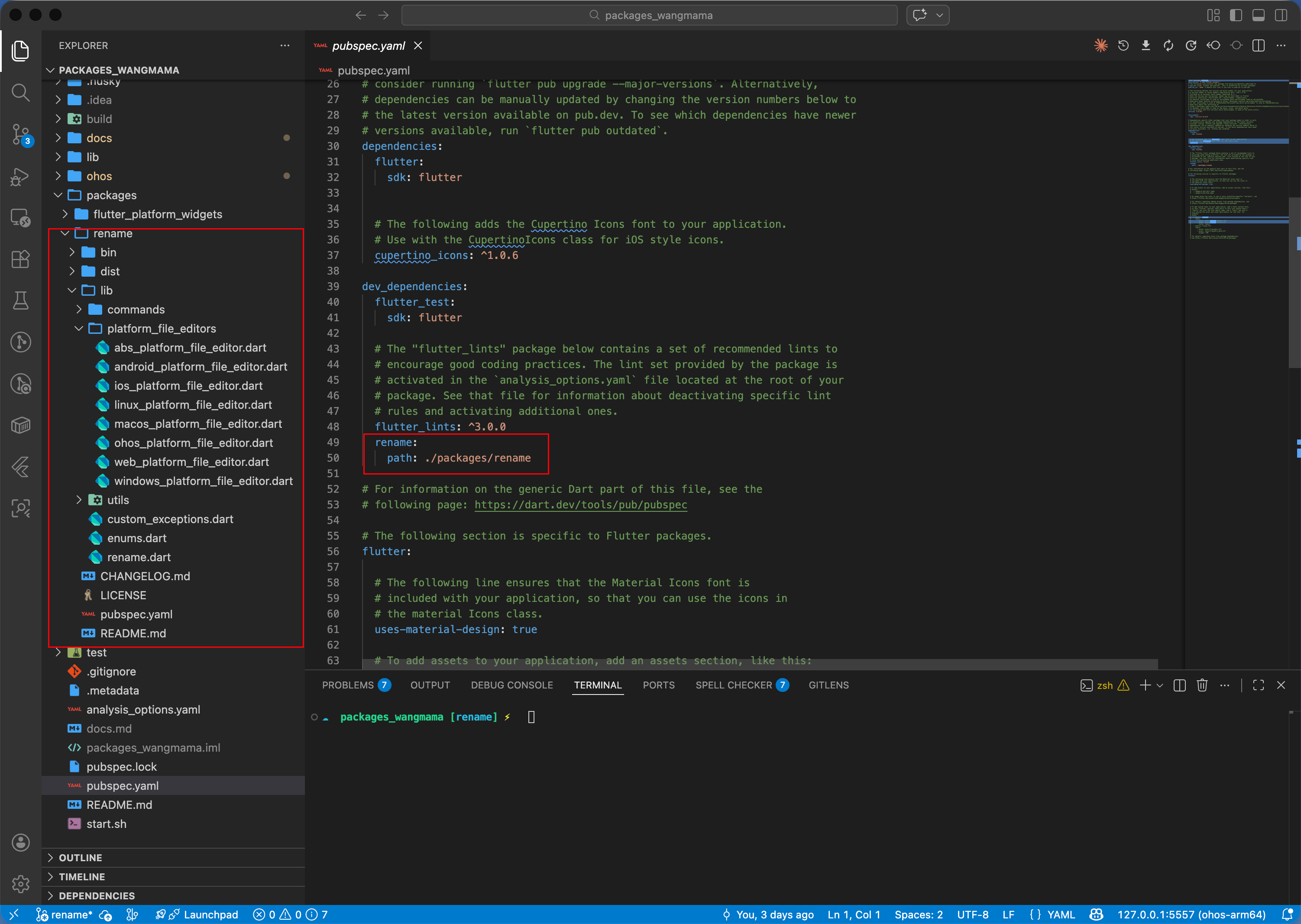
为了支持鸿蒙系统,建议将 rename 源码拉取至项目本地并进行适配。在 pubspec.yaml 中通过 path 方式引入:
dev_dependencies:
  rename:
    path: ./packages/rename
2.2 鸿蒙专属终端指挥更改
直接通过极其浓缩的命令行语法完成对鸿蒙端的“改头换面”:
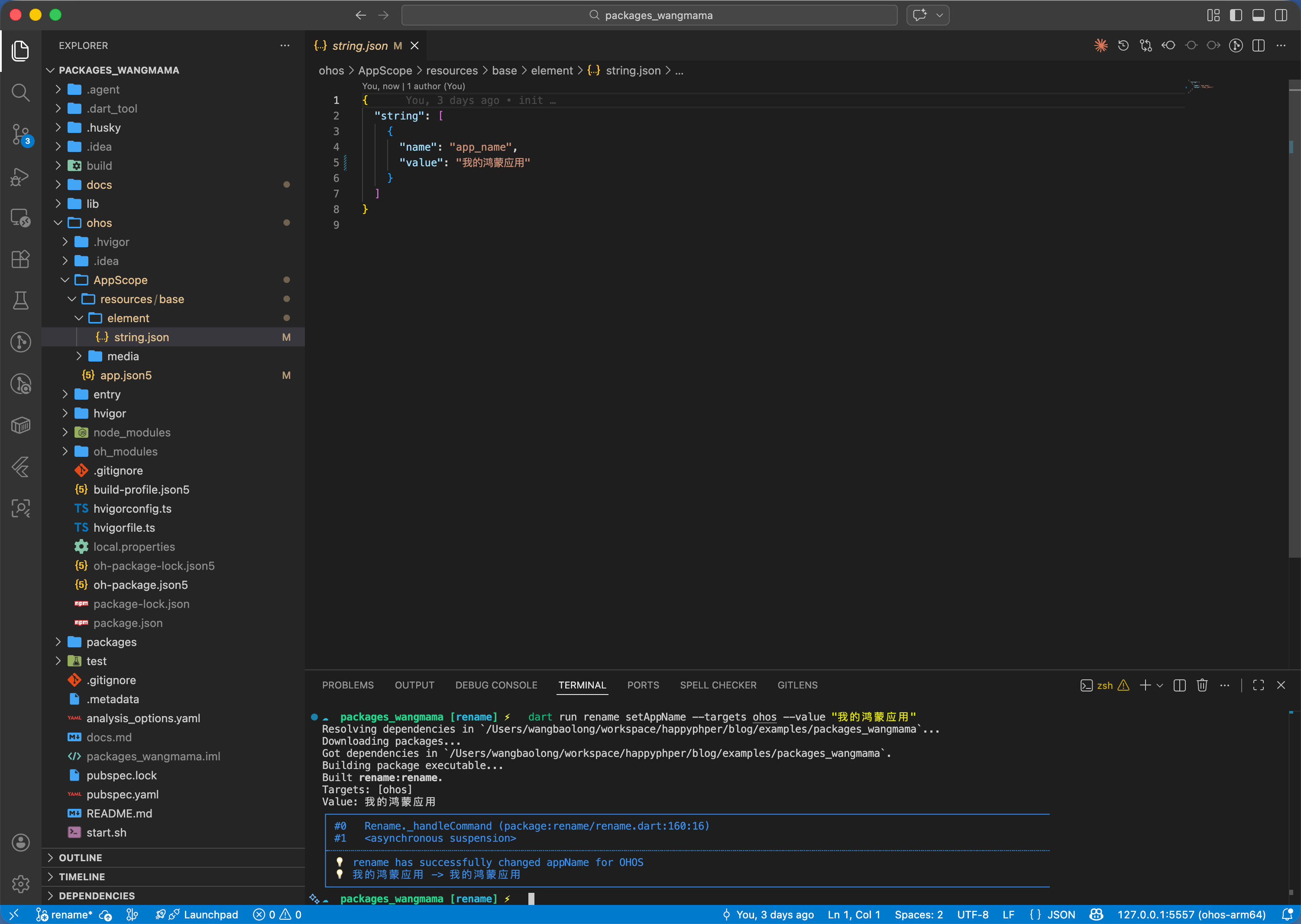
# 修改鸿蒙端的展示名称(同步更新 AppScope 下的 string.json)
dart run rename setAppName --targets ohos --value "我的鸿蒙应用"

# 修改鸿蒙端的包名(同步更新 AppScope 下的 app.json5)
dart run rename setBundleId --targets ohos --value "com.custom.ohos.app"
三、场景示例
3.1 场景一:鸿蒙级应用的“白标”快速部署
如果你的团队需要快速为不同客户产出鸿蒙定制版,通过定制化的 rename 可以极大提升产能。
# 💡 技巧:脚本化自动生成不同标识的鸿蒙 HAP 包
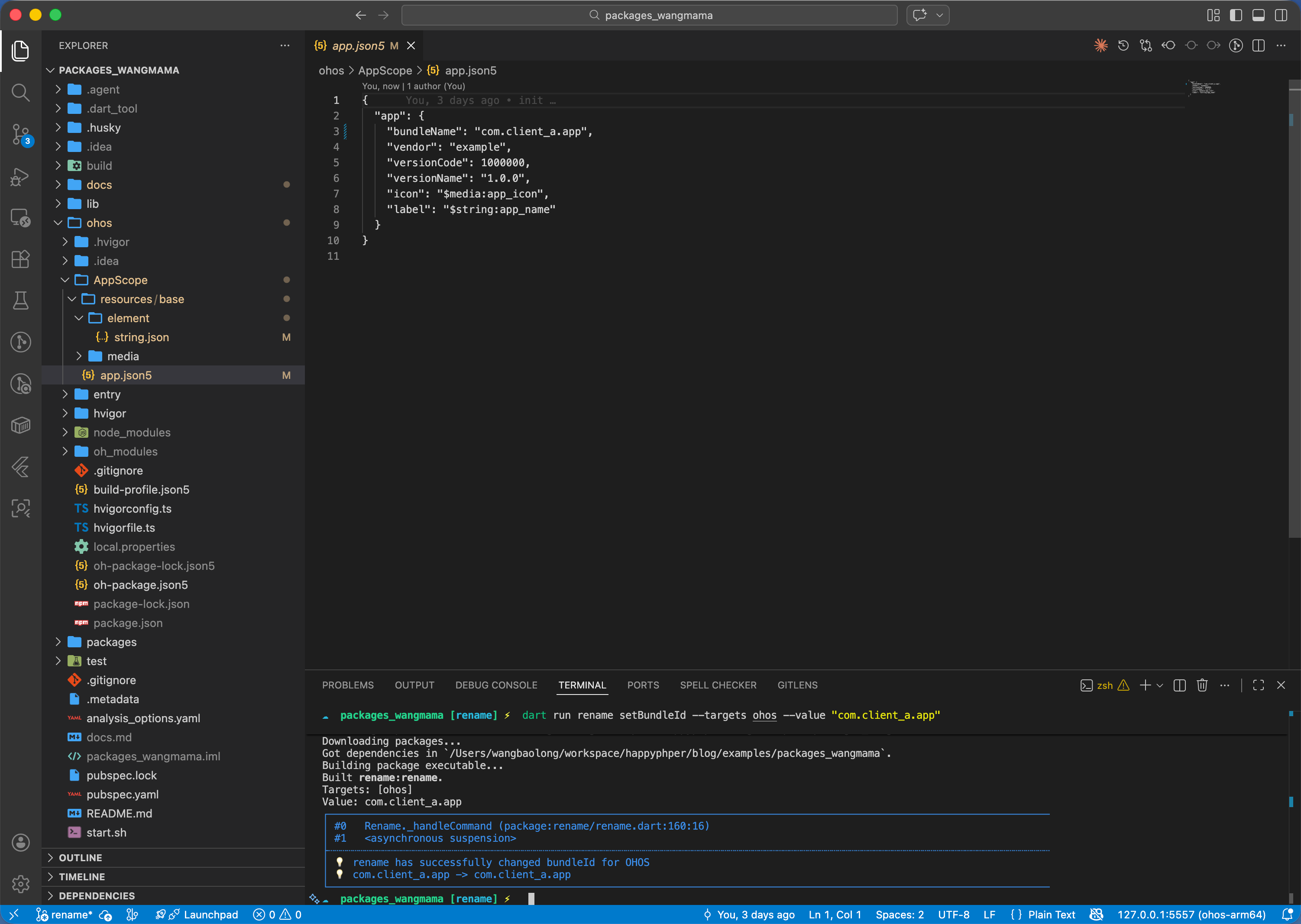
dart run rename setAppName --targets ohos --value "客户A定制版"
dart run rename setBundleId --targets ohos --value "com.client_a.app"
flutter build hap --release
四、OpenHarmony 平台适配深度解析
4.1 适配原理说明
定制版本通过 OhosPlatformFileEditor 类扩展了 rename 的核心逻辑:
- AppName 修改:定位
ohos/AppScope/resources/base/element/string.json,修改app_name键值。 - BundleId 修改:定位
ohos/AppScope/app.json5,精准替换bundleName字段。
✅ 适配优势:
- 原生集成:无需再使用复杂的
sed命令手动纠偏。 - 零错误率:通过 Dart 逻辑处理 JSON5 和特定资源文件,规避了由于手动修改导致的 JSON 格式损坏。
五、鸿蒙适配完整流程
以下是从零开始让 rename 支持鸿蒙的完整操作步骤。
5.1 Step 1:将 rename 源码拷贝到项目本地
git clone https://github.com/onatcipli/rename.git packages/rename
5.2 Step 2:修改 pubspec.yaml,指向本地包
dev_dependencies:
  rename:
    path: ./packages/rename
5.3 Step 3:在枚举中注册 ohos 平台
修改 packages/rename/lib/enums.dart,在 RenamePlatform 中新增 ohos:
enum RenamePlatform {
  android,
  macOS,
  ios,
  linux,
  web,
  windows,
  ohos, // ✅ 新增鸿蒙平台
}
同时在 RenamePlatformExtension 的 name getter 中补充映射:
case RenamePlatform.ohos:
  return 'ohos';
5.4 Step 4:新建 OhosPlatformFileEditor
在 packages/rename/lib/platform_file_editors/ 下创建 ohos_platform_file_editor.dart,这是适配的核心文件:
import 'dart:io';
import 'package:rename/enums.dart';
import 'package:rename/platform_file_editors/abs_platform_file_editor.dart';
import 'package:rename/utils/files.dart';
class OhosPlatformFileEditor extends AbstractPlatformFileEditor {
// 鸿蒙包名配置文件
final String appJsonPath = convertPath(
['ohos', 'AppScope', 'app.json5'],
);
// 鸿蒙应用名资源文件
final String stringJsonPath = convertPath(
['ohos', 'AppScope', 'resources', 'base', 'element', 'string.json'],
);
OhosPlatformFileEditor({
RenamePlatform platform = RenamePlatform.ohos,
}) : super(platform: platform);
Future<String?> setAppName({required String appName}) async {
// 定位 string.json 中的 app_name 键,修改其 value
final filePath = stringJsonPath;
if (!File(filePath).existsSync()) return 'OHOS string.json not found';
List<String?> contentLineByLine = await readFileAsLineByline(
filePath: filePath, platform: platform,
);
for (var i = 0; i < contentLineByLine.length; i++) {
final line = contentLineByLine[i];
if (line != null && line.contains('"name": "app_name"')) {
if (i + 1 < contentLineByLine.length) {
final nextLine = contentLineByLine[i + 1];
if (nextLine != null && nextLine.contains('"value":')) {
contentLineByLine[i + 1] = nextLine.replaceFirst(
RegExp(r'"value": "(.*?)"'), '"value": "$appName"');
break;
}
}
}
}
await writeFile(filePath: filePath, content: contentLineByLine.join('\n'), platform: platform);
return await super.setAppName(appName: appName);
}
Future<String?> setBundleId({required String bundleId}) async {
// 定位 app.json5 中的 bundleName 字段并替换
final filePath = appJsonPath;
if (!File(filePath).existsSync()) return 'OHOS app.json5 not found';
List<String?> contentLineByLine = await readFileAsLineByline(
filePath: filePath, platform: platform,
);
for (var i = 0; i < contentLineByLine.length; i++) {
final line = contentLineByLine[i];
if (line != null && line.contains('"bundleName":')) {
contentLineByLine[i] = line.replaceFirst(
RegExp(r'"bundleName": "(.*?)"'), '"bundleName": "$bundleId"');
break;
}
}
await writeFile(filePath: filePath, content: contentLineByLine.join('\n'), platform: platform);
return await super.setBundleId(bundleId: bundleId);
}
// getAppName / getBundleId 省略,逻辑类似(读取对应文件解析返回)
}
5.5 Step 5:在 CLI 和工厂中注册
packages/rename/lib/commands/rename_command_runner.dart — 在 allowed 列表中添加:
RenamePlatform.ohos.name,
packages/rename/lib/rename.dart — 在编辑器工厂的 switch 中添加:
case RenamePlatform.ohos:
  editors[target] = OhosPlatformFileEditor();
  break;
5.6 Step 6:验证适配效果
# 修改鸿蒙应用名
dart run rename setAppName --targets ohos --value "王码码"
# ✅ 输出:rename has successfully changed appName for OHOS

# 修改鸿蒙包名
dart run rename setBundleId --targets ohos --value "com.example.wangmama"
# ✅ 输出:rename has successfully changed bundleId for OHOS
六、总结
通过对 rename 工具的本地化与鸿蒙化重塑,我们将其强大的自动化能力引入到了鸿蒙生态中。这不仅是工具的迁移,更是开发效率在鸿蒙平台上的深度释放。
✅ 核心建议:
- 强烈建议在项目初期就通过本地化方式部署定制版
rename。 - 结合 CI/CD 实现鸿蒙应用的多马甲包快速分发。

作为“人工智能6S店”的官方数字引擎,为AI开发者与企业提供一个覆盖软硬件全栈、一站式门户。
更多推荐


 15
15 0
0- 0


 已为社区贡献108条内容

所有评论(0)